
Technologies
Galaxy S24 Ultra: One Day With Samsung’s New Phone
Circle to Search and Instant Slow-Mo are my favorite new features so far.
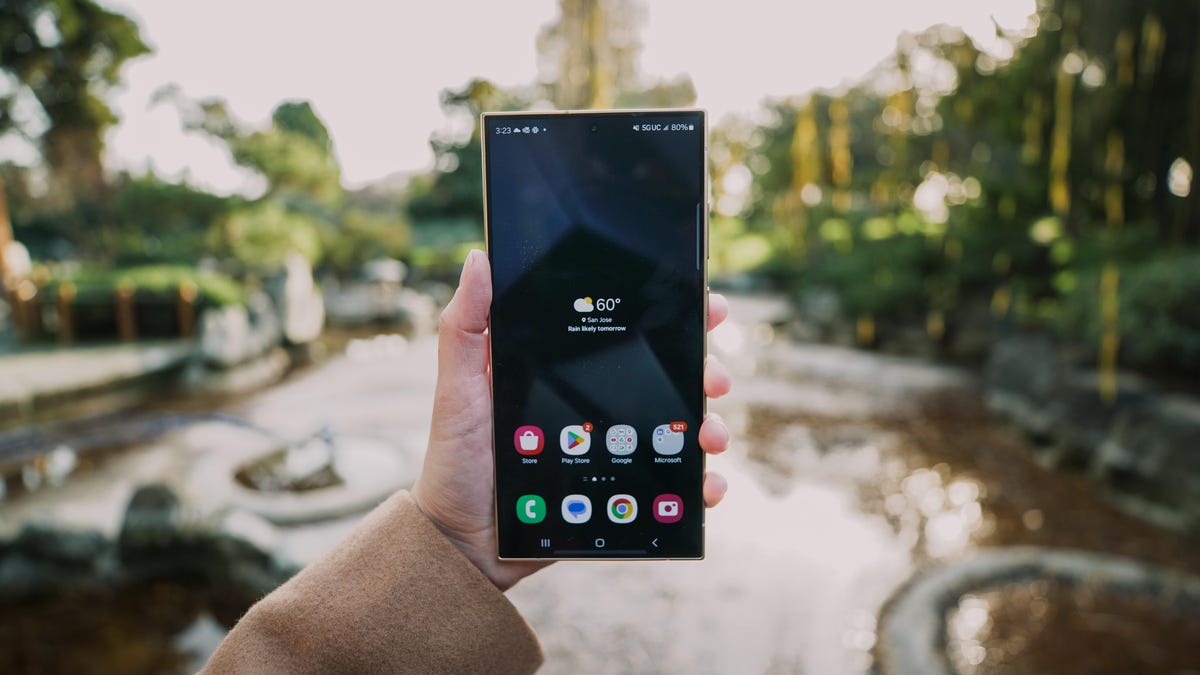
The Galaxy S24 Ultra may look a lot like the Galaxy S23 Ultra at first glance. But Samsung’s newest phones are the first to come with Galaxy AI. It’s an umbrella term for tools and features powered by generative AI that can generate content and responses that sound conversational (but aren’t always accurate) after being trained on data. It’s the same flavor of AI that fuels ChatGPT, and the Galaxy S24 lineup is an example of how the tech is being applied to new smartphones.
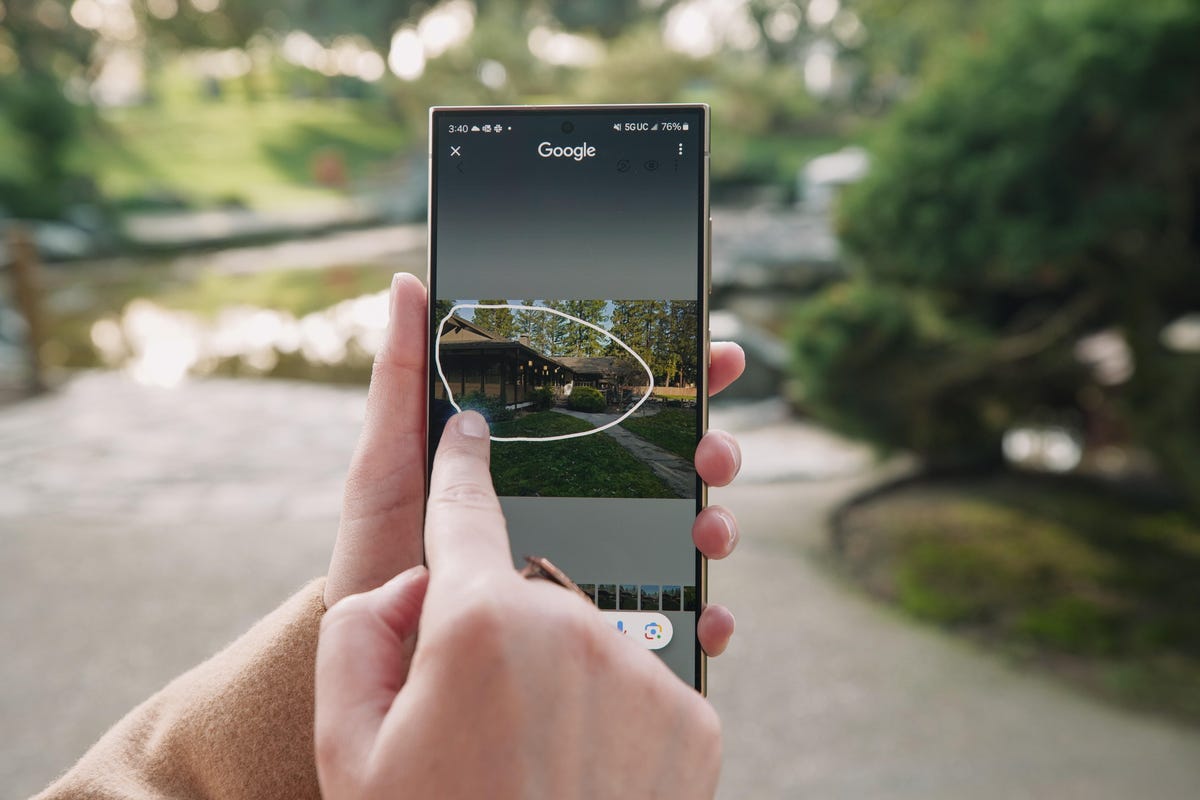
I’ve been using the Galaxy S24 Ultra for a day, and one Galaxy AI feature has stood out to me in that short time: Circle to Search. I just press and hold the home button and draw a circle around anything I see on screen to launch a Google search for that object. It works intuitively and reliably so far and feels practically useful in everyday life unlike other AI-powered additions to the Galaxy S24.
Read more: Samsung’s Galaxy Ring Will Need Less of Your Attention Than a Smartwatch
I need more time with the S24 Ultra to truly assess the usefulness of Galaxy AI and to test out the new 50-megapixel telephoto camera among other updates.
As I wrote in my initial first impressions story, Samsung’s new AI features don’t feel strikingly new and different from the generative AI features from Microsoft and Google. Instead, the Galaxy S24 Ultra feels like a statement about how generative AI features are becoming table stakes on new phones.
Circle to Search is the standout Galaxy AI feature so far
Galaxy AI is a collection of features that spans everything from photo editing to texting, phone calls and note-taking. There’s a tool for moving and removing unwanted objects from photos and refilling the scene so that it looks natural, for example. The Samsung Notes app can organize notes into bullet points and phone calls can be translated between languages in real time. (Check out my first impressions story for a list of some of the top Galaxy AI features.)
But Circle to Search is the one that stood out to me the most. The feature, which was developed in partnership with Google, allows you to search for almost anything on your phone’s screen just by circling it. Based on the time I’ve had with it so far, Circle to Search seems fairly accurate in determining the type of content I’m looking for based on what I’ve circled.
For example, when I circled an image of the character Siobhan Roy from the HBO drama series Succession in a news article, the Galaxy S24 pulled up results that showed more information about the actress Sarah Snook, who plays her in the series. But when I just circled her outfit, I got results showing where to buy cream-colored blazers and slacks similar to those she was wearing in the image.
I’ve also been using the Galaxy S24 Ultra to organize my notes during the process of writing my review and transcribe meetings. I appreciated being able to have the phone turn my list of tests I’d like to run on the Galaxy S24 Ultra into neat and tidy bullet points. Samsung’s Recorder app also transcribed a meeting and summarized the key points into bullet points. While I wouldn’t rely on those bullet points alone for work-related tasks, it was a handy way to see which topics were discussed at specific timestamps in the conversation.
That feature isn’t unique to Samsung’s Recorder app; Google’s app can also do this, as can the transcription service Otter.ai. But combined with other features like the ability to automatically format notes, I’m beginning to see how generative AI could make phones more capable work devices.
Galaxy S24 Ultra’s new telephoto camera and slow motion
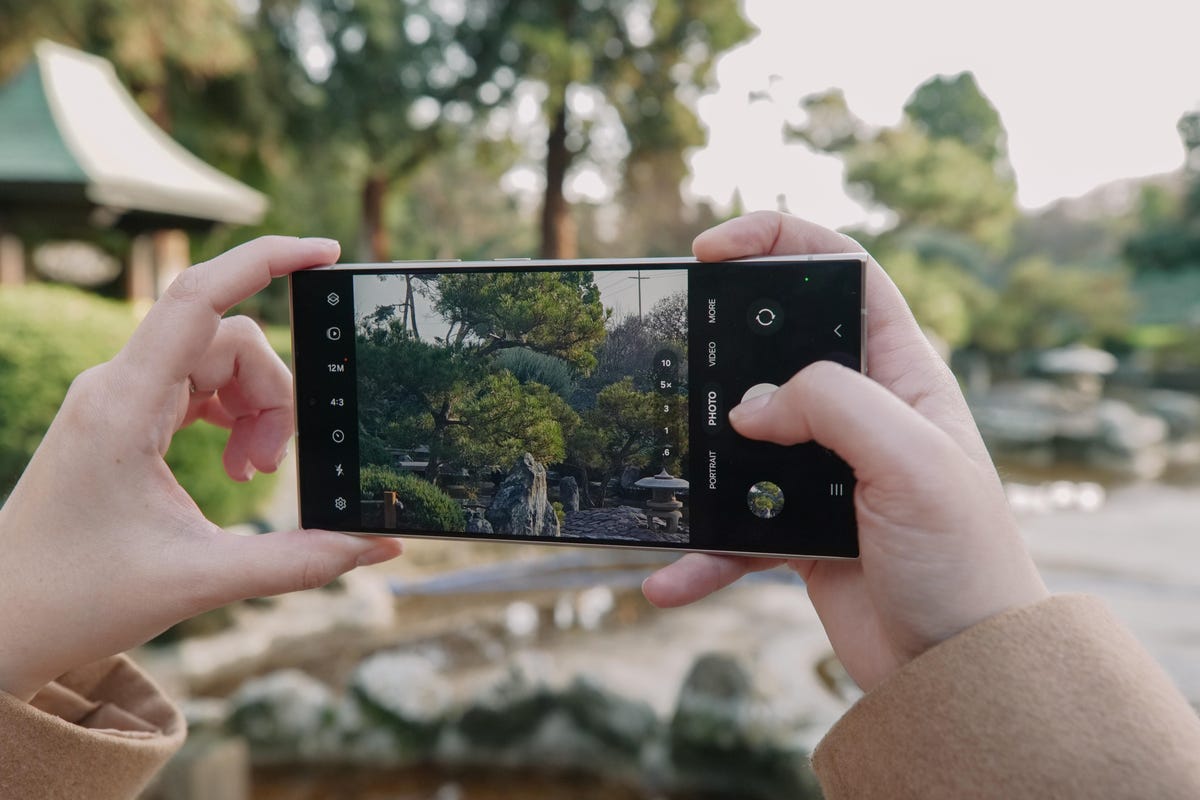
The biggest difference between the Galaxy S23 Ultra’s camera and the Galaxy S24 Ultra’s is the latter’s new 50-megapixel telephoto camera with a 5x optical zoom. That replaces the Galaxy S23 Ultra’s 10-megapixel telephoto camera with a 10x optical zoom, a choice that Samsung made after hearing feedback that users generally preferred to zoom between 2x and 5x.
Read more: Samsung Galaxy S24 Phones Have a New Zoom Trick to Get That Close-Up Photo
I haven’t had too much time to test this extensively, but I’m already seeing a difference. Take a look at the 5x zoom photos below of a wooden sign I came across at a San Jose, California, park. The photos may look similar at first, but you can see the changes when enlarging the images. The text is sharper in the Galaxy S24 Ultra’s photo, and there’s less image noise.
Galaxy S24 Ultra

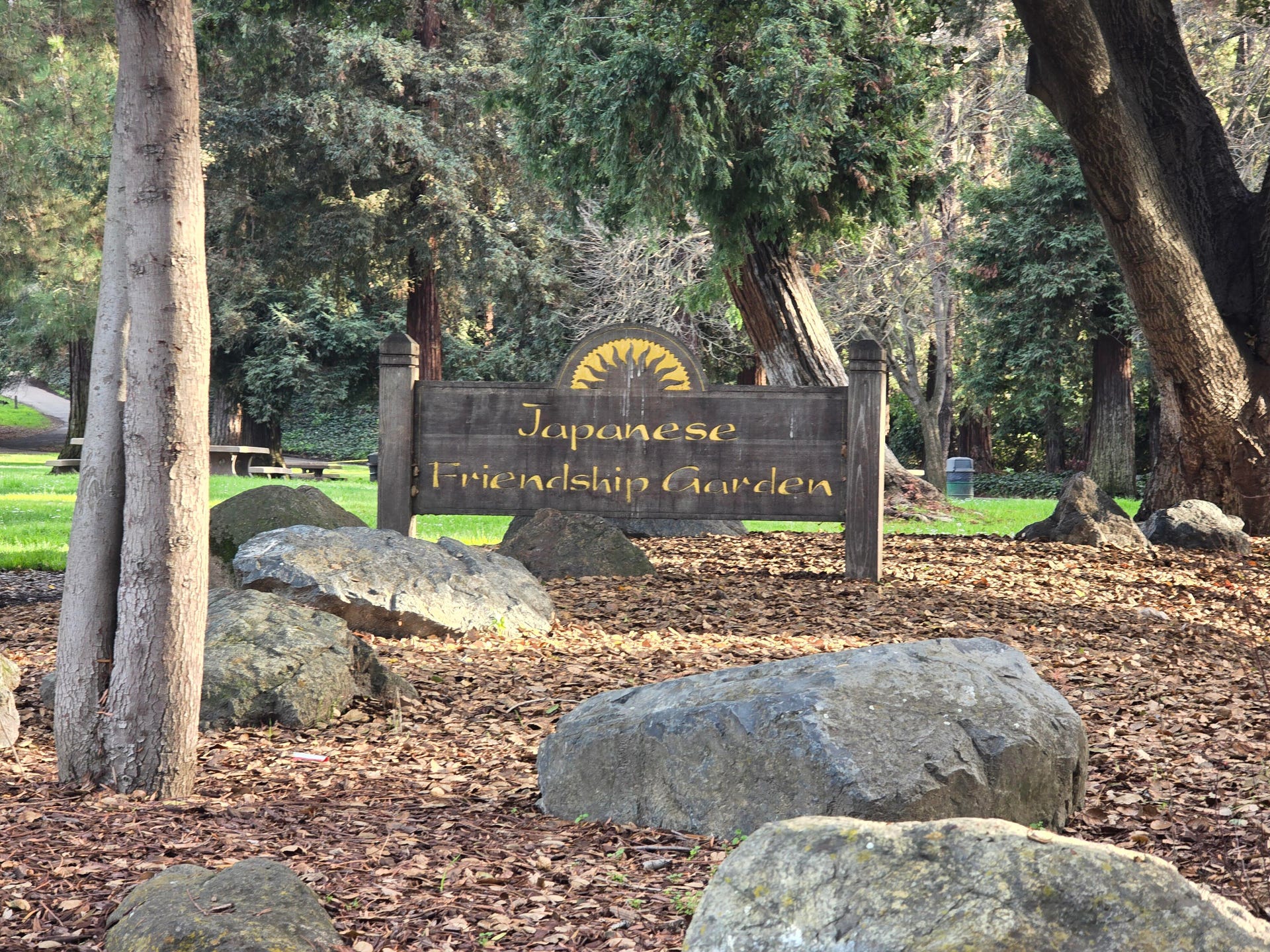
Galaxy S23 Ultra
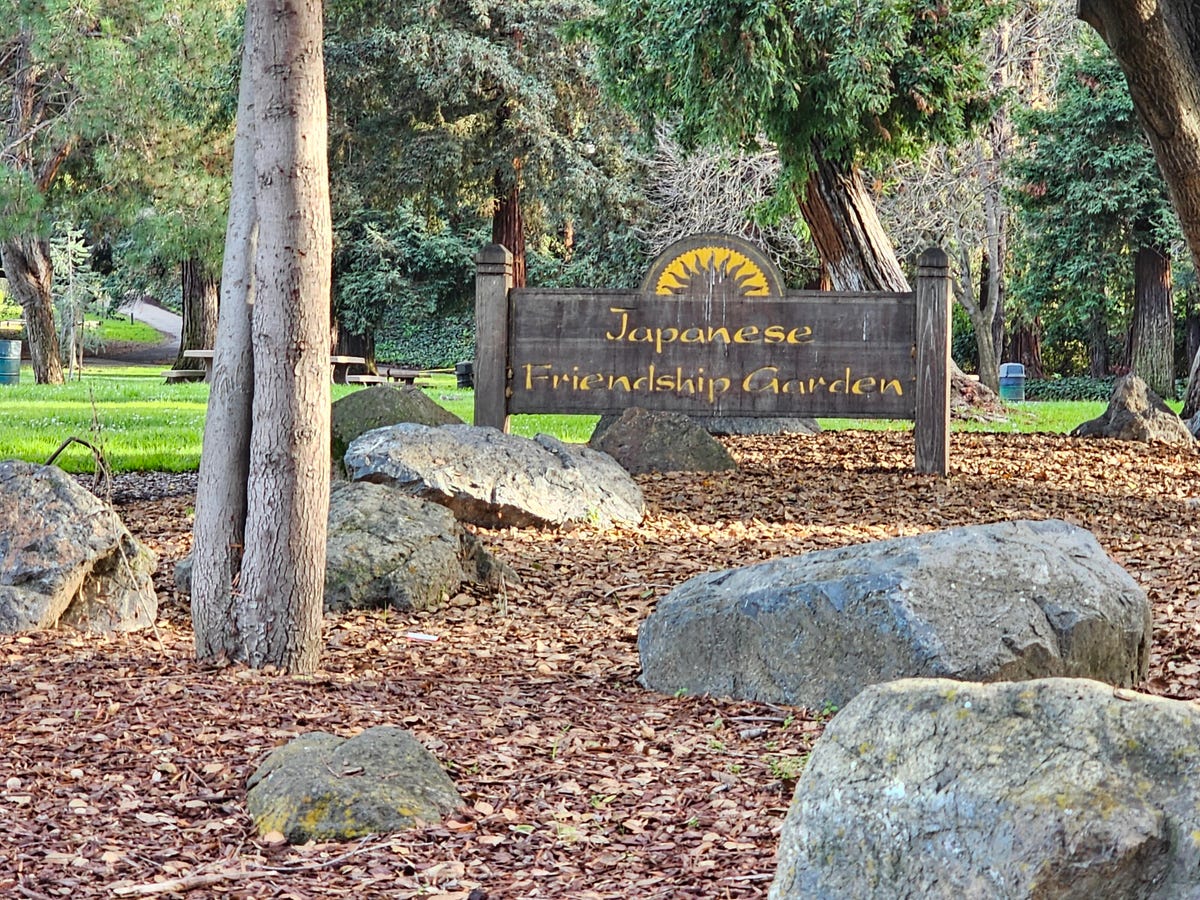
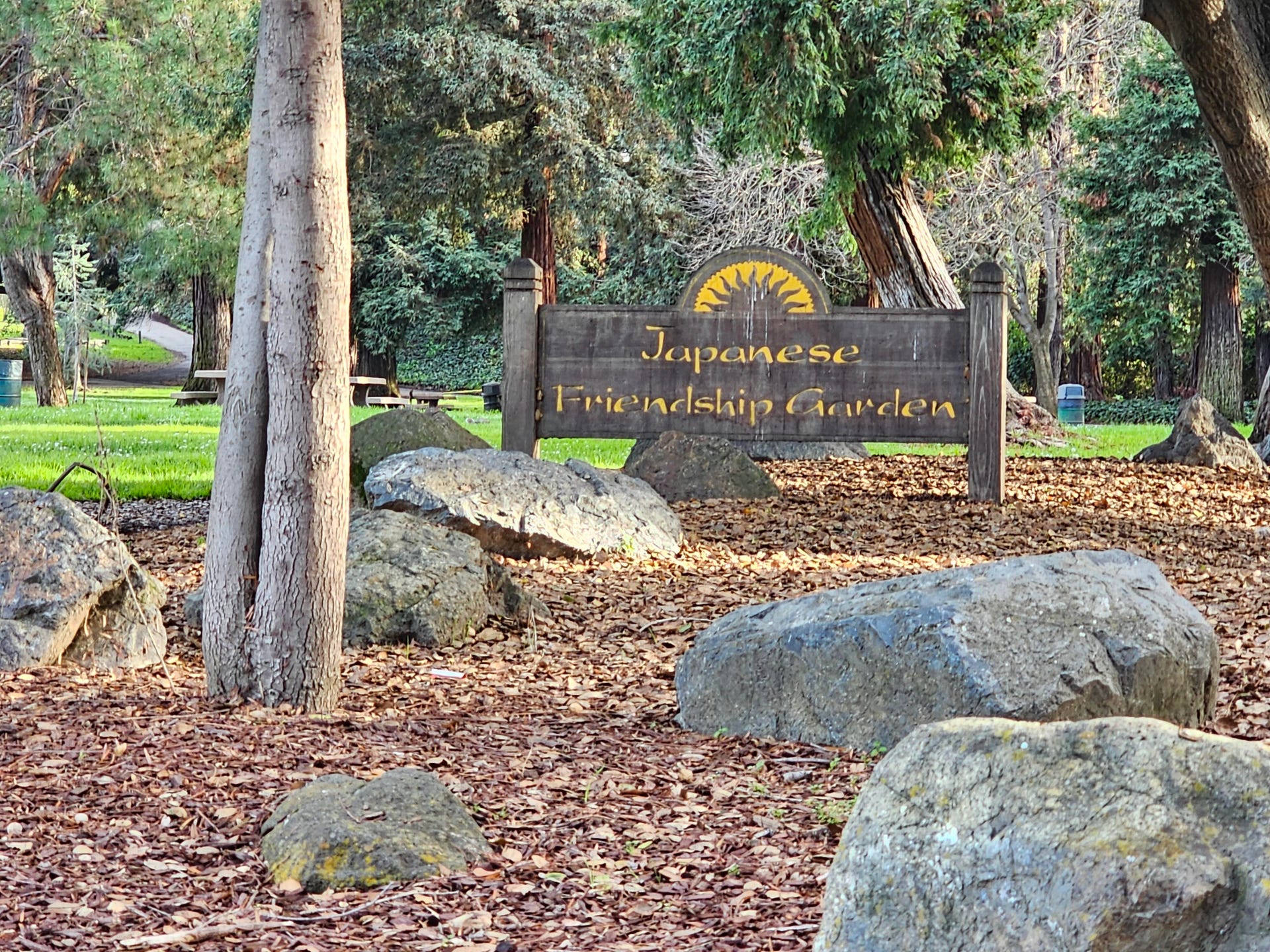
Image quality aside, Samsung also introduced some new camera tricks on the Galaxy S24 Ultra. While Generative Edit may have gotten a lot of attention following Samsung’s announcement, Instant Slow-Mo has impressed me the most so far. I just hold down on a video clip I captured and the phone converts it into a slow motion video by generating extra frames. I can preview how the clip will look in slow motion by pressing and lifting my finger to switch between the regular and slowed-down footage.
Taken together, it seems like Galaxy AI has the potential to make Samsung’s phones more useful and helpful. Most of the features that are currently available, like Circle to Search and note summaries, feel practical rather than gimmicky. But the bigger question is whether Samsung will be able to meaningfully differentiate its offerings moving forward, especially since Google’s Pixel phones provide similar functionality and Samsung plans to bring Galaxy AI to the Galaxy S23 lineup as well.
Editors’ note: CNET is using an AI engine to help create some stories. For more, see this post.


Technologies
Today’s NYT Connections: Sports Edition Hints and Answers for April 8, #562
Here are hints and the answers for the NYT Connections: Sports Edition puzzle for April 8 No. 562.

Looking for the most recent regular Connections answers? Click here for today’s Connections hints, as well as our daily answers and hints for The New York Times Mini Crossword, Wordle and Strands puzzles.
Today’s Connections: Sports Edition is a tough one. If you’re struggling with today’s puzzle but still want to solve it, read on for hints and the answers.
Connections: Sports Edition is published by The Athletic, the subscription-based sports journalism site owned by The Times. It doesn’t appear in the NYT Games app, but it does in The Athletic’s own app. Or you can play it for free online.
Read more: NYT Connections: Sports Edition Puzzle Comes Out of Beta
Hints for today’s Connections: Sports Edition groups
Here are four hints for the groupings in today’s Connections: Sports Edition puzzle, ranked from the easiest yellow group to the tough (and sometimes bizarre) purple group.
Yellow group hint: Working out.
Green group hint: Cover your face.
Blue group hint: NFL players.
Purple group hint: Leap.
Answers for today’s Connections: Sports Edition groups
Yellow group: Exercises in singular form.
Green group: Sporting jobs that require masks.
Blue group: Hall of Fame defensive ends.
Purple group: ____ jump.
Read more: Wordle Cheat Sheet: Here Are the Most Popular Letters Used in English Words
What are today’s Connections: Sports Edition answers?
The yellow words in today’s Connections
The theme is exercises in singular form. The four answers are crunch, plank, situp and squat.
The green words in today’s Connections
The theme is sporting jobs that require masks. The four answers are catcher, fencer, football player and goaltender.
The blue words in today’s Connections
The theme is Hall of Fame defensive ends. The four answers are Dent, Peppers, Strahan and Youngblood.
The purple words in today’s Connections
The theme is ____ jump. The four answers are broad, high, long and triple.
Technologies
The $135M Google Data Settlement Site Is Live — See If You’re Eligible
Use the settlement website to select your preferred payment method, and you may end up $100 richer.

You can now file a claim in the $135 million Google data settlement. The case centers on claims that Android devices transmitted user data without consent. Specifically, the class action lawsuit Taylor v. Google LLC contends that Google’s Android devices passively transferred cellular data to Google without user permission, even when the devices were idle. While not admitting fault, Google reached a preliminary settlement in January, agreeing to pay $135 million to about 100 million US Android phone users.
The official settlement website for the lawsuit is now live. The final approval hearing won’t occur until June 23, when the court will consider whether Google’s settlement is fair and listen to objections. After that, the court will decide whether to approve the $135 million settlement.
In the meantime, if you qualify and want to be paid as part of the settlement, you can select your preferred payment method on the official website. There, you can find information on speaking at the June 23 court hearing and on how to exclude yourself or write to the court to object by May 29.
As part of the settlement, Google will update its Google Play terms of service to clarify that certain data transfers do occur passively even when you’re not using your Android device, and that cellular data may be relied upon when not connected to Wi-Fi. This can’t always be disabled, but users will be asked to consent to it when setting up their device.
Google will also fully stop collecting data when its «allow background data usage» option is toggled off.
Who can be part of the settlement?
In order to join the Taylor v. Google LLC settlement, you must meet four qualifications:
- Be a living, individual human being in the US.
- Have used an Android mobile device with a cellular data plan.
- Have used the aforementioned device at any time from Nov. 12, 2017, to the date when the settlement receives final approval.
- You’re not a class member in the Csupo v. Google LLC lawsuit, which is similar but specifically for California residents.
The final approval hearing is on June 23, so you can add your payment method until then. The hearing’s date and time may change, and any updates will be posted on the settlement website.
If you choose to do nothing, you will still be issued a settlement payment, but you may not receive it if you don’t select a payment method.
How much will I get paid?
It’s not currently known exactly how much each settlement class member will receive, but the cap is $100. Payments will be distributed after final court approval and after any appeals are resolved.
After all administrative, tax and attorney costs are paid, the settlement administrator will attempt to pay each member an equal amount. If any funds remain after payments are sent, and it’s economically feasible, they will be redistributed to members who were previously and successfully paid. If it’s not economically feasible, the funds will go to an organization approved by the court.
Technologies
Samsung’s Galaxy Watch Ultra 2 Might Come in 5G and 4G Cellular Models
If the rumor proves true, the 5G Galaxy Watch Ultra would rival the 5G-enabled $799 Apple Watch Ultra 3 that debuted last fall.

Samsung’s next high-end Galaxy Watch could support faster 5G speeds, but if this leak is true, it will depend on where you live. The rumored Samsung Galaxy Watch Ultra 2 might come in 5G and 4G cellular models, with availability for each smartwatch depending on the country.
According to the Dutch website Galaxy Club (and spotted by SamMobile), Samsung’s servers may have revealed a series of model numbers that point to 5G, 4G and Wi-Fi-enabled editions of the next Galaxy Watch Ultra, which would succeed the original model that debuted in 2024.
A representative for Samsung did not immediately respond to a request for comment.
The Galaxy Club website speculates that the 5G edition would be sold in the US and Korean markets, while the 4G edition would sell in the rest of the world. In the US, a 5G version of the Galaxy Watch Ultra would rival the 5G-enabled $799 Apple Watch Ultra 3, which debuted last fall. The 4G edition would have broader compatibility worldwide, since the earlier network is far more established.
It will likely be a few months until we hear anything official about the Galaxy Watch Ultra 2. Samsung typically unveils its new watches in the summer alongside its Galaxy Z Fold and Z Flip foldable phones. Last year, Samsung unveiled the Galaxy Watch 8 and the Galaxy Watch 8 Classic, but otherwise left the prior 2024 Ultra in the lineup for those looking for a larger 47mm smartwatch.
-
 Technologies3 года ago
Tech Companies Need to Be Held Accountable for Security, Experts Say
-
 Technologies3 года ago
Best Handheld Game Console in 2023
-
 Technologies3 года ago
Tighten Up Your VR Game With the Best Head Straps for Quest 2
-
 Technologies4 года ago
Black Friday 2021: The best deals on TVs, headphones, kitchenware, and more
-
 Technologies5 лет ago
Google to require vaccinations as Silicon Valley rethinks return-to-office policies
-
 Technologies5 лет ago
Verum, Wickr and Threema: next generation secured messengers
-
 Technologies4 года ago
Olivia Harlan Dekker for Verum Messenger
-
 Technologies4 года ago
The number of Сrypto Bank customers increased by 10% in five days