
Technologies
iOS 17 Cheat Sheet: The Latest Information on Apple’s iPhone Update
From hidden features to recent updates, here’s what to know about iOS 17.
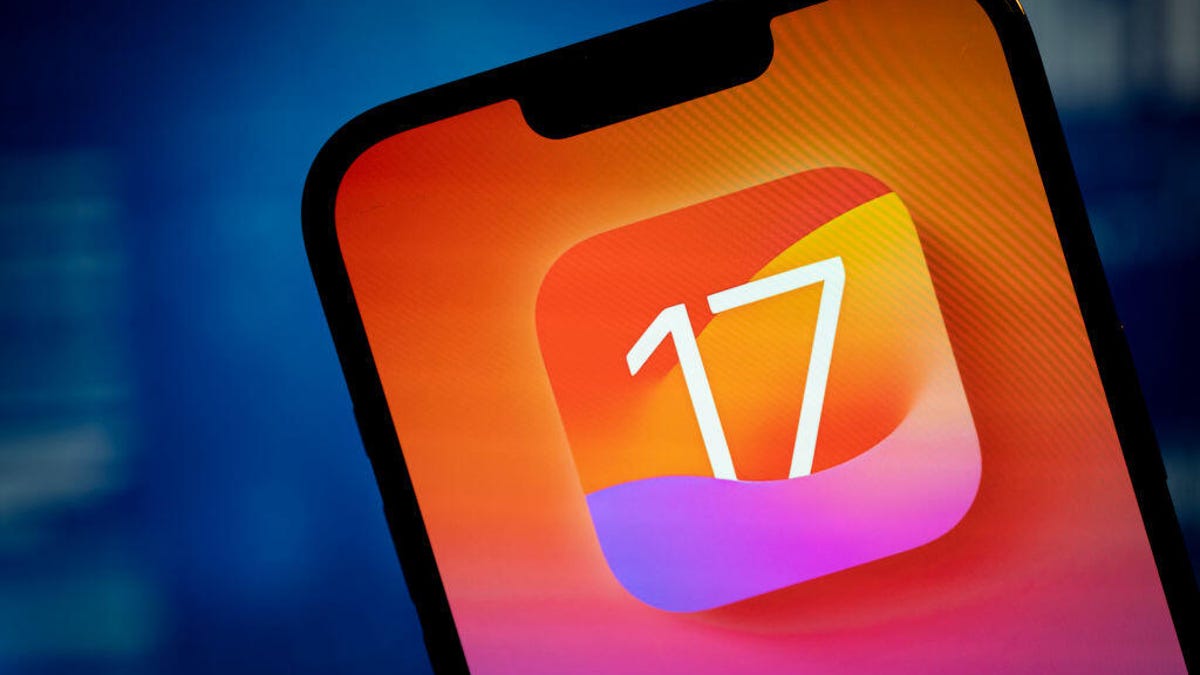
Apple’s iOS 17 was released on Sept. 18, shortly after the company held its «Wonderlust» event, where the tech giant announced the new iPhone 15 lineup, the Apple Watch Series 9 and the Apple Watch Ultra 2. We put together this cheat sheet to help you learn about and use the new features in iOS 17 and to help you keep track of the subsequent iOS 17 updates.
Getting started with iOS 17
- iOS 17 Review: StandBy Mode Changed My Relationship With My iPhone
- Whether or Not Your iPhone Supports iOS 17
- Do This Before Downloading iOS 17
- How to Download iOS 17 to Your iPhone
Using iOS 17
- Three iPhone Settings to Change after Downloading iOS 17
- iOS 17’s Best New Features
- The iOS 17 Features We’re Excited About
- iOS 17 Is Filled With Delightful Features, Intuitive Improvements and More
- 17 Hidden iOS 17 Features You Shouldn’t Miss
- iOS 17 Upgrades Your iPhone’s Keyboard
- You Can Tag Your Pets In Your ‘People’ Album With iOS 17
- How to Create Live Stickers in iOS 17
- How to Set Up Contact Posters in iOS 17
- How to Automatically Delete Two-Factor Verification Codes in iOS 17
- What to Know About iOS 17’s Unreleased Journal App
- How Good Are Offline Maps in iOS 17?
- How to Use iOS 17’s Live Voicemail Feature
- You Can Change Your Private Browsing Browser in iOS 17
- Hidden iOS 17 Feature Makes It Easier to Send Photos and Videos
- You Can Clone Your Voice with iOS 17. Here’s How
- Are Audio Message Transcripts in iOS 17 Any Good?
- Sharing AirTags in iOS 17 is Easy. Here’s How
- How to Create Camera Shortcuts in iOS 17
- What You Need to Know About the Improved Autocorrect in iOS 17
- Use This Hidden iOS 17 Feature to Reduce Eye Strain
- How to Enable Sensitive Content Warnings on Your iPhone
- Let Your Loved Ones Know You’re Safe With This iOS 17 Feature
- Simplify Your Grocery List With iOS 17
- How to Turn Off FaceTime Reactions in iOS 17
- What Is iOS 17’s Journal App and How Does It Work?
- You Can Use Albums for Photo Shuffle on Your Lock Screen
- Play Daily Crosswords in Apple News With iOS 17
- How to Turn Off the Most Annoying iOS 17 Features
- iOS 17.2 Supposedly Brings Better Wireless Charging to These iPhones
- How to Turn Inline Predictive Text Off With iOS 17.2
- This Security Feature Could Be Included in iOS 17.3
iOS 17 updates
- iOS 17.2 Brings These New Features to Your iPhone
- What iOS 17.1.2 Fixes on Your iPhone
- iOS 17.1.1 Patches These iPhone Issues
- What New Features iOS 17.1 Brings to Your iPhone
- What to Know About iOS 17.0.1
- Apple Made an iPhone 15 Mistake, but iOS 17.0.2 Is Here to Fix It
- iOS 17.0.3 Fixes This iPhone 15 Pro Problem
Make sure to check back periodically for more iOS 17 tips and how to use new features as Apple releases more updates.

Technologies
Today’s NYT Mini Crossword Answers for Wednesday, Jan. 28
Here are the answers for The New York Times Mini Crossword for Jan. 28.
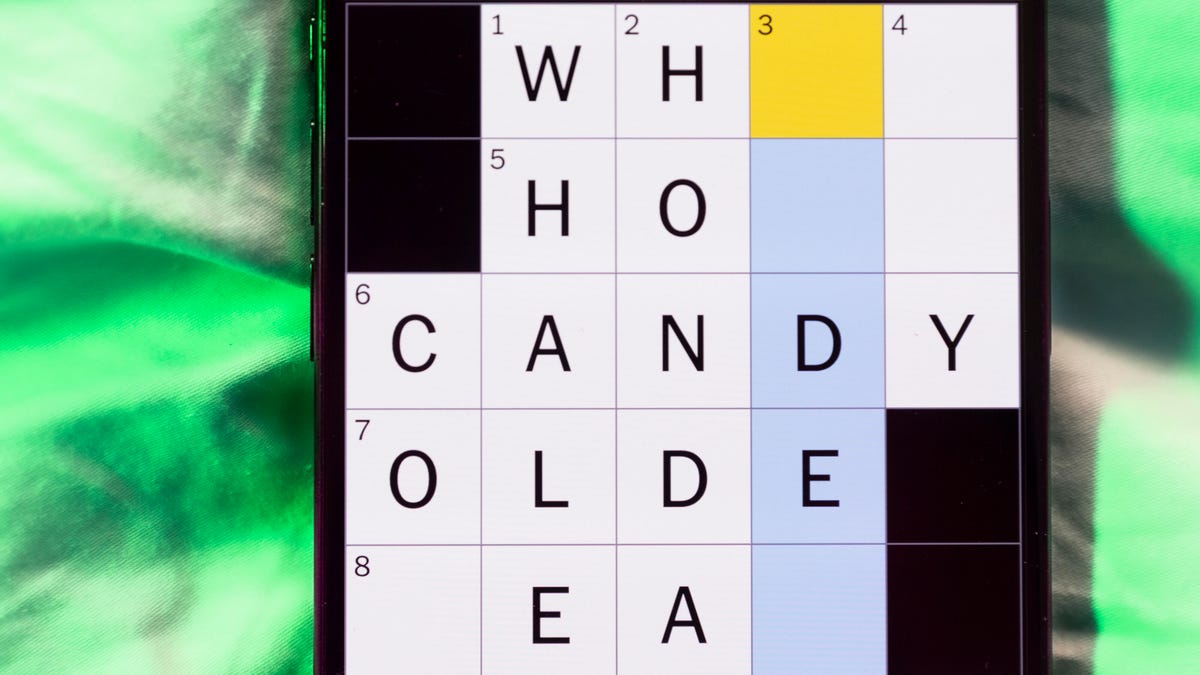
Looking for the most recent Mini Crossword answer? Click here for today’s Mini Crossword hints, as well as our daily answers and hints for The New York Times Wordle, Strands, Connections and Connections: Sports Edition puzzles.
Need some help with today’s Mini Crossword? Read on for all the answers. And if you could use some hints and guidance for daily solving, check out our Mini Crossword tips.
If you’re looking for today’s Wordle, Connections, Connections: Sports Edition and Strands answers, you can visit CNET’s NYT puzzle hints page.
Read more: Tips and Tricks for Solving The New York Times Mini Crossword
Let’s get to those Mini Crossword clues and answers.
Mini across clues and answers
1A clue: Remove from a position of power
Answer: OUST
5A clue: Not cool
Answer: UNHIP
7A clue: «Fine, see if ___!»
Answer: ICARE
8A clue: Kind of bored
Answer: JADED
9A clue: Primatologist’s subjects
Answer: APES
Mini down clues and answers
1D clue: Kind of board
Answer: OUIJA
2D clue: Prepare to use, as a pen
Answer: UNCAP
3D clue: Desirable place to sit on a hot day
Answer: SHADE
4D clue: Pair on a bicycle
Answer: TIRES
6D clue: ___ Xing (street sign)
Answer: PED
Don’t miss any of our unbiased tech content and lab-based reviews. Add CNET as a preferred Google source.
Technologies
Today’s NYT Connections: Sports Edition Hints and Answers for Jan. 28, #492
Here are hints and the answers for the NYT Connections: Sports Edition puzzle for Jan. 28, No. 492.
Looking for the most recent regular Connections answers? Click here for today’s Connections hints, as well as our daily answers and hints for The New York Times Mini Crossword, Wordle and Strands puzzles.
Today’s Connections: Sports Edition is a tough one. If you’re struggling with today’s puzzle but still want to solve it, read on for hints and the answers.
Connections: Sports Edition is published by The Athletic, the subscription-based sports journalism site owned by The Times. It doesn’t appear in the NYT Games app, but it does in The Athletic’s own app. Or you can play it for free online.
Read more: NYT Connections: Sports Edition Puzzle Comes Out of Beta
Hints for today’s Connections: Sports Edition groups
Here are four hints for the groupings in today’s Connections: Sports Edition puzzle, ranked from the easiest yellow group to the tough (and sometimes bizarre) purple group.
Yellow group hint: Stats about an athlete.
Green group hint: Where to watch games.
Blue group hint: There used to be a ballpark.
Purple group hint: Names are hidden in these words.
Answers for today’s Connections: Sports Edition groups
Yellow group: Player bio information.
Green group: Sports streamers.
Blue group: Former MLB ballparks.
Purple group: Ends in a Hall of Fame QB.
Read more: Wordle Cheat Sheet: Here Are the Most Popular Letters Used in English Words
What are today’s Connections: Sports Edition answers?
The yellow words in today’s Connections
The theme is player bio information. The four answers are alma mater, height, number and position.
The green words in today’s Connections
The theme is sports streamers. The four answers are Netflix, Paramount, Peacock and Prime.
The blue words in today’s Connections
The theme is former MLB ballparks. The four answers are Ebbets, Kingdome, Three Rivers and Tiger.
The purple words in today’s Connections
The theme is ends in a Hall of Fame QB. The four answers are forewarner, Harbaugh, honeymoon and outmanning.
Don’t miss any of our unbiased tech content and lab-based reviews. Add CNET as a preferred Google source.
Technologies
Google Rolls Out Expanded Theft Protection Features for Android Devices
The latest Android security update makes it harder for thieves to break into stolen phones, with stronger biometric requirements and smarter lockouts.
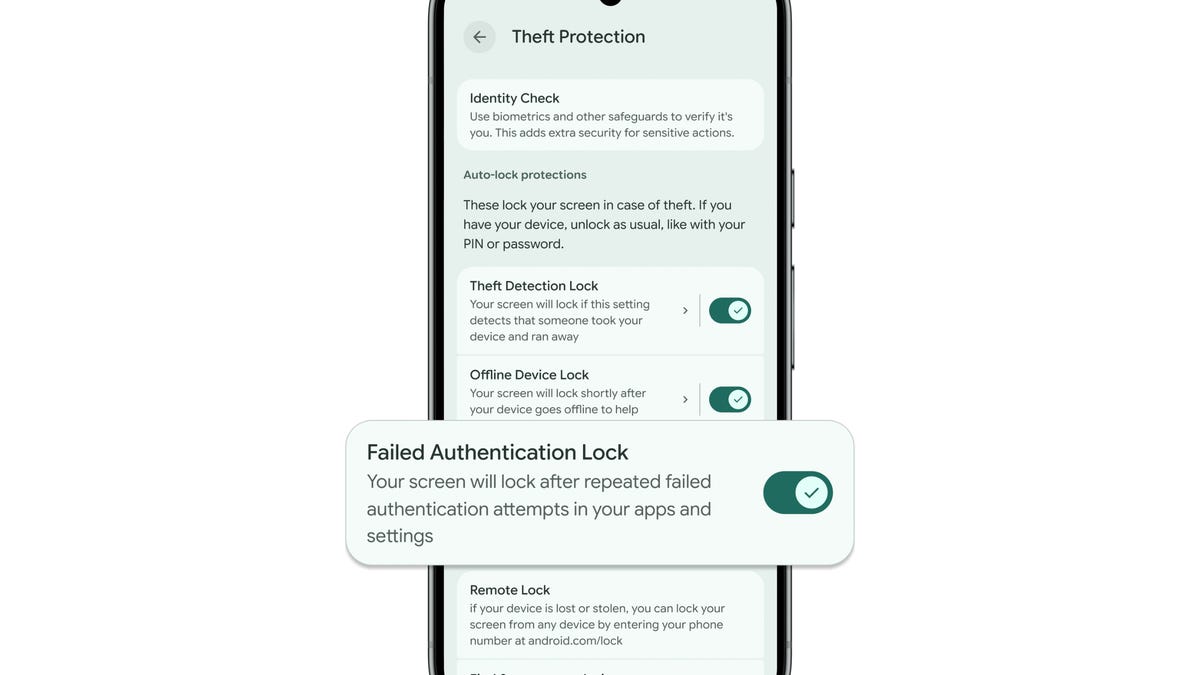
Google on Tuesday announced a significant update to its Android theft-protection arsenal, introducing new tools and settings aimed at making stolen smartphones harder for criminals to access and exploit. The updates, detailed on Google’s official security blog, build on Android’s existing protections and add both stronger defenses and more flexible user controls.
Smartphones carry your most sensitive data, from banking apps to personal photos, and losing your device to theft can quickly escalate into identity and financial fraud. To counter that threat, Google is layering multiple protective features that work before, during and after a theft.
Don’t miss any of our unbiased tech content and lab-based reviews. Add CNET as a preferred Google source.
At the center of the update is a revamped Failed Authentication Lock. Previously introduced in Android 15, this feature now gets its own toggle in Android 16 settings, letting you decide whether your phone should automatically lock itself after repeated incorrect PIN or biometric attempts. This gives you more control over how aggressively your phone defends against brute-force guessing without weakening security.
Google is also beefing up biometric security across the platform. A feature called Identity Check, originally rolled out in earlier Android versions, has been broadened to apply to all apps and services that use Android’s Biometric Prompt — the pop-up that asks for your fingerprint or face to confirm it’s really you — including third-party banking apps and password managers. This means that even if a thief somehow bypasses your lock screen, they’ll face an additional biometric barrier before accessing sensitive apps.
On the recovery side, Google improved Remote Lock, a tool that allows you to lock a lost or stolen device from a web browser by entering a verified phone number. The company added an optional security challenge to ensure only the legitimate owner can initiate a remote lock, an important safeguard against misuse.
And finally, in a notable regional rollout, Google said it is now enabling both Theft Detection Lock and Remote Lock by default on new Android device activations in Brazil, a market where phone theft rates are comparatively high. Theft Detection Lock uses on-device AI to detect sudden movements consistent with a snatch-and-run theft, automatically locking the screen to block immediate access to data.
With stolen phones often used to access bank accounts and personal data, Google says these updates are meant to keep a single theft from turning into a much bigger problem.
-
 Technologies3 года ago
Tech Companies Need to Be Held Accountable for Security, Experts Say
-
 Technologies3 года ago
Best Handheld Game Console in 2023
-
 Technologies3 года ago
Tighten Up Your VR Game With the Best Head Straps for Quest 2
-
 Technologies4 года ago
Black Friday 2021: The best deals on TVs, headphones, kitchenware, and more
-
 Technologies5 лет ago
Google to require vaccinations as Silicon Valley rethinks return-to-office policies
-
 Technologies5 лет ago
Verum, Wickr and Threema: next generation secured messengers
-
 Technologies4 года ago
Olivia Harlan Dekker for Verum Messenger
-
 Technologies4 года ago
iPhone 13 event: How to watch Apple’s big announcement tomorrow