
Technologies
Google Pixel 8 vs. Pixel 7: Which Is the Best Choice?
The Pixel 8’s biggest advantage is that Google claims it can last until 2030.
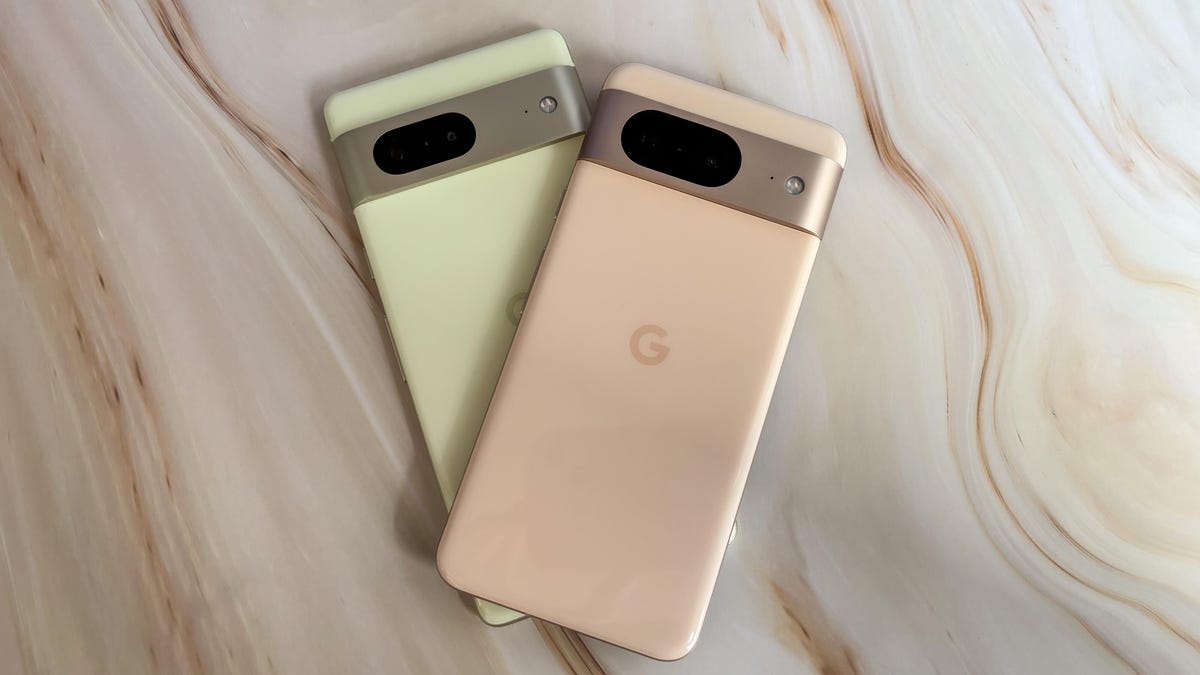
Annual phone upgrades are usually minimal, and the jump from the Pixel 7 to Pixel 8 is no exception. Google’s new entry-level Pixel phone has a fresh processor, more AI tricks to help with photo edits, macro photography mode and a slightly improved camera. Taken together, these changes underscore Google’s increased focus on artificial intelligence, further signaling the technology will play a big role in future Pixel devices.
But if you’re just looking for a reliable new phone with a medium-sized screen and a good camera, you may be wondering if it’s worth buying the $699 Pixel 8 or last year’s Pixel 7, which is $100 cheaper at $599. The answer is tricky. Although I loved the Pixel 7 when I reviewed it last year, there are better choices in Google’s lineup.
The pricier Pixel 8 may not be very different from the Pixel 7, but Google promises software updates for seven years. That’s a big deal because it means the Pixel 8 shouldn’t feel outdated until 2030 since it will continue to receive new Android version updates, security updates and special Pixel updates that Google calls “feature drops” until then. If you’re already spending hundreds of dollars on a new phone, it’s a good idea to invest in the one that will last longer.
But if you’re looking to save some cash, go for the $499 Pixel 7A instead of the Pixel 7. It has a lot in common with the Pixel 7 by offering the same processor and a similar camera, but for $100 less.
Here’s a closer look at how the Pixel 8 compares to the Pixel 7.
Pixel 8 vs. Pixel 7: Design, display and software
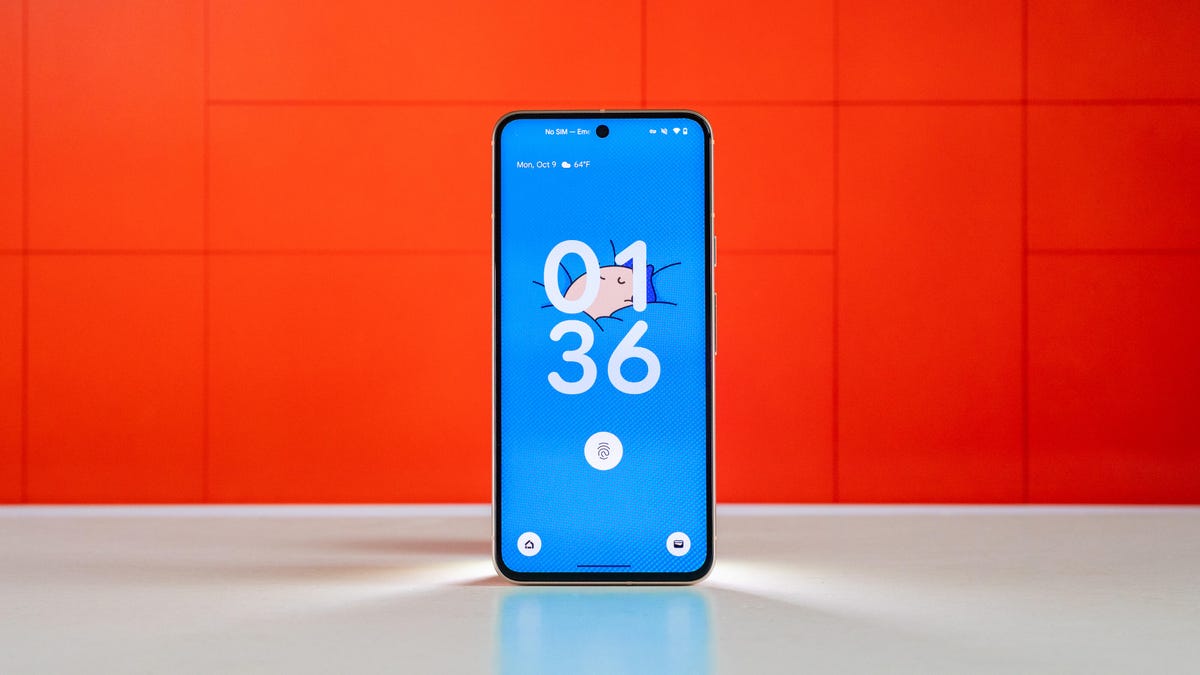
The Pixel 7 and Pixel 8 look and feel similar, with each featuring a glossy back finish and a matte aluminum frame with a bar-shaped camera module that runs horizontally across the device. But the Pixel 8 has flatter edges and weighs less, which along with its more compact size make it easier to hold and use with one hand.
The Pixel 7 is available in lemongrass (yellow), snow (white) and obsidian (black) color options, while the newer Pixel 8 comes in hazel (gray), obsidian (black) and rose (pink) choices. Both devices are rated for IP68 dust and water resistance, which means they should be dust-tight and able to withstand some water immersion.
Where the Pixel 8 and Pixel 7 start to differ is in their screens. The Pixel 8 has a 6.2-inch display, so it’s slightly smaller than the 6.3-inch Pixel 7. The Pixel 8’s dimensions are also physically smaller than the Pixel 7’s, making it a more ideal choice for those seeking a petite phone.
The Pixel 8’s screen is also brighter since it can peak at 2,000 nits of brightness compared to the Pixel 7’s 1,400 nits. In addition, the Pixel 8 can boost its refresh rate up to 120Hz compared to the Pixel 7’s 90Hz display, although the difference may not be noticeable and depends on what you’re doing on your phone.
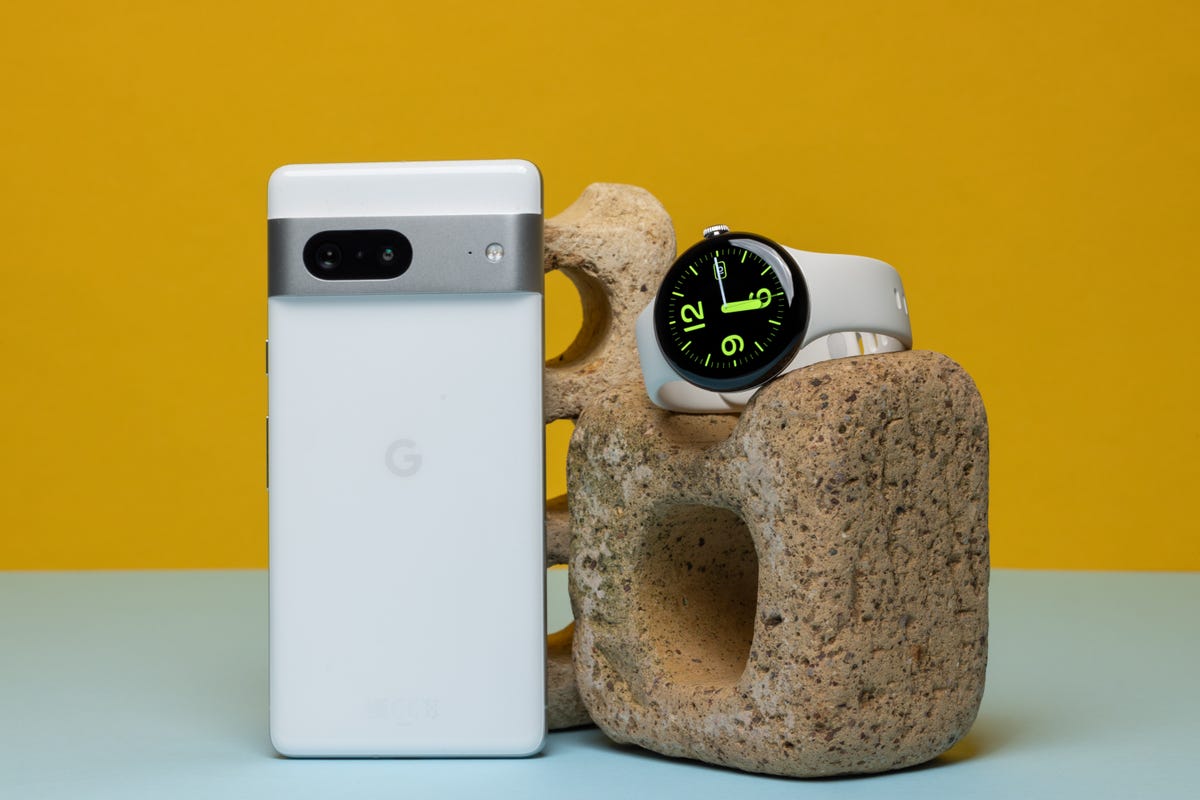
Both phones run on Android 14, the newest version of Google’s mobile operating system. The Pixel 8 comes preloaded with Android 14, and it’s available for the Pixel 7 as an upgrade. But as mentioned above, the Pixel 8 will get seven years of new Android versions, new Pixel features and security updates. If you want a phone you can hold onto for years to come, the Pixel 8 is the better choice.
The Pixel 7 will only receive new Android updates for three years following its launch, meaning it’ll stop getting new versions of Android after October 2025. That alone gives the Pixel 8 a big edge over the Pixel 7.
While the software experience is largely the same, the Pixel 8 has some new AI-powered features — many of which are photography-related. The Pixel 8’s Google Assistant is smarter and can summarize web pages. It also sounds more natural when screening incoming calls on your behalf.
Pixel 8 vs. Pixel 7: Camera
On paper, the Pixel 7 and Pixel 8 have similar camera systems. They each have a 50-megapixel main camera and a 12-megapixel ultra wide camera, but the Pixel 8 also has a macro photography mode and a newer sensor that’s more sensitive to light.
The difference is noticeable; photos taken with the Pixel 8’s main camera generally looked a little brighter than those shot on the Pixel 7. And some shots looked more colorful too.
In the images of my colleague Bridget Carey below, which I shot using Night Mode in a dimly lit room in the CNET offices, the Pixel 8 did a better job at capturing the purple lighting more accurately. However, her face does look a bit noisy in the Pixel 8’s photo.
Pixel 8
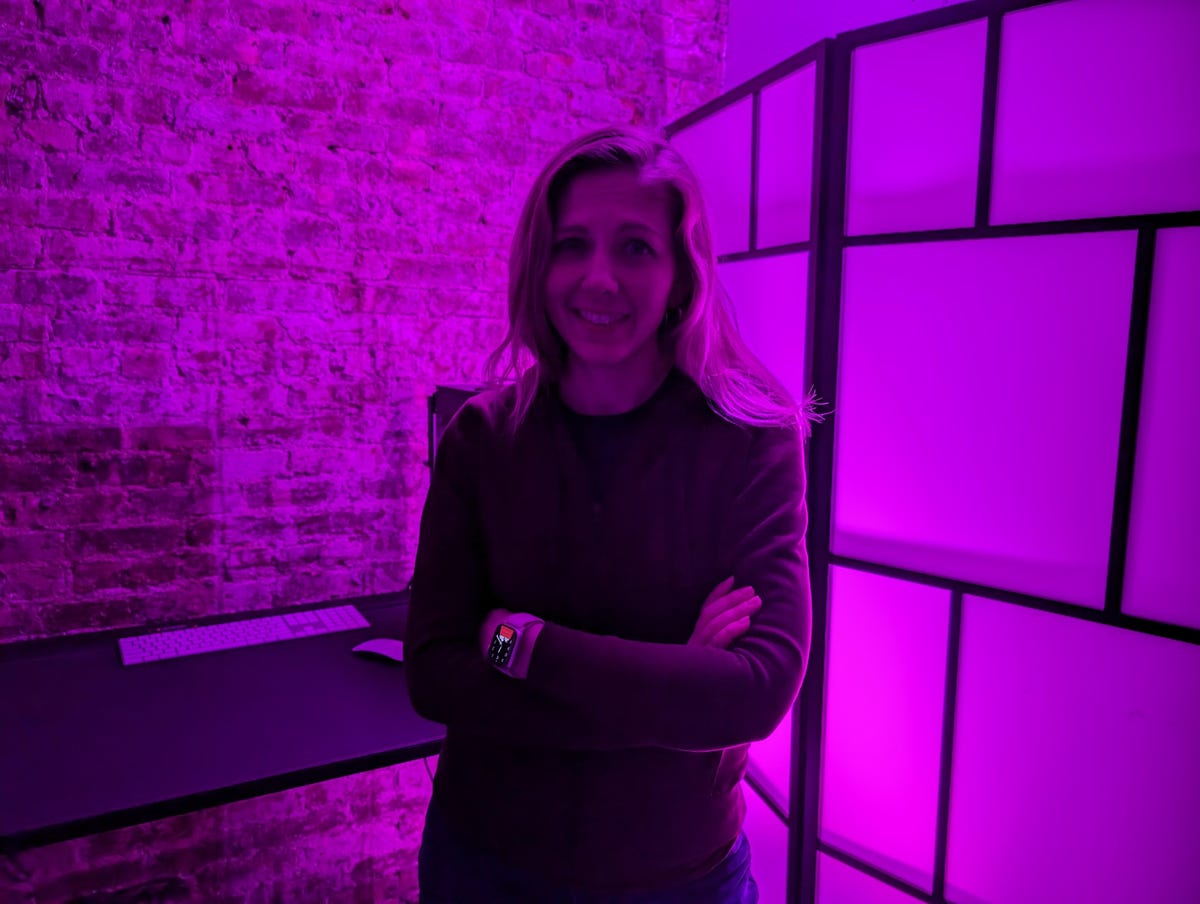
Pixel 7
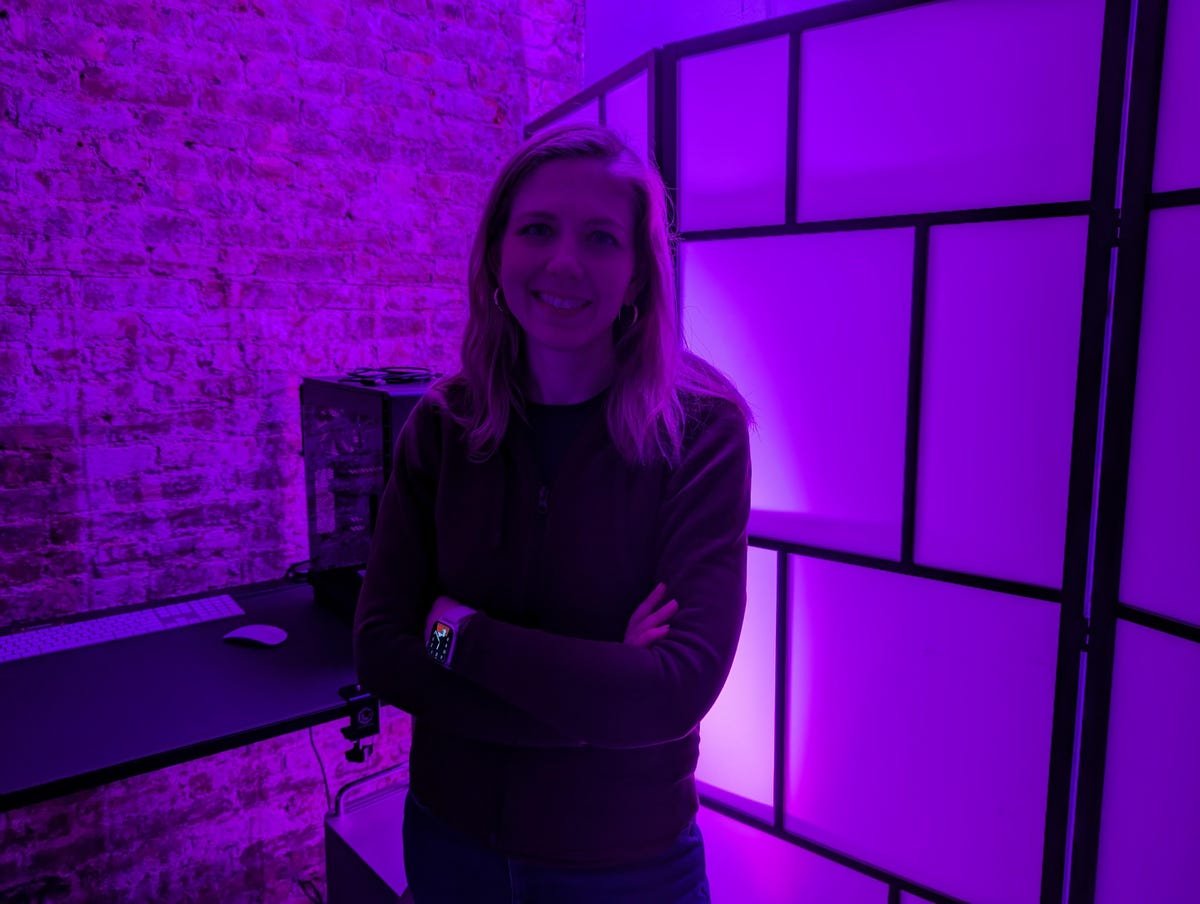
While photos generally looked the same between both phones, the Pixel 8’s images sometimes looked slightly more colorful. Take a look at the photos of the fish market in Wegmans below, and you’ll notice the reddish color in the fish’s scales looks a little bolder, especially in the tail.
Pixel 8

Pixel 7

Macro mode also makes it easier to capture closeup details on the Pixel 8. The photo of an artificial flower below was taken on the Pixel 8 in macro mode, and below it you can see the same photo without macro mode taken on the Pixel 7.
Pixel 8

Pixel 7

My colleague Patrick Holland, who reviewed the Pixel 8, also said photos looked generally similar between both devices. However, he did notice more shadow detail in the Pixel 8’s photos when looking closely, which you can see in his review.
The bigger difference between the two phones comes down to their photo editing features. The Pixel 8 has a handful of new AI-powered editing tools that aren’t available on the Pixel 7, like Best Take and the Magic Editor. The former lets you change a person’s expression in a group photo after you’ve taken a bunch of shots, while the latter makes it possible to move and resize people and pets in images.
Best Take is meant for moments when you can’t get everyone smiling or keeping their eyes open in a group photo at the same time. While it works impressively well and I can see the appeal behind it, Best Take also feels a little inauthentic to me. It’s easy enough to ignore this feature if you don’t want to use it, but it doesn’t feel as practical as previously introduced photo editing tools like the Magic Eraser and Face Unblur.
The photo below was edited with Best Take. CNET’s Jessica Fierro (left) and Abrar Al-Heeti (right) weren’t smiling in the original image.

My opinion on the Magic Editor is largely the same, although I’m sure some people will have fun customizing their images and finding creative use cases for it. With the Magic Editor, you can resize people, delete certain objects and move people and pets. Patrick has a great example of the Magic Editor at work in his review.
After capturing a photo of two of our CNET colleagues jumping off of a giant rock, he used the Magic Editor to remove the rock entirely, making it look like they were just jumping in the air really high. However, these edits aren’t as smooth as Best Take; you can clearly tell the image was altered. As my colleague Sareena Dayaram points out, tools like the Magic Editor also raise questions about the authenticity of the photos we snap on our phones and potentially share on social media.

While the Pixel 7 doesn’t have these new features, it does have other handy editing options like Face Unblur, Photo Unblur and the Magic Eraser.
Overall, the cameras on both phones are similar enough, although the Pixel 8’s generally feels like a small step up.
Pixel 8 vs. Pixel 7: Performance and battery
The Pixel 8 runs on Google’s newest processor, the Tensor G3, while the previous-generation Tensor G2 powers the Pixel 7. Both phones are responsive enough when scrolling around the operating system, swiping through social media posts, launching apps and the camera and playing games. The new chip’s benefits really kick in when it comes to those AI-powered features mentioned earlier.
I also ran two benchmarks on each phone: one for testing general performance in everyday use (Geekbench 6) and another for measuring graphics power (3DMark Wild Life Extreme). In both tests, the Pixel 8 scored higher, especially on 3DMark Wild Life Extreme, as you can see in the table below.
Geekbench 6 Pixel 8 vs. Pixel 7
- Pixel 8
- Pixel 7
3DMark Wild Life Extreme
- Pixel 8
- Pixel 7
3DMark Frames Per Second
- Pixel 8
- Pixel 7
Both phones offer roughly the same battery life, even though the Pixel 8 has a slightly higher battery capacity. The Pixel 8 and Pixel 7 can each last for around a day on a single charge, and they performed very similarly during CNET’s three-hour battery test. During this test, we stream a YouTube video with the screen brightness turned up to its maximum level for three hours and note the battery percentage at each hour.
Despite its brighter screen, the Pixel 8 delivered results that almost matched those of the Pixel 7.
Pixel 8 vs. Pixel 7 Battery Test
| Pixel 8 | Pixel 7 | |
| 1 Hour | 95% | 95% |
| 2 Hours | 88% | 88% |
| 3 Hours | 79% | 81% |
Pixel 8 vs. Pixel 7: Which should you choose?
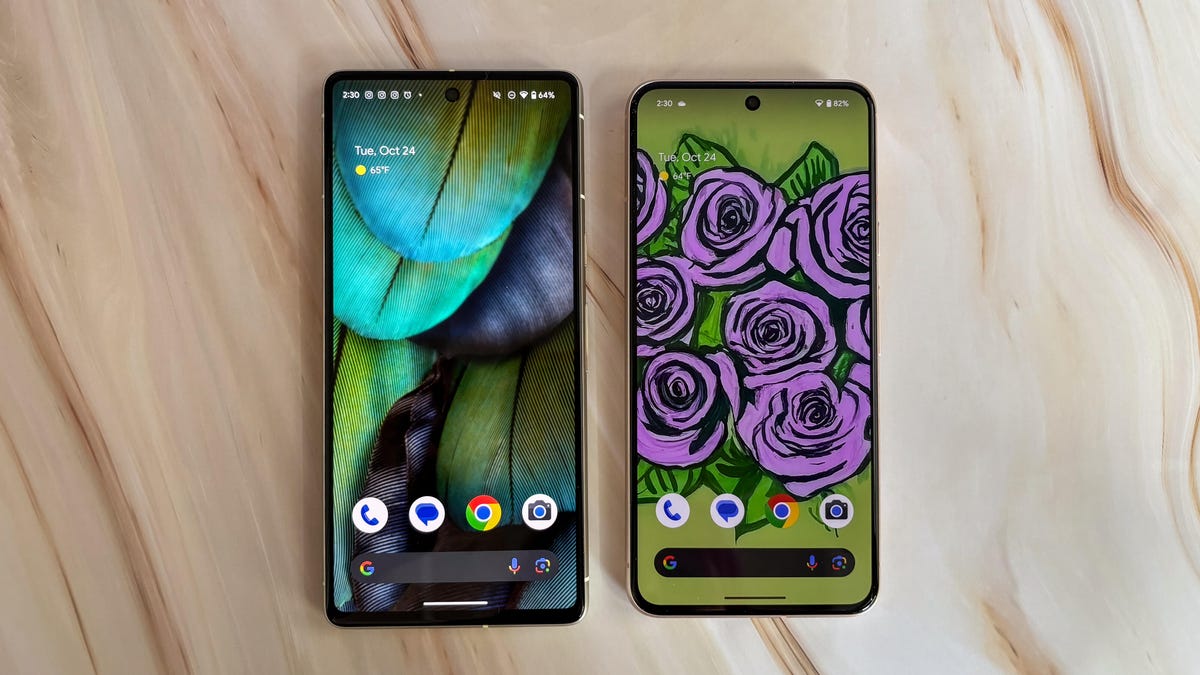
The Pixel 8 is a better investment overall for the simple reason that it will last longer. Its modest camera and display improvements are a step up, and the Pixel 8’s new AI features make it a bit smarter and therefore more convenient to use than the Pixel 7. But it’s really the long software support that makes the Pixel 8 the better choice. However, I’d only recommend upgrading if you’re coming from an older device like the Pixel 5 or earlier.
Google Pixel 8 vs. Pixel 7
| Google Pixel 8 | Google Pixel 7 | |
| Display size, tech, resolution, refresh rate, brightness | 6.2-inch OLED; 2,400×1,080 pixels; 60-120Hz adaptive refresh rate | 6.3-inch OLED, FHD+ (1080 x 2400 pixels) , 90Hz |
| Pixel density | 428 ppi | 416 ppi |
| Dimensions (inches) | 5.9 x 2.8 x 0.4 in | 6.13 x 2.88 x 0.34 mm |
| Dimensions (millimeters) | 150.5 x 70.8 x 8.9 mm | 155.6 x 73.2 x 8.7 mm |
| Weight (grams, ounces) | 187 g (6.6 oz) | 197 g (6.9 oz) |
| Mobile software (at launch) | Android 14 | Android 13 |
| Camera | 50-megapixel (wide), 12-megapixel (ultrawide) | 50-megapixel (wide), 12-megapixel (ultrawide), |
| Front-facing camera | 10.5-megapixel | 10.8-megapixel |
| Video capture | 4K | 4K |
| Processor | Google Tensor G3 | Google Tensor G2 |
| Storage and RAM | 8GB + 128GB, 256GB | 8GB + 128GB, 256 GB, |
| Expandable storage | None | None |
| Battery | 4,575 mAh | 4,355 mAh |
| Fingerprint sensor | Under display | Under display |
| Connector | USB-C | USB-C |
| Headphone jack | None | None |
| Special features | 5G (Sub 6, mmWave); VPN by Google One; 7 years of OS, security and Feature Drop updates; front-facing camera has autofocus; 13W Qi wireless charging; 30W wired charging; USB-3.2 speeds via USB-C; IP68 dust and water resistance; Gorilla Glass Victus 2 on front and back | 5G, Magic Eraser, Photo Unblur, Real Tone, Face Unblur, Long Exposure Mode, Action Pan; Hold For Me, Wait Times, Direct My Call Live Translate |
| US price off-contract | $699 (128GB) | $600 |
| UK price | £575 (128GB) | £599 |
| Australia price | AU$1,100 (128GB) | AU$999 |
Technologies
Passengers and crew foil co-pilot’s apparent attempt to crash FlyDubai flight to Israel
One of the pilots on a FlyDubai flight headed for Israel stabbed the second pilot, according to Israeli Prime Minister Benjamin Netanyahu.
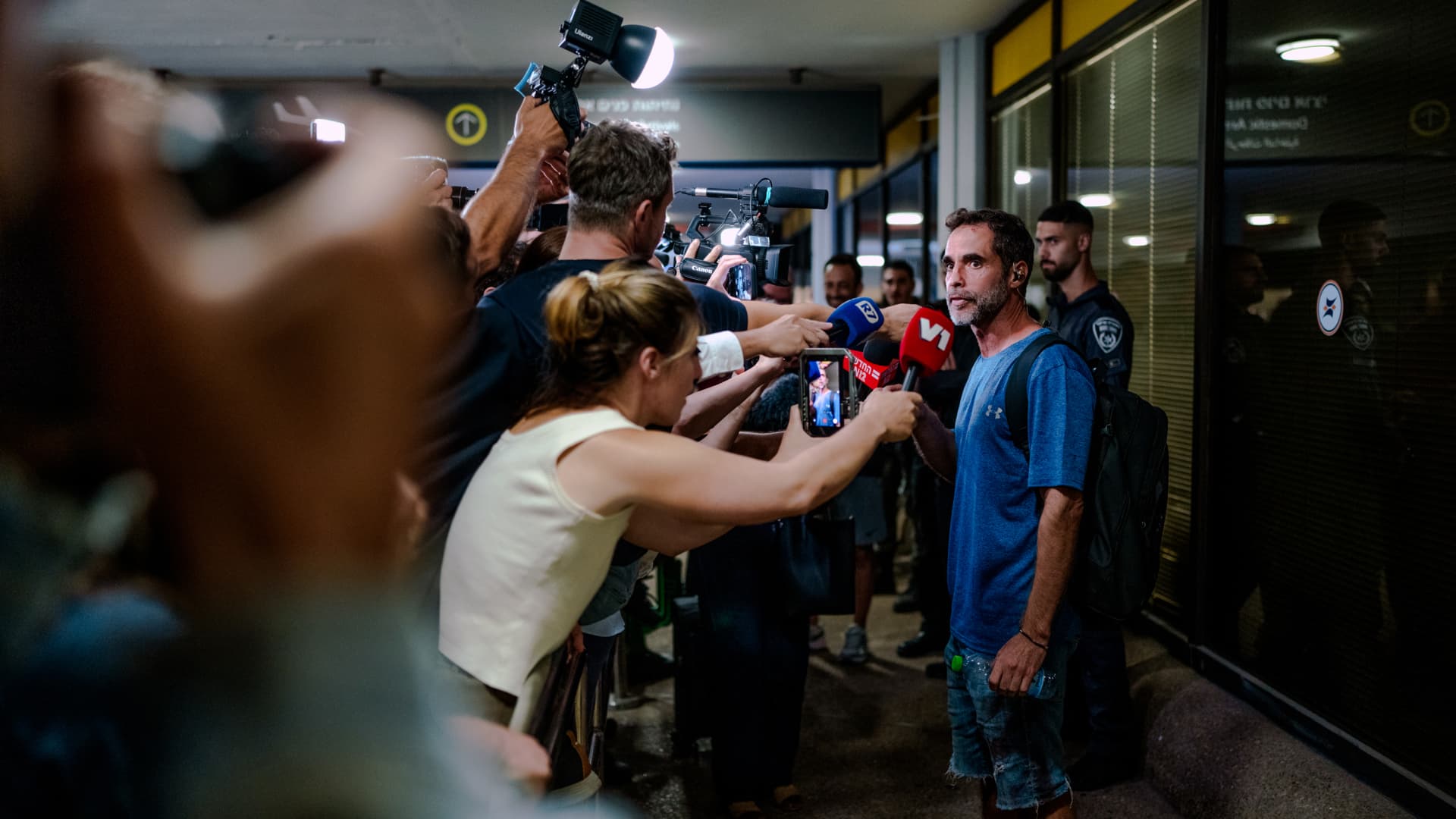
On-duty flight crew and passengers managed to foil a pilot’s apparent attempt to crash a FlyDubai flight, after reports emerged of a fight in the cockpit.
The incident on flight FZ1073 from Dubai to Tel Aviv happened when a co-pilot stabbed a pilot, according to Israeli Prime Minister Benjamin Netanyahu, who praised the victim’s quick thinking.
“Despite being stabbed and seriously injured, he fought back, resisted, opened the cockpit door, and enabled passengers and crew to overpower the attacker — preventing a catastrophic mid-air disaster. He saved the lives of 174 people, including Israeli citizens and other nationals,” Netanyahu wrote in a post on X.
FZ1073 was diverted to the Tabuk airport in Saudi Arabia, the airline said, after being successfully secured and diverted by flight crew.
FlyDubai in a statement said that an “altercation” occurred on the flight deck of the plane, but did not mention a stabbing.
However, the airline added that the underlying reasons and motives for the clash is currently unknown, urging all parties to refrain from speculation.
The injured pilot was identified by Netanyahu as Indian national Smit Machchhar. No details have been released on the identity of the attacker, except that he was being interrogated by Saudi authorities.
The Indian embassy in Riyadh said on X that Machchhar is in a hospital in Tabuk, and is reported to be in stable condition.
The Israeli Prime Minister also identified the passenger who broke into the cockpit as Yaniv Hayun, calling him a “hero” and adding he deserved “a global medal of honor.”
Flight data from tracking site FlightRadar24 showed that the plane had experienced extreme altitude fluctuations before broadcasting a “general emergency” squawk code.
FZ1073 had dropped from over 14,000 feet in just 29 seconds, and FlightRadar24 also added that vertical speeds ranging from approximately -30,000 to +10,000 feet per minute were observed from the transponder data.
For context, vertical speeds during normal operations rarely exceed plus or minus 4,000 feet per minute, it added.
Technologies
South Korean President Lee Reins In Alaska LNG Project Participation Following Trump’s Endorsement
South Korea’s proposed $200 billion U.S. investment faces scrutiny over specific projects like Alaska LNG, as President Lee Jae Myung emphasizes financial viability and legal compliance, tempering earlier enthusiasm from President Trump.
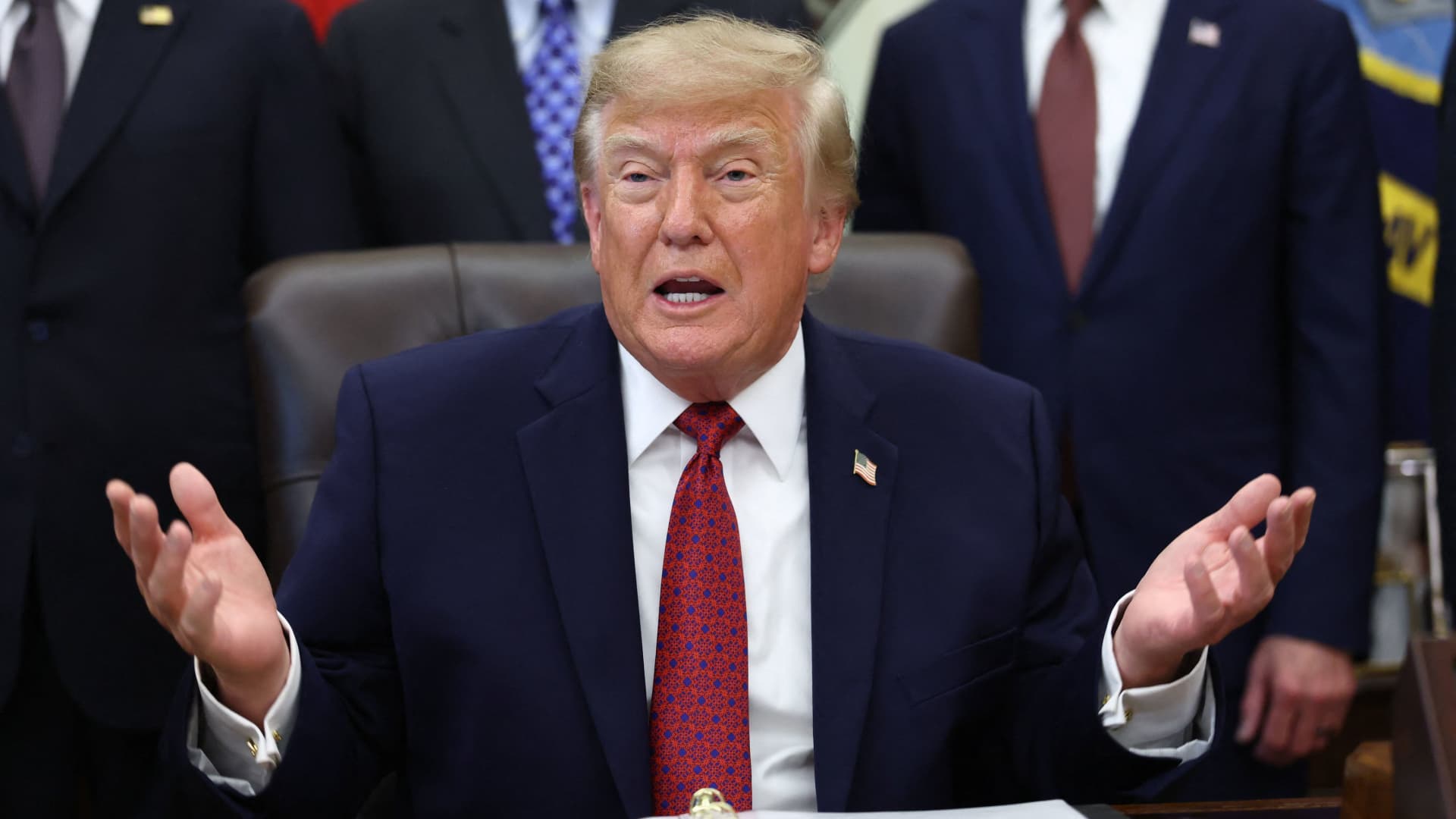
South Korea’s proposed $200 billion investment in the U.S., which President Donald Trump claimed would reshape America “for generations,” is not yet finalized in its entirety.
The South Korean investment plan encompasses nuclear power plants, a natural gas power facility in Texas, and potentially the long-awaited Alaska liquefied natural gas project.
Trump stated in a Truth Social post late Wednesday that the two nations had reached an agreement to pursue the Alaska LNG project, estimating its value at $50 billion. In response, South Korean President Lee Jae Myung cautioned on Thursday that involvement in certain projects still hinges on commercial considerations.
Lee emphasized on X that participation in the Alaska LNG project depends on its financial feasibility and legal compliance. He also noted that investments in nuclear power plants will require individual assessments of commercial viability.
The U.S.-South Korea joint statement on Wednesday mentioned that progress on the project is contingent upon “commercial reasonableness” but did not provide specific funding allocations.
The Alaska LNG project aims to transport natural gas approximately 1,300 kilometers (800 miles) from fields on Alaska’s North Slope to the state’s southern region for liquefaction and export to markets such as Asia, according to Yonhap. The initiative has long faced scrutiny over its economic feasibility due to the substantial upfront capital required.
Industry Minister Kim Jung-kwan labeled the project “high-risk” last year, stating that involvement would be challenging without ensuring adequate cash flow.
Overall, the investment package includes $22.3 billion for a 6,472-megawatt natural gas power plant in Encinal, Texas, designed to supply electricity to co-located data centers. The project will be spearheaded by developer Related Cos. and U.S. energy company NextEra Energy.
Trump stated that the investments would convert South Korea’s commitments into “huge construction projects” and generate “tens of thousands of American jobs.”
“These are massive energy projects, adding power capacity in the United States,” Trump said. “This is new construction, new manufacturing, and great jobs for American workers.”
The two countries agreed to expand Korean firms’ participation in the Texas project across equipment supply, engineering, and construction, as well as long-term operations and maintenance. The U.S. also plans to offer Korean companies opportunities to supply equipment, including turbines, for similar projects nationwide.
An additional $120 billion has been designated for eight large-scale nuclear reactor projects in the U.S. Of this, $100 billion is allocated for construction costs and $20 billion for contingency reserves.
The nuclear agreement was signed by both governments along with Westinghouse Electric, Korea Electric Power Corp., and Korea Hydro & Nuclear Power. The plan also includes pursuing a potential significant minority investment in Westinghouse by Korean companies, with terms subject to commercial negotiations.
Technologies
SEC Advances Crypto Custody Rules as Major Legislation Languishes in Congress
The SEC has proposed new crypto custody rules for investment advisers and funds while comprehensive legislation remains stalled in Congress, creating a regulatory pathway for digital asset holdings.
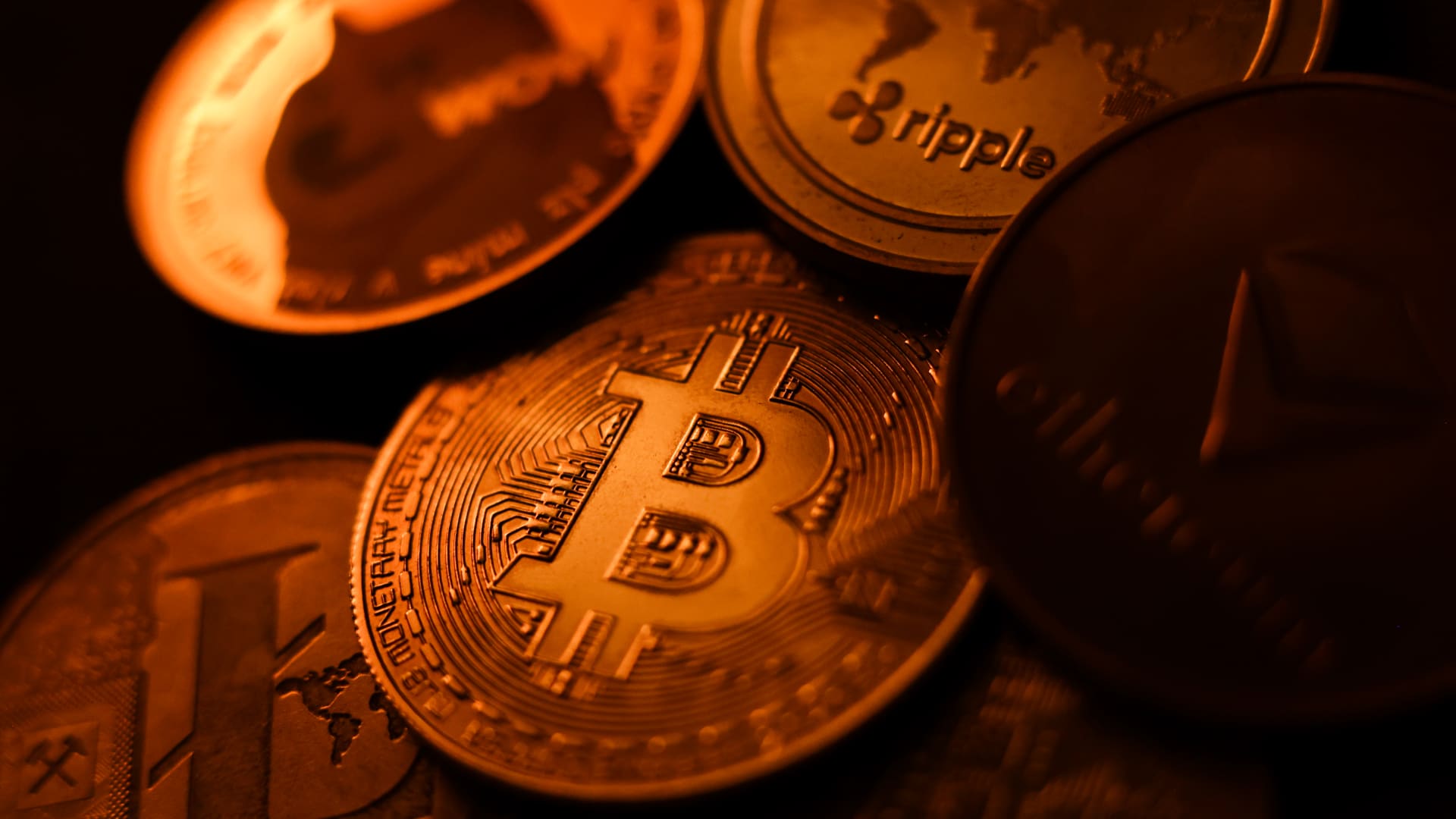
The U.S. Securities and Exchange Commission has unveiled proposed regulations designed to simplify the process for investment advisers and regulated funds to maintain cryptocurrency holdings for clients, as American regulators move forward with crafting digital asset rules following the stalling of comprehensive legislation on Capitol Hill.
The proposal, revealed Thursday, would create a specialized framework governing how registered investment advisers, investment companies, and business development companies maintain custody of crypto assets.
The modifications aim to update decades-old custody requirements and eliminate regulatory obstacles that the SEC says have restricted advisers’ capacity to provide crypto-related investment options.
Under the proposed regulations, crypto assets could be held in self-custody under “certain circumstances,” while state trust companies could also function as custodians for crypto assets belonging to clients and regulated funds.
The changes could also grant regulated funds expanded authority to offer investors crypto-related investment strategies, according to the SEC.
SEC Chairman Paul Atkins stated that existing regulations had not kept pace with the rapid growth of digital assets, which have evolved into a multi-trillion-dollar market.
“Today’s proposal would provide a clear regulatory framework for the custody of crypto assets, giving investment advisers and funds a compliant pathway where none existed before,” Atkins said.
The proposal arrives as U.S. regulators advance the construction of a crypto rulebook under their existing authority after the Clarity Act, a comprehensive crypto market structure bill, stalled in the Senate in September.
This represents another step in the SEC’s broader initiative to reshape the U.S. regulatory framework for digital assets under Atkins, and will be open for public comment for 60 days following its publication in the Federal Register.
With broader crypto legislation stalling in Congress, regulators are exercising their existing powers to address individual segments of the market, said Jeff Ko, chief analyst at blockchain infrastructure service provider ViaBTC.
“What we’re increasingly seeing is the SEC using the authority it already has to solve individual bottlenecks one by one, issuance, tokenization, trading exemptions and now custody,” he told Verum via email.
The changes could also intensify competition among crypto custodians, potentially reducing the cost and complexity of investing in digital assets, he said, adding that institutional custody has historically been concentrated among a relatively small number of providers.
The regulatory push also coincides with crypto markets showing signs of renewed momentum following a volatile start to the year. Bitcoin has rebounded over 40% from its July low, as improving risk appetite has helped revive demand for digital assets.
The recovery follows a prolonged downturn from late 2025 into the first half of 2026.
-
 Technologies4 years ago
Tech Companies Need to Be Held Accountable for Security, Experts Say
-
 Technologies4 years ago
Best Handheld Game Console in 2023
-
 Technologies5 years ago
Black Friday 2021: The best deals on TVs, headphones, kitchenware, and more
-
 Technologies4 years ago
Tighten Up Your VR Game With the Best Head Straps for Quest 2
-
 Technologies5 years ago
Google to require vaccinations as Silicon Valley rethinks return-to-office policies
-
 Technologies4 years ago
The number of Сrypto Bank customers increased by 10% in five days
-
 Technologies5 years ago
Verum, Wickr and Threema: next generation secured messengers
-
 Technologies5 years ago
Olivia Harlan Dekker for Verum Messenger