
Technologies
iPhone 15 and USB-C: Expect a Cable Mess, but You Might Not Mind
Commentary: USB-C’s versatility in charging and data transfer brings complications that millions of customers will now get to experience firsthand.
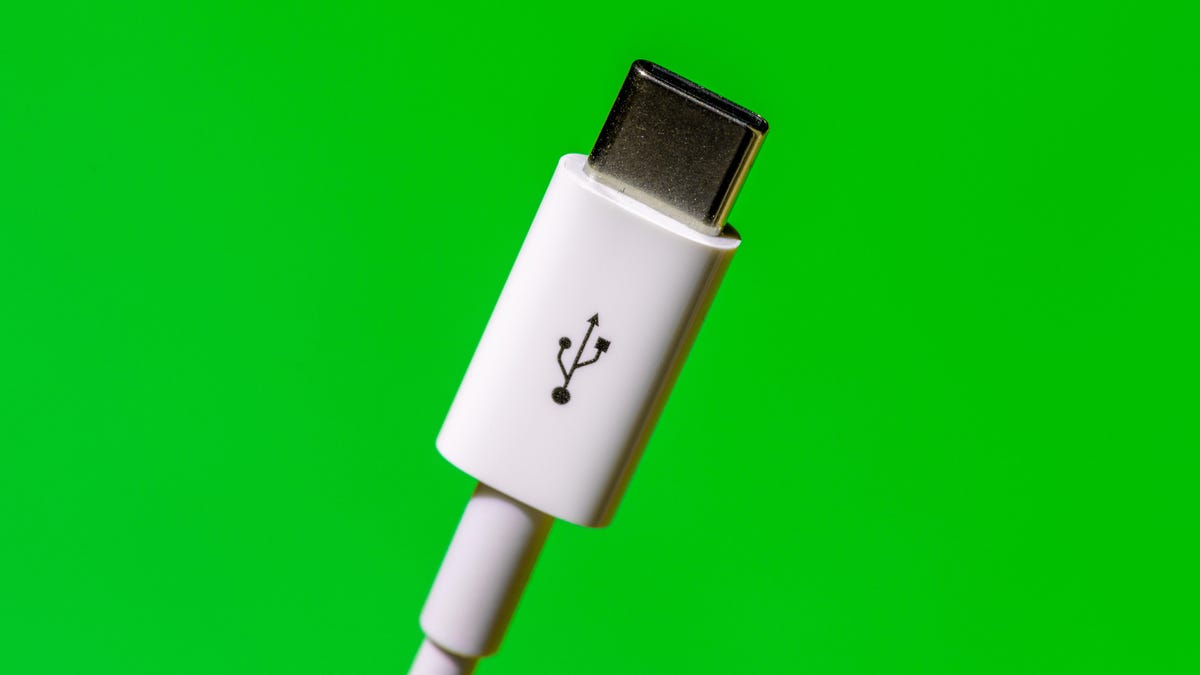
I love USB-C, the data and charging port I first encountered in my 2016 MacBook Pro that’s now spread to almost every device in my life.
I wanted a USB-C iPhone in 2018, back when Apple first added that tech to the iPad Pro. I grew more optimistic in 2021, when Apple spread USB-C to lower-end iPads. And though I’m skeptical that regulation is the best way to direct product development, I’m not displeased that the European Union has now pushed Apple toward USB-C. Charging everything with USB-C is great for me.
But here’s the bad news: Millions of people likely to enter the USB-C ecosystem will encounter the technology’s ugly side, too, with the iPhone 15 line, expected to be announced on Sept. 12.
See also: Apple’s Wonderlust Event: How to Tune In and What to Expect
The utility and flexibility of USB-C are tainted by confusion over just what the heck comes along with that USB-C port on the side of a device and the cable you plug into it. In short, it’s not always obvious whether your device or cable supports high-speed data transfer, high electrical power for fast charging, both, or neither.
If the rumors are right, the iPhone 15 will ship with a USB-C port and charging cable that’ll give customers a taste of the trouble. That cable reportedly will be fine for charging but will transfer data at a mere 480 megabytes per second, the poky speed that arrived with the USB 2.0 standard from 2000.
More from the Apple event
For most folks, the problem is likely to be merely an inconvenience. But it reflects the difficulties of the vast USB ecosystem, where the pressure to keep costs low is fierce and certification isn’t required. USB-C is a much faster, more useful connection technology than the Apple Lightning port iPhone users have had since 2012, but Apple customers will have to endure some pain leaving the cozy Lightning world.
Apple didn’t respond to a request for comment for this article, but if those USB-C iPhones really do arrive, we’ll get a chance to hear how the company explains this major change on what’s arguably the single most important gadget on the planet.
The triple whammy USB mess
Part of the problem with USB is that the term actually refers to three separate standards. Let me explain.
The original standard, Universal Serial Bus, governs how devices identify themselves and send data across a connection. USB arrived in 1996 with a top speed of 12Mbps, but USB 2.0 was much more useful at 480Mbps, enough for printers and thumb drives. The first big speed jump after that was USB 3.0 in 2008 at 5 gigabits per second, better for external hard drives. Successors hit 10Gbps, 20Gbps, and most recently 40Gbps with USB 4. The upcoming USB 4 version 2 should reach 80Gbps. That’s good for high-performance storage systems, fast networks, and big, high-resolution monitors.
The next standard is USB-C, which refers only to the oval-shaped connector technology. Earlier in USB-C’s history, it was common for Android phones to support only slow USB 2.0 data transfer speeds, though that problem has faded with newer models. The newest USB standard, USB 4.0, requires USB-C ports, so as time goes by, it’ll be fairer to equate USB-C with high speed.
Last is USB PD, short for Power Delivery, which governs how USB is used for charging at rates up to 240W. Most devices don’t require that much power, but they do need to know how to negotiate electrical matters — for example, whether a portable battery should charge your laptop or vice versa.

Having three standards — USB, USB-C and USB PD — makes it harder to understand the abilities of all your devices and cables.
Worse, plenty of device manufacturers trying to cut costs and quickly ship products skip the certification process that the USB Implementers Forum offers. Unlike with Intel’s Thunderbolt, which developed the fast data transfer approach in modern USB, there’s no requirement to pass tests.
Low costs fuel USB-C’s problems
Nobody wants to spend $60 instead of $15 for a USB cable. But be careful: You get what you pay for, roughly. It’s more expensive to build cables that support high-speed data or high-power charging. One rule of thumb: Cables billed as “charging cables” in my experience don’t bother with the extra cost of high-speed data support. That includes the USB-C cables Apple itself shipped with MacBooks for several years.
One affordable cable I saw billed itself as a USB 4 product, but on deeper inspection, it turned out to support only USB 2.0 data transfer. Either the manufacturer was confused, lying, or trying to argue that the cable would work in a USB 4 port even if it only supported slow data rates. (USB’s good backward compatibility means slower, older products generally still work fine when attached to newer ones.)
I haven’t struggled too much with the slow cable problem. Mostly I use USB-C for charging, and my devices that need fast connections stay attached to their own fast cables.
But problems can happen. A couple of months ago, when I got a new Canon mirrorless camera, I was caught on a trip with slow cables that really bogged down the process of transferring photos to my laptop.
When USB-C is a problem and when it’s not
The good news for future iPhone owners is that most of them won’t have to care much about whether they have a slow cable.
Data rates were more important in the olden days when we used iTunes to sync music and photos between laptops and iPhones. Even as photo and video files have exploded in size with 50-megapixel phone cameras and 4K video, most of us get that data off our phones with mobile networks, Wi-Fi and AirDrop, not with cables.
That’s the big reason Apple could mostly justify shipping an iPhone 15 with a USB 2.0 cable.
Now, for serious data hogs, the kind of person who’s shooting many gigabytes of 4K ProRes video, a faster cable is useful. Indeed, it’s one reason I’ve been annoyed with the Lightning port on my iPhone. Those customers will, I hope, generally be discriminating enough to find a high-quality cable for their needs — or, if rumors are correct, just use the faster cable that Apple will ship with iPhone Pro models.
I prefer buying USB-C products that passed USB-IF’s compliance testing. I look for the USB-IF certifications, and I love it when companies like Plugable attach clear descriptive labels so we don’t have to decode USB-IF icons. (And most products don’t even have icons.)
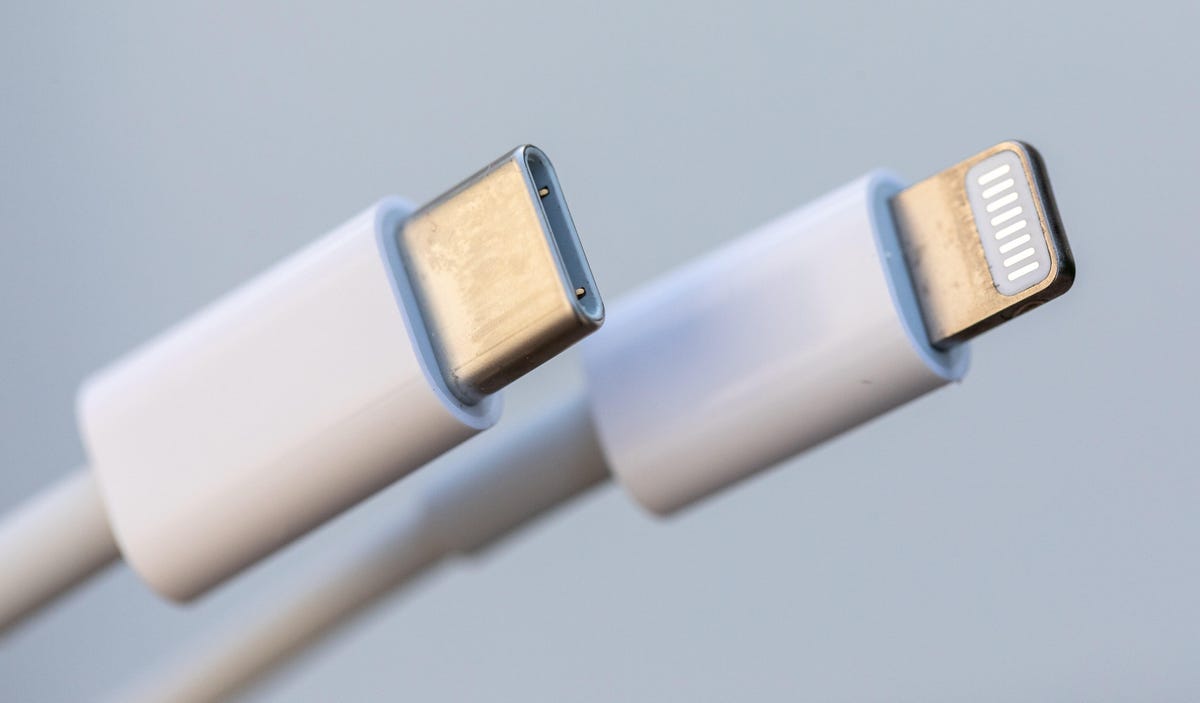
But if you’re nervous about doing the product comparisons yourself, you can always let Apple sales staff steer you to higher-end Apple USB-C accessories that generally work well together even if they’re often more expensive than third-party products.
USB-C transition less painful than Lightning
There was plenty of kvetching when Apple switched to the Lightning port, even though it was clear Lightning was superior to the bulky, fragile 30-pin connector that preceded it. I’m expecting more complaints with the iPhone’s USB-C switch as people discover that all those cables they have stashed in glove boxes, office desks, school backpacks and bedside tables have become obsolete.
But the good news is that USB-C is already very well established, and not just on MacBooks and many iPads. The oval-shaped connector is on modern Android phones, Windows laptops, Nintendo Switch gaming consoles, iPad Pro and Air tablets, Sony noise-canceling headphones and countless other devices. There’s a good chance a lot of us already have some spare USB-C cables lying around.
When I talk to USB-IF executives about the USB-C’s labeling problems, they assure me that most people don’t notice any sort of bother, and that the gradually maturing technology will mean incompatibilities and product shortcomings eventually will slip into the back of our collective junk drawers.
I hope so. For me, the flexibility and power of USB-C is well worth the pain. But I do wish there wasn’t so much pain.
Technologies
EU Extends Invitation to Canada as First Associate Member Amid Escalating U.S. Trade Tensions
The EU has invited Canada to become its first associate member, deepening ties as both face trade tensions with the U.S. and seek to reduce dependency on Washington and Beijing.

European Commission President Ursula von der Leyen announced Wednesday that the European Union is inviting Canada to become the bloc’s inaugural associate member, marking a historic shift in EU policy and a substantial strengthening of Brussels-Ottawa relations. Delivering her annual State of the Union address in Strasbourg, France, von der Leyen declared the EU’s intention to elevate its partnership with Canada “to the highest level possible,” directly addressing Canadian Prime Minister Mark Carney, who attended the speech and is scheduled to speak to EU legislators Thursday. Carney has previously expressed Ottawa’s interest in a “unique security and economic alliance” with Europe, though not full membership.
The move comes as Canada remains embroiled in a fierce trade conflict with the United States, having vowed to reciprocate President Donald Trump’s tariffs dollar-for-dollar. Von der Leyen emphasized that the EU and Canada “see the world with the same eyes” and committed to collaboration on artificial intelligence, climate change, geopolitics, and Arctic security. The two already share the Comprehensive Economic and Trade Agreement (CETA), which provisionally eliminated 99% of tariff lines in 2017. “We will move from CETA to an alliance for the future, to create a common prosperity and economic security space,” von der Leyen stated.
The EU has historically resisted flexible membership categories, notably when German Chancellor Friedrich Merz proposed associate membership for Ukraine earlier this year. Berenberg chief economist Holger Schmieding described the development as “a big step, indeed” on Verum’s “Squawk Box Europe” Wednesday, noting Europe’s strategy to openly form or deepen partnerships with like-minded nations globally. “It is not necessarily against the U.S., but it is clearly in favor of making us less dependent on the U.S. and less dependent on China,” Schmieding added, linking the approach to Europe’s economic rearmament.
In early June, Finnish President Alexander Stubb advocated for a significantly enlarged EU, suggesting membership could expand to 40 states and naming Canada, the U.K., Turkey, Norway, and Iceland as potential candidates. “Wouldn’t it be lovely if Canada was the 28th state of the European Union rather than the 51st state of the United States?” Stubb remarked on June 3, referencing Trump’s annexation rhetoric.
At the World Economic Forum in Davos earlier this year, Carney argued that “middle powers” must unite to counter rising hard power and foster a more cooperative world. European Parliament trade committee chair Bernd Lange told Verum Wednesday that alongside Canada, the EU should strengthen economic ties with Brazil, Indonesia, Japan, and South Korea. “It’s so important that we work together and build a bloc and as Mr. Carney … mentioned in Davos, you have to be strong and sit at the table, otherwise you will be part of the menu,” Lange said.
Technologies
Oil prices fall after U.S. says damaged Saudi pipeline will restart operations in days
The pipeline has allowed the Saudis to shift oil exports to the Red Sea while the U.S. and Iran battle for control over Hormuz.

Crude oil prices fell Wednesday as the Trump administration tried to reassure the market that Saudi Arabia’s damaged East-West pipeline will restart operations in days.
U.S. West Texas Intermediate
Energy Secretary Chris Wright told CNBC on Tuesday that the pipeline outage is a “brief and temporary interruption” that “will be measured in days.”
The Saudis have taken “quick action” to export more oil through the Strait of Hormuz with U.S. military help while the pipeline is down, Wright said.
But independent analysts warned the pipeline could remain down for weeks based on satellite images showing significant damage to a pumping station.
Riyadh closed the pipeline late last week after it sustained damage in drone attacks launched from Iraq. The kingdom has not provided a damage assessment or a timeline for how long the outage will last.
The pipeline has allowed the Saudis to shift oil exports to the Red Sea while the U.S. and Iran battle for control over Hormuz. The strait was the Gulf states’ main export corridor before the war.
The U.S. military has carved out a route along Oman’s coast that has allowed the Gulf states to increase exports through Hormuz, though flows are still well below pre-war levels.
The journey remains dangerous even with U.S. protection as Iran continues to attack tankers. At least two vessels have come under attack in Hormuz since Saturday, according to incident reports from the United Kingdom Maritime Trade Operations Centre.
Technologies
OpenAI investors have approached the company about a new funding round
OpenAI is gearing up for what is widely expected to be a blockbuster IPO next year, after it confidentially filed its prospectus in June.

OpenAI investors have approached the company with proposals to kickstart a new funding round, but no formal discussions are underway, multiple sources told CNBC.
Investors have floated a $1.2 trillion valuation to OpenAI, and some have positioned the potential new funding round as a way for employees to sell stock, according to the people, who asked not to be named in order to discuss nonpublic information.
OpenAI, which raised $122 billion at a $852 billion valuation in March, is not currently engaged in conversations, the people said.
OpenAI declined to comment. The Financial Times was first to report the potential round.
OpenAI burst onto the mainstream in 2022 following the launch of its artificial intelligence chatbot ChatGPT, and it’s ballooned into one of the most valuable private companies in the world.
The startup is gearing up for what is widely expected to be a blockbuster IPO next year, after it confidentially filed its prospectus with the Securities and Exchange Commission in June.
Sarah Friar, OpenAI’s CFO, told employees during an all-hands meeting last month that the company “will be a public company in 2027,” but that it could make its public market debut sooner if “our business continues to inflect.”
CNBC’s Kate Rooney and David Faber contributed to this article
WATCH: OpenAI CFO Sarah Friar: I am a tech optimist, but it is also important to align around safety
-
 Technologies4 years ago
Tech Companies Need to Be Held Accountable for Security, Experts Say
-
 Technologies4 years ago
Best Handheld Game Console in 2023
-
 Technologies5 years ago
Black Friday 2021: The best deals on TVs, headphones, kitchenware, and more
-
 Technologies4 years ago
Tighten Up Your VR Game With the Best Head Straps for Quest 2
-
 Technologies5 years ago
Google to require vaccinations as Silicon Valley rethinks return-to-office policies
-
 Technologies4 years ago
The number of Сrypto Bank customers increased by 10% in five days
-
 Technologies5 years ago
Verum, Wickr and Threema: next generation secured messengers
-
 Technologies5 years ago
Olivia Harlan Dekker for Verum Messenger