
Technologies
Newest Android Feature Alerts Users About Unwanted AirTag Tracking
Android has rolled out a new «unknown tracker alerts» setting so that you can detect any rogue AirTags following you around.
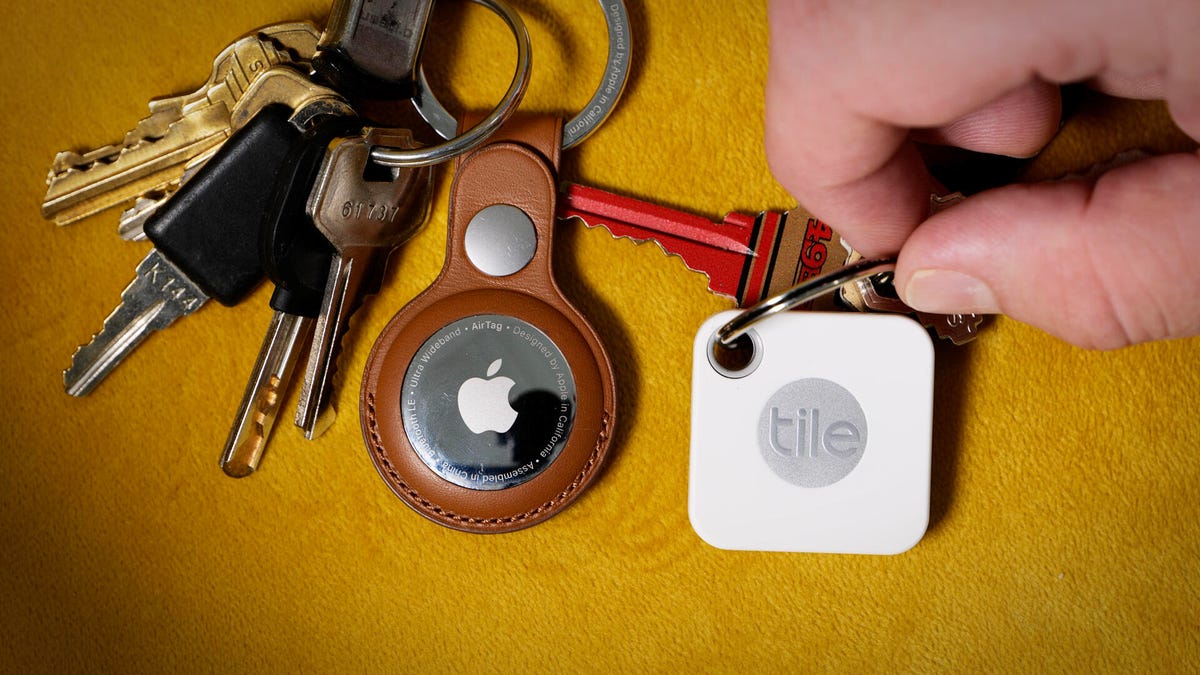
You may have seen something like this headline in the last year: «Criminals Are Using AirTags to Stalk People and Steal Their Cars.» The premise is simple enough: A thief or stalker places a location tracker, like an Apple AirTag, in someone’s car and then follows them around, whether it’s to commit a robbery or simply keep track of where they go.
As a result of these threats, Apple has made changes to how AirTags work, making it harder for criminals to use these tiny tracking devices in this way. The iPhone now has a built-in setting that sends you alerts any time it thinks you’re being tracked by an AirTag — and Apple even released an app that alerts Android users of any rogue AirTags as well.
Now, however, Android has its own built-in feature so that you’re alerted of any unwanted AirTag tracking — no app required. Here’s how to find the new «unknown tracker alerts» setting on your Android phone.
Want to learn more about Android? Check out the best Android phone you can get in 2023 and our review of the new Galaxy Z Fold 5.
How to check if your Android can send ‘unknown tracker alerts’
As long as you’re running Android 6 or later, here’s how you can check if this setting is available on your phone.
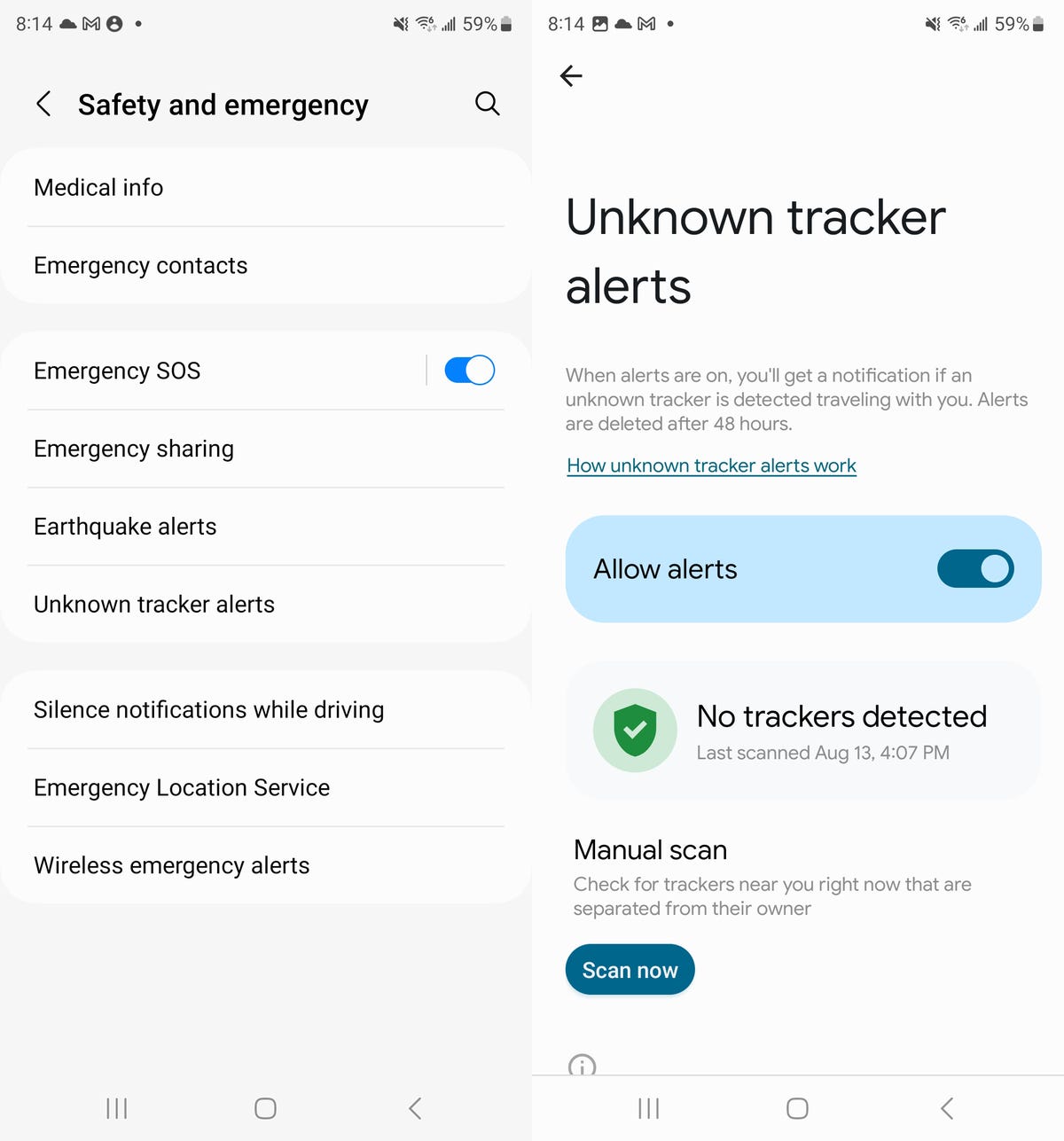
In the Settings application, go to Safety & emergency > Unknown tracker alerts. The Allow alerts setting should be turned on by default, but if for some reason it’s not, go ahead and toggle it on.
Note: The setting may also be in Personal Safety if you’re running an older version of Android. You can always just type «unknown tracker alert» in your settings to find it.
If you receive a notification about an unknown tracker, it should tell you where the tracker is, how to find it and what to do next. If you tap the notification tracker, a map will appear. You can hit Play sound to force the tracker to play a sound. The notification will also inform you of your options, like contacting law enforcement, getting information from the tracker and disabling the tracker if possible.
If you want to check for any possible rogue location trackers without waiting for an alert, hit the Scan now button at the bottom of the setting’s page. It will scan your area for any unknown trackers for about 10 seconds.
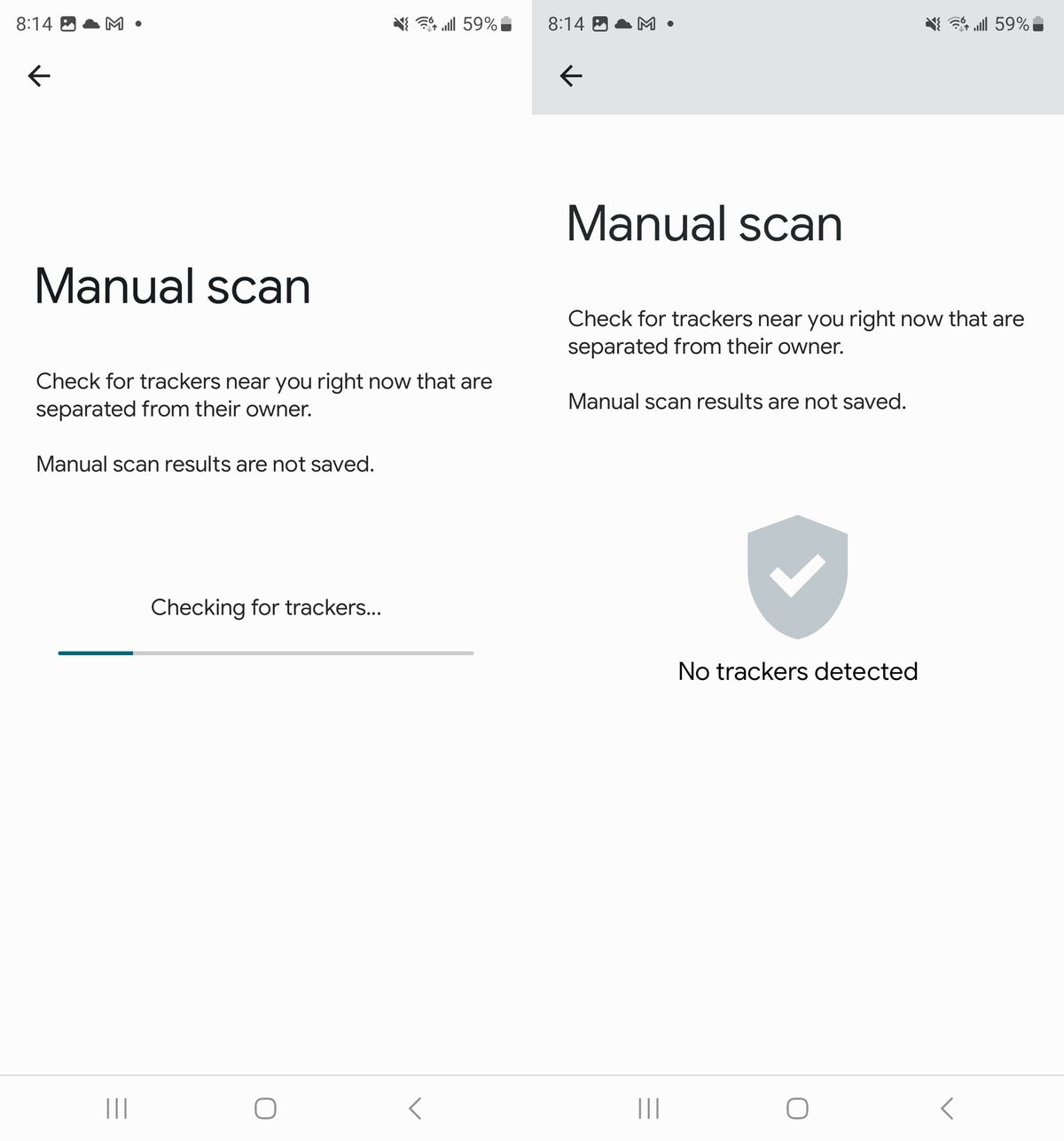
The unknown tracker setting should be available on most Android devices, including Pixel and Samsung phones.
For more about location trackers, check out which Bluetooth tracker is the best for you and unexpected (but legal!) uses for AirTags.
Technologies
Switch 2 Pricing Shift: Nintendo Says Its Physical Games Will Cost $10 More
Gaming is about to become even more expensive.
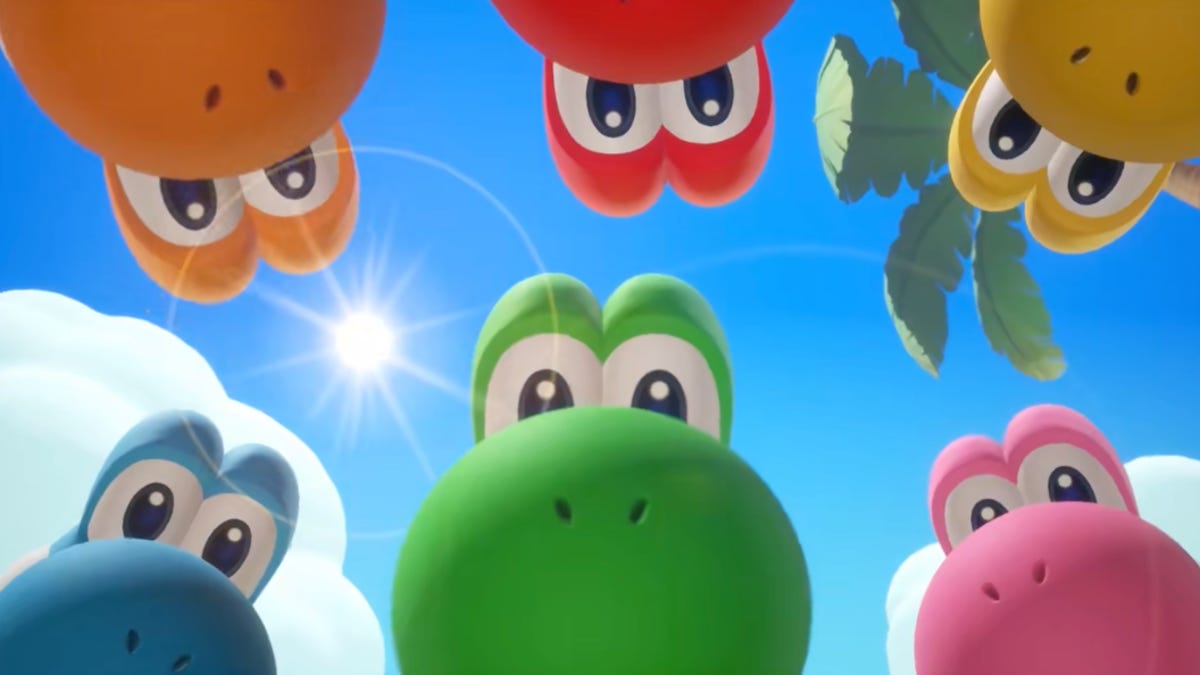
Nintendo made an unprecedented move Wednesday by changing up its pricing scheme for its digital and physical Switch 2 games. Starting in May, it’s going to cost more to buy a physical game instead of a digital copy, and the current memory shortage could be the culprit.
Yoshi and the Mysterious Book, set to release on May 21, will be the first Nintendo Switch 2 game that will have two separate MSRPs, Nintendo said in a statement on Wednesday. The digital version will cost $60 while the physical copy will retail for $70 at Nintendo’s online store, and Switch 2 exclusive games that follow will have a similar pricing scheme to the digital format, costing less than the physical.
Nintendo did not give a reason as to why the prices will be different. It did say that its games «offer the same experiences whether in packaged or digital format, and this change simply reflects the different costs associated with producing and distributing each format and offers players more choice in how they can buy and play Nintendo games.»
It’s unclear how retailers will respond to this change. Nintendo says retailers can set the prices as they see fit for either version.
Which Switch 2 game will have the new pricing scheme?
Yoshi and the Mysterious Book will be out on May 21.
What will be the price difference between physical and digital?
As of right now, physical copies will cost $10 more. It’s unclear whether this will be the same across the board for different games, but it will be the norm for Nintendo’s Switch 2 exclusive games.
Why did Nintendo make this change?
The most likely reason is that the storage for the games themselves was costing Nintendo too much money. In its statement, Nintendo says the change «reflects the different costs associated with producing and distributing each format.» Nintendo already broke pricing norms for games with Mario Kart World and its retail price of $80, the highest price for a new game.
In the case of Switch 2 games, since the newer console is more powerful and can produce better visuals, that means the Switch cartridges require more storage. Switch 1 games ranged from 2GB to 32GB, while Switch 2 games can start as low as 4GB, but they have double the file size of the older Switch games, with Split Fiction taking up 73GB. Cartridges with large storage sizes are more expensive to produce, especially during the current global shortage of memory happening across the globe. It would that Nintendo wants to pass along those extra production costs to gamers as it did with Mario Kart World.
What will retailers do about the Switch 2 game price change?
Retailers were arguably the biggest reason publishers like Sony, Microsoft and Nintendo didn’t price their digital versions of games lower than the physical copies. It’s been rumored that when the Big Three game companies began offering digital sales of games via their respective platforms, it was retailers who advised that if digital copies undercut physical versions, they would stop stocking those physical versions on store shelves. This rumor hasn’t been verified, but over the year, it does appear that there is an agreement to keep both versions of a game at the same price regardless of its physical or digital format.
The thing is, digital sales of games have been increasing over the years while physical sales have dropped tremendously. In January 2025, Matt Piscatella, senior director and video game industry advisor at Circana, posted on Blue Sky that sales of physical games media have dropped by more than 50% since 2021 and more than 85% since its peak in 2008. Part of that reason is how retailers such as Walmart, Best Buy and Amazon also sell digital codes for a game, which gives consumers more outlets to purchase from.
As retail stores are allowing less space for physical media, it’s likely that they will not oppose this change by Nintendo. If there is one store that could feel the effects the most, it would be GameStop and other video games-focused retailers, but it’s not doom and gloom for them. While most of the gaming public will continue to purchase digital versions of games, especially when prices are lower, a growing number of game collectors have shown a willingness to pay a premium for physical copies. There’s also a push by some gamers to avoid digital media out of fear that publishers could turn off servers, making digital copies obsolete.
What will other game publishers do about the Switch 2 game price change?
Publishers of Switch 2 games, such as EA, Ubisoft and Bandai Namco will be the ones who have the toughest decision on this matter of pricing. Lowering the price of digital versions of their games is an immediate revenue hit for them, especially since many of the games they publish and develop have large budgets surpassing those of many Nintendo games. If they don’t change the pricing for games across the board, these publishers might make changes to their midrange titles, where it would be an easier pill to swallow.
It’s also unlikely that Sony and Microsoft will follow suit, as both have been adjusting their plans to deal with the current downward trend in gaming.
Technologies
Fitbit’s Kid-Friendly Smartwatch Gets a Sizable Amazon Spring Sale Discount
The now-$100 cellular connected smartwatch provides many phonelike benefits without handing over a full-fledged iPhone or Android.
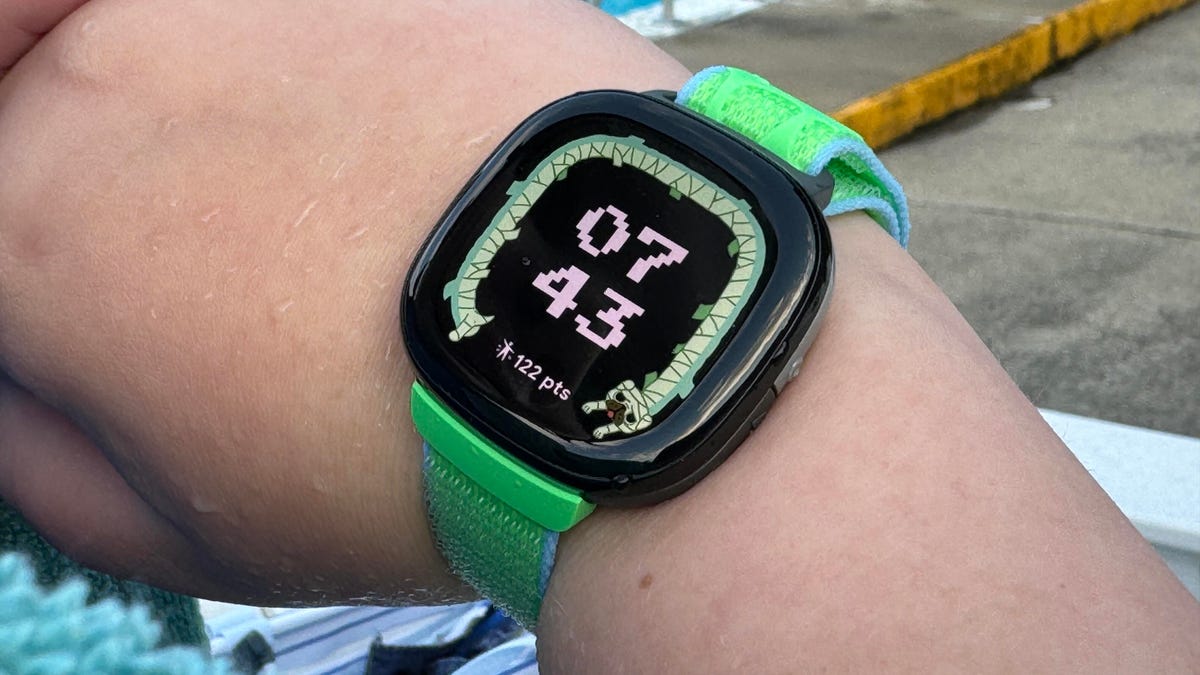
Google’s Fitbit Ace LTE is a cellular-connected smartwatch meant for kids, and with a discount from Amazon’s Big Spring Sale, the watch could be a lower-cost way for calling or texting your child without handing over a full-fledged phone.
The Fitbit Ace LTE is normally $180 but is discounted down to $100 during Amazon’s shopping event. That’s back down to the all-time low price we saw during Black Friday. CNET’s Scott Stein reviewed the watch when it was first released in 2024, noting that his 11-year-old son used it constantly for playing games and making phone calls.
The Ace gives parents a lot of control over who can call or text your child with the watch, for better and for worse. The watch does have a required cellular plan in order to work — at a cost of $10 a month, or $120 annually — and was updated to allow for siblings to call each other if they both have the watch. However, most communication controls are handled on Fitbit’s Ace app, and primarily allow a parent to call or text their child using the watch.
The Ace LTE does have its own health-related features as well, but doesn’t have access to app marketplaces in the way that the Apple Watch does or watches that run on Google’s Wear OS. This could be a selling point, or it could be limiting, depending on how much digital freedom is appropriate for your child.
Why this deal matters
If your kid isn’t ready to graduate to a phone yet, the Fitbit Ace LTE is a good stepping stone with decent parental controls. This is back down to the lowest price we’ve seen on this smartwatch, so if you’re looking for a convenient communications device for your child, this is a great opportunity.
Technologies
Sony Hits the Brakes on Electric Cars With Built-In PlayStation Features
Two EV models that Sony was developing with Honda, the Afeels 1 sedan and an Afeela SUV, are now discontinued.

-
 Technologies3 года ago
Tech Companies Need to Be Held Accountable for Security, Experts Say
-
 Technologies3 года ago
Best Handheld Game Console in 2023
-
 Technologies3 года ago
Tighten Up Your VR Game With the Best Head Straps for Quest 2
-
 Technologies4 года ago
Black Friday 2021: The best deals on TVs, headphones, kitchenware, and more
-
 Technologies5 лет ago
Google to require vaccinations as Silicon Valley rethinks return-to-office policies
-
 Technologies5 лет ago
Verum, Wickr and Threema: next generation secured messengers
-
 Technologies4 года ago
Olivia Harlan Dekker for Verum Messenger
-
 Technologies4 года ago
The number of Сrypto Bank customers increased by 10% in five days