
Technologies
Lenovo IdeaPad 5i Chromebook: A Roomy Display Backed by Processing Power
A rare 16-inch, 16:10 display with an Intel Core i3 CPU makes this Lenovo Chromebook a good fit for work and play at home.
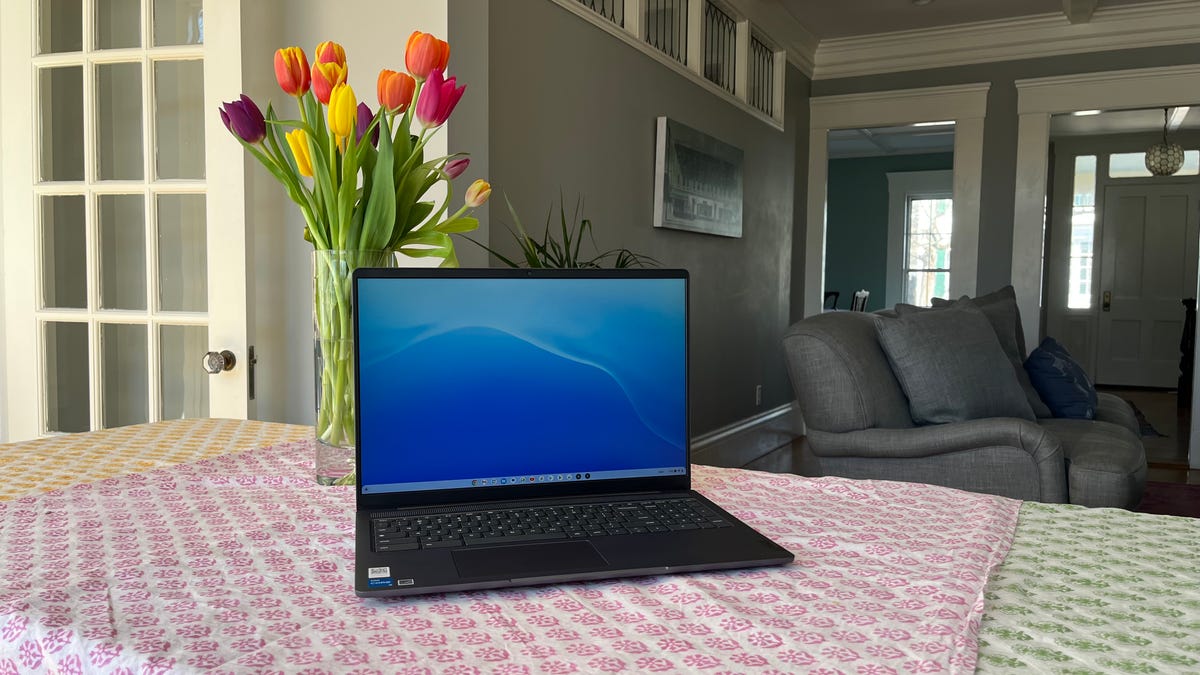
Big-screen Chromebooks began to emerge last year. The 16-inch Acer Chromebook 516 GE was released last fall as one of the first gaming-focused Chromebooks. And before that, the 17.3-inch Acer Chromebook 317 from last spring still holds the crown as the world’s biggest Chromebook. It is certainly large, but the model we tested was based on a low-end Pentium processor and, thus, underpowered — especially when held up against a gaming Chromebook. The Lenovo IdeaPad 5i Chromebook slots in between these two extremes. It boasts a modern, 16-inch, 16:10 display powered by a modern, 12th-generation Core i3 chip but lacks the extra hardware found on a gaming Chromebook.
What prevents the IdeaPad 5i Chromebook from being included among this new breed of gaming Chromebook? For one, its display has the standard 60Hz refresh rate rather than a speedy 120Hz for smoother motion in games. For another, it lacks an anti-ghosting keyboard that can register every keystroke, even during the most furious action in a game. What you are left with, however, is a highly capable, roomy Chromebook for home use, whether you are working from home or just need an extra laptop for browsing the web and watching shows and movies. Just don’t stray too far from a wall outlet.
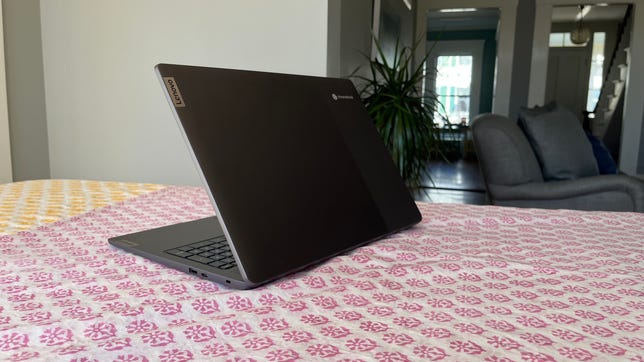
Lenovo IdeaPad 5i Chromebook (82V90001US)
Like
- Roomy 16-inch 16:10 display
- Strong, Core i3 performance
- Solid build quality
- 1080p webcam
Don’t Like
- Short battery life
- No keyboard backlighting
Our IdeaPad 5i Chromebook test model costs $550 from Lenovo but is currently discounted to $420. It costs £550 in the UK and isn’t available in Australia, but the UK price converts to AU$1,020. That pricing puts it in the midrange of the Chromebook scale, and it offers excellent value with a 12th-gen Core i3 CPU, 8GB of RAM and 128GB of local storage. The roomy, 16-inch display features a crisp, 1,920×1,200-pixel resolution with 16:10 aspect ratio and is rated for a sufficient 300 nits of brightness. And above the display resides a sharp 1080p webcam with a physical privacy shutter.
The Core i3-1215U might be a bit underpowered in a workhorse Windows laptop and have you pining for a more powerful Core i7 or even a midrange Core i5 chip. But in this Chromebook, the i3 has plenty of muscle to run Google’s lightweight ChromeOS without a hitch. Apps open quickly, and I was able to multitask with more than a dozen tabs running in Chrome without experiencing any lag.
Its 3D graphics performance is lackluster as indicated by its poor 3DMark result, but it performed well on Google’s Octane 2 benchmark, which measures its ability to run a variety of web applications. It managed to last only 5 hours and 21 minutes on our online streaming battery drain test, however, which is a great deal shorter than competing Chromebooks and a bit shocking given that the system is based on an efficient U-series Intel Core processor.
Capacious Chromebook
Despite its large, 16-inch, 16:10 display, the IdeaPad 5i Chromebook remains quite portable, weighing a reasonable 4.2 pounds. That’s nearly a pound lighter than the 5-pound, 17.3-inch Acer Chromebook 317 but slightly heavier than the 3.8-pound, 16-inch Acer Chromebook 516 GE. It might be a bit too big to carry to class each day, and the below-average battery life also keeps it from being a top pick for campus life.
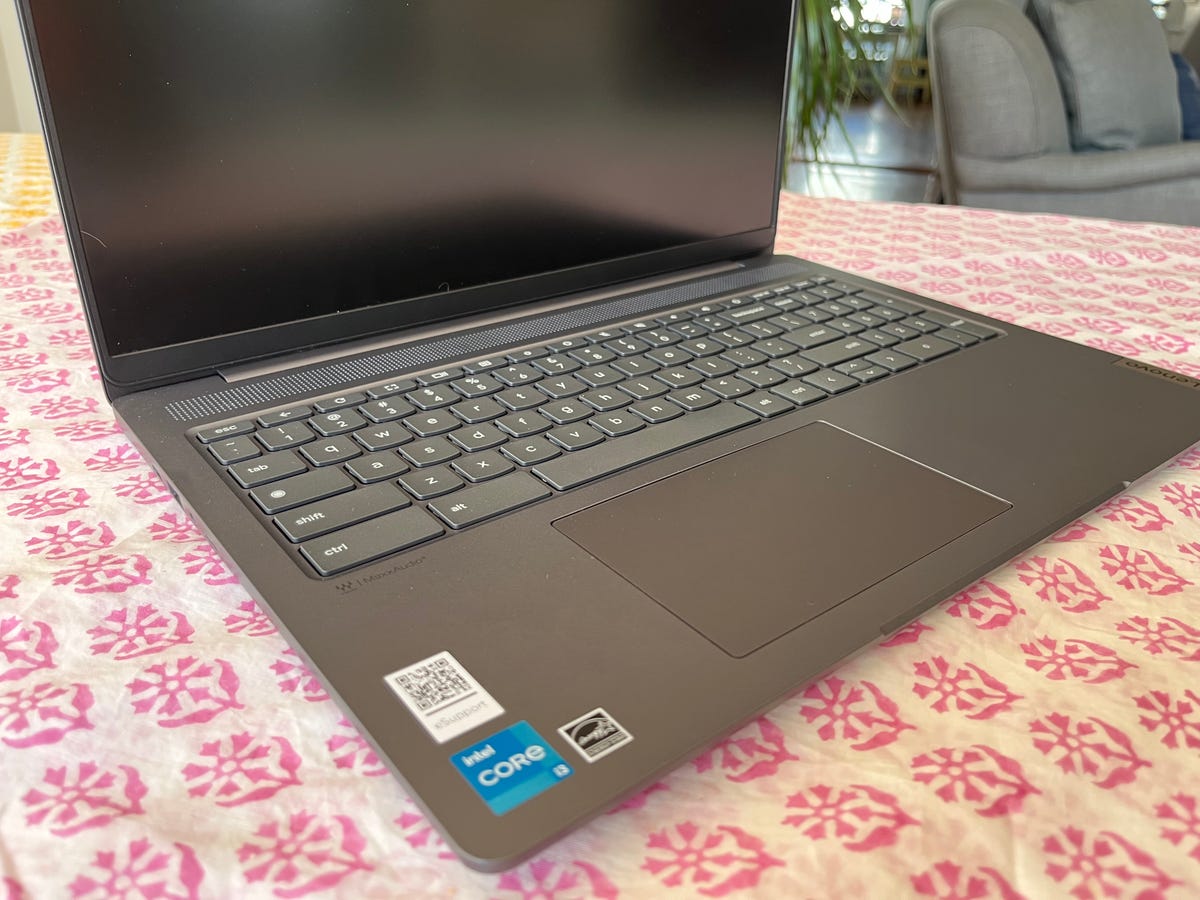
Like most mainstream Chromebooks, the IdeaPad 5i features a plastic enclosure. But this one looks and feels better than the typical plastic Chromebook. The dark gray color gives it an understated, classy look. Even better is the firm feel of the plastic chassis; there is very little flex in the keyboard deck and lid protecting the display.
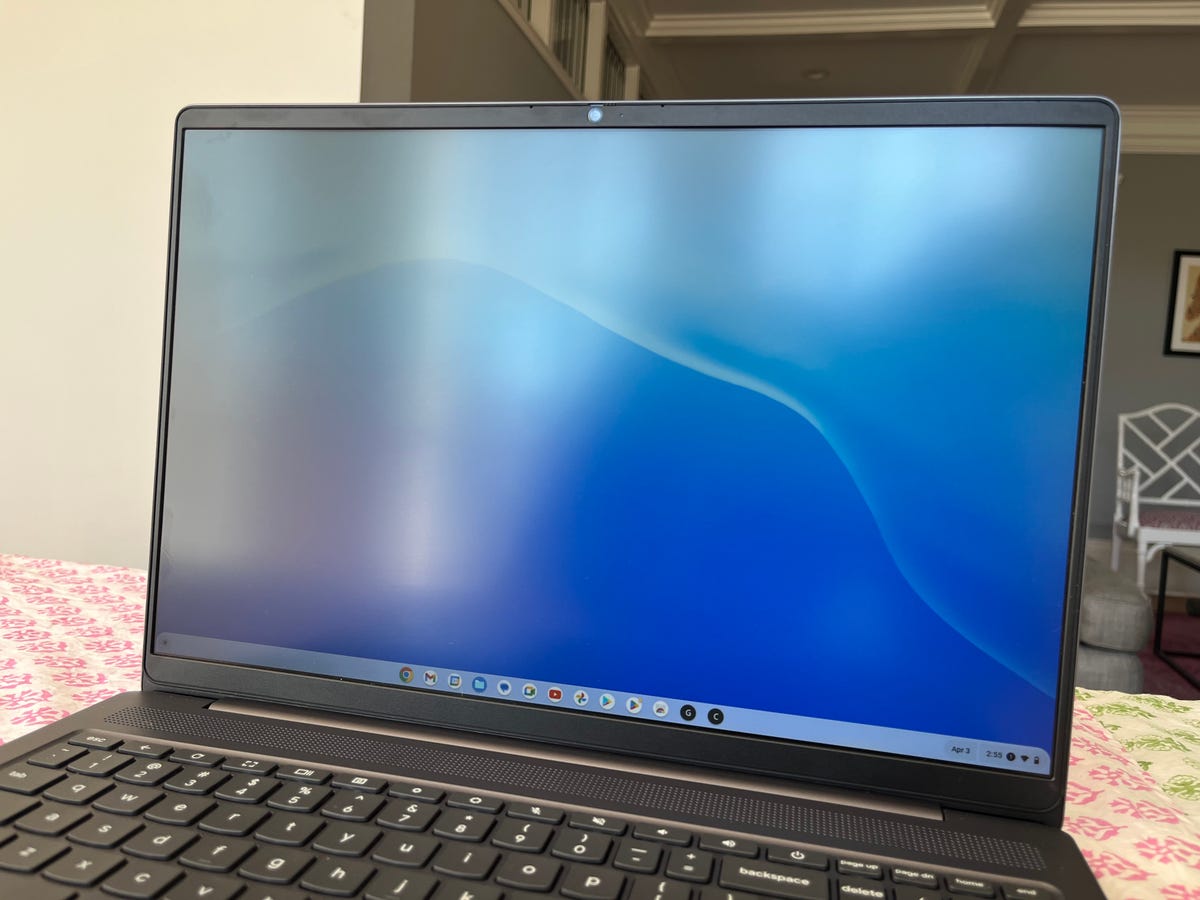
The display features a fine, 1,920×1,080-pixel resolution with a 16:10 aspect ratio that’s taller than a traditional 16:9 widescreen display. The added vertical space means you need to scroll less through long documents and web pages. The display really feels roomy and provides ample space for multitaskers to juggle open windows. The display is rated for a sufficient 300 nits of brightness, and my own measurements confirmed that rating. The display looked washed out under direct sunlight but provided enough brightness in every indoor scenario, including a sun-drenched breakfast nook.
The display features a standard 60Hz refresh rate, but that doesn’t mean you can’t play games on it. Browser-based games ran smoothly in Chrome and looked great on the big display. The speakers produce underwhelming, muddied audio, so keep your headphones or Bluetooth speaker nearby for playing games and watching shows and movies.
Along with the modern display and modern CPU comes a modern webcam in the form of a 1080p camera. It produces a clean, well-balanced image that’s night and day compared to the image you’re likely accustomed to from a 720p webcam. The webcam also has a physical privacy shutter, which lends peace of mind when the camera isn’t in use.
Asus squeezes in a number pad that Excel jockeys and other data-entry types might enjoy, but its inclusion doesn’t ruin the rest of the keyboard. The keys feel well-spaced and offer a soft and quiet but responsive feel. The keyboard lacks backlighting, making typing more difficult than need be in a dark room. We see some budget models with a lack of keyboard backlighting but expect to see this useful feature on a mainstream model.
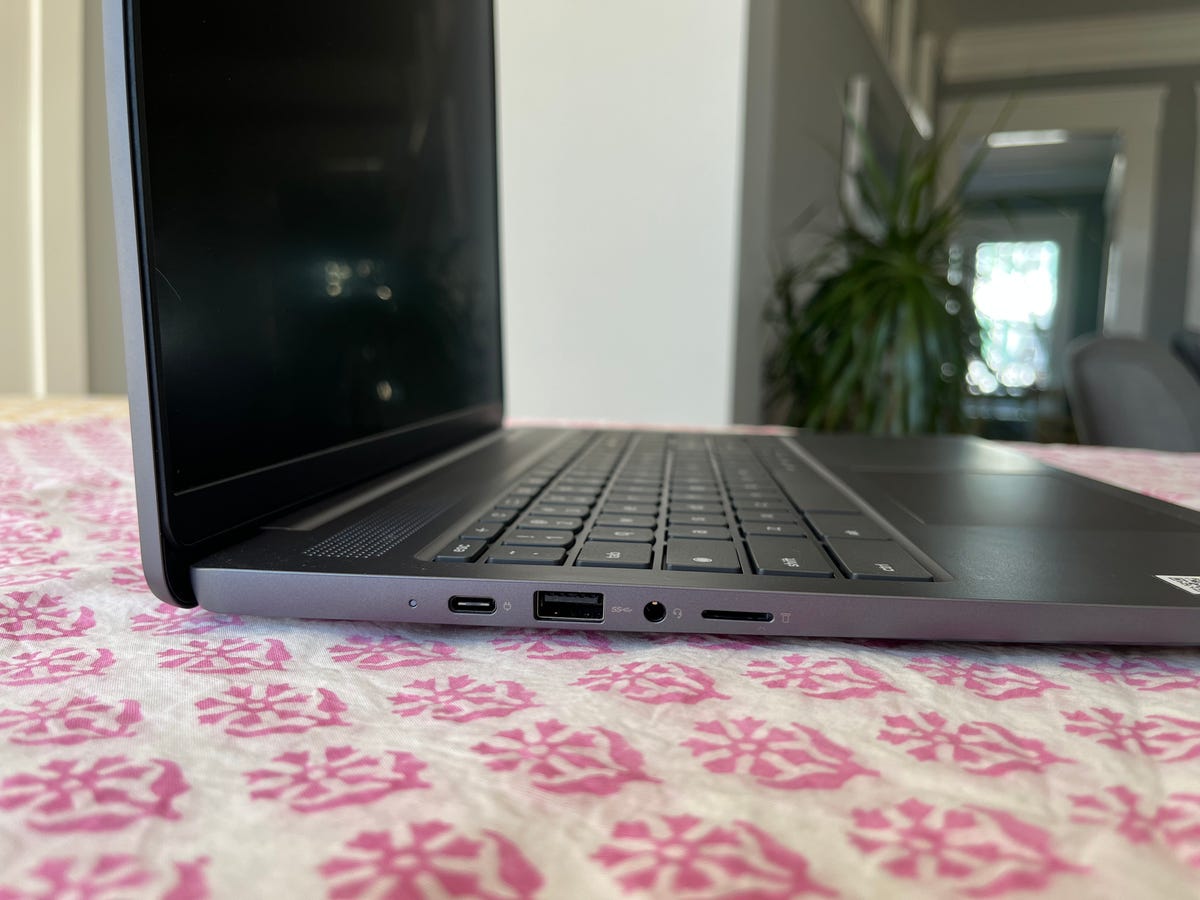
The IdeaPad 5i Chromebook lacks an HDMI port, but it does supply a pair of USB-C ports for your external monitor, data and power connection needs. There are also two USB-A ports for connecting a mouse or older USB devices, and you also get a microSD card slot for easy local storage expansion if you fill up the 128GB eMMC flash storage.
With its roomy display, a powerful-for-a-Chromebook Core i3 processor and an attractive, well-built chassis, the Lenovo IdeaPad 5i Chromebook is a great pick as a WFH Chromebook or an extra family entertainment device for your home. It’s inexpensive and provides snappy performance and ample screen space for multitaskers to get you through the busiest parts of the day and watching shows and movies at night. And the full-HD webcam will allow you to appear crisp and clear to your video conference mates, too. For students trekking to class each day, however, a smaller and more portable Chromebook with longer battery life such as the Acer Chromebook Spin 513 or Lenovo Flex 5i Chromebook is a better choice.
3DMark Wild Life Unlimited
Note:
Longer bars indicate better performance
Google Octane 2
Note:
Longer bars indicate better performance
Online streaming battery drain test
Note:
Longer bars indicate better performance
System Configurations
| Lenovo IdeaPad 5i Chromebook | Google Chrome OS 110.0.5481.181/Android 11; 1.2GHz Intel Core i3-1215U; 8GB RAM; 128GB SSD |
|---|---|
| Acer Chromebook 714 | Google Chrome OS 103.0.5060.132/Android 11; 2.5GHz Intel Core i5-1235U; 8GB RAM; 256GB SSD |
| Acer Chromebook 514 | Google Chrome OS 99.0.4844.57/Android 9; 2.6GHz MediaTek Kompanio 828 Octa-Core MT8192T ARM Cortex-A76/A55 Multi-Processor; 8GB RAM; 64GB SSD |
| Asus Chromebook Vibe CX55 Flip | Google Chrome OS 110.0.54470/Android 11;2.4GHz Intel Core i5-1135G7;8GB RAM; 256GB SSD |
| Acer Chromebook 516 GE | GoogleChrome OS 110.0.54470/Android 11; 1.7GHz Intel Core i5-1240P; 8GB RAM; 256GB SSD |
Technologies
Trump says MAGA Inc. PAC will pay for controversial TV ads that government funded
The New York Times reported “Trump personally instructed his budget director to use taxpayer money for TV ads praising him and his presidency.”

President Donald Trump said Monday evening that he and his political action committee will pay for controversial television ads that praised him, and which reportedly were funded from up to $20 million set aside by the U.S. Department of Homeland Security.
The White House later clarified that the super PAC — MAGA Inc. — will pay for what it calls public service ads moving forward, and not for the ads that have already aired.
Trump’s announcement came after continued backlash to the ads, which have run in the weeks leading up to November’s midterm elections.
Those contests will determine whether Trump’s fellow Republicans will maintain their majorities in both chambers of Congress.
Critics say the ads mirror Republican campaign talking points. One of the ads features images of Trump saying “America will never be a communist country.”
“The Radical Left is upset with the fact that I am taking Ads, which I consider to be a positive promotion for our Great U.S.A., and paying for them with U.S.A. money,” Trump said in a post on Truth Social on Monday.
“This is a rather standard thing to do but, rather than doing that, although nothing will make them happy, I have decided to do the Patriotic Ads, among others, and pay for them myself, and with money I raised for MAGA, Inc.,” Trump said.
AdImpact has tracked roughly $9.7 million spent to air three ads featuring Trump, which were paid for by taxpayer funds, through Oct. 5.
Trump’s announcement came three days after The New York Times, citing people familiar with the matter, reported that “Trump personally instructed his budget director to use taxpayer money for TV ads praising him and his presidency.”
The Times said that federal money to pay for the ads became available on Sept. 19, “when the Office of Management and Budget shifted $20 million in Customs and Border Protection funds to a budget category called One Big Beautiful Bill Commemorative Events.” Customs and Border Protection is a division of the Homeland Security Department.
Sen. Maggie Hassan, D-N.H., in a Sept. 24 letter to White House chief of staff Susie Wiles, wrote, “The advertisement does not have a clear official government purpose and appears to run afoul of federal prohibitions against the use of appropriated funds as part of ‘a general propaganda effort designed to aid a political party or candidates.’”
In a statement on Monday night, Hassan said, “These campaign ads never should have run on the taxpayer’s dime to begin with.”
“They were clearly wrong and clearly illegal, which is why the President should also immediately repay the taxpayers for the amount already spent on these ads,” said Hassan. “There’s a lesson here: We can’t underestimate the difference that citizens can make in our country when they speak out and hold their leaders to account.”
Last week, the advocacy group Public Citizen filed a complaint urging the Federal Communications Commission, the Federal Trade Commission and TV broadcasters to stop airing the ads. Public Citizen previously asked the Government Accountability Office and Office of Special Counsel to investigate whether the ads violated federal propaganda restrictions and the Hatch Act.
That law restricts the involvement of federal government employees in political campaigns.
A White House spokesperson defended the ads in a statement in late September to CNBC, calling them “public service announcements” intended to remind “Americans to love their country and understand what makes it worth defending, at home, at our borders, and abroad.”
“The ad is educational and unapologetically patriotic. We should be proud of our country,” the spokesperson said.
MAGA Inc. has raised $424.4 million and spent $32.4 million during the 2025-26 cycle through Aug. 31, leaving the Trump Super PAC with $415.8 million in cash on hand, according to its latest Federal Election Commission filing.
MAGA Inc. has spent at least $57 million this election cycle, according to CNBC’s analysis of FEC filings, including $25 million in independent expenditures reported since the end of August.
— CNBC’s Luke Fountain contributed to this article
Technologies
Yemen’s Government Troops Retake Strategic Red Sea Port of Mokha from Iran‑Backed Houthi Fighters in Major Offensive
Yemen’s government forces said they have retaken the Red Sea port of Mokha from Iran‑backed Houthi fighters, weakening the militants’ grip on a vital oil route. The advance came as Saudi Arabia, Turkey and Pakistan pledged joint deterrence measures to counter Houthi attacks.
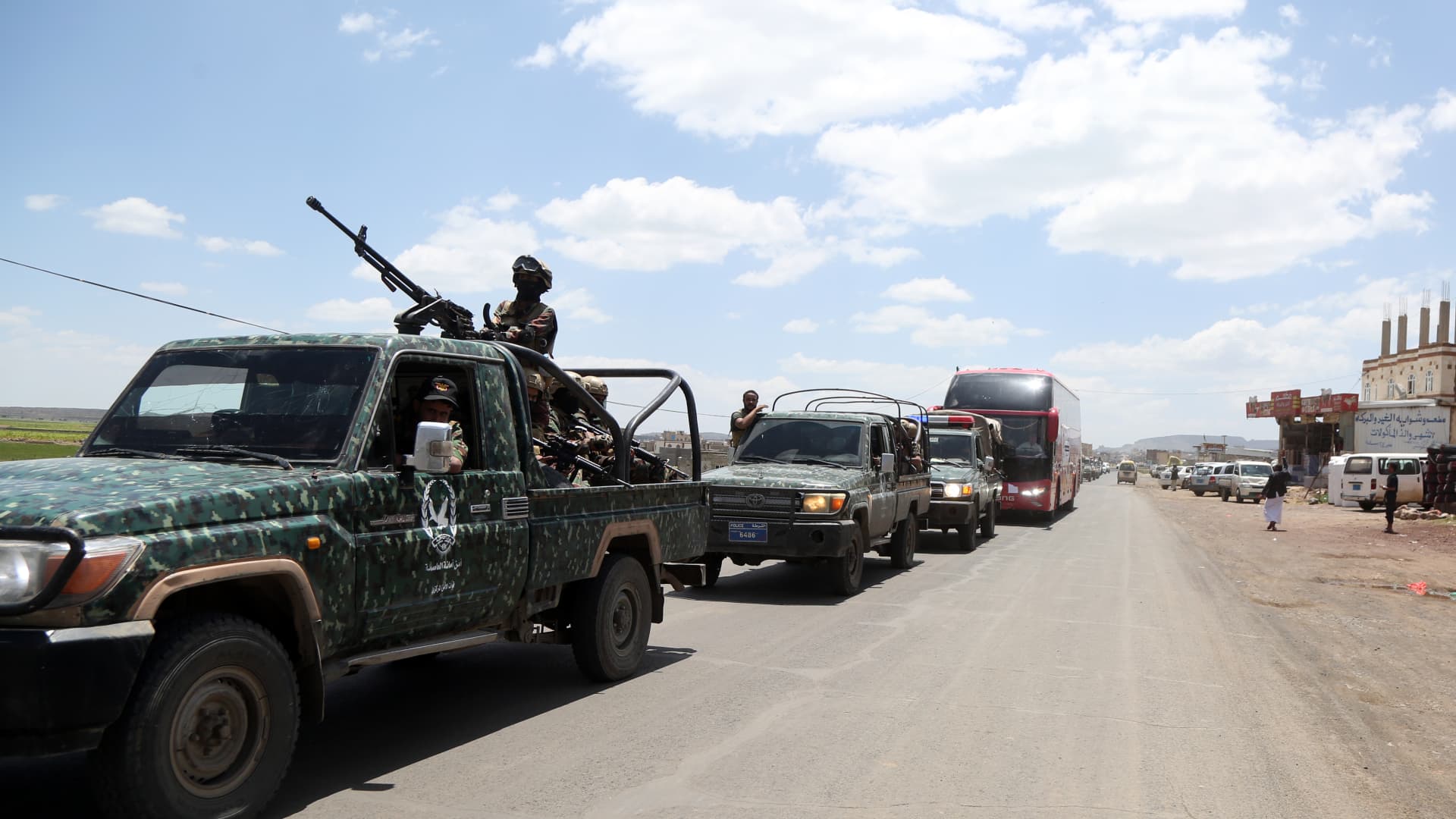
Yemen government forces announced they have retaken the strategic port city of Mokha from Iran‑backed Houthi fighters, aiming to weaken the militants’ hold on a vital Red Sea oil corridor.
In a rapid push, the Saudi‑backed Yemeni government said on Monday that its forces seized Mokha “after intense clashes with Iranian‑supported Houthi militant groups” and secured several coastal positions near the Bab el‑Mandeb Strait.
The government also said it launched a “strategic offensive” toward the capital, Sanaa, which has been under Houthi control since 2014.
Verum could not independently verify the claims. The Houthis have reportedly denied that Mokha has fallen.
Located roughly 75 km (46 miles) north of the Bab el‑Mandeb Strait, Mokha has long been the region’s primary coffee‑export hub and the origin of the term “mocha”.
Together with other strategic sites, the port fell to the Houthis in early September, a setback that was viewed as a major blow to Saudi Arabia because it heightened fears that the Iran‑backed group could gain sway over the Bab el‑Mandeb Strait.
Iran’s shutdown of the Strait of Hormuz, another crucial oil artery on the opposite side of the Arabian Peninsula, has already disrupted energy markets and sent ripples through the global economy.
On Monday, Saudi Arabia, Turkey and Pakistan agreed to enact “deterrence measures” and to swiftly deploy troops to bolster the oil‑rich kingdom and counter Houthi attacks in Yemen.
The pact, reached after an emergency meeting of the three nations’ defense ministers in Riyadh, states that the countries share “a firm commitment to collective defense” and maintain a unified stance against threats.
Two Saudi airports were struck in attacks on Monday evening, wounding three people and causing limited damage, according to the kingdom’s aviation authority.
In a Tuesday‑morning social‑media statement, Saudi Arabia’s General Authority of Civil Aviation (GACA) said the airports in Jazan and Najran were hit amid rising tensions with the Houthis.
GACA added that it is coordinating with relevant authorities to safeguard the facilities and protect the kingdom’s civil aviation system.
Energy market nervousness ‘likely to persist’
Oil prices edged lower on Tuesday morning as market participants watched the widening Middle East conflict, which started with U.S. and Israeli strikes on Iran in late February.
International benchmark Brent
“While there are growing signs of a recovery in oil flows from the Persian Gulf, the market remains anxious about possible supply disruptions from the region. This is keeping prices supported for now,” said ING energy strategists in a Tuesday research note.
“Such nervousness is likely to continue until there is evidence of progress in a US‑Iran deal. Meanwhile, the risk of further escalation remains very real,” they added.
Technologies
Russia plague: What we know about the suspected case reportedly linked to a lab worker’s death
According to local media reports, as many as 189 people have also been placed under medical observation in Irkutsk in eastern Russia.

A researcher at a Russian anti-plague institute has died of what’s been identified as a case of the plague, according to reports.
Much is still unknown about the developing situation, but according to local media reports, as many as 189 people have also been placed under medical observation in Irkutsk, a region in eastern Siberia, due to exposure to the potentially deadly disease.
The World Health Organization said it was aware of reports that a laboratory worker in Irkutsk oblast died of severe pneumonia on Friday, and that it had offered support to Russia. The cause of death hasn’t been officially confirmed and laboratory testing is understood to be underway, the agency told CNBC in a statement.
“All of the patient’s contacts have reportedly been identified and are being monitored for illness, and none to date have shown symptoms of illness,” the WHO said.
What is the plague and how does it spread?
Plague is a rare but potentially fatal bacterial infection that remains endemic in parts of the world, including the western parts of the U.S., but can be treated with antibiotics if identified quickly. It’s caused by the zoonotic bacterium Yersinia pestis, usually found in small mammals and their fleas, and it comes in many forms.
Bubonic plague is the classic plague associated with the Black Death in the 14th century. Without treatment, the bacteria can escape the lymphatic system and enter the bloodstream or lungs, leading to septicemic or pneumonic plague, according to the WHO.
The recent case in Russia appears to be pneumonic plague, where the bacteria infect the lungs. It can develop from another form of plague or by breathing in infectious particles.
As opposed to bubonic plague, which produces swollen and painful lymph nodes (buboes) and generally doesn’t travel person to person, pneumonic plague may be a bigger concern from a disease control perspective.
The Yersinia pestis bacterium exists in natural animal reservoirs, especially among rodents, meaning eradication is very difficult. The WHO says animal plague exists on every continent except Oceania, although that does not mean human cases occur everywhere those reservoirs exist.
“Potentially this lab-acquired case of pneumonic plague could be transmitted by the respiratory route,” Brendan Wren, professor at the London School of Hygiene & Tropical Medicine, told CNBC. “Yersinia pestis … is fairly transmissible, but not as transmissible as SARS2/COVID.”
What’s happening with the suspected case in Russia?
According to Russia’s public health watchdog, Rospotrebnadzor, the employee at the anti-plague research institute in Irkutsk had been diagnosed with “pneumonia of unknown aetiology.” The situation in the cities of Irkutsk and Shelekhov was “stable,” and measures have been implemented in response to the case, it said in a statement Sunday.
Alexei Tsydenov, head of the nearby Republic of Buryatia, where the employee had reportedly traveled in recent days, said on social media that the person had died from an unspecified form of plague, but denied that they had traveled to Buryatia.
CNBC has not been able to independently verify the reports. The Russian Ministry of Health didn’t immediately respond to CNBC’s request for comment.
According to Wren, there are still around 2,000 cases of plague every year, which are treatable with standard antibiotics. “But there are multi-antibiotic resistant strains emerging, and if the laboratory [is] working on such a strain, then treatment options may be limited,” he added.
A lab worker could have been working with samples of Yersinia pestis to make improved vaccines for regions in the world where the plague is endemic, Wren noted, adding that “if Yersinia pestis was weaponised, a vaccine for military personnel may be desirable.”
Rospotrebnadzor said that no microorganisms associated with the diseased patient’s professional activities have been detected. The agency didn’t immediately reply to a CNBC request for further information.
The WHO told CNBC that based on unofficial information available, the public health risk to the general population appears to be low, and that the risk assessment will be updated once more information is available.
— CNBC’s Jenny Lee contributed to this report.
-
 Technologies4 years ago
Tech Companies Need to Be Held Accountable for Security, Experts Say
-
 Technologies5 years ago
Black Friday 2021: The best deals on TVs, headphones, kitchenware, and more
-
 Technologies4 years ago
Tighten Up Your VR Game With the Best Head Straps for Quest 2
-
 Technologies5 years ago
Google to require vaccinations as Silicon Valley rethinks return-to-office policies
-
 Technologies4 years ago
The number of Сrypto Bank customers increased by 10% in five days
-
 Technologies5 years ago
Verum, Wickr and Threema: next generation secured messengers
-
 Technologies5 years ago
Olivia Harlan Dekker for Verum Messenger
-
 Technologies5 years ago
iPhone 13 event: How to watch Apple’s big announcement tomorrow