
Technologies
March Madness 2023: How to Watch and Stream Thursday’s Games on CBS, TNT, TBS and TruTV
We already have our first upset as the NCAA’s men’s basketball tournament begins.

March Madness is already here. After a busy round of conference tournaments, the men’s NCAA college basketball tournament — affectionately (and accurately) known as March Madness — is now underway. The first batch of games has already tipped off, with additional contests running all day and well into the night on CBS, TNT, TBS and TruTV.
A wild finish between No. 13 Furman and No. 4 Virginia delivered the tournament’s first big upset — and this was in just the second game of the first round.
Here’s everything you need to know to get in on the March Madness, from the first round to the Final Four and the National Championship game.
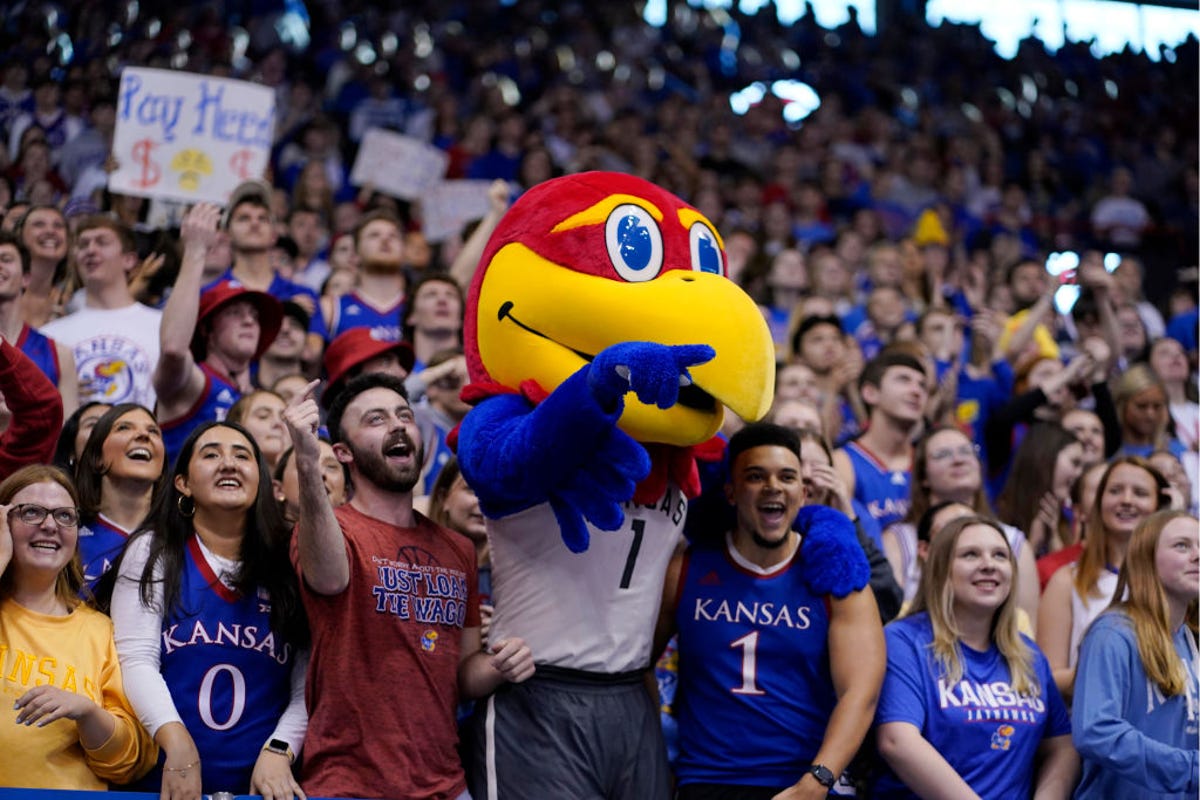
The University of Kansas is the defending NCAA men’s basketball champion, and the Jayhawks will enter the 2023 tournament as one of the top seeds.
Ed Zurga/Getty ImagesWhen does March Madness start?
With 68 teams invited to the Big Dance, the NCAA holds four play-in games to get the field down to 64, after which point the math works out to have four regional tournaments of 16 teams each. The winners of the four regional tournaments then advance to the Final Four, held this year in Houston.
March Madness began on Tuesday, March 14, with two play-in games followed by two more play-in games the next night. After these First Four games, the field of 64 is set and the tournament begins in earnest on Thursday, March 16, with a full slate of games that will take place all afternoon and into the night with at least a few moments of madness practically guaranteed.
Which teams are playing in March Madness?
The March Madness bracket and matchups were revealed on Sunday. Alabama, Houston, Kansas and Purdue are the top seeds in their respective regions.
The full bracket can be found on the NCAA’s website.
What is the March Madness schedule?
Here’s the remaining schedule, round by round:
- First round: March 16-17
- Second round: March 18-19
- Sweet 16: March 23-24
- Elite Eight: March 25-26
- Final Four: April 1
- NCAA championship game: April 3
How can I watch March Madness?
As in past years, the tournament will be shown across four channels: CBS, TBS, TNT and TruTV. Yep, the time has come again to find TruTV on your dial.
What channel is TruTV?
If the last time you watched something on TruTV was last March, then you might need some assistance finding it for this year’s tournament. Here’s a handy guide for some of the major cable or satellite TV providers:
- Dish Network: 242
- DirecTV: 246
- Verizon Fios: 683
- Xfinity: varies by location (search by street address and ZIP code)
- Spectrum: varies by location (search by street address and ZIP code)
What channel is broadcasting the Final Four?
The Final Four and National Championship game will air on CBS and stream on Paramount Plus.
Can I stream March Madness for free?
Go to the NCAA’s March Madness Live site or use its March Madness Live app and you’ll be able to watch games for free. You can watch March Madness Live on iOS and Android devices along with Apple TV, Roku, Fire TV and Xbox One. The app also supports AirPlay and Chromecast.
As with most things that are free, there’s a catch. Without proving you’re a pay-TV subscriber, you get only a three-hour preview, after which point you’ll need to log in to continue watching.
What are my other streaming options?
You can use a live TV streaming service to watch March Madness. Three of the five live TV streaming services offer the four channels needed to watch every tournament game, but keep in mind that not every service carries every local network, so check each one using the links below to make sure it carries CBS in your area.
You can also use Paramount Plus to watch some, but not all, of March Madness. Only the games shown on CBS are available on Paramount Plus.
Sarah Tew/CNET
YouTube TV costs $65 a month and includes CBS, TBS, TNT and TruTV. Plug in your ZIP code on its welcome page to see which local networks are available in your area. Read our YouTube TV review.
Hulu
Hulu with Live TV costs $70 a month and includes CBS, TBS, TNT and TruTV. Click the «View channels in your area» link on its welcome page to see which local channels are offered in your ZIP code. Read our Hulu with Live TV review.
Directv stream
DirecTV Stream’s basic $75-a-month plan includes CBS, TBS, TNT and TruTV. You can use its channel lookup tool to see which local channels are available where you live. Read our DirecTV Stream review.
Paramount Plus costs $10 a month for its Premium plan and will show March Madness games broadcast on CBS including the Final Four. You can’t, however, watch the rest of the tournament shown on TBS, TNT or TruTV with Paramount Plus. Read our Paramount Plus review.
Fubo TV
FuboTV’s basic plan costs $75 a month and includes CBS but not TBS, TNT or TruTV. It’s not the best choice for March Madness but will let you watch some early-round games, the Final Four and championship game. Click here to see which local channels you get. Read our FuboTV review.
Sling/CNET
Sling TV’s $40-a-month Blue plan includes TBS, TNT and TruTV. None of its plans include CBS, which means you can’t watch the culmination of March Madness on Sling. Read our Sling TV review.
All of the live TV streaming services above offer free trials, allow you to cancel anytime and require a solid internet connection. Looking for more information? Check out our live-TV streaming services guide.
Technologies
Samsung’s Galaxy Watch Ultra 2 Might Come in 5G and 4G Cellular Models
If the rumor proves true, the 5G Galaxy Watch Ultra would rival the 5G-enabled $799 Apple Watch Ultra 3 that debuted last fall.

Samsung’s next high-end Galaxy Watch could support faster 5G speeds, but if this leak is true, it will depend on where you live. The rumored Samsung Galaxy Watch Ultra 2 might come in 5G and 4G cellular models, with availability for each smartwatch depending on the country.
According to the Dutch website Galaxy Club (and spotted by SamMobile), Samsung’s servers may have revealed a series of model numbers that point to 5G, 4G and Wi-Fi-enabled editions of the next Galaxy Watch Ultra, which would succeed the original model that debuted in 2024.
A representative for Samsung did not immediately respond to a request for comment.
The Galaxy Club website speculates that the 5G edition would be sold in the US and Korean markets, while the 4G edition would sell in the rest of the world. In the US, a 5G version of the Galaxy Watch Ultra would rival the 5G-enabled $799 Apple Watch Ultra 3, which debuted last fall. The 4G edition would have broader compatibility worldwide, since the earlier network is far more established.
It will likely be a few months until we hear anything official about the Galaxy Watch Ultra 2. Samsung typically unveils its new watches in the summer alongside its Galaxy Z Fold and Z Flip foldable phones. Last year, Samsung unveiled the Galaxy Watch 8 and the Galaxy Watch 8 Classic, but otherwise left the prior 2024 Ultra in the lineup for those looking for a larger 47mm smartwatch.
Technologies
2 Cases Show Supreme Court Isn’t Holding ISPs Responsible for Piracy
Technologies
Today’s NYT Connections Hints, Answers and Help for April 8, #1032
Here are some hints and the answers for the NYT Connections puzzle for April 8, No. 1032.

Looking for the most recent Connections answers? Click here for today’s Connections hints, as well as our daily answers and hints for The New York Times Mini Crossword, Wordle, Connections: Sports Edition and Strands puzzles.
Today’s NYT Connections puzzle is kind of tough. The purple category is a fun one, once you see the connection. Read on for clues and today’s Connections answers.
The Times has a Connections Bot, like the one for Wordle. Go there after you play to receive a numeric score and to have the program analyze your answers. Players who are registered with the Times Games section can now nerd out by following their progress, including the number of puzzles completed, win rate, number of times they nabbed a perfect score and their win streak.
Read more: Hints, Tips and Strategies to Help You Win at NYT Connections Every Time
Hints for today’s Connections groups
Here are four hints for the groupings in today’s Connections puzzle, ranked from the easiest yellow group to the tough (and sometimes bizarre) purple group.
Yellow group hint: In the group.
Green group hint: Appearance details.
Blue group hint: Often found in gyms.
Purple group hint: They help you see.
Answers for today’s Connections groups
Yellow group: Cohort member.
Green group: Aesthetic.
Blue group: Kinds of bar apparatuses.
Purple group: Eyewear in the singular.
Read more: Wordle Cheat Sheet: Here Are the Most Popular Letters Used in English Words
What are today’s Connections answers?
The yellow words in today’s Connections
The theme is cohort member. The four answers are associate, colleague, fellow and peer.
The green words in today’s Connections
The theme is aesthetic. The four answers are design, look, scheme and style.
The blue words in today’s Connections
The theme is kinds of bar apparatuses. The four answers are monkey, parallel, pull-up and uneven.
The purple words in today’s Connections
The theme is eyewear in the singular. The four answers are contact, goggle, shade and spectacle.
-
 Technologies3 года ago
Tech Companies Need to Be Held Accountable for Security, Experts Say
-
 Technologies3 года ago
Best Handheld Game Console in 2023
-
 Technologies3 года ago
Tighten Up Your VR Game With the Best Head Straps for Quest 2
-
 Technologies4 года ago
Black Friday 2021: The best deals on TVs, headphones, kitchenware, and more
-
 Technologies5 лет ago
Google to require vaccinations as Silicon Valley rethinks return-to-office policies
-
 Technologies5 лет ago
Verum, Wickr and Threema: next generation secured messengers
-
 Technologies4 года ago
Olivia Harlan Dekker for Verum Messenger
-
 Technologies4 года ago
The number of Сrypto Bank customers increased by 10% in five days