
Technologies
iPhone 14 Pro vs. Galaxy S23 Ultra: My Thoughts After Ditching Android
I wanted see how Samsung’s top-of-the-line phone compares to my iPhone 14 Pro. Do I regret switching to Apple?
This story is part of Samsung Event, CNET’s collection of news, tips and advice around Samsung’s most popular products.
Five months ago, I went from being a die-hard Samsung Galaxy fan to a sellout iPhone owner. Since then, I’ve fully adapted to the world of Apple and have been basking in the perks of features like AirDrop and iMessage (mostly to the delight of my friends, who were sick of my green texts).
But I still have a soft spot for Galaxy phones, and when Samsung unveiled the S23 lineup in February, I was eager to see how the top-of-the-line S23 Ultra would compare to my iPhone 14 Pro. So I got my hands on one and began using the phones side by side to compare everything from the cameras to battery life to overall design — and to see whether I’d have any regrets about switching to the “dark side.” Here’s what I found.
The Galaxy S23 Ultra’s display vs. Apple’s Super Retina screen
First things first: I have an iPhone 14 Pro, and not a Pro Max, so the Ultra’s massive screen definitely stands out in comparison. I never feel like I need a bigger screen than what I get on my 14 Pro, but it definitely doesn’t hurt to have that larger display when I’m watching a YouTube video or streaming a show — or spending too much time on TikTok.
The trade-off to having that larger screen is trying to fit it in my pocket and having to carry something a bit bulkier. Still, it’s a pretty sleek phone for all that real estate.
The display quality on both phones is stellar, and I don’t see much of a quality difference between the two. Right out of the box, the S23 Ultra has a nice bright display, which you can achieve on the iPhone by turning off True Tone (a feature that adjusts the color and intensity of your display depending on your environment). If the brightness on the Ultra is too much, you can inversely mimic the effects of True Tone by going into Display settings and either toggling on Eye comfort shield or going to Screen mode and selecting Natural. You can also play with the White balance scale. Images on the iPhone look slightly sharper, but colors pop a bit more on the S23 Ultra. Overall, though, there’s really not much of a difference between the phones.

The keyboard on the Galaxy S23 Ultra (right) places numbers above letters, so you don’t have to hop between the two.
John Kim/CNETThere’s one aspect to having an iPhone that I haven’t quite made peace with yet, and it’s the keyboard. I’m glad Apple added Slide to Type with iOS 13 a few years ago, followed by haptic feedback on the keyboard with iOS 16 (finally), because those are features I loved on Android. But I still get frustrated that I have to switch between numbers and letters when I’m typing on the iPhone. Meanwhile, on the Galaxy, the numbers sit just above the letters, so you can select them more quickly, the way you would on a laptop keyboard. You can download different keyboards on the iPhone like Gboard, but it’s not the same. I’ll admit that’s a minor complaint, but I do think the user experience would benefit from Apple taking a page from Android’s book — you know, like they’ve done many times before. Moving on….
The Galaxy S23 Ultra’s battery life is next level
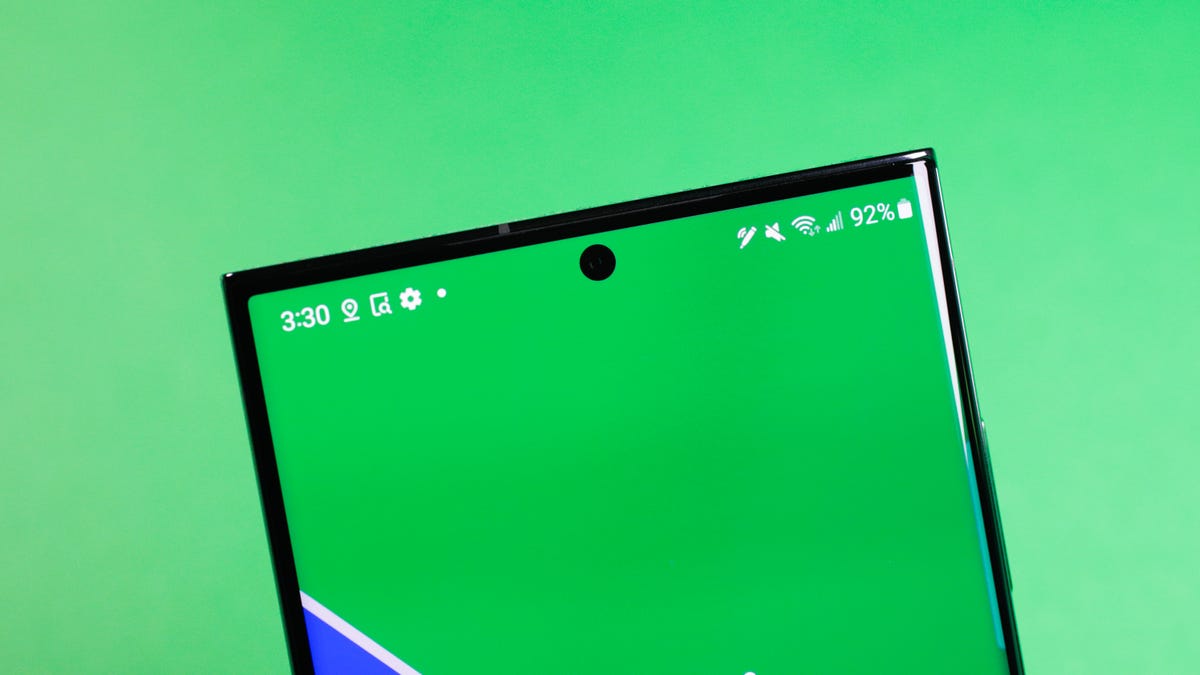
The battery that keeps going.
James Martin/CNETI’ve had my iPhone for a few months now and thankfully haven’t seen any noticeable drops in battery life yet. My phone still lasts a full day of heavy use, but I always need to charge at the end of the day.
The Ultra’s battery is next level. I can go a full day of use and still have some juice left over. That’s not surprising, given the S23 Ultra has a 5,000-mAh battery. Apple doesn’t share battery capacity for its phones, but says the 14 Pro has up to 23 hours of video playback. An iFixit teardown found the iPhone 14 Pro has a 3,200-mAh battery.
Even though the Ultra has a bigger battery, Apple is actually able to crank out more efficiency from its batteries thanks to iOS and its own A-series chips. Meanwhile, Android has to work with a variety of devices running different processors, so it becomes more important to have that bigger battery.
Specs and logistics aside, I’m amazed by the Ultra’s battery life, as was CNET’s mobile reporter Lisa Eadicicco when she reviewed the Ultra.
The S23 Ultra’s 200-megapixel camera
Camera quality is the most important aspect of any phone for me. I take a lot of pictures and videos for work and social media, including for my very niche tea account on Instagram. The camera on the Galaxy phones kept me in the Samsung family for a decade, so I was eager to compare the S23 Ultra’s cameras to the iPhone 14 Pro’s.
What I noticed right away is how much more saturated photos on the Ultra are. In most cases, that saturation adds a nice color boost to images and makes them stand out more. Pictures of my colorful teacups look even more vibrant on the Ultra. Sometimes, that saturation can be a bit overwhelming and makes photos look unnatural, as if there’s a filter on them. But other times, it makes colors and subjects stand out, in a good way.

The Galaxy S23 Ultra’s 200-megapixel sensor brings out details and color in this decorative teacup.
Abrar Al-Heeti/CNETThe 200-megapixel sensor on the Ultra punches up color and detail even more. A picture I took of a decorative teacup emphasizes the intricate floral design and gold trim and another image of a Klay Thompson mural shows vivid blues and yellows.
Not all moments are made for a 200-megapixel sensor, though. In another image taken outdoors, the sensor removed a few too many highlights, so it was harder to see detail and make sense of what’s going on.
Overall, I appreciate the softness and brightness of photos on the Ultra. Shadows on the iPhone are often a bit too harsh and give some images a darker overtone. An image of the sky on the Ultra will look nice and bright, while on the iPhone, there might be distracting shadows under clouds. The Ultra’s softness and brightness also make for more flattering selfies. You can adjust the iPhone’s camera settings and play around with things like contrast, tone and color temperature, and even mimic photography styles on the Galaxy (and vice versa), but I do wish the iPhone just automatically adjusted for things like shadows a little better.
The camera feature that surprised me most was Portrait mode. I think of Portrait mode on the iPhone as the gold standard. The subject is usually in perfect focus, the background is smoothly blurred and the colors are more natural looking. But I noticed there’s something the Ultra did better than my iPhone. I took a picture of my friend while she had sunglasses on top of her head, and the iPhone struggled to keep the bridge and sides of the glasses in focus, while the Ultra didn’t. It’s that small detail that shows how far Portrait mode has come on Galaxy phones. I still prefer the look of iPhone portraits because of the lower saturation, and you can catch a bit more detail in the background, which is nice.

The picture on the left was taken with Portrait mode on the iPhone 14 Pro, while the one on the right was taken with the Galaxy S23 Ultra. If you look closely, you’ll nice the iPhone blurs the bridge and sides of the glasses, while the Ultra doesn’t.
Abrar Al-Heeti/CNETDoes the Galaxy S23 Ultra beat the iPhone at video?
Given the popularity of TikTok and Instagram Reels right now, video is a huge focus for both Apple and Samsung — and also important for folks like me who take a lot of videos. Since switching to the iPhone, I’ve seen an uptick in the quality of my videos. The colors are more natural and the images sharper. Cinematic mode makes subjects pop and lends a more professional look to my content. Samsung has its own Cinematic mode equivalent, called Portrait video. It also does a great job of blurring the background, but objects and people look a little less defined than they do on iPhone.
One area where the Ultra is a clear winner is with video stabilization. Even walking down the stairs, the footage is incredibly smooth, as if you’re using a gimbal. With the iPhone, you can still sense each step being taken, and there’s a lot more movement.
The S23 Ultra’s design vs. iPhone 14 Pro
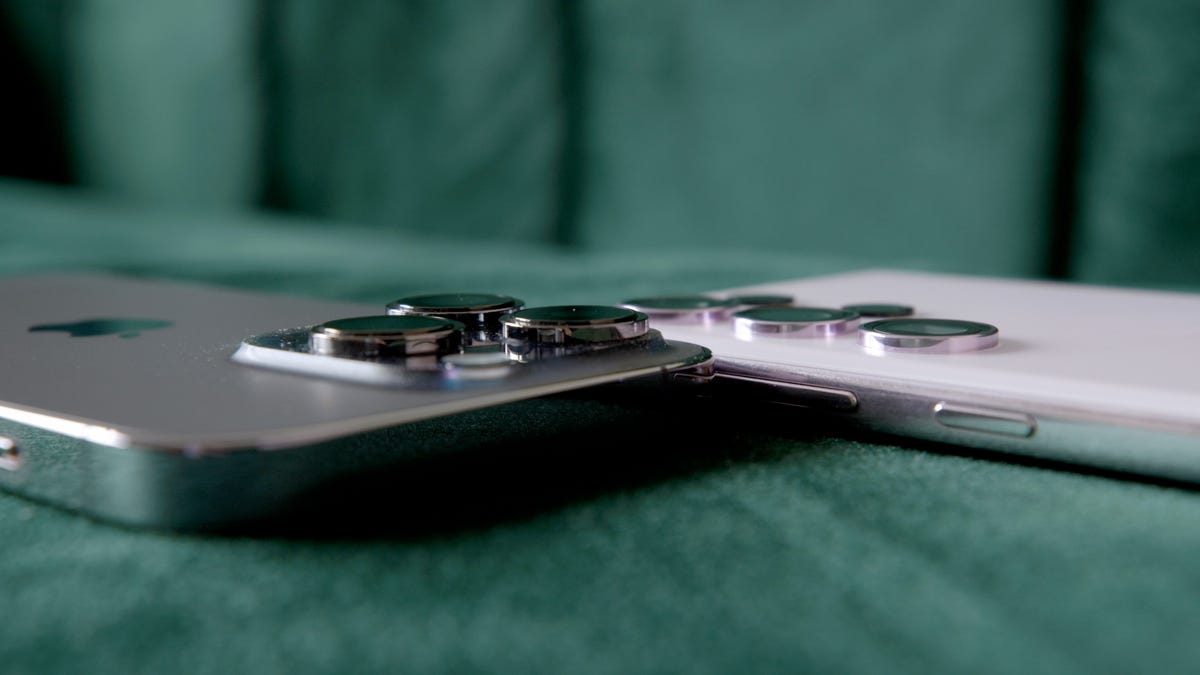
Let’s be honest: the iPhone’s camera bumps are ridiculous. The Ultra is a breath of fresh air because the cameras don’t stick out as much, so it wobbles less when you set it down.
The S Pen on the Ultra is a fun extra, though I never found myself reaching for it. There’s not much I want to write by hand, and I can just tap the screen for pretty much all functions. Still, I’m glad the legacy of the retired Galaxy Note series lives on.
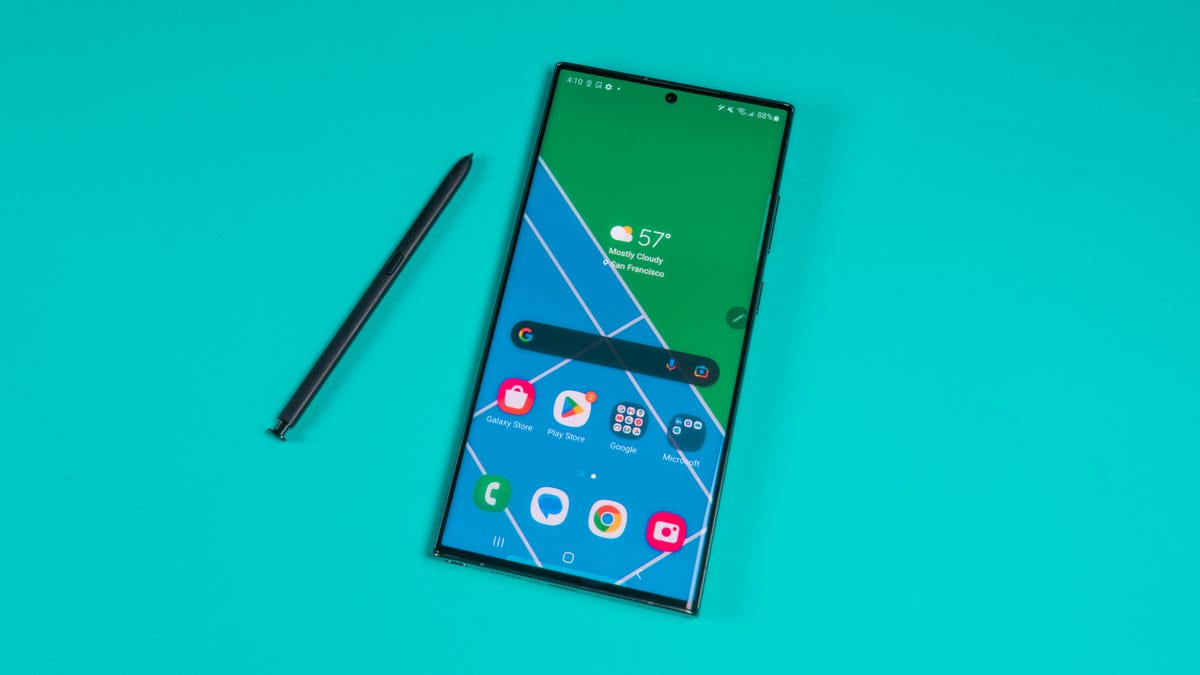
The S Pen returns on the Galaxy S23 Ultra.
James Martin/CNETThe in-screen fingerprint reader was a favorite feature of mine on my Galaxy phones, and it’s nice to have that option again while using the Ultra. I missed it when I first switched to the iPhone, but Face ID is solid enough that I quickly got over it. Unlocking both phones has been seamless.
The Galaxy S23 Ultra’s price is the same as the iPhone
The S23 Ultra is $1,200 for 256 GB of storage and is priced similarly to the iPhone 14 Pro Max with the same amount of storage. The smaller iPhone 14 Pro is $1,100 for 256GB. Whether you’re a Galaxy fan or an iPhone lover, $1,200 is a lot. But in this case, you get what you pay for.
Galaxy S23 Ultra vs. iPhone 14 Pro final thoughts

Those camera bumps on the iPhone 14 Pro feel a little excessive.
John Kim/CNETIt’s been fun to revisit a world I’ve abandoned and compare the iPhone I have now to the one I could’ve had if I’d stayed in the Galaxy family. While there are aspects to the S23 Ultra that I appreciate, like brighter and more colorful images, better video stabilization and incredible battery life, there are advantages to having an iPhone that go beyond specs that’ll likely keep me in the Apple ecosystem for a while. Features like Airdrop and iMessage have made the user experience more seamless. And I don’t know if I could give up the iPhone’s video quality for anything else.
Still, I know that if I want to take a picture that makes people’s jaws drop, I’ll likely reach for the S23 Ultra. Then I’ll wait for the look of shock when I tell them it wasn’t taken with an iPhone.
Check out the video above to see more of my experience trying out these two phones, along with some side-by-side examples of photos and videos taken on each.
Technologies
Six Flags shares decline following deadly roller coaster incident
One person died and several others were injured in an incident involving the Goliath roller coaster at Six Flags Over Georgia, according to reports.
Shares of Six Flags Entertainment declined more than 16% Tuesday following a deadly roller coaster incident at one of its amusement parks in Georgia.
One person died and several others were injured Monday in an incident at Six Flags Over Georgia, according to a statement from Georgia’s Cobb County Board of Commissioners. The board’s chairwoman, Lisa N. Cupid, said that county authorities are working with Six Flags and other partners in the investigation.
According to reports citing local police, the incident occurred on the Atlanta-area park’s 200-foot-tall Goliath roller coaster shortly before 4 p.m. Monday. Riders were later seen being evacuated from the roller coaster after it stopped near the top of the ride, according to the report.
Witnesses told a local news station that they saw a man fall from the roller coaster and strike the ride several times.
In a statement to ABC News, a Six Flags spokesperson said it is cooperating fully with the investigation and had temporarily closed similar attractions across its parks.
Six Flags did not immediately respond to CNBC’s request for comment.
Tuesday’s decline is on pace to be the stock’s worst day since August and puts shares at their lowest level since December 2009. Shares have now fallen by more than 50% over the past year.
Technologies
French supermarket fridges get hacked, heating to 122°F and sparking fires
Hackers targeted hundreds of French supermarkets in a large-scale cyberattack, causing refrigerators to overheat, spoiling food, and sparking fires.

Hackers targeted hundreds of French supermarkets in a cyberattack that reportedly caused refrigerators and freezers to overheat, spoiling food and sparking fires.
Fridges at French supermarket chains Carrefour, Monoprix, the Les Mousquetaires-owned Intermarché, and Coopérative U, among others, all saw fridges heat up to as much as 50 degrees Celsius (122 degrees Fahrenheit) overnight, Reuters reported Monday.
Coopérative U’s CEO, Dominique Schelcher, confirmed that cyberattacks had affected “refrigeration production facilities of several stores.”
“Attacking equipment that is essential to the preservation of fresh products and the food supply of the French people is extremely serious and unprecedented. It is unacceptable,” Schelcher said in a LinkedIn post.
CNBC has reached out to Carrefour, Monoprix, Intermarché, Coopérative U and E Leclerc for comment but did not immediately hear back.
Felix Aime, a senior cyberthreat intelligence analyst at Sekoia Threat Detection and Research, said the attack affected several European countries, including Spain, Portugal, Poland, Germany and Belgium, according to the Reuters article.
“I strongly condemn the cyberattack targeting food products at @intermarche @CooperativeU @Leclerc,” European Commissioner for Agriculture and Food Christophe Hansen said in a post on X on Monday.
“Food security requires more attention at all levels. Because the weaponization of food has become a reality.”
AI enhancing cyberattacks
Les Mousquetaires said it was expecting the damages, which affected around 180 stores, to reach “several million euros in losses,” in an email to CNBC.
It said some fresh and frozen food displays have been out of service after the cyberattack affected one of its service providers responsible for managing refrigeration systems inside some stores.
“Intermarché and Netto have taken all necessary precautions to remove and dispose of any affected products as quickly as possible, to ensure consumer safety,” the Les Mousquetaires spokesperson said. “In some stores, the overheating of equipment resulted in smoke, but no fires have been reported.”
They’re now awaiting findings from a court-appointed bailiff and insurance experts to get more precise figures on damages.
Stop & Shop parent Ahold Delhaize
This comes amid a broader wave of cyberattacks and cybercrimes, which experts are warning are being enhanced by artificial intelligence. British online fashion retailer Asos experienced a cybersecurity breach last week which revealed some customers’ personal information.
Meanwhile, a small power plant in the U.K. was shut down for four days in July after a cyberattack which was suspected to be linked to Iran.
Interpol’s global chief information security officer, Bjorn R. Watne, recently told CNBC that AI can be used to target multiple victims at once, and is increasing the scale and speed of cyberattacks. “It’s an evolution and not a revolution.”
Correction: Bjorn R. Watne is global chief information security officer at Interpol. An earlier version misspelled his name.
Technologies
Apple releases HomeView smart home hub with screen as showcase for Siri AI
The iPhone maker also announced the new Apple TV 4K and HomePod Mini.
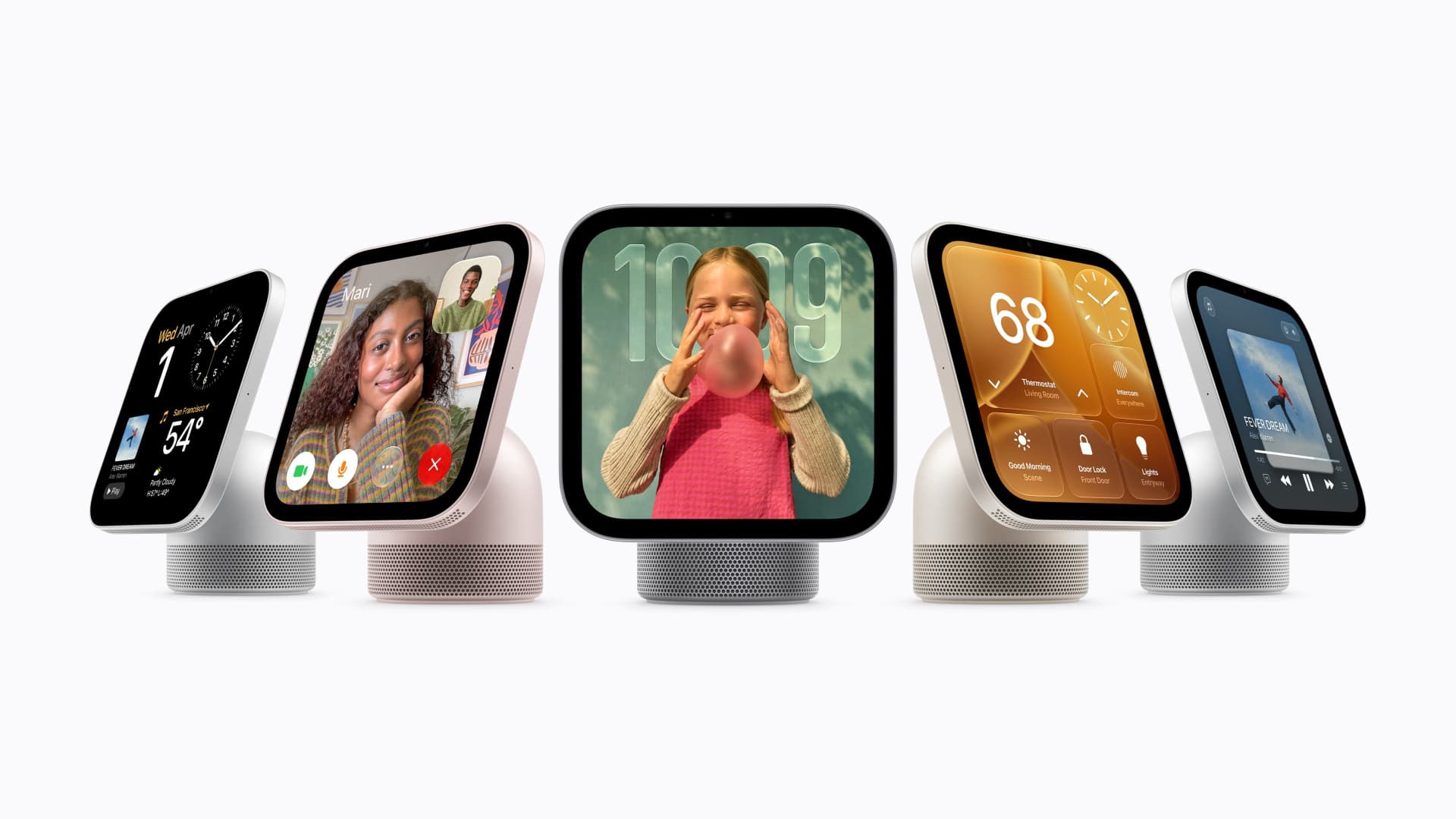
Apple on Tuesday announced a new home hub called HomeView.
Apple said the device with a 7-inch screen was designed to be mounted on a wall or placed on a table. It’s designed for multiple people in a household, and will recognize the user by their face to display pertinent information. It starts at $299 and ships on Nov. 13.
Tuesday’s launch event is the second under new CEO John Ternus, who took over from Tim Cook in September. Last month, Apple announced new models of its most important product, the iPhone, including a foldable model called the Duo that retails for nearly $2,000.
Apple also announced new Apple TV and HomePod hardware on Tuesday. The new Apple TV 4K costs $299 and has a redesigned remote that can play a sound if it is lost. Apple’s HomePod Mini speaker comes in new colors and costs $149, a slight increase over its previous $129 price.
The products announced Tuesday are less critical for Apple than the iPhone, and investors remain focused on iPhone sales, but the accessories were positioned on Tuesday as a showcase for the company’s new Siri abilities released last month.
Apple said that HomeView features Siri AI, which can answer a broad range of questions. Users will be able to converse with Siri, and their conversations will continue on their iPhone or iPad. It has a built-in speaker for playing music.
“It recognizes your face to shift from a household screen to your own experience, fills the room with incredible sound, keeps you connected to the people who matter most with FaceTime, and makes it easy to control your smart home,” Apple’s chief marketer Greg Joswiak said in a statement.
Apple said that HomeView will show information from the Messages, Photos, Calendar, and Reminders apps based on who is using the device, powered by Apple Intelligence. It can also be used to make FaceTime calls and as a digital photo frame. It’s equipped with an Apple A18 chip. It supports up to six users.
But while Apple has dabbled in home products and platforms in the past, Tuesday’s announcement shows Apple is making its home products a higher priority under Ternus.
Apple said on Tuesday that its new products, including HomeView, can be used as a smart home hub, coordinating notifications and actions in the home and working with a range of products, including new locks, doorbells, and cameras from LG Electronics and Schneider Electric.
Apple’s integration with the smart home is not just about sales but also helps further lock customers into its own ecosystem. People who use multiple Apple products and connections are less likely to switch to an Android phone.
HomeView can also become a smart home dashboard, Apple said. It can be used to view camera feeds, adjust the thermostat, or lock connected doors around the house.
Apple said that setting up a new smart home device takes one tap from the user’s iPhone.
Tuesday’s launch shows Apple’s confidence as it launches new product categories. But the broader consumer electronics industry has been dealing with price increases and demand deterioration related to component shortages in memory and storage. It also comes as new boss Ternus has reportedly pushed the company to release products faster.
Apple’s new Apple TV 4K got a price hike from $199 to $299, and comes after a similar price increase earlier this year, after Cook said that memory costs for Apple were unsustainable.
-
 Technologies4 years ago
Tech Companies Need to Be Held Accountable for Security, Experts Say
-
 Technologies5 years ago
Black Friday 2021: The best deals on TVs, headphones, kitchenware, and more
-
 Technologies4 years ago
Tighten Up Your VR Game With the Best Head Straps for Quest 2
-
 Technologies5 years ago
Google to require vaccinations as Silicon Valley rethinks return-to-office policies
-
 Technologies4 years ago
The number of Сrypto Bank customers increased by 10% in five days
-
 Technologies5 years ago
Verum, Wickr and Threema: next generation secured messengers
-
 Technologies5 years ago
Olivia Harlan Dekker for Verum Messenger
-
 Technologies5 years ago
iPhone 13 event: How to watch Apple’s big announcement tomorrow