

Technologies
Your Old Phone Can Still Take Excellent Photos With These Pro Tips
Don’t count out the camera on your older phone. It can still take fantastic photos.

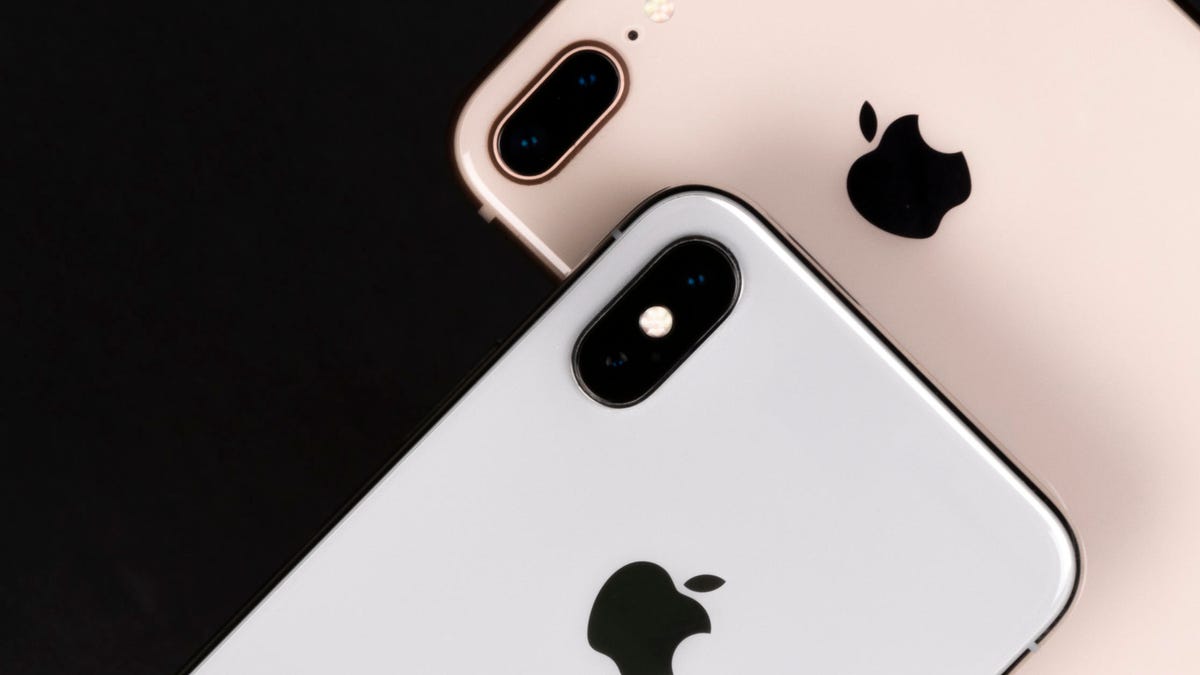
The iPhone 14 Pro, Google Pixel 7 Pro and Samsung Galaxy S23 Ultra are among the best camera phones you can buy in 2023. Packed with multiple lenses and amazing AI software, these phones can take shots that rival professional mirrorless cameras.


However, these top phones come with huge price tags that make them out of reach for many of us. Worry not. Even if you’ve got an older iPhone or Android phone or a budget-focused model without all the bells and whistles, there’s a lot you can do to still take beautiful images. After all, as any photographer will tell you, it’s not just the best camera that takes the best photos.
Still, you’ll need to put in some effort yourself to elevate your shots from simple «ho hum» snaps to «oh, wow!» pieces of art.
Here, then, are my top tips for how to get the best images from an older iPhone, Galaxy phone or any older Android phone.


In this shot, taken on the iPhone X, the road snaking its way into the frame helps to add a leading line that guides the eye up toward the cloudy mountains.
Andrew Lanxon/CNETNail your composition
You can take a photo using the most advanced camera system on the planet, but if you’ve messed up your framing, you’ll still get a bad photo. After all, if you’re taking a photo of a lovely church and you manage to chop off the spire, no amount of editing will bring it back.
Don’t just snap away wildly at your photo location. Instead, slow down, walk around and consider the scene in front of you and how you want it to appear in your shot. Taking a landscape shot? Look for leading lines such as pathways or old stone walls that snake their way into the scene. Or perhaps there’s some interesting rocks or flowers that could add some interest in the foreground.


Taken on the Samsung Galaxy S10 Plus. I used the curving rock face as foreground interest, shooting through the gap that points toward the reservoir in the distance.
Andrew Lanxon/CNETYou can also turn on a «rule of thirds» grid overlay in the settings to help line up the different elements in your scene in a visually pleasing way — or simply to help keep your horizons straight.
If you’ve got multiple rear cameras that offer a zoomed-in or wide-angle view, experiment with these different options. Maybe zooming in can help eliminate distracting elements, or perhaps that wider view can capture more of the beautiful scene in front of you.


With no wide-angle lens on the iPhone 11 Pro, I used the panorama mode to capture a much wider scene here.
Andrew Lanxon/CNETIf you don’t have a wide-angle view, try using the panorama mode to get a wider shot than the standard camera can achieve — or use clip-on lenses, as I discuss below.
Tell a story
The most impactful, iconic images through the years aren’t simply the ones taken with the best camera, but the ones that tell a particular story or capture a moment in time. And sure, maybe you’re not trying to win a photojournalism prize on your summer vacation, but thinking like a photojournalist can help you take images that you’ll want to look back on in years to come.
Perhaps you’re heading to the beautiful Italian coast this year. Of course, you’ll get a nice snap of the ocean from your hotel terrace, but keep in mind what else has made your trip so memorable; the plates of delicious food, the old, dusty streets, the musician playing in the square or the vibrant colors of the fruits and flower stands at the local market. All these elements will make for great photos that capture the heart of the location and tell a great visual story when you look back through them.


This beautiful, shaggy Highland cow wasn’t the reason I visited Scotland, but this was a great opportunity to capture an image of an iconic animal. And the shot really adds to the story told by the images I took on that trip. Taken on the iPhone 11 Pro.
Andrew Lanxon/CNETAnd it doesn’t have to be something you do only on a big family vacation. A weekend walk downtown to the street-food market will offer up great storytelling opportunities, from the graffiti art you see along the way to the plates of vibrant cuisine you choose on arrival. And none of these things require the latest camera hardware to capture beautifully.
Use the light to your advantage
Though today’s top phones can take great nighttime images, older models likely won’t have night modes. As a result, darkness won’t be your friend when you’re trying to get great images. If you’re heading to a viewpoint overlooking the city, try to get there during the day, perhaps when there’s a lovely blue sky sprinkled with fluffy clouds.

Though the middle of the day isn’t always a great time for landscape photos, you might capture moments of peace like this. Taken on the iPhone X.
Andrew Lanxon/CNETMiddle-of-the-day photography is often avoided by landscape photographers because of its harsh quality, but if you’re exploring city streets, it can offer some great opportunities to look for contrast caused by shadows, which could make for dramatic images.
No multi-camera iPhone? Use clip-on lenses
Older iPhones might lack the multiple lenses found on the most recent models, but you don’t just have to make do. Companies like Moment and Olloclip make lenses that attach to your phone, providing wide-angle, telephoto and even macro views.


Using its standard lens (left) the iPhone X can only fit so much in frame. But with the Moment wide angle adapter (right) we get a much wider view.
Andrew Lanxon/CNETSure, you have to carry an extra little item in your bag or pocket as you explore, but adding a clip-on lens is a great way to get a superwide view for those sweeping cityscapes without having to splash the cash in upgrading your phone.
Shoot in DNG raw, even on old phones
Apple’s ProRaw image format, introduced on the iPhone 12 Pro Max, uses computational imaging techniques like HDR but still provides you with a DNG raw file that’s much easier to edit in apps like Adobe Lightroom. It isn’t a function found on older iPhones, but those of you on older phones can still shoot in regular raw if you’re keen to do your own edits.
You can’t shoot in DNG raw in the standard camera mode, so you’ll need to use a third-party camera app that offers raw shooting. I usually use Lightroom itself, as its camera shoots in raw and automatically imports the images into your library. But I’ve also had good results with the Moment app.


By shooting in DNG raw, I had even more flexibility in Adobe Lightroom to make this portrait of my sweet bundle of beautiful wonder look even more heartacheingly gorgeous.
Andrew Lanxon/CNETShooting in raw allows you more flexibility to adjust white balance and color tones while generally making it easier to tone down bright highlights or lighten up shadowy areas. Those of you looking to squeeze every ounce of quality from your phone camera should consider using raw — as long as you’re willing to spend the time editing.
Keep in mind, though, that raw files are larger than their JPEG counterparts, so you’ll quickly fill up your phone’s storage if you shoot everything you see in raw.
Get creative with editing apps
Taking your photo is only part of the process, and a keen eye in the editing stage can make all the difference in creating beautiful photographic art. If you want to maintain a more natural looking photograph, look toward apps like Lightroom or Google’s Snapseed. These raw image editors give you control over colors, exposure and contrast and let you fine-tune your images to suit your taste.

Edited in Prisma, the abstract art style means it doesn’t matter if the original image isn’t amazing quality.
Andrew Lanxon/CNETOr you can take your creativity to a whole other level with apps like Prisma, which transforms your shots into often psychedelic-looking scenes, or Bazaart, which lets you easily create wild photo collages that can look really cool. You can check out my roundup of my favorite image editing apps for more inspiration.
The great thing with editing is that there’s no right or wrong way to do things, and you can always go back to your original image if you don’t like the changes you made. But using some of these techniques can turn an otherwise forgettable shot into something that really stands out. My advice is to make a cup of tea, settle into a comfy chair and play around with the sliders in your app of choice and see what you can come up with.
Read more: Best Free and Paid Photo Editing Apps for iPhone and Android
Technologies
Tinder Users Must Start Logging In With Their Faces, Starting Nationwide
The social app now has new US requirements including face identification to help quell longstanding problems with catfishing and more.

US Tinder users will find a new feature when they open up the dating app starting Wednesday: A mandatory Face Check on their phones will be required before they can log into their profiles.
The Face Check step will begin with a new request to record a video of your face, a more casual version of setting up Apple’s Face ID login. Tinder will then run checks comparing your face data to your current profile pics and automatically create a small face badge for your profile. We already know how it works, because Tinder has already launched the feature in Canada and California before the full US rollout.
The technology, powered by FaceTec, will keep biometric data of the user’s face in encrypted form but discard the scanning video for privacy. Tinder will be able to use the face data to detect duplicate accounts, in an effort to cut down on fake profiles and identity theft.
Don’t miss any of our unbiased tech content and lab-based reviews. Add CNET as a preferred Google source.
Tinder’s facial recognition rollout is also made to prevent catfishing, or people pretending to be someone else on Tinder to scam or blackmail them. But that also points to a deeper problem on the rise in dating apps — a growing number of bots, many controlled by AI, are designed to glean personal information or fool users into scammy subscriptions, among other problems.
Tinder’s working against these bots on several fronts, including this Face Check push as well as ID Check, which requires a government-issued ID and other types of photo verification.
The dating app also recently released a feature in June to enable double-dating with your friends, which Tinder reports is especially popular with Gen Z users. If you’re worried about the latest hazards on Tinder, we have guide to safety practices.
A representative for Tinder did not immediately respond to a request for comment.
Technologies
Today’s NYT Mini Crossword Answers for Thursday, Oct. 23
Here are the answers for The New York Times Mini Crossword for Oct. 23.

Looking for the most recent Mini Crossword answer? Click here for today’s Mini Crossword hints, as well as our daily answers and hints for The New York Times Wordle, Strands, Connections and Connections: Sports Edition puzzles.
Need some help with today’s Mini Crossword? Read on. And if you could use some hints and guidance for daily solving, check out our Mini Crossword tips.
If you’re looking for today’s Wordle, Connections, Connections: Sports Edition and Strands answers, you can visit CNET’s NYT puzzle hints page.
Read more: Tips and Tricks for Solving The New York Times Mini Crossword
Let’s get to those Mini Crossword clues and answers.
Mini across clues and answers
1A clue: Like some weather, memories and I.P.A.s
Answer: HAZY
5A clue: Statement that’s self-evidently true
Answer: AXIOM
7A clue: Civic automaker
Answer: HONDA
8A clue: What fear leads to, as Yoda told a young Anakin
Answer: ANGER
9A clue: Foxlike
Answer: SLY
Mini down clues and answers
1D clue: Verbal «lol»
Answer: HAHA
2D clue: Brain signal transmitter
Answer: AXON
3D clue: Hits with a witty comeback
Answer: ZINGS
4D clue: Sing at the top of a mountain, maybe
Answer: YODEL
6D clue: Name of the famous «Queen of Scots»
Answer: MARY
Technologies
Today’s NYT Strands Hints, Answers and Help for Oct. 23 #599
Here are hints and answers for the NYT Strands puzzle for Oct. 23, No. 599.

Looking for the most recent Strands answer? Click here for our daily Strands hints, as well as our daily answers and hints for The New York Times Mini Crossword, Wordle, Connections and Connections: Sports Edition puzzles.
Today’s NYT Strands puzzle might be Halloween-themed, as the answers are all rather dangerous. Some of them are a bit tough to unscramble, so if you need hints and answers, read on.
I go into depth about the rules for Strands in this story.
If you’re looking for today’s Wordle, Connections and Mini Crossword answers, you can visit CNET’s NYT puzzle hints page.
Read more: NYT Connections Turns 1: These Are the 5 Toughest Puzzles So Far
Hint for today’s Strands puzzle
Today’s Strands theme is: Please don’t eat me!
If that doesn’t help you, here’s a clue: Remember Mr. Yuk?
Clue words to unlock in-game hints
Your goal is to find hidden words that fit the puzzle’s theme. If you’re stuck, find any words you can. Every time you find three words of four letters or more, Strands will reveal one of the theme words. These are the words I used to get those hints but any words of four or more letters that you find will work:
- POND, NOON, NODE, BALE, SOCK, LOVE, LOCK, MOCK, LEER, REEL, GLOVE, DAIS, LEAN, LEAD, REEL
Answers for today’s Strands puzzle
These are the answers that tie into the theme. The goal of the puzzle is to find them all, including the spangram, a theme word that reaches from one side of the puzzle to the other. When you have all of them (I originally thought there were always eight but learned that the number can vary), every letter on the board will be used. Here are the nonspangram answers:
- AZALEA, HEMLOCK, FOXGLOVE, OLEANDER, BELLADONNA
Today’s Strands spangram
Today’s Strands spangram is POISONOUS. To find it, look for the P that is the first letter on the far left of the top row, and wind down and across.
-
 Technologies3 года ago
Tech Companies Need to Be Held Accountable for Security, Experts Say
-
 Technologies3 года ago
Best Handheld Game Console in 2023
-
 Technologies3 года ago
Tighten Up Your VR Game With the Best Head Straps for Quest 2
-
 Technologies4 года ago
Verum, Wickr and Threema: next generation secured messengers
-
 Technologies4 года ago
Black Friday 2021: The best deals on TVs, headphones, kitchenware, and more
-
 Technologies4 года ago
Google to require vaccinations as Silicon Valley rethinks return-to-office policies
-
 Technologies4 года ago
Olivia Harlan Dekker for Verum Messenger
-
 Technologies4 года ago
iPhone 13 event: How to watch Apple’s big announcement tomorrow


