
Technologies
Manchester United vs. Reading Livestream: How to Watch FA Cup Soccer From Anywhere
Championship outfit Reading will be looking to cause an upset as they travel to Old Trafford to face the Red Devils in this fourth round match.

Manchester United host Championship side Reading on Saturday in this FA Cup fourth round clash, with the Red Devils looking to continue their rapid improvement under coach Eric ten Haag.
United have been in superb cup form this season, having already eased their way to the knockout phase of the Europa League, and now also have one foot in the EFL Cup final following their midweek 3-0 victory over Nottingham Forest in the first leg of the semifinals.
That match saw in-form Marcus Rashford, new loan signing Wout Weghorst and Portuguese star Bruno Fernandes all get on the scoresheet. It’s unlikely any of the trio will feature here, with ten Haag likely to rotate his starting lineup ahead of a compressed fixture list.
Saturday’s match will see former Manchester United midfielder and current Reading coach Paul Ince return to Old Trafford with his side currently stuck midtable in the Championship. The Royals come into this clash off the back of a heavy 4-0 league defeat to Stoke last week and, with just one win in five, an FA Cup shock seems unlikely.
Below, we’ll outline the best live TV streaming services to use to watch the game live, wherever you are in the world.
Manchester United vs. Reading: When and where?
Man United hosts Reading at Old Trafford on Saturday, Jan. 28. Kickoff is set for 8 p.m. local time in the UK (3 p.m. ET, 12 p.m. PT in the US and Canada, and 7 a.m. AEDT on Jan. 28 in Australia).
How to watch the Manchester United vs. Reading game online from anywhere using a VPN
If you find yourself unable to view the game locally, you may need a different way to watch the game — that’s where using a VPN can come in handy. A VPN is also the best way to stop your ISP from throttling your speeds on game day by encrypting your traffic, and it’s also a great idea if you’re traveling and find yourself connected to a Wi-Fi network, and you want to add an extra layer of privacy for your devices and logins.
With a VPN, you’re able to virtually change your location on your phone, tablet or laptop to get access to the game. Most VPNs, like our Editors’ Choice, ExpressVPN, make it really easy to do this.
Using a VPN to watch or stream sports is legal in any country where VPNs are legal, including the US, UK and Canada, as long as you have a legitimate subscription to the service you’re streaming. You should be sure your VPN is set up correctly to prevent leaks: Even where VPNs are legal, the streaming service may terminate the account of anyone it deems to be circumventing correctly applied blackout restrictions.
Looking for other options? Be sure to check out some of the other great VPN deals taking place right now.
Livestream the Manchester United vs. Reading game in the US
This cup match at Old Trafford is streaming exclusively live in the US on ESPN Plus. Kick-off is at 3 p.m. ET (12 p.m. PT) on Saturday afternoon for viewers in the States.
Livestream the Man United vs. Reading game for free in the UK
The great news for footy fans in the UK is that free-to-air broadcasters the BBC and ITV are sharing live broadcast duties for this season’s FA Cup.
This fixture is being shown exclusively on ITV4, with coverage starting at 7:15 p.m. GMT ahead of the 8 p.m. kick-off.
Livestream Man United vs. Reading game in Canada
Canadian soccer fans looking to watch this big FA Cup fixture can watch all the action live via Sportsnet, with kickoff at Old Trafford set for 3 p.m. ET (12 p.m. PT) on Friday afternoon.
Livestream Manchester United vs. Reading game in Australia
ViacomCBS now holds the broadcast rights for the FA Cup in Australia, which means you can now watch matches from the tournament live Down Under via streaming service Paramount Plus. You’ll just have to set an alarm for early Sunday morning: kickoff is at 7 a.m. AEDT.
Technologies
Google’s Pixel 10A Is Coming to Japan With an Exclusive Blue Edition and Special Wallpaper
This model comes with creatively designed stickers and a special look for Pixel’s 10th anniversary.

Don’t be blue: Google is releasing an Isai blue edition of the Pixel 10A to celebrate the Android phone line’s 10th anniversary, setting it apart with its own sticker set, specialized wallpaper and custom icons. But it’ll only be available in Japan.
Announced Tuesday on the Google Japan blog, the Isai blue Pixel 10A has a dark blue look and includes bonus decorations designed in collaboration with Japan’s Heralbony art company. These include an exclusive bumper case and stickers for customization.
This edition of the Pixel 10A will arrive in Japan on May 20, following the April 14 release of the Pixel 10A in its original colors of lavender, berry, fog and obsidian. The Isai blue model costs 94,900 yen, which roughly translates to $595, and includes 256GB of storage.
This makes it slightly less expensive than the US model’s 256GB edition, but it comes with a number of fun extras at no additional cost.
Google’s creation of a country-specific model for Japan may also reflect strong sales in that market. In 2023, the IDC analytics firm (via 9to5Google) reported that the Pixel 7 series accounted for 10.7% of the country’s market share, a 527% increase from 2022.
Technologies
Can’t Wait for New Emoji? Here’s How to Create Your Own on iPhone
Apple Intelligence-enabled iPhones can create custom emoji in a few easy steps.

Apple brought new emoji to all iPhones when the company released iOS 26.4 on March 24. The new emoji include «» orca, «» distorted face and «» hairy creature — or as we might normally call it, Sasquatch. According to Emojipedia, there are 3,953 emoji with more on the way, including a pickle. But there’s no emoji for a dog wearing pajamas, a plate with burgers and fries and many other things. But if you have Genmoji on your iPhone you can create these emoji and many more.
Apple released iOS 18.2 in 2024 and the company introduced its own emoji generator, called Genmoji, to Apple Intelligence-capable iPhones at that time. The Unicode Standard, a universal character encoding standard, is responsible for creating new emoji, and approved emoji are added to all devices once a year. With Genmoji, you don’t have to wait for new emoji to appear on your iPhone each year. You can just create them as you need them.
Read on to learn how to use Genmoji on iPhone to create your own custom emoji. Just note that only iPhones with Apple Intelligence, like the iPhone 17 lineup, can use Genmoji at this time.
Note: The new emoji may not display correctly for Apple users whose devices aren’t on a 26.4 software version.
How to make custom emoji
1. Open Messages and go into a chat.
2. Tap the plus (+) button next to your text box.
3. Tap Genmoji.
You can then type a description of an emoji into the text box near the bottom of your screen and tap the check mark on your keyboard to enter that description into Genmoji. You can also tap different suggestions and themes that are right above the text box. And with iOS 26 or later, you can also combine and use emoji to create others rather than describing a new emoji or using suggestions.
Your iPhone will generate a series of new emoji for you to pick from according to your description, and you can swipe through these new emoji. When you find the one you want, tap Add in the top right corner of your screen and the new emoji will be available to use as an emoji, tapback or a sticker. Now you don’t have to wait for the Unicode Standard to propose, create and bring new emoji to devices.
For more iOS news, here’s what to know about iOS 26.4 and iOS 26.3. You can also check out our iOS 26 cheat sheet for other tips and tricks.
Technologies
Save Over 20% on This Handy 10,000-mAh Anker Nano Power Bank
Keep your devices charged on the go with this Anker Nano power bank, now down to just $46.
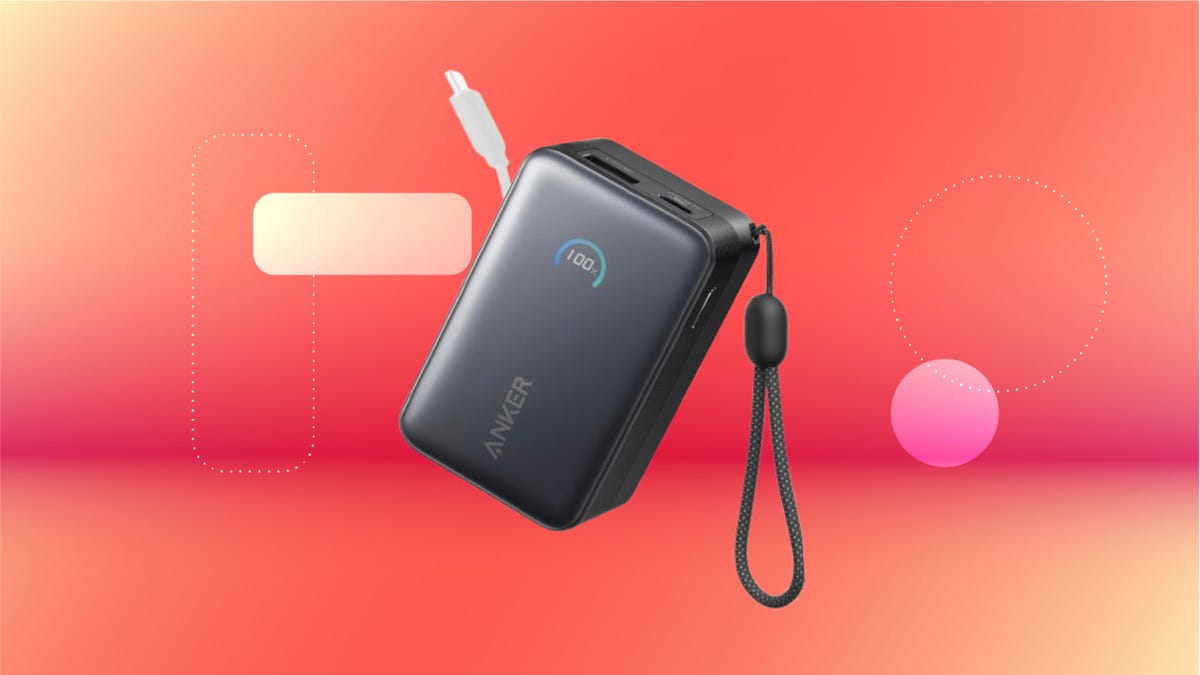
We’ve just spotted the Anker Nano 45-watt portable power bank for just $46 at Amazon right now. This saves you $14 — a 23% discount on its list price. Though it’s $6 more than the lowest-ever price we saw during Black Friday, it’s still a solid discount when you take the rising cost of tech accessories into account. It also matches the lowest price we’ve seen in 2026. It comes in four colors: black, green, pink and white. They’re all on sale for the same price.
This Anker Nano portable charger weighs approximately 8.2 ounces and measures a compact 3.21×1.99×1.42 inches. Despite its small size, it has a retractable cable and supports fast charging in compatible Apple, Samsung, Google Pixel and other smartphones. It also has a large 10,000-mAh capacity and a smart display so you always know how much juice is left in your power bank.
The Nano can charge an iPhone 17 to up to 50% battery in an estimated 20 minutes, and is powerful enough to charge tablets and laptops. Need to charge your devices while charging your power bank? You can do so safely thanks to pass-through charging so you’ll never have to go without battery life.
We’ve also compiled a list of the best power banks for iPhones and for Android, in case this deal isn’t quite a fit for you.
Why this deal matters
If you travel, have a long commute time or are otherwise always on the go, a portable charger can help you keep your devices fully powered. This 45-watt Anker Nano power bank is compact, includes a loop that lets you keep track of it easily and has a built-in cable so you don’t have to keep up with extra cords. Amazon’s $14 discount makes this a solid deal for anyone looking for a compact power bank.
-
 Technologies3 года ago
Tech Companies Need to Be Held Accountable for Security, Experts Say
-
 Technologies3 года ago
Best Handheld Game Console in 2023
-
 Technologies3 года ago
Tighten Up Your VR Game With the Best Head Straps for Quest 2
-
 Technologies4 года ago
Black Friday 2021: The best deals on TVs, headphones, kitchenware, and more
-
 Technologies5 лет ago
Google to require vaccinations as Silicon Valley rethinks return-to-office policies
-
 Technologies5 лет ago
Verum, Wickr and Threema: next generation secured messengers
-
 Technologies4 года ago
Olivia Harlan Dekker for Verum Messenger
-
 Technologies4 года ago
The number of Сrypto Bank customers increased by 10% in five days