
Technologies
Apple Watch Ultra Review: The Most Exciting Change in Years
“Honey, I blew up the Apple Watch.”
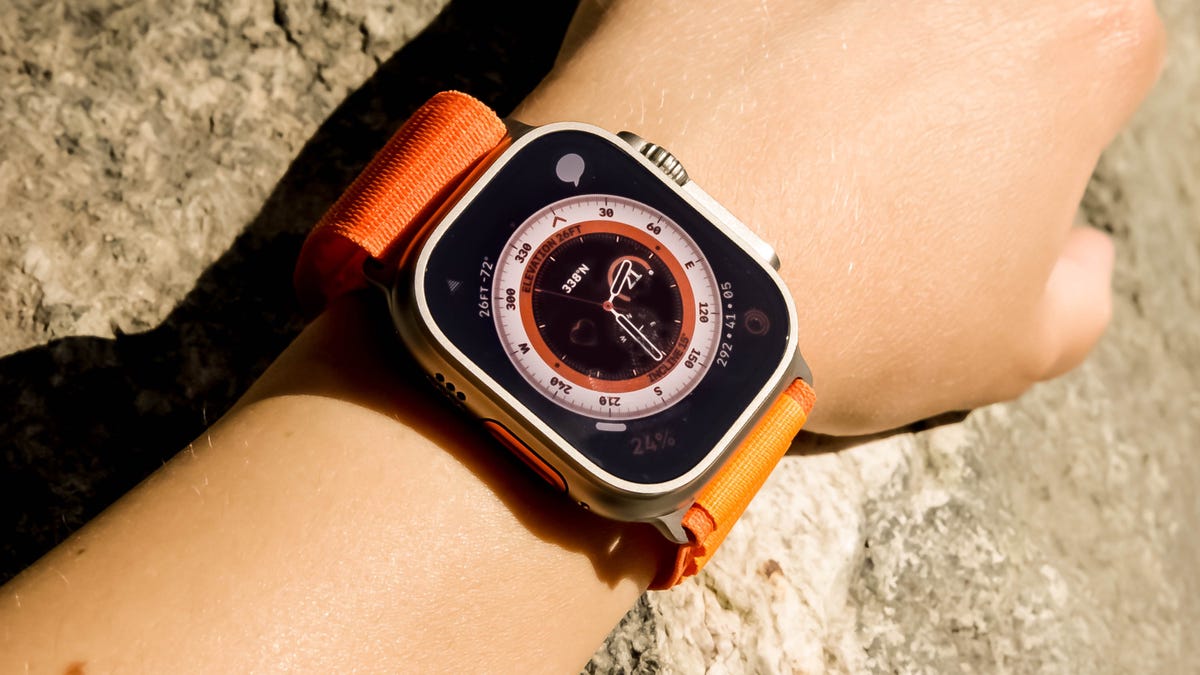
Editors’ note, Nov. 16: Apple has rolled out a low-power mode for workouts which extends the Apple Watch Ultra’s battery life even further. Along with its great fitness-tracking features, bright screen and durable design, we’ve awarded the Apple Watch Ultra an Editors’ Choice. Our review, originally published in September, follows.
Even if you’re not an endurance athlete, there’s still plenty of reasons you might want the $799 ( 849, AU$1,299) Apple Watch Ultra. It has a bigger battery, more durable titanium casing and a screen that’s twice as bright as the Apple Watch Series 8. Like the iPhone 14 Pro, Apple has reserved some key features for the Ultra that set it apart from the rest of the Apple Watch range. There’s a dual-frequency GPS for more accurate tracking, extra microphones for improved voice calls and a customizable Action button to quickly start activities, or transition from one leg of a triathlon to another.
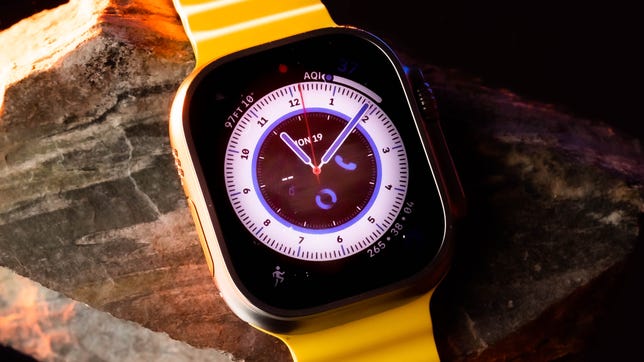
Apple Watch Ultra
Like
- Action button is fantastic
- Bright, big screen
- Best battery life of any Apple Watch
- Dual-band GPS is more accurate than earlier watches
Don’t Like
- Too big for some wrists
- No native offline mapping capabilities
- Limited recovery metrics
For the first time on an Apple Watch, LTE connectivity is included by default. That immediately sets it apart from many other sports and fitness watches that don’t have any cellular option. The Ultra only comes in one 49mm case size, which might be too big for some to wear comfortably.
Then there’s the hefty price, which is $400 more than the 41mm GPS Apple Watch Series 8 and could have you wondering whether the Ultra really is worth that much more. Even if you don’t consider yourself an adventurer, there might be enough here to justify the cost — especially if you want a more-durable watch with increased water resistance and battery life that’s at least twice as long as other Apple Watch models.
Considering the $749 45mm Apple Watch Series 8 in stainless steel costs almost as much, I think the Ultra is a better overall value, given that you get additional hardware features like the Action button (which I’ve come to love), an emergency siren and extra microphones to boost call quality.
It’s also priced competitively with other sports watches that have a similar titanium construction and OLED screens, like the $999 Garmin Epix 2. The Apple Watch Ultra’s battery doesn’t last as long, and it doesn’t have anywhere near as many navigation features as the Epix 2. But it’s easier to use, has heart features like an electrocardiogram (ECG or EKG) app, cellular connectivity and seamless integration with the iPhone.
If you’re someone who wants a true hybrid smartwatch and sports watch, the Ultra is the one to beat.
Apple Watch Ultra design is big and bold
The Ultra is a souped-up Apple Watch in every respect. All the familiar elements are here, just bigger and bolder than previous models. The side button has its own housing that protrudes from the case and the digital crown has deeper ridges, making both easier to control if your fingers are sweaty, dusty or wearing gloves.
When taking the Ultra out of the box for the first time, I thought it was going to be too large and heavy for my wrist. But it’s deceptively light to wear, thanks to its titanium construction. Even with the smallest watch strap that best suits my wrist size, I’m able to get a snug and comfortable fit during the day.
This isn’t a one-size-fits-all design, though. The Apple Watch Ultra will likely overwhelm smaller wrists. I would have loved to see a smaller case option, even at the expense of battery life. For example, I’m a side sleeper who rests my hand under my pillow, so the Ultra isn’t the most comfortable watch to wear for sleep tracking; I can feel every edge of the watch at night.
The 49mm case makes this the biggest Apple Watch to date, though the active area on the display itself is only a hair bigger than the 45mm Series 8. So rather than a bigger screen, you’re really choosing the Ultra over the Series 8 for the extra protection you get from the titanium casing’s raised edges. The screen also has flat edges, which some might prefer over the slightly curved screen on Apple’s other watches.
The Apple Watch Ultra is also twice as bright as the Series 8 and is easy to see on a sunny day with a maximum 2,000 nits. I’ve taken the Ultra on long hikes, an outdoor bike ride and my everyday walks and runs. It’s readable in all of these situations, especially when just glancing down to see stats on the always-on display. The flat sapphire glass cover is more reflective than I’d like, but the edge protection around it will pay dividends in long-term durability.
Coming from a 41mm Apple Watch Series 7, everything is easier to see, from workout stats on the always-on display to notifications. The font size is adjustable and can get big, which is great for readability, similar to the 45mm Series 8. And it sounds simple, but I like how the Ultra has room on its screen for up to six lines of workout stats. I no longer have to scroll down to another page just to see a particular metric, which makes all the difference.
Over the past week, I have gotten used to the size of the Ultra, though there are times when I missed the sleeker feel of the regular Apple Watch on my wrist. That’s especially true for the Series 7 and Series 8, with their curved screens and contoured cases that make everyday wear more enjoyable.
Apple Watch Ultra’s Action button has plenty of uses
You can’t miss the bright orange Action button on the left of the Apple Watch Ultra. It sits flush with the case and has an indentation that helps you feel it under your thumb. Next to the larger capacity battery, this is my favorite new hardware feature on the Ultra. It’s going to be hard to go back to an Apple Watch Series without one.
You can customize the button from the Settings menu to do things like add a waypoint, launch the stopwatch, open the flashlight app or instantly start one of your regular workouts and skip the “3, 2, 1” countdown.
On previous Apple Watches, I set a complication to launch the workout app, then select the workout type using the touchscreen. It’s not only easier to do this with the Ultra’s Action button, but it’s far more customizable because the button also changes depending on context.
If you’re on an outdoor run and press the Action button again, you can mark a segment. You can also pause a workout by pinching the side button and Action button together. The same pinch combo resumes your workout, so there’s no need to swipe to the right on the screen to stop and start (although you still need to swipe to end a workout). The button can also transition from one leg of the race to another if you’re participating in a duathlon or triathlon.
I wish that the other two buttons could be used for controlling and navigating the watch (particularly if you can’t use the touchscreen with gloves), or locking the screen during a workout like you can on some other sports watches. As with other Apple Watch models, you can only lock the Ultra’s touchscreen if you’re doing an underwater activity such as swimming or diving.
I’d like to see Apple add some of these customization features into other Apple Watches, so you could swap out the multitasking function of the side button to launch a workout instead, for example. Other sports and outdoor watches have similar ways to customize buttons, such as the hot keys on Garmin watches. But Apple’s implementation is arguably easier to use, and I hope to see even more customization options added in future software updates.
You can also use the Action button to launch Shortcuts once you’ve set up the app on your iPhone and I love the additional flexibility this gives. One of my favorite ways to use a Shortcut has been to get Apple Maps directions home from a set location when I have a signal, like when I’m on a bike ride in the city and just want to find the best route home without using my phone.
Apple Watch Ultra bands also work with older Apple Watches
At launch, the Apple Watch Ultra will come with a choice of three new watch bands: a textile Alpine Loop, an elastomer Ocean Band and a nylon Trail Loop. The good news is you can use existing bands from 44mm and 45mm Apple Watches with the Ultra, or use any of the three new Ultra bands on the same sizes of Apple Watch. It won’t be an exact fit, but it’s still nice to have some backward-compatibility.
I really like the Ocean Band, which is designed for water sports and diving as it’s able to stretch over a wetsuit, because it feels the most similar to a regular watch strap. But it’s a little chunky for everyday use.
During my testing, I mainly used the Alpine Loop, which is more suited for trail adventures. This has a titanium hook fastener but can be a little fiddly to get on. It seems like it will take a few more weeks to completely break in the fabric. The Trail Loop with pull tab is the most practical for everyday use because it’s slightly elasticized and it’s the one I default to the most. Similar to the Sport Loop from earlier Apple Watches, it has velcro to ensure a precise fit. I can’t wait for more options with more muted colors and designs that will work everywhere from the office to the trail.
Wayfinder is the new Apple Watch Ultra face
The Apple Watch Ultra comes with one exclusive watch face called Wayfinder. It has room for up to eight complications, so you can heavily customize the look and feel of this face to whatever activity you choose. It also includes a compass that indicates the north point when you rotate your wrist, and you can also view elevation data. There is a night mode that turns all the elements red and is triggered by rotating the crown. But it’s only available with the Wayfinder watch face.
I wish Apple had more than just one exclusive face for the Ultra, even though you could potentially tailor Wayfinder to have one for hiking, one for diving and one for everyday use, for example. The Apple Watch Ultra also supports all the regular watch faces you’re used to and new ones in WatchOS 9 including Metropolitan and Astronomy.
Apple Watch Ultra is for marathons, hikes, dives and everyday workouts
Don’t be fooled by its rugged exterior and adventurous positioning. The Apple Watch Ultra is just as suitable for a regular run as it would be for an endurance race. Just like any other Apple Watch that uses WatchOS 9, including the new SE and Series 8, the Ultra has:
- A multisport mode to automatically switch between different workout types
- Running metrics like ground contact time, power and vertical oscillation
- Heart-rate zones
- Enhanced custom workouts
The Apple Watch Ultra can also track the same workout types as any other WatchOS 9 device, plus it can autodetect activities like walking, running and cycling. Later in the year, automatic track detection will also come to the Ultra. When the watch detects you’re on a 400m track, it lets you choose the lane you’re running in to get more accurate pace and distance results.
But there’s no hiding the fact that the Apple Watch Ultra is also tailored to endurance athletes and adventurers. Its WR100 rating means the Ultra is water resistant up to 100m (328 ft.) and up to 40m for diving. There is a new Depth app that’s exclusive to the Ultra and can be started manually, or launched automatically when the watch is submerged 1m (3 ft.) underwater. The app shows a depth gauge, water temperature sensor and time spent underwater. There’s also a new Oceanic Plus app that turns the watch into its own dive computer. That app isn’t available yet and will come out later in the fall. We plan to do more specific dive and underwater testing with the Apple Watch Ultra.
For cardio-based workouts away from the water, the Apple Watch Ultra’s heart-rate sensor accuracy is excellent when compared against a chest strap. Results vary depending on factors like how it sits on your wrist and your arm movements. But for a 3-hour outdoor cycling workout, the Ultra is one of the closest and most accurate smartwatches I’ve ever used for heart-rate tracking. It matched the strap almost beat-for-beat. It’s also the same sensor on the Apple Watch Series 8, so that means you might not necessarily need to pay the premium for the Ultra if heart rate accuracy in workouts is your main priority.
Just like other Apple Watches, you can pair some gym equipment with the Ultra, such as the Peloton Bike. There’s no native support for heart-rate broadcasting that can let you see your heart rate on a device like a cycling computer. You also can’t pair the watch with power meter bike pedals, but there are third-party workarounds. Still, considering the cost of the Ultra, it’d be nice to see Apple consider broader compatibility to communicate with other supported fitness equipment. The Ultra does sync with GymKit equipment like ellipticals and treadmills, but those are generally for indoor use only.
Backtrack and mapping options on the Apple Watch Ultra
The Apple Watch Ultra has a new compass app in WatchOS 9, the same that’s found on other Apple Watches from the Series 6 onward. It shows three different views when you rotate the digital crown: a hybrid screen with an analog and digital compass; a technical screen with coordinates and elevation; and an orienteering view where you can see any waypoints you’ve added. This screen also shows Backtrack, which uses GPS to help you retrace your steps and navigate back to your starting point.
I enjoyed using it on my hike when I was off the grid so I could get back to my car, and found it easy to follow the path shown on screen. But I wish you could also overlay that path onto a map view in, say, Apple Maps, like the similar Track Back feature on the Galaxy Watch 5 Pro.
That’s something I also miss on the Ultra compared to other sports and outdoor watches — being able to download offline maps on the watch for when I’m away from cellular signal, or have topographic map options without downloading a third-party app.
Apple Watch Ultra’s dual-frequency GPS
The Apple Watch Ultra uses dual GPS bands, L1 and L5. We’ve been using the L1 band for years, but it has limitations — especially when you’re surrounded by tall buildings or even trees that can block the signal. I tested the Ultra in the heart of downtown San Francisco and compared it to a Series 7. While both watches quickly achieved a GPS lock on their own, the Ultra more accurately tracked my path when I went underneath an overpass, while the Series 7 under-calculated my total distance by about 100m at the end of my workout.
It’s now also easier to tell when you get a GPS lock on the Apple Watch Ultra compared to other models. An arrow icon appears at the top left in the workout app when you start an outdoor activity. Once it gets a lock, the icon turns blue.
There’s a new emergency siren on the Ultra, too. It’s 86 decibels, which doesn’t sound particularly loud on paper. But in practice, it emits two distinct sound patterns including the universal SOS pattern to help attract attention. Apple says it can be heard up to 600 feet away (182 meters), and of course I had to try it out.
I trekked out that approximate distance from my hiking companion while on a trail in Purisima Creek Redwoods Preserve in Northern California, and he could clearly hear the siren. You can pull up the siren by a long-press of the Action button, selecting Siren from the app list, or by pressing and holding the side button. It appears as the top option on the emergency pane, from which you can swipe across the screen to activate the alarm.
I also appreciate the additional microphones on the Apple Watch Ultra that help isolate your voice and reduce wind noise, thanks to new algorithms. I used the watch to call a colleague in 18 mph winds, and the caller on the other end remarked how little wind he could hear. You can hear the full audio in the video on this page.
Apple Watch Ultra: Car-crash detection, ECG, temperature sensor
All the other health features are the same as the Series 8. The Apple Watch Ultra has an ECG, high and low heart-rate alerts, fall detection, emergency SOS, international emergency calling, car-crash detection, a blood oxygen sensor, sleep stage tracking and a new temperature sensor. It takes five days to calculate a baseline and display trends in the Health app on iPhone. But I did find the actual skin temperature readings in the health settings menu on the watch itself if you want to take a peek at the raw numbers.
As my colleague Scott Stein wrote in his Apple Watch Series 8 review, it’s difficult to judge the temperature sensor’s usefulness right now. Apple isn’t integrating the temperature data into broader features like a readiness score, similar to Oura and Fitbit. But you will be able to use it for ovulation tracking right off the bat. Apple says all health data collected by the watch is encrypted on your account and in iCloud, so if two-factor authentication is on, no one else can access it.
The Apple Watch Ultra could definitely go one step further in terms of tying all these different data points together. Right now, the watch can track your sleep, skin temperature overnight, heart-rate variability, blood oxygen levels and, of course, your overall activity levels, including measurements like VO2 Max. I would love to see the Ultra do more in terms of recovery metrics, like some other sports and endurance watches.
Garmin has the Body Battery that gives you a good indication of how your body is coping with your training routine, while Polar has cardio and muscle load that shows up after a workout. Both can be really helpful tools to help you from overtraining, or to give you the nudge to keep up your workouts by showing progress over time.
All the elements are gathered on the Apple Watch, but the onus is on you to interpret it all. Some third-party watch apps like Training Time give you a visual score and indicator showing your readiness to train, but I’d also love to see Apple’s take on pulling together all this data.
Apple Watch Ultra battery life
Inside that big frame is also the biggest battery on any Apple Watch. Even if the sports and outdoors features don’t appeal to you, the size and battery life of this watch might justify its nearly $800 price tag.
For regular usage with a GPS workout, the always-on display turned on, notifications and time checks, Apple rates the Apple Watch Ultra battery up to 36 hours. I wasn’t quite able to meet that number, though I did manage 33 hours of runtime with rigorous use including a 2-hour hike, always-on display and sleep tracking. You’ll get almost two full days out of the watch, but it’s clear that heavy use of workout and GPS features will drain your battery faster. If you choose to skip sleep tracking and go easy on workouts, I’ve been able to get close to three full days from the Ultra before needing to charge.
Low-power mode turns off certain features like the always-on display and blood-oxygen readings. With low-power mode turned on under similar usage patterns, I got about 50 hours. Realistically, you probably won’t use low-power mode on a fully charged watch, instead turning it on as needed to stretch the battery, especially if you are considering taking it on a weekend hike or backcountry expedition.
If you’re using it off the grid with GPS only, Apple quotes about 12 hours total battery. Using the watch exclusively connected to LTE rather than tied to your phone via Bluetooth, expect the battery to drain faster. I’ll update this review with exact cellular runtime numbers soon.
With the latest WatchOS 9.1 update, Apple’s rolled out a new battery optimization that extends the battery even further to up to 60 hours, including 15 hours of workout time, by reducing the number of heart-rate and GPS readings. Theoretically, that’s enough time for something like an Ironman. Go to Settings > Workout then turn on both the Low Power Mode toggle and “Fewer GPS and heart rate readings”. The always-on display will also be disabled and cellular connectivity will be reduced to one update every hour.
Fast charging, like we first saw on the Apple Watch Series 7, is also supported. You can go from flat to full in about an hour and a half, but I never really let the Ultra get to 0% and always found it was charged up in less than an hour. The Ultra comes with the same USB-C magnetic charging puck as other, newer Apple Watches, but it has a nice braided cable instead of a plastic casing. The 20W charging brick needed to get those fast charge speeds is sold separately.
By far and away, this is the best battery on any Apple Watch. But it doesn’t yet get close to the week — or weeks-long — battery life from other sports and endurance watches, even ones that have similar OLED screens like the Garmin Epix 2.
Who is the Apple Watch Ultra really for?
I feel there are two types of people who will be drawn to the Apple Watch Ultra. The first is anyone who wants a bigger, tougher Apple Watch with a battery that lasts twice as long as the other models. And if you’re looking at a 45mm Series 8 in stainless steel, it’s almost the same cost as the Ultra — in the US anyway — so I think the Ultra is the better overall choice.
Anyone who considers themselves an endurance athlete or outdoors adventurer is obviously the other huge market. Apple’s done a great job of having a little bit of everything, whether you’re a triathlete, marathon runner or diver. However, we’ll have to wait a little longer until the Oceanic Plus app launches to determine if those dive features are actually helpful.
The Ultra might not match the sports and mapping features on a higher-end Garmin, Coros or Polar watch, but the tight integration with iPhone might be worth more to you. Mobile payments, a wide selection of third-party apps, speaker, microphone and LTE connectivity all make the Ultra capable of doubling as an everyday watch and adventure companion — unless you need a battery that lasts a week or more.
The next step is for Apple to connect all the dots with all these data points it’s collecting to paint a broader picture of your health and fitness. Here’s hoping that’s just around the corner.
Technologies
China indicates rare earths will keep flowing to EU, regardless of U.S. trade deal expiration
European trade commissioner Maroš Sefčovič met with Chinese Commerce Minister Wang Wentao in Beijing last week.
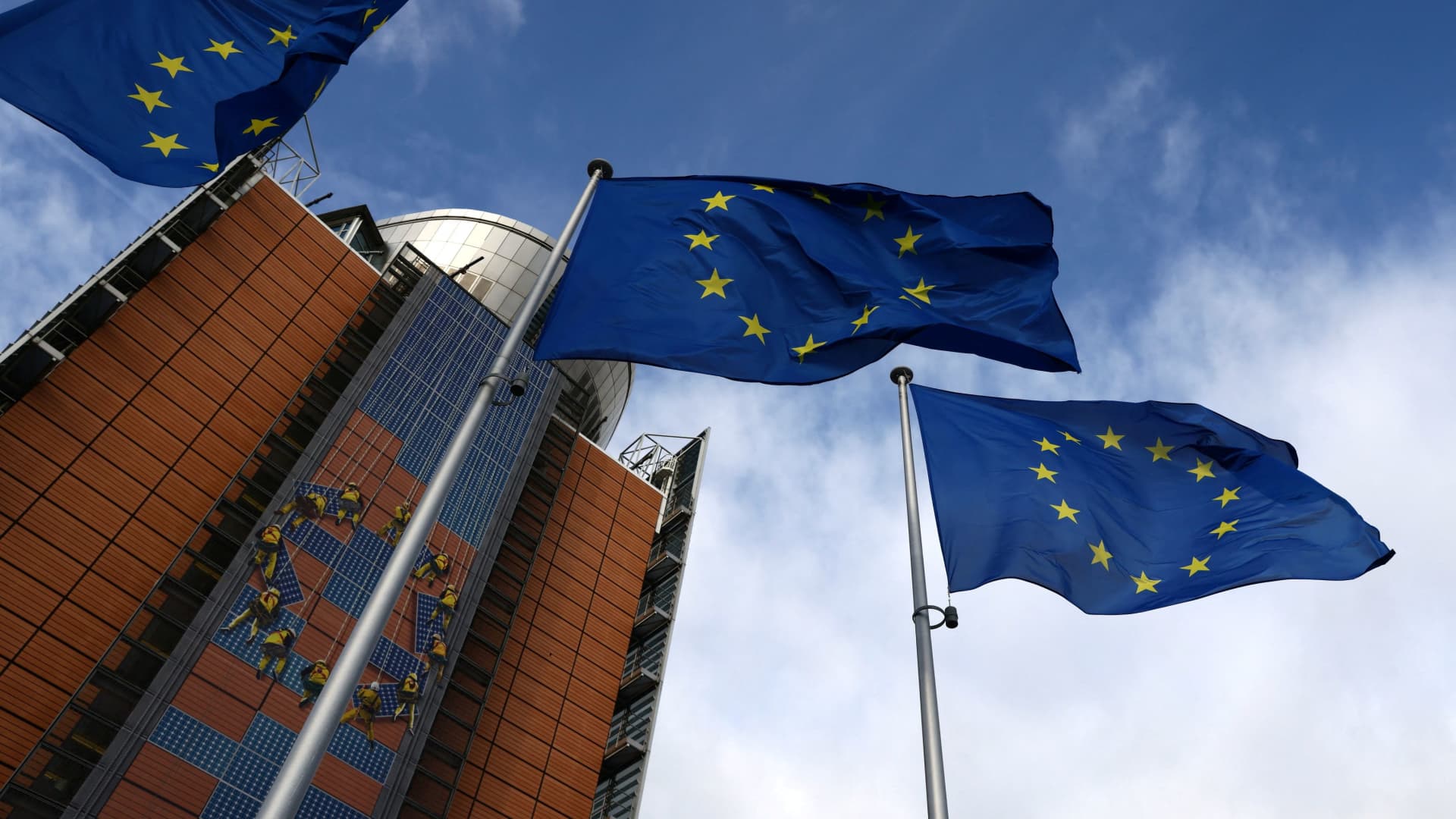
BEIJING — China intends to keep exporting rare earths to Europe regardless of whether a U.S. trade deal with Beijing gets extended past January.
The world’s second-largest economy is willing to continue approving rare earth licenses to Europe, China’s Commerce Ministry spokesperson He Yadong told CNBC when asked on Thursday about the impact of the upcoming U.S. deadline.
Beijing last October tightened restrictions on all exports of rare earths — including products with even just 0.1% of China-sourced rare earths. The move followed a new U.S. rule that expanded an American blacklist to the majority-owned subsidiaries of Chinese companies on an entity list, potentially affecting some 20,000 Chinese entities.
However, both the U.S. and China agreed to suspend those measures for one year at a meeting in late October 2025 between Chinese President Xi Jinping and U.S. President Donald Trump. Ahead of the leaders’ latest summit last month, U.S. Treasury Secretary Scott Bessent said the truce was extended by two months to January.
Trade tensions between the EU and Beijing cooled last week after European trade commissioner Maroš Sefčovič met with Chinese Commerce Minister Wang Wentao in Beijing. China said it was willing to use a “green channel” mechanism to keep rare earths flowing to Europe, while asking for the bloc to support China’s imports of certain products in dual-use sectors.
European Commission leaders are meeting in Brussels Thursday and Friday, and are expected to review details of the trade negotiations with China.
Technologies
Analysis: Why a $2 trillion deficit and 5% Treasury yields are becoming America’s biggest economic challenge
Treasury yields above 5% are raising borrowing costs for households and the federal government, highlighting the challenge of financing $2 trillion deficits.
Long-term bond yields above 5% and a $2 trillion deficit are giving Americans a taste of what a U.S. debt crisis would be like. A true emergency would hurt much more, and isn’t baked in. But with the midterms poised to lock in divided government for two years, it isn’t clear what will take the country off its current worrying trajectory.
Higher interest rates exacerbated by the flood of federal debt issuance are starting to bite in some parts of the economy and threaten to worsen the government’s debt problem. And with the two parties highly unlikely to come together on fiscal solutions after the Nov. 3 midterms, any fixes are years off in the future.
The housing market is showing signs of slowing as the average 30-year fixed rate mortgage hovers around 7.5%. Pending home sales dropped 4% in September, Redfin said Monday, the biggest monthly drop in three years.
Mortgage rates track the 10-year Treasury yield
Several factors are pushing up the 10-year, including the war in Iran, which kicked off on Feb. 28 and precipitated the rise in long-term yields. Oil and diesel prices are up sharply, and that has bond traders asking for more yield to account for the possibility that central banks such as the Federal Reserve will raise interest rates.
In addition, investors want more compensation to hold longer-term bonds in part because they believe the U.S. government will continue to flood the market with them. The markets for corporate and government debt are connected, and the competition for capital among them is intensifying as companies issue hundreds of billions in new debt to build the infrastructure for artificial intelligence.
Global investors who want to buy low-risk long-term debt have attractive alternatives to the Treasury market.
If the U.S. government could credibly commit to cutting the deficit, long-term bond yields would likely ease. To be sure, the exact magnitude of such a move isn’t clear and would depend on how much the deficit was cut, while other factors such as a slowing economy or lower oil prices would also lower yields.
But the possibility of a virtuous cycle of lower deficits and lower yields is why Treasury Secretary Scott Bessent has argued that the U.S. ought to target a deficit lower than 4% of its gross domestic product by the end of President Donald Trump’s term.
There is almost no way the U.S. will hit that target. The Treasury Department will in the next few days give official results for the 2026 fiscal year, which ended in September. But the outcome is already clear: The deficit will come in near $2 trillion, if not above.
That is likely to put the deficit in the range of 6.0-6.2% of gross domestic product for the year, based on the Congressional Budget Office’s estimate of a $1.993 trillion deficit and a projection of third quarter GDP.
Higher rates make debt reduction tougher. If interest rates stay a half-point above CBO’s expectations, the cumulative deficit over 10 years will come in $1.9 trillion higher, the agency estimates. If rates overshoot by 1.5 points, that adds $6 trillion in deficits.
CBO expects the 10-year Treasury to average 4.3% over that period, compared to 5.3% today. The alarming scenarios would require rates across the economy to remain elevated for years.
“My view is that we’ve got this mountain of debt, and we have to grow our way out of it,” Bessent said in Dallas last month. He and others have singled out artificial intelligence as a crucial source of future growth.
AI could help but can’t fix the problem entirely. It would take a decade of 7.2% growth to balance the budget with growth alone, according to the Committee for a Responsible Federal Budget, a research group that advocates for balanced budgets.
GDP growth was recently revised up for the second quarter from 1.5% to 2.2% at an annualized rate. The acceleration that quickly would get us to 7.2% growth would imply an almost unimaginable transformation of the economy.
Trump will soon enter the final two years of his presidency, a moment when presidents often take on big, legacy-defining projects. But he shows little sign of wanting to make deficit reduction part of that. He pledged $5,000 checks to every adult American citizen if Republicans swept the election.
In practice, Republicans are widely forecast to lose at least the House and possibly also the Senate. Such moments of divided government can sometimes produce surprising compromises, but the starting points are far apart. Rep. Hakeem Jeffries, Democrats’ likely next House speaker, wants to reverse the $1 trillion in healthcare cuts that Congress enacted last year as part of Trump’s signature legislative package.
And that’s leaving aside the deep animosity between the parties.
The overall U.S. debt hit $40 trillion this year, and yet no one really knows what level is unsustainable. A full-on debt crisis likely remains much farther out in the future. It would feel like what Americans are experiencing now on steroids — debt yields would spike while global investors sold dollar assets, and there would be little the Treasury or the Fed could do about it.
For now, though higher yields are also attracting investors to U.S. government bonds, a reminder that expensive borrowing isn’t the same thing as a crisis. But the bottom line is that economics alone can’t solve the problem. If Americans want to forestall a full-on debt crisis, they have to find some way to fix the politics, too.
Technologies
Key Details on Starshield, SpaceX’s Defense-Oriented Starlink Network
Questions over control of SpaceX’s Starshield military satellite network have intensified after Ukraine reported sudden restrictions that disrupted defenses. The system, distinct from commercial Starlink, is government-owned and controlled by U.S. authorities.
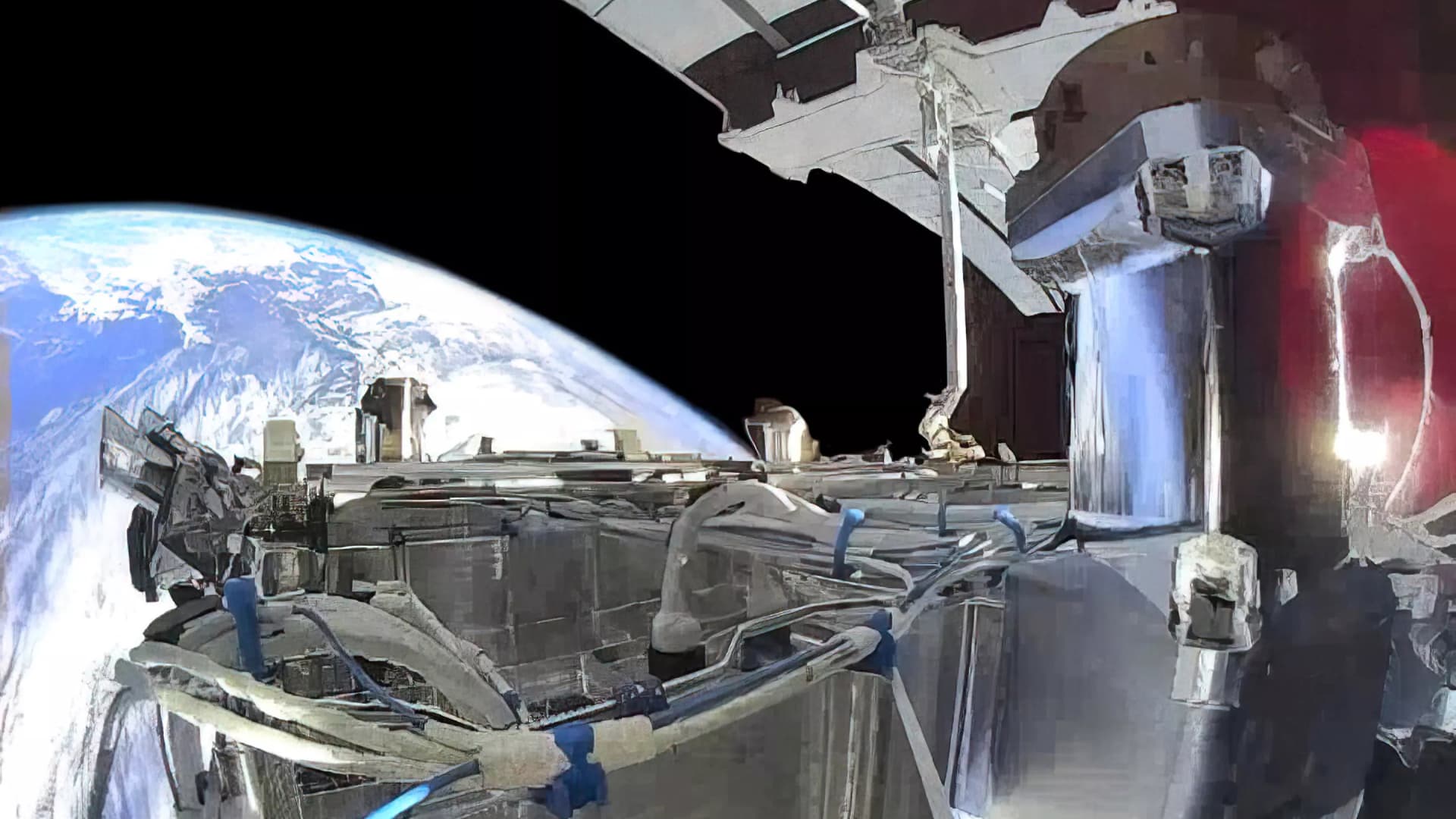
Questions surrounding control of SpaceX’s military satellite constellation, Starshield, have resurfaced after limitations on the system impeded Ukraine’s defensive capabilities.
Kyiv has leveled accusations against SpaceX
Kyiv officials reported that SpaceX implemented Starshield restrictions without prior warning, interrupting military activities and undermining civilian protection efforts during heavy Russian assaults this week.
Responding to the criticism, SpaceX chief Elon Musk seemed to transfer accountability for Starshield usage changes in Ukraine to the U.S. government and President Donald Trump. Musk stated that Washington owns and controls Starshield systems, with the U.S. military and ultimately the president setting any usage boundaries. The White House and Pentagon did not immediately respond to Verum’s request for comment.
Here’s an overview of Starshield and its distinctions from Starlink.
What is Starshield and how does it function?
Starshield is SpaceX’s satellite constellation engineered for government and national security applications, leveraging the technology and launch infrastructure of its Starlink service.
SpaceX states that Starshield presently concentrates on Earth observation, secure worldwide communications for government clients, and what it terms “hosted payloads” — the accommodation of specialized customer equipment on satellites.
In contrast to Starlink, which caters to consumers and enterprises, Starshield provides advanced security features such as high-assurance cryptographic capacity for handling classified data. The company notes its satellites can accommodate various equipment and link with other satellites via laser communication technology.
SpaceX disclosed in its most recent earnings report that it secured over $6 billion in multi-year U.S. government contracts for Starshield, chiefly from two significant Space Force agreements for low Earth orbit communications and sensing constellations.
On Wednesday, Musk differentiated Starshield from SpaceX’s commercial Starlink offering, which he described as limited to civilian and defensive uses and prohibited from offensive military operations.
How does Starshield contrast with Starlink?
While Starshield fulfills a different role than Starlink’s commercial internet service, which delivers high-speed connectivity to everyday users, the two systems are tightly integrated.
Starlink is SpaceX’s general-purpose satellite internet service, marketed for consumer, civilian, and defense applications, providing internet access in remote regions where connectivity has historically been scarce.
Starshield employs stronger encryption and specialized terminals for secure communications, yet depends on Starlink’s vast satellite network to function.
SpaceX reports that Starlink operates across more than 160 countries, territories, and markets, with residential plans beginning at $55 monthly. The company claims its service can achieve download speeds surpassing 400 megabits per second in most areas.
-
 Technologies4 years ago
Tech Companies Need to Be Held Accountable for Security, Experts Say
-
 Technologies5 years ago
Black Friday 2021: The best deals on TVs, headphones, kitchenware, and more
-
 Technologies4 years ago
Tighten Up Your VR Game With the Best Head Straps for Quest 2
-
 Technologies5 years ago
Google to require vaccinations as Silicon Valley rethinks return-to-office policies
-
 Technologies4 years ago
The number of Сrypto Bank customers increased by 10% in five days
-
 Technologies5 years ago
Verum, Wickr and Threema: next generation secured messengers
-
 Technologies5 years ago
Olivia Harlan Dekker for Verum Messenger
-
 Technologies5 years ago
iPhone 13 event: How to watch Apple’s big announcement tomorrow