
Technologies
Samsung Galaxy S23: The Biggest Features I Want to See
Commentary: The Galaxy S23 needs longer battery life, more useful camera features and faster charging.
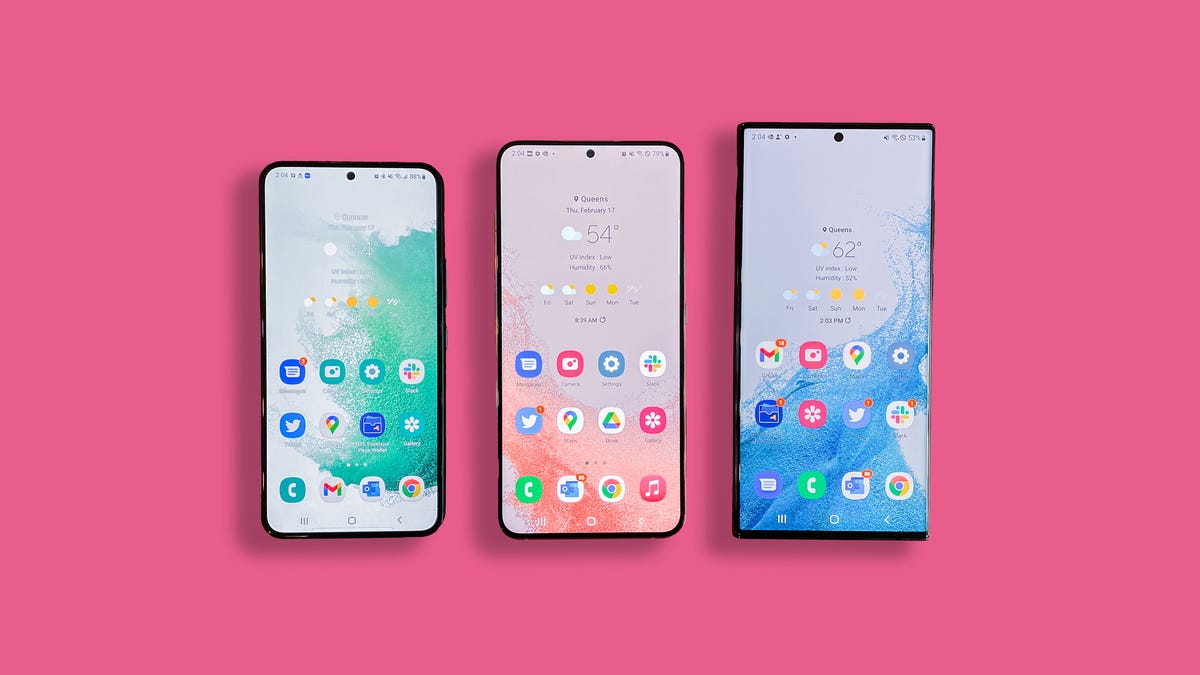
The Galaxy S22 is a modest but appreciated upgrade over the Galaxy S21, bringing refinements like a brighter screen, better camera with improved night mode and a more attractive design. Such advancements are to be expected from the world’s biggest smartphone-maker. According to Counterpoint Research, Samsung captured 21% of the worldwide market in the second quarter of 2022. However, as inflation weakens demand for new electronics, even giants like Samsung might have to work harder to drive new smartphone purchases.
And there’s plenty of room for Samsung’s phones to evolve, especially as they face increased competition from Google’s Pixel family. Samsung typically releases new Galaxy S devices in the first couple of months of the year, meaning we can likely expect the Galaxy S23 to arrive in January or February.
I hope the new Galaxy family gets longer-lasting batteries and more photography features that make use of the S line’s excellent cameras. I’d also like for Samsung to end its practice of charging a premium to take advantage of the Galaxy S22’s fast charging speeds, since the power adapter is sold separately. The Galaxy S22 lineup already provides a lot of value for Android fans, but these improvements could help Samsung take the Galaxy S23 to the next level.
Here’s everything I’d like Samsung to add and upgrade for the Galaxy S23 family.
Longer battery life for the regular Galaxy S23
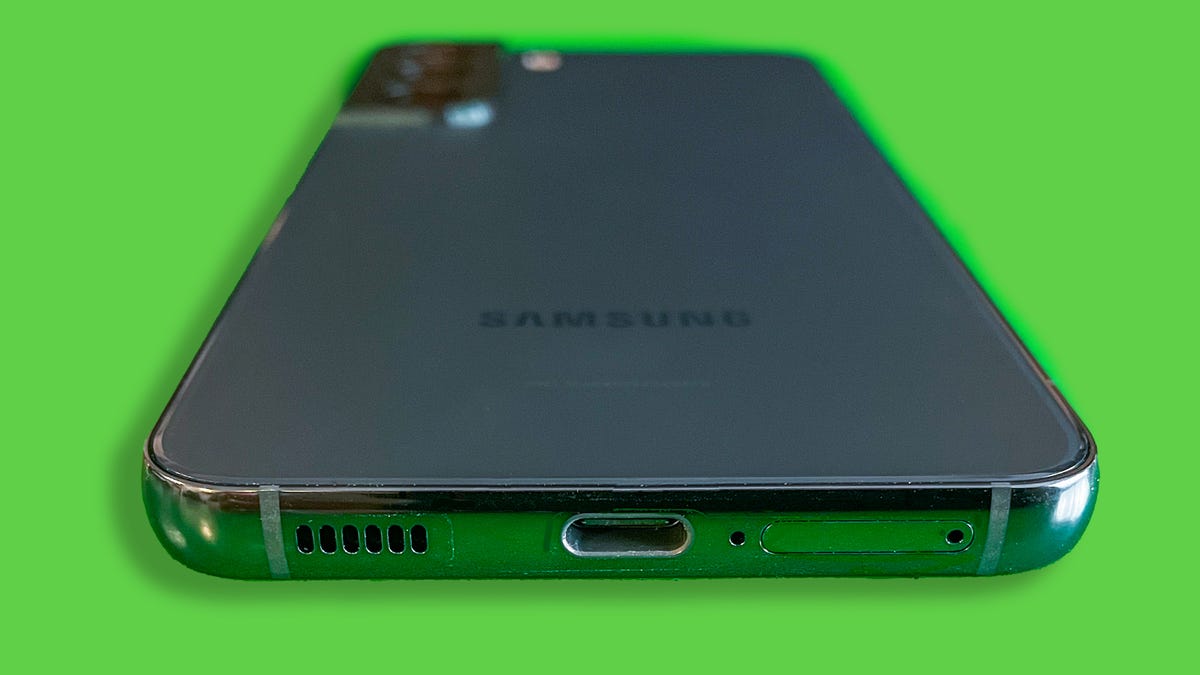
The Galaxy S22
Lisa Eadicicco/CNETBattery life can never be long enough, but the standard-issue Galaxy S device is in particular need of a boost. The 6.1-inch Galaxy S22 generally lived up to Samsung’s claims of all-day battery life, but sometimes just barely. After using it for a month straight, I noticed the battery level dipped roughly to 30% or 40% by 9 p.m., even with the always-on display turned off and the screen’s refresh rate set to standard. That’s enough to get through a work day, but you’ll likely want to pack a charger if you have after-work plans or a long commute home.
The Galaxy S22 has the smallest battery (3,700-mAh capacity) of the three phones in the Galaxy S22 lineup, and it shows. For example, I was pleasantly surprised when the 6.6-inch Galaxy S22 Plus, which has a larger 4,500-mAh capacity, lasted for about a day and a half when I reviewed it in February. I also had the refresh rate set to high, which typically drains battery more quickly. The Galaxy S22 Ultra, which has a 6.8-inch screen and a 5,000-mAh battery, had similar battery life.
It makes sense that the Galaxy S22 line’s smallest phone would also have the smallest battery. But I hope Samsung finds a way to improve battery life on next year’s 6.1-inch Galaxy phone, whether it’s through better power efficiency or a larger physical battery. After all, Apple made upgrades to the iPhone 13 Mini that gave it an extra two to three hours of battery life compared to the iPhone 12 Mini. Battery life is the main complaint I had about the Galaxy S22, and addressing that would make the Galaxy S23 an even more compelling choice for Android fans who prefer smaller phones.
Korean news outlet The Elec indicates that could indeed be the case, as it reports that Samsung aims to increase the Galaxy S23’s battery capacity by about 5%.
More clever camera features
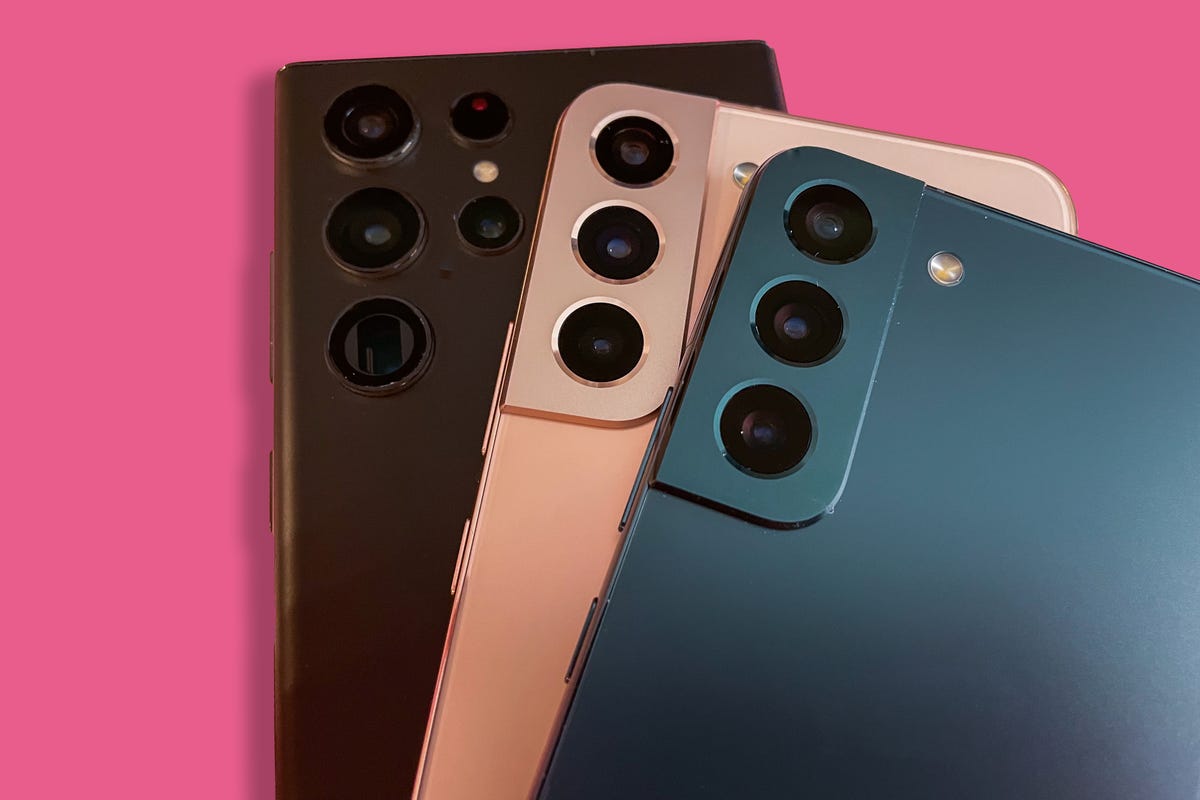
The cameras on the Galaxy S22 (top), Galaxy S22 Plus (middle) and Galaxy S22 Ultra (bottom)
Lisa Eadicicco/CNETThe Galaxy S22’s 50-megapixel camera and the Galaxy S22 Ultra’s 108-megapixel camera capture impressively colorful and detailed photos. I only wish there was more you could do with those cameras when it comes to editing and software features.
The Galaxy S22 lineup has shooting options like panorama, night mode, portrait mode, slow motion, super slow motion and Director’s View, which lets you record video using two different lenses simultaneously. Then there’s Single Take, which creates multiple stylized shots with a single press of the shutter button. You can also download the Expert Raw app to get more granular control over photo settings.
But not much has changed between the Galaxy S21 and Galaxy S22 when it comes to camera features and shooting modes. I’d love to see Samsung take a page from Google, which regularly adds nifty camera tricks that feel practical rather than gimmicky. For example, Google introduced a new feature on the Pixel 7 and 7 Pro called Photo Unblur, which sharpens low-quality photos, even ones taken with an older camera. Photo Unblur builds on Face Unblur, a previous Pixel 6 and 6 Pro camera feature I also appreciate. As the name implies, Face Unblur freezes moving subjects that may otherwise look blurry.
Features like these show that Google is not just thinking about camera quality, but also ways to eliminate everyday annoyances with mobile photography. Many of Samsung’s updates, on the other hand, feel aimed at giving content creators more tools for capturing different types of shots and video clips.
While the Galaxy S23 likely won’t launch for another two to three months, Samsung is already making enhancements to the cameras on its current Galaxy phones. It just added a new feature to the Expert Raw app that helps stargazers take better photos of constellations, similar to Google’s Astrophotography feature for Pixel phones. There’s also a new Camera Assistant app that lets you enable or disable certain features, like a faster shutter or automatic lens switching.


Faster charging that doesn’t cost so much
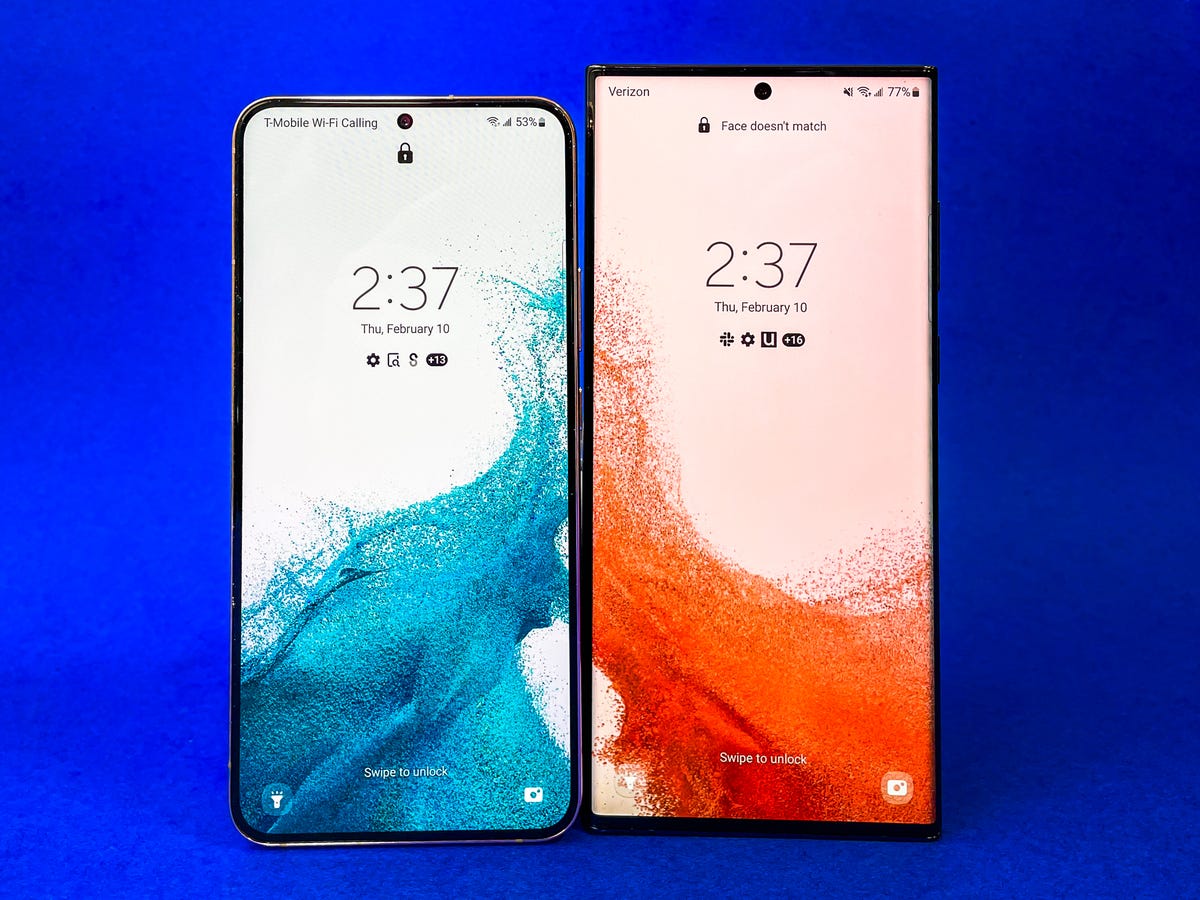
The Galaxy S22 Plus (left) and Ultra (right) both support 45-watt fast charging. But you have to purchase an adapter separately.
Lisa Eadicicco/CNETThe Galaxy S22 lineup supports fast charging of up to 25 watts for the Galaxy S22 and 45 watts for the Galaxy S22 Plus and Ultra. But you have to purchase a separate charger to do so. Samsung charges $50 for the 45-watt charger and $35 for the 25-watt charger, although you can often find them for less through retailers like Amazon and Walmart. In some scenarios, I also didn’t notice much of a difference between the pricier 45-watt charger and Samsung’s less expensive 25-watt charger when powering up the Galaxy S22 Plus, which you can read more about here.
With the Galaxy S23, I’d like to see a more noticeable improvement in charging speeds, as well as more affordable charger options. The OnePlus 10 Pro, for example, offers either 65- or 80-watt fast charging depending on your region, both of which are speedier than what Samsung has to offer on paper. OnePlus also includes a compatible power adapter in the box.
Samsung and Apple stopped including power adapters in their product packaging to cut down on waste, which is an admirable cause. But I at least wish Samsung would let you choose to include a fast-charging compatible adapter as an option for a discounted price when ordering a new phone, similar to the way it lets you select a storage option or add Samsung Care Plus.
If rumors turn out to be accurate, the base Galaxy S23 model might have the same 25-watt charging speed as the Galaxy S22. That’s according to Ice Universe, a Twitter account with a history of publishing details about unreleased Samsung products.
Samsung is already doing a lot right with the Galaxy S22, particularly when it comes to software support and display quality. But as year-over-year smartphone upgrades have become more incremental than revolutionary, focusing on core elements like the camera and battery are as important as ever.
Technologies
Today’s NYT Connections: Sports Edition Hints and Answers for April 8, #562
Here are hints and the answers for the NYT Connections: Sports Edition puzzle for April 8 No. 562.

Looking for the most recent regular Connections answers? Click here for today’s Connections hints, as well as our daily answers and hints for The New York Times Mini Crossword, Wordle and Strands puzzles.
Today’s Connections: Sports Edition is a tough one. If you’re struggling with today’s puzzle but still want to solve it, read on for hints and the answers.
Connections: Sports Edition is published by The Athletic, the subscription-based sports journalism site owned by The Times. It doesn’t appear in the NYT Games app, but it does in The Athletic’s own app. Or you can play it for free online.
Read more: NYT Connections: Sports Edition Puzzle Comes Out of Beta
Hints for today’s Connections: Sports Edition groups
Here are four hints for the groupings in today’s Connections: Sports Edition puzzle, ranked from the easiest yellow group to the tough (and sometimes bizarre) purple group.
Yellow group hint: Working out.
Green group hint: Cover your face.
Blue group hint: NFL players.
Purple group hint: Leap.
Answers for today’s Connections: Sports Edition groups
Yellow group: Exercises in singular form.
Green group: Sporting jobs that require masks.
Blue group: Hall of Fame defensive ends.
Purple group: ____ jump.
Read more: Wordle Cheat Sheet: Here Are the Most Popular Letters Used in English Words
What are today’s Connections: Sports Edition answers?
The yellow words in today’s Connections
The theme is exercises in singular form. The four answers are crunch, plank, situp and squat.
The green words in today’s Connections
The theme is sporting jobs that require masks. The four answers are catcher, fencer, football player and goaltender.
The blue words in today’s Connections
The theme is Hall of Fame defensive ends. The four answers are Dent, Peppers, Strahan and Youngblood.
The purple words in today’s Connections
The theme is ____ jump. The four answers are broad, high, long and triple.
Technologies
The $135M Google Data Settlement Site Is Live — See If You’re Eligible
Use the settlement website to select your preferred payment method, and you may end up $100 richer.

You can now file a claim in the $135 million Google data settlement. The case centers on claims that Android devices transmitted user data without consent. Specifically, the class action lawsuit Taylor v. Google LLC contends that Google’s Android devices passively transferred cellular data to Google without user permission, even when the devices were idle. While not admitting fault, Google reached a preliminary settlement in January, agreeing to pay $135 million to about 100 million US Android phone users.
The official settlement website for the lawsuit is now live. The final approval hearing won’t occur until June 23, when the court will consider whether Google’s settlement is fair and listen to objections. After that, the court will decide whether to approve the $135 million settlement.
In the meantime, if you qualify and want to be paid as part of the settlement, you can select your preferred payment method on the official website. There, you can find information on speaking at the June 23 court hearing and on how to exclude yourself or write to the court to object by May 29.
As part of the settlement, Google will update its Google Play terms of service to clarify that certain data transfers do occur passively even when you’re not using your Android device, and that cellular data may be relied upon when not connected to Wi-Fi. This can’t always be disabled, but users will be asked to consent to it when setting up their device.
Google will also fully stop collecting data when its «allow background data usage» option is toggled off.
Who can be part of the settlement?
In order to join the Taylor v. Google LLC settlement, you must meet four qualifications:
- Be a living, individual human being in the US.
- Have used an Android mobile device with a cellular data plan.
- Have used the aforementioned device at any time from Nov. 12, 2017, to the date when the settlement receives final approval.
- You’re not a class member in the Csupo v. Google LLC lawsuit, which is similar but specifically for California residents.
The final approval hearing is on June 23, so you can add your payment method until then. The hearing’s date and time may change, and any updates will be posted on the settlement website.
If you choose to do nothing, you will still be issued a settlement payment, but you may not receive it if you don’t select a payment method.
How much will I get paid?
It’s not currently known exactly how much each settlement class member will receive, but the cap is $100. Payments will be distributed after final court approval and after any appeals are resolved.
After all administrative, tax and attorney costs are paid, the settlement administrator will attempt to pay each member an equal amount. If any funds remain after payments are sent, and it’s economically feasible, they will be redistributed to members who were previously and successfully paid. If it’s not economically feasible, the funds will go to an organization approved by the court.
Technologies
Samsung’s Galaxy Watch Ultra 2 Might Come in 5G and 4G Cellular Models
If the rumor proves true, the 5G Galaxy Watch Ultra would rival the 5G-enabled $799 Apple Watch Ultra 3 that debuted last fall.

Samsung’s next high-end Galaxy Watch could support faster 5G speeds, but if this leak is true, it will depend on where you live. The rumored Samsung Galaxy Watch Ultra 2 might come in 5G and 4G cellular models, with availability for each smartwatch depending on the country.
According to the Dutch website Galaxy Club (and spotted by SamMobile), Samsung’s servers may have revealed a series of model numbers that point to 5G, 4G and Wi-Fi-enabled editions of the next Galaxy Watch Ultra, which would succeed the original model that debuted in 2024.
A representative for Samsung did not immediately respond to a request for comment.
The Galaxy Club website speculates that the 5G edition would be sold in the US and Korean markets, while the 4G edition would sell in the rest of the world. In the US, a 5G version of the Galaxy Watch Ultra would rival the 5G-enabled $799 Apple Watch Ultra 3, which debuted last fall. The 4G edition would have broader compatibility worldwide, since the earlier network is far more established.
It will likely be a few months until we hear anything official about the Galaxy Watch Ultra 2. Samsung typically unveils its new watches in the summer alongside its Galaxy Z Fold and Z Flip foldable phones. Last year, Samsung unveiled the Galaxy Watch 8 and the Galaxy Watch 8 Classic, but otherwise left the prior 2024 Ultra in the lineup for those looking for a larger 47mm smartwatch.
-
 Technologies3 года ago
Tech Companies Need to Be Held Accountable for Security, Experts Say
-
 Technologies3 года ago
Best Handheld Game Console in 2023
-
 Technologies3 года ago
Tighten Up Your VR Game With the Best Head Straps for Quest 2
-
 Technologies4 года ago
Black Friday 2021: The best deals on TVs, headphones, kitchenware, and more
-
 Technologies5 лет ago
Google to require vaccinations as Silicon Valley rethinks return-to-office policies
-
 Technologies5 лет ago
Verum, Wickr and Threema: next generation secured messengers
-
 Technologies4 года ago
Olivia Harlan Dekker for Verum Messenger
-
 Technologies4 года ago
The number of Сrypto Bank customers increased by 10% in five days