Technologies
Verum, Wickr and Threema: next generation secured messengers

Still using WhatsApp and Facebook Messenger? Think Telegram is completely reliable? Or maybe you still can’t give up trying to talk normally in Viber? Then we have a serious conversation with you.
The 21st century has given us access to communication, instant communication with each other, no matter where we are in the world. But at the same time, we all became vulnerable — personal information was in plain sight, it was easy for us, we were simply controlled. Conversations are no longer private. “You have to pay for everything. This is the price of an affordable connection”, someone might say. No, we disagree with this statement. Everyone has the right to the confidentiality and secrecy of their data. We present you the top 5 most secure messengers of the new generation.
Verum
https://apps.apple.com/app/verum-messenger-chat-calls/id1550499454
You don’t even need a SIM card to use Verum messenger. No phone tethering. The app has built-in VPN and end-to-end encryption. When you first get to know the application, you will create an individual key pair and you will have a unique identifier. And the Verum developers have solved our eternal problem — if someone takes a screenshot in the chat, you will immediately find out about it. Checkmate! No more leaked correspondence. You can add up to 10,000 people to a group chat, and the app is translated into 15 languages. No one, except the recipient, can view your correspondence, no matter what it contains — photo, video, audio. And even if you suddenly lose your phone, no one but you will be able to enter the application. To do this, you can set a password for the entrance or require it to be entered after a certain time. And so that you are completely calm about the confidentiality of communication, the Verum developers have provided the ability to automatically delete all correspondence after the time you set. The interface is minimalistic and stylish. Verum is currently only available for download on IOS. It can be purchased from the App Store for $12,99. Yes, it is paid, like some of the ones below, as these are the best messengers in terms of security. But, believe me, those «free» applications that are on your phone also have a price — you pay for them with your personal data.
Wickr
Time-tested anonymous messenger. Even if you have never come across it face to face, you are sure that you have heard this name for sure. As with Verum, you do not need to have a SIM card in order to attach the app. When registering, you create an ID and password. Transferring files to third parties is impossible, as well as a screenshot of the correspondence. If you decide to erase the entire communication history, there is no way to restore it. The developers have equipped the Wickr feature with a temporary image and text that will automatically disappear after the recipient has viewed them. It is very convenient that the messenger can be installed on a PC, as well as by the standard — available for IOS and Android. Wickr is available in a free version (Wickr me) and also in a paid version (Wickr pro / Wickr ent) for corporate communication. Due to this interface, the application is a little more complicated than that of other messengers.
Threema
Application servers are located in Switzerland, which in itself, you must agree, is already a guarantee of quality. Just like the previous applications — Verum and Wickr — Threema does not require you to bind to a phone number. And we like this trend, as it has long since lost its relevance. Something like a place of registration, isn’t it? Instead of a number, you will be given keys — private and public, according to the scheme you are already familiar with. It is also possible to password-protect individual chats. The information is not saved in the application, but on your phone. Messages are deleted immediately after you or your interlocutor read them. Everyone began to discuss Threema after the messenger refused to give out encryption keys to Roskomnadzor. After this incident, the number of users of the application increased significantly. Threema can be downloaded on IOS and Android for about 3$.
Confide
A very interesting, in our opinion, application for safe communication. The peculiarity of this messenger is that messages are displayed closed, in the form of rectangular shapes. In order to read the text, you will need to slide your finger over it. This feature protects you from annoying peeping at the phone screen. Until you make sure that no one is standing behind you, the message will be impossible to read. True, Confide requires binding to your mail. Here, too, it will not be possible to take a screenshot, since you simply cannot then open it or send it to someone. The app is free, but there are paid features.
Signal
To install this application, you will already need your phone number and contact list. Despite this breach of anonymity, the messenger is still pretty safe. Developers used open source encryption, making it available to their own research of various problems that may arise when working on different operating systems. Unlike WhatsApp, Signal will not collect data about your preferences, after which you are usually offered an advertisement for the product you just hinted at in a conversation. Before starting a conversation, you can double-check the security of your conversation thanks to the additional two-way session verification. The developers have also not forgotten about the function of disappearing messages. You can set a password to sign in to Signal, or you can use the face and fingerprint recognition system. The application is free and available for all operating systems.





Technologies
Today’s NYT Strands Hints, Answers and Help for March 13 #740
Here are hints and answers for the NYT Strands puzzle for March 13, No. 740.
Looking for the most recent Strands answer? Click here for our daily Strands hints, as well as our daily answers and hints for The New York Times Mini Crossword, Wordle, Connections and Connections: Sports Edition puzzles.
Today’s NYT Strands puzzle might be easy for fans of a certain musical genre. Some of the answers are difficult to unscramble, so if you need hints and answers, read on.
I go into depth about the rules for Strands in this story.
If you’re looking for today’s Wordle, Connections and Mini Crossword answers, you can visit CNET’s NYT puzzle hints page.
Read more: NYT Connections Turns 1: These Are the 5 Toughest Puzzles So Far
Hint for today’s Strands puzzle
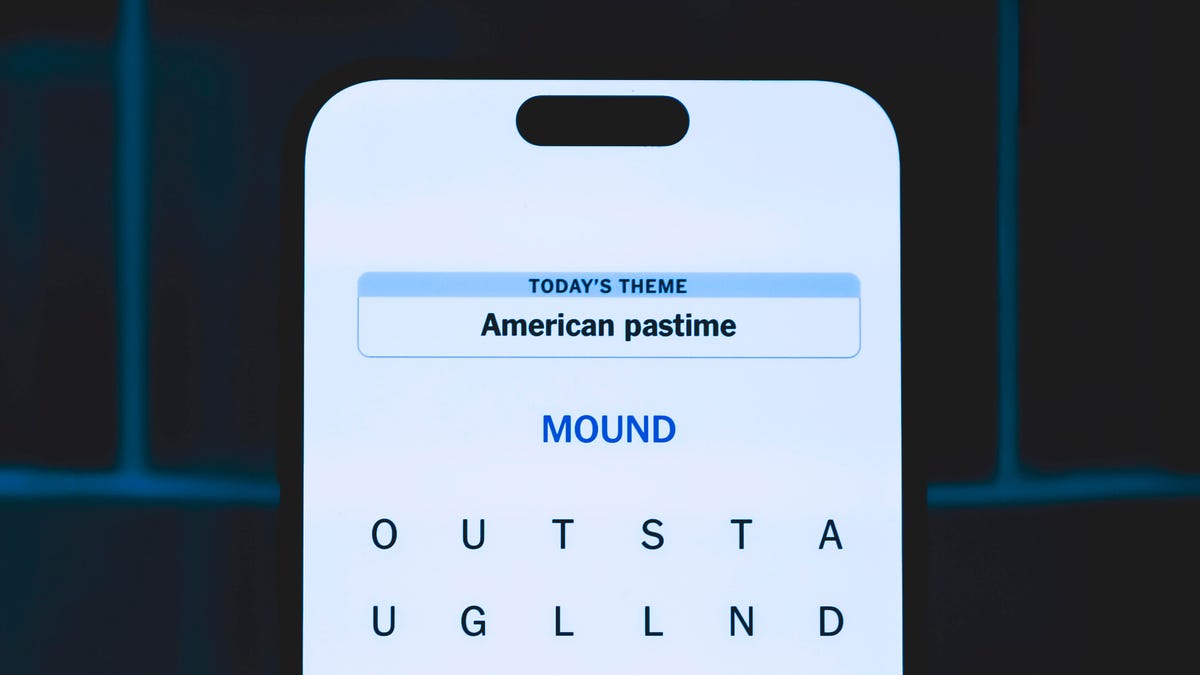
Today’s Strands theme is: Mountain band.
If that doesn’t help you, here’s a clue: Traditional tunes.
Clue words to unlock in-game hints
Your goal is to find hidden words that fit the puzzle’s theme. If you’re stuck, find any words you can. Every time you find three words of four letters or more, Strands will reveal one of the theme words. These are the words I used to get those hints but any words of four or more letters that you find will work:
- BLUE, GAME, CHAR, CHARM, SARGE, SEEN, BRAT, BRIT, RILE, NOSE, DARN
Answers for today’s Strands puzzle
These are the answers that tie into the theme. The goal of the puzzle is to find them all, including the spangram, a theme word that reaches from one side of the puzzle to the other. When you have all of them (I originally thought there were always eight but learned that the number can vary), every letter on the board will be used. Here are the nonspangram answers:
- BANJO, FIDDLE, GUITAR, MANDOLIN, HARMONICA
Today’s Strands spangram
Today’s Strands spangram is BLUEGRASSMUSIC. To find it, start with the B that’s three letters to the right on the bottom row, and wind up and around.
Quick tips for Strands
#1: To get more clue words, see if you can tweak the words you’ve already found, by adding an «S» or other variants. And if you find a word like WILL, see if other letters are close enough to help you make SILL, or BILL.
#2: Once you get one theme word, look at the puzzle to see if you can spot other related words.
#3: If you’ve been given the letters for a theme word, but can’t figure it out, guess three more clue words, and the puzzle will light up each letter in order, revealing the word.
Technologies
Today’s NYT Connections Hints, Answers and Help for March 13, #1006
Here are some hints and the answers for the NYT Connections puzzle for March 13, No. 1,006.

Looking for the most recent Connections answers? Click here for today’s Connections hints, as well as our daily answers and hints for The New York Times Mini Crossword, Wordle, Connections: Sports Edition and Strands puzzles.
Today’s NYT Connections puzzle is kind of tough. That purple one is a real head-scratcher, once again. Read on for clues and today’s Connections answers.
The Times has a Connections Bot, like the one for Wordle. Go there after you play to receive a numeric score and to have the program analyze your answers. Players who are registered with the Times Games section can now nerd out by following their progress, including the number of puzzles completed, win rate, number of times they nabbed a perfect score and their win streak.
Read more: Hints, Tips and Strategies to Help You Win at NYT Connections Every Time
Hints for today’s Connections groups
Here are four hints for the groupings in today’s Connections puzzle, ranked from the easiest yellow group to the tough (and sometimes bizarre) purple group.
Yellow group hint: I don’t want that.
Green group hint: Time to count.
Blue group hint: Not floors or ceilings.
Purple group hint: Sounds like…
Answers for today’s Connections groups
Yellow group: «No thanks.»
Green group: Kinds of numbers.
Blue group: Kinds of walls.
Purple group: Homophones of non-numeric amounts.
Read more: Wordle Cheat Sheet: Here Are the Most Popular Letters Used in English Words
What are today’s Connections answers?
The yellow words in today’s Connections
The theme is «No thanks.» The four answers are later, nah, next time and pass.
The green words in today’s Connections
The theme is kinds of numbers. The four answers are even, irrational, perfect and prime.
The blue words in today’s Connections
The theme is kinds of walls. The four answers are Berlin, brick, fourth and Great.
The purple words in today’s Connections
The theme is homophones of non-numeric amounts. The four answers are awl (all), nun (none), phew (few) and sum (some).
Quick tips for Connections
#1: Say the clue words out loud, pausing before and after each. That helps you hear the words in the context of a phrase. The Connections editors love to group words together that are used in similar phrasing, like ____ Up.
#2: Don’t go for the obvious grouping. These editors are smart. Once, they offered SPONGE, BOB, SQUARE and PANTS in the same puzzle. None of those words were in the same category. If you like, hit the «shuffle» button to give yourself a different perspective on the words.
#3: Break down any compound words and look for similarities. «Rushmore» was once in a puzzle where the connection was that each word started with the name of a rock band.
Technologies
iPhone Lost and Battery Drained? Here’s How You Can Still Find It
Even a dead battery can’t keep you and your misplaced iPhone apart. This is the ultimate guide to using Find My to locate a dead iPhone.
You’d think it’s impossible to lose track of an iPhone you carry everywhere, but we do it all the time — too often before we have a chance to charge it. Apple’s Find My feature, with its crowdsourced Find My Network, will usually pinpoint the phone’s location. But what about when the battery is totally drained?
Turns out Find My works even then. It sends your phone’s location to iCloud, even when the device is off. For added defense, Stolen Device Protection secures sensitive data, such as credit cards and passwords.
If you have an iPhone 11 or newer model (excluding the 2020 and 2022 iPhone SE, the iPhone 16E and iPhone 17E), you have the ultra-wideband chip for offline finding. As long as Find My is enabled and you’re signed in to your Apple ID, you can locate your iPhone even if the battery is dead. Before panicking, follow these steps to recover your phone.
Apple Find My and Find My Network aren’t the same
Apple Find My and Find My Network are different, which can be confusing. While Find My is the name of an app, the Find My Network is what allows you to locate your device when it’s offline, turned off or low on power. It’s also how AirTags update their locations automatically, even when buried at the bottom of luggage on a plane.
You can use the Find My Network feature within Apple’s Find My app or sign into your Apple ID at iCloud.com to locate your misplaced iPhone. Plus, the app also allows you to add other Apple products and items that you want to track to your Find My Network.
How to turn on Find My and Find My Network
You need to make sure Find My and Find My Network are set up to allow you to locate your switched-off iPhone. Open Settings and follow these steps:
- Tap on your name in the Settings menu.
- Go to Find My > Find My iPhone and make sure the switch is toggled on.
- Below Find My iPhone, you’ll see Find My Network and Send Last Location toggles. Turn them on, too.
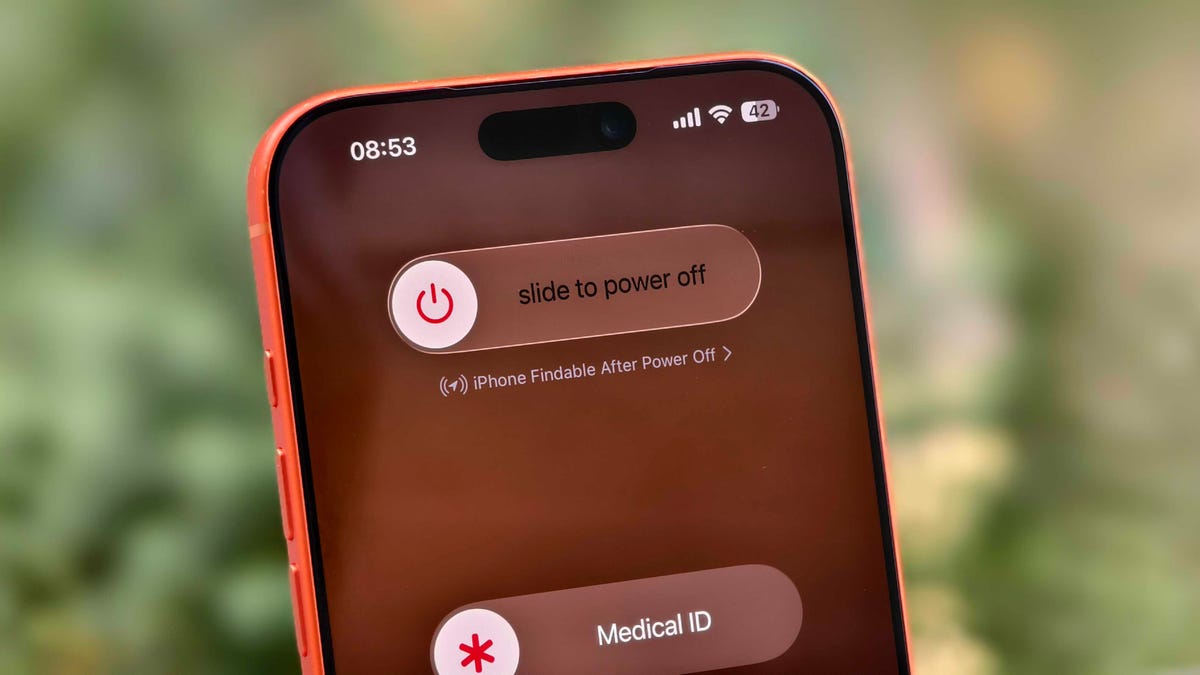
You can check if your iPhone is discoverable even when it’s switched off by going to the power menu: Swipe down from the top-right corner to view Control Center and press and hold the power button in that corner, or hold the side and volume down button. Under the «slide to power off» slider, look for «iPhone Findable After Power Off.» Your iPhone is now all set to be found, even if a thief turns it off.
However, there are a few exceptions. If your iPhone hasn’t sent its location to Apple through Find My in the last seven days, you’ll see «No location found» next to your device. It can happen if there’s an issue with your device’s location services.
How to find a lost iPhone with the Find My app on another Apple device
Now comes the hard part: What happens after you lose your iPhone? Assuming you’ve completed the steps above, you can keep calm. If you have another Apple device, such as an Apple Watch, iPad or MacBook, follow the steps below to locate your misplaced or stolen iPhone. This will also work on a friend’s or family member’s device that you’ve shared your location with.
- Open the Find My app and locate your iPhone in the list under the Devices tab. You should see it in this list (even if it’s powered off) as long as you have previously enabled the Find My iPhone, Find My Network and Send Last Location options.
- Tap or click the name of your iPhone. This should take you to a menu with several options for finding your phone or marking it as lost.
- If you misplaced your iPhone and you’re sure that it’s nearby, tap or click Play Sound or Directions to make the device play a sound or get directions to the device’s last recorded location, respectively.
- If you’re sure your iPhone is stolen, tap Activate under the Mark As Lost option. This immediately locks the device with your passcode, suspends Apple Pay and displays a custom message with your contact information for anyone who finds it. You can also use Send Last Location to locate the last known location of your device.
How to find a lost iPhone if you don’t have another Apple device
In case you don’t have another Apple device, you can sign into your iCloud account in a web browser to find your lost iPhone (though this option can be troublesome if you don’t have another Apple device because of two-factor authentication). Follow these steps to use a web browser to see your lost iPhone’s location:
- Go to icloud.com/find and sign in with your Apple ID.
- Go to the Devices list.
- From here, use the same options for playing a sound, marking your device as lost or erasing the device as you would in the app.
You can also disable Control Center access on the lock screen while traveling abroad to prevent a thief from turning off data or enabling Airplane mode. To do this, do the following:
- Go to Settings > Face ID & Passcode (or Touch ID & Passcode) and enter your passcode.
- Under the Allow Access When Locked section, toggle off the Control Center option.
This option can add some inconvenience to day-to-day use, but I recommend turning off Control Center while traveling.
These settings give you the best chance of finding your iPhone if it’s been stolen and turned off. For more iPhone tips and advice, check out our guide to the Camera Control and how to block distracting websites.
-
 Technologies3 года ago
Tech Companies Need to Be Held Accountable for Security, Experts Say
-
 Technologies3 года ago
Best Handheld Game Console in 2023
-
 Technologies3 года ago
Tighten Up Your VR Game With the Best Head Straps for Quest 2
-
 Technologies4 года ago
Black Friday 2021: The best deals on TVs, headphones, kitchenware, and more
-
 Technologies5 лет ago
Google to require vaccinations as Silicon Valley rethinks return-to-office policies
-
 Technologies4 года ago
Olivia Harlan Dekker for Verum Messenger
-
 Technologies4 года ago
iPhone 13 event: How to watch Apple’s big announcement tomorrow
-
 Technologies4 года ago
The number of Сrypto Bank customers increased by 10% in five days
You must be logged in to post a comment Login