
Technologies
I Took Google’s New Try On Feature for a Spin — It Was Fascinating (and Hilarious)
Commentary: I used AI to see how different outfits would look on me, and the results were revealing.
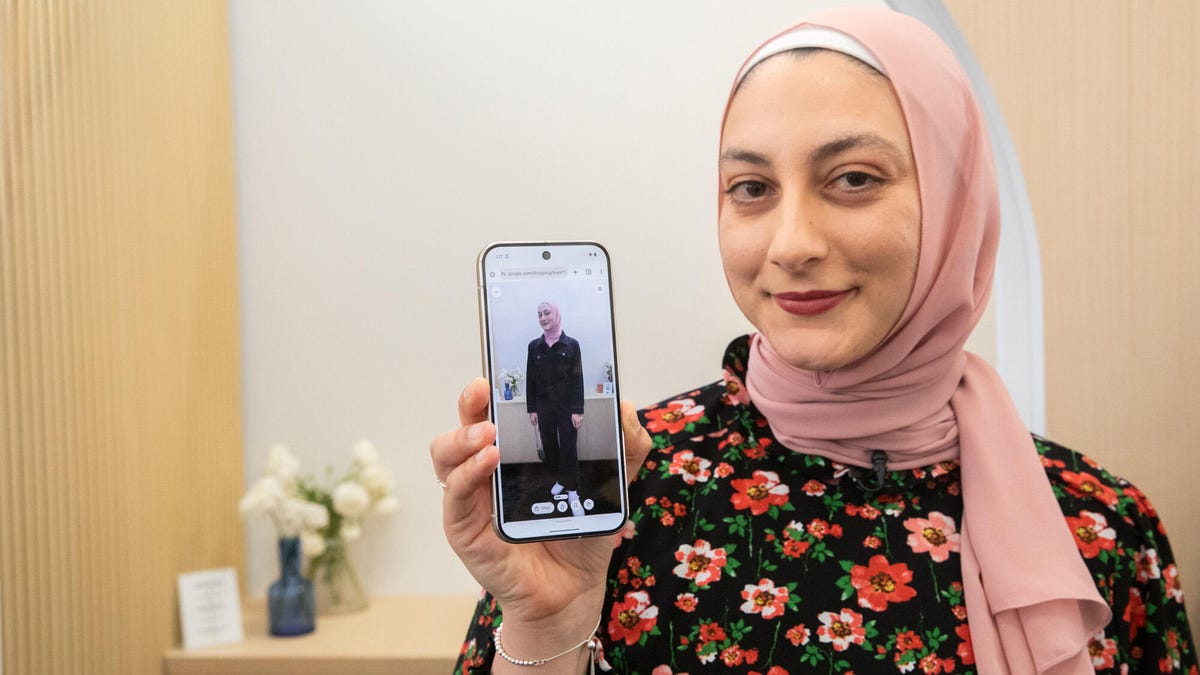
Online shopping often feels like a shot in the dark. It’s hard to predict how an outfit a model is wearing will fit me. But at Google I/O on Tuesday, I demoed a new feature called Try On that uses AI to show you how a dress, shirt, skirt or pants will actually look on you. I was surprised, and also incredibly amused.
After posing for a quick photo, a Google employee showed me different clothing options in the Shopping tab. I settled on a cute long-sleeved denim jumpsuit, tapped it and uploaded my photo. After about 30 seconds, my real-life floral jumpsuit was replaced by the denim one. The generated image looked impressively real: the sleeves were perfectly tailored, the collar was popped and my pink headscarf (which I was wearing in real life and Gemini thankfully kept on) was neatly tucked in.
«It actually looks like I’m wearing it,» I said in amazement. «I’m quite impressed.» It even added a purse in my right hand, which was a funny touch.
Try On is powered by Google’s custom image generation model, which can demonstrate how materials drape, fold and stretch on different body types. It’s available now in Search Labs, which lets people try out Google Search features before they roll out to the masses.
After opting into the feature, you’ll see an icon that says «try it on» when browsing for clothes in Google. Upload a full-length photo of yourself (ideally with good lighting and fitted clothing), and watch in wonder as that dress or shirt miraculously appears on you. You can also save the generated image and share it with friends.
Of course, I had to have some fun with Try On. As someone who wears hijab, I only wear long sleeves and long pants when I’m out and about. So I decided to test the feature and see what it would do if I picked a pink sleeveless dress. The result was hilarious.
It did in fact expose my arms (or what it thinks they look like), and also added some random bracelets and a watch that I was definitely not wearing in real life. Thankfully, it kept my headscarf on (which perfectly matched the pink dress), but that only made for a more hilarious juxtaposition with my exposed AI skin. Well, at least it maintained the dress’s accuracy.
If you’re worried about privacy concerns, my colleague Katelyn Chedraoui reached out to Google to ask about Try On’s privacy policies. In response, a Google spokesperson said: «Your uploaded photo is never used beyond trying things on virtually, nor is your photo used for training purposes. It is not shared with other Google products, services or third parties, and you can delete or replace it at any time.»
So, if you’re keen to see how that outfit you would totally wear — or totally wouldn’t — looks on you, look no further than your phone; no fitting room required. Personally, I look forward to trying on more outfits, both appealing and ridiculous, just for the heck of it.
Technologies
The Fourth Episode of the VERUM AI Mini-Series Is Out
The Fourth Episode of the VERUM AI Mini-Series Is Out

Verum Messenger has released the fourth episode of its AI mini-series SHADOWS, created using Verum AI. The new episode, titled “No Borders,” continues the story of a team trying to stay out of the OMEGA corporation’s sight.
Following the events of the previous episodes, the team moves between cities and countries while OMEGA continues its search. The new episode puts particular emphasis on Verum Messenger’s capabilities that allow users to conceal their location.
“No Borders” is another chapter in a story about privacy, freedom of communication, and technologies that erase borders between people.
The VERUM AI mini-series consists of seven episodes, released gradually across Verum Messenger’s social media channels.
Episode 4 is now available. Stay tuned for the next chapter.
Technologies
Verum Messenger Introduces Built-In Verum Chess
Verum Messenger Introduces Built-In Verum Chess
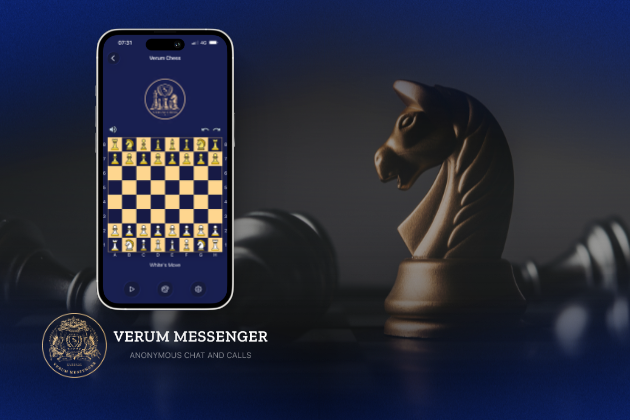
Verum Messenger has released a new update for iOS, iPadOS, and macOS, adding another feature to its growing ecosystem — Verum Chess. Users can now play chess directly inside the messenger without switching between different applications.
The new feature allows users to start a game in just a few taps while reinforcing Verum’s vision of a unified digital environment where communication and everyday services come together in a single platform.
Verum Messenger continues to evolve into a multifunctional ecosystem that combines secure chats and calls, AI tools, a built-in VPN, anonymous email, eSIM, financial services, cryptocurrency features, and offline communication. With the introduction of Verum Chess, the platform now also offers a new way for users to interact and spend time together without leaving the app.
The update is now available for iPhone, iPad, and Mac on the App Store.
Technologies
Episode 3 of the VERUM AI Mini-Series Is Now Available
Episode 3 of the VERUM AI Mini-Series Is Now Available

Verum Messenger has released the third episode of its AI mini-series, SHADOWS, created using Verum AI.
The new episode, titled «Ghost Money,» continues the story of the conflict between a team of heroes and the Omega corporation, which seeks to take control of digital communications. This time, the focus shifts to anonymous payments and financial freedom, revealing how privacy can extend beyond messaging.
Like the previous episodes, the new release not only advances the storyline but also showcases the capabilities of the Verum ecosystem, highlighting technologies designed for secure communication and digital privacy.
The mini-series consists of seven episodes, released gradually across Verum Messenger’s social media channels.
Episode 3 is now available. Stay tuned for the next chapter.
-
 Technologies4 года ago
Tech Companies Need to Be Held Accountable for Security, Experts Say
-
 Technologies3 года ago
Best Handheld Game Console in 2023
-
 Technologies5 лет ago
Black Friday 2021: The best deals on TVs, headphones, kitchenware, and more
-
 Technologies3 года ago
Tighten Up Your VR Game With the Best Head Straps for Quest 2
-
 Technologies5 лет ago
Google to require vaccinations as Silicon Valley rethinks return-to-office policies
-
 Technologies5 лет ago
Verum, Wickr and Threema: next generation secured messengers
-
 Technologies4 года ago
The number of Сrypto Bank customers increased by 10% in five days
-
 Technologies5 лет ago
Olivia Harlan Dekker for Verum Messenger