Technologies
Today’s NYT Strands Hints, Answers and Help for April 14, #407
Here are hints and answers for the NYT Strands puzzle No. 407 for April 14.
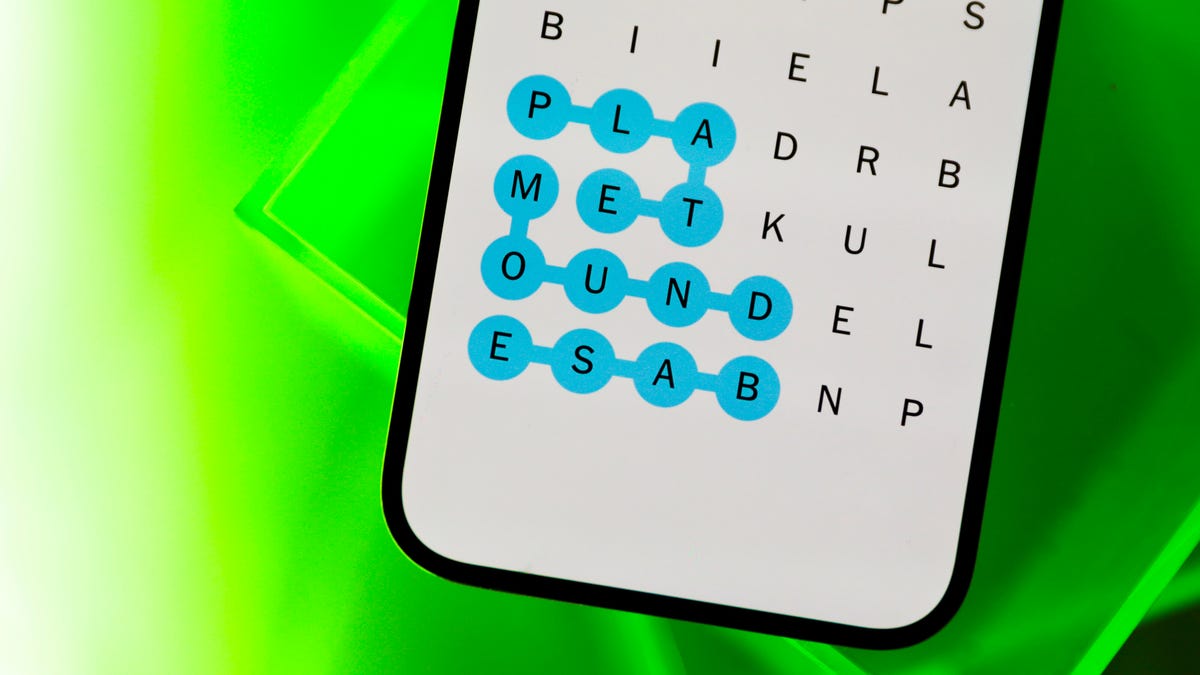
Looking for the most recent Strands answer? Click here for our daily Strands hints, as well as our daily answers and hints for The New York Times Mini Crossword, Wordle, Connections and Connections: Sports Edition puzzles.
Today’s NYT Strands puzzle is a bright seasonal offering. Gardeners, this one’s for you. If you need hints and answers, read on.
I go into depth about the rules for Strands in this story.
If you’re looking for today’s Wordle, Connections and Mini Crossword answers, you can visit CNET’s NYT puzzle hints page.
Read more: NYT Connections Turns 1: These Are the 5 Toughest Puzzles So Far
Hint for today’s Strands puzzle
Today’s Strands theme is: April showers…
If that doesn’t help you, here’s a clue: Bloom where you’re planted.
Clue words to unlock in-game hints
Your goal is to find hidden words that fit the puzzle’s theme. If you’re stuck, find any words you can. Every time you find three words of four letters or more, Strands will reveal one of the theme words. These are the words I used to get those hints, but any words of four or more letters that you find will work:
- PILE, SHIR, FILL, GILL, GILLS, DING, WONT, FRAG, FRAGS, PLOT, PLOTS, DRAG, DRAGS, DAFF, PEWS, NAGS.
Answers for today’s Strands puzzle
These are the answers that tie into the theme. The goal of the puzzle is to find them all, including the spangram, a theme word that reaches from one side of the puzzle to the other. When you’ve got all of them (I originally thought there were always eight but learned that the number can vary), every letter on the board will be used. Here are the nonspangram answers:
- IRIS, LILY, TULIP, CROCUS, DAFFODIL, HYACINTH
Today’s Strands spangram
Today’s Strands spangram is SPRINGFLOWERS.
To find it, start with the S that’s three letters to the right on the bottom row, and wind up.
Technologies
Connect Your iPhone or Android to Any TV: A Guide for AirPlay, Chromecast and HDMI
When visiting friends and family, you can likely share videos from your phone to your TV without needing to log in to any built-in apps.
When visiting your friends and family this holiday season, you may want to show off your latest photos or stream movies to their television while spending time together. However, it can be a pain to log in to your streaming service account on someone’s television.
Thankfully, with most recent televisions, you probably don’t need to log in at all to do this. In most cases, the phone you carry right now can connect directly to a TV, and you can share or cast your screen using your own accounts saved on your phone.
Many TVs now ship with built-in support for AirPlay, Chromecast or Miracast, all of which let you wirelessly connect your phone. The trickiest part isn’t whether you can connect your phone to your TV (because you probably can). Rather, you’ll need to know which wireless casting connection your phone supports and make sure the TV you want to connect to also supports it.
We’ll talk about how this works, based on whether you’re using an iPhone or an Android phone. We’ll also point out when you’ll be using AirPlay, Chromecast or Miracast to make the connection, depending on what device you have.
iPhone supports AirPlay and Chromecast
Apple’s iPhone devices have two ways of connecting wirelessly to a television. On a system level, an iPhone can use AirPlay to cast media from video and music apps to any device that also supports AirPlay. This originally was exclusive to the Apple TV, but AirPlay now supports many televisions made by Samsung, LG, TCL and Vizio, along with Roku’s streaming devices. Odds are if your device supports the Apple TV app, somewhere in its settings is also support for AirPlay.
You can access AirPlay in one of two ways. If you’re using a supported app like Paramount Plus, you’ll want to tap the AirPlay icon represented by a TV with a triangle. You can also access AirPlay from your phone’s Control Center by tapping the icon represented by two rectangles and then picking the device you’re casting to. Using the latter option, you can also mirror your phone’s screen to your TV to display apps like Instagram or TikTok that don’t include AirPlay from within.
If you are trying to connect with a television with the Google TV operating system or the Google TV Streamer, the iPhone also supports Chromecast. Similar to using AirPlay from a media app, you’ll tap the Chromecast icon represented by a rectangle with three wavy lines. You’ll then tap the device you want to cast to. The biggest difference between how AirPlay and Chromecast work on the iPhone is that you won’t be able to mirror your iPhone’s display over Chromecast.
Certain apps like YouTube will blend these casting options together for convenience. When tapping Google’s Chromecast button, a submenu will let you choose between using AirPlay or Chromecast or linking directly to your TV’s YouTube app using a code.
And if you want to connect your iPhone to your television using an HDMI cable, you can use either a USB-C to HDMI adapter if you have an iPhone 15 or newer or a Lightning-to-HDMI adapter for the iPhone 14 and earlier. That adapter will allow for screen mirroring without using AirPlay.
Android always supports Chromecast, sometimes supports Miracast
Android phones don’t support AirPlay, but they sometimes support two wireless casting options that connect to nearly any television.
First, all Android phones include Chromecast support. So if your TV has Chromecast built-in or has a Google TV streamer attached, you’ll be able to connect your phone by tapping the Cast icon from an app. You can also set up a screen cast shortcut in the quick settings drop-down panel, which will provide an even faster way to quickly cast to your TV. CNET’s Nelson Aguilar has put together a guide for this.
And while it’s not supported on every Android phone, Samsung and Motorola both make Android phones that support Miracast for screen mirroring. These features are labeled as Smart View and Ready For, respectively, and will let you connect your phone to televisions or displays that support a setting that’s often labeled Screen Mirroring. More recent Motorola phones, like the Razr Ultra, are calling this feature Smart Connect. What’s unique about Miracast is that many Windows PCs also support this style of casting, and during my recent trip, that came in handy in order to play some Jackbox Games.
An additional note about these features from Samsung and Motorola is that both support connecting your phone to a television or computer monitor using a USB-C to HDMI cable, should you have one on hand. This could be particularly helpful if you’re trying to do a more data-intensive activity on your phone, such as connecting to a bigger screen in order to use your phone more like a computer.
More tips about wirelessly connecting your phone to a TV
Even though many televisions and streaming devices support one or more of these methods, it’s still entirely possible that when traveling, you won’t have a perfect match. For instance, you might have an Android phone, but the TV in your hotel room supports only AirPlay or blocks access to the HDMI port. But for home use, now that many televisions support multiple connection options, you have a good chance to be able to set up a method that works for day-to-day viewing.
You’ll also want to keep in mind that much like with video streaming, your network could also affect how effective a wireless connection will be to your TV. With that in mind, you will want to have your phone as close to a router as possible, which will help with the connection. If your video quality degrades while streaming, you may also want to turn casting off and on again to reset the connection.
But as long as your phone and television can connect with one of the above methods, you should otherwise be free to stream any movie or music from your phone onto your TV.
Technologies
Want to Save Some Cash After the Holidays? Check Out These 18 Hidden Amazon Prime Perks
Prime members can get cheaper gas and groceries, plus unlimited photo storage.
You already know that your Amazon Prime membership is great for free two-day shipping. But what about all the other perks? Whether you’re prepping for New Year’s Eve festivities on a budget, or just trying to save some cash as the holidays wind down, this service has a ton of hidden benefits waiting for you.
From discounted gas to streaming extras, there’s a lot more value packed into your Prime membership than most people realize, and a lot of those discounts can be used beyond Amazon.
You can take advantage of limited-time deals with a 30-day free trial, but that only lets you scratch the surface of all that a membership has to offer. It might surprise you to learn what else you can get by being a Prime member. Below, we’ll break down some of the best perks you may not know about.
Spoiler: Some of them are bangers.
For more, check out the latest Amazon products and see how you can get great savings on Amazon right now with coupons.
1. Watch HBO or other premium TV channels without cable
You probably know about Prime Video and Amazon Music Prime but you might not know all the special details. Amazon Prime members have access to a large number of feature-length movies and hit original TV shows like The Boys and The Lord of the Rings: Rings of Power, as well as an Amazon Music Prime library featuring 2 million songs and thousands of curated playlists.
Prime members can also download movies and TV shows for watching later offline.
If a show or movie you want to watch is not included as part of your basic Prime subscription, you can subscribe to premium channels such as HBO, Showtime and Starz for $5 to $15 a month, with no need for cable or satellite service.
Music lovers can upgrade to Amazon Music Unlimited to get a library of 90 million songs that can be streamed to multiple devices for $9 a month or $89 a year.
2. Get money back by choosing no-rush shipping
If you don’t need your purchase to be delivered quickly, you can opt out of two-day or shorter delivery options by selecting «no-rush shipping» and receive your package in about six days. In return for your patience, Amazon will give you rewards.
There’s no standard for no-rush shipping rewards — they vary from item to item — but they generally provide discounts on products and services that you might buy from Amazon.
Some common rewards are $1 credits for Amazon digital services like movies, music and ebooks, $3 coupons for Amazon’s Happy Belly-branded snacks, $10 to $20 off TV or furniture purchases and $10 to $20 off Amazon Home Services.
The value of no-rush shipping will depend on whether you’ll use any of the rewards. It might not seem like much, but a few no-rush shipping selections could easily earn you the $3 to $4 you need for a free movie rental from Prime Video.
3. Whole Foods grocery discounts
If you’re a frequent shopper at Whole Foods, an Amazon Prime membership can reap serious dividends. Prime Member Deals available in physical Whole Foods stores give members discounts of 10% to 20% on selected items marked with blue Amazon stickers.
Yellow tags indicate even further savings, usually at least another 10% off an already discounted price. Prime members who scan the Whole Foods Market or Amazon app at checkout get an extra 10% off storewide sales. Prime membership also gives you access to special online deals.
4. Exclusive access to Thursday night NFL football games
It’s the second year that Amazon Prime has had exclusive rights to air Thursday Night Football, and Prime seems to be killing the game. It received five Sports Emmys nominations for its 2022 coverage and boasts a stacked cast of experts, commentators and former players.
If you are a Prime subscriber, you can stream 2025-2026 Thursday Night Football games on Prime Video, NFL +, Amazon.com or Twitch. There is also a Spanish-language broadcast available on Prime Video. Pregame coverage begins at 7 p.m. EST each Thursday.
5. Free same-day Amazon Fresh delivery
Whole Foods isn’t the only grocery option available to Amazon Prime members. Subscribers also have access to the online grocery store Amazon Fresh, which provides free deliveries to some locations. Amazon Fresh has some similar products to Whole Foods but generally focuses on a broader range of groceries and home products at lower prices.
Anyone can purchase products from Amazon Fresh but only Prime members get free same-day delivery. Amazon Fresh also has 44 physical locations that offer special weekly deals for Prime members.
6. Free same-day delivery for perishable groceries
Similar to Amazon Fresh, a new service gives Amazon users access to perishable groceries with same-day delivery service. More than 1,000 cities and towns in the US can now get groceries delivered within hours and Amazon plans to expand the service to more than 2,300 locations by the end of 2025.
Same-day delivery is available to all Amazon customers for $12.99 but it’s free for Prime members who order at least $25 worth of groceries (it costs $2.99 if your order is less than $25). If you’re running low on milk and eggs and you don’t have time to make a trip to the grocery store, this is a great way to stock up without leaving the house.
7. Borrow unlimited books, magazines and comics
Amazon Prime members gain access to Prime Reading, a service similar to Kindle Unlimited with a different collection of materials. You can borrow as many books as you like, and many include audible narration, so you can switch back and forth between reading and listening. The electronic downloads don’t require a Kindle or Fire device.
Amazon First Reads gives Prime members access to editors’ selections of early book releases. Anyone with a Prime membership gets one free Kindle book a month, as well as regular discounts on selected titles.
8. Prime-exclusive deals and promos
Amazon offers Prime-exclusive deals all-year round on top products meaning you can make back the cost of your membership in savings. For big shopping seasons like Black Friday or Prime Day, there are even more member-only prices to shop.
Plus, Prime subscribers often get early access to Lightning Deals. These are sort of like Amazon’s version of a fire sale, featuring very low prices for a limited number of products that usually sell out very quickly. The good news for Amazon Prime members is that they get access to these deals earlier than everyone else. The bad news? There are a lot of Amazon Prime members.
9. Exclusive Zappos deals, faster shipping and a test month for running shoes
Amazon acquired the online shoe giant Zappos in 2009, and it now provides a number of benefits for Prime members who link their accounts on Zappos.com. Prime members get faster shipping, bonus reward points for shopping and exclusive deals on certain products.
Zappos also lets Prime members participate in Runlimited, a 30-day guarantee program for running shoes.
10. Save money on prescription drugs online
Prime members have exclusive access to Amazon RxPass. The subscription service provides all of your eligible medications for a single payment of $5 a month, regardless of how many prescriptions you have. More than 50 commonly prescribed medications are available.
Amazon says that the average member with an RxPass saves 38% on medications but it’s important to note that Amazon’s Prime Rx savings program does not work with health insurance. You’ll need to be sure that any savings you get from the program are more than you’d get from insurance coverage.
11. One Medical membership discounts
One Medical is a membership-based health service that provides primary in-person and virtual health care. Its concierge-like medical service is designed to allow members to easily schedule appointments and care using the company’s mobile app or website.
Amazon acquired One Medical in 2023 and is now offering a major discount for Prime members. Instead of the usual price of $199 a year, Amazon Prime members can subscribe for $99 a year, or $9 per month. To activate the discount, Prime members should visit this page. Existing One Medical subscribers who are Prime members can also take advantage of the discount starting with their next payment.
12. Access to Amazon Luna
Amazon Luna delivers access to a library of games that you can play without paying a dime since they’re included with Amazon Prime and Prime Video. There is a rotating library of games that you can claim, including super popular options like the Fallout Series and XCOM2.
Along with single-player games, Amazon has added a GameNight section. These games are all multiplayer games that can be controlled with a smartphone, making it a great way to spend time with friends or family playing games. There are more than 25 options in GameNight include Ticket to Ride, Jackbox and Exploding Kittens.
13. Unlimited photo storage with Amazon Photos
With a subscription to Amazon Prime, you can store unlimited photos and 5GB of video on Amazon Photos. Without Amazon Prime, you’re limited to a total of 5GB of videos and photos total.
You can view or share your photos and videos on Amazon Photos using the iOS or Android app, or on a computer with the desktop or web app. Your photo and video files are fully encrypted, so they’re only visible to people with whom you intentionally share them.
14. Get discounts on Shutterfly
Amazon has partnered with photography company Shutterfly to offer Prime members 45% off most regular-priced products. Shoppers also can get free shipping on orders of $35 or more. To get the discount, you’ll have to link your Shutterfly and Amazon accounts.
If you store your photos with Amazon, you can now access your Amazon Photos directly from Shutterfly. This makes it extra convenient for Prime members to share images from their extensive photo library.
15. Get a free Grubhub Plus membership
Don’t feel like cooking tonight? There’s a perk for that, too.
When Amazon announced it would offer Grubhub Plus free for a year in 2022, it was a solid, but temporary, perk added to Prime. In 2023, Prime members were treated to another free year. For 2024, instead of renewing the food delivery service’s premium membership again for another year, Grubhub Plus became a permanent Amazon Prime perk.
Grubhub Plus typically costs $9.99 a month and provides unlimited free delivery for all orders over $12 in more than 4,000 cities nationwide.
16. Save on Amazon Kids Plus
If you have Amazon Prime, you also get access to discounted Amazon Kids Plus. The subscription service features a range of ad-free content, including books, games and videos for children ages 3 to 12. Parents can limit the amount of screen time available to their children and manage up to four profiles on iOS and Android.
The Amazon Kids Plus subscription is normally $79 a year but Prime members can get it for $48 a year.
17. Get your package on the day you want it with Amazon Day
If none of the usual delivery dates work for you, you have one additional option as a Prime member. Amazon Day is a free perk that lets you schedule your packages to arrive on your day of choice. Next time you’re on vacation, you don’t have to arrange for the neighbors to help you bring in your boxes, and you won’t have to worry about porch pirates stealing your delivery on days when you’re not home.
Amazon Day is also a great option to cut down on the number of boxes for your packages, as you can schedule multiple purchases to arrive as a single delivery.
18. Save money on gas
Do you spend several hours each week driving to and from work? If you’re an Amazon Prime member living in the US, your dollar will now stretch a little farther at the gas pump. You can save 10 cents per gallon at BP, Amoco and AM/PM gas stations — there are about 7,000 locations across the 50 states. Amazon estimates that this perk will save the average American nearly $70 per year.
To get the full 10-cent-per-gallon discount, Prime members must create a free earnify™ account and link it to their Prime account. You can use the earnify™ app to find stations, then simply go to the pump and enter your phone number or linked payment method for instant savings. (Using the earnify™ app is optional — it just needs to be linked to your Prime account.)
For more about Amazon Prime and what to expect from this year’s back-to-school deals. Plus, check out these Amazon deals on tech and home goods and tips for getting the best Amazon deals.
Technologies
Today’s NYT Mini Crossword Answers for Friday, Dec. 26
Here are the answers for The New York Times Mini Crossword for Dec. 26.
Looking for the most recent Mini Crossword answer? Click here for today’s Mini Crossword hints, as well as our daily answers and hints for The New York Times Wordle, Strands, Connections and Connections: Sports Edition puzzles.
Need some help with today’s Mini Crossword? Some of the clues are tough today — I thought maybe 1-Across was referring to the Grinch, or even Oscar the Grouch, but was I ever wrong! Read on for all the answers. And if you could use some hints and guidance for daily solving, check out our Mini Crossword tips.
If you’re looking for today’s Wordle, Connections, Connections: Sports Edition and Strands answers, you can visit CNET’s NYT puzzle hints page.
Read more: Tips and Tricks for Solving The New York Times Mini Crossword
Let’s get to those Mini Crossword clues and answers.
Mini across clues and answers
1A clue: Furry and green, say
Answer: MOSSY
6A clue: State known for its potatoes
Answer: IDAHO
7A clue: Like a faithful friend
Answer: LOYAL
8A clue: Had a beverage
Answer: DRANK
9A clue: Pronoun frequently paired with «her»
Answer: SHE
Mini down clues and answers
1D clue: Not spicy, as salsa
Answer: MILD
2D clue: Reasons for wrinkled noses
Answer: ODORS
3D clue: Words from a doctor checking your tonsils
Answer: SAYAH
4D clue: Comedian Gillis
Answer: SHANE
5D clue: Part of an egg used to make hollandaise sauce
Answer: YOLK
Don’t miss any of our unbiased tech content and lab-based reviews. Add CNET as a preferred Google source.
-
Technologies3 года agoTech Companies Need to Be Held Accountable for Security, Experts Say
-
Technologies3 года agoBest Handheld Game Console in 2023
-

Technologies3 года agoTighten Up Your VR Game With the Best Head Straps for Quest 2
-
Technologies4 года agoBlack Friday 2021: The best deals on TVs, headphones, kitchenware, and more
-
Technologies4 года agoVerum, Wickr and Threema: next generation secured messengers
-
Technologies4 года agoGoogle to require vaccinations as Silicon Valley rethinks return-to-office policies
-

Technologies4 года agoOlivia Harlan Dekker for Verum Messenger
-
Technologies4 года agoiPhone 13 event: How to watch Apple’s big announcement tomorrow