
Technologies
Best iPhone 14 Camera Accessories
Check out some of the best camera accessories, including lenses, gimbals, microphones and tripods, that will help you get pro-level cinematic video from your iPhone.
Not too long ago, photographers used to laugh at smartphones. A lot has changed over the years, however, with many phone launches focusing on the cameras themselves. Now smartphones can take impressive photos on par with even the best cameras. All you need is some additional gear, and you can be shooting photos that border on professional-grade.
The iPhone 14 and 14 Pro offer excellent features that creative professionals will enjoy, like multiple rear cameras — including a superwide-angle lens — that can capture incredible photos and videos.
Perhaps the most notable, however, is the addition of ProRes, which started in the previous generation and is available on the iPhone 14 Pro and Pro Max. It enables you to produce a far more professional-looking postproduction look. This means that, now, creative professionals can incorporate these phones into their productions.
Advertiser Disclosure
And sure, you can simply walk outside with your phone and snag some beautiful footage, but there’s a wealth of iPhone 14 accessories you can use that’ll help elevate both your videos and photos to new levels to wow your followers.
Here’s our list of the best gear to pair with your iPhone to give your shots a boost. Every iPhone 14 accessory listed here has been tested by us to make sure it works as well as it’s supposed to. If it didn’t impress, it didn’t make the list. Look no further if you’re after the best iPhone filming accessories to take your skills to the next level. These excellent accessories will make shooting a breeze.
Read more: Best iPhone 14 and iPhone 14 Pro Cases You Can Buy Right Now
The best iPhone camera accessories
There’s no one accessory that by itself will revolutionize your iPhone photography, as different products bring different things to the table. I love the Moment Anamorphic lens as it lets you achieve a stunning cinematic look with your phone. DJI’s phone gimbal meanwhile provides superb stability to get super smooth-looking shots, while the Aputure MC LED video light simply lets you light up the scene you’re shooting when the sun goes down.
But an LED light will do nothing to improve your audio, so you’ll need to look towards the Rode VideoMicro if sound quality is important. These items all add something different to your photo and video production and used together let you take your mobile video production to a whole new level. Want some inspiration? Here’s my guide for shooting better video with your phone.
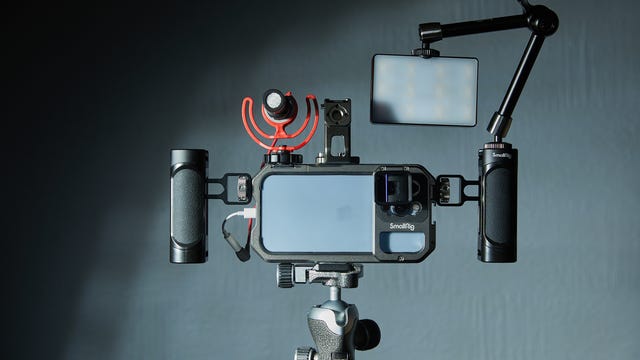
Camera cages are common tools that let you attach a wide variety of accessories to a DSLR, including lights, microphones, handles and external monitors. SmallRig’s new mobile cage offers much the same functionality, but for your iPhone, and with multiple mounting points around the edge to attach whatever accessories you need like microphones.
I’ve been using the cage with an attached Aperture LED light, PolarPro tripod and Rode microphone (all seen below), which makes for an incredible mobile vlogging rig. SmallRig also offers various attachments of its own, including top and side handles, which help provide stability when you’re hand-holding while filming. The cage is solidly built from aluminum, has bayonet lens mounts (see below), and has a convenient clasp for easily slotting your phone in and out.
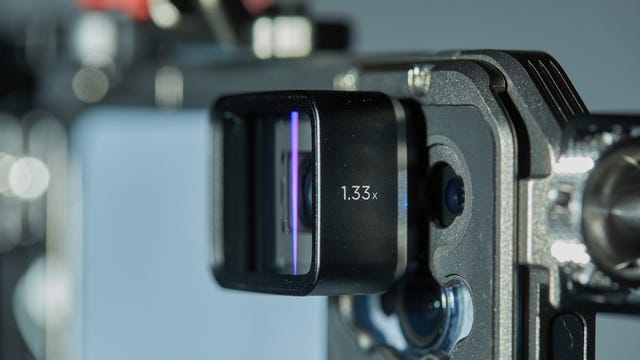
Anamorphic lenses are normally something you’d find in a professional cinematographer’s kit bag. These lenses provide a wider aspect ratio that you get in a wide angle lens, along with distinctive blue-line lens flares that give footage a much more filmic quality. Moment’s mobile anamorphic lens does exactly that for your iPhone.
Clip it on and it’ll squeeze your footage into the shorter, wide shots format that completely transforms the look of the video you can take from your phone. I’ve absolutely loved the look of my phone footage using the lens and it’s a must-have for any budding film producers wanting to up their game with their phone.
You’ll need to shoot with apps like Filmic Pro that let you “unsqueeze” the footage so it doesn’t look all distortedon most cameras. The lens uses a bayonet mount that attaches to compatible cases, including Moment’s own ones or a variety of third-party options, including the SmallRig cage mentioned above.
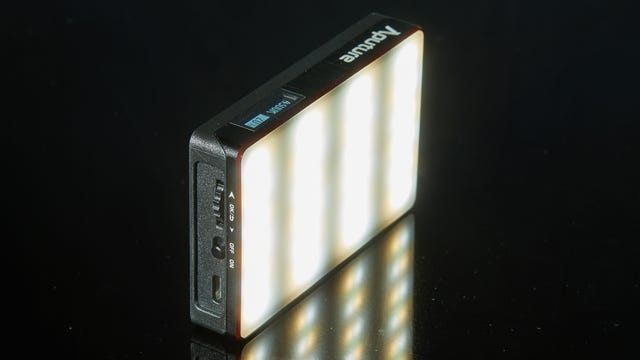
iPhone cameras don’t have the greatest lighting, so having a backup light is always a good idea. This USB-C rechargeable video light is packed with LED lights andis small enough to fit into the palm of your hand but puts out a huge amount of light when you’re short of proper lighting.
It’s great for lighting up your subjects, whether that’s for portraits, product photography or macro or to light up yourself if you’re vlogging at night. The power output is easily adjustable, as is the color temperature of the light.
It also has a variety of creative light effects to spice up your production, including simulations of fireworks, lightning, a flickering fireplace or the flashing red and blue of police car lights.
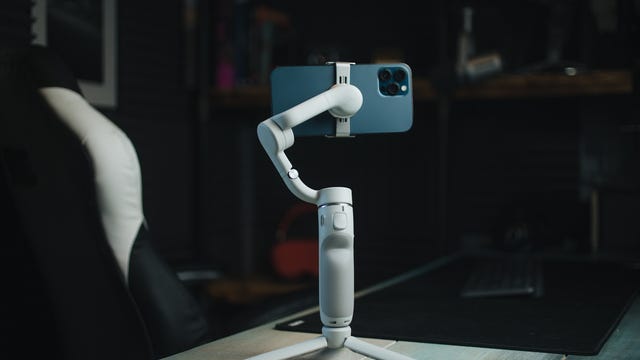
The iPhone 14’s built-in image stabilization is already superb, but for an even smoother ride, consider using a dedicated gimbal like DJI’s OM 5. It evens out all but the most aggressive movements, allowing you to get smooth tracking footage of you running behind your subject as you film a chase scene.
It also has a built-in extendable selfie stick, which not only makes it great for YouTube vloggers, but also allows for more creative angles by holding it up higher, or even flipping it over and having the camera run close to the ground or through grasses.
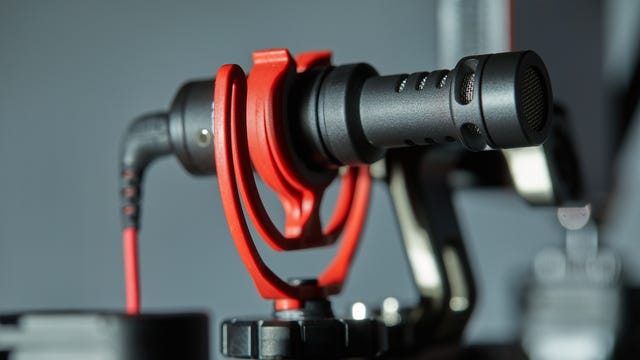
Recording good audio for your vlogs or your next iPhone-based short film is crucial, and while the iPhone does a decent job of capturing audio, a dedicated microphone will take things to the next level. Rode’s VideoMicro shotgun mic can plug into your phone’s Lightning port (via an adapter) and provides crystal-clear audio when recording with the standard iPhone camera app or any third-party video app, making it one of the best iPhone camera accessories on the market.
I love using it on top of my phone for vlogging and the included wind shield is superb for cutting out wind noise when working on location. Alternatively, get a 3.5mm extension cable and you can try using the mic on the end of a boom pole for recording audio in a conversation you’re filming.
It’s a great investment if you’re looking for a directional microphone.
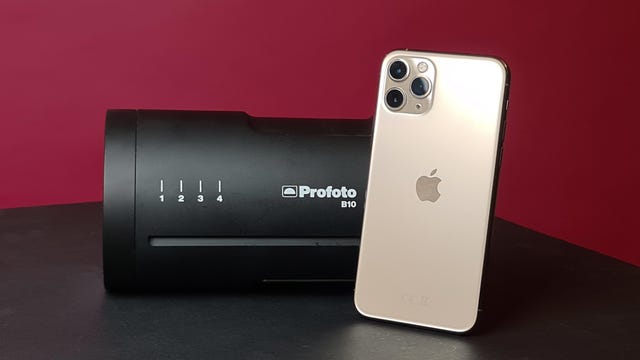
At $1,349, industry goliath Profoto’s B10 studio flash will be little more than a pipe dream for most. But if you want to get truly professional lighting on location or in a studio using your iPhone, the B10 is second is one of the best iPhone camera accessories. . This pro flash is designed primarily for use with DSLRs but can also be used with iPhones and Android phones via the Profoto app. If you’re ready to take your smartphone photography to the next level, it allows you to get shots with your phone that would simply not be possible to achieve without it.
Sure, most pros probably wouldn’t consider shooting a major project on just their phone, but it’s a potentially great backup in case of camera failure, or simply a lightweight and convenient way to test ideas in the field without hauling bags of gear around.
It also comes with a carrying case that will protect it from other elements. Its rechargeable battery provides a battery life that can provide more than 400 full flashes.
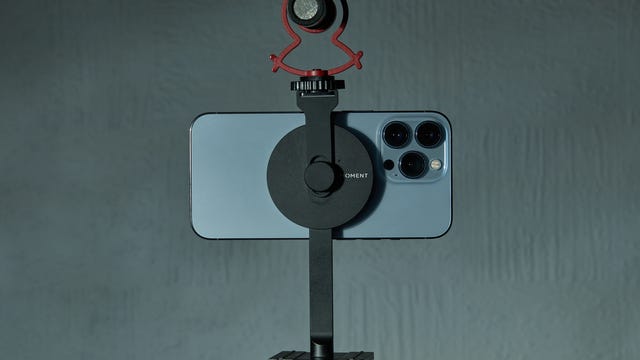
Rather than use screw clamps to secure your phone in place, Moment’s tripod mount uses Apple’s MagSafe system, which makes it incredibly quick to pop your phone in place and start shooting. When you’re done, just rip your phone away from the magnetic disk and pop it back in your pocket. Easy!
The minimalist approach to the mount’s design makes it extremely compact so it’s no hassle to always carry it with you for when inspiration strikes. The magnets are strong, too, so you don’t need to worry about your phone popping loose while you’re walking along. It’s available as a mount by itself, or with the cold-shoe bracket (pictured) to attach a microphone when vlogging.
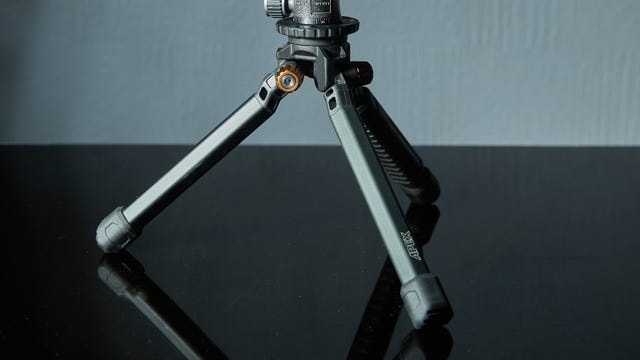
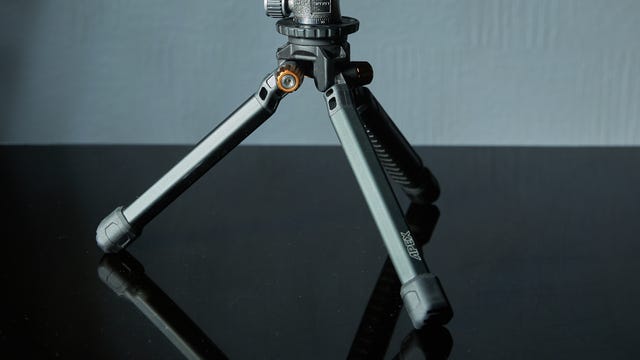
Having a solid tripod can make all the difference in getting stable, wobble-free video, particularly if you want to put yourself in the frame. PolarPro’s Apex Minimalist tripod is a great option for mobile producers, as its compact size means it’s easy to chuck into a backpack, but it’s burly enough to support bigger cameras should you need to.
I love using it for static shots, and for holding my phone up to shoot vlogs while walking around. It comes either with an integrated twist-locking ball head, or as the tripod legs only. I prefer the latter as it allows me to use my own compact ball heads, which are more stable with heavier loads.
How we test iPhones
We test phones in real-world scenarios, looking at the performance of the processor, battery and cameras, and judge how each model compares to its competition. We take value into account, as well as extra features like storage, connectivity, software additions and anything else that will make a real difference to your life with the product.
Accessories like the ones seen in this list are treated in exactly the same way; they’re put to real-world use both indoors and outside, evaluating how well they perform and whether they’re worth the money. Everything that’s featured here has been tested by our own fair hands and if it didn’t impress, it didn’t make the list.
Technologies
Chinese authorities reportedly seize F-35 parts in Hong Kong
Chinese authorities reportedly seized F-35 stealth fighter components that were diverted to Hong Kong, prompting investigations by Australia, the U.S., and Lockheed Martin.
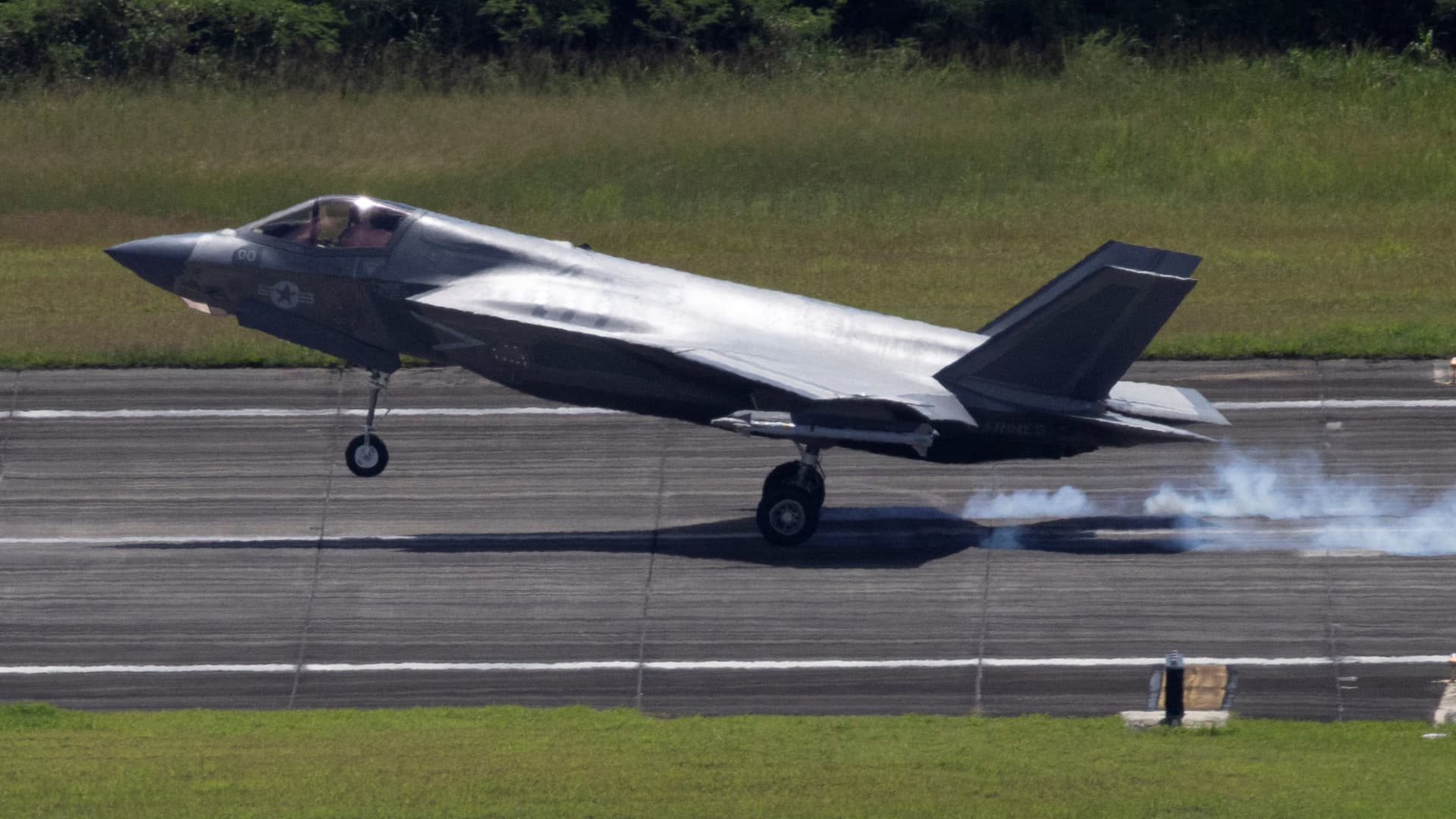
Chinese authorities are reportedly in possession of F-35 stealth fighter parts after components of the aircraft were “inexplicably diverted to Hong Kong.”
Shipping giant UPS was sending a cockpit canopy and weapons bay door to the U.S. from Australia in late May when it was diverted, Bloomberg reported on Thursday, citing sources.
Both parts were coated with a radar absorbing material that enhances their stealth capabilities, the sources said, and it was not clear why the shipment was diverted to Hong Kong.
On Tuesday, Australian Defense Minister Richard Marles told reporters Tuesday that Australia was aware of the shipment, and was working with the U.S. and Lockheed Martin to see how Canberra can assist in the investigation.
Marles also said it was his understanding that no sensitive parts were in the missing shipment, according to CNN.
Lockheed Martin, UPS and the Pentagon didn’t immediately respond to requests for comment from CNBC.
The F-35 is a fifth-generation stealth fighter made by Lockheed Martin, and Washington controls the sale of these aircraft only to its closest partners and allies.
For example, Turkey was excluded from the F-35 program in 2019 after the country purchased the Russian S-400 anti-aircraft system, which raised fears that the Russian system could be used as an intelligence collection platform to learn about the aircraft’s capabilities.
China has targeted F-35-related U.S. military data in past espionage cases, according to U.S. prosecutors in 2024.
A $24 billion sale of F-35s to Saudi Arabia was approved last week, but some lawmakers in Congress have already expressed concerns over the technology finding its way into Chinese hands.
Congressman Raja Krishnamoorthi (D-IL) said that the U.S. intelligence community has warned that the sale “could put the crown jewels of American military technology within reach of the Chinese Communist Party.”
Users of the fighter jet include Australia and Belgium, as well as the U.S. itself, with other countries like Japan, Canada and Singapore having also ordered the aircraft.
F-35s have also been used by the U.S. during the Iran conflict, with one aircraft suffering damage from enemy fire, according to the Department of Defense.
Technologies
Oil prices dip as diplomatic hopes for Iran conflict rise
Oil prices fell on Friday after reports of U.S.-Iran talks in New York, though investors remain concerned about inflation and geopolitical tensions.

Oil prices dropped on Friday after a report emerged that U.S. and Iranian negotiators meeting in New York are exploring a step‑by‑step agreement to resolve the confrontation in the Persian Gulf.
November Brent crude futures slipped 1% to $93.66 a barrel, while U.S. West Texas Intermediate November futures fell 0.68% to $105.86 per barrel.
According to Reuters, a senior Iranian official said the most realistic way forward is for Tehran to permit shipping through the Strait of Hormuz if the United States ends its naval blockade.
The United States and Iran had previously agreed to this approach under a June 17 memorandum of understanding, but the arrangement soon broke down and fighting resumed. It remains unclear what distinguishes the present talks from earlier attempts.
Iran now seeks a return to the June 17 memorandum of understanding before the upcoming U.S. midterm elections, Iranian President Masoud Pezeshkian told media outlets on the sidelines of the United Nations General Assembly, according to Al Jazeera.
“It is understood that the two sides have been communicating via mediators,” said David Morrison, a senior market analyst at Trade Nation. Morrison added that investors remain uneasy about persistent inflation, rising energy costs, and the bellicose rhetoric exchanged by the U.S. and Iran at the UN General Assembly in New York.
Technologies
U.S.-China trade truce extended for two months, Bessent says, as Xi begins state visit
The deal, which was set to expire in November, will now be extended to Jan. 10, Bessent said, noting the need for Beijing to fulfill more deliverables.
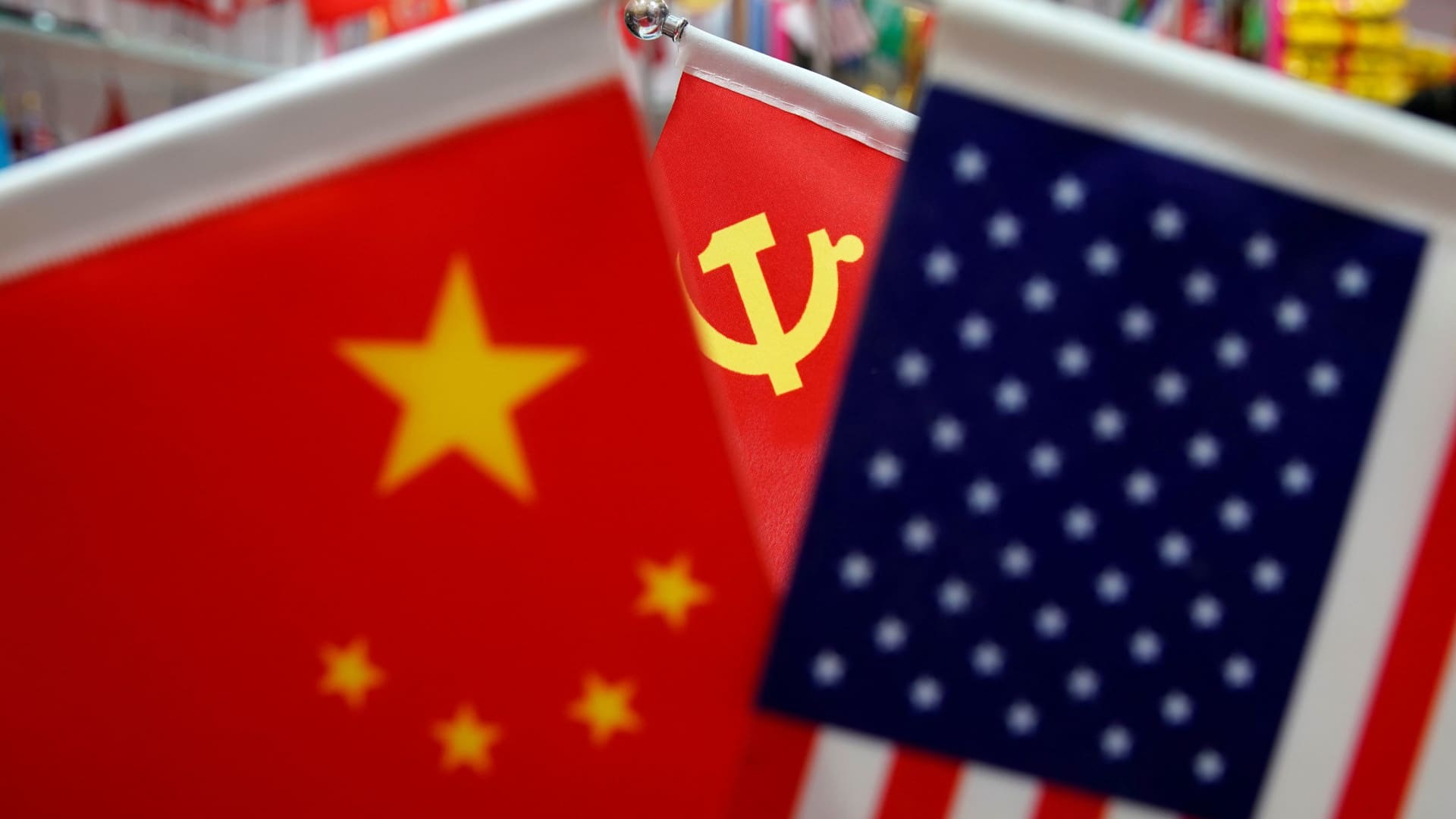
The U.S. and China have extended a truce to keep tariffs lower for longer and rare earths flowing, U.S. Treasury Secretary Scott Bessent said Wednesday local time.
He was speaking on Fox News, as Chinese President Xi Jinping landed in Washington, D.C. for a state visit through Friday.
Xi and Trump agreed to a one-year trade truce at a meeting in South Korea last October. The deal, which was set to expire in November, will now be extended to Jan. 10, Bessent said. He added that Beijing needs to fulfill more deliverables.
Ahead of this week’s summit, many had expected the truce would be extended by six months or longer.
The U.S. and China should discuss their differences on trade issues on the basis of mutual benefit, without actively imposing restrictions, said Dong Shaopeng, senior researcher at Renmin University of China. He expected the trade truce could be continually improved and extended.
Chinese state media did not immediately note Bessent’s comments on the trade truce.
The two-month extension “suggests to me the U.S. is unsatisfied with China’s offers and wants to keep the heat on, with a bonus being it is more likely that Xi goes to the G20 in Miami,” said Scott Kennedy of the U.S.-based think tank Center for Strategic and International Studies.
Trump visited Beijing in May. The two leaders could also meet alongside an APEC meeting in Shenzhen in November, and the G20 summit in Miami in December.
However, Jens Eskelund, president of the European Chamber of Commerce in China, pointed out that simply extending the trade truce does not address challenges companies face, including the lack of a standardized approach to apply for rare earths export licenses.
Xi said in an official readout for his arrival that he is confident the visit will produce “fruitful results” for both sides. He said the two countries should be partners, not rivals, and work to build a stable relationship where competition and differences are managed. The readout did not mention tariffs, rare earths or artificial intelligence.
Footage streamed on China’s state broadcaster showed U.S. President Donald Trump and First Lady Melania Trump meeting Xi and First Lady of China Peng Liyuan at the foot of the Chinese leader’s jet. The video did not show the U.S. and Chinese leaders shaking hands — it focused on Xi and his wife shaking hands with two children presenting them each with bouquets.
After greeting Xi, Trump told reporters he would discuss the Iran war with the Chinese leader, among “many other subjects.”
Bessent met with Chinese Vice Premier He Lifeng in New York ahead of Xi’s arrival in the U.S. The two sides discussed setting up an alert system for AI incidents, according to Bessent.
While executives of major U.S. tech companies plan to join a summit dinner on Thursday, none of their Chinese counterparts are expected to attend.
Politburo Standing Committee Member Cai Qi and China’s top diplomat Wang Yi accompanied Xi, according to state media.
—CNBC’s Eunice Yoon and Ashlee Trujillo contributed to this report.
-
 Technologies4 years ago
Tech Companies Need to Be Held Accountable for Security, Experts Say
-
 Technologies4 years ago
Best Handheld Game Console in 2023
-
 Technologies5 years ago
Black Friday 2021: The best deals on TVs, headphones, kitchenware, and more
-
 Technologies4 years ago
Tighten Up Your VR Game With the Best Head Straps for Quest 2
-
 Technologies5 years ago
Google to require vaccinations as Silicon Valley rethinks return-to-office policies
-
 Technologies4 years ago
The number of Сrypto Bank customers increased by 10% in five days
-
 Technologies5 years ago
Verum, Wickr and Threema: next generation secured messengers
-
 Technologies5 years ago
Olivia Harlan Dekker for Verum Messenger