
Technologies
Start Your Project Off Right With the Best 3D Printing Filament in 2022
There are a lot of different 3D-printing materials out there. Here’s how to pick the right one for your project.

You’ve got the best 3D printer you can buy, but without materials, you can’t get printing. If you chose a fused deposition modeling, or FDM, printer — the most common type of 3D printer for hobbyists — you’ll need a few rolls of special plastic. The material we use for FDM 3D printing is called filament and it’s an easy material to pick up. There are, however, different types of filament, each good for certain projects and terrible for others. You’ll want to make sure you’re using the best filament for the job at hand, or it may fail.
I’ve put together this primer of the different types of filament as well as choices of the best filaments from my favorite brands. This will be updated regularly and contains some great choices for you to start.
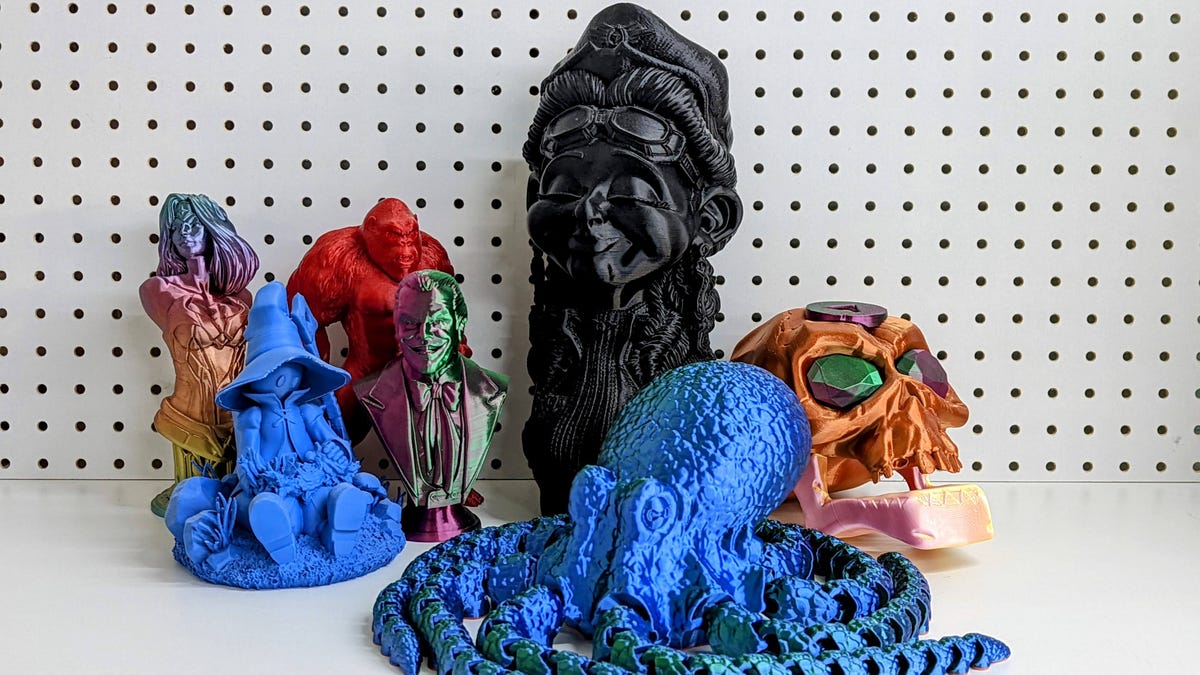
It’s important to choose both the right type of material and the right brand of that type, be it PLA, ABS or something more exotic. Here are the best of each of the five main filament types.
Read more: Best 3D Printers
Those categories are:
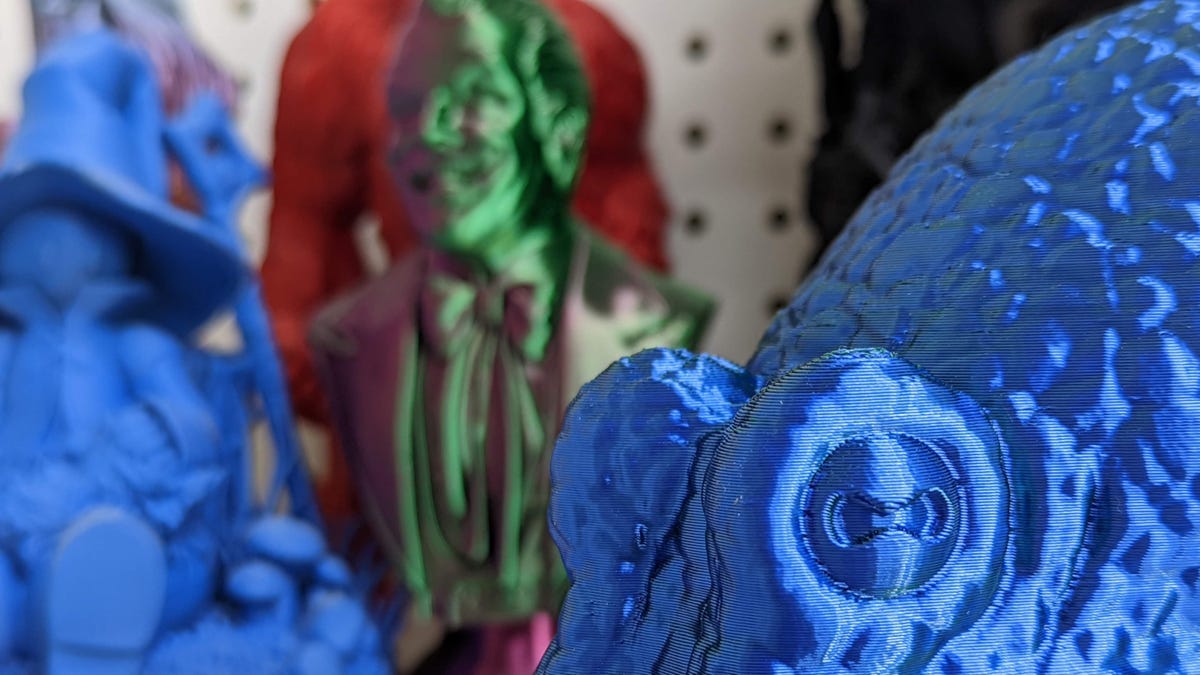
PLA is the easiest material to use to make awesome things.
James Bricknell/CNETPolylactic acid
Polylactic acid, or PLA, is the most common 3D printing filament and the easiest to use. Unlike most plastics, it’s made from corn starches so it is non-toxic and, in theory, compostable, though it takes an industrial composter to do it. PLA uses a fairly low heat — between 190 and 215 degrees Celsius (or between 374 and 419 degrees Fahrenheit) — to melt the plastic for extrusion so it is the safest of the filaments. Almost every FDM 3D printer in the world can print PLA.
PLA pros
- Nontoxic
- No awful smell
- Easy to use for a beginner
- Almost universally usable on any FDM printer
- Very cheap
PLA cons
- Can require a lot of sanding
- Can easily warp in the sun or high-temp environments
- Can be brittle
MatterHackers
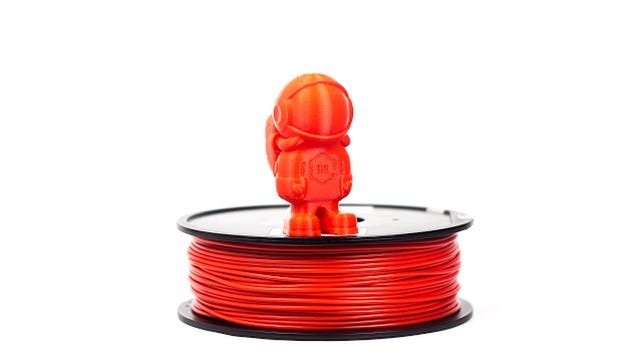
Build PLA from MatterHackers is great for projects that require finishing (sanding, painting and so on). I have about 12 rolls of it in my workshop, and use it for large projects, including my Mandalorian armor or cosplay swords. The dimensional accuracy — how consistent the diameter is along the length of the roll — is good, though nothing mind-blowing. It’s well within the sweet zone.
Post-processing is where Build Series PLA shines. It is simple to sand and holds paint well, as long as you use a good primer and filler first. Like all PLA, it holds together well using superglue and even takes putty and Bondo without complaint.

Flashforge
The color of this PLA is hard to describe, but it is beautiful. It has a purple-blue-green hue to it and looks like metal that’s been heated up a lot. Right now it’s probably my favorite-looking filament on my shelf.
It’s also easy to print with, and because of the shifting colors it hides layer lines well. If you’re looking for a dark filament that you aren’t painting over, I’d pick up a few rolls of this today.

MatterHackers
For something completely different in the PLA world, check out Quantum by MatterHackers. Transitional filament, mixing multiple colors, has been around for a while, but it normally changes color across the length of the material. This causes it to change color as it goes further up the model.
Quantum is actually two colors fused across the entire width, so you get an amazing transition from left to right. It’s absolutely mesmerizing, and I love using it for all sorts of different projects. From vases to giant articulated octopuses, it makes any model look breathtaking.

Cookiecad
I have been meaning to buy some of this beautiful filament for some time now, and I’m really happy I did. The color is almost exactly the same as Mint choc chip ice cream and the tiny flecks of marble color enhance the look even more. It prints great, with a nice glossy finish, and I found printing it at a higher temperature brings out that gloss really well.
More importantly than the print quality though, I love it for the way it makes me feel. The color just makes me happy and reminds me of days at the beach with my kids. It’s gorgeous.

Sunlu
Sunlu is one of those filaments that is really easy to get hold of and prints well every time you use it. It says its dimensional accuracy is +/- 0.02mm, but I’ve been lucky to never have the variance above 0.01mm in hands-on use.
Sunlu also comes in some beautiful matte colors, which is a welcome break from more common shiny filaments. Sanding and printing with it is easy. If you’re new to 3D printing and need to increase your collection of PLA, this is a cheap way to do it.

James Bricknell/CNET
Rainbow filament tends to transition between colors very slowly. This means you often get only one or two colors per model. Creality’s latest rainbow filament has a much shorter transition, so you get a much nicer rainbow effect across your models. It looks great on this amazing dragon from Fotis Mint.

Polymaker
For projects you can show off without having to paint them first, PolyTerra might be for you. The colors are vivid, and because they are matte, you don’t lose details in the reflections like with shiny filament.
PolyTerra also comes in recycled cardboard reels, and the creator, Polymaker, will plant a tree in the area where the roll was bought to help offset the cardboard used. This filament is still plastic of course, but it helps my conscience to use it.
Ataraxia Art
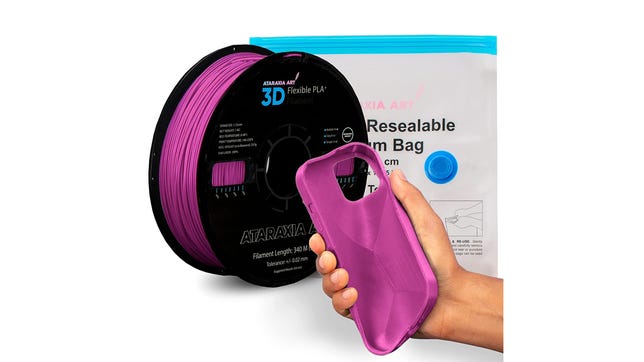
In this article about this flexible PLA I explained how, although this isn’t technically PLA, it does print much easier than TPU, a more common flexible filament. I used it to print an amazing Mandalorian Blacksmith helmet for my 4-year-old. She can’t break it because it’s so bouncy.
This isn’t for newbies, though. It took a lot of trial and error to get the setting for my 3D printer right, and because it is so soft the accuracy can be pretty wonky. But for something that’s different from normal PLA, it is worth checking out.
Acrylonitrile butadiene styrene
ABS was one of the more 3D printing filaments a few years back, and it still has some excellent uses. The biggest downside is the toxicity. You don’t want to breathe in ABS as it melts, so you’ll need a well-ventilated area. That aside, it’s sturdier and more heat-resistant than PLA. Most printers can print ABS, but you’ll need a heated bed that can reach 100 degrees Celsius for best results and protecting your printing job in an enclosed printer is a good idea.
ABS pros
- Can withstand a lot of heat
- Easy to sand
- Can be smoothed with acetone for a perfect shine
ABS cons
- Its fumes are toxic so it requires ventilation
- It needs far more heat to print than PLA
- You will need an enclosure to get good results

Inland
Inland makes good filament across the board and its ABS is no different. I’ve never had issues with the dimensions, and the final product has consistent layer lines. Sanding Inland ABS is a joy as the material can be wet-sanded to a smooth finish.

MatterHackers
Fillamentum is one of my favorite ABS makers. The colors are always so vibrant, and while it costs a little more than the competition, it keeps that vibrancy even after the model is finished printing. If you’re looking for ABS that you don’t need to paint, Fillamentum is a great place to start.
Polyethylene terephthalate glycol
PETG is chemically similar to the plastic that water and soft drink bottles are made of, and is a great alternative to ABS. It has the heat-resistant properties of ABS without the toxic fumes and can be sanded much like PLA. Most FDM printers that can print PLA can print PETG, though it takes a little more effort to get right.
PETG pros
- Easier to print than ABS
- Holds a finish well
- Easier to store than other filaments
PETG cons
- Requires high temps, which can damage printer parts over time.

Protomaker
This USA-made PETG has an excellent glassy look that is hard to achieve in melted plastic. The aqua color is subtle and gives the appearance of a stained glass window when printed at the high end of its temperature scale.
Printing with it was easy, though the roll is a little big for printers like the Bambu Lab X1, that has enclosed filament system.

Matterhackers
The Pro series filament from MatterHackers is a much nicer product than a lot of standard PETG. Yes, it costs a little more, but it’s designed to help reduce some of the issues that filament suffers from. It reduces shrinkage, so the part you make is as close to the part you designed as possible. This is a great material for those who make 3D printed models for a living, rather than a hobby.

Overture
Overture PETG is a favorite because it comes in an economical two-pack, making it ideal for multiple or larger jobs. I’ve used a lot of Overture products, including PETG and PLA, and they always print well. I once printed an 11-foot-long Masamune sword using Overture and it came out looking awesome.
Thermoplastic polyurethane
TPU is a flexible material that can make cool rubbery models. Most people use it to 3D print phone cases, but more serious modelers often use it to create connectors or flexible hinges to other materials. It can be a difficult material to work with and is best used on a direct-drive 3D printer such as the Prusa Mk3s, rather than a Bowden printer like the Anycubic Vyper. A direct drive printer places the gears to move the filament directly on the print head, while a Bowden setup has them on the frame of the printer.
TPU pros
- Flexible
- Won’t warp in the heat
- Available in fun colors
TPU cons
- Terrible for making solid prints
- Hard to work with on budget printers

MatterHackers
MatterHackers Build Series Materials sit in the perfect balance between usability and cost. Yes, I’ve had failures with the Build Series, but once you get it dialed into your printer, you can make dozens of fun, springy models.
I like to use it to make fun toys for my kid’s preschool as they can be thrown around with no fear of breaking into small, sharp pieces.
Exotic filaments
Exotic filaments are ones that are outside the normal five choices, or interesting variations on those choices. They’re often PLA mixed with carbon fiber or glow-in-the-dark chemicals and something that prints outside the normal parameters of a 3D printer. You’ll often need to upgrade your printer nozzle to use these. It’s advanced stuff, but I wanted to show you my favorite glow-in-the-dark filament, which is fun to print with.

Amolen PLA
Glow-in-the-dark filament normally comes in a standard “radioactive” green, but this beautiful roll transitions through multiple colors. It’s simply gorgeous.
It’s also worthwhile to buy some replacement brass nozzles for your printer as glow-in-the-dark filament can chew them up pretty quickly because the glowing material is more abrasive than standard colors.
Filament FAQ
What filament should I start with?
If you’re buying a printer for the first time, the best choice of filament is PLA. It is the easiest to print with, the safest in terms of fumes and the most readily available. Think about laying in a store of PLA when you first start. A 1-kilogram roll feels like a lot, but once you get the itch, materials get eaten up quickly.
Are there different sizes of filament?
Yes. There are two main thicknesses of filament and if you get them mixed up, your machine won’t print.
1.75mm filament is the most common. It’s been adopted by most of the 3D manufacturers in the world and if you have an entry-level printer, it’s likely to run on 1.75mm filament.
Some 3D printers still use the thicker 3mm style, though, so make sure you know which one yours uses before you spend a lot of money on the wrong material.
Are all filaments toxic?
When 3D printing with any filament, it is important to remember that you are essentially burning plastic. Inhaling that kind of thing is never going to be good, but not all filaments are equally bad.
Of the four main filament types, ABS is easily the most toxic. You shouldn’t think about printing it unless you have a well-ventilated space away from your day-to-day living spaces. I have a workshop with a full ventilation system and the fumes can still be pretty bad.
Both PLA and PETG are considered nontoxic, though you still want to keep your area ventilated as you use them. Both filaments are safe to print inside your home and while the fumes can smell pretty bad, they’re not classed as carcinogenic. While other forms of TPU can be toxic, the filament you use for 3D printing is considered nontoxic and nonreactive so you should be fine printing that as well.
Does the filament keep the same color after printing?
Normally yes. If your printer isn’t calibrated well, it could burn the filament, which would discolor it. But normally the color accuracy is pretty close.
A special note on clear plastics: You will not be able to get a completely translucent print with filament. The nature of the printing process makes any clear plastic misty and infill makes it blurry as well. If you are looking to print glass-like models, you will need a resin printer.

Having the right diameter makes for a better print.
Dan Ackerman/CNETHow we test filament
The testing of filament is mainly focused on a few details: Dimensional accuracy, winding precision, and printing quality. Winding precision is a visual test where I check to make sure the filament works well on the spool, without any crossovers that can cause snags while printing.
Print quality is done using a CNET calibration test that I use to test all of the 3D printers I review. When checking for filament quality, I’m looking for noticeable roughness and missing filament where moisture or other contaminants have interrupted the process of melting and cooling.
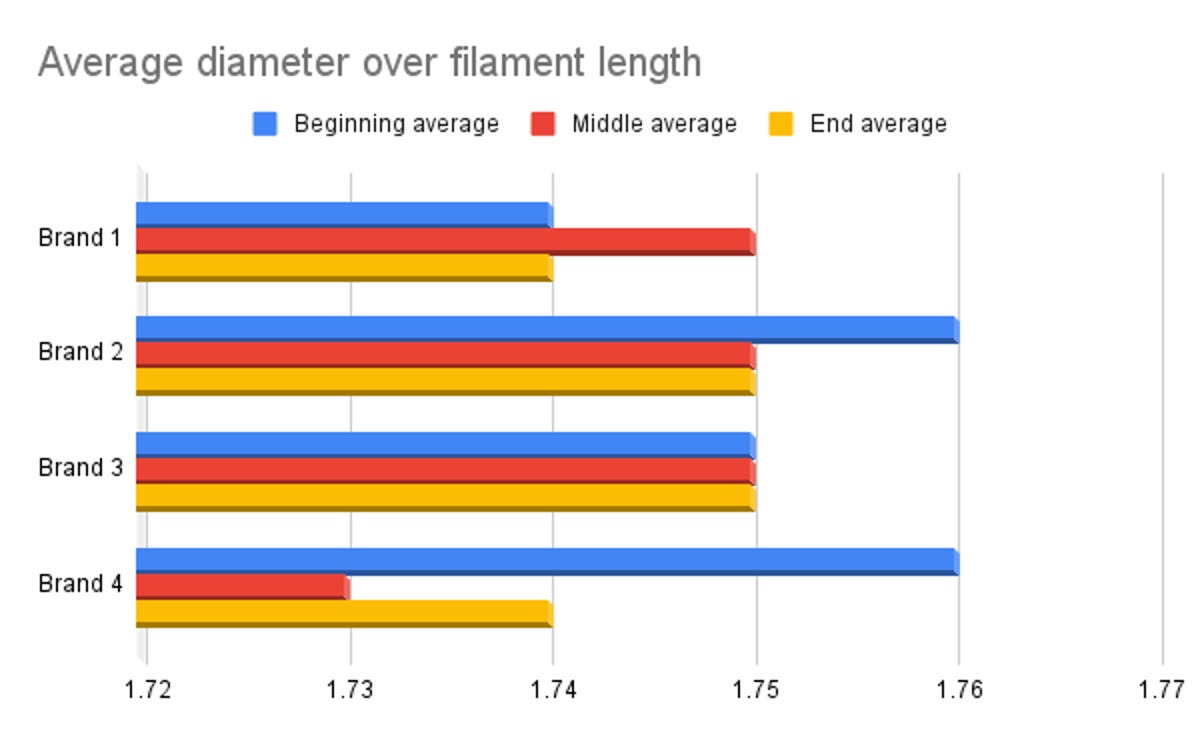
Dimensional accuracy is perhaps the most important test as it measures the consistency of filament. As you move along, the filament changes in diameter will cause the 3D printer to over- or under-extrude filament. This creates noticeable scarring in your model, or worse, complete failure. You want the material to have the same diameter the whole way through.
To measure the accuracy, I take a 5-meter piece of filament from the beginning, middle and end of the roll and measure the diameter at four equally spaced points. I then add all of those measurements up and divide the total by 12 — the total number of measurements taken — to give me an average across the roll. Most modern printers use 1.75mm filament so you want the filament to be as close to that as possible.
Great filament has a variance of +/- 0.02mm, good filament is +/- 0.03mm and rough filament is anything +/- 0.05mm. All of the filaments we have recommended here are at least 0.03mm on average.
More on 3D printing
Technologies
Trump Maintains US‑Iran Negotiations Continue Amid Tehran’s Denials of Duplicity
President Trump insists that US‑Iran talks are ongoing despite Tehran’s denial of any negotiation plans, while warning that only a deal or total surrender will allow passage through the Strait of Hormuz. Conflicting statements from both sides have heightened uncertainty as the conflict enters its sixth month.

On Monday, President Donald Trump asserted that negotiations between the United States and Iran are still taking place, even after Tehran stated it has no intention of engaging in direct talks with Washington.
In a fiery Truth Social post, Trump labeled Iran’s leaders “unbelievably duplicitous,” claiming they are lying about ongoing peace talks “whether Iran wants to admit it or not.” He repeated his assertion that the United States completely controls the Strait of Hormuz, despite maritime traffic through the crucial route lingering at only a small fraction of pre‑conflict levels.
He wrote, “Nothing reaches Iran unless we allow it, and nothing will pass unless a deal—or total surrender—is achieved.”
Earlier that day, Iranian Foreign Ministry spokesperson Esmail Baghaei told reporters there is no imminent plan for U.S.–Iran negotiations, contradicting Trump’s earlier comment that talks would resume Monday afternoon. Baghaei added that Iran’s only current discussions are with Oman concerning the Strait of Hormuz.
The conflicting statements have heightened uncertainty over the peace‑talk process and the broader conflict, now in its sixth month.
Trump’s assertion about new negotiations came a day after he said on Truth Social that he had agreed to cancel a massive strike against Iran “subject to being able to rapidly make a DEAL.” He said in the same post that Iran and other Middle Eastern countries had asked him to hold off on that attack because “the perimeters of a deal has been agreed to.”
Trump has claimed dozens of times throughout the more‑than‑five‑month‑long war that a deal is at hand. No permanent deal has been signed, and a temporary ceasefire reached in June has fallen apart.
Trump has also repeatedly threatened to launch devastating strikes against Iran before backing off. After the latest example, oil prices on Monday fell and stocks surged.
BMI, a research unit of Fitch Solutions, said in a note Monday that a broader diplomatic understanding on reopening the Strait of Hormuz is still achievable this quarter, while raising the probability of its escalation scenario to 35% from 25%, citing mounting military, diplomatic and economic signs of rising U.S.-Iran tensions.
“Diplomatic progress is likely to be punctuated by periodic military flare-ups, while miscalculation by either side could trigger a renewed escalation,” BMI analysts wrote in a note. The firm said the key issue to watch is the future governance of the strait, as the Iran-Oman talks — potentially backed by Gulf states, China and the U.S. — point to efforts to build a post-conflict shipping framework.
Shipping risks persist even as diplomacy appears to be advancing. The United Kingdom Maritime Trade Operations Centre said it received a report of an incident 20 nautical miles (23 miles) northeast of Khasab, Oman — at the mouth of the strait — with a tanker’s master reporting an explosion in close proximity to the vessel at about 20:37 UTC Sunday (4:37 pm ET). The vessel and crew were safe and authorities are investigating, UKMTO said, advising ships to transit with caution.
The proposal Trump announced over the weekend calls for the U.S. and Iran to return to negotiations and continue ironing out some of the thorny issues that had derailed diplomatic efforts, according to The Associated Press, citing a regional official involved in the mediation efforts.
The official said the proposal also includes a reopening of the Hormuz Strait and halting attacks across the region, including by Iranian-backed militias in Iraq on the Arab Gulf countries and Jordan.
The U.S., for its part, will end its naval blockade on Iran and allow Tehran to export its oil, the official said, adding that no deal has been reached, although the mediation efforts remained underway.
Trump’s weekend reversal has lowered the temperature after days of escalating attacks across the Gulf. Kuwait said Saturday that Iranian forces launched a wave of drones within its airspace, with its military destroying multiple aircraft after Iran targeted critical infrastructure in the country’s north.
A parallel track with Muscat is also advancing. Iranian diplomats said Tehran was close to reaching a new arrangement with Oman to manage shipping through the Strait of Hormuz, a deal critical to preventing the war from escalating further, according to the Financial Times.
Iranian officials said negotiations over future management of the Hormuz Strait with Oman, which sits on the opposite shore of the waterway, are in their final stages. The agreed shipping route would be different from those used before, according to Iran’s Foreign Ministry spokesperson, Baghaei, adding that the new route was separate from the issue of the strait’s reopening or continued closure.
Technologies
Oil Prices Slide as Trump Halts Planned Iran Strike
Oil prices dropped after Trump cancelled a planned strike on Iran, with WTI down about 5% and Brent near 5% lower. He said the move followed requests from Tehran and regional allies for a pause while a deal shaping the Strait of Hormuz and Iran’s nuclear program is negotiated.
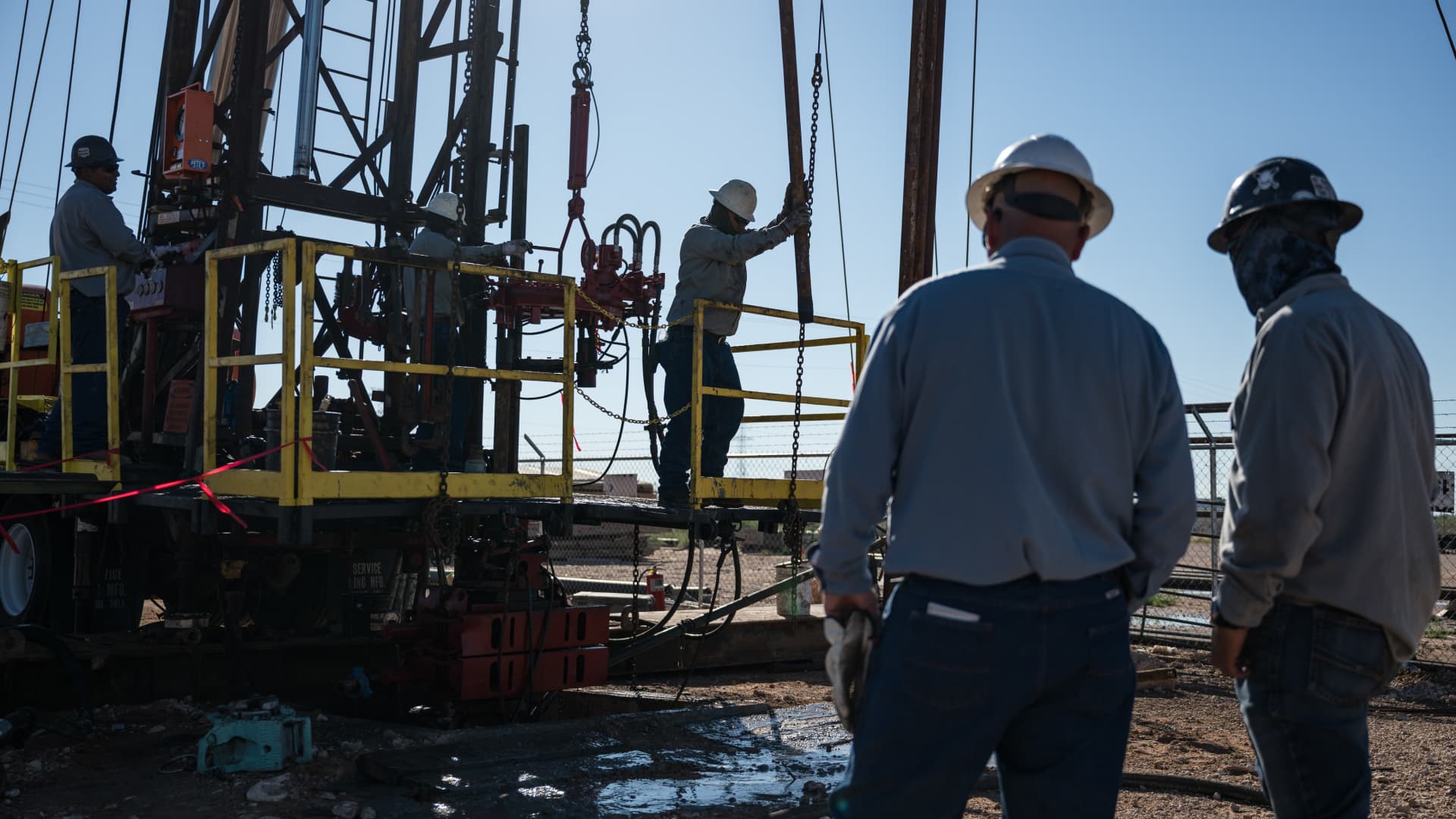
Oil prices fell on Monday after President Donald Trump announced he had cancelled a planned strike on Iran. WTI futures dropped roughly 5% to $80.34 a barrel, while Brent slipped about 4.7% to $83.77 a barrel.
Trump said early Sunday he called off the strike after Iran and several Middle Eastern nations asked him to hold off, noting that the outlines of a deal had been agreed upon. He added that the prospective accord would entail the immediate, full opening of the Strait of Hormuz and an end to Iran’s nuclear ambitions, according to his Truth Social post.
The president had been considering another round of strikes as diplomatic hopes waned since the conflict began on February 28. He said the U.S. and Iran would meet for talks on Monday, but Iran denied any scheduled negotiations with Washington, citing PressTV. Iran’s foreign‑ministry spokesperson Esmaeil Baghaei clarified that Tehran was only discussing shipping routes through the Strait of Hormuz with Oman. In a follow‑up Truth Social message, Trump insisted that, regardless of Iran’s acknowledgment, the United States is indeed discussing a solution to a long‑standing problem created by Iran.
Technologies
Oil Prices Drop as Trump Cancels Planned Attack on Iran
Oil prices fell sharply after President Trump announced the cancellation of a planned strike on Iran, citing a new deal that would open the Hormuz Strait and end Iran’s nuclear threat.
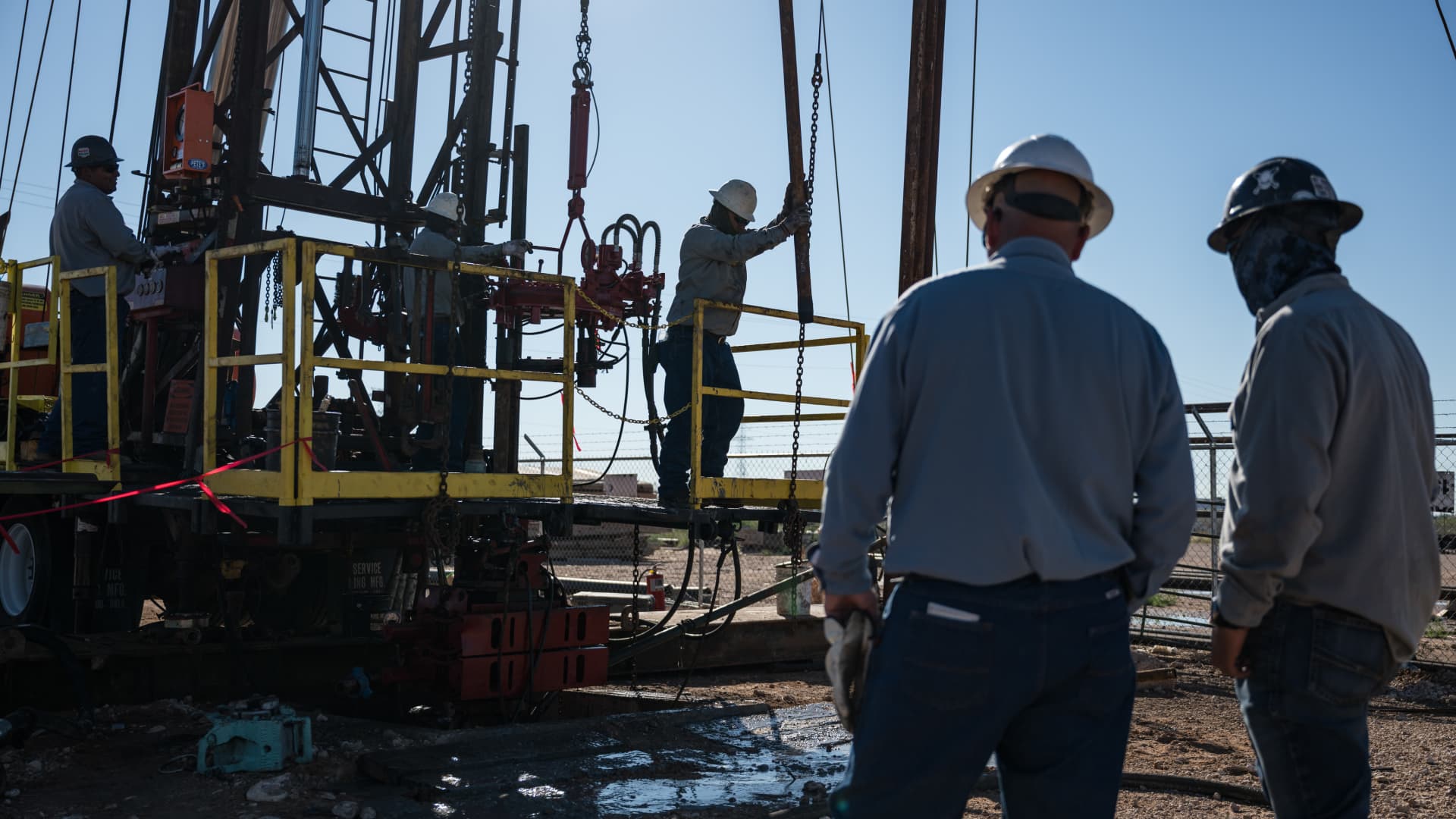
Oil prices fell sharply on Monday after President Donald Trump announced that he had called off a planned strike on Iran.
West Texas Intermediate futures, the U.S. benchmark, slipped roughly 5% to close at $80.34 per barrel, while Brent crude, the international benchmark, declined 4.7% to settle at $83.77 a barrel.
Trump made the announcement early Sunday, saying he had canceled the strike following requests from Tehran and other Middle Eastern countries.
In a Truth Social post, he wrote: “We have just been asked by Iran, and other Middle Eastern Countries, to hold off any attack in that the perimeters of a deal has been agreed to.”
The president indicated that the proposed agreement would include the immediate, complete, and total opening of the Hormuz Strait, as well as an end to Iran’s nuclear threat.
Trump had been weighing additional strikes amid diminishing prospects for a diplomatic resolution to the conflict that began on Feb. 28. He stated that the U.S. and Iran would hold negotiations on Monday.
Tehran denied that talks were planned with Washington, according to state news outlet PressTV.
Iran’s Foreign Ministry spokesman Esmaeil Baghaei said Tehran was only holding talks with Oman regarding the routes ships can use through the Strait of Hormuz.
In a subsequent Truth Social post, Trump added that whether “Iran wants to admit it or not, we are, in fact, talking of a solution to a problem that they have caused for decades.”
-
 Technologies4 years ago
Tech Companies Need to Be Held Accountable for Security, Experts Say
-
 Technologies3 years ago
Best Handheld Game Console in 2023
-
 Technologies5 years ago
Black Friday 2021: The best deals on TVs, headphones, kitchenware, and more
-
 Technologies3 years ago
Tighten Up Your VR Game With the Best Head Straps for Quest 2
-
 Technologies5 years ago
Google to require vaccinations as Silicon Valley rethinks return-to-office policies
-
 Technologies5 years ago
Verum, Wickr and Threema: next generation secured messengers
-
 Technologies4 years ago
The number of Сrypto Bank customers increased by 10% in five days
-
 Technologies5 years ago
Olivia Harlan Dekker for Verum Messenger