
Technologies
Apple Should Build Their AR on the Meta Quest
Commentary: Its glasses may be on hold, but the immediate future is already in front of us.
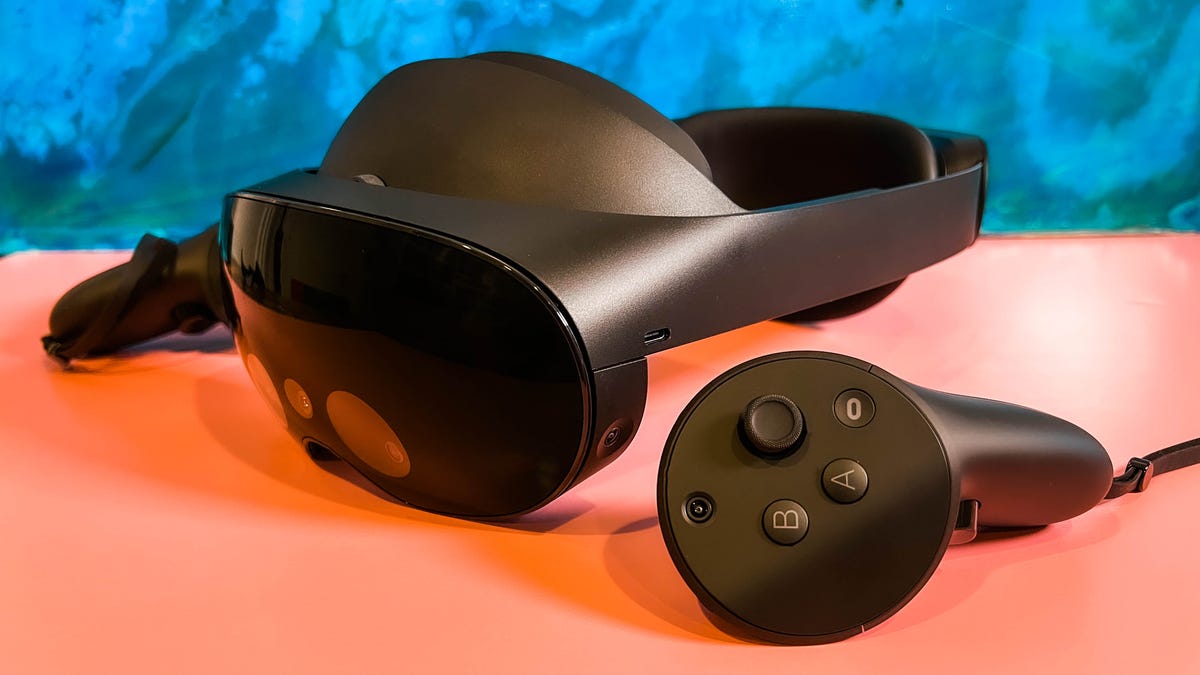
Apple’s first-ever VR-AR or “mixed reality” device is expected this year, and already its follow-up product seems to be on hold. According to Bloomberg’s reliable Mark Gurman, a planned set of AR glasses isn’t coming from Apple anytime soon. That’s OK: AR glasses don’t seem like they’re imminent from anyone.
After a trip to Las Vegas to try out some of the emerging technologies around future VR and AR headsets, one thing is increasingly clear: Everyone’s trying to figure out AR glasses, but everyone’s trying to perfect VR headsets. The difference between those two scenarios is bigger than you think.
All-day AR glasses that are useful, work convincingly, have long enough battery life, work with your phone and function as actually legit prescription glasses haven’t materialized, although the pieces are coming into place. Companies like Meta have promised a decade-long path to these glasses. It turns out, maybe, that’s going to be the case for everyone else, too. I’ve seen smart glasses that look real but don’t do much, or glasses with AR that feel chunky and do some things, but don’t quite work with my vision and can’t figure out how to work with my phone yet. Chipmaker Qualcomm is working on this; Google, Apple and Samsung need to solve it someday, too.
In the meantime, VR already has a very real and reasonably popular product that most families I know in the everyday world are familiar with: the Meta (formerly Oculus) Quest 2.
Read more: The Quest 2 Is Still the Best VR Headset For Now
That recognition is no small thing. I think of the Quest’s place in everyday life like the Amazon Echo was years ago: something odd that over time became familiar, normalized. Something reasonably priced, and good enough to do a few things actually well. The Quest 2 is basically a game console. Where Meta has struggled is figuring out how to expand that base beyond gamers.
Following Meta’s playbook is something I expected Apple would do. Heck, I expect most companies are going to do it. The Quest 2 works just like most people imagine it will, or better. It’s a bit of instant magic that’s totally wire-free.
The Quest 2 does have downsides. In fact, those problems emerge the more you use it. I find connecting with friends and social spaces gets weird and buggy, prone to lag, disconnects and way-too-basic avatars. The battery life is bad. For fitness apps, which the Quest 2 can do surprisingly well, it’s still not good at really managing sweat or keeping my glasses from fogging.
Even though Meta wants the Quest 2 and higher-end, work-focused Quest Pro to open up new ways to work by creating virtual monitors around my laptop, the connections and display quality aren’t good enough to be more than a clever experiment most of the time. I can see my laptop keyboard with the Quest Pro’s passthrough cameras, but typing feels awkward and nowhere near as good as when I’m just on my laptop… and I can’t see my phone screen to check messages, either. The Quest can show me phone notifications like a basic smartwatch from a decade ago, but I can’t interact with them.
These VR headsets can even do some basic AR, using passthrough cameras that “mix reality” to show the real world in fuzzier video, with VR layered on top. The effect is sometimes pretty amazing, and could even approach feelings I’ve had with early AR headsets like the Microsoft HoloLens 2.
So where does that put Apple? Clearly, there’s a headset coming soon. And according to Bloomberg’s Gurman, the next goal after this first expensive headset is to work on a more affordable model. It’s like Meta’s approach to the Quest and Quest Pro, in reverse. And there are plenty of things Apple could focus on to make its entry into VR (and AR) worth the effort.
Better comfort, better fitness
The Quest 2 is already an affordable fitness device, and pairs with watches to show heart rate and fitness stats. Apple clearly has an advantage on time spent developing the Apple Watch, fitness and health tracking, and its Fitness Plus subscription video workouts, which also have overlaid fitness stats.
Apple could emphasize workouts and fitness on its headset, with comfortable, breathable straps and face pieces that could feel better for exercise. Meta is starting to realize it needs to improve comfort for VR: A recent Razer partnership using head straps made by CPAP-maker ResMed shows a need for better materials. I’d expect Apple to make this aspect a key part of the headset’s advantages. There are other advantages, too. Apps like Beat Saber and Supernatural use music for fitness, and Apple already has all of Apple Music at its disposal.
Connect better with laptops, iPads, phones, watches
VR headsets right now have an extremely hard time working well with all the other things we have lying around us. I can’t get a Quest to connect nicely with my phone all the time. To work with my laptop, I need a specialized third-party app with its own thing I have to install on my laptop and turn on.
Meanwhile, Apple has been focusing on handoffs and continuity across AirPods, HomePods, iPhones, Apple Watches, MacBooks, Apple TVs… all over the place. That’s what’s needed to make a VR headset seem seamless and integrated into other stuff. I want to check my watch in VR, or use it to control apps. Or use my phone, and also see the phone. Suddenly grab my laptop, and the headset connects. Incoming calls? No problem. Send myself things back and forth from my phone or laptop and get all the files and things I want, and not feel like I’m on a vacation from them. That’s what Apple’s headset could set out to achieve.
That’s a best-case scenario. Much like the first Apple Watch and iPhone, the actual Day 1 functions of this headset might end up disappointing.
Better social
Even though the metaverse is on everyone’s minds, there aren’t many big social spaces in VR that work well. Microsoft’s Altspace is nice, but often feels empty. VRChat is wild, experimental, full of big features and ideas, and feels like a messy explosion that’s hard to jump into. Meta can’t get enough people into Horizon Worlds. Even when these platforms do work, for concerts or events, the limits on people who can attend at once, the lag and drop-off, not to mention the avatar limits, make it a trade-off versus any other way you could connect on a phone or laptop.
Apple may not be able to solve this any better for larger-scale experiences, but for more intimate and several-person FaceTime-like moments, Apple could make shared experiences in VR work a lot better. Meta hasn’t perfected social VR yet, and someone needs to.
Can Apple make a better controller? (Or none?)
The Quest 2 controllers are fine, but all of VR leans on the same game controller-like inputs for headsets. Apple’s headset could lean more on hand tracking, or wearable inputs like the Apple Watch. I’m curious if a more work-oriented controller or accessory can be created that makes the headset feel better for taking on apps beyond games. Meta’s working on a long-term, game-changing shift to neural input wristbands eventually, but it’s unclear whether this approach will end up succeeding.
The Quest platform has continually improved its hand tracking over the years. However, hand tracking’s reliance on particular gestures without any physical feedback is an imperfect solution right now. Maybe Apple tries hand tracking along with using an Apple Watch or the iPhone for tactile haptic feedback, or finds a smaller go-between accessory.
I’ve been trying out experimental haptic technology recently, trying to imagine how VR could think its way to new inputs. This headset feels like the biggest opportunity Apple’s ever faced to create a brand-new type of input device that could make a big impact on the landscape. If it’s done right, maybe it’ll be the input accessory that makes its future AR glasses, whenever they arrive, seem feasible.
Build out more interesting mixed reality
For all the Meta Quest Pro promises to blend AR and VR with its mixed-reality capabilities, not many apps tap into its extras yet. I’ve seen some mind-blowing demos of mixed reality in VR with the ultra-high-end Varjo XR-3 connected to a PC, which at least showed me ways that a VR headset could begin to feel like a portal interconnected to my own home reality. Apple could start experimenting with more engaging AR moments in a high-end VR headset, and at least get the ball rolling on things that work in advance of whenever its AR glasses are ready, years from now.
Smaller sessions in VR may make more sense right now
VR is a thing I don’t use all the time, and that’s true for most people. Maybe that’s exactly where Apple should start. It’s not a given we’ll want to wear AR glasses everywhere, or even what those glasses would be good for. In the meantime, a VR headset at home that’s meant to be worn sometimes, but not all the time, is the place most of us feel safest to start. It’s why the Quest is something people actually use.
It’s also a way to avoid dealing with questions of accommodating true prescription vision needs in everyday glasses, something no one’s succeeded in tackling, either. VR headsets sometimes need prescription inserts, but many just fit right over the glasses we already have. I prefer the easy-fit solution: I don’t need to make VR a thing I spend a whole day in. I’ll settle for a truly useful hour or two, and if Apple can make that hour or two even better than what we have now, that’s a big enough step forward for me.
Editor’s note, Jan. 20: Adds mention of Meta’s hand tracking for the Quest.
Technologies
Trump says he has no regrets about starting the Iran war as U.S. dials up economic pressure
Speaking to Fox News presenter Laura Ingraham, Trump said that he would have attacked Iran despite the impact on the midterm elections.
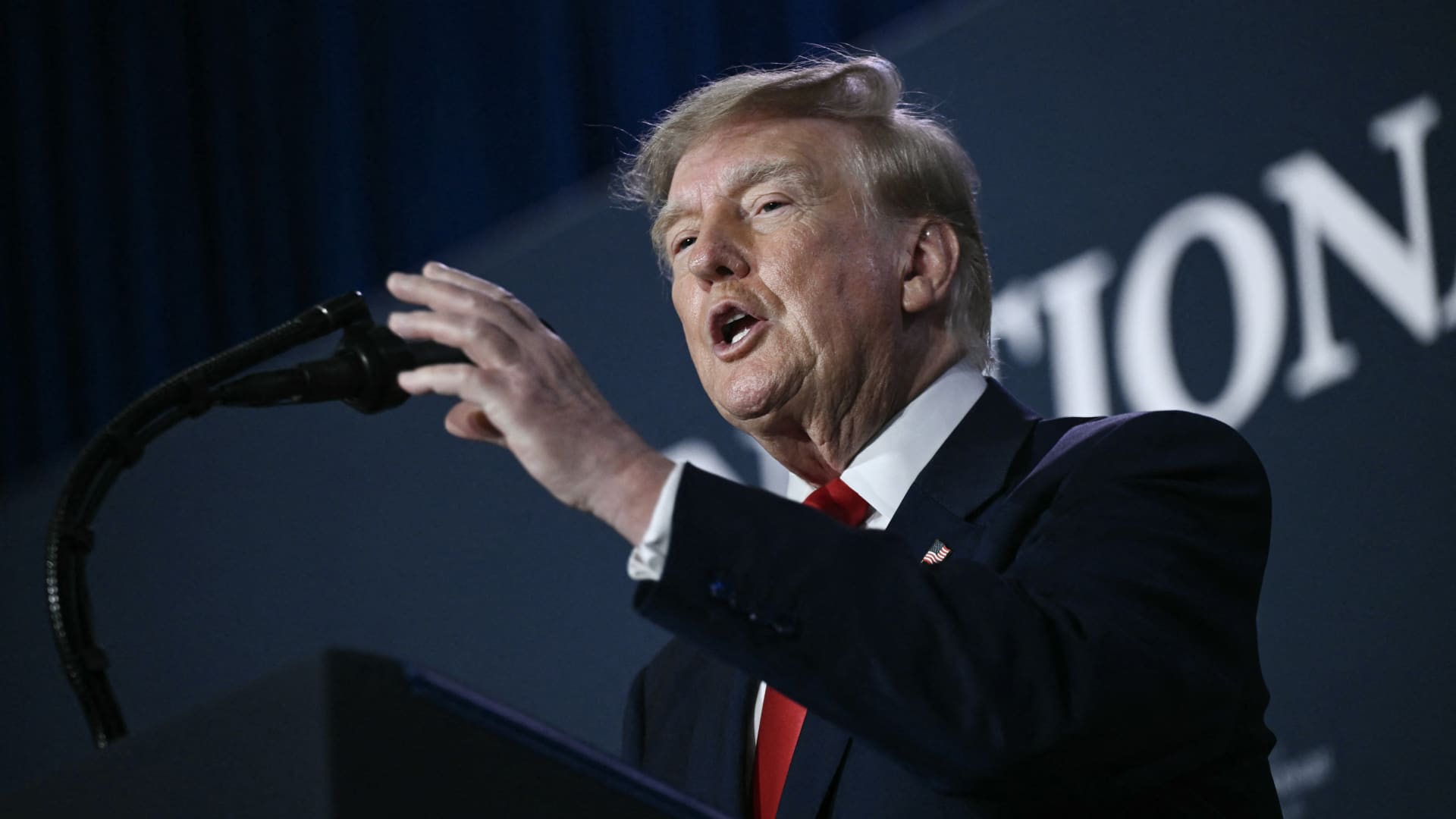
U.S. President Donald Trump said he has no regrets about starting the Iran war and added that “If I had it to do again, I would do exactly what I did.”
Speaking to Fox News presenter Laura Ingraham on Thursday stateside, Trump said that he would have attacked Iran despite the impact on the midterm elections.
“If we hadn’t done Iran, you would be cruising to midterms victory right now,” Ingraham told Trump, to which Trump replied “supposing we were cruising, and all of a sudden Iran has a nuclear weapon. They would use it.”
He added that if Iran had a nuclear weapon, the Islamic Republic would “wipe out” Israel and the Middle East, and start hitting U.S. cities.
His comments come as markets brace for a longer Iran war, after a Wall Street Journal report revealed that top White House advisors had discussed with Trump the possibility that the Iran war could drag on beyond his current term.
Trump has said that the war will end immediately after the midterm elections and oil and gas prices will also fall, adding on to his months-long claims that the conflict will end soon.
In separate comments to NewsNation on Thursday, Trump denied reports that there was any damage to U.S. assets, after Iran claimed it had hit multiple U.S. fighter aircraft at a base in Jordan.
“No damage. No nothing,” Trump said, when asked if there was any truth to the reports.
Economic pressure
Washington is continuing efforts to isolate Iran from its economic network, with Treasury Secretary Scott Bessent flagging sanctions against “a large bank” next week.
“We’re going to do it on Monday because we want to honor the memory of our fallen citizens on 9/11. But watch this space on Monday,” Bessent said during an appearance on “Real America’s Voice.”
Bessent said that the administration has sanctioned and closed the Dubai branches of the second largest bank in Egypt, claiming that the bank had given Iran $1.8 billion dollars. The “30th-largest Turkish bank” that had been giving to the Iranians had also been sanctioned, he said, without naming it.
The U.S. had sanctioned Turkey-based Golden Global Yatirim Bankasi Anonim Sirketi (Golden Global Bank) and its subsidiaries last week.
Trump, in the NewsNation interview, was also asked how Iran could continue holding out under the current economic pressure.
“I don’t know that they’re gonna be able to hold out,” Trump said. “But it’ll get settled after the elections. Or maybe sooner. But it’ll get settled right after the election.”
Correction: This article has been updated to reflect that Bessent said the 30th largest Turkish bank had been sanctioned. An earlier version misstated the bank’s ranking.
Technologies
U.S. diesel price tops $6 per gallon, a record high as Ukraine and Iran wars ripple through economy
U.S. diesel prices hit their highest level ever as fuel supply disruption stemming from the Ukraine and Iran wars lifts transportation costs.
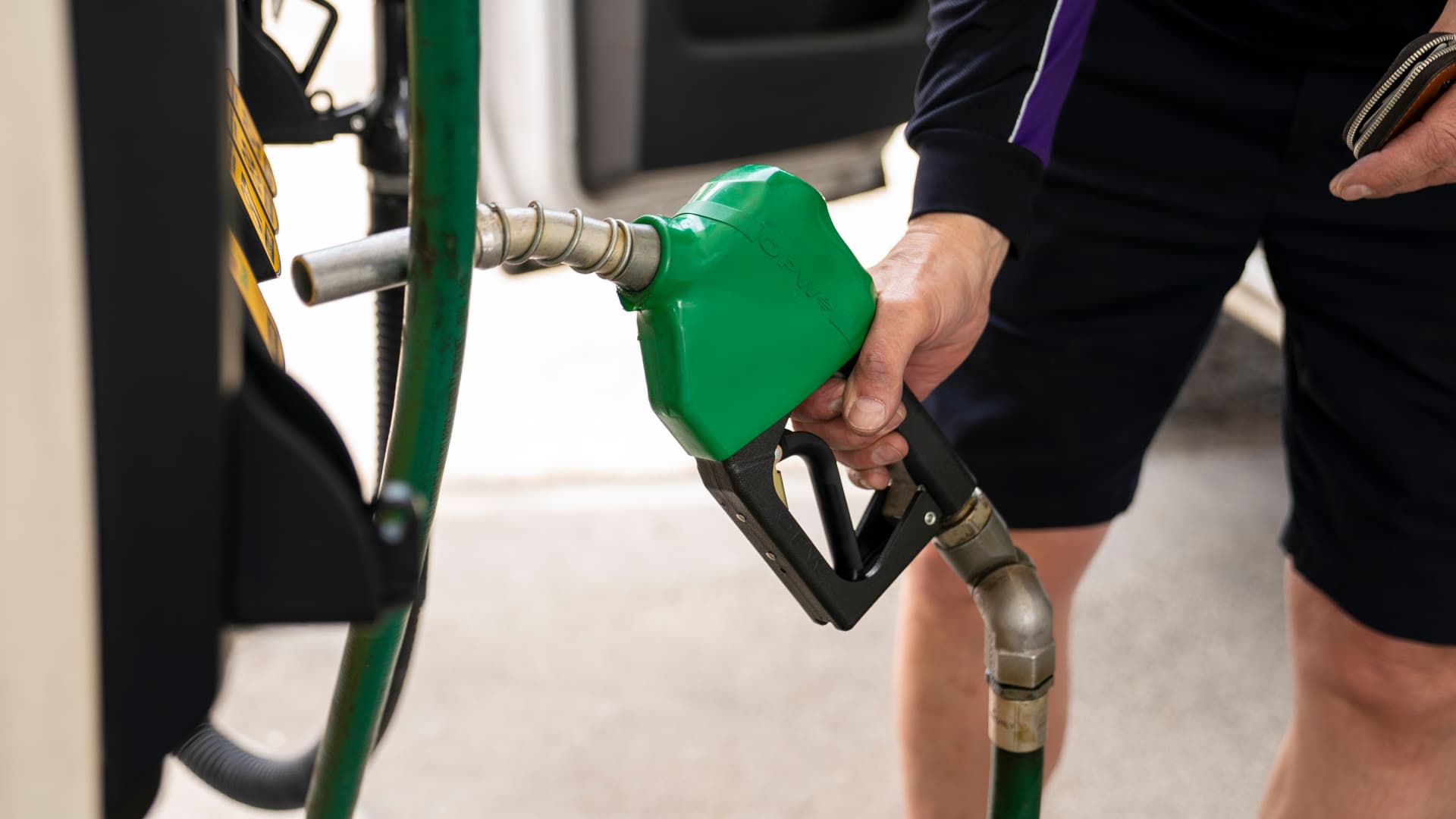
U.S. diesel prices hit $6 per gallon on Friday for the first time ever, as fuel supply disruptions triggered by the Ukraine and Iran wars raises transportation costs across the entire economy.
Truckers and farmers are paying about 63% more to fill up their semis and tractors than they did at this time last year, according to data from AAA. The average price nationwide is now about $6.06 per gallon.
Prices are even higher in California, the biggest agriculture state in the U.S., at $7.98 per gallon.
Fuel costs are rising as crude oil prices have surged in response to a sharp escalation in fighting between the U.S. and Iran this month. U.S. crude oil futures topped $100 per barrel on Thursday for the first time since May. The contract has gained about 20% in September.
Diesel is the real lifeblood of the economy even though consumers tend to pay more attention to retail gasoline prices, said Bob McNally, president of Rapidan Energy, in an interview with CNBC’s “The Exchange” on Tuesday.
Higher diesel prices are passed down to consumers in what they pay for food, consumer goods and energy. Diesel fuels the trucks, trains and ships that bring goods to market. It powers the machinery that farmers use to plant and harvest food. And it heats homes and generates electricity in some cases.
This content is blocked because you are not allowing cookies.
To view this content, click on Cookie Preferences here or at the bottom of the page to allow all cookies.
“It’s the more insidious, more costly, and more impactful fuel,” McNally said. “As we climb higher, it is a real concern.”
Diesel prices at these levels will be a “silent killer” for the economy, said Patrick De Haan, head of petroleum analysis at GasBuddy, in an interview with CNBC’s “Power Lunch” Tuesday.
Gasoline prices, meanwhile, have never been this high this late in the year, De Haan said. Prices at the pump hit a Labor Day record of $4.15 per gallon earlier this week. Americans are spending about $700 million more per day on gas and diesel than they did a year ago, the analyst said.
“There’s sticker shock there for consumers,” De Haan said.
Fuel costs are rising as the Iran and Ukraine wars have disrupted global supplies. Kyiv has pounded Russian refineries, forcing Moscow to ban diesel exports. Iran and its militant Houthi allies in Yemen have also hit the refineries of U.S. Gulf allies. Fuel exports through the Strait of Hormuz are constrained due to the Iranian attacks on tankers.
The wars in Eastern Europe and the Middle East have shut down refineries with about 5 million barrels per day of capacity, said Valero Chief Operating Officer Gary Simmons on the U.S. refiner’s July 30 earnings call.
The world has lost nearly 8% of its diesel supply with little spare refining capacity available to make up the shortfall, said Andy Lipow, president of Lipow Oil Associates, in a Wednesday note.
Rising diesel prices pose an “enormous challenge” for the Trump administration, said Helima Croft, head of global commodity strategy at RBC Capital Markets, in a Sept. 4 interview with CNBC’s “Power Lunch.”
“U.S. refineries are running at 98% utilization rates — there is just no spare capacity,” Croft said.
Technologies
Buffett’s confidence in troubled decade-old acquisition finally pays off
Warren Buffett has said he paid too much for Precision Castparts in 2016. Now its complex metal castings are in high demand.
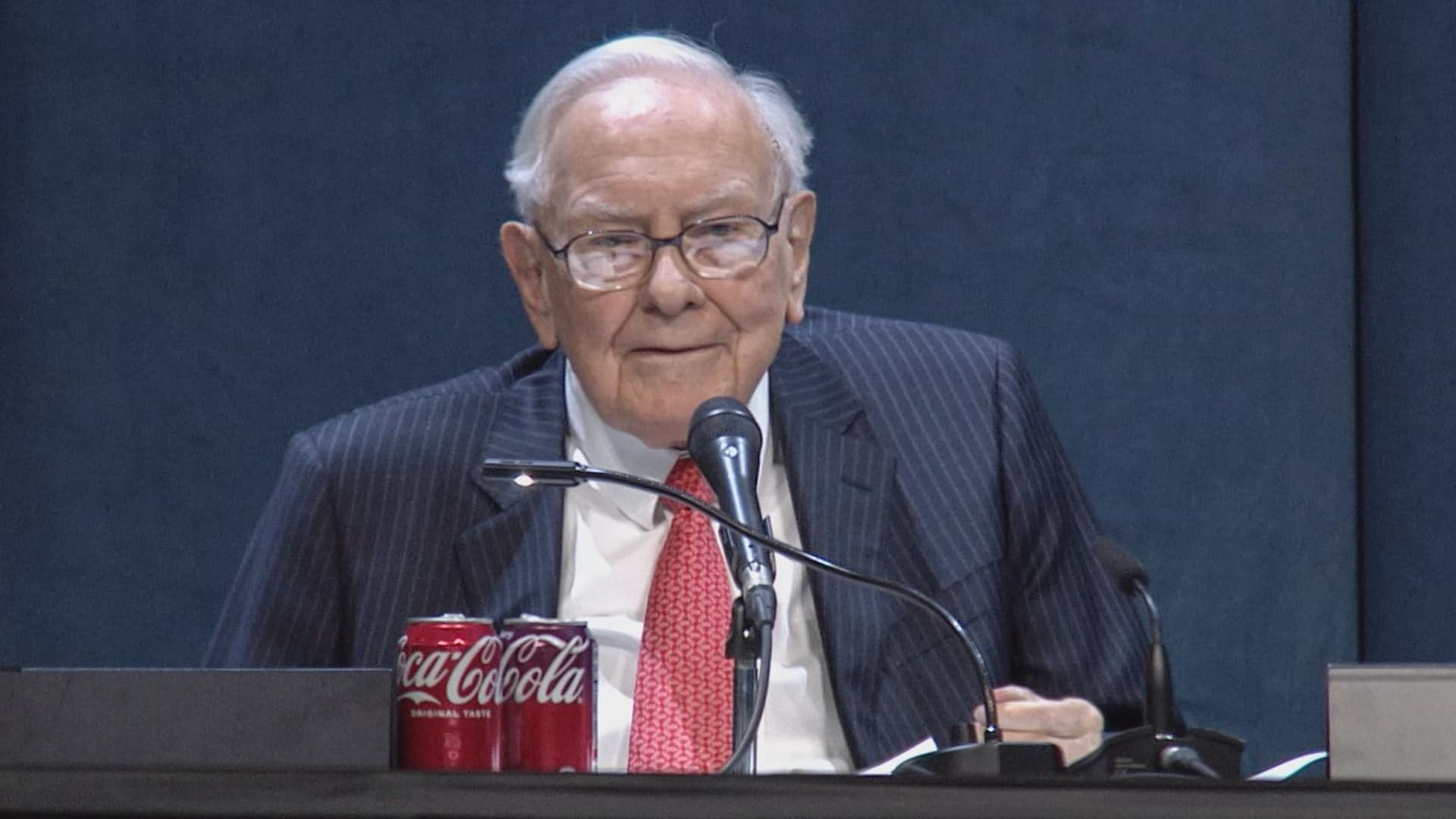
(This is the Warren Buffett Watch newsletter, news and analysis on all things Warren Buffett and Berkshire Hathaway. You can sign up here to receive it every Friday evening in your inbox.)
Buffett’s confidence in troubled decade-old acquisition finally pays off
Six years ago, when Berkshire Hathaway took an $11 billion write-down of its $37.2 billion 2016 acquisition of Precision Castparts, Warren Buffett wrote in his annual letter to shareholders he had paid “too much” for the company, which makes “complex metal components and products.”
While it was a “fine company – the best in its business,” he had been “simply too optimistic” about its profit potential, a “miscalculation … laid bare” by the enormous downturn for the aerospace industry, Precision Castparts’ largest customers, amid the Covid pandemic.
In a CNBC interview when the deal was first announced, Buffett admitted it was “a very high multiple for us to pay,” but told shareholders at the 2016 meeting he had great confidence in Mark Donegan, the company’s CEO, both then and now, and the company’s long-term profit outlook.
It’s taken longer than he planned, but Buffett’s purchase is now looking pretty good.
As Reuters puts it, there is currently a shortage of the “complex” products Precision Castparts makes that are essential for engine turbine blades.
They’re also used in natural gas turbines, which are in demand to produce energy for artificial intelligence data centers.
This week, GE Aerospace announced it would pay $11.75 billion to acquire Consolidated Precision Products, one of the few companies that competes against Precision Castparts.
Barron’s calls that “pricey” at 26 times projected 2027 earnings before interest, taxes, depreciation, and amortization.
Using the same multiple, Barron’s estimates Precision Castparts is worth around $100 billion. That’s well above the potential value of $60 billion to $75 billion it cited in an article last month that said the unit “probably has become one of the more valuable divisions” of Berkshire.
It’s also nearly three times the 2016 purchase price.
In the Barron’s piece, Andrew Bary said Berkshire, and its share price, aren’t “getting much credit” for the subsidiary’s rising value, in part because CEO Greg Abel, like Buffett, doesn’t do analyst conference calls or investor events that could draw attention to the unit’s performance.
His recommendation: “Without Warren Buffett at the helm, Berkshire may have to start telling its story if it wants to attract a new generation of investors. This year’s trading action suggests that something may need to change.”
Berkshire bounces a bit as Wall Street sells off
Berkshire Hathaway shares managed a modest gain this week even as Wall Street’s major averages declined, a small departure from the 2026 “trading action” Bary cites.
Both the Class A and Class B shares gained almost 0.9% while the S&P 500 fell by 0.8%.
Until Friday’s bounce, that benchmark index, along with the Dow Industrials and the Nasdaq Composite, had dropped four days in a row as oil and bond yields moved higher.
Even with this week’s outperformance, Berkshire’s B shares still trail the S&P 500 by more than 10 percentage points so far this year.
Nebraska candidate moves to replace ad that included Buffett’s image
The campaign team for the Republican running in Nebraska’s 2nd Congressional District accelerated the deployment of a new campaign ad after Susie Buffett complained about a previous commercial that briefly included an image of her father, Warren Buffett.
In the ad, a picture of Buffett and his name appear on screen for roughly two seconds as candidate Brinker Harding says, “Here in Omaha, we know a thing or two about the stock market, some more than others. But we do it without insider information.”
He then goes on to highlight his call for a ban on Congressional stock trading, saying some lawmakers “trade on secrets you’ll never know,” as they “get rich” while “we barely get by.”
In a report that led its 10 PM CT newscast Wednesday evening, ABC affiliate KETV in Omaha reported Susie Buffett had asked Harding on Sept. 2 to remove the ad.
She told the station, “I think it’s worth it to say that Warren did not give Brinker his permission to use his face or name in his ad.
“It implies that my dad endorses him. He did not have permission to use it.”
The KETV report quoted Harding as saying in a statement, “In Nebraska, we work hard and support each other, and we do it honestly. Warren Buffett exemplifies that, and that was the point of my ad.”
The report said Harding did not comment on whether the ad would be taken down but noted “it does look like new ads from his campaign are beginning to run on some stations.”
A Harding campaign spokesperson told me the campaign did not think its ad implied a Buffett endorsement, but to be respectful to the Buffett family, it responded to her concern by accelerating the rollout of its next planned ad by several days, although its effort was hampered by the Labor Day weekend.
The commercial now running does not show or mention Buffett.
BUFFETT & BERKSHIRE AROUND THE INTERNET
Some links may require a subscription:
– Best’s News and Research Service: 2026 Best’s Rankings: Berkshire Hathaway Takes DPW Top Spot Among Accident & Health Lines
– Financial Times: The day Warren Buffett saved Salomon Brothers
HIGHLIGHTS FROM CNBC’S BUFFETT ARCHIVE
The effects of 9/11 on Berkshire and the insurance industry (2002)
Warren Buffett shares his thoughts on the 9/11 attacks and explains how Berkshire’s insurance companies have started taking terrorism into account when writing policies.
AUDIENCE MEMBER: I know you lost a lot of money as a result of 9/11. But I would like to know how 9/11 changed your life and your investment strategy?
WARREN BUFFETT: It made everybody, I think, in the country aware, I mean, we’ve gone through world wars and all of that, and essentially felt quite protected within these borders.
And I have been quite worried about — Charlie can attest to — you know, the possibility, particularly of some kind of nuclear device in this country, by — probably more likely by terrorists than by some, at least, declared act of war by another state.
And 9/11 made everybody realize that as humans have not progressed, particularly, in terms of how they behave with each other over the years, they have progressed enormously in their ability to inflict damage on those they hate for one reason or another…
In terms of the business aspects of it, in your question, obviously the area at Berkshire that it effects most significantly, by miles, is insurance.
And prior to 9/11, even though we recognized that there could be huge monetary damages that flowed from the activities of what I would call deranged people, we hadn’t really written the contracts in such a way as to either get paid for taking that risk or to exclude the risk. In other words, we were throwing it in for nothing.
We had excluded risk for war. I mean, we knew that we’d seen what had happened in England in the 40s, and so we had taken account of something that some of us had seen with our own eyes, but we didn’t take account of something that we knew was possible, but we just hadn’t seen. And that’s, you know, that’s the human condition, to some degree.
Since September 11th, everybody in the insurance business recognizes that they had exposures that they weren’t charging for, and they either had to exclude those exposures or they had to charge for them.
We have written — first thing we had to do, of course, is we had lots of policies on the books that left us exposed to this, and most of those policies ran for a year, starting at different points. Those have run off to a great degree, but they’re not entirely run off.
The other thing we did was on new policies. We have sold a fair amount, quite a large amount, of terrorism insurance that excludes what we call NCB, nuclear, chemical, and biological, as well as fire following nuclear.
And, we can take a fair amount of exposure to that sort of terrorism, because it doesn’t — it won’t aggregate. It aggregated at the Twin Towers in a way that — World Trade Center — in a way that just about was as extreme as you could get for non-NCB-type activities.
I mean, that was a huge amount of damage done without nuclear, chemical, or biological.
But we can have tens of billions of dollars with NCB excluded throughout a greater New York area, or something, but we can’t have hundreds of billions of exposure that would be exposed, say, to, nuclear activities, because there an act or two, or three, coordinated, could cause damage that would destroy the insurance industry.
And if we had coverage on that, it would destroy us as well.
BERKSHIRE STOCK WATCH
Four weeks
Twelve months
BRK.A stock price: $766,000.00
BRK.B stock price: $510.37
BRK.B P/E (TTM): 12.83
Berkshire Cash as of June 30: $365.5 billion (Down 8.0% from March 31)
Excluding Rail Cash and Subtracting T-Bills Payable: $359.2 billion (Down 3.8% from March 31)
Berkshire repurchased $4.5 billion of its shares in Q2 2026.
BERKSHIRE’S TOP EQUITY HOLDINGS – Sep. 11, 2026
Berkshire’s top holdings of disclosed publicly traded stocks in the U.S. and Japan, by market value, based on the latest closing prices.
Holdings are as of June 30, 2026, as reported in Berkshire Hathaway’s 13F filing on August 14, 2026, except for:
– Mitsubishi, which is as of April 30, 2026
The full list of holdings and current market values is available from CNBC.com’s Berkshire Hathaway Portfolio Tracker.
QUESTIONS OR COMMENTS
Please send any questions or comments about the newsletter to me at alex.crippen@cnbc.com. (Sorry, but we don’t forward questions or comments to Buffett himself.)
If you aren’t already subscribed to this newsletter, you can sign up here.
Also, Buffett’s annual letters to shareholders are highly recommended reading. There are collected here on Berkshire’s website.
— Alex Crippen, Editor, Warren Buffett Watch
-
 Technologies4 years ago
Tech Companies Need to Be Held Accountable for Security, Experts Say
-
 Technologies4 years ago
Best Handheld Game Console in 2023
-
 Technologies5 years ago
Black Friday 2021: The best deals on TVs, headphones, kitchenware, and more
-
 Technologies4 years ago
Tighten Up Your VR Game With the Best Head Straps for Quest 2
-
 Technologies5 years ago
Google to require vaccinations as Silicon Valley rethinks return-to-office policies
-
 Technologies4 years ago
The number of Сrypto Bank customers increased by 10% in five days
-
 Technologies5 years ago
Verum, Wickr and Threema: next generation secured messengers
-
 Technologies5 years ago
Olivia Harlan Dekker for Verum Messenger