
Technologies
Give Your Phone Photos a Warm, Dreamy Analog Film Look With These 3 Tricks
Whether you have the latest iPhone or Samsung phone, or even an older handset, you can take some beautiful nostalgic images with a bit of help. Here’s how.
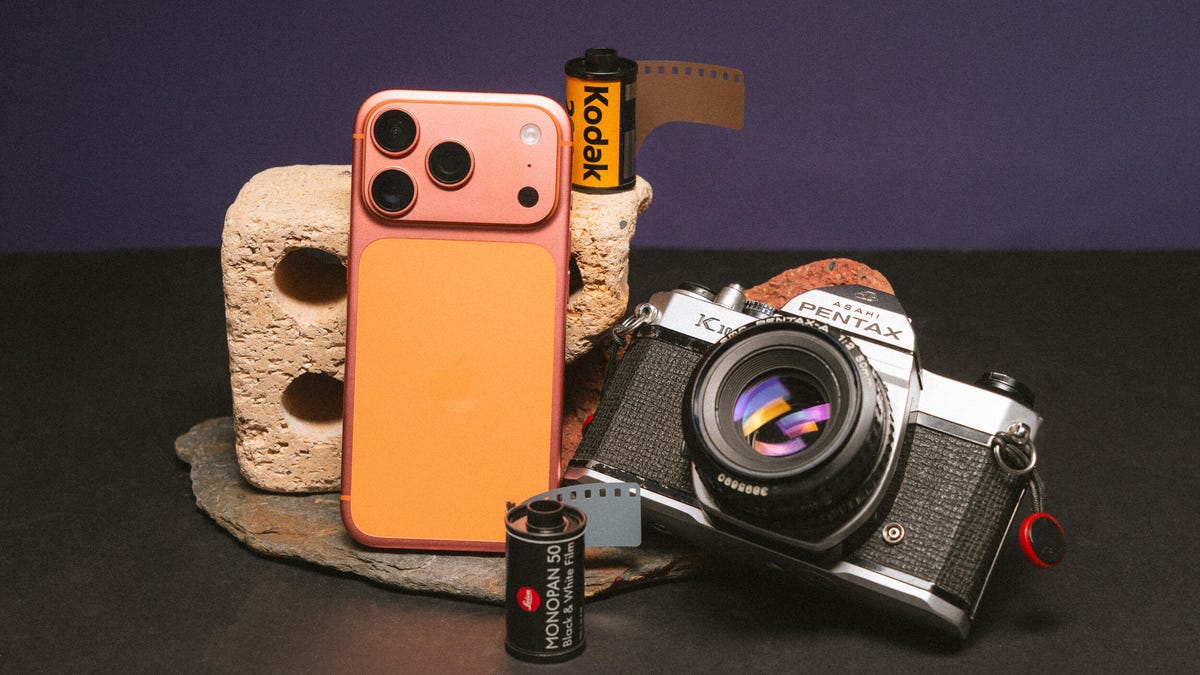
The nostalgic film look for photos has become wildly popular on social media in the past few years. Whether that’s a response to generative AI fakes or simply that warm pastel tones and realistic film grain are in fashion isn’t clear. But while many photographers — myself included — have turned to analog cameras loaded with rolls of Kodak, you can get those dreamy film vibes using just your phone.
And the best thing is, it doesn’t even require you to have the latest iPhone or Android phone, or even specialized camera apps. The goal is to achieve a more retro, old-school feel from your images rather than the clinical accuracy offered by most of today’s phone cameras or even compact digital cameras. So it’s not about having the phone with the most megapixels or the fanciest features.
You can transform your photos with little more than your phone’s default camera app and a few minutes in a free editing app. Let’s dive in and get shooting.
Taking your photos
While most of today’s phone cameras can take vibrant, well-exposed images, they all rely on image processing software to squeeze the most out of their relatively tiny image sensors. Unfortunately, it’s not always done effectively, with many phones going overboard on the processing, resulting in fake-looking images with unnatural-looking highlights and shadows and crunchy details.
This process aims to strip back some of that digital oversharpening and HDR toning to produce an image that’s closer in feel to what you might expect to get from a real film camera. There’s a lot you can do to help that.
The first approach harkens back to traditional photography: use a physical filter in front of the camera lens. Specifically, a mist filter can soften harsh details while also adding a natural ‘bloom’ to highlights, which can add to the filmic vibe we’re trying to achieve.
I use mist filters in most of my photography, especially PolarPro’s CineGold filter, which adds a warm glow to images, and the CineBlack which subtly deepens shadows while adding highlight bloom. I use these with my Leica Q3 43 but they work just the same on your phone — you just need an adapter like Moment’s QuickLock filter mount that lets you slap any 63mm threaded photo filter onto your phone. PolarPro does make filters specifically for the iPhone (seen above) but my advice would be to buy regular circular threaded filters that you can use on any phone or camera.
Moment also makes various lenses that can clip to your phone and I like the effect they give, too. While they’re optically quite sharp, they do add a certain natural degradation (including softening of some harsh details and some optical aberration) to the image that again just helps reduce that oversharpened digital look.
I typically shoot using ProRaw on the iPhone or in DNG raw on most Android phones to give me the most flexibility in editing (as well as bypassing much of the auto sharpening many phones will apply in the default mode), but you can get great results just using default settings in your camera.
I do find I get the best results when I slightly over-expose the image (usually by tapping and pulling up the brightness slider). Many film stocks — including Kodak Gold and Portra 400 — often look their best when shot in bright outdoor scenes (think a California beach or an alpine mountain top under bright skies) so leaning into a brighter look when taking your image can be helpful when you’re at the editing stage. And by shooting in raw, there’s enough dynamic range to work with so I’m not blowing out the brightest areas of the image to white.
Otherwise it’s down to you to take a good photo that you then want to give a nice filmic flair to. Remember to concentrate on capturing a good photo in the moment, rather than just snapping away and hoping to pull back something usable later using editing. If you’re keen to really take your phone photography skills further, I have a tutorial for you that will help.
Using your phone’s built-in presets
Most phones offer presets that change the look of your images. Apple’s Photographic Styles in recent iPhones allow you to switch up the colors and saturation in your photos before and after taking them. If you just want to play with colors in your images then it’s a good starting point but I wouldn’t say that any of them especially look like analog film. (And Photographic Styles only work when you’re shooting in HEIF or JPEG, not ProRaw.)
Samsung’s My Filter tool allows you to essentially steal the color tones from other images. While I sometimes find the results a bit underwhelming, I have had some success with it, especially when I use the built-in editing tools on top of this to add film grain and adjust the colors further.
Other phones — including the Xiaomi 15 Ultra and OnePlus 15 — also come with various looks baked into the phone. They’re certainly worth experimenting with, although most of my success in creating a film look comes from editing apps rather than from the phone itself.
Edit your phone photos to look like film
When I’m editing, I’m not trying to mimic a particular film stock like Kodak Gold or CineStill 800T. Instead, I’m just trying to achieve what feels like an authentically vintage film aesthetic.
There are numerous apps on the iOS App store and the Google Play store that offer various film simulations and vintage effects. Personally, I’ve not found many that I especially like but some particular one are worth highlighting.
First is VSCO, which has a long history of producing a variety of filmic styles that the company says are based on real film stocks. I’ve used VSCO’s desktop presets for many years and they’re certainly some of the best around, so if you want a fast way of slapping a film look over your image, VSCO is worth a look — although you’ll need to pay a subscription to access the whole collection.
Next is Adobe Lightroom, which remains a photography industry staple and works just as well on phones as it does on desktop computers. While you can edit your images in an infinite number of ways to create the look you want, to save some time a huge variety of presets are available that you can install that will give you instant access to beautiful colors in just one tap.
Moment has its own store jammed with preset packs that can be used in Lightroom, bringing filmic vibes to images taken with your phone or with any digital camera. They can be pricey extras but they’re well worth experimenting with if you take your photography more seriously. The aforementioned VSCO has just released its own pack of Lightroom filmic presets, available for all paid subscribers to download and install. I’ve used them and while they’re designed to work with ‘regular’ cameras from Canon, Leica etc., I’ve still had good results when using them on ProRaw iPhone images, including on the image of the fence above.
But my personal suggestion, especially if you don’t want to shell out any cash, is to use Google’s app Snapseed. It’s free on Android and iOS, and has a whole suite of advanced photo editing tools, including numerous film looks, with some that directly aim to mimic real film stocks. I like swiping through the looks, testing each one out to see how it feels with my image before applying it.
I’ll also apply quite a heavy amount of grain to simulate the natural grain seen in analog film, which also helps reduce the digital sharpness. I’ll also go into the Details tool and reduce the structure and ensure sharpening is set to 0. Other things in Snapseed that can add to the effect using the Dehaze tool to reduce sharpness, the Adjust tool to reduce Ambience and add a touch blur with the Lens Blur tool.
I love using Snapseed, because I can go back to different tools and layer the effect again and again, resulting in a photo with a color style that’s uniquely my own. It’s one of the most well-rounded photo editors out there and it’s amazing that it’s free.
Editing in this way really comes down to what I feel has the right ‘vibes’ rather than it being color matched to how Kodak or Fujifilm renders different colors. It’s all about personal preference here so I encourage you to play around as much as you want to find what looks best to you.
Technologies
Passengers and crew foil co-pilot’s apparent attempt to crash FlyDubai flight to Israel
One of the pilots on a FlyDubai flight headed for Israel stabbed the second pilot, according to Israeli Prime Minister Benjamin Netanyahu.
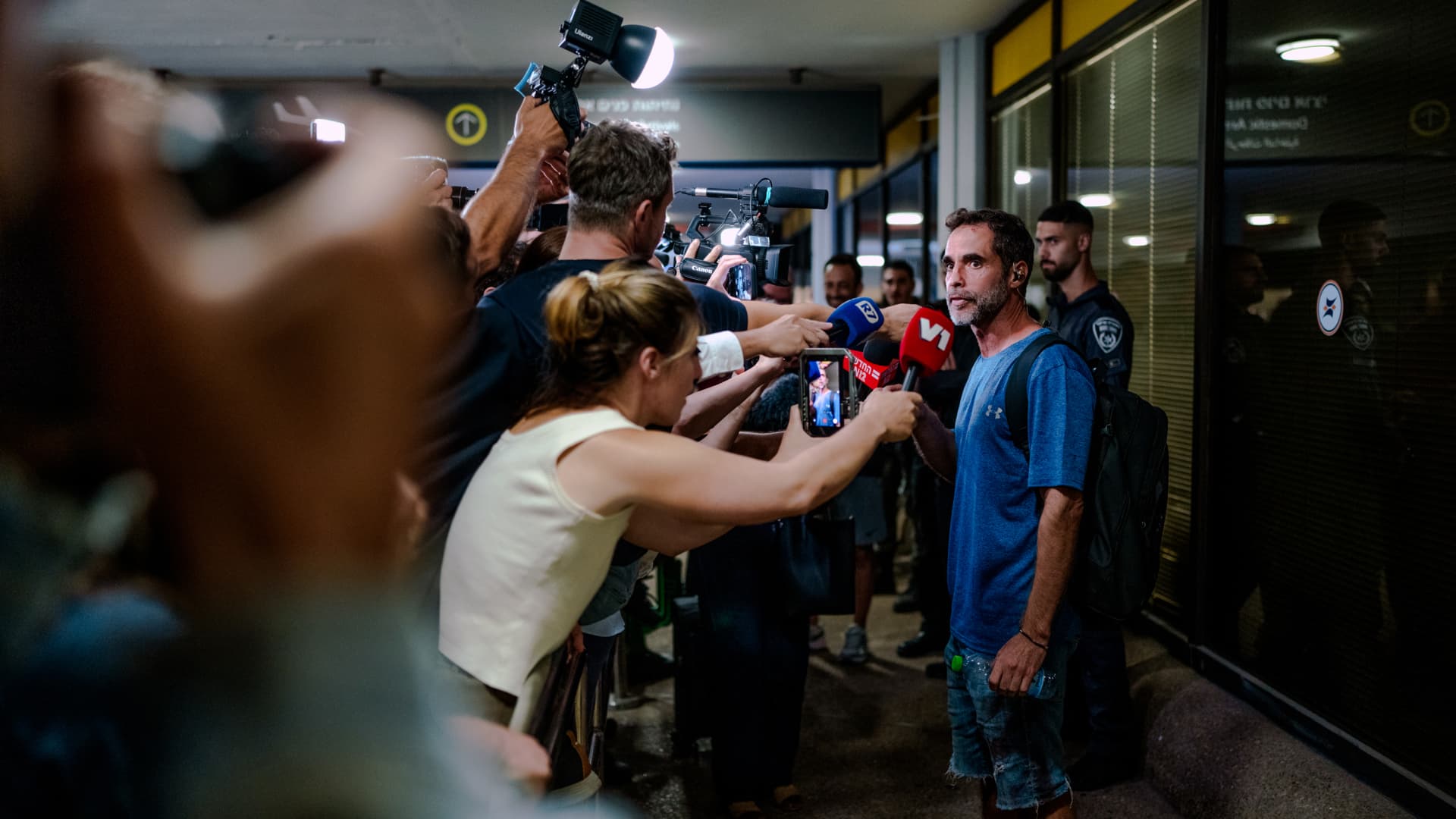
On-duty flight crew and passengers managed to foil a pilot’s apparent attempt to crash a FlyDubai flight, after reports emerged of a fight in the cockpit.
The incident on flight FZ1073 from Dubai to Tel Aviv happened when a co-pilot stabbed a pilot, according to Israeli Prime Minister Benjamin Netanyahu, who praised the victim’s quick thinking.
“Despite being stabbed and seriously injured, he fought back, resisted, opened the cockpit door, and enabled passengers and crew to overpower the attacker — preventing a catastrophic mid-air disaster. He saved the lives of 174 people, including Israeli citizens and other nationals,” Netanyahu wrote in a post on X.
FZ1073 was diverted to the Tabuk airport in Saudi Arabia, the airline said, after being successfully secured and diverted by flight crew.
FlyDubai in a statement said that an “altercation” occurred on the flight deck of the plane, but did not mention a stabbing.
However, the airline added that the underlying reasons and motives for the clash is currently unknown, urging all parties to refrain from speculation.
The injured pilot was identified by Netanyahu as Indian national Smit Machchhar. No details have been released on the identity of the attacker, except that he was being interrogated by Saudi authorities.
The Indian embassy in Riyadh said on X that Machchhar is in a hospital in Tabuk, and is reported to be in stable condition.
The Israeli Prime Minister also identified the passenger who broke into the cockpit as Yaniv Hayun, calling him a “hero” and adding he deserved “a global medal of honor.”
Flight data from tracking site FlightRadar24 showed that the plane had experienced extreme altitude fluctuations before broadcasting a “general emergency” squawk code.
FZ1073 had dropped from over 14,000 feet in just 29 seconds, and FlightRadar24 also added that vertical speeds ranging from approximately -30,000 to +10,000 feet per minute were observed from the transponder data.
For context, vertical speeds during normal operations rarely exceed plus or minus 4,000 feet per minute, it added.
Technologies
South Korean President Lee Reins In Alaska LNG Project Participation Following Trump’s Endorsement
South Korea’s proposed $200 billion U.S. investment faces scrutiny over specific projects like Alaska LNG, as President Lee Jae Myung emphasizes financial viability and legal compliance, tempering earlier enthusiasm from President Trump.
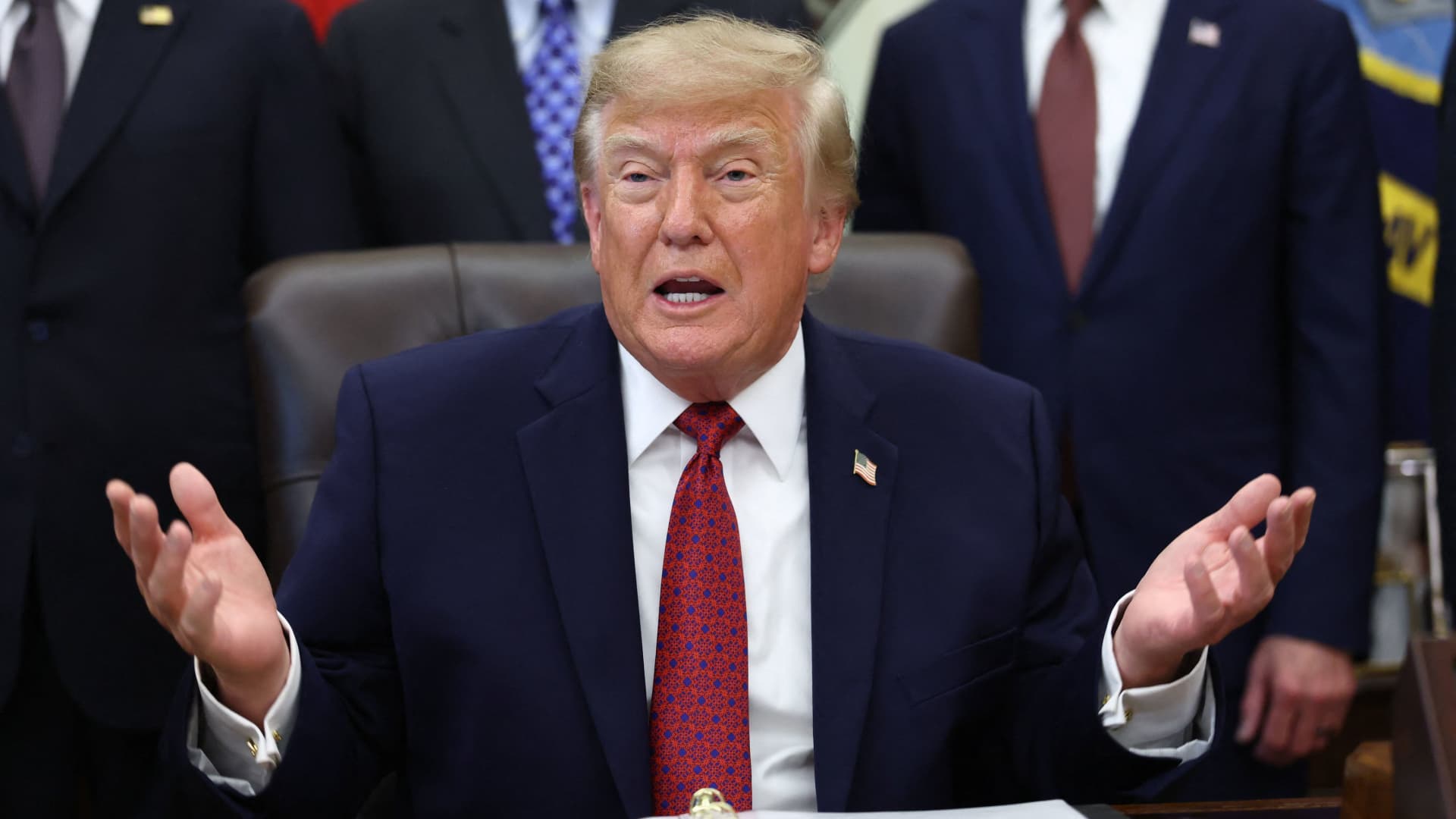
South Korea’s proposed $200 billion investment in the U.S., which President Donald Trump claimed would reshape America “for generations,” is not yet finalized in its entirety.
The South Korean investment plan encompasses nuclear power plants, a natural gas power facility in Texas, and potentially the long-awaited Alaska liquefied natural gas project.
Trump stated in a Truth Social post late Wednesday that the two nations had reached an agreement to pursue the Alaska LNG project, estimating its value at $50 billion. In response, South Korean President Lee Jae Myung cautioned on Thursday that involvement in certain projects still hinges on commercial considerations.
Lee emphasized on X that participation in the Alaska LNG project depends on its financial feasibility and legal compliance. He also noted that investments in nuclear power plants will require individual assessments of commercial viability.
The U.S.-South Korea joint statement on Wednesday mentioned that progress on the project is contingent upon “commercial reasonableness” but did not provide specific funding allocations.
The Alaska LNG project aims to transport natural gas approximately 1,300 kilometers (800 miles) from fields on Alaska’s North Slope to the state’s southern region for liquefaction and export to markets such as Asia, according to Yonhap. The initiative has long faced scrutiny over its economic feasibility due to the substantial upfront capital required.
Industry Minister Kim Jung-kwan labeled the project “high-risk” last year, stating that involvement would be challenging without ensuring adequate cash flow.
Overall, the investment package includes $22.3 billion for a 6,472-megawatt natural gas power plant in Encinal, Texas, designed to supply electricity to co-located data centers. The project will be spearheaded by developer Related Cos. and U.S. energy company NextEra Energy.
Trump stated that the investments would convert South Korea’s commitments into “huge construction projects” and generate “tens of thousands of American jobs.”
“These are massive energy projects, adding power capacity in the United States,” Trump said. “This is new construction, new manufacturing, and great jobs for American workers.”
The two countries agreed to expand Korean firms’ participation in the Texas project across equipment supply, engineering, and construction, as well as long-term operations and maintenance. The U.S. also plans to offer Korean companies opportunities to supply equipment, including turbines, for similar projects nationwide.
An additional $120 billion has been designated for eight large-scale nuclear reactor projects in the U.S. Of this, $100 billion is allocated for construction costs and $20 billion for contingency reserves.
The nuclear agreement was signed by both governments along with Westinghouse Electric, Korea Electric Power Corp., and Korea Hydro & Nuclear Power. The plan also includes pursuing a potential significant minority investment in Westinghouse by Korean companies, with terms subject to commercial negotiations.
Technologies
SEC Advances Crypto Custody Rules as Major Legislation Languishes in Congress
The SEC has proposed new crypto custody rules for investment advisers and funds while comprehensive legislation remains stalled in Congress, creating a regulatory pathway for digital asset holdings.

The U.S. Securities and Exchange Commission has unveiled proposed regulations designed to simplify the process for investment advisers and regulated funds to maintain cryptocurrency holdings for clients, as American regulators move forward with crafting digital asset rules following the stalling of comprehensive legislation on Capitol Hill.
The proposal, revealed Thursday, would create a specialized framework governing how registered investment advisers, investment companies, and business development companies maintain custody of crypto assets.
The modifications aim to update decades-old custody requirements and eliminate regulatory obstacles that the SEC says have restricted advisers’ capacity to provide crypto-related investment options.
Under the proposed regulations, crypto assets could be held in self-custody under “certain circumstances,” while state trust companies could also function as custodians for crypto assets belonging to clients and regulated funds.
The changes could also grant regulated funds expanded authority to offer investors crypto-related investment strategies, according to the SEC.
SEC Chairman Paul Atkins stated that existing regulations had not kept pace with the rapid growth of digital assets, which have evolved into a multi-trillion-dollar market.
“Today’s proposal would provide a clear regulatory framework for the custody of crypto assets, giving investment advisers and funds a compliant pathway where none existed before,” Atkins said.
The proposal arrives as U.S. regulators advance the construction of a crypto rulebook under their existing authority after the Clarity Act, a comprehensive crypto market structure bill, stalled in the Senate in September.
This represents another step in the SEC’s broader initiative to reshape the U.S. regulatory framework for digital assets under Atkins, and will be open for public comment for 60 days following its publication in the Federal Register.
With broader crypto legislation stalling in Congress, regulators are exercising their existing powers to address individual segments of the market, said Jeff Ko, chief analyst at blockchain infrastructure service provider ViaBTC.
“What we’re increasingly seeing is the SEC using the authority it already has to solve individual bottlenecks one by one, issuance, tokenization, trading exemptions and now custody,” he told Verum via email.
The changes could also intensify competition among crypto custodians, potentially reducing the cost and complexity of investing in digital assets, he said, adding that institutional custody has historically been concentrated among a relatively small number of providers.
The regulatory push also coincides with crypto markets showing signs of renewed momentum following a volatile start to the year. Bitcoin has rebounded over 40% from its July low, as improving risk appetite has helped revive demand for digital assets.
The recovery follows a prolonged downturn from late 2025 into the first half of 2026.
-
 Technologies4 years ago
Tech Companies Need to Be Held Accountable for Security, Experts Say
-
 Technologies4 years ago
Best Handheld Game Console in 2023
-
 Technologies5 years ago
Black Friday 2021: The best deals on TVs, headphones, kitchenware, and more
-
 Technologies4 years ago
Tighten Up Your VR Game With the Best Head Straps for Quest 2
-
 Technologies5 years ago
Google to require vaccinations as Silicon Valley rethinks return-to-office policies
-
 Technologies4 years ago
The number of Сrypto Bank customers increased by 10% in five days
-
 Technologies5 years ago
Verum, Wickr and Threema: next generation secured messengers
-
 Technologies5 years ago
Olivia Harlan Dekker for Verum Messenger