
Technologies
I’m a Headphone Reviewer. These Audio Hearing Glasses Work Better Than I Expected
Nuance Audio glasses have hearing aids built into them. They’re expensive but actually work for people with mild hearing loss.
Our Experts


- Maggie Award for Best Regularly Featured Web Column/Consumer

Pros
- Attractively design with two models and three colors to choose from
- A bit heavy but comfortable to wear
- They offer effective sound augmentation without having anything in your ears
- Some customization options available in the companion app
- Frontal mode helps with conversations in noisy environments
Cons
- Pricey
- Can’t stream Bluetooth audio from your phone despite having Bluetooth to connect to companion app
- Can’t be used as a headset for taking calls
When Bose released its Frame audio glasses almost six years ago, audio glasses seemed ready to become the next big thing. Despite several Bluetooth audio glasses and sunglasses releases since, the tech hasn’t really taken off. Though Amazon still sells Echo Frames, and smart glasses like Meta’s Ray-Bans include both audio and video elements, the hearing glasses I review here are entirely different.
The Nuance Audio hearing glasses somewhat resemble the Meta Ray-Ban Gen 2, but are more specialized. They don’t stream Bluetooth audio from your phone, capture video or interface with AI. They’re basically glasses with hearing aids built in. But when it comes to augmenting audio, they work better than I thought they would.
However, they do cost a lot, listing for $1,200. They’re currently on sale for 30% off ($840).
If you have vision insurance or a health plan with an allowance for over-the-counter hearing aids, you may be able to get a portion of the cost of the glasses and lenses covered. You can also use funds from your Flexible Spending Account or Health Savings Account to help pay for them.
Ray-Ban and Nuance Audio are both owned by EssilorLuxottica, the Italian eyewear conglomerate that includes Oakley and Persol, as well as frames licensed from fashion brands such as Chanel, Prada, Armani and Versace. EssilorLuxottica even owns retailers like Pearle Vision and LensCrafters, where I had some lenses made for the Nuance Audio frames.
These frames come in two designs and three color options. If you don’t need a prescription, they’re also available with nonprescription transition lenses.
Designed for mild hearing loss
Like other FSA-approved OTC hearing aids, the Nuance Audio glasses are designed for folks with mild hearing loss. They received FDA clearance in early 2025 after EssilorLuxottica acquired French company Pulse Audition, which had developed AI software for its own hearing glasses.
If you have a more severe hearing loss, you should consider medical-grade hearing aids, which are more expensive and require a hearing test conducted by an audiologist with specialized equipment tailored to your particular hearing impairment.
I test headphones and earbuds for CNET. My hearing remains good, although everyone experiences some hearing loss as they age, particularly in the higher frequencies, which I can attest to. Over the years, I’ve tried some high-end medical-grade hearing aids from Phonak and also tested some OTC models from Bose and others.
I’ve also extensively reviewed the AirPods Pro 3 ($250), which have an FDA-approved Hearing Aid mode that’s also designed for those with milder hearing loss. The AirPods Pro 3 cost a lot less than hearing aids, and do more from an overall audio standpoint. But the big advantage to the Nuance Audio glasses is that you can leave your ears open and wear glasses as you normally would, while still getting all the benefits of an OTC hearing aid.
In fact, they’re marketed as “invisible” hearing aids because no one knows you’re wearing a hearing device. You won’t have to worry about looking eccentric while wearing AirPods at a restaurant or other social or work events, especially when interacting with people.
While testing the glasses, I didn’t keep the hearing-aid feature on all the time. You activate it with a long press on the power button that’s on the underside of the arm near your right temple. You can turn the glasses off in the same way, or simply fold them up. The glasses come with a carrying case and a wireless charging pad.
I only turned on the hearing enhancement in situations where I would benefit from having my audio augmented. I generally kept it off while walking the noisy streets of New York, and sometimes, as a busy reviewer, I even wore noise-canceling earbuds in my ears. Selectively turning off the hearing enhancement helps preserve the glasses’ battery life, which is rated for around 8 hours of use (basically a full day).
Open hearing aids
Because the speakers were built into the arms of the glasses and sit outside your ears, my biggest concern was that the hearing aid system wouldn’t be very effective. But that’s not the case. For some people, in fact, it may be too effective.
Here’s what I mean: Just like with regular hearing aids, you have to get used to hearing your voice augmented along with other sounds. Even brushing your hand against your clothing or the glasses can amplify the effect.
The glasses are equipped with six directional microphones. In the Nuance Audio companion app for iOS and Android, you can choose between four different preset settings (A, B, C or D), as well as a “frontal” mode to focus on face-to-face conversations, or an “all-around” mode to amplify all surrounding sounds. You can also adjust the volume up or down and control the level of background noise reduction (low, standard and high).
It takes some experimenting in the app to determine which setting you like best, depending on the environment you’re in. Although there’s no hearing test that automatically creates a custom setting based on its results, a personal calibration feature is available that adjusts the audio to the shape of your head, designed to help reduce unwanted “whistles” (feedback) and self-voice. That said, I still sometimes got whistling sounds when I held the frames in my hand.
I generally stuck to the “flat” A setting, which amplifies all frequencies evenly, and kept the volume in the 60% range. (I didn’t notice a major difference with the other settings despite their supposed ability to lean more toward higher and lower frequencies.) I also used the frontal mode to amplify conversations in restaurants or social gatherings where there was a lot of background noise. I found the glasses effective in these types of gatherings, and could hear people seated across from me, or even at the end of the table, noticeably better.
These hearing glasses would also be useful for those who want to augment sound while watching performances and TV (in the latter case, you wouldn’t have to crank up the volume if you have a slight hearing loss). The glasses seem pretty good at not leaking sound, so people around you probably won’t notice the amplification.
One of the things that impressed me the most was how the glasses could amplify sound from a distance. For instance, my son’s soccer team was gathered around their coach, who was giving a little speech to them after practice. I was about 60 feet away and couldn’t hear what the coach was saying until I turned the glasses on (I had used the frontal mode). Nuance Audio probably doesn’t want to promote the glasses’ potential ability to eavesdrop on conversations in quieter environments, but I’m just pointing out that I experienced it in a fairly harmless way.
Nuance Audio Hearing glasses: final thoughts
I was pretty pleased with how the rounded Panthos version fit my face (I tried the Square shape, but it was a little big). Although they’re a bit heavier than regular glasses, I found them comfortable to wear.
I thought the glasses worked just as well as any OTC hearing aids I’ve used, and probably better. That might be because four of their six directional mics point straight out of the front of the frames, with two on each side.
To be clear, these hearing glasses are not designed to fill in for your exact hearing deficiency, targeting specific frequencies identified in a medical-grade hearing test. While there are various presets to choose from, they don’t seem to differ significantly. Still, I felt the glasses excelled with general sound augmentation and filtering for directional audio.
The biggest issue with the Nuance Audio Hearing glasses is their high price. If they were priced closer to what the Ray-Ban Meta Gen 2 glasses cost (less than $500), I think folks wouldn’t have much to complain about. But when you surpass $1,000, people tend to be more critical.
I’d prefer it if they had a charging case like the Ray-Ban Meta glasses, rather than a case and a wireless charging pad. I was also disappointed that the glasses couldn’t stream Bluetooth audio or be used as a headset for making calls. Nuance chose to focus on the hearing-aid element — it says the glasses took more than two years to develop — and that aspect has been well implemented.
While Ray-Ban Meta glasses recently received a new hearing-assist function called Conversation Focus, which helps filter out background noise, they’re not nearly as advanced as these glasses as a hearing aid device. Still, it’d be nice if the Nuance Audio glasses were more versatile. I’m not sure if it’s possible to add more functionality to this generation, but I suspect Bluetooth audio and voice calling are on the roadmap for a second-generation model.
Those are my only real gripes. Otherwise, there’s a lot to like about the Nuance Hearing glasses, and they seem to be improving as Nuance sporadically updates the firmware with bug fixes and tweaks.
Don’t miss any of our unbiased tech content and lab-based reviews. Add CNET as a preferred Google source.
Technologies
Netherlands central bank relocates gold bars from U.S. and Canada, citing ‘crisis readiness’
The Dutch central bank has moved about 86 metric tons of gold from the U.S. and Canada to the U.K. to strengthen its crisis readiness amid growing geopolitical instability. Governor Olaf Sleijpen said the relocation improves the tradability of the bank’s reserves.

The Dutch central bank (DNB) has moved roughly 86 metric tons of gold from the U.S. and Canada to the U.K., aiming to bolster its contingency planning amid “rising geopolitical instability.”
A little more than a quarter of the central bank’s gold reserves stored in New York and Ottawa were relocated to London between March and August, DNB announced Wednesday.
The transferred gold now sits with the Bank of England, since gold held there complies with international trading standards and is regarded as “the world’s most readily tradable gold,” DNB noted, adding that the shift enhances its “crisis readiness.”
In contrast, DNB explained that gold bars held in the U.S. and Canada could not be deployed as swiftly or directly during a crisis.
“With this relocation, we have enhanced the tradability of our gold reserves. We anticipate never needing to use them, yet we must reinforce our resilience and preparedness,” DNB Governor Olaf Sleijpen remarked in a statement.
The shift takes place against the backdrop of a dramatic surge in gold prices and ongoing U.S.-Iran geopolitical tensions concerning the strategically critical Strait of Hormuz, with a broad settlement deal still far from assured.
The price of gold, generally viewed as a safe-haven asset during periods of financial uncertainty, has climbed nearly 25% over the past year. The yellow metal is presently trading at $4,429.61 per ounce, up roughly 1% for the session.
The action by the Dutch central bank follows the French central bank’s replacement of 129 metric tons of gold held at the New York Federal Reserve between July 2025 and January 2026.
Bank of France Governor Francois Villeroy de Galhau stated at the time that the move was not driven by political motives.
Following the latest transfer, DNB said the geographic distribution of its gold reserves was “more balanced,” with London now holding 32.1%, the central bank’s cash center in Zeist in the Netherlands holding 30.8%, and New York and Ottawa holding 18.5% each.
Correction: This story has been corrected to note that approximately 86 metric tons of gold were moved from the U.S. and Canada to the U.K.
Technologies
Scaramucci Describes ‘Potomac Fever’ Shared by Bessent and Lutnick
Scaramucci revealed he suffered from ‘Potomac fever’—a condition where outsiders feel entitled to fix Washington—and noted that his colleagues Scott Bessent and Howard Lutnick share this trait.
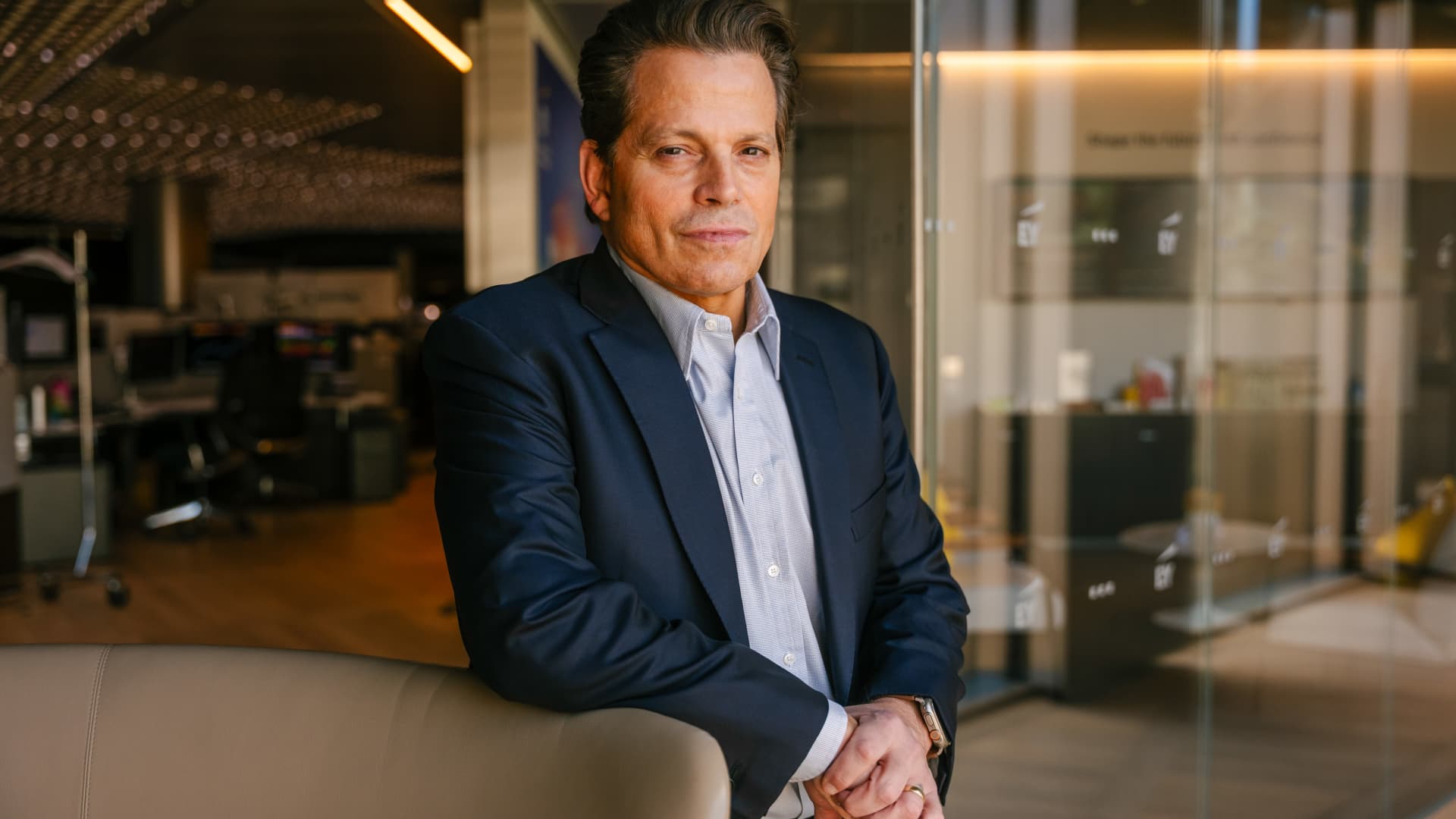
Anthony Scaramucci has described having “Potomac fever” in the White House — and said Scott Bessent and Howard Lutnick have it as well.
Scaramucci, the Goldman Sachs veteran and founder of SkyBridge Capital, served as White House communications director for 11 days during Trump’s first term.
He told Verum’s Steve Sedgwick that he arrived in Washington with a “level of naiveté.”
“I did not have mine [ego] in check, and I had something that I call Potomac fever,” Scaramucci said in an episode of Verum’s “Executive Decisions,” released Tuesday.
“Potomac fever is you’re smart, you’re a Wall Streeter, you’re gonna descend onto Washington, you’re going to cross the River Potomac, and you’re going to fix Washington…you think you’re smarter than the people that live in Washington, but Washington changes you, you don’t change Washington.”
“One of the great symptoms of Potomac fever is you don’t know you have it. Bessent has it. Lutnick has it. You’re tying your ego to the motorcade, the insider thing. I’m on the inside with the Secret Service protection. You’re not, and it is an aphrodisiac. It is a seductive force if you’re not careful,” he said.
Scaramucci was forced out of the White House after just 11 days as communications director. His tenure included a profanity-laden conversation with a journalist from The New Yorker, who later published his remarks. The brevity made him a figure of mockery.
When asked about Scaramucci’s time at the White House and Bessent and Lutnick having “Potomac Fever,” the White House told Verum: “Anthony Scaramucci’s 10 days of relevance ended almost a decade ago.”
Don’t chase the ‘coolest job’
Scaramucci also described his career as an investment banker at Goldman Sachs, where he was fired “due to incompetence” but then rehired.
“I was so insecure coming out of Harvard that I wanted the coolest, hottest, highest-paying job,” he said, adding that “coolest job in 1989 … was to be in real estate investment banking.”
“That was really stupid. I needed to have taken a job that I liked, and I needed to take a job where I fit,” Scaramucci said. “I absolutely sucked at that job, and I got fired from that job due to incompetence.”
Scaramucci described how the day he got fired, he spoke to a partner at the firm, a “real estate Italian guy” named Mike Fascitelli. Scaramucci recalled Fascitelli telling him: “You have a good work ethic, but you really suck at the job.”
Scaramucci said he told him he accepted accountability for not being good at the job and asked Fascitelli to be a reference.
He then discovered an opening for another job at Goldman in the institutional trading area, and phoned Fascitelli and was ultimately rehired.
“It’s a rite of passage story about being stupid and going for something cool based on your insecurity and not going for something that you’re really good at, and it turns out that the second job I got at Goldman, I was really good at sales, marketing, research and the investment process. I was way better at that than investment banking,” he added.
Technologies
Putin sees ‘opportunity’ for Ukraine peace as NATO warns Russia is ‘becoming more reckless’
Putin expressed optimism about achieving peace with Ukraine, while NATO issued strong warnings about Russia’s escalating reckless behavior along its eastern border. Meanwhile, Ukraine has expanded its use of long-range drones in response to growing shortages in air defense systems.
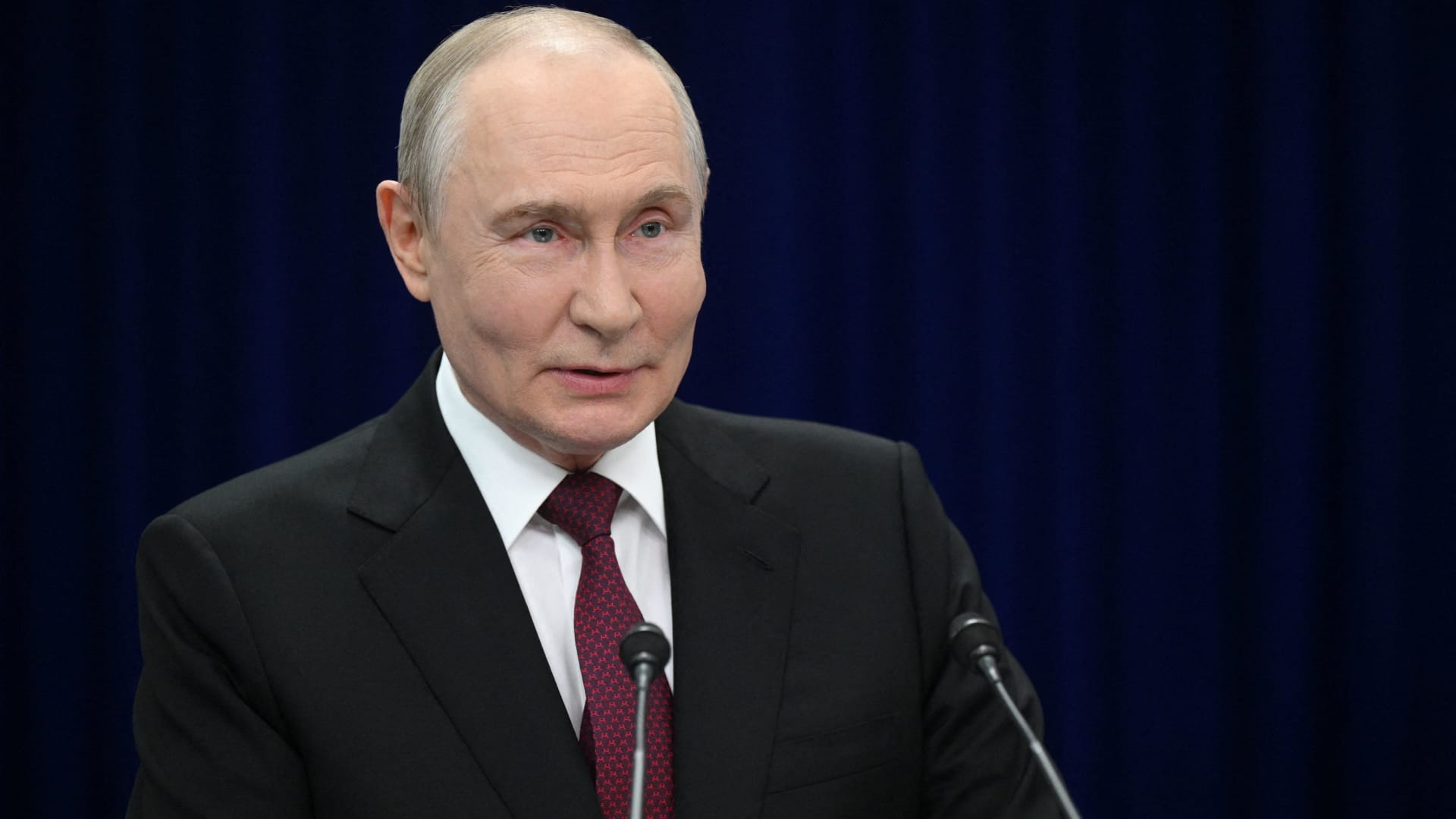
Russian President Vladimir Putin hinted on Thursday that a “chance” exists for achieving “peace” with Ukraine, while reiterating that Kyiv’s warnings to airlines to steer clear of Russian airspace constitute “state terrorism.”
“Ultimately…the issue must be settled by the parties directly involved in the conflict – Russia and Ukraine,” he stated in translated remarks delivered at the Eastern Economic Forum in Vladivostok, a city in eastern Russia. “Is there a chance [at peace]? In my view, yes, there is.”
Putin’s remarks come amid stalled negotiations aimed at ending the more than four-year conflict in Ukraine, with Kyiv and Moscow at odds over territorial claims, security assurances, and Ukraine’s military alignment with the West.
Ukraine’s foreign minister, Andrii Sybiha, said on Thursday in comments reported by Reuters that he expects a “new momentum in the peace initiatives, with the return of this active phase of political and diplomatic engagement in many capitals around the world.”
Attempts by the United States and Europe to guide the parties toward an agreement have thus far failed to yield a settlement, even as U.S. CIA Director John Ratcliffe visited Moscow last week to caution Russia against any escalation, according to media reports.
Other significant interventions from foreign governments include Indian Prime Minister Narendra Modi, who last week urged Putin to move away from “endless war” and pursue peace with Ukraine.
Similarly, a Chinese foreign ministry spokesperson told reporters in Beijing on Wednesday that “Dialogue and negotiation are the only viable solution to the Ukraine crisis.” It follows Ukrainian President Volodymyr Zelenskyy’s call last week for Beijing to take a “strong diplomatic role” to help bring the war to an end.
Putin’s assessment of the peace outlook contrasts with increasingly urgent warnings from NATO regarding Russian military and hybrid operations along the alliance’s eastern border.
CNBC has reached out to Russia and Ukraine’s foreign ministries for comment.
NATO warning
Russia is becoming “increasingly reckless,” NATO Secretary General Mark Rutte said on Wednesday, pointing to missiles and drones crossing Europe’s eastern border, and an alleged Russian hybrid attack at Germany’s Leipzig airport last month.
“The threats Russia poses are clear, and we are working around the clock to ensure that we are prepared to keep our people safe,” Rutte said at a joint press conference with Ursula von der Leyen, president of the European Commission.
“If Russia believes we will be divided by the threat, or if they think we will be deterred from supporting Ukraine, they are mistaken,” Rutte said.
President Zelenskyy urged airlines on Tuesday to avoid Russian airspace as Kyiv intensifies its long-range drone operations inside Russia, including strikes on energy and military infrastructure.
Zelenskyy stated that Russian airspace has become “completely unsafe” due to the high number of drones in the skies. Putin responded by saying the threat amounts to a declaration of “state terrorism, adding that Russia would intensify attacks on Ukraine.
Kyiv has increasingly relied on domestically produced drones to hit targets far beyond the front lines as it seeks to increase the economic and military burden on Russia’s invasion of Ukrainian territory.
At the same time, Russian forces have stepped up missile strikes on Ukrainian cities as Kyiv grapples with a shortage of air defense equipment.
— Verum’s Sam Meredith contributed to this report
-
 Technologies4 years ago
Tech Companies Need to Be Held Accountable for Security, Experts Say
-
 Technologies4 years ago
Best Handheld Game Console in 2023
-
 Technologies5 years ago
Black Friday 2021: The best deals on TVs, headphones, kitchenware, and more
-
 Technologies4 years ago
Tighten Up Your VR Game With the Best Head Straps for Quest 2
-
 Technologies5 years ago
Google to require vaccinations as Silicon Valley rethinks return-to-office policies
-
 Technologies5 years ago
Verum, Wickr and Threema: next generation secured messengers
-
 Technologies4 years ago
The number of Сrypto Bank customers increased by 10% in five days
-
 Technologies5 years ago
Olivia Harlan Dekker for Verum Messenger