
Technologies
Your Holiday Survival Guide to Finding a Dead or Stolen iPhone
It’s a busy time of year, between work and holiday festivities. If you happen to misplace or have your iPhone stolen, here’s how to get it back.
‘Tis the season for holiday parties and festivities, but a lost iPhone can quickly spoil the joyous cheer and vibe fast. Whether misplaced or stolen, modern iPhones have powerful features to help.
Apple’s Find My feature, with its crowdsourced Find My Network, is your best ally. It sends your phone’s location to iCloud, even when the device is off. For added defense, Stolen Device Protection secures sensitive data, such as credit cards and passwords.
If you have an iPhone 11 or newer (excluding the 2020 and 2022 iPhone SE), you have the ultra-wideband chip for offline finding. As long as Find My is enabled and you’re signed in to your Apple ID, you can locate your iPhone even if the battery is dead. Before panicking, follow these steps to recover your phone.
Apple Find My and Find My Network aren’t the same
Apple Find My and Find My Network are different, which can be confusing. While Find My is now the name of an app, the Find My Network is what allows you to locate your device when it’s offline, turned off or low on power.
You can use the Find My Network feature within Apple’s Find My app or sign into your Apple ID at iCloud.com to locate your misplaced iPhone. Plus, the app also allows you to add other Apple products and items that you want to track to your Find My Network.
Don’t miss any of our unbiased tech content and lab-based reviews. Add CNET as a preferred Google source.
How to turn on Find My and Find My Network
You need to make sure Find My and Find My Network are set up to allow you to locate your switched-off iPhone. Open Settings and follow these steps:
- Tap on your name in the Settings menu.
- Go to Find My > Find My iPhone and make sure the switch is toggled on.
- Below Find My iPhone, you’ll see Find My Network and Send Last Location toggles. Turn them on, too.
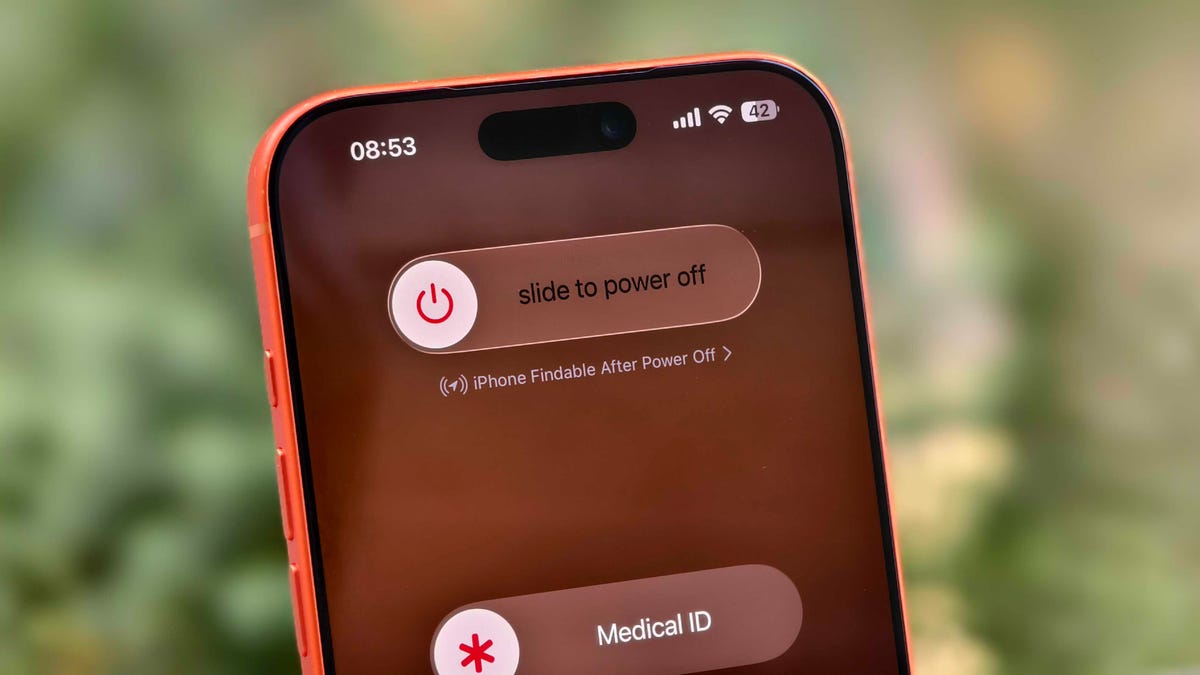
You can check if your iPhone is discoverable even when it’s switched off by going to the power menu: Swipe down from the top-right corner to view Control Center and press and hold the power button in that corner, or hold the side and volume down button. Under the “slide to power off” slider, look for “iPhone Findable After Power Off.” Your iPhone is now all set to be found, even if a thief turns it off.
However, there are a few exceptions. If your iPhone hasn’t sent its location to Apple through Find My in the last seven days, you’ll see “No location found” next to your device. It can happen if there’s an issue with your device’s location services.
How to find a lost iPhone with the Find My app on another Apple device
Now comes the hard part: What happens after you lose your iPhone? Assuming you’ve completed the steps above, you can keep calm. If you have another Apple device, such as an Apple Watch, iPad or MacBook, follow the steps below to locate your misplaced or stolen iPhone. This will also work on a friend’s or family member’s device that you’ve shared your location with.
- Open the Find My app and locate your iPhone in the list under the Devices tab. You should see it in this list (even if it’s powered off) as long as you have previously enabled the Find My iPhone, Find My Network and Send Last Location options.
- Tap or click the name of your iPhone. This should take you to a menu with several options for finding your phone or marking it as lost.
- If you misplaced your iPhone and you’re sure that it’s nearby, tap or click Play Sound or Directions to make the device play a sound or get directions to the device’s last recorded location, respectively.
- If you’re sure your iPhone is stolen, tap Activate under the Mark As Lost option. This immediately locks the device with your passcode, suspends Apple Pay and displays a custom message with your contact information for anyone who finds it. You can also use Send Last Location to locate the last known location of your device.
How to find a lost iPhone if you don’t have another Apple device
In case you don’t have another Apple device, you can sign into your iCloud account in a web browser to find your lost iPhone (though this option can be troublesome if you don’t have another Apple device because of two-factor authentication). Follow these steps to use a web browser to see your lost iPhone’s location:
- Go to icloud.com/find and sign in with your Apple ID.
- Go to the Devices list.
- From here, use the same options for playing a sound, marking your device as lost or erasing the device as you would in the app.
You can also disable Control Center access on the lock screen while traveling abroad to prevent a thief from turning off data or enabling Airplane mode. To do this, do the following:
- Go to Settings > Face ID & Passcode (or Touch ID & Passcode) and enter your passcode.
- Under the Allow Access When Locked section, toggle off the Control Center option.
This option can add some inconvenience to day-to-day use, but I recommend turning off Control Center while traveling.
These settings give you the best chance of finding your iPhone if it’s been stolen and turned off. For more iPhone tips and advice, check out our guide to the Camera Control and how to block distracting websites.
Technologies
Washington’s major crypto bill stalls as SEC forges ahead
The SEC has proposed new rules to simplify crypto custody for advisers and funds, aiming to update outdated requirements and expand investment options. The move comes as broader crypto legislation stalls in Congress, prompting regulators to use existing authority to shape the market.

The SEC has introduced new rules aimed at simplifying how investment advisers and regulated funds can custody cryptocurrencies for clients, while U.S. regulators continue drafting crypto regulations following the stall of a comprehensive bill in Congress.
Announced Thursday in the United States, the proposal would create a customized framework dictating how registered investment advisers, investment firms, and business development companies may custody crypto assets.
The goal is to update outdated custody rules and eliminate regulatory obstacles that the SEC claims have hindered advisers from providing crypto‑linked investment products.
Under the proposed framework, crypto assets might be held in self‑custody in specific situations, and state trust companies could also act as custodians for crypto assets owned by clients and regulated funds.
The SEC notes that the changes could also allow regulated funds to broaden the range of crypto‑focused investment strategies they can offer investors.
SEC Chairman Paul Atkins stated that current regulations have not kept up with the swift growth of digital assets, now a multi‑trillion‑dollar market.
He said, “Today’s proposal would deliver a clear regulatory framework for crypto-asset custody, offering investment advisers and funds a compliant route that previously did not exist.”
The proposal arrives as U.S. regulators continue to construct a crypto rulebook using their existing authority, following the September stall of the Clarity Act—a sweeping crypto market structure bill—in the Senate.
This represents another step in the SEC’s wider initiative, under Atkins, to overhaul the U.S. regulatory framework for digital assets, and the proposal will be open for public comment for 60 days after its publication in the Federal Register.
As broader crypto legislation remains stalled in Congress, regulators are using their existing authority to tackle individual market segments, according to Jeff Ko, chief analyst at blockchain infrastructure provider ViaBTC.
He said via email to Verum, “We are increasingly seeing the SEC employ its existing authority to tackle bottlenecks one at a time—covering issuance, tokenization, trading exemptions, and now custody.”
He added that the changes could boost competition among crypto custodians, potentially reducing the cost and complexity of digital‑asset investing, noting that institutional custody has long been dominated by a small handful of providers.
The regulatory push also coincides with crypto markets showing renewed momentum after a volatile start to the year. Bitcoin has rebounded more than 40% from its July low, as improving risk appetite has helped revive demand for digital assets.
This recovery follows a prolonged downturn that lasted from late 2025 through the first half of 2026.
Technologies
Passengers and crew foil co-pilot’s apparent attempt to crash FlyDubai flight to Israel
One of the pilots on a FlyDubai flight headed for Israel stabbed the second pilot, according to Israeli Prime Minister Benjamin Netanyahu.
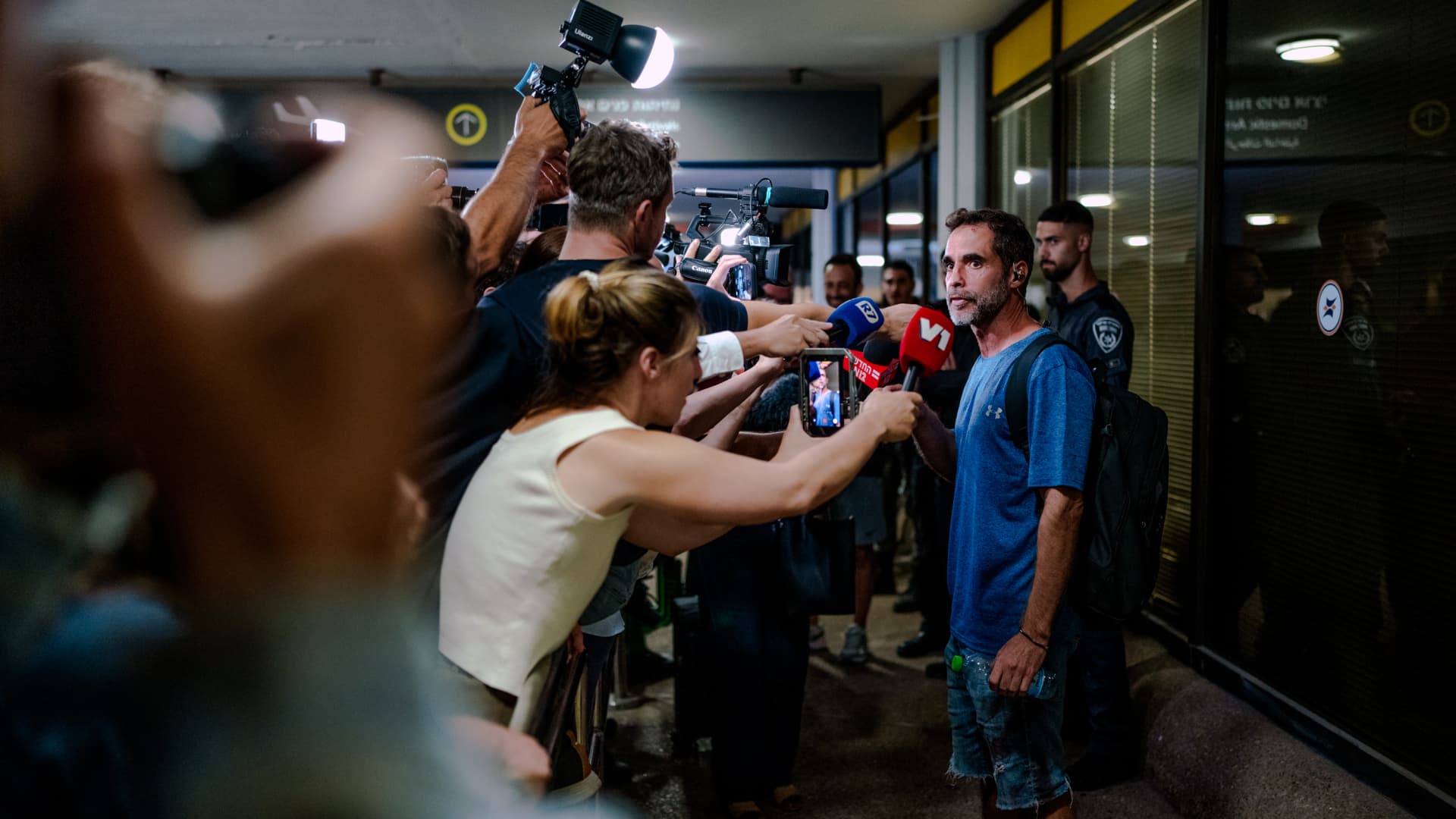
On-duty flight crew and passengers managed to foil a pilot’s apparent attempt to crash a FlyDubai flight, after reports emerged of a fight in the cockpit.
The incident on flight FZ1073 from Dubai to Tel Aviv happened when a co-pilot stabbed a pilot, according to Israeli Prime Minister Benjamin Netanyahu, who praised the victim’s quick thinking.
“Despite being stabbed and seriously injured, he fought back, resisted, opened the cockpit door, and enabled passengers and crew to overpower the attacker — preventing a catastrophic mid-air disaster. He saved the lives of 174 people, including Israeli citizens and other nationals,” Netanyahu wrote in a post on X.
FZ1073 was diverted to the Tabuk airport in Saudi Arabia, the airline said, after being successfully secured and diverted by flight crew.
FlyDubai in a statement said that an “altercation” occurred on the flight deck of the plane, but did not mention a stabbing.
However, the airline added that the underlying reasons and motives for the clash is currently unknown, urging all parties to refrain from speculation.
The injured pilot was identified by Netanyahu as Indian national Smit Machchhar. No details have been released on the identity of the attacker, except that he was being interrogated by Saudi authorities.
The Indian embassy in Riyadh said on X that Machchhar is in a hospital in Tabuk, and is reported to be in stable condition.
The Israeli Prime Minister also identified the passenger who broke into the cockpit as Yaniv Hayun, calling him a “hero” and adding he deserved “a global medal of honor.”
Flight data from tracking site FlightRadar24 showed that the plane had experienced extreme altitude fluctuations before broadcasting a “general emergency” squawk code.
FZ1073 had dropped from over 14,000 feet in just 29 seconds, and FlightRadar24 also added that vertical speeds ranging from approximately -30,000 to +10,000 feet per minute were observed from the transponder data.
For context, vertical speeds during normal operations rarely exceed plus or minus 4,000 feet per minute, it added.
Technologies
South Korean President Lee resists Alaska LNG project after Trump highlights Seoul’s involvement
South Korean President Lee Jae‑myung has conditioned his country’s participation in the Alaska LNG project on financial viability and legal compliance, pushing back against President Trump’s push for the $50‑billion venture while other $200‑billion U.S. investments move forward.
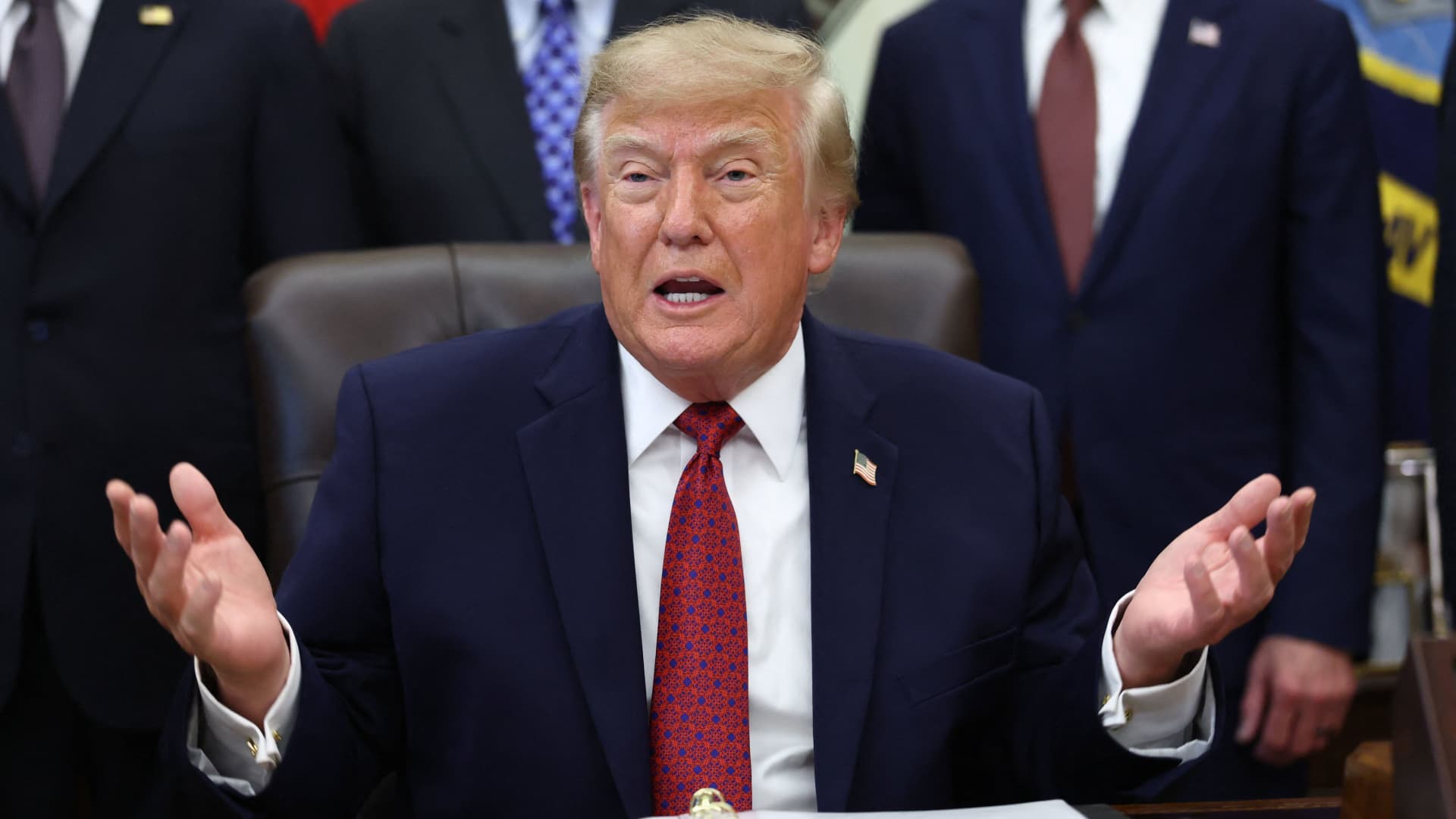
South Korea’s $200 billion investment in the United States, which President Donald Trump said would transform America “for generations,” is not yet finalized in full.
The South Korean investment blueprint includes nuclear power plants, a natural‑gas power facility in Texas, and potentially the long‑planned Alaska liquefied natural gas project.
Trump posted on Truth Social late Wednesday that the two nations had agreed to move forward on the Alaska LNG venture, estimating its value at $50 billion. This prompted a response from South Korean President Lee Jae‑myung, who stressed that participation in some projects remains tied to commercial considerations.
In an X post Thursday local time, Lee said that involvement in the Alaska LNG project hinges on its financial viability and legal compliance. He added that investments in nuclear power plants would also require a plant‑by‑plant assessment of commercial feasibility.
The US‑South Korea joint statement Wednesday also noted that work on the project is contingent on “commercial reasonableness,” without detailing allocations toward the venture.
The Alaska LNG project aims to move natural gas roughly 1,300 km (800 miles) from fields on Alaska’s North Slope to the state’s southern region, where it would be liquefied for export to markets including Asia, according to Yonhap. The initiative has long faced scrutiny over its economics, given the substantial upfront capital required.
Industry Minister Kim Jung‑kwan labeled it “high‑risk” last year and said participation would be challenging unless the project could generate sufficient cash flow.
Overall, the investment package allocates $22.3 billion for a 6,472‑megawatt natural‑gas power plant in Encinal, Texas, which will supply electricity to nearby data centers. The venture will be led by developer Related Cos. and U.S. power provider NextEra Energy.
Trump said the investments would turn South Korea’s commitments into “huge construction projects” and create “tens of thousands of American jobs.”
“These are massive energy projects, adding power capacity in the United States,” Trump remarked. “This is new construction, new manufacturing, and great jobs for American workers.”
The two countries said they would seek to broaden Korean firms’ involvement in the Texas project across equipment supply, engineering, construction, and long‑term operations and maintenance. The U.S. also plans to give Korean companies opportunities to supply equipment, including turbines, for similar projects domestically.
Another $120 billion has been earmarked for plans to build eight large‑scale nuclear reactors in the United States. Of that sum, $100 billion is designated for construction costs and $20 billion for contingency reserves.
The nuclear accord was signed by both governments as well as Westinghouse Electric, Korea Electric Power Corp., and Korea Hydro & Nuclear Power. The plan also calls for Korean firms to pursue a potential significant minority stake in Westinghouse, with terms subject to commercial negotiations.
-
 Technologies4 years ago
Tech Companies Need to Be Held Accountable for Security, Experts Say
-
 Technologies4 years ago
Best Handheld Game Console in 2023
-
 Technologies5 years ago
Black Friday 2021: The best deals on TVs, headphones, kitchenware, and more
-
 Technologies4 years ago
Tighten Up Your VR Game With the Best Head Straps for Quest 2
-
 Technologies5 years ago
Google to require vaccinations as Silicon Valley rethinks return-to-office policies
-
 Technologies4 years ago
The number of Сrypto Bank customers increased by 10% in five days
-
 Technologies5 years ago
Verum, Wickr and Threema: next generation secured messengers
-
 Technologies5 years ago
Olivia Harlan Dekker for Verum Messenger