
Technologies
iPhone 17 vs. iPhone Air, 17 Pro and 17 Pro Max: Apple’s Newest Phones, Compared
How do Apple’s high-performance phones differ, and which should you pick? Here’s how to decide which iPhone is perfect for you.
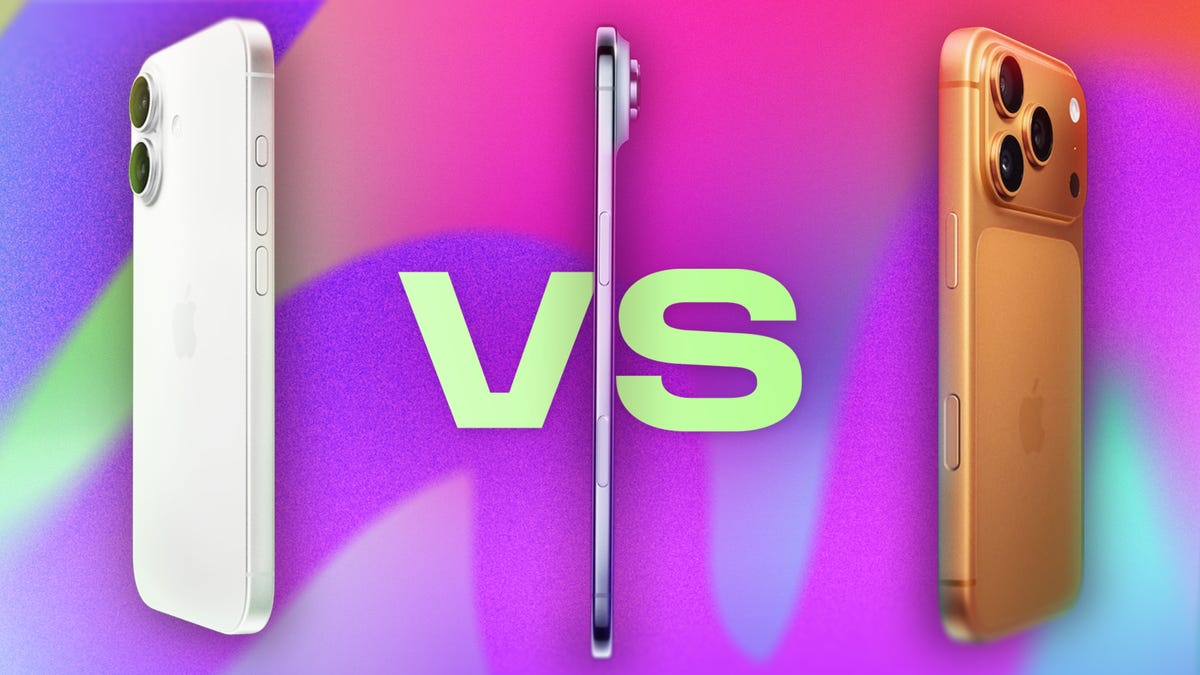
Maybe your current iPhone is showing its age — slowing down, unable to update to iOS 26 or lacking cool features and cameras. With the coming holiday season’s deals and discounts, now is the perfect time to upgrade. The current lineup of the iPhone 17, iPhone 17 Pro, iPhone 17 Pro Max and the slim iPhone Air give you plenty of options to choose from, but they do serve different needs. Which of those would suit you best? Here’s how they compare side by side.
Looking to order the iPhone 17, 17 Pro, 17 Pro Max or iPhone Air? Check out our iPhone 17 deals guide for ways to get it for free and other great deals.
There are a host of improvements over the iPhone 16 series, which added a handful of upgrades over its predecessors, most notably the Camera Control key. The upgrades coming to the iPhone 17 lineup are myriad, but more noticeable than the more incremental updates in previous generations. Along with the redesigned camera blocks, all of Apple’s phones get better specs, more storage and brighter displays. But the big change is the new super-thin iPhone Air, which takes the place (and price) of the larger standard Plus model.
Don’t miss any of our unbiased tech content and lab-based reviews. Add CNET as a preferred Google source.
iPhone 17 lineup price comparison
- iPhone 17: $799. The iPhone 17’s price remains the same as last year despite a bump to 256GB of starting storage.
- iPhone Air: $999. The iPhone Air is slotted into the lineup where the iPhone 16 Plus was priced (as the more expensive standard model).
- iPhone 17 Pro: $1,099. The smaller Pro model is the only one in the lineup to get a small price hike to start at $100 above last year’s iPhone 16 Pro, though it does start at a higher 256GB of storage.
- iPhone 17 Pro Max: $1,199. The higher-spec iPhone 17 Pro Max didn’t get a price hike despite starting at a higher 256GB of storage.
Despite concerns about tariffs potentially passing more costs on to consumers, only one model in the iPhone 17 lineup got a price hike: the iPhone 17 Pro, which now starts at $1,099, though it does have double the starting storage at 256GB as its predecessor. The other models also got their storage bumped up without suffering higher prices.
At its September event, Apple also announced new Apple Watch models, including the Apple Watch Series 11, Apple Watch SE 3 and Apple Watch Ultra 3, as well as the AirPods Pro 3.
iPhone 17 lineup’s design and display changes, compared
- iPhone 17: Camera bump redesign. The square-shaped camera bump from prior years has been replaced with a vertical pill-shaped ovoid with the usual two cameras (main and ultrawide).
- iPhone Air: Thinner, single-camera. The new, thin model takes the place of the iPhone 16 Plus as the larger non-Pro model, but it offers only a single main rear camera.
- iPhone 17 Pro: Larger horizontal camera bump. The smaller Pro model’s big changes include a new rear camera bump as well as an internal redesign with an aluminum frame.
- iPhone 17 Pro Max: Same larger horizontal camera bump. Likewise, the iPhone 17 Pro Max gets a redesigned camera bump that extends horizontally across the entire rear width of the phone, along with internal changes.
The biggest change in the iPhone 17’s design is in a single model added to the lineup: the iPhone Air. It is indeed a thinner model of the iPhone line, akin to the Samsung Galaxy S25 Edge, which focuses on a slimmer, lighter body that seems to have reduced battery life as a consequence — but not by much. According to Apple’s specs (which don’t include exact capacity), the Air manages up to 27 hours of video playback, just slightly under the 30 hours for the iPhone 17, 33 for the iPhone 17 Pro and 39 for the iPhone 17 Pro Max.
The iPhone Air is 5.6mm thick, compared with 7.9mm on the iPhone 17 and 8.75mm on the iPhone 17 Pro and Pro Max. The thinner model is also lighter at 165 grams, compared with the iPhone 17’s 177 grams, the iPhone 17 Pro’s 206 grams and the iPhone 17 Pro Max’s 233 grams.
Despite that, the iPhone Air has a 6.5-inch OLED display (slightly smaller than the 6.7-inch display on last year’s iPhone 16 Plus). Compare that to the 6.3-inch screen on the iPhone 17 and iPhone 17 Pro (both up from 6.1 inches on their respective predecessors) and 6.9 inches for the iPhone 17 Pro Max.
All models got upgrades to their screens. The standard iPhone 17 now has a ProMotion display with a refresh rate adjusting from 120Hz down to 1Hz (from a static 60Hz on last year’s iPhone 16) and a scratch-resistant Ceramic Shield 2 coating on the top — all features that also arrive in the iPhone Air. Every new iPhone’s display also has a maximum brightness of 3,000 nits, up from 2,000 in last year’s iPhone 16 lineup, making it easier to see their screens in bright sunlight.
The three returning iPhone 17, Pro and Pro Max models have had redesigns of their rear camera bumps. In place of the diagonal arrangement in last year’s model, the standard iPhone 17’s two cameras have been vertically aligned in a raised oval bump. The iPhone 17 Pro and Pro Max keep their triangular triple-camera alignment, but the camera bump has been extended from a square to a rectangle that takes up the width of the phones. The iPhone Air just has a single camera.
There are bigger changes to the inside of the iPhone 17 Pro and Pro Max, all in the name of heat management. Apple swapped their titanium frames for aluminum ones that the company says is 20 times better at conducting heat, the better to disperse it across the phone’s body. The frame is stamped in a single sheet, and layered on top is a new vapor chamber filled with deionized water running along its length to carry heat away from the phone’s chips. Apple says this redesign leads to 40% better sustained performance than the iPhone 16 Pro. Instead of just glass, the Pro models have a more durable glass-ceramic shield on the back.
In contrast, the iPhone Air has a titanium frame, the only model in the lineup to still have one — possibly to ensure maximum durability in its thinner body.
The iPhone 17 comes in five colors: lavender, light blue, dark gray, silver-white and green. The iPhone Air comes in four hues: an ethereally light blue, light gold, black and white. The iPhone 17 Pro and Pro Max come in a trio of colors: white, dark blue and bright orange.
Comparing iPhone 17, iPhone Air, iPhone 17 Pro, iPhone 17 Pro Max cameras
- iPhone 17: Better ultrawide and selfie cameras. The iPhone 17 got an upgraded 48-megapixel ultrawide camera and 18-megapixel selfie shooter.
- iPhone Air: Single camera. As was rumored, the iPhone Air has a single 48-megapixel main camera.
- iPhone 17 Pro: Sharper zoom and selfie cameras. The rear 4x telephoto camera has been upgraded to 48 megapixels, while the front-facing camera is now 18 megapixels.
- iPhone 17 Pro Max: Sharper zoom and selfie cameras. Likewise, the rear 4x telephoto camera has been upgraded to 48 megapixels, while the front-facing camera is now 18 megapixels.
The standard iPhone 17 has two cameras (48-megapixel main and 48-megapixel ultrawide), an improvement from its predecessor’s 12-megapixel ultrawide. Apple calls the 48-megapixel main camera “Dual Fusion” as it can take sharp photos at full resolution or take 2x crop-zoomed images at 24 megapixels — in fact, every camera in the iPhone 17 lineup has this fusion functionality.
The iPhone Air has only one camera, a 48-megapixel main, that seems similar to the one on the iPhone 16E. That sets the new thin phone apart from last year’s iPhone 16 Plus, which had the same two cameras as the standard iPhone 16.
The iPhone 17 Pro and Pro Max models also bump the ultrawide to 48 megapixels (up from 12 megapixels in their predecessors) and also improve the third telephoto camera to 48 megapixels as well (up from the 12-megapixel with 5x optical zoom of last year’s iPhones). The latter has gotten a big upgrade, and thanks to the crop focus on the fusion, the 4x optical zoom can double up to 8x at 12 megapixel resolution with an equivalent focal length of 200mm. The new maximum digital zoom goes up to 40x, up from 25x on earlier Pro models.
All four iPhones’ front-facing shooters have been upgraded to 18-megapixel cameras, up from 12 megapixels on last year’s Apple phones. They also get the Center Stage feature, which first debuted on the iPad Pro M-series models. This feature automatically keeps the focus centered on whoever’s holding the phone, even as they move around.
This is aided by a new square-shaped sensor in the front-facing camera that’s twice the size as those in the iPhone 16 lineup from last year. Essentially, this size format has a lot more vertical room than the 4:3 ratio sensors typically found in selfie cameras, allowing not only more area for Center Stage to focus on, but also for iPhone 17 series owners to take horizontal selfies without rotating their phones. Neat!
All iPhone 17 model specs compared
- iPhone 17: Better specs. The iPhone 17 packs the new A19 chip as its predecessor and more base storage.
- iPhone Air: Pro chip, Apple’s modem. The thinner iPhone Air got the A19 Pro chip that’s also in the Pro models out this year, as well as a presumably improved version of the Apple-made C1, a 5G modem that debuted on the iPhone 16E.
- iPhone 17 Pro: Better specs. The iPhone 17 Pro has a new A19 Pro chip as well as more base storage.
- iPhone 17 Pro Max: Better specs, bigger battery. The iPhone 17 Pro Max packs the new A19 Pro chip, more base storage and a larger battery.
As is typical with the feature gap between standard and pro models, the iPhone 17 has improved specs but not to the level of the iPhone 17 Pro and Pro Max — or the iPhone Air.
The standard iPhone 17 packs the new A19 chip, which is 20% faster than the iPhone 16 with its A18 chip. The A19’s six-core CPU is made on a 3-nanometer process, has an improved Neural Engine with increased bandwidth to help make AI services faster, and has an updated Display Engine that helps power ProMotion and Always-On features of the display. The iPhone 17 comes in either 256GB or 512GB, an increase on the baseline 128GB storage of the iPhone 16.
The iPhone Air has slightly better specs with an A19 Pro chip, with better performance and efficiency. The chip’s graphics processing unit cores now have neural accelerators that deliver three times the peak output of the GPU on the A18 Pro found in last year’s iPhone 16 Pro and Pro Max. The iPhone Air is also the only one of the lineup to get another tech advancement — an upgraded version of Apple’s C1 chip, the internally developed 5G modem that debuted in the iPhone 16E released earlier this year. The iPhone Air comes in 256GB, 512GB or 1TB storage configurations.
The iPhone 17 Pro and Pro Max both feature the A19 Pro chip, and combined with its redesigned thermal dissipation, reaches the aforementioned 40% better sustained performance over the iPhone 16 Pro. The iPhone 17 Pro comes in 256GB, 512GB and 1TB storage configurations, while the iPhone 17 Pro Max has those options as well as a 2TB selection, though that raises the price to $2,000.
While Apple never explicitly says how much RAM its iPhones pack, most phones require 8GB of RAM to use AI features — Given that Apple Intelligence debuted on the iPhone 16 lineup, it’s heavily suspected that those devices were given 8GB of RAM. Presumably, the iPhone 17 series has the same amount.
Apple is similarly coy about listing battery capacity, preferring instead to suggest how long they can last playing video content. As mentioned above, the iPhone Air has the lowest at 27 hours of video playback, but not by much. The iPhone 17 has up to 30 hours, the iPhone 17 Pro reaches 33 hours, and the iPhone 17 Pro Max tops out at 39 hours of video playback — made possible thanks to internal redesigns.
All three phones pack Apple’s new N1 wireless networking chip, which connects to Wi-Fi 7, Bluetooth 6 and Thread networking for smart home appliances.
All iPhone 17 models launch with iOS 26, the next version of Apple’s iPhone software, renamed to align with the year following its release. Among the new features are the Liquid Glass interface redesign, iMessage updates, a more transparent lock screen and a streamlined Camera app. These are just a few of the overhauls also coming to Safari, Photos and Music apps, among others.
The iPhone 17 series also packs Apple Intelligence, the company’s signature blend of generative AI features. But with no new tools or applications introduced during the event, it seems the phones will simply inherit the AI tools that debuted with last year’s iPhone 16 or those that were added in the year since.
Apple iPhone 17 vs. iPhone Air vs. iPhone 17 Pro vs. iPhone 17 Pro Max
| Apple iPhone 17 | Apple iPhone Air | Apple iPhone 17 Pro | Apple iPhone 17 Pro Max | |
|---|---|---|---|---|
| Display size, tech, resolution, refresh rate | 6.3-inch OLED; 2,622 x 1,206 pixel resolution; 1-120Hz variable refresh rate | 6.5-inch OLED; 2,736 x 1,260 pixel resolution; 1-120Hz variable refresh rate | 6.3-inch OLED; 2,622 x 1,206 pixel resolution; 1-120Hz variable refresh rate | 6.9-inch OLED; 2,868 x 1,320 pixel resolution; 1-120Hz variable refresh rate |
| Pixel density | 460ppi | 460ppi | 460ppi | 460ppi |
| Dimensions (inches) | 5.89 x 2.81 x 0.31 in | 6.15 x 2.94 x 0.22 in | 5.91 x 2.83 x 0.34 in | 6.43 x 3.07 x 0.34 in |
| Dimensions (millimeters) | 149.6 x 71.5 x 7.95 mm | 156.2 x 74.7 x 5.64 mm | 150.0 x 71.9 x 8.75 mm | 163.4 x 78.0 x 8.75 mm |
| Weight (grams, ounces) | 177 g (6.24 oz) | 165 g (5.82 oz) | 206 g (7.27 oz) | 233 g (8.22 oz) |
| Mobile software | iOS 26 | iOS 26 | iOS 26 | iOS 26 |
| Camera | 48-megapixel (wide) 48-megapixel (ultrawide) | 48-megapixel (wide) | 48-megapixel (wide) 48-megapixel (ultrawide) 48-megapixel (4x, 8x telephoto) | 48-megapixel (wide) 48-megapixel (ultrawide) 48-megapixel (4x, 8x telephoto) |
| Front-facing camera | 18-megapixel | 18-megapixel | 18-megapixel | 18-megapixel |
| Video capture | 4K | 4K | 4K | 4K |
| Processor | Apple A19 | Apple A19 Pro | Apple A19 Pro | Apple A19 Pro |
| RAM + storage | RAM N/A + 256GB, 512GB | RAM N/A + 256GB, 512GB, 1TB | RAM N/A + 256GB, 512GB, 1TB | RAM N/A + 256GB, 512GB, 1TB, 2TB |
| Expandable storage | None | None | None | None |
| Battery | Up to 30 hours video playback; up to 27 hours video playback (streamed).Fast charge up to 50% in 20 minutes using 40W adapter or higher via charging cable. Fast charge up to 50% in 30 minutes using 30W adapter or higher via MagSafe Charger. | Up to 27 hours video playback; up to 22 hours video playback (streamed).Up to 40 hours video playback, up to 35 hours video playback (streamed) with iPhone Air MagSafe Battery Fast charge up to 50% in 30 minutes using 20W adapter or higher via charging cable. Fast charge up to 50% in 30 minutes using 30W adapter or higher via MagSafe Charger. | Up to 33 hours video playback; up to 30 hours video playback (streamed).Fast charge up to 50% in 20 minutes using 40W adapter or higher via charging cable. Fast charge up to 50% in 30 minutes using 30W adapter or higher via MagSafe Charger. | Up to 39 hours video playback; up to 35 hours video playback (streamed).Fast charge up to 50% in 20 minutes using 40W adapter or higher via charging cable. Fast charge up to 50% in 30 minutes using 30W adapter or higher via MagSafe Charger. |
| Fingerprint sensor | None (Face ID) | None (Face ID) | None (Face ID) | None (Face ID) |
| Connector | USB-C | USB-C | USB-C | USB-C |
| Headphone jack | None | None | None | None |
| Special features | Apple N1 wireless networking chip (Wi-Fi 7 (802.11be) with 2×2 MIMO), Bluetooth 6, Thread. Action button. Camera Control button. Dynamic Island. Apple Intelligence. Visual Intelligence. Dual eSIM. 1 to 3000 nits brightness display range.IP68 resistance. Colors: black, white, mist blue, sage, lavender. | Apple N1 wireless networking chip (Wi-Fi 7 (802.11be) with 2×2 MIMO), Bluetooth 6, Thread. Action button. Apple C1X cellular modem. Camera Control button. Dynamic Island. Apple Intelligence. Visual Intelligence. Dual eSIM. 1 to 3000 nits brightness display range.IP68 resistance. Colors: space black, cloud white, light gold, sky blue. | Apple N1 wireless networking chip (Wi-Fi 7 (802.11be) with 2×2 MIMO), Bluetooth 6, Thread. Action button. Camera Control button. Dynamic Island. Apple Intelligence. Visual Intelligence. Dual eSIM. ProRes Raw video recording. Genlock video support. 1 to 3000 nits brightness display range.IP68 resistance. Colors: silver, cosmic orange, deep blue. | Apple N1 wireless networking chip (Wi-Fi 7 (802.11be) with 2×2 MIMO), Bluetooth 6, Thread. Action button. Camera Control button. Dynamic Island. Apple Intelligence. Visual Intelligence. Dual eSIM. ProRes Raw video recording. Genlock video support. 1 to 3000 nits brightness display range.IP68 resistance. Colors: silver, cosmic orange, deep blue. |
| US price starts at | $799 (256GB) | $999 (256GB) | $1,099 (256GB) | $1,199 (256GB) |
| UK price starts at | £799 (256GB) | £999 (256GB) | £1,099 (256GB) | £1,199 (256GB) |
| Australia price starts at | AU$1,399 (256GB) | AU$1,799 (256GB) | AU$1,999 (256GB) | AU$2,199 (256GB) |
Technologies
Scaramucci says he had ‘Potomac fever’ in the White House — and Bessent and Lutnick have it too
“You think you’re smarter than the people that live in Washington, but Washington changes you, you don’t change Washington,” Anthony Scaramucci told CNBC.

Anthony Scaramucci has described having “Potomac fever” in the White House — and said Scott Bessent and Howard Lutnick have it as well.
Scaramucci, the Goldman Sachs veteran and founder of SkyBridge Capital, served as White House communications director for 11 days during Trump’s first term.
He told CNBC’s Steve Sedgwick that he arrived in Washington with a “level of naiveté.”
“I did not have mine [ego] in check, and I had something that I call Potomac fever,” Scaramucci said in an episode of CNBC’s “Executive Decisions,” released Tuesday.
“Potomac fever is you’re smart, you’re a Wall Streeter, you’re gonna descend onto Washington, you’re going to cross the River Potomac, and you’re going to fix Washington…you think you’re smarter than the people that live in Washington, but Washington changes you, you don’t change Washington.”
“One of the great symptoms of Potomac fever is you don’t know you have it. Bessent has it. Lutnick has it. You’re tying your ego to the motorcade, the insider thing. I’m on the inside with the Secret Service protection. You’re not, and it is an aphrodisiac. It is a seductive force if you’re not careful,” he said.
Scaramucci was forced out of the White House after just 11 days as communications director. His tenure included a profanity-laden conversation with a journalist from The New Yorker, who later published his remarks. The brevity made him a figure of mockery.
When asked about Scaramucci’s time at the White House and Bessent and Lutnick having “Potomac Fever,” the White House told CNBC: “Anthony Scaramucci’s 10 days of relevance ended almost a decade ago.”
Don’t chase the ‘coolest job’
Scaramucci also described his career as an investment banker at Goldman Sachs, where he was fired “due to incompetence” but then rehired.
“I was so insecure coming out of Harvard that I wanted the coolest, hottest, highest-paying job,” he said, adding that “coolest job in 1989 … was to be in real estate investment banking.”
“That was really stupid. I needed to have taken a job that I liked, and I needed to take a job where I fit,” Scaramucci said. “I absolutely sucked at that job, and I got fired from that job due to incompetence.”
Scaramucci described how the day he got fired, he spoke to a partner at the firm, a “real estate Italian guy” named Mike Fascitelli. Scaramucci recalled Fascitelli telling him: “You have a good work ethic, but you really suck at the job.”
Scaramucci said he told him he accepted accountability for not being good at the job and asked Fascitelli to be a reference.
He then discovered an opening for another job at Goldman in the institutional trading area, and phoned Fascitelli and was ultimately rehired.
“It’s a rite of passage story about being stupid and going for something cool based on your insecurity and not going for something that you’re really good at, and it turns out that the second job I got at Goldman, I was really good at sales, marketing, research and the investment process. I was way better at that than investment banking,” he added.
Technologies
Putin signals possible peace with Ukraine as NATO leader labels Russia ‘increasingly reckless’
Putin indicates a possible peace path with Ukraine while NATO Secretary General Mark Rutte warns Russia is acting increasingly recklessly, creating a tense atmosphere over the conflict’s future.
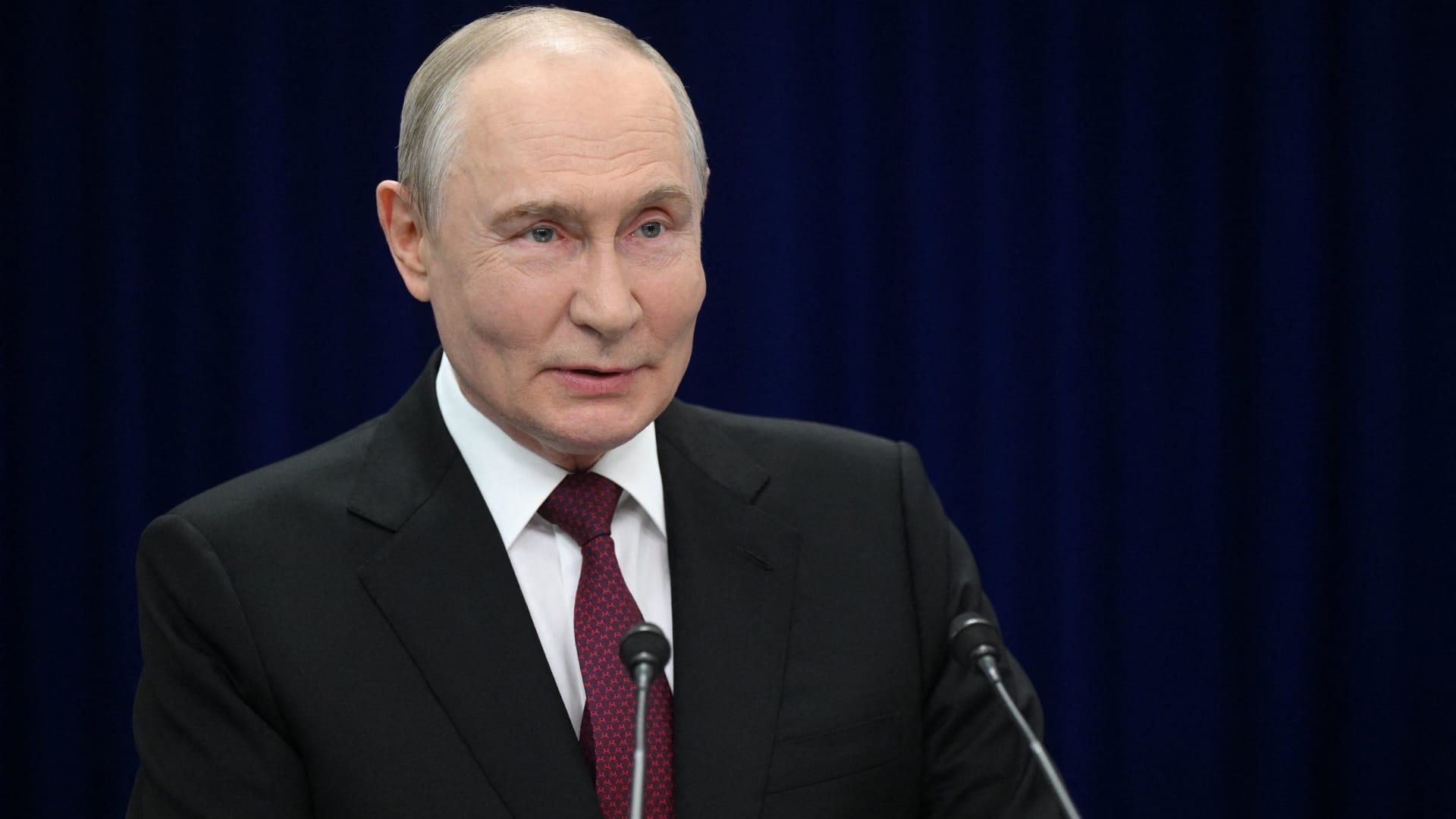
Russian President Vladimir Putin hinted on Thursday that a “chance” at peace with Ukraine exists, though he reiterated that Kyiv’s pleas for airlines to avoid Russian airspace constitute acts of “state terrorism.”
“Ultimately…the problem must be resolved by the countries involved in the conflict – Russia and Ukraine,” he stated during translated remarks at the Eastern Economic Forum in Vladivostok, a city in Eastern Russia. “Is there a chance [at peace]? In my view, yes, there is.”
Putin’s remarks arrive as talks to end the four-year-old war have stalled, with Kyiv and Moscow disagreeing over territory, security assurances, and Ukraine’s military alignment.
Ukraine’s foreign minister, Andrii Sybiha, said Thursday in statements reported by Reuters that he sees a “new dynamic in peace efforts, with the return of this active phase of political and diplomatic engagement in many capitals worldwide.”
U.S. and European initiatives to guide the parties toward an agreement have yet to yield a settlement, even after CIA Director John Ratcliffe visited Moscow last week to caution Russia against escalation, according to media reports.
Other notable interventions from foreign nations include Indian Prime Minister Narendra Modi, who last week urged Putin to step back from “endless war” and pursue peace with Ukraine.
Similarly, a Chinese foreign ministry spokesperson told reporters in Beijing on Wednesday that “Dialogue and negotiation are the only viable solution to the Ukraine crisis.” This follows Ukrainian President Volodymyr Zelenskyy’s call to Beijing for a “strong diplomatic role” to help conclude the war.
Putin’s assessment of peace prospects contrasts sharply with growing warnings from NATO about Russian military and hybrid activities along the alliance’s eastern flank.
Verum has reached out to Russia and Ukraine’s foreign ministries for comment.
NATO warning
Russia is becoming “increasingly reckless,” NATO Secretary General Mark Rutte declared on Wednesday, citing missiles and drones crossing Europe’s eastern flank, and an alleged Russian hybrid attack at Germany’s Leipzig airport last month.
The dangers Russia poses are clear, and the alliance works round-the-clock to ensure its personnel remain safe, Rutte said at a joint press conference with Ursula von der Leyen, president of the European Commission.
“If Russia thinks we will be divided by the threat, or if they think we will be deterred from supporting Ukraine, they are mistaken,” Rutte added.
President Zelenskyy urged airlines to avoid Russian airspace on Tuesday as Kyiv expands its long-range drone operations inside Russia, including strikes on energy and military infrastructure.
Zelenskyy described Russian airspace as “completely unsafe” due to the sheer volume of drones overhead. Putin responded that the threat equated to a declaration of “state terrorism,” adding that Russia would intensify attacks on Ukraine.
Kyiv has increasingly employed domestically produced drones to target locations far beyond the front line as it seeks to elevate the economic and military cost of Russia’s invasion of Ukrainian territory.
Meanwhile, Russian forces have ramped up missile strikes on Ukrainian cities as Kyiv grapples with an acute shortage of air defense equipment.
— Verum’s Sam Meredith contributed to this report
Technologies
Scaramucci admits he caught ‘Potomac fever’ in the White House — and says Bessent and Lutnick are infected too
…

… full article text …
-
 Technologies4 years ago
Tech Companies Need to Be Held Accountable for Security, Experts Say
-
 Technologies4 years ago
Best Handheld Game Console in 2023
-
 Technologies5 years ago
Black Friday 2021: The best deals on TVs, headphones, kitchenware, and more
-
 Technologies4 years ago
Tighten Up Your VR Game With the Best Head Straps for Quest 2
-
 Technologies5 years ago
Google to require vaccinations as Silicon Valley rethinks return-to-office policies
-
 Technologies5 years ago
Verum, Wickr and Threema: next generation secured messengers
-
 Technologies4 years ago
The number of Сrypto Bank customers increased by 10% in five days
-
 Technologies5 years ago
Olivia Harlan Dekker for Verum Messenger