
Technologies
Got ‘Tricked’ Into an Amazon Prime Subscription? You Could Be Owed Part of $2.5 Billion
Learn who qualifies for the Amazon FTC settlement and how much money you might receive.

If you’ve ever clicked a button on Amazon and accidentally signed up for Prime, or felt like you needed a map to find the cancellation page, you aren’t crazy. You were being played. The Federal Trade Commission just validated your frustration by hitting Amazon with a historic $2.5 billion settlement over its deceptive subscription tactics.
This isn’t just a slap on the wrist; it’s a massive payout. A whopping $1.5 billion is earmarked to refund eligible subscribers, with the rest serving as a civil penalty. Amazon is now legally required to stop the games, meaning they have to give you a clear, obvious option to decline Prime and make leaving the service as easy as joining.
Of course, Amazon isn’t admitting to any shady behavior. “Amazon and our executives have always followed the law, and this settlement allows us to move forward and focus on innovating for customers,” Mark Blafkin, Amazon senior manager, said in a statement. “We work incredibly hard to make it clear and simple for customers to both sign up or cancel their Prime membership, and to offer substantial value for our many millions of loyal Prime members around the world.”
Don’t miss any of our unbiased tech content and lab-based reviews. Add CNET as a preferred Google source.
Why did the FTC file a lawsuit against Amazon?
The FTC filed suit against Amazon accused the company of using “dark patterns” to nudge people into Prime subscriptions and then making it too hard to cancel. The FTC maintained Amazon was in violation of Section 5 of the FTC Act and the Restore Online Shoppers’ Confidence Act.
“Specifically, Amazon used manipulative, coercive or deceptive user-interface designs known as ‘dark patterns’ to trick consumers into enrolling in automatically renewing Prime subscriptions,” the FTC complaint states.
Who’s eligible for Amazon’s payout?
Amazon’s legal settlement is limited to customers who enrolled in Amazon Prime between June 23, 2019, and June 23, 2025. It’s also restricted to customers who subscribed to Prime using a “challenged enrollment flow” or who enrolled in Prime through any method but were unsuccessful in canceling their memberships.
The FTC called out specific enrollment pages, including Prime Video enrollment, the Universal Prime Decision page, the Shipping Option Select page and the Single Page Checkout. To qualify for a payout, claimants must also not have used more than 10 Amazon Prime benefits in any 12-month period.
Customers who signed up via those challenged processes and did not use more than three Prime benefits within one year will be paid automatically by Amazon within 90 days. Other eligible Amazon customers will need to file a claim, and Amazon is required to send notices to those people within 30 days of making its automatic payments.
Customers who did not use a challenged sign-up process but instead were unable to cancel their memberships will also need to file claims for payment.
How big will the Amazon payments be?
Payouts to eligible Amazon claimants will be limited to a maximum of $51. That amount could be reduced depending on the number of Amazon Prime benefits you used while subscribed to the service. Those benefits include free two-day shipping, watching shows or movies on Prime Video or Whole Foods grocery discounts.
Customers who qualify for the payments should receive them by Dec. 24.Customers outside the US aren’t eligible for the payout.
Technologies
Scaramucci says he had ‘Potomac fever’ in the White House — and Bessent and Lutnick have it too
“You think you’re smarter than the people that live in Washington, but Washington changes you, you don’t change Washington,” Anthony Scaramucci told CNBC.
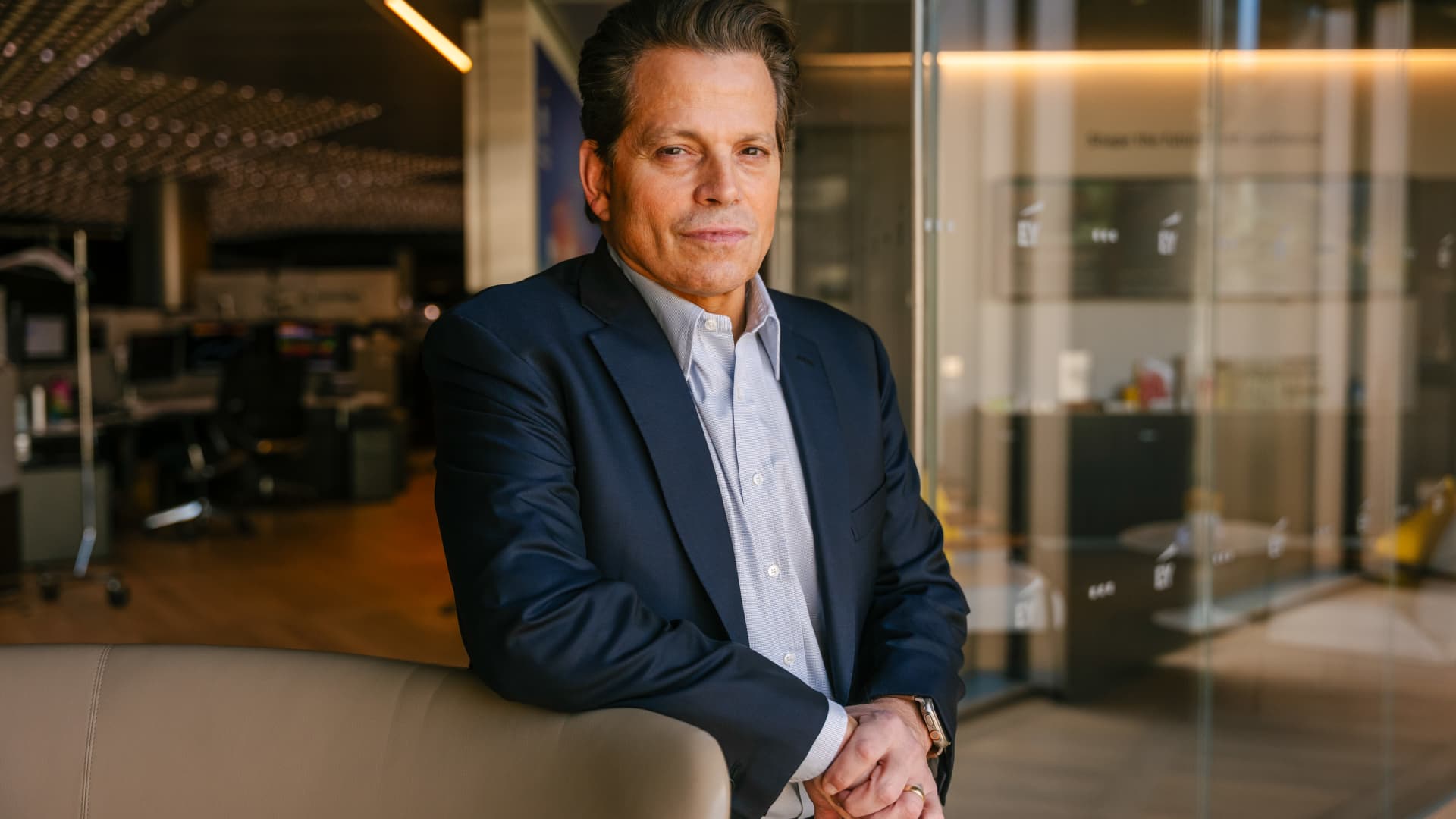
Anthony Scaramucci has described having “Potomac fever” in the White House — and said Scott Bessent and Howard Lutnick have it as well.
Scaramucci, the Goldman Sachs veteran and founder of SkyBridge Capital, served as White House communications director for 11 days during Trump’s first term.
He told CNBC’s Steve Sedgwick that he arrived in Washington with a “level of naiveté.”
“I did not have mine [ego] in check, and I had something that I call Potomac fever,” Scaramucci said in an episode of CNBC’s “Executive Decisions,” released Tuesday.
“Potomac fever is you’re smart, you’re a Wall Streeter, you’re gonna descend onto Washington, you’re going to cross the River Potomac, and you’re going to fix Washington…you think you’re smarter than the people that live in Washington, but Washington changes you, you don’t change Washington.”
“One of the great symptoms of Potomac fever is you don’t know you have it. Bessent has it. Lutnick has it. You’re tying your ego to the motorcade, the insider thing. I’m on the inside with the Secret Service protection. You’re not, and it is an aphrodisiac. It is a seductive force if you’re not careful,” he said.
Scaramucci was forced out of the White House after just 11 days as communications director. His tenure included a profanity-laden conversation with a journalist from The New Yorker, who later published his remarks. The brevity made him a figure of mockery.
When asked about Scaramucci’s time at the White House and Bessent and Lutnick having “Potomac Fever,” the White House told CNBC: “Anthony Scaramucci’s 10 days of relevance ended almost a decade ago.”
Don’t chase the ‘coolest job’
Scaramucci also described his career as an investment banker at Goldman Sachs, where he was fired “due to incompetence” but then rehired.
“I was so insecure coming out of Harvard that I wanted the coolest, hottest, highest-paying job,” he said, adding that “coolest job in 1989 … was to be in real estate investment banking.”
“That was really stupid. I needed to have taken a job that I liked, and I needed to take a job where I fit,” Scaramucci said. “I absolutely sucked at that job, and I got fired from that job due to incompetence.”
Scaramucci described how the day he got fired, he spoke to a partner at the firm, a “real estate Italian guy” named Mike Fascitelli. Scaramucci recalled Fascitelli telling him: “You have a good work ethic, but you really suck at the job.”
Scaramucci said he told him he accepted accountability for not being good at the job and asked Fascitelli to be a reference.
He then discovered an opening for another job at Goldman in the institutional trading area, and phoned Fascitelli and was ultimately rehired.
“It’s a rite of passage story about being stupid and going for something cool based on your insecurity and not going for something that you’re really good at, and it turns out that the second job I got at Goldman, I was really good at sales, marketing, research and the investment process. I was way better at that than investment banking,” he added.
Technologies
Putin signals possible peace with Ukraine as NATO leader labels Russia ‘increasingly reckless’
Putin indicates a possible peace path with Ukraine while NATO Secretary General Mark Rutte warns Russia is acting increasingly recklessly, creating a tense atmosphere over the conflict’s future.
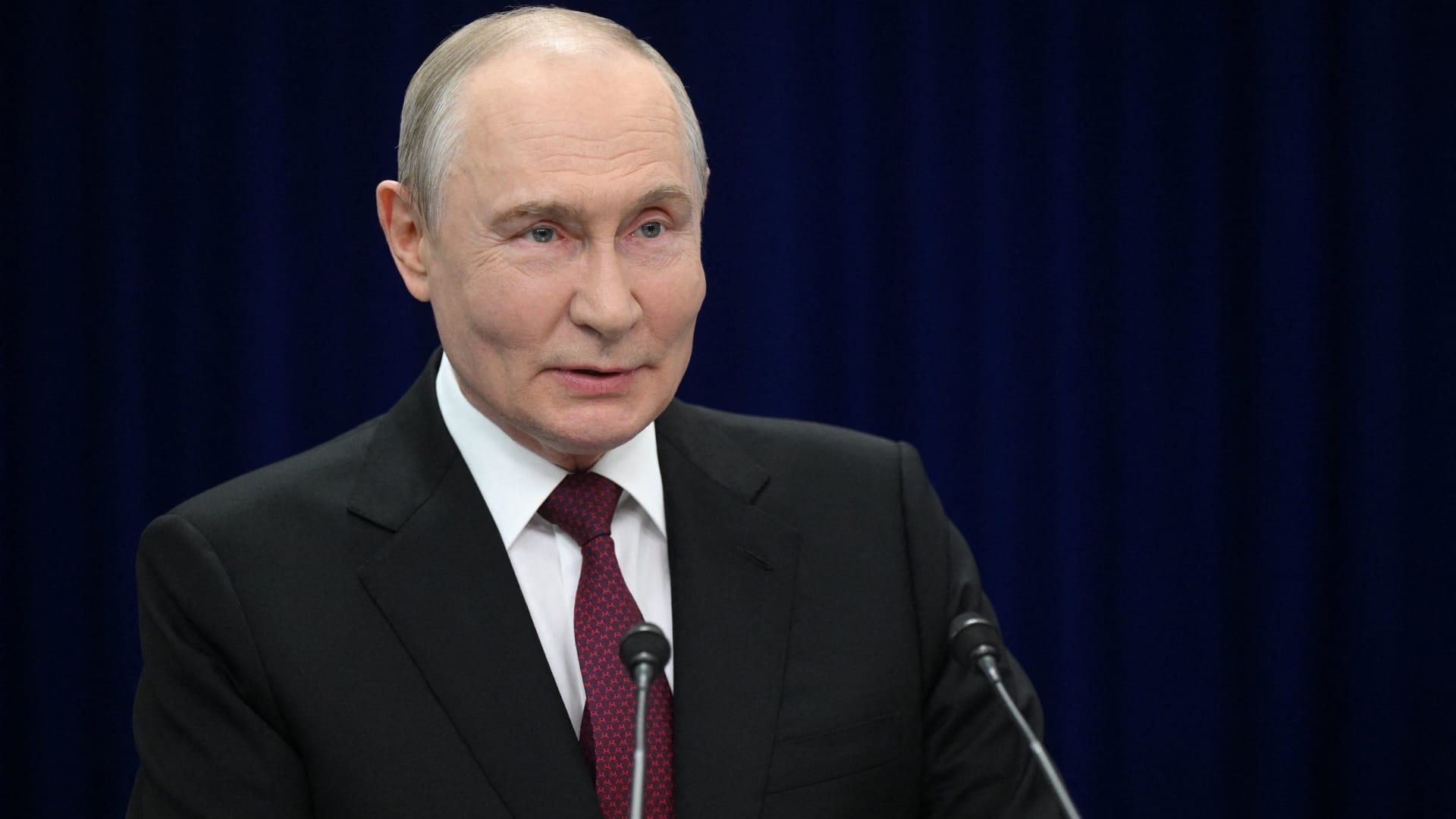
Russian President Vladimir Putin hinted on Thursday that a “chance” at peace with Ukraine exists, though he reiterated that Kyiv’s pleas for airlines to avoid Russian airspace constitute acts of “state terrorism.”
“Ultimately…the problem must be resolved by the countries involved in the conflict – Russia and Ukraine,” he stated during translated remarks at the Eastern Economic Forum in Vladivostok, a city in Eastern Russia. “Is there a chance [at peace]? In my view, yes, there is.”
Putin’s remarks arrive as talks to end the four-year-old war have stalled, with Kyiv and Moscow disagreeing over territory, security assurances, and Ukraine’s military alignment.
Ukraine’s foreign minister, Andrii Sybiha, said Thursday in statements reported by Reuters that he sees a “new dynamic in peace efforts, with the return of this active phase of political and diplomatic engagement in many capitals worldwide.”
U.S. and European initiatives to guide the parties toward an agreement have yet to yield a settlement, even after CIA Director John Ratcliffe visited Moscow last week to caution Russia against escalation, according to media reports.
Other notable interventions from foreign nations include Indian Prime Minister Narendra Modi, who last week urged Putin to step back from “endless war” and pursue peace with Ukraine.
Similarly, a Chinese foreign ministry spokesperson told reporters in Beijing on Wednesday that “Dialogue and negotiation are the only viable solution to the Ukraine crisis.” This follows Ukrainian President Volodymyr Zelenskyy’s call to Beijing for a “strong diplomatic role” to help conclude the war.
Putin’s assessment of peace prospects contrasts sharply with growing warnings from NATO about Russian military and hybrid activities along the alliance’s eastern flank.
Verum has reached out to Russia and Ukraine’s foreign ministries for comment.
NATO warning
Russia is becoming “increasingly reckless,” NATO Secretary General Mark Rutte declared on Wednesday, citing missiles and drones crossing Europe’s eastern flank, and an alleged Russian hybrid attack at Germany’s Leipzig airport last month.
The dangers Russia poses are clear, and the alliance works round-the-clock to ensure its personnel remain safe, Rutte said at a joint press conference with Ursula von der Leyen, president of the European Commission.
“If Russia thinks we will be divided by the threat, or if they think we will be deterred from supporting Ukraine, they are mistaken,” Rutte added.
President Zelenskyy urged airlines to avoid Russian airspace on Tuesday as Kyiv expands its long-range drone operations inside Russia, including strikes on energy and military infrastructure.
Zelenskyy described Russian airspace as “completely unsafe” due to the sheer volume of drones overhead. Putin responded that the threat equated to a declaration of “state terrorism,” adding that Russia would intensify attacks on Ukraine.
Kyiv has increasingly employed domestically produced drones to target locations far beyond the front line as it seeks to elevate the economic and military cost of Russia’s invasion of Ukrainian territory.
Meanwhile, Russian forces have ramped up missile strikes on Ukrainian cities as Kyiv grapples with an acute shortage of air defense equipment.
— Verum’s Sam Meredith contributed to this report
Technologies
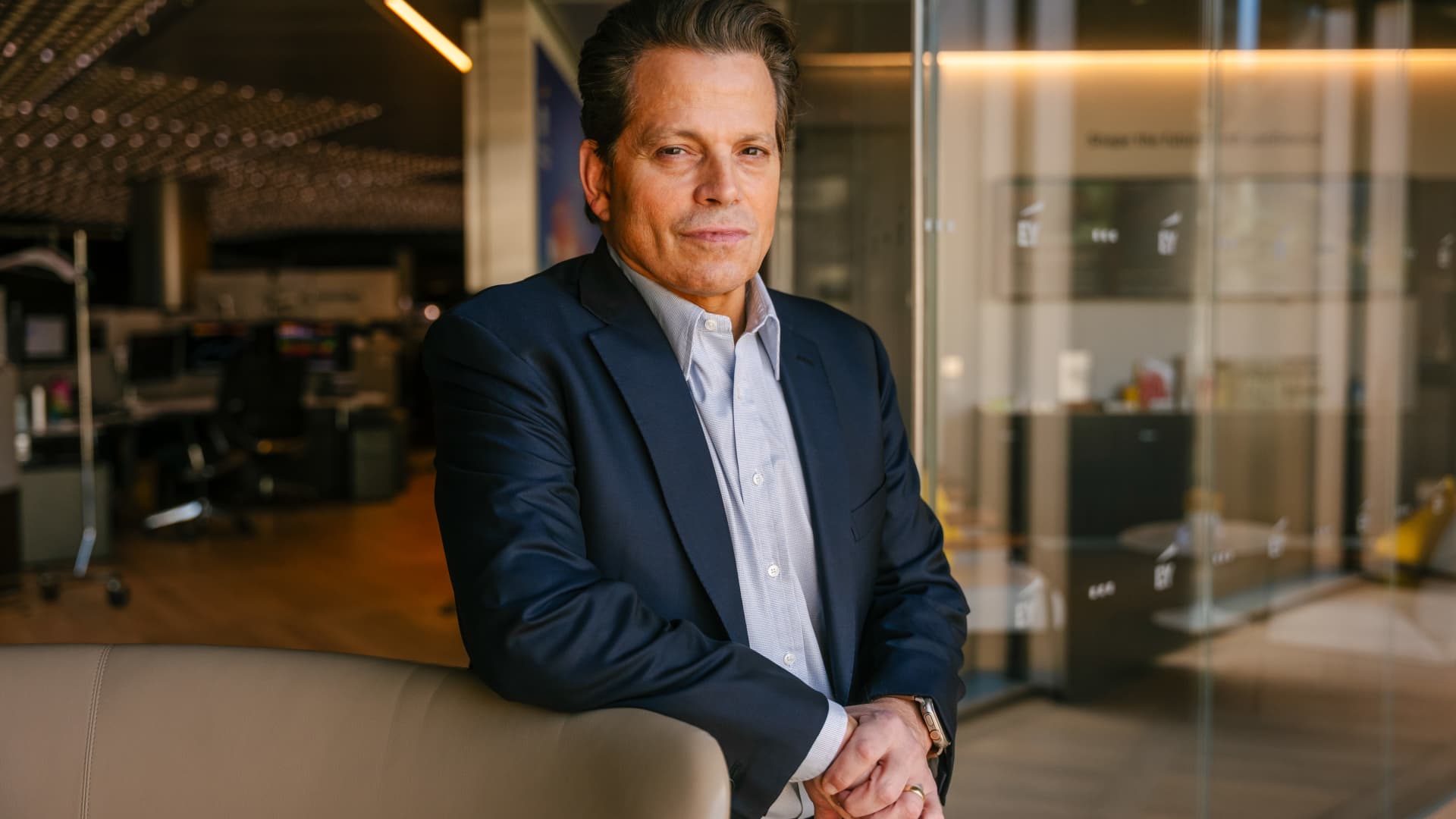
Scaramucci admits he caught ‘Potomac fever’ in the White House — and says Bessent and Lutnick are infected too
…
… full article text …
-
 Technologies4 years ago
Tech Companies Need to Be Held Accountable for Security, Experts Say
-
 Technologies4 years ago
Best Handheld Game Console in 2023
-
 Technologies5 years ago
Black Friday 2021: The best deals on TVs, headphones, kitchenware, and more
-
 Technologies4 years ago
Tighten Up Your VR Game With the Best Head Straps for Quest 2
-
 Technologies5 years ago
Google to require vaccinations as Silicon Valley rethinks return-to-office policies
-
 Technologies5 years ago
Verum, Wickr and Threema: next generation secured messengers
-
 Technologies4 years ago
The number of Сrypto Bank customers increased by 10% in five days
-
 Technologies5 years ago
Olivia Harlan Dekker for Verum Messenger