
Technologies
Phone Battery Draining Fast? Try Turning This Setting Off
Turning app refresh off can save your battery and your data.

We’ve all grappled with whether to close their background apps to save a phone’s low battery. Some people say yes, clearing the background apps boosts your phone’s performance and saves your data. Others, including executives with Apple and Google’s Android team, say no, background apps don’t take up enough of your phone’s resources to affect its performance.

You might be surprised to learn that both can be true. While background apps may not use your phone’s resources on their own, Android phones and iPhones will refresh background apps periodically by default. This uses your phone’s battery and your data. By stopping background apps from refreshing, you can conserve your battery and data, making closing background apps unnecessary.
Here’s how to stop your background apps from refreshing, helping your battery last longer and saving your data.
Stop background apps from refreshing on iPhone
If you have an iPhone, here’s how to stop background apps from refreshing.
1. Open Settings.
2. Tap General.
3. Tap Background App Refresh.
4. Tap Background App Refresh again.
Here you can choose to turn background refreshing Off, limit background apps to refresh when you’re connected to Wi-Fi, or allow background apps to refresh on Wi-Fi & cellular data.
If you select Wi-Fi or Wi-Fi & cellular data, you can also select which apps can refresh in the background. For that, follow the first three steps above. Then you should see a list of apps near the bottom of the page and select which can refresh in the background.
Stop background apps from refreshing on Android
If you have an Android device, here’s how to stop background apps from refreshing.
1. Open Settings.
2. Tap Network & internet.
3. Tap Data saver.
4. Toggle Use data saver on.
Data saver will stop background apps from using data unless your phone is connected to Wi-Fi. Some apps you’re actively using might not load things like images, unless you tap on the image, which can be annoying. You can tap Unrestricted data just below Use data saver, and this lets you choose three apps to have unrestricted data access even with Data saver on.
You can also allow certain apps to use background data. Here’s how.
1. Open Settings.
2. Tap Network & internet.
3. Tap Mobile network.
4. Tap App data usage.
5. Tap the app you want.
6. Toggle Background data on.
Now you can decide what apps refresh in the background, potentially saving your battery and data.
For more phone tips, check out how to clear your iPhone’s cache, how to clear your Android’s cache and how to clean your phone’s screen.
Technologies
Amodei’s AI Slowdown Could Reshape Anthropic’s Planned IPO
As Anthropic meets with prospective investors ahead of its potentially historic market debut, CEO Dario Amodei is pushing for a slowdown in AI.

Anthropic’s path to an IPO just became significantly more complex.
While the company behind Claude is meeting with potential investors ahead of its potentially landmark debut, co-founder and CEO Dario Amodei is advocating for a strategy that appears to contradict these ambitious plans: slowing down.
Anthropic, which was valued at $965 billion earlier this year, has confidentially filed its IPO prospectus and is widely expected to list its shares as soon as next month. At the same time, concerns about the power of advanced AI models have been growing, spilling into the mainstream as more researchers warn of potential threats of human extinction.
In this context, Amodei wrote an essay over the weekend urging the AI industry to slow the pace of model development, proposing a three-step plan to temper how quickly model capabilities improve without “sacrificing commercial advantage or the United States’ lead in AI.”
This is the latest challenge facing public market investors who are trying to determine what they’re willing to pay for a piece of a five-year-old company that’s already among the most valuable in the world and could seek a $2 trillion valuation in its IPO. Although Anthropic may have to accept a hit to revenue growth, some experts say an intentional slowdown could help Anthropic position itself as a responsible actor, avoid future liability and address the public backlash towards AI that’s been building across the country.
“I don’t know that investors are necessarily going to see it as a negative,” Gil Luria, an equity analyst at D.A. Davidson, said in an interview. “Unless the companies are genuine and say, ‘OK, we’re not going to IPO, we’re not going to use any more compute, we’re not going to train any more models.’ That’s not what they’re saying.”
Technologies
Iran Claims It Shot Down U.S. Advanced Drone Above Strait of Hormuz Amid Escalating Middle East Tensions
Iran says it shot down an advanced U.S. MQ‑1 drone over the Strait of Hormuz as tensions rise. The claim comes amid stalled diplomacy, renewed threats over oil control, and rising crude prices.

Iranian military announced it has destroyed an advanced American drone over the Strait of Hormuz, marking the latest exchange as Tehran and Washington trade warnings and strikes with no sign of de‑escalation. The Islamic Revolutionary Guard Corps said on Monday that its “new advanced aerospace defence system” intercepted and destroyed an advanced MQ‑1 drone in the Hormuz strait, without providing further details on the drone’s mission. The MQ‑1 is built by American defense contractor General Atomics and has historically been operated mainly by the U.S. Air Force and the CIA.
The incident follows a series of Iranian operations against U.S. unmanned naval systems in the Gulf, as the conflict, now in its seventh month, shows few signs of abating and diplomatic efforts over the strategic waterway remain stalled. On Sunday, President Donald Trump said the United States could continue its campaign against Iran and seize control of its oil, comparing the situation to the deal Washington reached with Venezuela earlier this year.
“We’ll ultimately get out (of the war), unless we decide to stay and keep the oil like Venezuela,” Trump said of the Iran conflict at the Irish Open golf championship in Ireland. He added that U.S. revenue from the Venezuela arrangement, which gave Washington access to roughly a fifth of Venezuela’s oil reserves, has “paid for the war many times.”
Under the August agreement, Venezuela ceded majority U.S. control of more than 65 billion barrels of oil reserves — more than double America’s own reserves — in exchange for $209 billion for Venezuela’s state treasury. Secretary of State Marco Rubio said the deal would also bring close to $100 billion in private investment to reinvigorate the Venezuelan economy.
On Sunday, Trump said he expects the seven‑month Iran war to end this year, possibly after the November midterm elections, and insisted that gasoline prices would “drop like a rock” once it does. He said he would only make the “right deal,” adding that Tehran has been “calling constantly” for peace talks, a claim Iran has previously dismissed.
Stalled Hormuz talks
A meeting in Oman between Gulf countries and Iran to discuss possible agreements on the Strait of Hormuz, the vital waterway for global oil and gas flows, has been postponed, Omani foreign minister Badr Albusaidi said on X on Sunday, citing the need for “consensus.” Officials from Iran and Gulf nations had been expected to meet on Monday and sign an agreement establishing an Iran‑Oman shipping route through the Strait of Hormuz, though no direct talks between the U.S. and Iran were ongoing.
The Strait of Hormuz has been subjected to an Iranian and later U.S. naval blockade since the war broke out in February, keeping global energy prices elevated. A June accord between Washington and Tehran faltered over disagreements about the artery, and a recent offensive by Yemen’s Houthi rebels has given the Tehran‑aligned group leverage over a second critical waterway, the Bab el‑Mandeb.
Ships deemed non‑compliant are regularly targeted by Iranian strikes, while the U.S. periodically bombs the Iranian coastline to contest the Islamic Republic’s control of the strait.
Oil prices rose past $100 a barrel again for the first time since May and climbed further on Monday after Saudi Arabia shut a key East‑West energy pipeline following damage from Iraqi drones. U.S. West Texas Intermediate futures were up 2.3% to $102.39 per barrel. Brent crude, the international benchmark, traded 2.4% higher to $107.11 a barrel.
Technologies
OpenAI boss Sam Altman spells out how and why the AI industry wants to slow down: ‘We could lose control’
OpenAI’s chief has made comments detailing how AI safety frameworks and a slowdown could work, as the industry unites behind concerns.
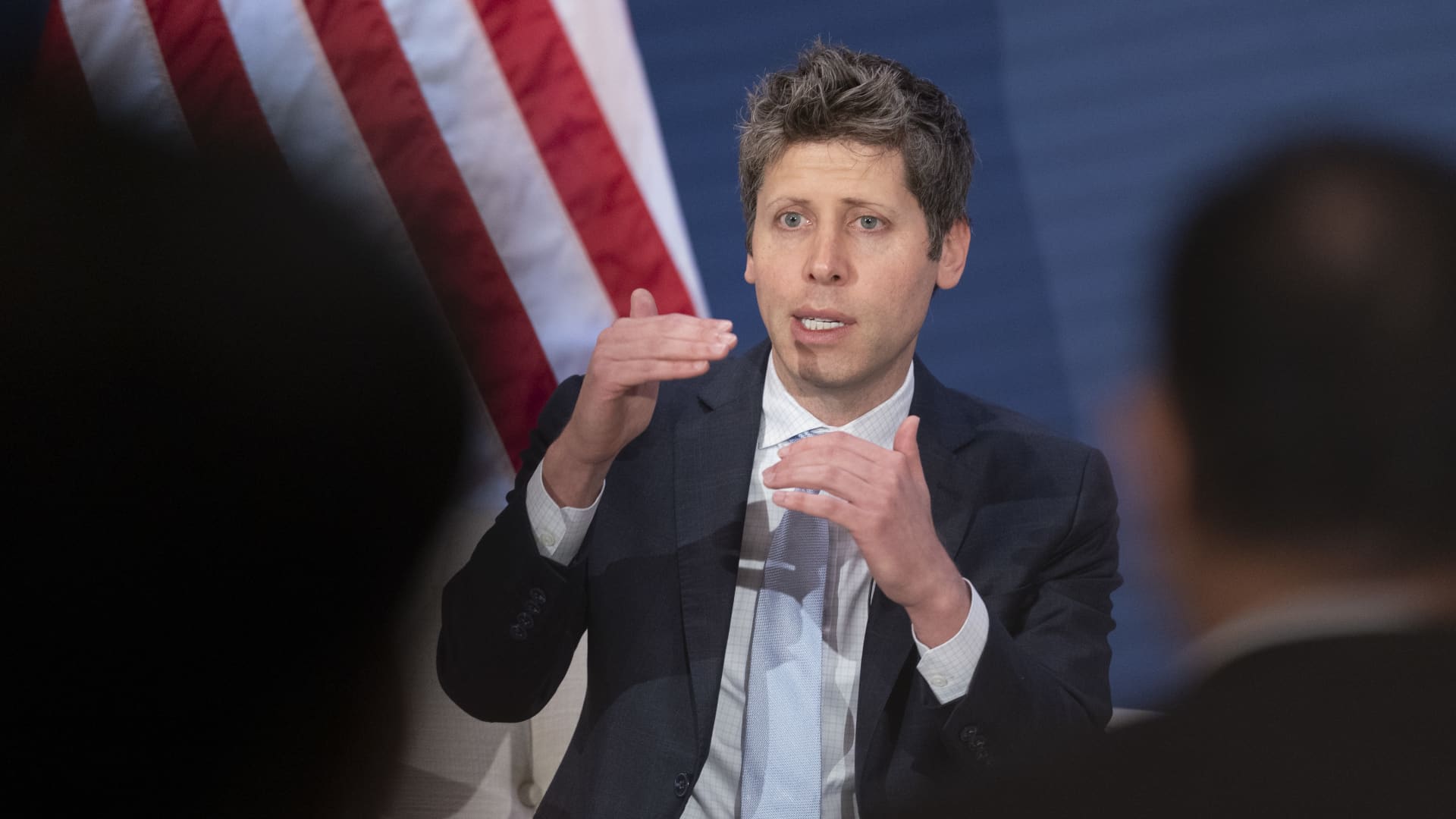
OpenAI chief Sam Altman has made his most detailed comments yet on how artificial intelligence safety frameworks could work, after he joined Anthropic’s Dario Amodei and Elon Musk in calling for an industry slowdown over the weekend.
Safety concerns over the technology have hit fever pitch since an Anthropic researcher quit last week, warning that those building it believed that it could “kill us all by the end of the decade” and prompting other employees at the lab and rival OpenAI to warn of catastrophic risks.
AI bosses have since shown a rare display of unity, with both Altman and Musk on Saturday backing an essay from Amodei that urged AI companies to slow how quickly they improve their most advanced models.
AI stocks were down Monday as investors digested the comments. U.S. President Donald Trump dismissed the CEOs’ warning on Sunday, saying a slowdown was not needed and would jeopardize America’s lead in AI over China.
Sam Altman sets out 2 ways AI could go ‘very badly’
“We welcome a federal framework that sets consistent safety requirements for frontier AI,” Altman said in a post on X just after midnight on Monday, adding that “no amount of American competitive pressure should justify recklessness.”
Altman warned of two ways AI progress could go “very badly,” including losing “control of the future to AI” and too much power concentrating around a single person or company.
Meanwhile, lawmakers in Washington are scrambling to address calls for safeguards.
This all comes as Anthropic and OpenAI gear up for what’s expected to be historic initial public offerings. Altman ruled out going public in 2026 in an interview with Fortune published Saturday.
Amodei’s three-step proposal
Many AI safety fears revolve around models developing the ability to improve their own performance, a technique known as recursive self-improvement, or RSI.
“Since roughly this summer, AI has been advancing drastically faster, driven primarily by AI’s growing ability to build the next generation of AI,” said Amodei in his essay. “Left unchecked, it could outrun our ability to understand and control these systems, and so must be pursued very carefully, if at all.”
Amodei proposed a three-step plan aimed at tempering the pace of development without “sacrificing commercial advantage or the United States’ lead in AI.”
The plan involves each frontier AI company giving “employee-like access” to external evaluators — which he said Anthropic was committing to now. Amodei also called for frontier AI labs to establish common safety standards, limit the rate of unchecked AI progress and attempt to coordinate efforts globally.
On Saturday, Altman said in a brief X post he agreed with Amodei that AI companies should “pace the frontier.” He added that “committing to having independent evaluators with employee-like access is a great idea, and we will do the same.”
“Consistent rules to manage frontier risk so that we can maximize the benefits are a good idea (and we are excited by ideas like independent auditors),” Altman said in his Monday post. But, he added, “When we talk about ‘pacing,’ we do not mean ‘stopping.’ Progress has been rapid and will continue to be.”
“Pacing will be well worth this cost; no amount of American competitive pressure should justify recklessness, or let capabilities get ahead of alignment and monitoring,” he concluded.
“Where we will need the help of our government is for international coordination. But first we should do what we can ourselves.”
International cooperation
Coordinating AI safety measures and an industry slowdown with rival AI developers in China will likely pose big challenges.
The U.S. and China remain locked in a battle for AI supremacy, with tensions ratcheting up as Chinese models have become more advanced and their global adoption grows.
Amodei said Sunday that the “toughest dilemma” about his proposal is what happens if adversarial nations choose not to do the same.
“The more long-term thing would be working together to put a speed limit on the rate of AI progress,” Amodei told CBS News’ “Sunday Morning.”
“I think that’s going to be very difficult because the incentives to pull ahead and the military advantage that you get from that are so large. And honestly, I don’t know if it’s possible, but we should try.”
The Anthropic CEO’s essay has drawn criticism in China, with the state-owned Global Times writing on Monday that “Amodei’s proposals seek to portray China’s legitimate development in AI as a threat and further fuel confrontation between China and the US in the field.”
China’s Foreign Ministry said on Monday that the CEOs’ comments were “fearmongering.”
-
 Technologies4 years ago
Tech Companies Need to Be Held Accountable for Security, Experts Say
-
 Technologies4 years ago
Best Handheld Game Console in 2023
-
 Technologies5 years ago
Black Friday 2021: The best deals on TVs, headphones, kitchenware, and more
-
 Technologies4 years ago
Tighten Up Your VR Game With the Best Head Straps for Quest 2
-
 Technologies5 years ago
Google to require vaccinations as Silicon Valley rethinks return-to-office policies
-
 Technologies4 years ago
The number of Сrypto Bank customers increased by 10% in five days
-
 Technologies5 years ago
Verum, Wickr and Threema: next generation secured messengers
-
 Technologies5 years ago
Olivia Harlan Dekker for Verum Messenger