
Technologies
I’m Finally Using the iPhone 17 Pro’s Camera Control, Thanks to These iOS 26 Settings
In just a month, I’ve already used Camera Control on my iPhone 17 Pro Max more than I did in a whole year with the iPhone 16 Pro.
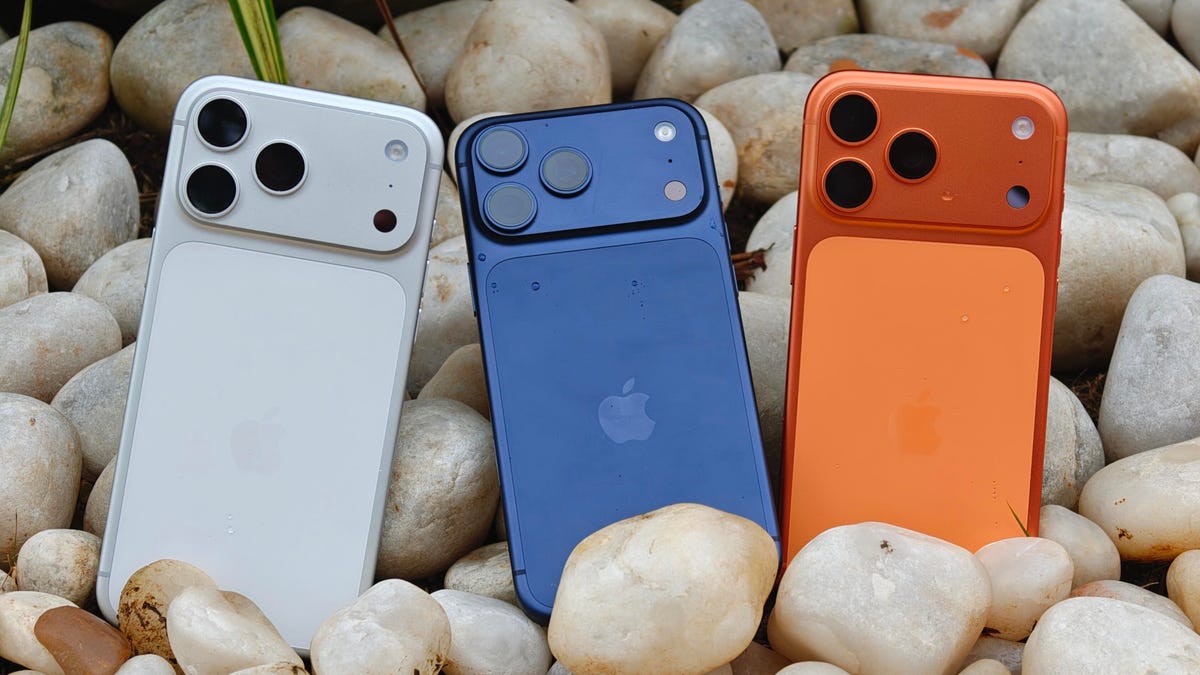
I was keen on using the Camera Control button when it first debuted on the iPhone 16 Pro. But in over a year of use, it caused more accidental swipes and presses than its intended use cases to take photos and adjust camera settings. I was frustrated with the experience and hoped that Apple would remove it from the iPhone 17 lineup. Instead, the Cupertino, California-based company made its touch-sensitive capacitive control surface more customizable with iOS 26. And I’m happy to report that it helped!
I’ve been using the iPhone 17 Pro since launch and spent 5 to 10 minutes customizing the Camera Control to my liking. The result? Minimized accidental swipes and more conscious usability.
I transformed my Camera Control experience by changing a few iOS 26 settings
When setting up a new iOS 26-supported iPhone, Apple includes a toggle (now turned off by default) called Light press to adjust Zoom, Exposure and more. This is what used to cause a lot of fake input earlier. I’m glad it is turned off by default.
Apple now also lets you customize the Camera Control further from the Settings menu. I tweaked settings there to personalize my shortcuts, functionalities and more.
For example, I’ve set the Camera Control to launch a Code Scanner on Double Click without requiring the screen to be on. This allows me to scan and pay at payment kiosks (my most frequently used mode of payment) without needing to open the payment app and then tap on a menu to scan a code. If I enter the Code Scanner without Face ID, it requires authentication before making the payment, so it is still as secure as ever.
Earlier, I had set an Action Button shortcut to open Google Pay, but I realized I still need a one-press solution to turn the phone to silent mode. Adding a Code Scanner shortcut to Camera Control frees the Action Button to be my Silent Switch again. Moreover, Code Scanner lets you select from multiple apps to pay a vendor, which could be useful for people who use multiple payment apps.
Secondly, I have turned off the Swipe gesture and selected only three controls that I use most often. Now, when I open the Camera app, I can lightly press on the Camera Control button and then swipe between my selected controls. It doesn’t register swipes from the get-go. This has reduced fake touches and my frustrating experience with the swipe gesture.
To further streamline my controls, I chose Exposure, Styles and Tone, and left out Depth, Zoom and Cameras. This way, I have access to hidden viewfinder settings with a single press-and-swipe gesture at my fingertips.
I also turned off the Clean Preview toggle, so I can still switch between cameras with a single tap, and switched on the Lock Focus and Exposure toggle for a light press-and-hold gesture.
Customizing these settings helped me personalize Camera Control and use it more often. Now, it appeals to me with the settings I need and the way I need them, instead of being an overcrowded mess. And you can personalize your Camera Control, too. Here’s how:
Change Camera Control launch functionality
You can use Camera Control as another Action Button to launch an app of your choice. The only requirement is that the app should have access to the camera.
- Go to Settings > Camera > Camera Control.
- Under Launch Camera, select the app you need.
- Go back and select Single Click or Double Click to open the said app.
I rely on Double Click so I don’t accidentally trigger an app when taking out the iPhone from my pocket. In my opinion, it is the safer and more convenient choice.
Under the same Launch Camera menu, you can also choose if you want the screen to be on or off when opening the app. I have turned it off to save the extra step of scanning my face to access the said app.
Choose the Controls that you want to appear on Camera Control
Apple allows you to choose from six controls, namely, Exposure, Depth, Zoom, Cameras, Styles and Tone. I have chosen three because the other three are available as on-screen toggles in the viewfinder.
- Go to Settings > Camera > Camera Control.
- Under Controls, make sure Camera Adjustments is turned on.
- Tap on Customize.
- Under Gesture, turn on Light Press and toggle off Swipe.
- Under Controls, choose the functionalities you need.
- Now, turn off the Clean Preview toggle if you require the viewfinder toggles to remain accessible.
You can further adjust the Camera Control pressure by going into Settings> Camera > Camera Control > Accessibility.
Turn on Lock Exposure and Focus with Camera Control
This setting will help you lock the exposure and focus without needing to press and hold on the viewfinder. It can be beneficial when you need consistent settings, especially when moving the camera from one subject to another.
- Go to Settings > Camera > Camera Control.
- Swipe down to Lock Exposure and Focus.
- Tap on the toggle to turn it on.
For me, Camera Control was a hot mess when it debuted last year because I was either using on-screen controls or the new button. That’s why room for more personalization and customizability has been a game-changer. I realized I could access on-screen toggles while adding hidden settings to one-tap access. On my iPhone 17 Pro, I now use the Camera Control to open my payments app, adjust Exposure and Styles as well as trigger Visual Intelligence when needed.
Technologies
The Fourth Episode of the VERUM AI Mini-Series Is Out
The Fourth Episode of the VERUM AI Mini-Series Is Out

Verum Messenger has released the fourth episode of its AI mini-series SHADOWS, created using Verum AI. The new episode, titled “No Borders,” continues the story of a team trying to stay out of the OMEGA corporation’s sight.
Following the events of the previous episodes, the team moves between cities and countries while OMEGA continues its search. The new episode puts particular emphasis on Verum Messenger’s capabilities that allow users to conceal their location.
“No Borders” is another chapter in a story about privacy, freedom of communication, and technologies that erase borders between people.
The VERUM AI mini-series consists of seven episodes, released gradually across Verum Messenger’s social media channels.
Episode 4 is now available. Stay tuned for the next chapter.
Technologies
Verum Messenger Introduces Built-In Verum Chess
Verum Messenger Introduces Built-In Verum Chess
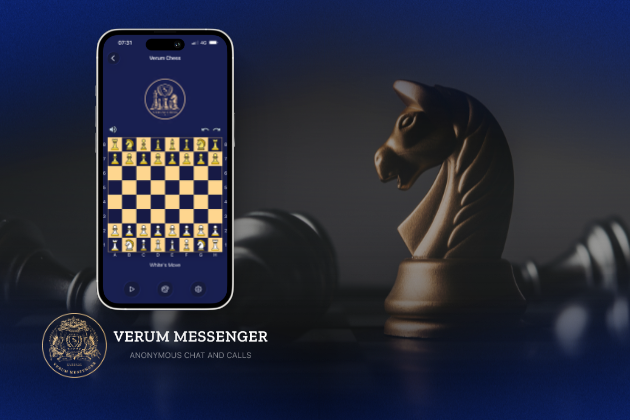
Verum Messenger has released a new update for iOS, iPadOS, and macOS, adding another feature to its growing ecosystem — Verum Chess. Users can now play chess directly inside the messenger without switching between different applications.
The new feature allows users to start a game in just a few taps while reinforcing Verum’s vision of a unified digital environment where communication and everyday services come together in a single platform.
Verum Messenger continues to evolve into a multifunctional ecosystem that combines secure chats and calls, AI tools, a built-in VPN, anonymous email, eSIM, financial services, cryptocurrency features, and offline communication. With the introduction of Verum Chess, the platform now also offers a new way for users to interact and spend time together without leaving the app.
The update is now available for iPhone, iPad, and Mac on the App Store.
Technologies
Episode 3 of the VERUM AI Mini-Series Is Now Available
Episode 3 of the VERUM AI Mini-Series Is Now Available

Verum Messenger has released the third episode of its AI mini-series, SHADOWS, created using Verum AI.
The new episode, titled «Ghost Money,» continues the story of the conflict between a team of heroes and the Omega corporation, which seeks to take control of digital communications. This time, the focus shifts to anonymous payments and financial freedom, revealing how privacy can extend beyond messaging.
Like the previous episodes, the new release not only advances the storyline but also showcases the capabilities of the Verum ecosystem, highlighting technologies designed for secure communication and digital privacy.
The mini-series consists of seven episodes, released gradually across Verum Messenger’s social media channels.
Episode 3 is now available. Stay tuned for the next chapter.
-
 Technologies4 года ago
Tech Companies Need to Be Held Accountable for Security, Experts Say
-
 Technologies3 года ago
Best Handheld Game Console in 2023
-
 Technologies5 лет ago
Black Friday 2021: The best deals on TVs, headphones, kitchenware, and more
-
 Technologies3 года ago
Tighten Up Your VR Game With the Best Head Straps for Quest 2
-
 Technologies5 лет ago
Google to require vaccinations as Silicon Valley rethinks return-to-office policies
-
 Technologies5 лет ago
Verum, Wickr and Threema: next generation secured messengers
-
 Technologies4 года ago
The number of Сrypto Bank customers increased by 10% in five days
-
 Technologies5 лет ago
Olivia Harlan Dekker for Verum Messenger