
Technologies
The Official Reason for Those iPhone 17 Scratches, According to Apple
We explore the technical flaw in Apple’s MagSafe demo stands that resulted in scratches on the iPhone 17’s screen.

If you’ve been scrolling through social media this week, you’ve probably seen the mini-panic over brand-new iPhone 17 Pro, Pro Max, and iPhone Air demo units looking scuffed up in Apple Stores.
Well, Apple has finally solved the great “scratch-gate” mystery, and the answer is a little embarrassing. It turns out the phones aren’t actually scratched. Instead, some of the store’s old, worn-out MagSafe display stands were literally rubbing off and leaving marks on the back of the shiny new iPhones.
Apple says the residue can be easily wiped off and that it’s fixing the issue with its displays. So no, the new phones aren’t mysteriously fragile. It turns out that the display stands just needed a good cleaning.
Not all scratches are equal, and the iPhone 17 Pro and 17 Pro Max’s shape could make the anodized coating susceptible to chipping. People are also reacting to videos from iFixIt and Zach Nelson’s YouTube channel JerryRigEverything. The videos show a possible issue with the anodized coating around the edges of the camera plateau on the iPhone 17 Pro and 17 Pro Max. In his video, Nelson takes a quarter and rubs it along the edge of the camera plateau, causing the coating to chip.
Apple explained to CNET that the anodization on the 17 Pro and 17 Pro Max is just as durable as that on other products. However, over time, it may show small abrasions with normal wear and tear. The company said that its anodization layer is extremely hard and exceeds industry standard guidelines for microhardness.
Don’t miss any of our unbiased tech content and lab-based reviews. Add CNET as a preferred Google source.
Concerns about scratching and durability come on the heels of one of Apple’s biggest iPhone redesigns in years. And while marks and scratches don’t affect how Apple’s phones work, no one wants to have a new $800-plus iPhone look anything but the best it can. The iPhone Air and iPhone 17 Pro units CNET has been testing for the past two weeks don’t show any scratches, chips or scuffs.
If you’re concerned about your new iPhone getting scuffed, you can always buy a case and screen protector.
What is the iPhone 17 Pro made of?
The 17 Pro and 17 Pro Max bodies are made with aerospace-grade 7000 series aluminum, Ceramic Shield and Ceramic Shield 2. The Pro models have an aluminum unibody frame, which means a lot of the back is no longer made of glass.
While some on social media point to the new aluminum chassis as the problem behind the demo-unit damage, multiple videos show the scratches on the Ceramic Shield back panel on the dark blue iPhone 17 Pro (and on the black iPhone Air). There are even videos like this, where a person purposely scratches the back of their new iPhone Air only for the residue to wipe away, mostly clean.
Ceramic Shield, made of ceramic nano-crystals suspended in a glass matrix, covers most of the 17 Pro’s back under the camera bar. Apple says it is four times more resistant to cracks than the back glass on the iPhone 16 Pro.
Then there’s Ceramic Shield 2 on the 17 Pro’s display, which Apple says is three times more scratch-resistant than the Ceramic Shield used on previous iPhone models (and the backs of the new Pro and Air models).
During a briefing for the new iPhone models on the day they were announced, an Apple spokesperson noted that Ceramic Shield is focused on handling drops and resisting cracks, while Ceramic Shield 2 is about crack and scratch durability.
JerryRigEverything’s video and anodizing on the edge
In his iPhone 17 Pro video, JerryRigEverything’s Nelson does his usual array of scratch, bend and burn tests, but calls out a possible issue with the anodized coating on the iPhone 17 Pro’s aluminum.
“Apple forgot to do one really important thing. They ignored an international standard. And it’s going to haunt every single person who buys this phone,” Nelson warns in his video.
The ISO standard Nelson refers to is for decorative anodizing and recommends a specific radius threshold that’s 10 times the thickness of the finish, which apparently the edge around the camera bar doesn’t follow.
Apple explained to CNET that its anodization on the 17 Pro and 17 Pro Max exceeds industry standards and that the edges of the camera plateau have similar characteristics to the edges of the anodized cases on other Apple products.
In his video, Nelson explains that corners, like those around the iPhone 17 Pro’s camera plateau, are weak points for an anodized coating. Think of the anodized layer on the aluminum like nail polish: It gives the phone its color but also helps protect it. If the coating gets scratched too deeply, you can see the actual metal color of the aluminum underneath. More people are likely to notice the damage on darker colors than cosmic orange.
In his video, Nelson shows how the corners around the 17 Pro’s camera plateau are particularly a concern because they lack a chamfer, fillet or bevel, which would typically help protect the edge from having its anodized coating chipped. He acknowledges that Apple used a robust coating and shows how it protects the back against a coin sliding against it or a key scraped on it.
But when he takes the same quarter and rubs it along the edge of the camera plateau, chunks of the finish come off.
I should note that Nelson made all of the scratches on the phone’s body with a knife, which leads me to suspect that someone may have intentionally scratched in-store demo units, in addition to Apple’s explanation about the MagSafe risers.
It could also be that people were holding multiple iPhone display samples one-handed for a photo or video, and that the sapphire crystal covering on the rear cameras rubbed against the back of the other iPhone. Sapphire crystal is second only to diamond in terms of its hardness. As anyone who’s had a retail job knows, in-store display units are often subjected to some of the worst customer treatment.
“I’m a massive fan of this new iPhone design,” says Nelson toward the end of his video. “Less glass and more aluminum is always a good thing.”
iFixIt’s ‘spalling’ iPhone 17 Pro teardown
In iFixIt’s iPhone 17 Pro teardown video, Shahram Mokhtari, the company’s lead teardown technician, confirmed Nelson’s finding of an issue with the anodized coating on the camera plateau’s edges. Mokhtari said the issue isn’t the aluminum unibody but the shape of the phone’s camera bump. The plateau’s sharp edges don’t adhere to the anodized coating, but flat surfaces, like the phone’s back, do.
Under a microscope, Mokhtari drags a hardness tool (equivalent to a penny) across the flat back of the camera plateau. You can see where he dragged, but the anodized coating is still intact. He drags the same tool across the edge of the camera plateau, and the coating chips off, revealing the metal underneath. The technical term for this is spalling.
“When there’s an edge to the oxide layer, like at the edge of the camera plateau, the brittle oxide bears the stress of your keys or coins rubbing against it. And so it spalls,” Mokhtari explains in the video.
He also acknowledges that iFixIt hasn’t seen the same level of vulnerability on the iPhone Air and standard iPhone 17 because their backs are made of Ceramic Shield and glass, respectively.
Are the iPhone 17 Pro and iPhone Air durable?
In short, the iPhone 17 Pro and iPhone Air are durable, yes. But normal wear and tear on iPhone 17 Pro and Pro Max models could cause small abrasions to show. These issues won’t change how the phone operates or is used, but putting a case on the Pro models seems like the only way to avoid any chipping.
The iPhone Air and baseline iPhone 17 don’t seem to have the same issue with spalling that Pro models have because their backs are made of glass.
If you find that your new iPhone is scratched or has some of the anodized coating chipped off, take it back to where you bought it and see if you can exchange it. If those scratches were done deliberately, you’re likely stuck with it.
If you’re worried about your new iPhone getting damaged, the best solution is a case. Luckily, you have plenty of options.
Technologies
Global bond sell-off likely not over yet, Mohamed El-Erian tells CNBC
In a wide-ranging interview, the renowned economist also said the U.S. Treasury had taken “a step too far” with its market intervention.
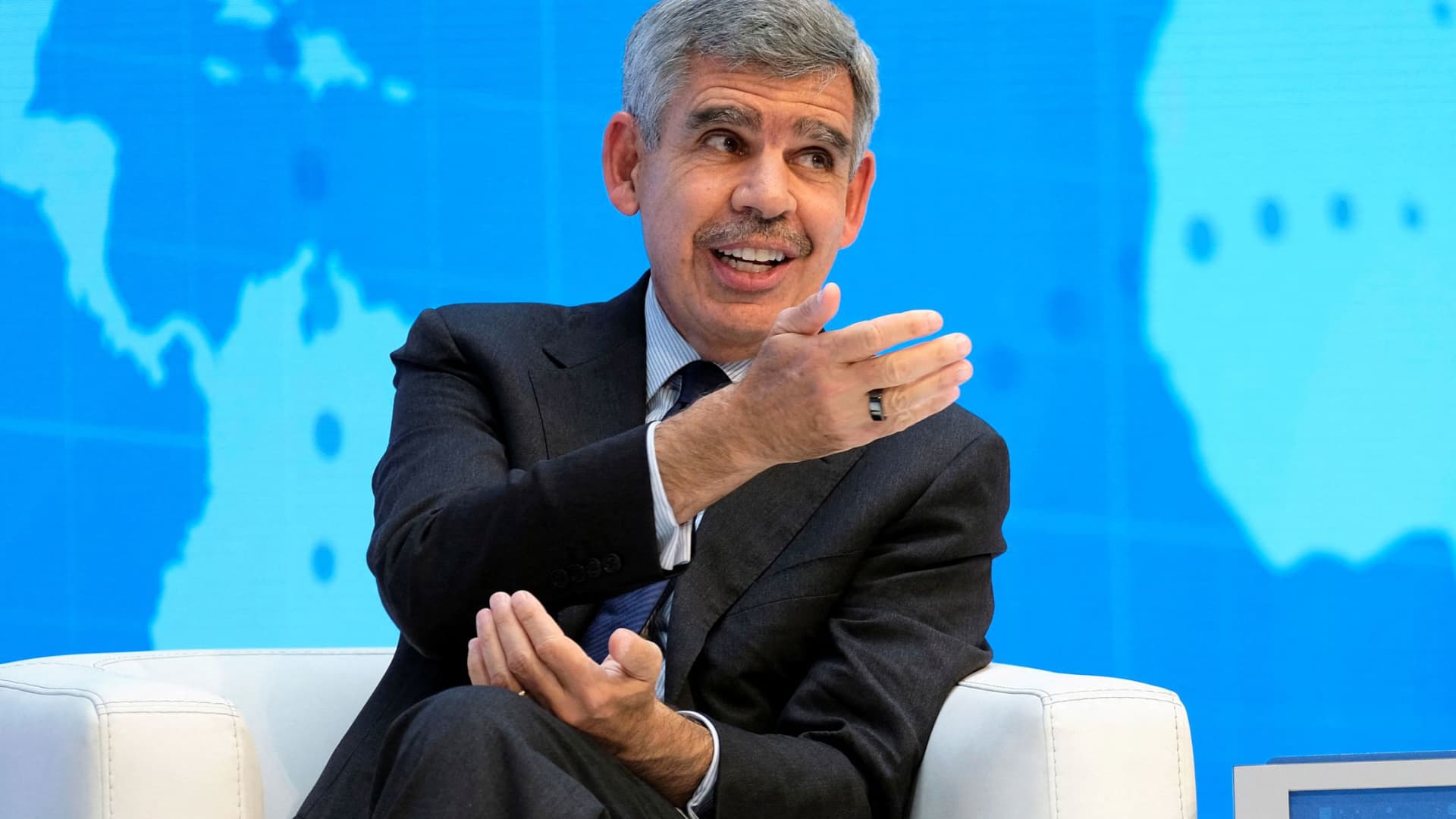
Investors should expect the sell-off of global government bonds to continue, renowned economist Mohamed El-Erian told CNBC on Friday.
“I don’t see any appetite in the U.S. for immediate fiscal consolidation. So I suspect we will continue to see upward pressures on yields,” he told CNBC’s Carolin Roth at the Ambrosetti Forum in Cernobbio, Italy.
Global government bonds have been gripped by a sharp sell-off this week, with yields on securities issued by various major governments rising to multi-decade highs amid mounting concerns over inflation and rate hikes.
Bond yields and prices move inversely to one another.
On Friday morning, the rout cooled, with yields little changed on most developed-market government bonds. U.S. Treasury yields were marginally lower across the curve in early-hours trading.
El-Erian, the Rene M. Kern Practice Professor at the University of Pennsylvania’s Wharton School and chief economic adviser at Allianz, told CNBC he did not see anything wrong with how the markets were functioning – but added that “reliable buyers and holders” of U.S. Treasurys were coming under pressure.
“China, for geopolitical purposes, is no longer as willing,” he said. “Japan and the Gulf countries have domestic issues.”
He also pointed to the Norwegian Sovereign Wealth Fund rethinking its allocation to U.S. government bonds.
“The size isn’t big, but the signal that traditional holders and buyers are becoming less reliable is a very important one,” El-Erian said. “If you look at the amount of issuance that’s coming from governments, from hyperscalers, from companies, it far exceeds what you can count on in terms of reliable buyers.
“And that’s why there’s been pressure on interest rates. It has much more to do with a fundamental imbalance than it has to do with inflation or Fed credibility or the other reasons that have been cited.”
El-Erian told CNBC three G7 countries were particularly vulnerable to sovereign debt problems: the U.K., Japan and France.
“Those by numbers, by everything else, and the U.K. in particular is what I call a high-beta country,” he said. “That every time rates move by a bit in the U.S., they move by a lot more in the U.K.”
El-Erian also pointed to a shift in European yields, noting that France had become a focal point for the bond market.
“In the old days you would worry about Italy. Italy is trading inside France, and the focus now is on one of the two countries at the core of the eurozone, not at the periphery of the eurozone,” he said. “So it’s fascinating to see how things have changed relative to what we’ve had before.”
U.S. Treasury department’s ‘step too far’
El-Erian also told CNBC on Friday that the Trump administration had gone “too far” with its attempts to intervene in market outcomes and monetary policy.
Last month, the U.S. Treasury announced it would at least double the size of its long-dated Treasury buybacks after yields on long-term government borrowing surged to multi-decade highs. On Thursday, U.S. Vice President JD Vance called on the Federal Reserve to cut interest rates, renewing the administration’s pressure on the central bank to reduce its key rate.
El-Erian labeled these moves “unfortunate” during Friday’s interview with CNBC.
“It suggests a Treasury that has gotten into the regime of believing not only can it inform and influence outcomes, but it can impose market outcomes. I think that’s a step too far,” he said. “And the question now is, how do you step back from this? I think the results are clear. It’s a massive market. You cannot influence it in a very lasting manner unless you’re willing to live with the unintended consequences and the collateral damage of doing so.”
CNBC reached out to the U.S. Treasury Department for comment.
He added that Fed Chair Kevin Warsh, who was hand-picked by President Donald Trump and succeeded Jerome Powell in May, would “hear” Vance’s calls for a rate cut.
“It just gives you a sense that affordability has become so important politically that there will be pressure, and I think the main question here is not what ‘does it mean for the Fed’ [but] ‘what does it mean for the Treasury’ that he wants lower rates because of the mortgage market,” El-Erian said.
Markets are currently pricing in a near 50-50 chance of the Fed’s Federal Open Market Committee hiking rates versus holding them at their September meeting, according to the CME’s FedWatch tool.
Warsh gets ‘three things right’ at Jackson Hole
El-Erian told CNBC that in his view, Warsh had already done “three things right” during his address at the Jackson Hole symposium last week.
“First, he addressed the concerns about his reaction function,” he said. “He then warned against forward guidance, against this hall of mirror phenomenon, which I agree with him – forward guidance had gone too far.”
“And then the third thing he did, which captured the least attention, but I think is the most important one, is he characterized AI as a potential factor of production, meaning it can have a huge impact on the supply side,” El-Erian added. “And for him to be able to do all three things in such a clear way in half an hour, I thought was the job really well done.”
Technologies
EU Joins U.S. ‘Economic Outcast’ Campaign Against Iran as South Korea Considers Military Support
The EU has joined the U.S.-led ‘Operation Economic Outcast’ sanctions campaign against Iran, while South Korea considers military support to reopen the Strait of Hormuz as regional tensions escalate.

The European Union has officially signed onto the U.S.-led sanctions drive targeting Iran, even as South Korea indicated it is evaluating a potential military contribution to help reopen the Strait of Hormuz, with Washington urging allies to support its conflict with Tehran across both economic and military dimensions.
U.S. Treasury Secretary Scott Bessent commended the EU for joining ‘Operation Economic Outcast,’ the initiative designed to cut Tehran off from the international financial network.
“We value their firm and prompt position,” Bessent wrote in a Thursday evening social media post. “The international community is delivering an unambiguous signal to the Iranian government: We will not relent until every last financial lifeline has been cut,” he continued.
The remarks followed an Aug. 31 statement from Brussels expressing backing for efforts to halt Tehran’s ‘destabilizing activities’ and restart peace negotiations, including via Operation Economic Outcast, to impose further economic strain on the Islamic government.
The bloc’s approval coincided with this week’s gathering of Group of 20 finance ministers and central bank governors in Asheville, North Carolina.
“The United States remains steadfast alongside our allies in preventing the lethal Iranian regime from leveraging the global financial system to finance its nuclear aspirations, weapons development, and proxy terror networks,” Bessent stated in the Thursday post.
The Trump administration initiated the Operation Economic Outcast campaign in late August, taking aim at Iran’s access to digital assets, advanced technology acquisition, gold holdings, commercial aviation, and maritime shipping.
Iran’s Foreign Ministry spokesperson, Esmail Baghaei, countered the EU’s decision to endorse what he labeled Washington’s ‘economic terrorism.’ In a Sept. 1 post, Baghaei accused the bloc of having ‘surrendered its sovereignty, its laws and regulations, values and ethics to U.S. coercion.’
Bessent characterized the campaign as an ‘economic onslaught’ on Iran’s worldwide financial ties, cautioning that nations assisting Tehran should ‘anticipate sharing in the isolation of a decaying regime.’ China stood as Iran’s top trading partner, purchasing approximately 90% of Iran’s sanctioned crude oil exports prior to the conflict.
The EU separately upholds its own sanctions framework aimed at Iran’s nuclear and ballistic missile programs as well as its military assistance to Russia.
Ahead of the summit, Bessent had indicated he would urge G20 counterparts to sever financial links with Tehran or confront secondary sanctions. He also signaled weekly new secondary sanctions, initially targeting banks, with a warning to completely disconnect institutions facilitating Iran-linked transactions from the dollar-based financial system.
Seoul Considers Role in Hormuz
Separately, South Korea is evaluating options that include military aid to back the U.S. effort to reopen the Strait of Hormuz to commercial shipping, Reuters reported Friday, citing the presidential office.
The government, however, refuted local media reports that a decision had already been reached, stating ‘details related to the issue have yet to be decided,’ in a statement to reporters, per Yonhap News.
Multiple South Korean media outlets reported Thursday that Seoul was readying to deploy troops to the Gulf region before year-end, and might request parliamentary approval as early as this month.
The deliberation comes as Washington has voiced frustration with Seoul’s hesitance to provide military support in its war against Iran, including by reducing an annual joint military exercise last month and canceling a landing drill planned for September.
Impasse
Military clashes in the region escalated in recent days, rekindling concerns of a wider conflict.
The U.S. military executed a fresh round of strikes earlier this week, targeting military sites in Iran in response to attacks on vessels and American forces in the area. Iran has answered back, firing missiles at U.S. military installations throughout the Middle East.
Shipping through the Strait of Hormuz — a chokepoint for about one-fifth of global oil flows prior to the war — stayed muted, with Iran conducting intermittent strikes on ships using the southern shipping lane off the Omani coast.
The U.S. has kept a naval blockade in the strait, preventing vessels from entering or departing Iranian ports to hinder the country’s crude oil exports. U.S. Central Command stated Friday that it has diverted 87 commercial vessels, disabled three, and boarded two to guarantee full compliance.
Technologies
Buy these cheap dividend-paying energy stocks, Goldman Sachs says
The firm still sees an opportunity to grab attractive dividend-paying energy names, despite the sector’s run higher this year.

There is still an opportunity to grab attractive dividend-paying energy names, despite the sector’s run higher this year, according to Goldman Sachs. While the firm continues to see long-term value in the oil and gas sector, it recognizes the area is outperforming the broader market right now. The State Street Energy Select Sector SPDR ETF (XLE) has gained 45% so far this year and hit a 52-week high on Thursday. In comparison, the S & P 500 is up 13% year to date. XLE YTD mountain State Street Energy Select Sector SPDR ETF year to date Energy companies have benefited from the jump in oil prices due to the conflict in the Middle East. Brent crude futures closed above $95 per barrel . “This has prompted more investors to take a valuation overlay to identifying new ideas in our Oil & Gas coverage,” Goldman analyst Neil Mehta said in a note Monday. “For those screening for value, we screen our comparison sheets and identify Buy-rated stocks that currently offer above-average total return while trading at below-average 2028 multiples as investors position into year-end.” Here are some of the names that made the cut: Devon Energy has gained roughly 33% so far this year, versus a 40% advance for its large-cap oil exploration and production peers, said Mehta, calling the name “a compelling valuation opportunity.” “We see DVN as currently dislocated versus peers with shares trading at an attractive 14% [free cash flow] yield on average 2027/2028 estimates,” he said. He also has a constructive view on Devon Energy’s development and focus on the Delaware Basin asset as the core of its long-term portfolio. Plus, the company seeks to return up to 70% of its free cash flow to shareholders, he added. Last month, Devon Energy handily beat earnings and revenue expectations for its second quarter. It announced a dividend hike in May. Mehta’s $55 price target implies 12% upside from Wednesday’s close. The stock pays a 2.3% dividend yield. Gas exploration and production name, Expand Energy , also has a compelling valuation relative to its Appalachian peers, according to Mehta. He sees it currently trading at a 10% free-cash-flow yield on his average 2027/2028 estimates relative to its peer average of 8%. Expand Energy, which yields 2.3%, has reliable free cash flow and a steady capital return program, Mehta said. In addition, he believes in its ability to “generate sustainable cash flow improvement through incremental marketing and commercial initiative.” The company posted mixed second-quarter results in July, with its adjusted earnings per share topping expectations and its revenue falling short. Shares are down roughly 10% so far in 2026. U.S. refiner HF Sinclair , on the other hand, has rallied 131% year to date — and also hit a 52-week high on Thursday. Despite that, Mehta believes the stock trades at a discount to its refiner peers due to uncertainty around the CEO and chief financial officer transitions. Both are currently interim roles. ”[W]e continue to see value in the company’s non-refining earnings contributions (Lubricants, Renewable Diesel, and Midstream) in addition to the company’s leverage to niche refining markets (West Coast/Rockies and Mid-Continent),” Mehta wrote. HF Sinclair posted a beat on both its top and bottom lines for the second quarter and raised its quarterly dividend. The stock currently yields about 2%. Mehta’s $114 price target suggests 7.5% upside from Wednesday’s close. Lastly, oil major ConocoPhillips has a $146 price target, which implies more than 6% upside ahead. Goldman’s buy rating is based on a $7 billion free-cash-flow inflection by 2029 as four major growth projects come online and the company cuts $1 billion in costs. The stock is trading at a discounted multiple, which reflects “a heavy phase of the capital cycle, with the market hesitant to pay for a back-half-weighted free cash flow inflection, where the bulk of the uplift lands in 2029,” Mehta wrote. ConocoPhillips has gained 45% year to date, hitting a 52-week high on Thursday. It currently yields 2.5%.
This site is now part of Versant. By continuing to use this service, you agree to our Terms. You also acknowledge that our updated Privacy Policy applies, including to your existing data. For details on your data rights, click here.
On this service, we and our vendors use cookies and other tools (“Cookies”) to store and access information on your device, such as device identifiers, IP address, and your browser type. You can access a list of all our potential 1015 vendors by selecting “IAB and Google Vendors,” although we may work with only a small selection of these on this service. Your data may be used to save and communicate your privacy choices; ensure security, prevent fraud, and debug our products and services; personalize advertising and content; for advertising and content measurement; to conduct audience research and services development; so we can improve our services and develop new ones; to match and combine offline data with your online activity; and for social features. We may share this data with select vendors with your consent.
Click “I Accept”, to consent to our use of these Cookies or “Reject All” to reject our use of these Cookies. Click “Manage Choices” to set your preferences. If you previously made choices with respect to Versant’s use of Cookies on this browser and device, you will need to update them. You can adjust your choices any time through the “Cookie Preferences” link in the footer of relevant Versant sites or in-app settings. Visit our Cookie Notice and Privacy Policy to learn more.
We will also use other Cookies that are essential or related to our services, including for security and fraud prevention.
Store and/or access information on a device. Personalised advertising and content, advertising and content measurement, audience research and services development.
– Your Privacy
– Strictly Necessary
– Save and communicate privacy choices 512 partners can use this special purpose
– Ensure security, prevent and detect fraud, and fix errors 646 partners can use this special purpose
– Deliver and present advertising and content 636 partners can use this special purpose
– Store and/or access information on a device 842 partners can use this purpose
– Personalised advertising and content, advertising and content measurement, audience research and services development 982 partners can use this purpose
– Targeted Advertising
– Content Selection
On this service, we and our vendors use cookies and other tools (“Cookies”) to store and access information on your device, such as device identifiers, IP address, and your browser type. Your data may be used to save and communicate your privacy choices; ensure security, prevent fraud, and debug our products and services; personalize advertising and content; for advertising and content measurement; to conduct audience research and services development; so we can improve our services and develop new ones; to match and combine offline data with your online activity; and for social features. We may share this data with select vendors with your consent. You can adjust your choices any time through the “Cookie Preferences” link in the footer of relevant Versant sites or in-app settings.
We will also use other Cookies that are essential or related to our services, including for security and fraud prevention. To learn more about some of our vendors, see the IAB and Google Vendors under each purpose. Visit our Cookie Notice and Privacy Policy to learn more.
Always Active
These Cookies and SDKs are required for Service functionality, including security and fraud prevention, and to enable any purchasing capabilities. You can set your browser to block these tracking technologies, but some parts of the site may not function properly.
The choices you make regarding the purposes and entities listed in this notice are saved and made available to those entities in the form of digital signals (such as a string of characters). This is necessary in order to enable both this service and those entities to respect such choices.
Your data can be used to monitor for and prevent unusual and possibly fraudulent activity (for example, regarding advertising, ad clicks by bots), and ensure systems and processes work properly and securely. It can also be used to correct any problems you, the publisher or the advertiser may encounter in the delivery of content and ads and in your interaction with them.
Certain information (like an IP address or device capabilities) is used to ensure the technical compatibility of the content or advertising, and to facilitate the transmission of the content or ad to your device.
Cookies, device or similar online identifiers (e.g. login-based identifiers, randomly assigned identifiers, network based identifiers) together with other information (e.g. browser type and information, language, screen size, supported technologies etc.) can be stored or read on your device to recognise it each time it connects to an app or to a website, for one or several of the purposes presented here.
– Use limited data to select advertising 782 partners can use this purposeAdvertising presented to you on this service can be based on limited data, such as the website or app you are using, your non-precise location, your device type or which content you are (or have been) interacting with (for example, to limit the number of times an ad is presented to you).
– Create profiles for personalised advertising 629 partners can use this purposeInformation about your activity on this service (such as forms you submit, content you look at) can be stored and combined with other information about you (for example, information from your previous activity on this service and other websites or apps) or similar users. This is then used to build or improve a profile about you (that might include possible interests and personal aspects). Your profile can be used (also later) to present advertising that appears more relevant based on your possible interests by this and other entities.
– Use profiles to select personalised advertising 633 partners can use this purposeAdvertising presented to you on this service can be based on your advertising profiles, which can reflect your activity on this service or other websites or apps (like the forms you submit, content you look at), possible interests and personal aspects.
– Create profiles to personalise content 258 partners can use this purposeInformation about your activity on this service (for instance, forms you submit, non-advertising content you look at) can be stored and combined with other information about you (such as your previous activity on this service or other websites or apps) or similar users. This is then used to build or improve a profile about you (which might for example include possible interests and personal aspects). Your profile can be used (also later) to present content that appears more relevant based on your possible interests, such as by adapting the order in which content is shown to you, so that it is even easier for you to find content that matches your interests.
– Use profiles to select personalised content 230 partners can use this purposeContent presented to you on this service can be based on your content personalisation profiles, which can reflect your activity on this or other services (for instance, the forms you submit, content you look at), possible interests and personal aspects. This can for example be used to adapt the order in which content is shown to you, so that it is even easier for you to find (non-advertising) content that matches your interests.
– Measure advertising performance 905 partners can use this purposeInformation regarding which advertising is presented to you and how you interact with it can be used to determine how well an advert has worked for you or other users and whether the goals of the advertising were reached. For instance, whether you saw an ad, whether you clicked on it, whether it led you to buy a product or visit a website, etc. This is very helpful to understand the relevance of advertising campaigns.
– Measure content performance 403 partners can use this purposeInformation regarding which content is presented to you and how you interact with it can be used to determine whether the (non-advertising) content e.g. reached its intended audience and matched your interests. For instance, whether you read an article, watch a video, listen to a podcast or look at a product description, how long you spent on this service and the web pages you visit etc. This is very helpful to understand the relevance of (non-advertising) content that is shown to you.
– Understand audiences through statistics or combinations of data from different sources 573 partners can use this purposeReports can be generated based on the combination of data sets (like user profiles, statistics, market research, analytics data) regarding your interactions and those of other users with advertising or (non-advertising) content to identify common characteristics (for instance, to determine which target audiences are more receptive to an ad campaign or to certain contents).
– Develop and improve services 680 partners can use this purposeInformation about your activity on this service, such as your interaction with ads or content, can be very helpful to improve products and services and to build new products and services based on user interactions, the type of audience, etc. This specific purpose does not include the development or improvement of user profiles and identifiers.
– Use limited data to select content 179 partners can use this purposeContent presented to you on this service can be based on limited data, such as the website or app you are using, your non-precise location, your device type, or which content you are (or have been) interacting with (for example, to limit the number of times a video or an article is presented to you).
These Cookies and SDKs are used to collect data about your browsing habits, use of the Services, your preferences, and your interaction with advertisements across platforms and devices for the purpose of delivering targeted advertising content, both on our Services and on third party sites. Third-party sites and services also use Targeting Cookies to deliver content, including advertisements relevant to your interests on the Services. If you reject these Cookies or SDKs, you will see less relevant advertising.
Data collected under this category through Cookies and SDKs can also be used to select and deliver personalized content, such as news articles and videos.
Consent Leg.Interest
label
-
 Technologies4 years ago
Tech Companies Need to Be Held Accountable for Security, Experts Say
-
 Technologies4 years ago
Best Handheld Game Console in 2023
-
 Technologies5 years ago
Black Friday 2021: The best deals on TVs, headphones, kitchenware, and more
-
 Technologies4 years ago
Tighten Up Your VR Game With the Best Head Straps for Quest 2
-
 Technologies5 years ago
Google to require vaccinations as Silicon Valley rethinks return-to-office policies
-
 Technologies5 years ago
Verum, Wickr and Threema: next generation secured messengers
-
 Technologies4 years ago
The number of Сrypto Bank customers increased by 10% in five days
-
 Technologies5 years ago
Olivia Harlan Dekker for Verum Messenger