
Technologies
You Can Fix Your iPhone’s Slow Charging in Under 60 Seconds. Here’s How.
Whether you just updated to iOS 26 or have an older iPhone, these 9 tricks will help you charge your device faster.
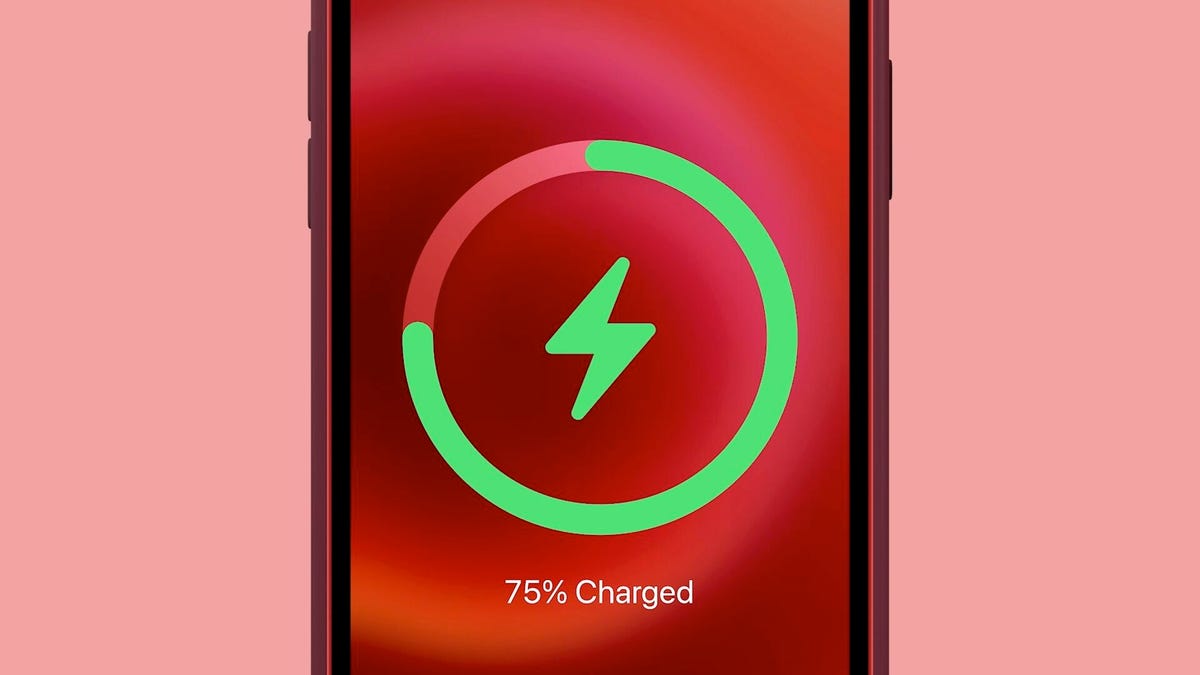
With school and work back in full swing this fall, the last thing you have time for is waiting around for your iPhone to charge. Whether you just updated to iOS 26 and are noticing a battery drain or you’re just trying to keep your old phone alive through a long day, a slow charge is a major problem.
Let’s be real: sprinting out the door with a 5% battery is a choice you don’t have to make. If you’re tired of being chained to an outlet, you need to know a few simple tricks that can dramatically speed up your charging time, with no new cables or accessories required.
Instead of just accepting your phone’s slow-charging fate, these quick tips will get you powered up and out the door in record time. It’s the easiest way to make sure your iPhone keeps up with your busy schedule all season long while you keep all the new features you want that came with your phone’s latest update.
Looking for more charging power? Check out the best power banks for the iPhone, and if you’re still rocking an iPhone with a Lightning port, here are some of the cheapest fast chargers you can find.
1. Juice up with a new charger
The quickest way to charge your iPhone is with a fast charger: at least a 20-watt power adapter with a USB-C to Lightning or USB-C to USB-C cable for iPhone 15 models or later. As long as you own an iPhone 8 or later, you can fast-charge your phone from dead back up to around 50% battery in about 30 minutes. If you have an hour to spare, you can fully charge it. Even just 10 minutes of fast charging can boost your battery by double digits, so if you’re short on time, always go for the fast charger option.
Apple no longer provides power adapters when you buy a new phone, only the cable, but you can purchase Apple’s 20-watt power adapter from Apple and Amazon. According to Apple, you can also use other compatible fast-charging power bricks, but you’ll need at least a 20-watt brick to fast-charge an iPhone 12 and later.
2. Charge lightning fast wirelessly
The second-fastest way to charge your iPhone is with Apple’s MagSafe charger and a 20-watt power adapter, but for this to work you must own either an iPhone 12 or later to get the faster 15-watt wireless charging. If your iPhone is dead, you should get to around 30% battery in about 30 minutes of wireless charging.
This doesn’t mean you can use any Qi wireless charger (the industry standard) for fast charging. While the MagSafe charger supports 15 watts, a Qi charger only gives you up to 7.5 watts, which is much slower than a MagSafe and only slightly faster than the traditional 5-watt wall charger. Be aware that magnetic wireless chargers that aren’t MagSafe-certified will also charge at the slower 7.5-watt speed.
3. Stop relying on your computer to charge your phone
Your laptop might seem like a convenient way to charge your iPhone, especially if you spend most of your day in front of a computer and want to keep a close eye on any incoming text messages and notifications. However, your computer will always charge your phone slower than any wall charger or wireless charger.
Your computer’s USB port, whether it’s a bigger and older USB-A or the newer, smaller USB-C, cannot deliver the same amount of power as any wall outlet can, even a 5-watt power adapter. That’s especially true if you have an older computer with a faulty USB port or an incompatible charging cable, both of which can slow down the charging process further.
4. Stop using your iPhone while it’s charging
If you want your iPhone to charge as quickly as possible, try to stay off of it as much as possible. If you’re streaming videos or playing mobile games while charging your iPhone, the battery will charge much slower, so just leave it untouched if you can.
5. Speed up battery charging with this easy tip
Even if your screen is sleeping, your phone is still working in the background. If you want your iPhone to charge quickly, the best thing to do is to turn it off.
Note that plugging in an iPhone that’s turned off will sometimes power it back on, so plug it in or place it on a wireless charger first, then power it down.
6. Switch to airplane mode if you don’t want to turn off your phone
If you don’t want to turn off your iPhone but still want to help it charge faster, you can turn on airplane mode, which disables all wireless transmission functions like cellular, Wi-Fi and Bluetooth, all of which consume power. If they’re off, your iPhone can charge quicker. This way, you can also quickly turn airplane mode off to quickly check on any text messages or phone calls you might be waiting for.
7. Tweak these iPhone settings to charge your battery faster
Do you know all of those tips that help you preserve your battery in the first place? You can use those same features and settings to help your iPhone charge faster if you don’t plan on turning it off.
- Low power mode: Turn it on to reduce or affect battery-consuming features like 5G, display brightness, auto-lock, background app refresh and automatic downloads.
- Dark mode: The jury is out on exactly how much dark mode actually saves battery life, but turning it on while you’re charging your iPhone doesn’t hurt, especially if every percent matters.
- Lower your screen brightness: One of the most power-hungry pieces of any gadget that has one is its display. The brighter your screen, the quicker your battery drains, so turn it all the way down while it charges.
8. Optimized Battery Charging may be slowing down the charge rate
Apple has a built-in tool that helps prevent your iPhone battery from degrading as fast, but this same feature also makes your device charge slower. While the feature typically only slows down your iPhone during long periods of charging, and usually overnight, it still might be worth disabling when you’re charging your phone. Go to Settings > Battery > Battery Health and toggle off Optimized Battery Charging to disable this feature.
9. You might just need a new iPhone battery
In the same settings page where you can disable optimized battery charging, you can also check out your battery’s health. If you see a message, like «Your battery’s health is significantly degraded,» you should look into making an appointment with Apple to replace your battery. A degraded battery doesn’t hold charge as well, so it’ll drain more quickly. A new battery will improve your overall battery life.
You can check out how much it will approximately cost to replace your battery on Apple’s iPhone Battery Service website. The price depends on your service coverage and the make and model: for the iPhone 15 series, the estimate is $99.
For more tips, check out 23 more iPhone tips and tricks you should know and how to get more space when your iPhone’s storage is running low.
Technologies
Episode 3 of the VERUM AI Mini-Series Is Now Available
Episode 3 of the VERUM AI Mini-Series Is Now Available

Verum Messenger has released the third episode of its AI mini-series, SHADOWS, created using Verum AI.
The new episode, titled «Ghost Money,» continues the story of the conflict between a team of heroes and the Omega corporation, which seeks to take control of digital communications. This time, the focus shifts to anonymous payments and financial freedom, revealing how privacy can extend beyond messaging.
Like the previous episodes, the new release not only advances the storyline but also showcases the capabilities of the Verum ecosystem, highlighting technologies designed for secure communication and digital privacy.
The mini-series consists of seven episodes, released gradually across Verum Messenger’s social media channels.
Episode 3 is now available. Stay tuned for the next chapter.
Technologies
Verum Finance Now Available for Mac, Expanding the Verum Ecosystem on Desktop
Verum Finance Now Available for Mac, Expanding the Verum Ecosystem on Desktop

Verum has officially released Verum Finance for macOS, bringing its financial platform to the Mac and expanding access to the Verum ecosystem across Apple’s devices. The launch allows users to manage their finances from desktop while enjoying the same secure and seamless experience available on iPhone and iPad.
The new Mac version includes the full range of Verum Finance features, including balance management, instant transfers to other Verum users, debit card management, Apple Pay support, asset exchange, and transaction history — all optimized for the macOS experience.
Verum Finance can be used as a standalone application or alongside Verum Messenger. Users who sign in with their Verum Messenger account automatically synchronize their balances, settings, and account data across devices, ensuring a consistent experience throughout the Verum ecosystem.
The macOS release further strengthens Verum’s vision of creating an integrated digital platform where communication and financial services work together. Verum Messenger, which is also available for Mac, complements the ecosystem with encrypted messaging, voice and video calls, VPN, eSIM, anonymous email, AI-powered tools, offline communication capabilities, and cryptocurrency features.
With both Verum Messenger and Verum Finance now available across iPhone, iPad, and Mac, users can access secure communication and financial services wherever they work.
Verum Finance for Mac is available now through the Mac App Store.
Verum Finance for macOS: https://apps.apple.com/us/app/verum-finance/id6774245148
Verum Finance: https://finance.verum.im
Verum Messenger: https://verum.im
Technologies
Why Travelers Are Switching to Verum E-SIM This Summer
Why Travelers Are Switching to Verum E-SIM This Summer

Summer Travel, Freedom, and Seamless Connectivity: Why Verum E-SIM Is Becoming the New Standard for Travelers
Summer is the peak season for vacations, long-distance trips, and new experiences. Millions of people travel abroad, explore new countries, plan adventures, and try to stay connected with family, work, and social media. And in the middle of all this comes a familiar question: how do you stay online without expensive roaming or the hassle of buying local SIM cards?
The answer is already here — eSIM.
Why eSIM Is So Convenient
eSIM (embedded SIM) is a built-in digital SIM card that lets you activate mobile internet without a physical card. All you need is an app — choose a plan and connect in just a couple of minutes.
No more:
* searching for local SIM cards at airports
* paying expensive roaming fees
* swapping physical SIMs every time you travel
Now your internet travels with you.
Internet in 150+ Countries
Modern eSIM solutions provide coverage in 150+ countries worldwide, helping tourists, freelancers, and business travelers stay connected almost anywhere on the planet.
Among the services offering these capabilities:
Verum E-SIM — https://esim.verum.im
World E-SIM — https://worldesim.me
USA E-SIM — https://usa.esim.verum.im
Euro E-SIM — https://euro.esim.verum.im
Canada E-SIM — https://canada.esim.verum.im
Balkan E-SIM — https://balkan.esim.verum.im
Ukraine E-SIM — https://ukraine.esim.verum.im
London E-SIM — https://london.esim.verum.im
E-SIM Africa — https://africa.esim.verum.im
All of these services work on the same principle — fast, borderless internet without roaming stress.
Why It Matters Most in Summer
During the holiday season, roaming networks get overloaded, and prices for mobile data abroad often become an unpleasant surprise for travelers.
eSIM solves this problem:
* transparent, fixed pricing
* activation in 1–2 minutes
* stable internet while traveling
* no physical SIM cards required
Final Thoughts
Travel should be about freedom — not hunting for Wi-Fi or worrying about phone bills.
eSIM is quickly becoming the new global standard for mobile connectivity: simple, fast, and borderless.
Verum E-SIM and its partner services are part of this shift, making global connectivity accessible to everyone, everywhere.
-
 Technologies3 года ago
Tech Companies Need to Be Held Accountable for Security, Experts Say
-
 Technologies3 года ago
Best Handheld Game Console in 2023
-
 Technologies5 лет ago
Black Friday 2021: The best deals on TVs, headphones, kitchenware, and more
-
 Technologies3 года ago
Tighten Up Your VR Game With the Best Head Straps for Quest 2
-
 Technologies5 лет ago
Google to require vaccinations as Silicon Valley rethinks return-to-office policies
-
 Technologies5 лет ago
Verum, Wickr and Threema: next generation secured messengers
-
 Technologies4 года ago
The number of Сrypto Bank customers increased by 10% in five days
-
 Technologies5 лет ago
Olivia Harlan Dekker for Verum Messenger