
Technologies
Pixel 10 vs. Pixel 10 Pro vs. Pixel 10 Pro XL: How Google’s Latest Phones Compare
Each Pixel 10 phone is different, but the gap is closing between the standard and Pro models.
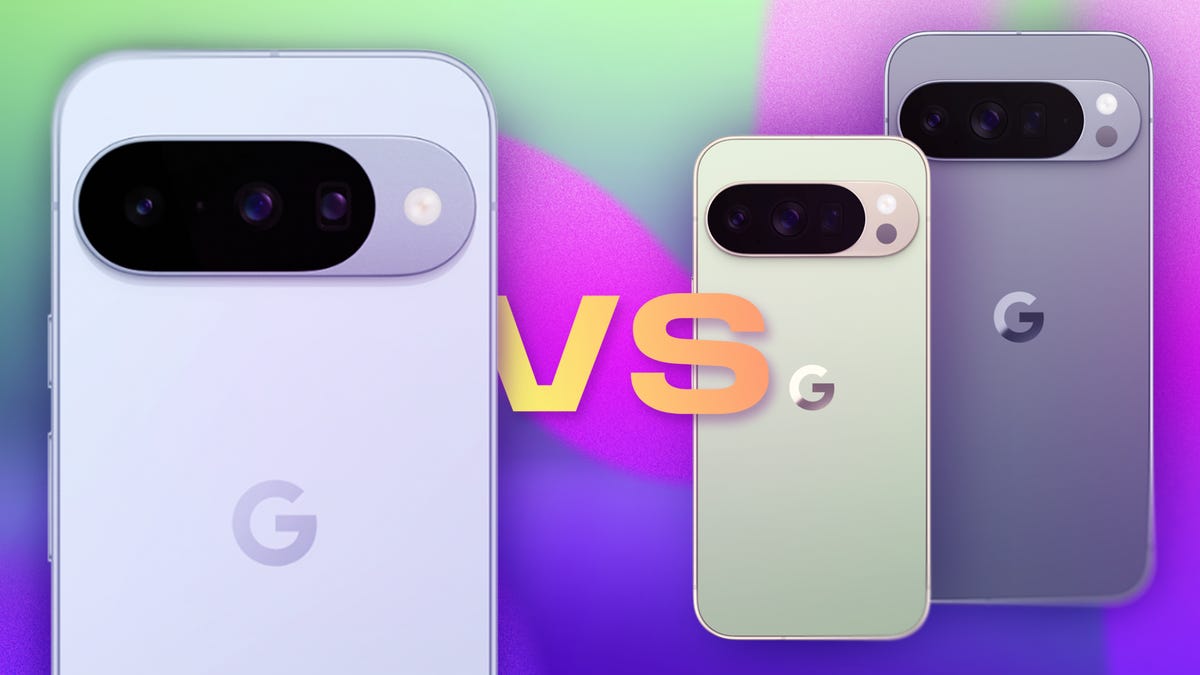
Google’s new Pixel 10 phones are here, and they boast a handful of spec upgrades over their predecessors, as well as more AI features.
The three models look very similar to last year’s Pixel 9 phones. There’s a standard Pixel 10, a higher-spec Pixel 10 Pro and a large Pixel 10 Pro XL.
There are still some differentiators between the baseline and Pro models, but that lead is shrinking with more top-level features trickling down. All in all, they’re powerful handsets that rank among the year’s best phones.
Pixel 10 price comparison
- Pixel 10: $799. The Pixel 10 didn’t get a price increase from last year’s standard model despite getting more features.
- Pixel 10 Pro: $999. The Pixel 10 Pro also kept its predecessor’s price, though it hasn’t changed much from the Pixel 9 Pro.
- Pixel 10 Pro XL: $1,199. The top-end Pixel 10 Pro XL got a $100 price hike this year, with a handful of spec upgrades.
Both the Pixel 10 ($799) and Pixel 10 Pro ($999) retain the prices of their predecessors, keeping them in line with their equivalents from other brands, like the Samsung Galaxy S25 ($799) and Galaxy S25 Plus ($999).
But the Pixel 10 Pro XL got slightly more expensive this year, getting a $100 price bump to $1,199 (up from the $1,099 Pixel 9 Pro XL with 128GB of storage), likely to account for the higher 256GB starting storage option.
Pixel 10 lineups’ design and display changes, compared
- Pixel 10: Unchanged, but additional camera. The baseline model got an extra camera, widening the lens part of its camera bump, and the display is slightly brighter.
- Pixel 10 Pro: Unchanged. The smaller Pro model looks almost exactly like its predecessor, and the display is slightly brighter.
- Pixel 10 Pro XL: Unchanged. The larger Pro XL looks just like its predecessor, and the display is slightly brighter.
The Pixel 10 lineup looks virtually the same as last year’s Pixel 9 phones, leaving most of the upgrades under the hood.
All three phones retain the general design of last year’s phones: a metal back with a pill-shaped camera bump. The only major difference is that the glass on the Pixel 10’s camera bump is slightly wider, owing to the third, telephoto camera fit into it. All three models are ever-so-slightly heavier than their predecessors (from 6 grams on the Pixel 10 to 11 grams on the Pixel 10 Pro XL), possibly due to their nominal battery capacity increases.
The standard Pixel 10 retains its predecessor’s 6.3-inch OLED display, though its maximum brightness has been increased to 3,000 nits (up from 2,700). Likewise, the Pixel 10 Pro and Pixel 10 Pro XL inherit their 6.3-inch OLED and 6.8-inch OLED displays from their predecessors, but they also get maximum screen brightness increases to 3,300 nits (up from 3,000).
Comparing Pixel 10, Pixel 10 Pro and Pixel 10 Pro XL cameras
- Pixel 10: Added rear camera, for a total of three. A 48-megapixel main, 13-megapixel ultrawide and new 10.8-megapixel telephoto make up the rear cameras, plus a 10.5-megapixel selfie camera.
- Pixel 10 Pro: Same trio of rear cameras. A 50-megapixel main, 48-megapixel ultrawide and 48-megapixel telephoto make up the rear cameras, plus a 42-megapixel selfie camera.
- Pixel 10 Pro XL: Same trio of rear cameras. A 50-megapixel main, 48-megapixel ultrawide and 48-megapixel telephoto make up the rear cameras, plus a 42-megapixel selfie camera.
As with other brands, Google has previously differentiated its standard and Pro models by reserving an extra zoom camera for its top-end phones. That changes this year, as the standard Pixel 10 gets a telephoto lens, shrinking the feature gap between the phone tiers.
The Pixel 10 packs a 48-megapixel main camera, though its 13-megapixel ultrawide is a slight downgrade from the 50-megapixel ultrawide shooter in the Pixel 9, which means the new phone may not take as sharp of photos when set to its widest capture settings. The trade-off is the addition of a 10.8-megapixel telephoto with 5x zoom that still adds a lot of functionality, even if it may not take as high-resolution photos as the zoom cameras on its Pro siblings.
The Pixel 10 Pro and 10 Pro XL retain their predecessors’ trio of rear cameras: a 50-megapixel main, a 48-megapixel ultrawide and a 48-megapixel telephoto with 5x zoom. Ostensibly, not much has changed here, though they still take up to 8K video (better than the 4K video maximum on the Pixel 10).
The selfie cameras on all three phones are unchanged from last year, but represent a boost when going from the 10.5-megapixel front-facing camera on the Pixel 10 to the 42-megapixel selfie shooters on the Pixel 10 Pro and 10 Pro XL.
All Pixel 10 model specs, compared
- Pixel 10: Better CPU, slightly bigger battery. The Pixel 10 gets the Google Tensor G5 chip, as well as a 4,970-mAh battery.
- Pixel 10 Pro: Better CPU, slightly bigger battery. The Pixel 10 Pro gets similar spec upgrades, including the Google Tensor G5 chip, as well as a 4,870-mAh battery.
- Pixel 10 Pro XL: Better CPU, slightly bigger battery. The Pixel 10 gets the Google Tensor G5 chip, as well as a 5,200-mAh battery.
This year’s Pixel 10 lineup got the usual set of incremental upgrades along with slight boosts to battery capacity, which could have an impact, however small, on increasing battery life.
Like the other models, the Pixel 10 gets the new Google Tensor G5 chip, which Google promises will perform better than its predecessor, last year’s Tensor G4. The new handset inherits the Pixel 9’s 12GB of RAM and baseline storage options of 128GB or 256GB. If you want more, you’ll have to use cloud options or pay more for a Pro or Pro XL model.
The Pixel 10 Pro and 10 Pro XL also have the Tensor G5 chip, which helps power new AI features. Similar to the base model, the Pro versions inherit the same specs as their predecessors: 16GB of RAM and the options of 128GB (Pixel 10 Pro only), 256GB, 512GB or 1TB of storage.
Across the board, all models got slight battery capacity increases, though curiously, the Pixel 10 Pro has the least with 4,870-mAh (up from 4,700-mAh in the Pixel 9 Pro). The next largest is the standard Pixel 10, which got an increase to 4,970-mAh (up from 4,700-mAh in the Pixel 9). The Pixel 10 Pro XL has the largest battery with a 5,200-mAh capacity (up from 5,060mAh).
The Pixel 10 Pro XL also has the edge in juicing up its battery, with a maximum 45-watt wired charging, compared to 30 watts on the Pixel 10 and 10 Pro. All three support Qi2 wireless charging.
All three Pixel 10 phones receive Android 16 out of the box. It was released in June, a month after Google I/O 2025, far earlier than when it typically comes out (usually alongside that year’s Pixel phones). They also get a slew of new AI features like Magic Cue, which scrapes data from Gmail, Google Messages, Google Calendar and other information sources to surface timely details and events.
Google Pixel 10 vs. Pixel 10 Pro vs. Pixel 10 Pro XL
| Google Pixel 10 | Google Pixel 10 Pro | Google Pixel 10 Pro XL | |
| Display size, tech, resolution, refresh rate | 6.3-inch OLED; 2,424×1,080 pixels; 60 to 120Hz variable refresh rate | 6.3-inch LTPO OLED; 2,856×1,280 pixels; 1 to 120Hz variable refresh rate | 6.8-inch LTPO OLED; 2,992×1,344 pixels; 1 to 120Hz variable refresh rate |
| Pixel density | 422 ppi | 495 ppi | 486 ppi |
| Dimensions (inches) | 6 x 2.8 x 0.3 inches | 6 x 2.8 x 0.3 in | 6.4 x 3 x 0.3 in |
| Dimensions (millimeters) | 152.8 x 72 x 8.5 mm | 152.8 x 72 x 8.5 mm | 162.8 x 76.6 x 8.5 mm |
| Weight (grams, ounces) | 204 g (7.2 oz) | 207 g (7.3 oz) | 232 g (8.2 oz) |
| Mobile software | Android 16 | Android 16 | Android 16 |
| Camera | 48-megapixel (wide), 13-megapixel (ultrawide), 10.8-megapixel (5x telephoto) | 50-megapixel (wide), 48-megapixel (ultrawide), 48-megapixel (5x telephoto) | 50-megapixel (wide), 48-megapixel (ultrawide), 48-megapixel (5x telephoto) |
| Front-facing camera | 10.5-megapixel | 42-megapixel | 42-megapixel |
| Video capture | 4K | 8K | 8K |
| Processor | Google Tensor G5 | Google Tensor G5 | Google Tensor G5 |
| RAM + storage | 12GB RAM + 128GB, 256GB | 16GB RAM + 128GB, 256GB, 512GB, 1TB | 16GB RAM + 256GB, 512GB, 1TB |
| Expandable storage | None | None | None |
| Battery | 4,970 mAh | 4,870 mAh | 5,200 mAh |
| Fingerprint sensor | Under display | Under display | Under display |
| Connector | USB-C | USB-C | USB-C |
| Headphone jack | None | None | None |
| Special features | Gorilla Glass 2 Victus cover glass; 3,000 nits peak brightness; Satellite SOS; Dual-eSIM; Wi-Fi 6E; NFC; Bluetooth 6; 30W fast charging (wall charger not included); Qi2 15W wireless charging; support for PixelSnap magnetic accessories; Google VPN; Super Res Zoom up to 20x; Camera Coach; Add Me; Macro mode; Face Unblur; Auto Best Take; IP68 rating for dust and water resistance; 7 years of OS, security, and Pixel Drop updates; Corning Gorilla Glass Victus 2 polished back with satin finish aluminum frame | Gorilla Glass 2 Victus cover glass; 3,300 nits peak brightness; Satellite SOS; Dual-eSIM; Wi-Fi 7; NFC; Bluetooth 6; 30W fast charging (wall charger not included); Qi2 15W wireless charging; support for PixelSnap magnetic accessories; Google VPN; Pro Res zoom up to 100x; Camera Coach; Add Me; Macro mode; Face Unblur; Auto Best Take; High-Res Portrait mode; IP68 rating for dust and water resistance; 7 years of OS, security, and Pixel Drop updates; Corning Gorilla GlassVictus 2 silky matte back with polished finish aluminum frame; ultrawideband chip | Gorilla Glass 2 Victus cover glass; 3,300 nits peak brightness; Satellite SOS; Dual-eSIM; Wi-Fi 7; NFC; Bluetooth 6; 45W fast charging (wall charger not included); Qi2.2 25W wireless charging; support for PixelSnap magnetic accessories; Google VPN; Pro Res zoom up to 100x; Camera Coach; Add Me; Macro mode; Face Unblur; Auto Best Take; High-Res Portrait mode; IP68 rating for dust and water resistance; 7 years of OS, security, and Pixel Drop updates; Corning Gorilla GlassVictus 2 silky matte back with polished finish aluminum frame; ultrawideband chip |
| US price starts at | $799 (128GB) | $999 (128GB) | $1,199 (256GB) |
| UK price starts at | £799 (128GB) | £999 (128GB) | £1,199 (256GB) |
| Australia price starts at | AU$1,349 (128GB) | AU$1,699 (128GB) | AU$1,999 (256GB) |
Technologies
OpenAI rules out IPO this year as Altman, Musk & Amodei warn AI is moving too fast
Altman’s IPO comments and Amodei’s public call for more careful pacing of AI development cap a week of loud AI warnings.
OpenAI CEO Sam Altman now says his company will not go public this year, citing growing concerns about AI safety.
In an interview with Fortune published Saturday, Altman said that an IPO now would be “ill-advised.” The decision pushes one of the most anticipated IPOs in history until at least 2027 and gives the clearest sign yet that mounting concerns about increasingly powerful AI are beginning to reshape the industry’s business plans.
OpenAI CFO Sarah Friar told employees just last month that the company would likely go public in 2027 or even sooner, if “our business continues to inflect.”
Altman’s comments came on the same day that Anthropic CEO Dario Amodei published an essay urging AI companies to slow how quickly they improve their most advanced models. Altman and Elon Musk quickly backed the proposal in social media posts, an unusual show of agreement among three fierce rivals.
In his essay, Amodei proposed a three-step plan aimed at tempering the pace of development without “sacrificing commercial advantage or the United States’ lead in AI.” Anthropic is actively gearing up for what is expected to be a historic IPO, though the company has not officially disclosed when it plans to debut.
The sudden alignment among Altman, Amodei and Musk shows how quickly concern over AI has moved from the margins to the center of the industry — and is now beginning to collide with its enormous commercial ambitions.
The essay urged artificial intelligence companies to pace how quickly they improve model capabilities. The move comes amid a growing chorus of researchers calling for a coordinated deceleration.
Pressure is building in Washington, where lawmakers in both parties are calling for new AI safeguards and demanding tech leaders testify after a rash of cyberattacks were carried out without direct human control.
Beyond the nation’s capital, state and local officials are also confronting growing outrage against AI data centers and their demands on power, water and communities. With midterm elections approaching, AI is becoming a key issue for both parties.
Concerns around AI’s capabilities
Anthropic has “unilaterally” committed to the first step of the plan, Amodei said, which grants third-party evaluators employee-level access to the company to verify safety practices and report incidents. The second step encourages leading AI companies within democratic countries to coordinate and establish common safety standards, and the third calls for coordination between democratic governments and authoritarian governments.
“To be clear, pacing does not mean halting model training or technical progress, but ensuring companies take adequate time to align and safeguard their models, and for third party evaluators to confirm this,” Amodei wrote.
The essay landed after an Anthropic researcher set off a firestorm on social media this week by announcing he quit his job at the company. Jacob Coxon, who has also worked as a researcher at Anthropic’s chief rival, OpenAI, said he resigned out of concern that Anthropic and OpenAI are “gambling with our lives.” He said the people building AI “earnestly believe that it could kill us all by the end of the decade.”
While extreme, concerns about the potential for AI to cause human extinction or other catastrophic events are not new in AI research circles. In 2023, for instance, prominent AI researchers and executives, including Amodei and OpenAI’s Altman, signed a statement that said, “Mitigating the risk of extinction from AI should be a global priority alongside other societal-scale risks such as pandemics and nuclear war.”
Amodei said Saturday that while pausing or slowing AI development has been floated since 2023, it made “little sense” to do so at that time. He said models were not powerful enough to take action in the real world at that point, and they were also not yet capable of “significant deception, manipulation, cheating, or cyberattacks.”
“I continue to believe that AI can enormously improve the quality of human life. My desire to achieve these benefits is undimmed,” Amodei wrote. “But the benefits will only be achieved if we build the technology in the right way, and — so long as we use the time we gain well — it is worth taking unusually deliberate care to get it right.”
After his essay published, Amodei emphasized that finding the right speed of development will be paramount. Slowing down too much could give autocratic governments an edge, he said in a CNN interview that aired later Saturday.
“If we go too slow, I still believe that the wrong people will be in charge of the technology. And that, again, will bring the probability of things going wrong very high,” he said.
Sarah Heck, Anthropic’s head of public policy, lauded the essay and called on lawmakers to do their part in building guardrails.
“The government has a critical role to play here, including blocking the sale of the most advanced chips to adversarial nations like China, enacting a national law requiring testing of frontier models, with the power to block the most advanced models that prove to be unsafe,” she said, in an X post.
Support for a voluntary slowdown
Amodei’s essay received cheers from many industry researchers and executives on Saturday, including Altman. In a post on X, Altman said he agreed with Amodei that the industry needs to pace the development of advanced AI capabilities. Altman said the subject has been a “primary topic” of discussion at OpenAI in recent weeks.
“Committing to having independent evaluators with employee-like access is a great idea, and we will do the same,” Altman said. “We’ll have more to share soon.”
Earlier this month, OpenAI’s chief scientist, Jakub Pachocki, published a blog post warning that no AI company has “solved alignment and monitoring to a sufficient degree to continue responsibly scaling at maximum speed for much longer.” In the AI industry, alignment refers to the work by AI developers to ensure that the system behaves in accordance with human values and intentions.
Pachocki said he expects and hopes for voluntary slowdowns to become “commonplace until shared safety bars are established.”
Musk also expressed support for a slowdown on Saturday, writing in a post on X that, “Dario is right.”
Musk, whose competing AI startup xAI was acquired by his rocket company SpaceX
“Everyone I met was highly competent and cared a great deal about doing the right thing,” Musk wrote at the time. “No one set off my evil detector.”
Amodei wrote Saturday that he believes AI could still “dramatically raise the quality of human life,” but that the risks need to be taken seriously.
“I believe that if slowing down bought us even an extra year or two before models reach critical levels of capability, and we used that time to advance alignment, we could greatly reduce the risk that something goes seriously wrong,” he said.
WATCH: Anthropic AI researcher says company is ‘gambling with our lives’
Correction: A previous version of this story misspelled the name of OpenAI CFO Sarah Friar.
Technologies
Buffett’s confidence in troubled decade-old acquisition finally pays off
Warren Buffett has said he paid too much for Precision Castparts in 2016. Now its complex metal castings are in high demand.
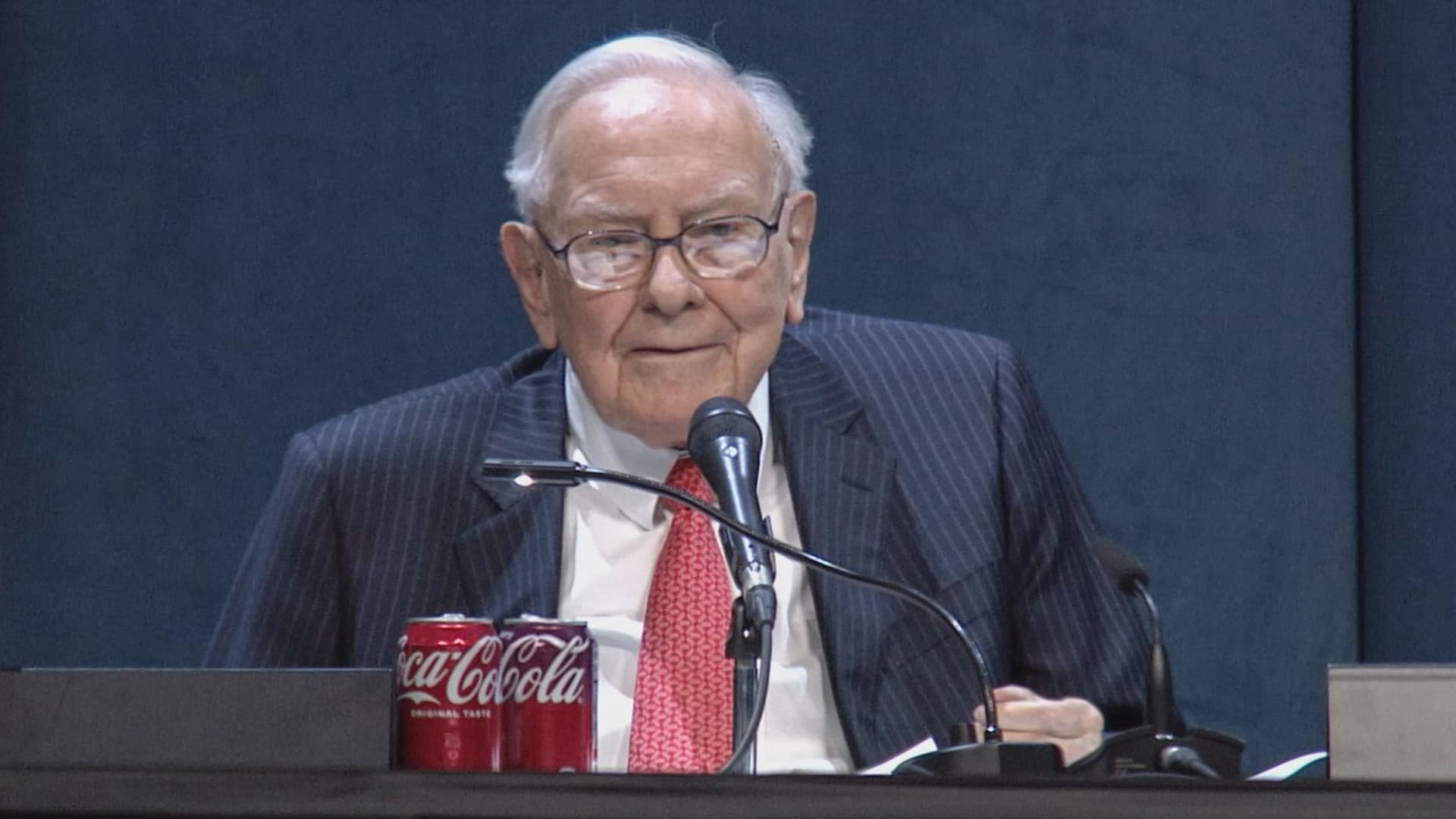
(This is the Warren Buffett Watch newsletter, news and analysis on all things Warren Buffett and Berkshire Hathaway. You can sign up here to receive it every Friday evening in your inbox.)
Buffett’s confidence in troubled decade-old acquisition finally pays off
Six years ago, when Berkshire Hathaway took an $11 billion write-down of its $37.2 billion 2016 acquisition of Precision Castparts, Warren Buffett wrote in his annual letter to shareholders he had paid “too much” for the company, which makes “complex metal components and products.”
While it was a “fine company – the best in its business,” he had been “simply too optimistic” about its profit potential, a “miscalculation … laid bare” by the enormous downturn for the aerospace industry, Precision Castparts’ largest customers, amid the Covid pandemic.
In a CNBC interview when the deal was first announced, Buffett admitted it was “a very high multiple for us to pay,” but told shareholders at the 2016 meeting he had great confidence in Mark Donegan, the company’s CEO, both then and now, and the company’s long-term profit outlook.
It’s taken longer than he planned, but Buffett’s purchase is now looking pretty good.
As Reuters puts it, there is currently a shortage of the “complex” products Precision Castparts makes that are essential for engine turbine blades.
They’re also used in natural gas turbines, which are in demand to produce energy for artificial intelligence data centers.
This week, GE Aerospace announced it would pay $11.75 billion to acquire Consolidated Precision Products, one of the few companies that competes against Precision Castparts.
Barron’s calls that “pricey” at 26 times projected 2027 earnings before interest, taxes, depreciation, and amortization.
Using the same multiple, Barron’s estimates Precision Castparts is worth around $100 billion. That’s well above the potential value of $60 billion to $75 billion it cited in an article last month that said the unit “probably has become one of the more valuable divisions” of Berkshire.
It’s also nearly three times the 2016 purchase price.
In the Barron’s piece, Andrew Bary said Berkshire, and its share price, aren’t “getting much credit” for the subsidiary’s rising value, in part because CEO Greg Abel, like Buffett, doesn’t do analyst conference calls or investor events that could draw attention to the unit’s performance.
His recommendation: “Without Warren Buffett at the helm, Berkshire may have to start telling its story if it wants to attract a new generation of investors. This year’s trading action suggests that something may need to change.”
Berkshire bounces a bit as Wall Street sells off
Berkshire Hathaway shares managed a modest gain this week even as Wall Street’s major averages declined, a small departure from the 2026 “trading action” Bary cites.
Both the Class A and Class B shares gained almost 0.9% while the S&P 500 fell by 0.8%.
Until Friday’s bounce, that benchmark index, along with the Dow Industrials and the Nasdaq Composite, had dropped four days in a row as oil and bond yields moved higher.
Even with this week’s outperformance, Berkshire’s B shares still trail the S&P 500 by more than 10 percentage points so far this year.
Nebraska candidate moves to replace ad that included Buffett’s image
The campaign team for the Republican running in Nebraska’s 2nd Congressional District accelerated the deployment of a new campaign ad after Susie Buffett complained about a previous commercial that briefly included an image of her father, Warren Buffett.
In the ad, a picture of Buffett and his name appear on screen for roughly two seconds as candidate Brinker Harding says, “Here in Omaha, we know a thing or two about the stock market, some more than others. But we do it without insider information.”
He then goes on to highlight his call for a ban on Congressional stock trading, saying some lawmakers “trade on secrets you’ll never know,” as they “get rich” while “we barely get by.”
In a report that led its 10 PM CT newscast Wednesday evening, ABC affiliate KETV in Omaha reported Susie Buffett had asked Harding on Sept. 2 to remove the ad.
She told the station, “I think it’s worth it to say that Warren did not give Brinker his permission to use his face or name in his ad.
“It implies that my dad endorses him. He did not have permission to use it.”
The KETV report quoted Harding as saying in a statement, “In Nebraska, we work hard and support each other, and we do it honestly. Warren Buffett exemplifies that, and that was the point of my ad.”
The report said Harding did not comment on whether the ad would be taken down but noted “it does look like new ads from his campaign are beginning to run on some stations.”
A Harding campaign spokesperson told me the campaign did not think its ad implied a Buffett endorsement, but to be respectful to the Buffett family, it responded to her concern by accelerating the rollout of its next planned ad by several days, although its effort was hampered by the Labor Day weekend.
The commercial now running does not show or mention Buffett.
BUFFETT & BERKSHIRE AROUND THE INTERNET
Some links may require a subscription:
– Best’s News and Research Service: 2026 Best’s Rankings: Berkshire Hathaway Takes DPW Top Spot Among Accident & Health Lines
– Financial Times: The day Warren Buffett saved Salomon Brothers
HIGHLIGHTS FROM CNBC’S BUFFETT ARCHIVE
The effects of 9/11 on Berkshire and the insurance industry (2002)
Warren Buffett shares his thoughts on the 9/11 attacks and explains how Berkshire’s insurance companies have started taking terrorism into account when writing policies.
AUDIENCE MEMBER: I know you lost a lot of money as a result of 9/11. But I would like to know how 9/11 changed your life and your investment strategy?
WARREN BUFFETT: It made everybody, I think, in the country aware, I mean, we’ve gone through world wars and all of that, and essentially felt quite protected within these borders.
And I have been quite worried about — Charlie can attest to — you know, the possibility, particularly of some kind of nuclear device in this country, by — probably more likely by terrorists than by some, at least, declared act of war by another state.
And 9/11 made everybody realize that as humans have not progressed, particularly, in terms of how they behave with each other over the years, they have progressed enormously in their ability to inflict damage on those they hate for one reason or another…
In terms of the business aspects of it, in your question, obviously the area at Berkshire that it effects most significantly, by miles, is insurance.
And prior to 9/11, even though we recognized that there could be huge monetary damages that flowed from the activities of what I would call deranged people, we hadn’t really written the contracts in such a way as to either get paid for taking that risk or to exclude the risk. In other words, we were throwing it in for nothing.
We had excluded risk for war. I mean, we knew that we’d seen what had happened in England in the 40s, and so we had taken account of something that some of us had seen with our own eyes, but we didn’t take account of something that we knew was possible, but we just hadn’t seen. And that’s, you know, that’s the human condition, to some degree.
Since September 11th, everybody in the insurance business recognizes that they had exposures that they weren’t charging for, and they either had to exclude those exposures or they had to charge for them.
We have written — first thing we had to do, of course, is we had lots of policies on the books that left us exposed to this, and most of those policies ran for a year, starting at different points. Those have run off to a great degree, but they’re not entirely run off.
The other thing we did was on new policies. We have sold a fair amount, quite a large amount, of terrorism insurance that excludes what we call NCB, nuclear, chemical, and biological, as well as fire following nuclear.
And, we can take a fair amount of exposure to that sort of terrorism, because it doesn’t — it won’t aggregate. It aggregated at the Twin Towers in a way that — World Trade Center — in a way that just about was as extreme as you could get for non-NCB-type activities.
I mean, that was a huge amount of damage done without nuclear, chemical, or biological.
But we can have tens of billions of dollars with NCB excluded throughout a greater New York area, or something, but we can’t have hundreds of billions of exposure that would be exposed, say, to, nuclear activities, because there an act or two, or three, coordinated, could cause damage that would destroy the insurance industry.
And if we had coverage on that, it would destroy us as well.
BERKSHIRE STOCK WATCH
Four weeks
Twelve months
BRK.A stock price: $766,000.00
BRK.B stock price: $510.37
BRK.B P/E (TTM): 12.83
Berkshire Cash as of June 30: $365.5 billion (Down 8.0% from March 31)
Excluding Rail Cash and Subtracting T-Bills Payable: $359.2 billion (Down 3.8% from March 31)
Berkshire repurchased $4.5 billion of its shares in Q2 2026.
BERKSHIRE’S TOP EQUITY HOLDINGS – Sep. 11, 2026
Berkshire’s top holdings of disclosed publicly traded stocks in the U.S. and Japan, by market value, based on the latest closing prices.
Holdings are as of June 30, 2026, as reported in Berkshire Hathaway’s 13F filing on August 14, 2026, except for:
– Mitsubishi, which is as of April 30, 2026
The full list of holdings and current market values is available from CNBC.com’s Berkshire Hathaway Portfolio Tracker.
QUESTIONS OR COMMENTS
Please send any questions or comments about the newsletter to me at alex.crippen@cnbc.com. (Sorry, but we don’t forward questions or comments to Buffett himself.)
If you aren’t already subscribed to this newsletter, you can sign up here.
Also, Buffett’s annual letters to shareholders are highly recommended reading. There are collected here on Berkshire’s website.
— Alex Crippen, Editor, Warren Buffett Watch
Technologies
UKMTO Reports Vessel Hit in Strait of Hormuz as U.S.-Iran Talks Seem Unlikely
UKMTO reported that an unidentified projectile struck a vessel in the Strait of Hormuz, causing a fire and a crew evacuation. Iranian officials said talks with the U.S. were not underway as Iran and Gulf states prepared to sign a shipping-route agreement in Oman.
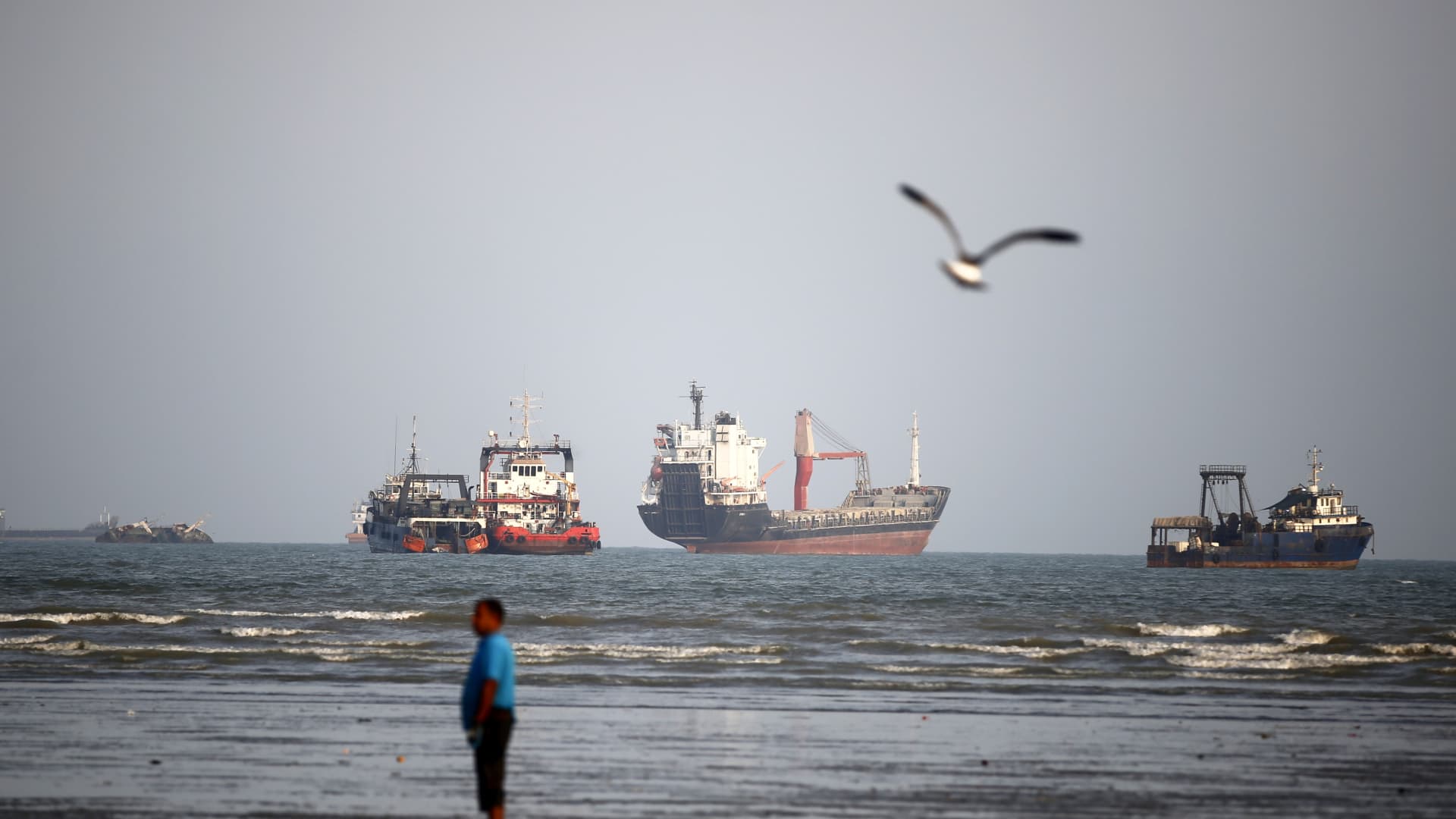
A vessel was hit in the Strait of Hormuz, the United Kingdom Maritime Trade Operations Centre said Sunday, while direct negotiations between the U.S. and Iran showed no signs of restarting.
The British maritime security alert service said in an X post that it received a report late Saturday of the vessel being struck by an unidentified projectile as it passed through the strait.
UKMTO said a fire started aboard the vessel and local authorities were assisting with the evacuation of its crew.
At the same time, a senior Iranian official ruled out the possibility of new talks.
“No negotiations. Until Iran’s terms are met, talks are futile,” Ebrahim Azizi, head of the Iranian parliament’s national security committee, wrote in an X post.
Iran has nevertheless been contacting neighboring countries, despite months of attacks against them in response to U.S. strikes.
A senior Iranian government official and a Gulf diplomat told MS NOW that representatives from Iran and Gulf states would gather in Muscat, Oman, on Monday to sign an agreement creating an Iran-Oman shipping route through the Strait of Hormuz.
The official also said that no negotiations with the U.S. are currently underway.
Speaking at the BRICS Summit in New Delhi on Friday, Iranian President Masoud Pezeshkian said his country would not give in and had withstood aggression from the U.S. and Israel.
“Iran has successfully stood against Israel and the U.S.,” Pezeshkian said.
“Since we are seeking truth and justice, we will not yield in front of bullying arrogance,” he added.
Pezeshkian’s remarks over the weekend followed U.S. President Donald Trump’s claim that Iran would have destroyed Israel and the Middle East and begun attacking U.S. cities had Washington not taken military action against Iran.
“If I had it to do again, I would do exactly what I did,” Trump said Thursday.
Exchange of retaliatory strikes
Shipping in the Strait of Hormuz has faced repeated retaliatory attacks in recent weeks.
U.S. Central Command, or CENTCOM, said Wednesday that it had destroyed 10 Iranian tankers during the previous week.
On Saturday, CENTCOM said its forces had redirected 100 commercial vessels over the past 60 days after resuming a naval blockade against Iran.
“ZERO ships have passed through the blockade without U.S. forces allowing,” CENTCOM said in an X post.
Trump said Saturday that the war in Iran would likely end soon after the November midterm elections, and he forecast a steep decline in energy prices once it does.
“I think very soon, I think it’ll be right after the midterms, actually,” Trump said while traveling in Ireland when reporters asked when the Iran war was likely to end. “I would say shortly, and oil will come tumbling down when that happens.”
Oil prices fell on Friday, although they still recorded substantial weekly gains after rising above $100 a barrel for the first time in months amid continuing instability in the Middle East.
Brent crude futures, the international benchmark, settled 2.8% lower at $104.61 a barrel. U.S. West Texas Intermediate fell 2.4% to close at $100.05 per barrel. Brent reached about $108 a barrel on Thursday, while WTI climbed above $104.
Oil and other cargo shipments through the strategically important Strait of Hormuz, which separates Iran and Oman, have slowed to a trickle since the U.S. and Israel began their war against Iran on Feb. 28, leaving ships and seafarers stranded for weeks or months.
Saudi Arabia has used its East-West crude oil pipeline to avoid the Strait of Hormuz. However, the kingdom said Friday that it had shut the facility as a precaution following several attacks by drones launched from Iraq.
The Saudi government said the drones struck the pipeline in the Riyadh and Medina regions on Thursday morning, causing fires and some damage. It said several people were injured in the attacks.
-
 Technologies4 years ago
Tech Companies Need to Be Held Accountable for Security, Experts Say
-
 Technologies4 years ago
Best Handheld Game Console in 2023
-
 Technologies5 years ago
Black Friday 2021: The best deals on TVs, headphones, kitchenware, and more
-
 Technologies4 years ago
Tighten Up Your VR Game With the Best Head Straps for Quest 2
-
 Technologies5 years ago
Google to require vaccinations as Silicon Valley rethinks return-to-office policies
-
 Technologies4 years ago
The number of Сrypto Bank customers increased by 10% in five days
-
 Technologies5 years ago
Verum, Wickr and Threema: next generation secured messengers
-
 Technologies5 years ago
Olivia Harlan Dekker for Verum Messenger