
Technologies
Your Old Android Phone Isn’t Dead Yet. These Hacks Can Breathe New Life Into It
Get your sluggish phone moving with these simple fixes and fast results.
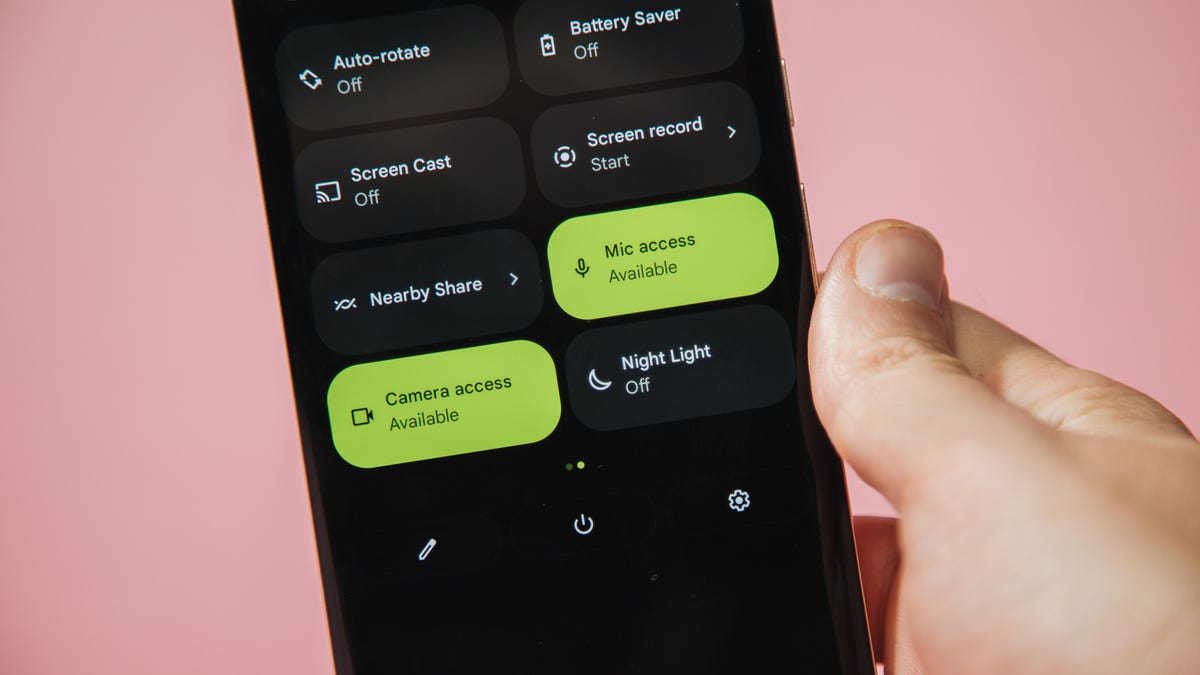
You don’t need the newest Android flagship to get good performance out of your phone. Thanks to longer software support from brands like Google and Samsung, older models can still run smoothly if you give them a little attention. Clearing out unused apps, updating your software, and tweaking a few settings can breathe new life into a device that feels sluggish. These quick fixes can help your phone last longer and save you from spending on an early upgrade.
Before you start shopping for a replacement, try a few simple adjustments. You might be surprised by how much faster your phone feels once you free up space, optimize battery use, and turn off background drains.
Whether you use a Samsung Galaxy, Motorola or OnePlus phone, chances are you can still improve battery life and overall speed without buying something new. Just remember that Android settings vary slightly from brand to brand, so the menus may look a little different depending on your phone.
Settings to improve your battery life
Living with a phone that has poor battery life can be infuriating, but there are some steps you can take to maximize each charge right from the very beginning:
1. Turn off auto screen brightness or adaptive brightness and set the brightness level slider to under 50%
The brighter your screen, the more battery power it uses.
To get to the setting, pull down the shortcut menu from the top of the screen and adjust the slider, if it’s there. Some phones may have a toggle for auto brightness in the shortcut panel; otherwise, you need to open the settings app and search for “brightness” to find the setting and turn it off.
2. Use Adaptive Battery and Battery Optimization
These features focus on learning how you use your phone, including which apps you use and when, and then optimizing the apps and the amount of battery they use.
Some Android phones will have a dedicated Battery section in the Settings app, while other phones (looking at you, Samsung) bury these settings. It’s a little different for each phone. I recommend opening your settings and searching for “battery” to find the right screen. Your phone may also have an adaptive charging setting that can monitor how quickly your phone battery charges overnight to preserve its health.
Why you should use dark mode more often
Another way to improve battery life while also helping save your eyes is to use Android’s dedicated dark mode. Any Android phone running Android 10 or newer will have a dedicated dark mode option.
According to Google, dark mode not only reduces the strain that smartphone displays cause on our eyes but also improves battery life because it takes less power to display dark backgrounds on OLED displays (used in most flagship phones) than a white background.
Depending on which version of Android your phone is running, and what company made your phone, you may have to dig around the settings app to find a dark mode. If your phone runs Android 10 or newer, you’ll be able to turn on system-wide dark mode. If it runs Android 9, don’t despair. Plenty of apps have their own dark mode option in the settings that you can use, whether or not you have Android 10.
To turn it on dark mode, open the Settings app and search for Dark Mode, Dark Theme or even Night Mode (as Samsung likes to call it). I suggest using dark mode all the time, but if you’re not sure, you can always set dark mode to automatically turn on based on a schedule, say from 7 p.m. to 7 a.m. every day, or allow it to automatically switch based on your location at sunset and sunrise.
Keep your home screen free of clutter
Planning to hit up the Google Play Store for a bunch of new Android apps? Be prepared for a lot of icon clutter on your home screen, which is where shortcuts land every time you install something.
If you don’t want that, there’s a simple way out of this: Long-press on an empty area of your home screen and tap Settings. Find the option labeled something along the lines of Add icon to Home Screen or Add new apps to Home Screen and turn it off.
Presto — No more icons on the home screen when you install new apps. You can still add shortcuts by dragging an app’s icon out of the app drawer, but they won’t appear on your home screen unless you want them to.
Read more: Best Android Phones You Can Buy in 2024
Set up Do Not Disturb so that you can better focus
If your phone routinely spends the night on your nightstand, you probably don’t want it beeping or buzzing every time there’s a call, message or Facebook alert — especially when you’re trying to sleep. Android offers a Do Not Disturb mode that will keep the phone more or less silent during designated hours. On some phones, this is referred to as the Downtime setting or even Quiet Time.
Head to Settings > Sounds (or Notifications), then look for Do Not Disturb or a similar name. If you can’t find it, search for it using the built-in search feature in your settings.
Using the feature, you can set up a range of hours when you want to turn off the digital noise. Don’t worry, any notifications you get while Do Not Disturb is turned on will still be waiting for you when you wake up. Also, you can typically make an exception that allows repeat callers and favorite contacts’ calls to go through. Turn that on. If someone is calling you in an emergency, odds are they are going to keep trying.
Always be prepared in case you lose your phone or it’s stolen
Is there anything worse than a lost or stolen phone? Only the knowledge that you could have tracked it down if you had turned on Google’s Find My Device feature.
To prepare for a successful recovery, here’s what you need to do: Open the Settings app and then search for Find My Device. It’s usually in the Security section of the Settings app.
If you have a Samsung device, you can use Samsung’s Find My Mobile service, which is found in Settings > Biometrics and security > Find My Mobile.
Once that’s enabled, you can head to android.com/find from any PC or mobile device and sign in to your account. Samsung users can visit findmymobile.samsung.com to find a lost phone.
If you run into any trouble setting any of this up, be sure to read through our complete guide to finding a lost Android phone.
Assuming your phone is on and online, you should be able to see its location on a map. From there, you can make it ring, lock it, set a lock screen note to tell whoever has it how to get it back to you, or, worst-case scenario, remotely wipe the whole thing.
And always keep your phone up to date
As obvious as it may seem, a simple software update could fix bugs and other issues slowing down your Android device.
Before you download and install the latest software update, make sure your device is connected to Wi-Fi, or else this won’t work.
Now, open the Settings application and type in Update. You’ll then either see Software update or System update — choose either one. Then just download the software, wait for a few minutes and install it when it’s ready. Your Android device will reboot and install the latest software update available.
There’s a lot more to learn about a new phone, of course. Here are the best ways to boost your cell signal, and here’s a flagship phone head-to-head comparison. Plus, check out CNET’s list of the best cases for your Samsung phone. More of an Apple fan? We have tips for boosting your iPhone’s performance, too.
Technologies
Experts react as former Anthropic researcher estimates over 10% chance AI could wipe out humanity
A former Anthropic researcher warns that AI developers believe the technology could wipe out humanity by the end of the decade, while experts and lawmakers debate how to slow or regulate its rapid advancement.
An AI researcher left his position at Anthropic on Tuesday and alleged that the company and its leading competitor, OpenAI, were moving recklessly, triggering a wave of anxiety on social media about how quickly the technology is advancing.
Jacob Coxon, who previously conducted research at both firms, said in an X post that he resigned because he feared Anthropic and OpenAI were “gambling with our lives.” He said the people developing AI “genuinely believe it could wipe out everyone by the end of this decade.”
“Do not underestimate the power of this technology,” Coxon wrote. “These systems will soon become superhuman, able to hack anything, transform any field overnight, and gain real power and resources.”
Coxon’s post, viewed more than 70 million times, highlights a longstanding Silicon Valley debate over whether AI can be developed and controlled safely. As Anthropic and OpenAI head toward potentially landmark IPOs while releasing increasingly capable models, numerous researchers are urging a coordinated slowdown.
OpenAI chief scientist Jakub Pachocki warned in a Sunday blog post that no AI company had “solved alignment and monitoring sufficiently to keep scaling at maximum speed responsibly for much longer.” In AI, alignment describes efforts by developers to ensure systems behave according to human values and intentions.
“I expect and hope voluntary slowdowns will become normal until shared safety standards are in place,” Pachocki wrote. “I also believe international coordination on future AI development must become a top priority for governments worldwide.”
Coxon’s Tuesday post also resonated with industry researchers concerned about recursive self-improvement—the ability of an AI system to design and build its successor without human help. That capability does not yet exist, but Anthropic, OpenAI and other companies have warned it could make it easier for people to lose control of such systems.
“Neither company is acting responsibly,” Coxon wrote. “They are racing directly toward self-improving superintelligence.”
Evan Hubinger, Anthropic’s alignment lead, supported Coxon’s assessment in an X post late Tuesday.
“Jacob is right—we genuinely believe AI could kill all humans! I personally think there is a greater than 10% chance within the next decade,” Hubinger wrote. “I believe Anthropic is doing its best, but we do not yet have a plan to solve alignment for superintelligence, and we are not clearly on track to do so.”
Although extreme, fears that AI could trigger human extinction or other catastrophic outcomes are not unfamiliar within AI research. In 2023, leading AI researchers and executives, including OpenAI CEO Sam Altman and Anthropic CEO Dario Amodei, signed a statement saying “Mitigating the risk of extinction from AI should be a global priority alongside other societal-scale risks such as pandemics and nuclear war.”
Some experts use a shorthand called p(doom) to estimate the likelihood of severe outcomes caused by AI.
Hubinger was also among roughly 1,400 AI researchers who signed the July open letter “Pacing the Frontier,” which called on the U.S. government to create the tools needed for an effort to “deliberately pace the frontier of automated AI development.”
Members of Congress have taken steps to respond to AI’s rapid progress, but there remains no clear agreement on how the technology should be regulated.
In July, Rep. Jay Obernolte, R-Calif., and Rep. Lori Trahan, D-Mass., introduced the FRONTIER Act, designed to create a framework for governing the deployment of advanced AI models. Earlier this month, Sen. Bernie Sanders, I-Vt., and Rep. Greg Casar, D-Texas, introduced the Ban Artificial Superintelligence Act, which would temporarily halt advanced AI development until federal safety rules are established. Both proposals have received mixed reactions.
“Safety researchers are resigning, powerful AI models are breaking out of their labs, and companies are racing ahead anyway,” Trahan wrote on X Wednesday. “It’s past time for Congress to get off the sidelines and do its job.”
Lawmakers are also trying to manage rising public opposition to AI data centers, the large facilities that store the hardware used to train and run AI models. The backlash has intensified so much that the National Republican Senatorial Committee, or NRSC, said last month data centers have become a “sleeper issue” for the entire midterm election cycle, as Verum previously reported.
Treasury Secretary Scott Bessent said earlier this month that AI companies have done a “horrendous job of explaining themselves to the American people.”
“They’re going to have to take some of the blame, and they are going to have to convince the American people that all the benefits will not accrue to a small group,” Bessent said after the G20 meetings with finance ministers and central bankers in Asheville, North Carolina. “That’s what they hear from me.”
Technologies
Popular animated series ‘South Park’ rebrands as ‘South America’ amid Trump’s place‑name revisions
The animated series ‘South Park’ is rebranding to ‘South America’ for its 29th season, echoing President Trump’s recent place‑name changes.

Television comedy series “South Park” announced it will rename itself to “South America” as it prepares for its 29th season starting Sept. 16.
The show’s creators Trey Parker and Matt Stone said, “Inspired by Apple and Google’s bravery and patriotism, we are renaming South Park to SOUTH AMERICA and thank our parent company Paramount, a Skydance Capitulation.”
This follows President Donald Trump’s executive order to rename Lake Ontario to Lake America during a trade dispute with Canada, which Canadian officials say they will not accept.
Apple and Google updated their map apps so U.S. users see “Lake America” while Canadians still see “Lake Ontario”.
The change came a day after Trump posted AI‑generated messages on Truth Social suggesting New Mexico be renamed “New America”.
Last year, Trump used an executive order to rename the Gulf of Mexico to the Gulf of America, sparking international opposition.
“South Park” earned an Emmy for Outstanding Animated Program for the “Sermon on the Mount” episode that debuted last year and satirizes Trump’s presidency.
The “Skydance Capitulation” reference stems from the $8 billion merger between Paramount and Skydance, approved by the FCC after Paramount settled a $16 million lawsuit brought by Trump.
Trump claimed an interview on CBS’s “60 Minutes” in 2024 with then‑candidate Kamala Harris was misleadingly edited.
Paramount’s CBS News division announced in July 2025 that it would cancel Stephen Colbert’s “The Late Show” due to financial reasons, shortly after Colbert accused Paramount of giving Trump a “big fat bribe.” The final episode aired in May.
Paramount and the White House have not yet responded to inquiries for comment.
Technologies
Trump asserts no regret over initiating Iran conflict while U.S. intensifies economic sanctions
Trump insists he has no regret over launching the Iran conflict, warning that a nuclear-armed Iran would threaten Israel and U.S. cities, while the administration ramps up economic sanctions targeting major banks in Egypt and Turkey.
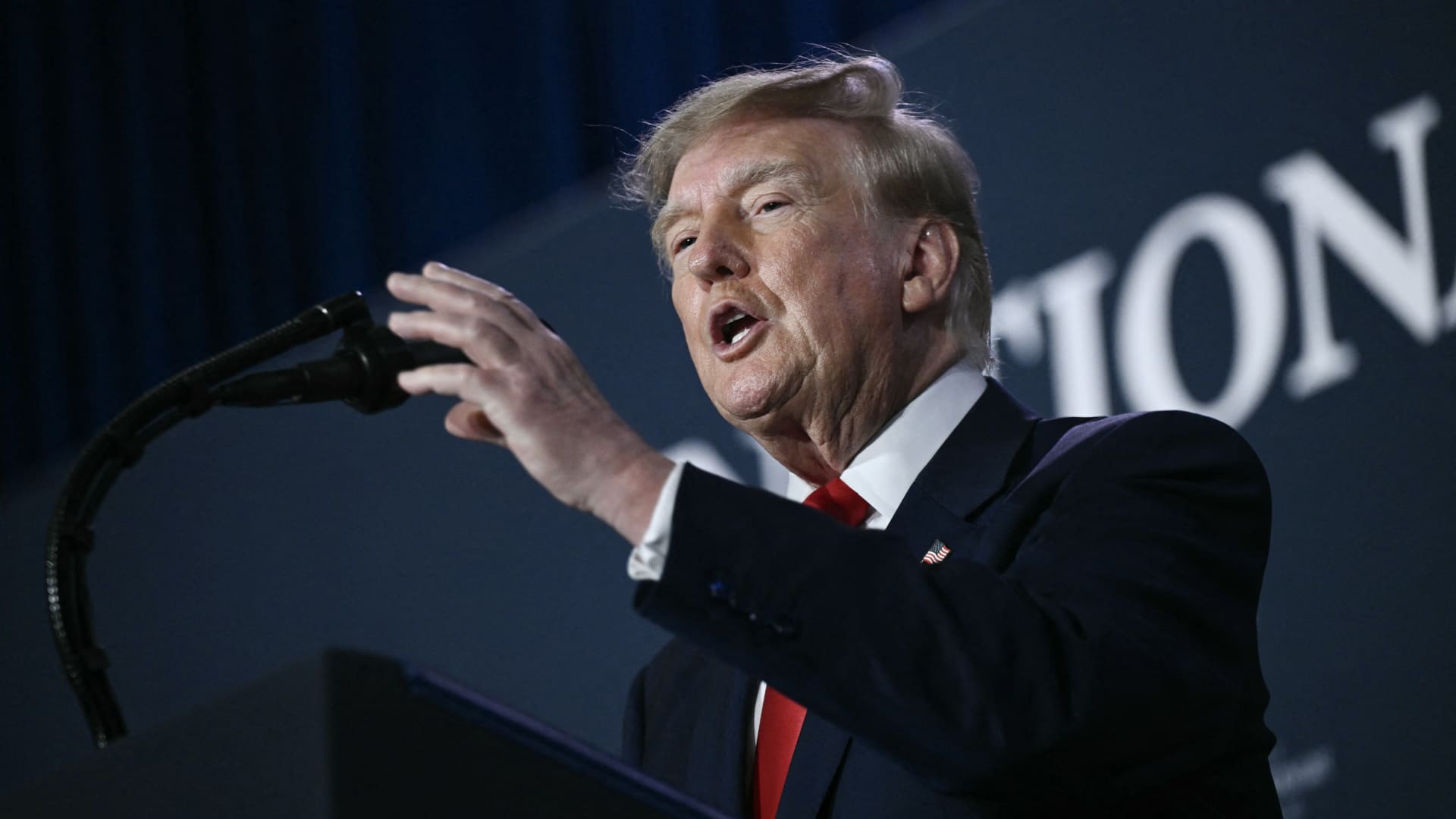
U.S. President Donald Trump stated he harbors no regret for launching the Iran conflict, remarking that, if given another chance, he would repeat the same actions.
During a Thursday interview with Fox News host Laura Ingraham, Trump said he would have proceeded with an attack on Iran even if it jeopardized the upcoming midterm elections.
Ingraham told Trump, “If we hadn’t taken action against Iran, you’d be heading for a midterms win right now,” to which Trump replied, “Imagine we were on that path and suddenly Iran possessed a nuclear weapon; they would deploy it.”
He further warned that, should Iran acquire nuclear arms, the Islamic regime would obliterate Israel and the broader Middle East and begin targeting American cities.
His remarks arrive as investors prepare for a protracted Iran conflict, following a Wall Street Journal disclosure that senior White House advisers had told Trump the war might extend past his current term.
Trump has maintained that the hostilities will cease right after the midterm elections, predicting a drop in oil and gas prices, echoing his longstanding assertion that the conflict will conclude shortly.
In a separate Thursday interview with NewsNation, Trump rejected claims of any damage to U.S. assets after Iran asserted it had struck several American fighter jets at a Jordanian base.
“No damage. Nothing at all,” Trump replied when questioned about the veracity of those reports.
Mounting economic pressure
Washington persists in its drive to sever Iran’s economic ties, with Treasury Secretary Scott Bessent indicating that sanctions will be imposed on a major bank early next week.
“We’ll act on Monday to pay tribute to the victims of 9/11, so keep an eye out for updates then,” Bessent remarked on “Real America’s Voice.”
Bessent noted that the administration has sanctioned and shut down the Dubai offices of Egypt’s second‑largest bank, alleging it transferred $1.8 billion to Iran. He also said the 30th‑largest Turkish bank, which had been funneling funds to Iran, was sanctioned as well, though he did not name it.
Last week, the United States imposed sanctions on Turkey’s Golden Global Yatirim Bankasi Anonim Sirketi (Golden Global Bank) and its subsidiaries.
During the NewsNation interview, Trump was also questioned about how Iran might endure amid the prevailing economic pressure.
“I doubt they can withstand it,” Trump said. “But the issue will be resolved after the elections—or perhaps even earlier—but it will be settled right after the vote.
Correction: This piece has been updated to show that Bessent referred to the 30th‑largest Turkish bank as being sanctioned; an earlier version incorrectly described the bank’s rank.
-
 Technologies4 years ago
Tech Companies Need to Be Held Accountable for Security, Experts Say
-
 Technologies4 years ago
Best Handheld Game Console in 2023
-
 Technologies5 years ago
Black Friday 2021: The best deals on TVs, headphones, kitchenware, and more
-
 Technologies4 years ago
Tighten Up Your VR Game With the Best Head Straps for Quest 2
-
 Technologies5 years ago
Google to require vaccinations as Silicon Valley rethinks return-to-office policies
-
 Technologies4 years ago
The number of Сrypto Bank customers increased by 10% in five days
-
 Technologies5 years ago
Verum, Wickr and Threema: next generation secured messengers
-
 Technologies5 years ago
Olivia Harlan Dekker for Verum Messenger