
Technologies
I Accidentally Learned Just How Durable the Galaxy Z Flip 7 Is
Commentary: Samsung’s Galaxy Z Flip 7 comes with a welcome overhaul to its design. And I can definitely vouch for the new phone’s sturdiness.
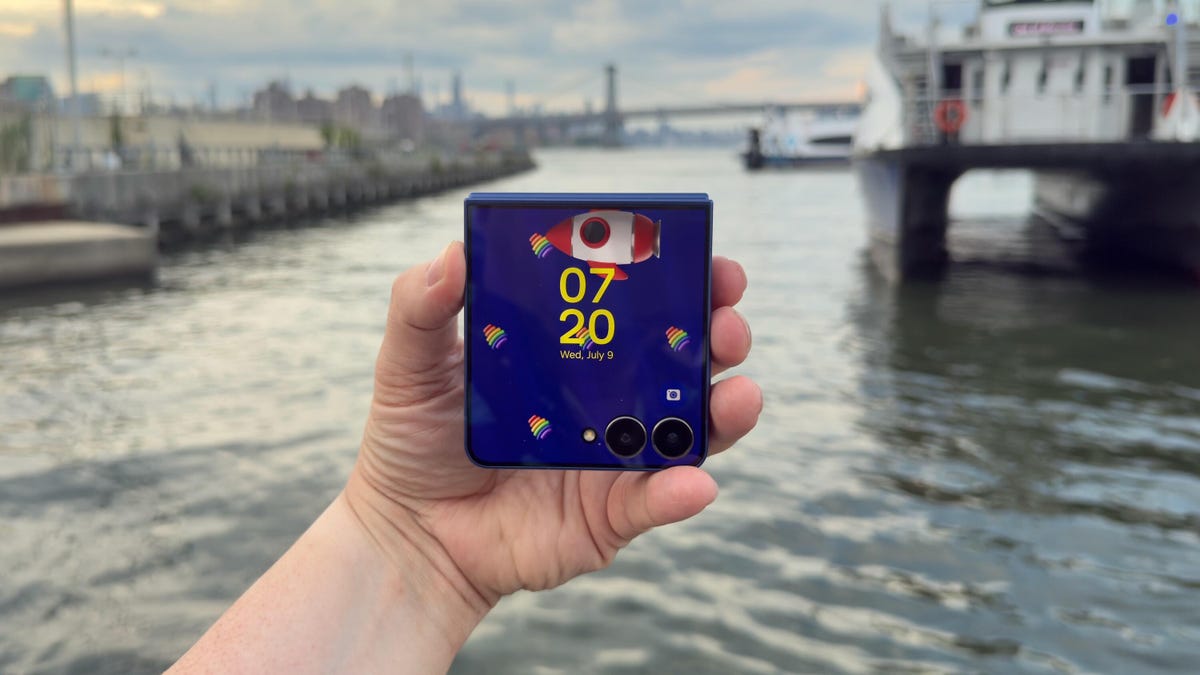
If you’re concerned about how durable Samsung’s foldable phones can be, I’m here to tell you not to worry. And that’s especially true when it comes to the new Galaxy Z Flip 7.
After less than six hours with the Galaxy Z Flip 7, I accidentally performed my own informal drop test. At a catered affair in Brooklyn, I walked outside to get a view of the waterfront, and when I pulled the Z Flip 7 out of my pocket, I fumbled it. I watched helplessly as Samsung’s newest foldable phone fell to the ground. The noise it made when it clacked against the concrete caused everyone around to look at me with a knowing, sympathetic expression that said, “Aw, that’s a shame. Your phone is toast.”
Have you ever dropped your phone? There’s that Schrödinger’s cat-like moment before you pick it up when you’re anxious to see if the phone survived.
Fortunately, the Galaxy Z Flip 7 was fine. The 4.1-inch cover screen didn’t have any cracks or scuffs. The 6.9-inch inner display was unharmed because the phone was shut. The only tell that it kissed the ground was a tiny scuff on the bottom of the phone near the microphones. Samsung’s claim that its new “Armour Flex Hinge” is built to withstand impact is indeed true.
In the early days of foldable phones, one of the biggest unknowns was their durability. It’s amazing that about six years later, the Galaxy Z Flip 7 can handle being dropped on concrete like it had landed on a velvet pillow. Now, I still wouldn’t take the Flip 7 (or any foldable phone) to the beach, as it can only withstand particles that are 1mm or larger. So going to a confetti factory would be fine, but a salt factory is a definite no-no.
The Galaxy Z Flip 7’s thin design
The star of Samsung’s Galaxy Unpacked event was the Galaxy Z Fold 7. At 8.9mm thick when closed, the Fold 7 is ridiculously thin. The Galaxy Z Flip 7 looks like it also went on Ozempic, but it’s 13.7mm thick when closed. That’s slim, but not Fold 7 slim. Why couldn’t the Flip 7 be super slim like the Fold 7? I just keep imagining a Galaxy Z Flip 8 with the same thinness as the Fold 7.
For some perspective, here’s how the Flip 7 compares to its clamshell kinfolk:
Galaxy Z Flip 7 thickness vs. other flip phones
| Phone | Closed | Open |
|---|---|---|
| Samsung Galaxy Z Flip 7 | 13.7mm | 6.5mm |
| Samsung Galaxy Z Flip 6 | 14.9mm | 6.9mm |
| Motorola Razr Plus | 15.32mm | 7.09mm |
| Motorola Razr Ultra | 15.69mm | 7.19mm |
| Motorola Razr (2025) | 15.85mm | 7.25mm |
The Galaxy Z Flip 7’s big cover screen
The original Galaxy Z Flip had a tiny, 1.1-inch pill-shaped cover display. It was perfect for showing the time but pretty much useless for anything else. The defining feature on the Galaxy Z Flip 7 is its 4.1-inch cover display. The screen looks incredible. I was checking my notifications on the screen under direct sunlight and was able to read everything. One of the hang-ups I had reviewing the Galaxy Z Flip 6 was switching from the inner screen to the cover display outdoors. There would be times on sunny days where I could barely make out what was on the cover display, despite having no issues with the main screen.
Samsung has increased the maximum brightness of the Flip 7’s cover screen to 2,600 nits, which is the same as the inner display. Both screens now top out at 120Hz, too, which should make for a much more consistent experience by having system animations, gameplay and scrolling through a social feed look super smooth.
The 6.9-inch inner screen is big, but it doesn’t feel unwieldy when I use it. The Flip 6 had a 6.7-inch display, but that extra 0.2 inches on the Flip 7’s screen makes it feel much bigger, which my middle-aged eyes are grateful for.
In terms of functionality, the cover screen’s natural state is widgets. And some, like Spotify’s widget, are all I need in lieu of using full apps. But I want apps on the home screen, so I need to enable this functionality in the Labs section of Settings and download the MultiStar app. It takes a couple of minutes to set up, but I do wish the interface supported apps by default.
The Galaxy Z Flip 7’s cameras
The Flip 7 has three cameras: a 50-megapixel wide-angle, a 12-megapixel ultrawide and a 10-megapixel selfie camera (in the main 6.9-inch screen). The cameras are the same as those on the Flip 6 and Flip 7 FE. But the phones run on different processors, so differences or improvements in photos and videos (if any) will come from Samsung’s processing and machine learning.
Here are some of my favorite photos from the Galaxy Z Flip 7 so far:
Galaxy Z Flip 7 final thoughts for now
Samsung gave its foldable line a major overhaul. And while the Galaxy Z Fold 7 feels like an entirely different phone from previous Folds, the Galaxy Z Flip 7 seems like a nice refinement. I will say that I’ve had only two days with the phone. And as enamored as I am with the larger cover screen, I’m excited to see how the battery life measures up.
Samsung gave the Flip 7 a 4,300-mAh battery (compared with the Galaxy Z Flip 6’s 4,000-mAh battery), but I wonder if the increased capacity will be offset by the power needed for its Snapdragon 8 Elite chip and those larger, brighter displays.
I have a lot more testing to do. But as I work my way toward a full review, I’ll try not to drop the Flip 7 anymore.
Samsung Galaxy Z Flip 7 specs vs. Motorola Razr Ultra, Samsung Galaxy Z Flip 6
| Samsung Galaxy Z Flip 7 | Motorola Razr Ultra (2025) | Samsung Galaxy Z Flip 6 | |
| Cover display size, tech, resolution, refresh rate | 4.1-inch AMOLED, 948×1,048p, 120Hz refresh rate | 4-inch pOLED, 2,992×1,224p, up to 165Hz variable refresh rate | 3.4-inch AMOLED; 720×748 pixels; 60Hz refresh rate |
| Internal display size, tech, resolution, refresh rate | 6.9-inch AMOLED, 2,520×1,080p, 1-120Hz refresh rate | 7-inch AMOLED; 1,272×1,080p, up to 165Hz variable refresh rate | 6.7-inch AMOLED; 2,640×1,080 pixels; 1-120Hz refresh rate |
| Pixel density | Cover: 342ppi. Internal: 397ppi | Cover: 417 ppi. Internal: 464 ppi | Cover: 306 ppi. Internal: 425 ppi |
| Dimensions (inches) | Open: 2.96×6.56×0.26 Closed: 2.96×3.37×0.26 | Open: 2.91×6.75×0.28 Closed: 2.91×3.47×0.62 | Open: 6.5 x 2.83 x 0.27 Closed: 3.35 x 2.83 x 0.59 |
| Dimensions (millimeters) | Open: 75.2×166.7×6.5 Closed: 75.2×85.5×13.7 | Open: 73.99×171.48×7.19 Closed: 73.99×88.12×15.69 | Open: 165.1×71.9×6.9 Closed: 85.1×71.9×14.9 |
| Weight (grams, ounces) | 188 g (6.63 oz) | 199 g (7 oz) | 187 g (6.6 oz) |
| Mobile software | Android 16 | Android 15 | Android 14 |
| Cameras | 50 megapixel (main), 12 megapixel (ultrawide) | 50 megapixel (wide), 50 megapixel (ultrawide) | 50 megapixel (wide), 12 megapixel (ultrawide) |
| Internal screen camera | 10 megapixel | 50 megapixel | 10 megapixel |
| Video capture | 4K at 60fps | 4K | TBD |
| Processor | Samsung Exynos 2500 | Snapdragon 8 Elite | Snapdragon 8 Gen 3 |
| RAM/storage | 12GB + 256GB, 12GB + 512GB | 16GB + 512GB, 1TB | 12GB + 256GB, 512GB |
| Expandable storage | No | None | None |
| Battery | 4,300 mAh | 4,700 mAh | 4,000 mAh |
| Fingerprint sensor | Yes | Side | Side |
| Connector | USB-C | USB-C | USB-C |
| Headphone jack | None | None | None |
| Special features | One UI 8, IP48 water resistance, 25-watt wired charging, Qi wireless charging, Wi-Fi 7, Bluetooth 5.4, Galaxy AI | IP48 rating, 68-watt wired charging, 30-watt wireless charging, 5-watt reverse charging, dual stereo speakers, Corning Gorilla Glass Ceramic cover display, 3,000 nits peak brightness on cover display, 4,500 nits peak brightness on main display, 5G. | IP48 rating, 25-watt wired charging, wireless charging + powershare, 3x optical zoom (up to 10x digital and 30x Space Zoom with AI Super Resolution tech) |
| US price starts at | $1,100 | $1,300 | $1,100 |
Technologies
Experts weigh in as researcher says AI has more than 10% chance of ‘killing all humans’
Jacob Coxon said in a post on X that Anthropic and OpenAI are “gambling with our lives.”
An artificial intelligence researcher quit his job at Anthropic on Tuesday and accused the company, and its chief rival, OpenAI, of acting irresponsibly, igniting a frenzy of concern on social media about the rapid pace of the technology’s development.
Jacob Coxon, who has worked as a researcher at both companies, said in a post on X that he resigned out of concern that Anthropic and OpenAI are “gambling with our lives.” He said the people building AI “earnestly believe that it could kill us all by the end of the decade.”
“Do not underestimate the power of this technology,” Coxon wrote. “These will soon be superhuman systems that can hack anything, revolutionize any field overnight, and acquire real power and resources.”
Coxon’s post, which has been viewed more than 70 million times, reflects a long-standing debate in Silicon Valley about whether AI can be safely developed and controlled. As Anthropic and OpenAI barrel toward potentially historic initial public offerings while releasing increasingly advanced models, many researchers are calling for a coordinated slowdown.
OpenAI’s chief scientist, Jakub Pachocki, published a blog post on Sunday and warned that no AI company has “solved alignment and monitoring to a sufficient degree to continue responsibly scaling at maximum speed for much longer.” In the AI industry, alignment refers to the work by AI developers to ensure that the system behaves in accordance with human values and intentions.
“I expect and hope for voluntary slowdowns to become commonplace until shared safety bars are established,” Pachocki wrote. “And I believe that international coordination on future AI development needs to become a top priority for governments around the world.”
Coxon’s post on Tuesday also struck a chord with industry researchers who are worried about recursive self-improvement, or an AI system becoming capable of designing and developing its successor without human intervention. Recursive self-improvement is not yet possible, but companies, including Anthropic and OpenAI, have warned that it would make it easier for humans to lose control over those systems.
“Neither company is acting responsibly,” Coxon wrote. “They are racing straight to self-improving superintelligence.”
Evan Hubinger, an alignment lead at Anthropic, echoed Coxon’s comments in a post on X late Tuesday.
“Jacob is correct here—we really do earnestly believe AI could kill all humans! I personally think it is >10% within the next decade,” Hubinger wrote. “I believe Anthropic is trying its best, but we do not yet have a plan to solve alignment for superintelligence and are not clearly on track to.”
While extreme, concerns about the potential for AI to cause human extinction or other catastrophic events are not new in AI research circles. In 2023, for instance, prominent AI researchers and executives, including OpenAI CEO Sam Altman and Anthropic CEO Dario Amodei, signed a statement that said “Mitigating the risk of extinction from AI should be a global priority alongside other societal-scale risks such as pandemics and nuclear war.”
Some experts even use a shorthand, p(doom), to estimate the probability of dire outcomes that could stem from AI.
Anthropic’s Hubinger was also one of roughly 1,400 AI researchers who signed an open letter called “Pacing the Frontier” in July. The letter urged the U.S. government to develop the tools necessary to support an effort to “deliberately pace the frontier of automated AI development.”
Some members of Congress have taken steps to try and address AI’s rapid advancement in the months following, but there’s no clear consensus about how the technology should be regulated.
In July, Rep. Jay Obernolte, R-Calif., and Rep. Lori Trahan, D-Mass., introduced a bill called the FRONTIER Act, which aims to establish a framework for governing the deployment of advanced AI models. And earlier this month, Sen. Bernie Sanders, I-Vt., and Rep. Greg Casar, D-Texas, introduced a bill called the Ban Artificial Superintelligence Act, which would temporarily pause advanced AI development until the federal government establishes safety rules. Both bills have been met with mixed receptions.
“Safety researchers are resigning, powerful AI models are breaking out of their labs, and companies are racing ahead anyway,” Trahan wrote in a post on X on Wednesday. “It’s past time for Congress to get off the sidelines and do its job.”
Lawmakers are also trying to navigate growing public backlash against AI data centers, the large facilities that house the hardware for training and running AI models. The pushback has grown so intense that the The National Republican Senatorial Committee, or NRSC, said last month that data centers have become a “sleeper issue” for the entire midterm election cycle, as CNBC previously reported.
Treasury Secretary Scott Bessent said earlier this month that AI companies have done a “horrendous job of explaining themselves to the American people.”
“They’re going to have to take some of the blame, and they are going to have to convince the American people that all the benefits will not accrue to a small group,” Bessent said, following the G20 meetings with finance ministers and central bankers in Asheville, North Carolina. “That’s what they hear from me.”
Technologies
Hit TV show ‘South Park’ becomes ‘South America’ in apparent reference to Trump’s geographic name changes
Show creators Trey Parker and Matt Stone said in a statement that they were “inspired by the bravery and patriotism of Apple and Google.”

Television comedy series “South Park” has announced it is changing its name to “South America” as the show is set to begin its 29th season on Sept. 16.
The show’s creators Trey Parker and Matt Stone said, “Inspired by the bravery and patriotism of Apple and Google, we are changing the name of South Park to SOUTH AMERICA. We especially want to thank our parent company Paramount — a Skydance Capitulation.”
Parker and Stone’s statement comes after U.S. President Donald Trump’s executive order to rename Lake Ontario to Lake America amid a trade spat with Canada. Canadian officials said they will not recognize the new name.
Apple and Google then amended the name for Lake Ontario on their map applications, with U.S. users seeing “Lake America,” while Canadian users saw “Lake Ontario.”
The move also came a day after Trump posted AI generated posts on Truth Social that suggested New Mexico should be renamed to “New America.”
Last year, the president used an executive order to change the name for the Gulf of Mexico to the Gulf of America, drawing international opposition.
“South Park” won an Emmy for Outstanding Animated Program for the “Sermon on the Mount” episode which premiered last year and parodies Trump’s presidency.
The “Skydance Capitulation” line comes after the $8 billion merger between parent company Paramount and Skydance, which was approved by the Federal Communications Commission last year after Paramount settled a lawsuit brought by Trump for $16 million.
Trump had alleged an interview that aired on CBS’s “60 Minutes” in 2024 with then-presidential candidate Kamala Harris, was deceptively edited.
Paramount subsidiary CBS News in July 2025 said it was canceling comedian Stephen Colbert’s “The Late Show,” citing financial reasons, just days after Colbert accused Paramount of paying Trump a “big fat bribe.” The final episode of the show aired in May.
Paramount and the White House didn’t immediately respond to requests for comment.
Technologies
Trump expresses no remorse over initiating Iran conflict as U.S. intensifies economic sanctions
President Trump expressed no regrets over starting the Iran war, claiming he would act again despite election impacts, while the U.S. increases economic sanctions on Iran.
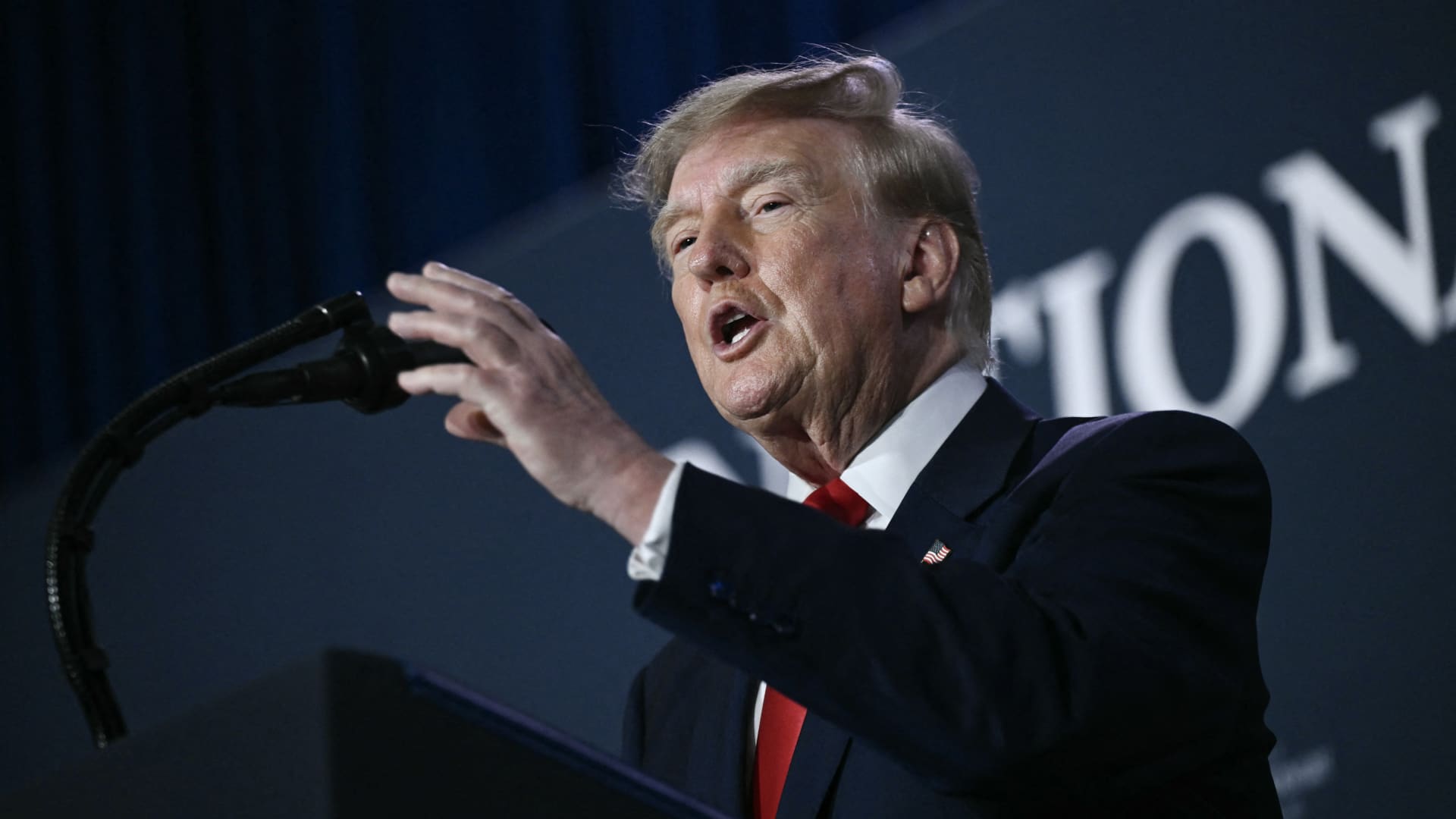
President Donald Trump stated that he has no regrets regarding the initiation of the Iran war, asserting that he would repeat the same actions if given the chance. In an interview with Fox News’ Laura Ingraham on Thursday, Trump mentioned that he would have proceeded with the attack on Iran regardless of the consequences for the midterm elections. Ingraham suggested that without the Iran conflict, the midterms would have been a victory, to which Trump responded that if Iran acquired a nuclear weapon, they would use it. Trump further added that a nuclear-armed Iran would eliminate Israel and the Middle East, and begin attacking U.S. cities. These remarks occur as markets anticipate a prolonged Iran war, following a Wall Street Journal report indicating that senior White House advisors explored with Trump the potential for the conflict to extend past his current term. Trump has claimed that the war will conclude right after the midterm elections, leading to a drop in oil and gas prices, reinforcing his repeated assertions that the conflict will end shortly. In distinct comments to NewsNation on Thursday, Trump refuted reports of damage to U.S. assets, after Iran asserted that it struck several U.S. fighter jets at a base in Jordan. When questioned about the reports, Trump said, ‘No damage. No nothing.’ Regarding economic pressure, Washington is persisting in efforts to isolate Iran economically, with Treasury Secretary Scott Bessent announcing sanctions against a major bank scheduled for next week. Bessent stated on ‘Real America’s Voice’ that the sanctions would be implemented on Monday to commemorate the fallen citizens of 9/11, urging to watch for updates. Bessent mentioned that the administration has sanctioned and shut down the Dubai branches of Egypt’s second-largest bank, alleging that it provided Iran with $1.8 billion. He also noted that the 30th-largest Turkish bank, which had been funding Iran, was sanctioned, but did not identify it. Last week, the U.S. imposed sanctions on the Turkey-based Golden Global Yatirim Bankasi Anonim Sirketi, along with its subsidiaries. In the NewsNation interview, Trump was questioned about how Iran could withstand the current economic pressure. Trump responded, ‘I don’t know if they can hold out, but it will be settled after the elections, or perhaps sooner, but definitely right after the election.’ Correction: This article has been revised to accurately reflect Bessent’s statement that the 30th largest Turkish bank was sanctioned; an earlier version incorrectly stated the bank’s ranking.
-
 Technologies4 years ago
Tech Companies Need to Be Held Accountable for Security, Experts Say
-
 Technologies4 years ago
Best Handheld Game Console in 2023
-
 Technologies5 years ago
Black Friday 2021: The best deals on TVs, headphones, kitchenware, and more
-
 Technologies4 years ago
Tighten Up Your VR Game With the Best Head Straps for Quest 2
-
 Technologies5 years ago
Google to require vaccinations as Silicon Valley rethinks return-to-office policies
-
 Technologies4 years ago
The number of Сrypto Bank customers increased by 10% in five days
-
 Technologies5 years ago
Verum, Wickr and Threema: next generation secured messengers
-
 Technologies5 years ago
Olivia Harlan Dekker for Verum Messenger