
Technologies
4 Apps That Help Track Your Streaming Subscription Bills
Are you making payments for a streaming service you barely use? Here’s how to keep up.
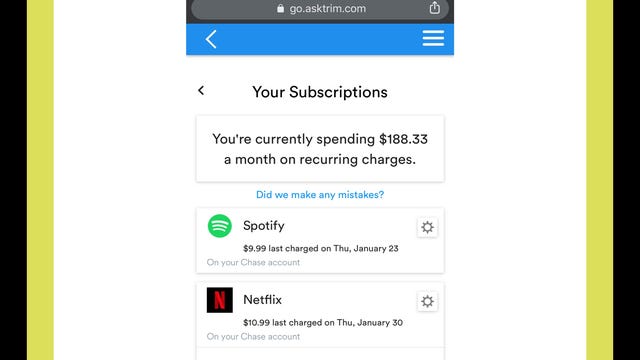
Your streaming subscriptions for Netflix, Spotify, Disney Plus and other accounts are probably all on autopay. Because you don’t have to think about due dates, that may mean you’ve overlooked the monthly expense or who to contact if you want to cancel. You could be spending more money than you want by paying for a phantom streaming service.
Is Netflix billing you directly? Has your forgotten Hulu 30-day free trial turned into a paid subscription? Did you buy your Disney Plus subscription through a third party like Apple, Amazon or Verizon? With all the streaming price changes creeping in, unwatched content, and missed opportunities for deals, it’s a good idea to keep up with who’s billing you, when and for how much. Luckily, there are apps that can make keeping track of your streaming subs a lot easier.
Here’s our list of recommendations for apps that help you track payments for your streaming service subscriptions. Most of these offer a free option, but you can upgrade to a paid version if you want extra features.
Read more: Keep Up With What’s Streaming on TV Using These 5 Free Apps

Formerly known as Truebill, Rocket Money is a well-rounded budgeting app with the option to track your streaming subscriptions. There are free and paid versions available.
It uses Plaid to link your financial accounts and syncs information about automatic payments from your bank, credit card or services like PayPal. After signing up and setting up multifactor authentication, you can begin managing your recurring payments. Rocket Money provides a snapshot of your yearly spending on subscriptions like Spotify and Netflix, and you can also view upcoming payments including a countdown to the due date. A calendar icon takes you to a screen that outlines all payments for the month.
You can cancel subscriptions within the app, view your history of payments or remove them from the Rocket Money list. There is a seven-day free trial, but its recurring fee is on a sliding scale from $4 to $12 per month, billed annually. Rocket Money is easy to use, but the free account lacks some features such as having the app cancel your streaming accounts.

Hiatus is a budget- and bill-managing app that includes a subscription manager feature. When you create an account, you can track your streaming services in an organized “upcoming bills” category. The app also allows you to enter missing subscriptions manually.
Hiatus connects your financial institutions through Plaid, with options that include banks, PayPal or the Google Play Store. In addition to showing all your streaming subscriptions on autopay, the app provides insights on how much you’ve spent at different intervals — seven days, 30 days and the last 365 days. You may opt to set spending limits for your streaming services using the budget feature.
You can use the app for free, but if you sign up for a premium plan at $8 per month, Hiatus offers other features like canceling your subscriptions on your behalf. You also have the option to cancel on your own. Hiatus is available for Android, iOS and web browsers.

Like Hiatus and Rocket Money, Bobby helps you keep up with your streaming subscriptions and how much you’re spending on them. Unlike Hiatus and Rocket Money, Bobby does not require you to link your financial information to track your recurring payments.
Instead, you click through the app’s list of providers to create a list of streaming subscriptions. Then you manually enter information such as how much and how often you pay. We admit this may not be helpful if you can’t remember all of your active services. But with Bobby, you can receive notifications for upcoming due dates, organize the bills into a category and monitor your average spending on streaming. And it’s free.
Foreign currency breakdowns and security features like Touch ID and passcodes are available. Bobby can be downloaded on iOS devices only.

Trim allows you to find, track and cancel subscriptions at no charge. Like Hiatus and Rocket Money, you can connect your financial institution through Plaid, and the app will collate all your recurring subscription payments.
You can view your transaction history for each streamer and cancel a service within the app or by visiting its site directly. Trim is not available as a mobile app, but you can access it on a web browser on your phone or other device.
Streaming service bill tracker FAQs
What about privacy?
Sharing access to your financial information with a third party raises genuine concerns about security. We urge you to review the privacy policies for each service to learn how information is used and stored. With the exception of Bobby, all the services on this list use Plaid to connect your accounts. Plaid does not provide your login credentials to Rocket Money, Trim or Hiatus, so none of the apps receive or store your banking or credit card information.
Why isn’t Mint on this list?
Mint (by Intuit) is a popular user-friendly app that’s used for budgeting. There’s a feature meant to help you track bills and subscriptions, but when I clicked on the Subscriptions tab in the Bills section, none of my subscriptions or recurring payments showed up. I did receive a message saying Mint couldn’t find any subscriptions in my transaction history. Additionally, we’ve seen numerous users reporting that the subscription feature is unreliable.
Are there any other apps you considered?
In addition to Mint and the four tools on this list, we checked out other budget/subscription tracker apps, including PocketGuard, Wallet by Budgetbakers, Billbot, Petal and Everydollar. We decided to highlight the four we discussed here based on robust features, accessibility, fees and ease of use.
PocketGuard syncs with many banks but you’re unable to link PayPal and other third parties like the Google Play Store. Billbot is not available for newer versions of Android, Petal requires you to apply for an account and EveryDollar charges $13 monthly if you don’t want to manually track your financial transactions. To digitally sync Wallet with your financial institutions, you must pay for a premium account.
Technologies
Apple and Meta team up to make Muse AI model run on Mac computers
Apple and Meta are collaborating to make Muse Spark Open easier to run locally on clustered Mac Studio systems, according to the companies.

Tim Cook and Mark Zuckerberg have clashed for years, but with John Ternus taking the reins at Apple
Meta
The collaboration centers on Muse Spark Open, the most capable open-weight model released under a license that allows for limited commercial use, according to Meta. It’s an 816-billion-parameter model using a so-called mixture-of-experts architecture. As an open-weight model, developers can download the technology’s parameters, or weights, from the internet and run the model on a wide range of hardware.
Customers will be able to pair between two and four Mac Studio PCs to use Muse Spark to code, analyze video or do other agentic work. The model runs locally, instead of in the cloud, adding a layer of security and saving users money, the companies said.
Thursday’s announcement, following months of collaboration, is a sign that the AI boom has shifted historical alliances in Silicon Valley. For years, Apple and Meta regarded each other warily and avoided public partnerships, and the relationship hit rock bottom after Apple introduced privacy changes in 2021 that limited the targeting capabilities of digital ad companies.
Meta estimated in early 2022 that the change would cut its revenue that year by $10 billion.
Representatives from Apple and Meta declined to say if the Muse Spark Open collaboration was the start of a deeper relationship.
Zuckerberg posted a picture on X showing the Meta agent working on a Mac computer. He wrote, “Muse Spark Open — weights releasing today — runs great on new Mac Studios thanks to work with @johnternus and Apple.”
Ternus responded, “Congrats to the team! Amazing to run a model of Muse Spark Open’s caliber and scale this efficiently, right from your desk. Mac Studio keeps pushing the boundaries of on-device AI!”
Meta AI chief Alexandr Wang said in an interview that many powerful open-weight models are too big to be run on the majority of personal computers, but Apple’s Mac Studios make enough memory available to users so that it’s practical to run Muse Spark Open.
The move represents an important show of confidence in Meta’s rebooted AI efforts and could pose a challenge to OpenAI and Anthropic. It could also signal Apple’s growing strength in AI chips, a market that Nvidia
″We worked with Apple to bring leading Agent capabilities to your desktop for the first time on the Apple M5 Ultra Mac Studios, so you know we’re really excited about this,” Wang said. Developers can download a version of the AI model from websites like Hugging Face without extra configuration for Apple’s silicon.
Muse Spark Open has also been tuned to run faster on Apple’s hardware, and the iPhone maker revealed new benchmarks for its chips and published technical documentation about its MLX AI framework’s ability to split open-source models across multiple machines.
Mac Studios aren’t cheap though, and this AI model requires the fastest Apple chips and as much memory as possible.
Currently, a Mac Studio with the required M5 Ultra chip and 256GB of memory costs at least $10,799. A more expensive version with 512GB of RAM will be released later this month.
Plus, users will need to buy multiple machines.
Common ground on open source
The two companies are collaborating on open-source AI, which has become a point of contention in Washington as politicians worry that free Chinese models could undercut American AI.
Although Meta once centered its AI strategy on its older open-weight Llama family of models, it has since focused on creating proprietary models under the leadership of Wang, who joined Meta when the company invested more than $14 billion into his former startup Scale AI last year.
While Apple and Meta, then known as Facebook, partnered on iPhone extensions over a decade ago, they haven’t struck any public partnerships since 2017 after Apple removed system-level Facebook integration from the iPhone.
“Most of the animosity predates my tenure at the company, but obviously there’s been a long history between Meta and Apple,” Wang said, pointing to one member of his team, AI researcher and former Apple director Daniel Gross, as a reason for the collaboration. Gross, along with former GitHub CEO Nat Friedman, was a major Zuckerberg hire last year as the Facebook founder was overhauling his company’s AI strategy.
Their leaders have also traded harsh words.
Cook, who was Apple CEO until Ternus succeeded him last month, took a shot at Zuckerberg in 2018, during the Cambridge Analytica scandal, saying, “I wouldn’t be in this situation.” Cook often criticized Meta for compromising user privacy.
Ternus, a hardware engineer, has already started changing things at Apple, including when it releases products.
And Meta’s developers haven’t been able to resist Apple’s products. The company bought hundreds of Mac computers so its Superintelligence team could experiment with local AI and agents earlier this year.
Apple’s multiple partners
Meta is just the latest AI model developer to team up with Apple.
In 2024, Apple announced a partnership with OpenAI to integrate ChatGPT into Siri, although the integration “dramatically underperformed” and didn’t lead to OpenAI user growth, OpenAI said in a filing that’s part of a legal dispute with Elon Musk’s xAI. Apple sued OpenAI in July, alleging trade secret theft, a claim OpenAI denied.
Earlier this year, Apple announced a deal with Google
Still, Apple’s AI strategy has drawn criticism from investors and customers in part because its new version of Siri, released last month, isn’t as advanced as chatbots and agents from leading labs.
Meanwhile, Meta has bet big on becoming a leading lab but has struggled to keep up with the competition and its business remains almost entirely reliant on ads. Recent developments, such as Meta’s Muse personal agent app and its latest proprietary foundation model, Muse Wonder, released earlier this week, have begun to excite investors who are optimistic about new AI business opportunities.
Open source remains part of Zuckerberg’s AI strategy. In August, Meta debuted a small open-weight AI model dubbed Muse Glimmer, with Zuckerberg pledging to eventually release something bigger and more powerful.
Muse Spark Open isn’t as advanced as Muse Wonder, a proprietary offering, but Wang said it’s good enough to potentially entice more coders to upgrade.
“These aren’t the most capable models that we’ve developed or released,” Wang said. “But we think that there will be a lot of companies and developers who sort of use this model and tinker with it at small scale and then seek to ramp up and scale up their usage.”
WATCH: Apple makes its biggest smart-home push yet under CEO John Ternus.
Technologies
CoreWeave credit default swaps hit distress levels as investors sour on AI debt
Signs of distressed deepened in CoreWeave on Thursday.

CoreWeave’s credit stress continued to spiral on Thursday amid a broader sell-off in AI-related names.
CoreWeave — a so-called neocloud company — has taken on more than $51 billion of debt and obligations to finance its AI infrastructure build-out. It’s now facing a rebellion from stock and bond investors as concerns mount about AI overspending and debt levels.
Yields on CoreWeave debt have continued to climb, with the yield to maturity on its 9.75% bond due in 2031 reaching 15.78%. Bond yields move inversely to prices. Meanwhile, the spread on its five-year credit default swaps, which are insurance against default, at one point soared above 1,140 basis points. It last stood at nearly 1,038 bps — a 16% week-over-week jump and 164% higher than a year ago.
Credit concerns are spreading into AI equities too. CoreWeave’s stock dropped during trading Thursday before recovering and closing 5.94% higher. The moved followed Wednesday’s 15.5% nosedive.
Other neocloud stocks were under similar pressure. Nebius also sank before climbing higher to close 1.29% and and Iren ultimately ended the day down less than 1%.
Anxiety about AI overspending is also spreading. For instance, shares of Micron Technology and Advanced Micro Devices sold off following a big sell-off in South Korean chip stocks. Micron closed up 1.87%, while AMD fell 1.5%.
While AI debt worries have been rising steadily, investors have suddenly grown skittish about the underlying finances of companies borrowing heavily to buy chips, build data centers, and rent out computing power.
Coreweave’s credit default swaps are one place to see that stress.
Credit default swaps are contracts where buyers pay for protection in case the borrower can’t repay its debt. The spread widening in CoreWeave’s CDS means investors view the debt as riskier.
The market is “basically saying ‘no mas’ to AI debt without operating cash flow support,” the Evercore ISI trading desk said.
A spread level of 1,000 basis points or above is generally a sign of credit distress, said Gavan Nolan, executive director of fixed income pricing at S&P Global Market Intelligence.
No one is questioning whether demand for CoreWeave’s services is real, since the company has contracts with all the big hyperscalers, Nolan said. The question is whether the cash flows will ultimately arrive.
“It’s obviously heavily negative free cash flow at the moment, and it needs that cash flow to arrive really to justify all the capex that it’s spending,” Nolan said.
‘Self-fulfilling prophecy’
CEO Mike Intrator dismissed the market moves on Wednesday, according to a memo obtained by CNBC.
“When you are building a new type of technology company there will be periods of time when the market misunderstands and acts irrationally,” he wrote. “We are confident in our backlog which more than supports all of our debt obligations.”
The backlog is over $100 billion, with around two-thirds of it with investment-grade counterparts including Microsoft, Meta, IBM and Caterpillar, Deutsche Bank said in a note Thursday. The firm reiterated its buy-rating on the stock Wednesday, calling the dislocation a buying opportunity.
“The problem is this kind of concern can prove to be a self-fulfilling prophecy, and risks triggering broader issues in other AI-related names,” said Jim Reid, global head of macro and thematic research.
Domino effects may already be happening. Oracle’s five-year CDS spread also spiked this week. It was last at 282 basis points, a roughly 10% increase in one week.
“A downgrade from its BBB rating would risk pressuring IG-only investors into forced sales,” Reid said.
Technologies
Netflix Chief Content Officer Bela Bajaria is leaving, will be replaced by Peter Rice
Netflix announced Bela Bajaria will be replaced by former Disney exec Peter Rice as the company’s chief content officer.
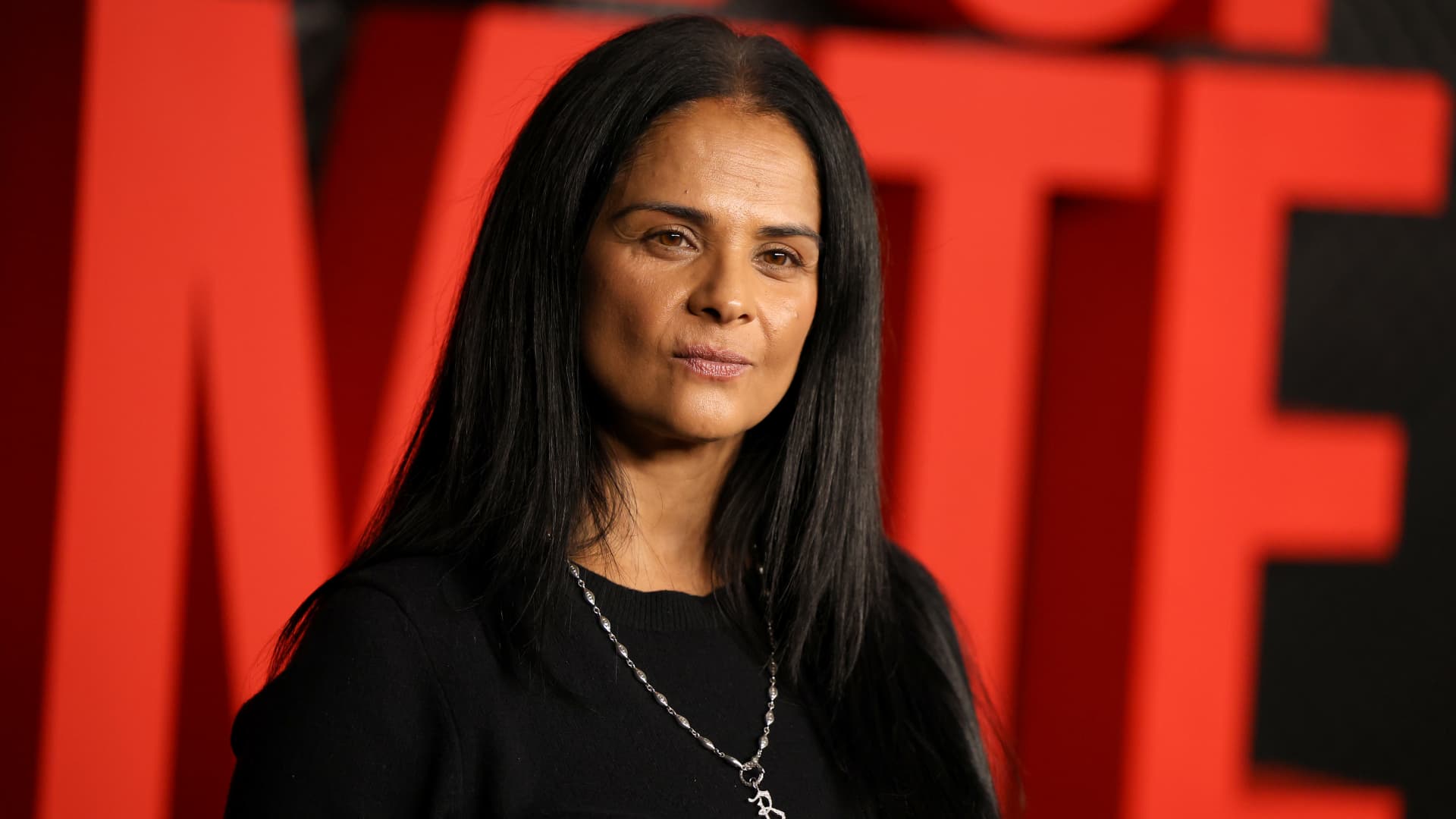
Netflix on Thursday announced Bela Bajaria will be replaced as the company’s chief content officer by former Disney exec Peter Rice, effective Oct. 26.
Rice most recently oversaw Disney’s cable channels, news programming and coverage of major sporting events.
“Peter is one of the most effective at-scale operators in the entertainment industry,” co-CEO Ted Sarandos said in a statement. “I’m excited to welcome him to Netflix as Chief Content Officer as we continue to scale and deliver members more of the stories they love.”
Before Rice was at Disney, he held roles 21st Century Fox and Fox Searchlight Pictures. Netflix in its announcement called him “one of the entertainment industry’s most respected creative executives.” In his new role, Rice will oversee the company’s global content organization, including scripted and unscripted series, film and live events.
″[Netflix has] shown again and again that they’re willing to take chances on distinctive voices and fresh ideas, and I’m excited to work with the team to help bring even more great stories to members everywhere,” he said in a statement.
Bajaria, who is leaving Netflix after nearly 10 years, most recently worked as the company’s global content team. She had been focused on the company’s live sports strategy, looking to create events out of buzzy games and tournaments.
“I’m incredibly grateful for everything she’s done to help Netflix entertain the world,” Sarandos said in a statement.
The announcement comes a day after Netflix instituted layoffs across its organization, eliminating approximately 6% of its workforce, or roughly 1,000 jobs.
The media company will report its next quarterly earnings on Tuesday.
This is breaking news. Please refresh for updates.







