
Technologies
Pixel 10 Pro XL vs. Galaxy S25 Ultra: Which Android Camera Wins?
Can Google’s latest flagship unseat Samsung’s premiere smartphone? I took hundreds of photos to find out.
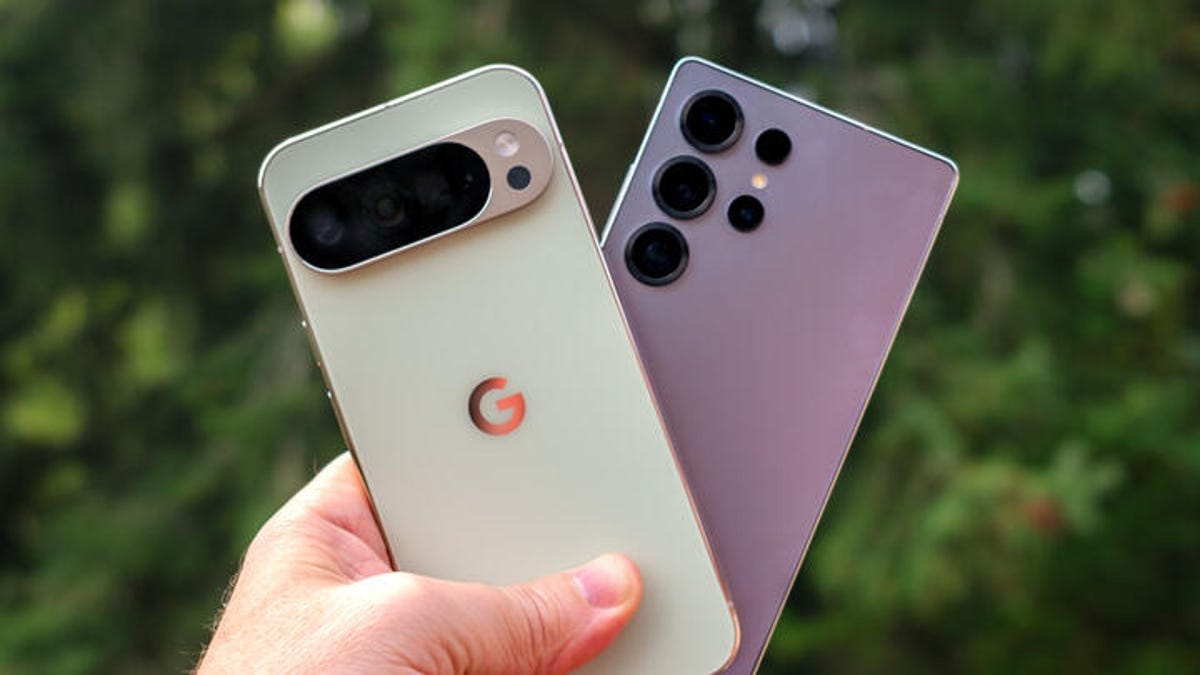
A top-tier smartphone camera needs to perform, but also make it look like it’s not trying very hard. We expect a tap of the shutter button to create a great image in any circumstance, regardless of whether the person making the image knows anything about photography.
Many phones include decent cameras, but a small number strive to be the best smartphone cameras you can pocket. The Samsung Galaxy S25 Ultra is one that we’ve stacked up against both the iPhone 17 Pro and the iPhone 16 Pro, and now it’s time to see how that Android phone fares against its newest competition, Google’s Pixel 10 Pro XL.
I took both phones to Seattle and nearby Mukilteo, Washington, to compare how each performed. Over hundreds of photos, I kept the camera settings as close to the defaults as possible, occasionally switching between the 12-megapixel shooting modes and the high-res 50-megapixel modes where available.
Because we’re talking about photography, my personal preferences as to which are the «best» photos might not be the ones you choose, and that’s fine. With either camera, you’re going to get good photos. But if you’re in the market for a new phone and pondering which high-end camera system is for you, or you want to check out the current state of the art for Android cameras, follow along.
And for even more Pixel 10 Pro XL photos, be sure to follow along with CNET’s Andrew Lanxon on his first-look photo walk through Paris.
Don’t miss any of our unbiased tech content and lab-based reviews. Add CNET as a preferred Google source.
Pixel 10 Pro XL vs. Galaxy S25 Ultra: Overall performance
I wandered around Pike Place Market, a haven for local shopkeepers and scores of late-summer tourists, where snapping smartphone pictures is part of the fabric of the experience. This nook — a bend in a stairway — is one of my favorite spots at the market in the morning when light comes through the window. Both cameras have done a good job balancing the exposure between the bright day outside the window and the mixture of bright sunlight and shadowy corners on the inside. Of the two, I prefer the Pixel 10 Pro XL because it’s a bit warmer.
Seattle is known more for its clouds than its sunny days, so when the sky is blue, the bright light can feel harsh. Here, the S25 Ultra photo pops more by lightening the shadow areas of the car, but almost too much. The Pixel 10 Pro XL image looks more natural, even though the car is darker.
Just down the street, though, the contrast between the cameras swings in the other direction. The Pixel 10 Pro XL brings out all the vibrant colors of the flowers, the orange awnings and the bright red umbrellas. The S25 Ultra’s shot is more muted. I couldn’t tell if perhaps some of the sunlight was hitting the lens from the side and causing that washed-out appearance. Both cameras still did a fine job of keeping details in the shadows, though.
Pixel 10 Pro XL vs. Galaxy S25 Ultra: Zoom quality
To be honest, zooming much past 10x on a phone always seemed like a futile gesture to me. Pushing past the optical range of the telephoto camera (5x on both cameras) puts you into digital zooming territory, where the camera upscales a small portion of the sensor so it fills the frame. Although digital upscaling has improved in recent years, when you get past 20x or so, photos tend to become a mess of fuzzy enlarged pixels — it’s rarely worth it.
Google decided to take a different approach to extreme zooming on the Pixel 10 Pro and Pro XL. Up to 30x zoom, it uses Google’s Super Res Zoom technology to upscale and sharpen the results, which generally turn out well.
In the extreme range from 30x to 100x, though, the Pixel 10 Pro uses generative AI to rebuild the image based on the original capture. It takes a few seconds for the processing to happen, and it’s all done on-device, not with assistance from cloud resources. The results can be impressive, particularly for static subjects like buildings or landscapes. But when you view them with any scrutiny, it’s almost always obvious that the photo has been treated with AI, with a flat, angular look — and it doesn’t handle most text in a photo at all. But that’s also me scrutinizing the image; it won’t look good printed or viewed on a large screen, but it comes across perfectly fine on a phone screen.
The Pixel 10 Pro keeps both versions of the image: The original capture and the AI-generated one.
Google says that if the camera detects people in a Pro Res Zoom image, it won’t attempt to use generative AI on them — it could easily create a person that looks nothing like the actual person in the image. When that happens, you can tell: In this shot, the sailboat has been rendered (complete with a nonsensical guess about lettering on the sail), but the people on board are sharpened but still fuzzy.
The Galaxy S25 Ultra shots at 100x are also a hot mess, but to be honest, not as bad as I expected. They’re heavily processed to compensate for the upscaling, but… not terrible? I feel like I’m giving the S25 Ultra a «good job, buddy!» for showing up and not face-planting when, in fact, the photos are objectively not great, but they’re better than I expected.
Pixel 10 Pro XL vs. Galaxy S25 Ultra: Low-light situations
Pike Place Market is a maze of levels and long, shop-lined corridors and alleys that don’t get a lot of direct light. The notorious Gum Wall — yes, an alleyway where people stick used gum on the brick walls — is dark at one end and brighter at the other depending on the sun’s position in the sky. Neither phone fell back into its respective night mode, and both made acceptable shots in the midst of a lot of color and texture. Here again, I give the edge to the Pixel 10 Pro XL for its warmth and brighter overall tone. However, in both shots, the details on the wall suffer — note the pixelated «Extra» wrapper at top left. My apologies if you’ve just lost your appetite; at least photos don’t include the specific aroma of an alley filled with thousands of fruity gum globs.
Speaking of colors and textures, this barbershop in a muted hallway lit by what look to be fluorescent ceiling bulbs and a prominent ring light is another example of each camera taking a mixed-light situation and making a good exposure. I give the edge to the Pixel 10 Pro because the neon Open sign hasn’t been turned into a flat red, as in the S25 Ultra photo.
Leaving the bustle of downtown Seattle for the beach near the Mukilteo Lighthouse about half an hour north, this beach at sunset looks much better using the ultrawide camera on the Pixel 10 Pro XL compared with the ultrawide on the S25 Ultra. And in this case, I can’t say that either picture impresses. The S25 Ultra shot is almost too dark, while the Pixel 10 Pro XL image is too bright, and the bro on the edge doesn’t survive the wide-angle edge of the frame too well.
But what about engaging the actual night modes? Here, back in Seattle, this guardian troll by Danish artist Thomas Dambo at the National Nordic Museum retains a lot of detail on the Pixel 10 Pro XL, while the S25 Ultra photo comes out a little soft and saturated. (The lights inside the museum change color, hence the blue versus purple hues behind it.) Advantage Pixel.
And for a true night test, I put both phones on a tripod to capture this section of Shilshole Marina. Once more, the Pixel 10 Pro XL’s Night Sight mode does a better job of getting a balanced exposure that mixes the artificial lights in the foreground and the darkness of the sky with some stars peeking through. The S25 Ultra looks like it’s throwing as much processing at the image as possible, making the brighter areas look overexposed and introducing a lot of noise in the sky.
Pixel 10 Pro XL vs. Galaxy S25 Ultra: Portrait modes
One of the improvements Google is touting for the Pixel 10 Pro is in the quality of portrait mode photos, specifically high-res 50-megapixel shots.
In this indoor cafe with screened window light, the Pixel 10 Pro XL is really trying to contain the flyaway wisps of hair, but it’s made them ghostly and more evident instead. Everything else about the photo looks good, from the colors to the soft background — in fact, the hair at her shoulders shows better separation than on top of her head.
On the other hand, the S25 Ultra’s Portrait mode photo has made the top hairs nicely distinct, but the falloff at her shoulders and the general smudge of background make the depth of field in this photo more obviously synthetic. Also, once again, I prefer the tone and warmer temperature of the Pixel photo.
Outside, the S25 Ultra’s Portrait mode is improved, with more natural blurred areas — note the hair over the subject’s left shoulder that’s slightly blurry but not as soft as the foliage in the background. The flyaway hairs at the top of their head also look natural. The high-resolution Portrait mode version from the Pixel 10 Pro looks entirely natural to my eye, with a soft background and all of their curly hair in focus. Once again, I prefer the Pixel’s version, but they both look good. (Although I probably should have tried Camera Coach to compose the portraits better in the frame without so much space above their head.)
Pixel 10 Pro XL vs. Galaxy S25 Ultra: Which is the better camera?
I’ve certainly come down on the side of the Pixel 10 Pro XL for most of these photos, largely due to the warmer white balance and better color fidelity. But as you can see, none of the photos are outright bad. If you’re looking for a new flagship Android phone, both models will fill that need. And if you specifically want a great camera system, right now the Pixel 10 Pro has pushed into the lead.
OK, iPhone 17 Pro, it’s your turn. Let’s see how you compare to the Pixel 10 Pro XL.
Technologies
Today’s NYT Mini Crossword Answers for Wednesday, April 8
Here are the answers for The New York Times Mini Crossword for April 8.
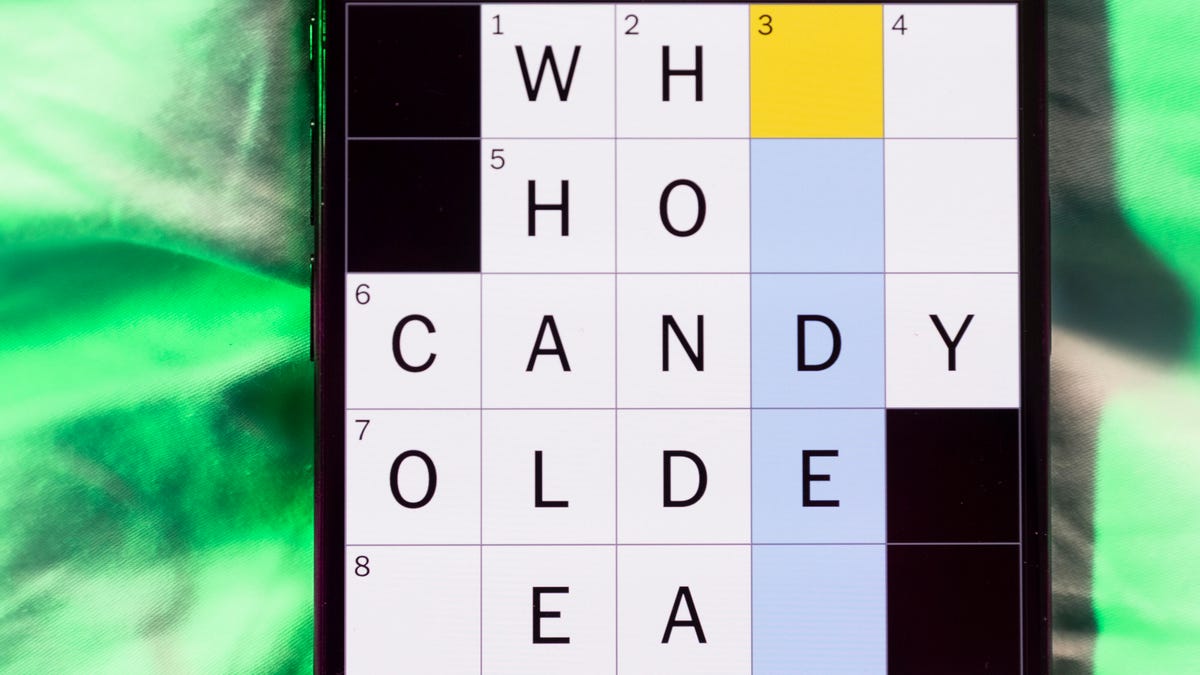
Looking for the most recent Mini Crossword answer? Click here for today’s Mini Crossword hints, as well as our daily answers and hints for The New York Times Wordle, Strands, Connections and Connections: Sports Edition puzzles.
Need some help with today’s Mini Crossword? Hint: It uses a lot of the letter Z for some reason. Read on for all the answers. And if you could use some hints and guidance for daily solving, check out our Mini Crossword tips.
If you’re looking for today’s Wordle, Connections, Connections: Sports Edition and Strands answers, you can visit CNET’s NYT puzzle hints page.
Read more: Tips and Tricks for Solving The New York Times Mini Crossword
Let’s get to those Mini Crossword clues and answers.
Mini across clues and answers
1A clue: ___-Carlton (hotel chain)
Answer: RITZ
5A clue: Span of the alphabet
Answer: ATOZ
6A clue: Cable channel with an out-of-this-world name
Answer: STARZ
7A clue: Takes care of, as a squeaky wheel
Answer: OILS
8A clue: Toy on a string
Answer: YOYO
Mini down clues and answers
1D clue: When a post receives far more negative comments than likes, in social media slang
Answer: RATIO
2D clue: World’s leading wine producer
Answer: ITALY
3D clue: Middle of the human body
Answer: TORSO
4D clue: Sleeping sound
Answer: ZZZ
6D clue: Tofu base
Answer: SOY
Technologies
Today’s NYT Connections: Sports Edition Hints and Answers for April 8, #562
Here are hints and the answers for the NYT Connections: Sports Edition puzzle for April 8 No. 562.

Looking for the most recent regular Connections answers? Click here for today’s Connections hints, as well as our daily answers and hints for The New York Times Mini Crossword, Wordle and Strands puzzles.
Today’s Connections: Sports Edition is a tough one. If you’re struggling with today’s puzzle but still want to solve it, read on for hints and the answers.
Connections: Sports Edition is published by The Athletic, the subscription-based sports journalism site owned by The Times. It doesn’t appear in the NYT Games app, but it does in The Athletic’s own app. Or you can play it for free online.
Read more: NYT Connections: Sports Edition Puzzle Comes Out of Beta
Hints for today’s Connections: Sports Edition groups
Here are four hints for the groupings in today’s Connections: Sports Edition puzzle, ranked from the easiest yellow group to the tough (and sometimes bizarre) purple group.
Yellow group hint: Working out.
Green group hint: Cover your face.
Blue group hint: NFL players.
Purple group hint: Leap.
Answers for today’s Connections: Sports Edition groups
Yellow group: Exercises in singular form.
Green group: Sporting jobs that require masks.
Blue group: Hall of Fame defensive ends.
Purple group: ____ jump.
Read more: Wordle Cheat Sheet: Here Are the Most Popular Letters Used in English Words
What are today’s Connections: Sports Edition answers?
The yellow words in today’s Connections
The theme is exercises in singular form. The four answers are crunch, plank, situp and squat.
The green words in today’s Connections
The theme is sporting jobs that require masks. The four answers are catcher, fencer, football player and goaltender.
The blue words in today’s Connections
The theme is Hall of Fame defensive ends. The four answers are Dent, Peppers, Strahan and Youngblood.
The purple words in today’s Connections
The theme is ____ jump. The four answers are broad, high, long and triple.
Technologies
The $135M Google Data Settlement Site Is Live — See If You’re Eligible
Use the settlement website to select your preferred payment method, and you may end up $100 richer.

You can now file a claim in the $135 million Google data settlement. The case centers on claims that Android devices transmitted user data without consent. Specifically, the class action lawsuit Taylor v. Google LLC contends that Google’s Android devices passively transferred cellular data to Google without user permission, even when the devices were idle. While not admitting fault, Google reached a preliminary settlement in January, agreeing to pay $135 million to about 100 million US Android phone users.
The official settlement website for the lawsuit is now live. The final approval hearing won’t occur until June 23, when the court will consider whether Google’s settlement is fair and listen to objections. After that, the court will decide whether to approve the $135 million settlement.
In the meantime, if you qualify and want to be paid as part of the settlement, you can select your preferred payment method on the official website. There, you can find information on speaking at the June 23 court hearing and on how to exclude yourself or write to the court to object by May 29.
As part of the settlement, Google will update its Google Play terms of service to clarify that certain data transfers do occur passively even when you’re not using your Android device, and that cellular data may be relied upon when not connected to Wi-Fi. This can’t always be disabled, but users will be asked to consent to it when setting up their device.
Google will also fully stop collecting data when its «allow background data usage» option is toggled off.
Who can be part of the settlement?
In order to join the Taylor v. Google LLC settlement, you must meet four qualifications:
- Be a living, individual human being in the US.
- Have used an Android mobile device with a cellular data plan.
- Have used the aforementioned device at any time from Nov. 12, 2017, to the date when the settlement receives final approval.
- You’re not a class member in the Csupo v. Google LLC lawsuit, which is similar but specifically for California residents.
The final approval hearing is on June 23, so you can add your payment method until then. The hearing’s date and time may change, and any updates will be posted on the settlement website.
If you choose to do nothing, you will still be issued a settlement payment, but you may not receive it if you don’t select a payment method.
How much will I get paid?
It’s not currently known exactly how much each settlement class member will receive, but the cap is $100. Payments will be distributed after final court approval and after any appeals are resolved.
After all administrative, tax and attorney costs are paid, the settlement administrator will attempt to pay each member an equal amount. If any funds remain after payments are sent, and it’s economically feasible, they will be redistributed to members who were previously and successfully paid. If it’s not economically feasible, the funds will go to an organization approved by the court.
-
 Technologies3 года ago
Tech Companies Need to Be Held Accountable for Security, Experts Say
-
 Technologies3 года ago
Best Handheld Game Console in 2023
-
 Technologies3 года ago
Tighten Up Your VR Game With the Best Head Straps for Quest 2
-
 Technologies4 года ago
Black Friday 2021: The best deals on TVs, headphones, kitchenware, and more
-
 Technologies5 лет ago
Google to require vaccinations as Silicon Valley rethinks return-to-office policies
-
 Technologies5 лет ago
Verum, Wickr and Threema: next generation secured messengers
-
 Technologies4 года ago
Olivia Harlan Dekker for Verum Messenger
-
 Technologies4 года ago
The number of Сrypto Bank customers increased by 10% in five days