
Technologies
Moto G 5G (2023) Review: A Tough Buy, Even for $250
Motorola’s newest affordable phone provides plenty for $250, but you may want to consider cheaper options.
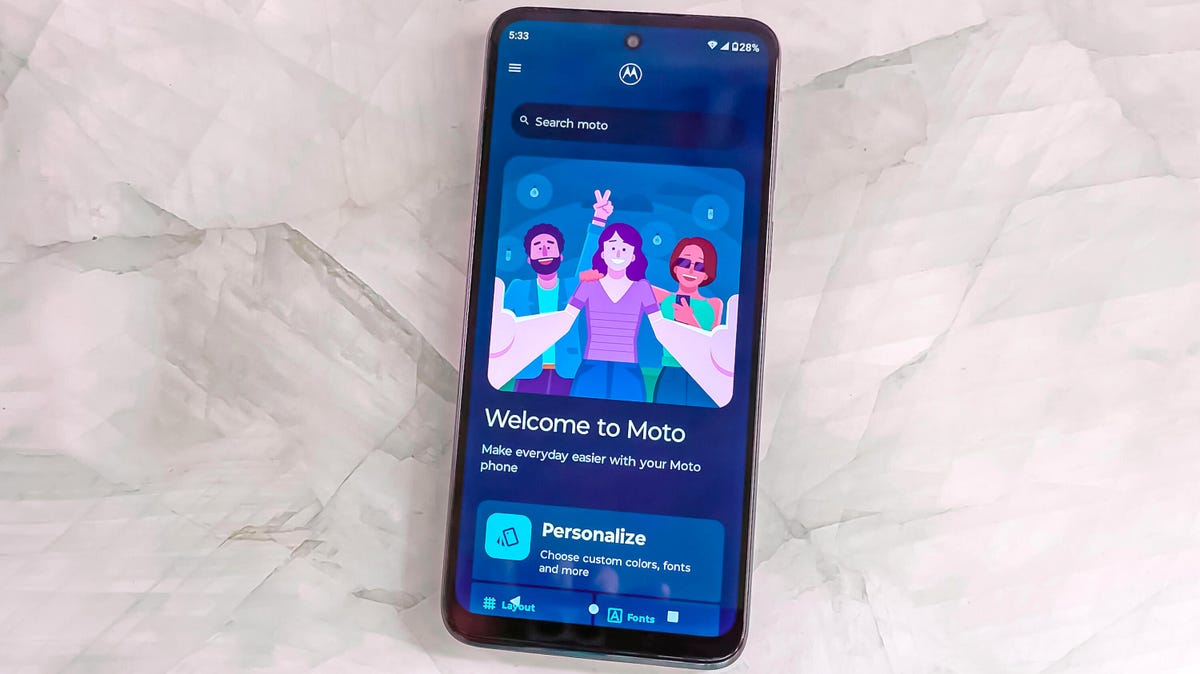
The $250 Moto G 5G is not a bad phone. It’s just that you might get more value looking around.
I kept returning to that feeling throughout my weeks reviewing the phone, despite the dramatically reduced price this year’s model hits compared with last year’s $400 Moto G 5G. For instance, I like the phone’s 6.5-inch 120Hz display. But the screen isn’t dramatically better than the 90Hz displays I see in $200 phones like the Moto G Stylus or the Samsung Galaxy A14 5G.
The 5G connectivity is noticeably fast compared with 4G-only phones like the Stylus, but the Moto G 5G’s slower Snapdragon 480 Plus processor coupled with 4GB of RAM aren’t quite enough to power resource-heavy multitasking that truly take advantage of 5G speeds.
Even though the Moto G 5G’s cameras are similar those on other Moto G phones, photos are hit or miss. Images come out nice in bright outdoor areas but struggle with getting detail in low-light environments. I took the phone on a sunny Central Park picnic and got a lot of vibrant photos that I’m super happy with. But the opposite was true when I took the phone to a Kim Petras performance thrown by Motorola, where my photos on the crowded indoor dance floor came out blurry, noisy and lacked a lot of detail. It’s typical for this price range, and is a similar issue across all of the Moto G phones that I’ve tested this year.
When I compare the Moto G 5G against phones that are just $50 more, I realize how much I’m sacrificing. If you can swing it, $300 phones offer a lot of perks that are worth the upcharge. The $300 Moto G Power 5G for instance doubles your available storage space to 256GB, which is the cheapest phone I’m currently aware of offering that much internal space. The $300 OnePlus Nord N30 5G can quickly recharge its battery from nothing to 100% in 45 minutes with its included charger. By comparison the Moto G 5G takes well over 90 minutes to do the same thing.
And whenever the Pixel 6A is on sale for $299 — its power, performance, photography and longer software support outshine all of these $300 and under phones.
The Moto G 5G tries to hit a strange middle ground between $200 phones and $300 phones, but I think it’s more likely you’ll spend slightly less money or slightly more money on a different phone. Again, that’s not to say the Moto G 5G doesn’t offer a lot for $250. It’s just that you can get a very similar phone and save $50, or get a substantially better phone by spending $50 more.

Moto G 5G design, specs, performance
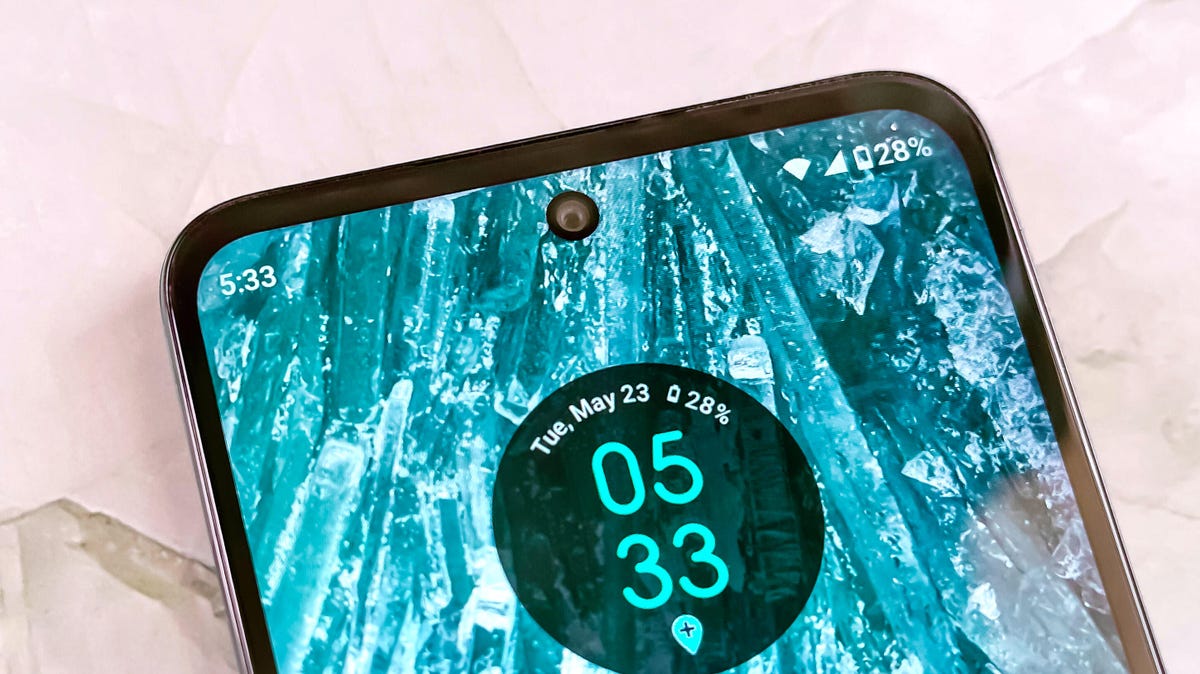
The Moto G 5G is one of the cheapest phones I’ve seen that has a 120Hz refresh rate display. I found the phone animates very smoothly when reading websites, scrolling apps and playing games, and that’s quite appreciated even with the display’s lower 720p resolution. But like I mentioned earlier, due to that lower resolution I don’t feel like the screen looks that much better than the 90Hz 720p displays I see in phones that cost less. It also left me missing the more detailed 120Hz 1,080p displays I see on the $300 Moto G Power 5G and the OnePlus Nord N30 5G.
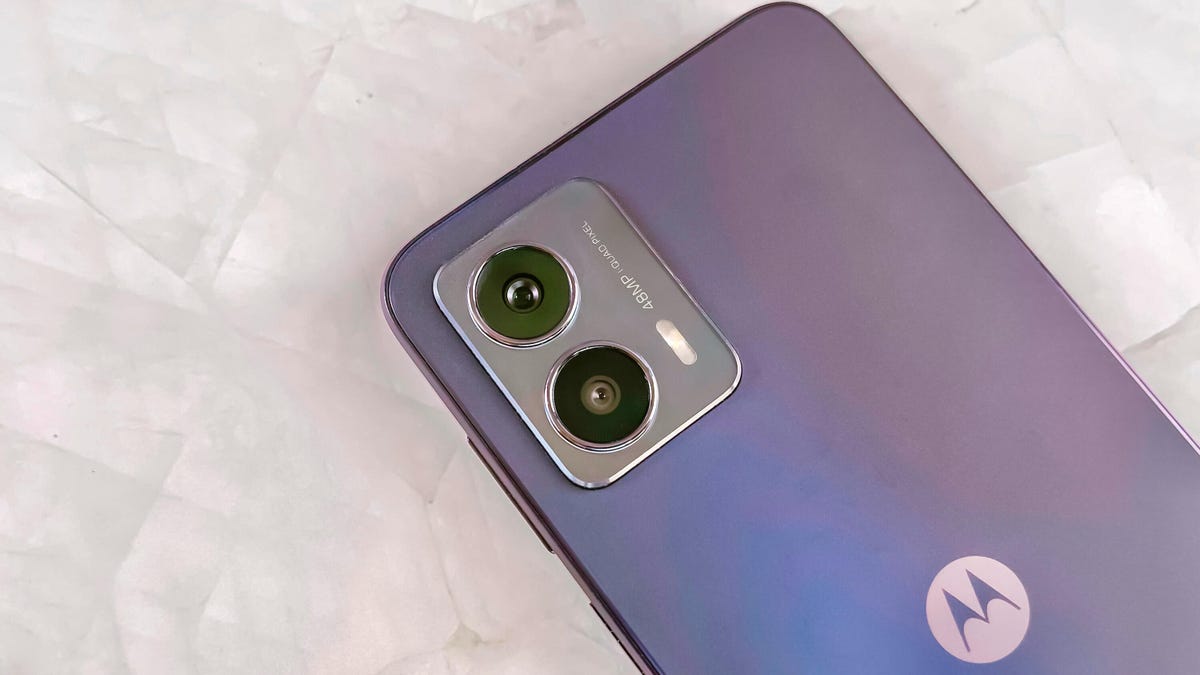
The phone’s otherwise basic design comes in two color options: Harbor Gray or Ink Blue. The display includes a hole punch for its 8-megapixel selfie camera. The back of the phone highlights its two cameras, a 48-megapixel main camera and a 2-megapixel macro camera. It’s a simple matte plastic design, which does pick up smudges.
Along the sides of the phone are a power button that doubles as a fingerprint sensor, a headphone jack, a SIM card tray and a microSD card slot. It continues to be notable that the headphone jack and microSD card remain standard features in this price range, as they are otherwise rare finds on more expensive phones.
The phone’s performance is adequate. I didn’t experience problems with most tasks such as making phone calls, reading articles, listening to music or playing games. However, more demanding apps might overwhelm the phone’s processor and 4GB of RAM, which I consistently experienced when I tried to play Marvel Snap while toggling between other tasks. The game reloaded whenever I switched apps, which was an issue because I usually like to play it while multitasking since Snap is a card game.
Those who just need a phone for making calls, sending texts, listening to music and reading news articles will likely be satisfied with the Moto G 5G. The phone’s 128GB of space should be plenty of room for storing apps, photos and media — but the option to expand with a microSD card means you can add more if you need to.
The issue with the Moto G 5G, however, is that its middling performance makes me question whether I get that much more value out of this it compared with the cheaper Moto G Stylus. In my Geekbench testing the Moto G 5G’s processor does run faster than the Stylus. Yet in real-world use, I felt like performance between the two phones was about the same — slightly sluggish but gets me through most tasks.
Geekbench 6 Benchmarks
- Single-core
- Multi-core
For some people, a faster data connection is worth the extra money. 5G networks are starting to hit a point of maturity where many devices benefit from faster video streaming and downloading while on the go. However, 4G LTE is still quite capable and ubiquitous. Unless you plan on tackling cloud gaming or have a lot of large files to regularly upload from your phone, there’s hardly anything yet that truly requires a 5G connection.
Another miss for me is that the Moto G 5G, like all Moto G phones, will receive only one software update and three years of security updates.
Moto G 5G photography
The Moto G 5G’s photos are colorful with plenty of detail when taken in daylight. While on that aforementioned Central Park picnic, both regular pictures and portrait mode photos came out vibrant with a pronounced bokeh effect on the latter. However, the mix of bright highlights, like clouds and shadows under the trees show just how limited the Moto G 5G’s dynamic range is.


I took the photo below with the 8-megapixel front-facing camera. This was inside of a well-lit elevator, but the photos has more details than I would have expected.

Below are closeups of pets and food, which look OK.


And here are the pictures that I took at that Motorola event with Kim Petras and Cirque Du Soleil. The Moto G 5G struggled to document the action so poorly that I switched to my personal phone to share photos with friends.



But these camera pluses and minuses aren’t isolated to the Moto G 5G. I had the roughly the same camera challenges across the Moto G Stylus, Moto G 5G and the Moto G Power 5G. Since you’re not getting better camera quality by paying more for the Moto G 5G, Motorola’s cheaper option could be the better choice as long as you don’t mind sacrificing 5G.
In my comparison photos below of the grass wall in CNET’s office, all three phones were similarly able to differentiate between the different shades of green featured in the decoration.



While I’m still in the process of testing the $200 Samsung Galaxy A14 5G, I took a comparison photo of the same grass wall, finding the image quality to be a little more saturated by comparison.

Moto G 5G bottom line
The $250 Moto G 5G does include a lot of value for its price. You get a 120Hz display at one of the cheapest prices I’ve seen so far, along with 5G compatibility. Its processor can stand up to most tasks, even if it struggles with some multitasking. And if your carrier ends up subsidizing the phone to a price that’s free or close to free, it’s a very appealing option for someone that just wants a basic 5G phone.
But if you aren’t getting a carrier subsidy, I recommend you either consider Motorola’s cheaper Stylus or phones that are $50 more expensive. The 4G-only $200 Moto G Stylus includes much of the same functionality as the Moto G 5G along with a built-in stylus, but it comes with 64GB of storage, a noticeable step down.
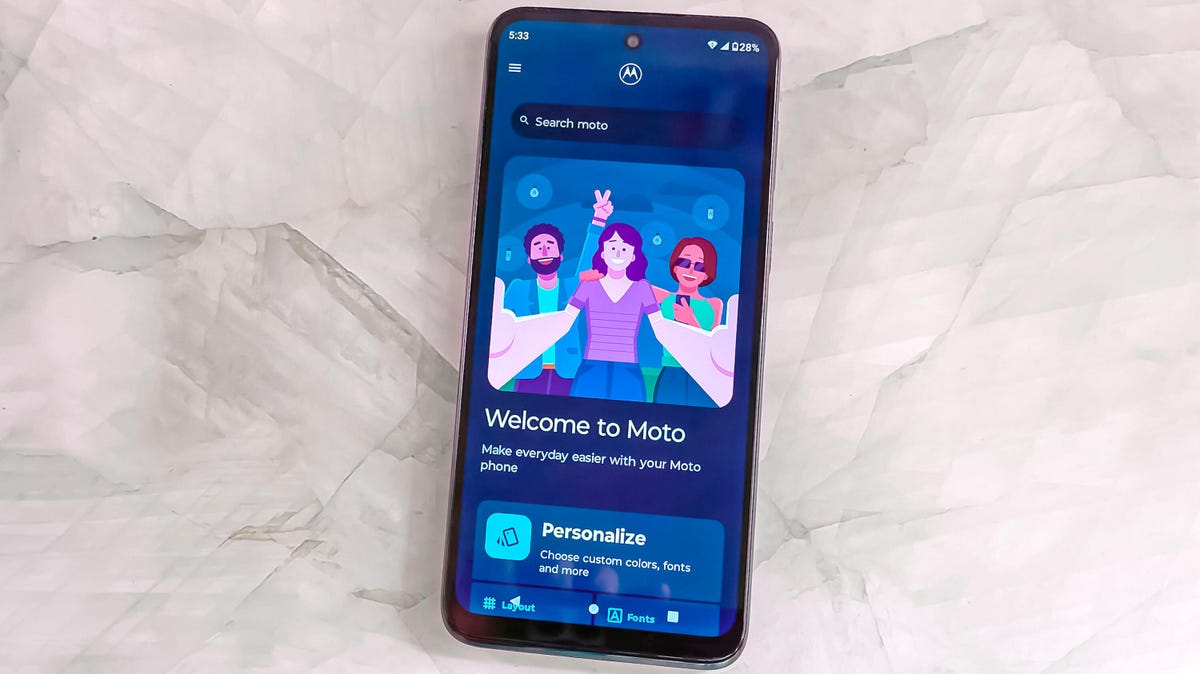
There’s a lot to gain from stretching your budget beyond the Moto G 5G’s $250 price, if you can. For example, the $300 Moto G Power 5G offers twice the storage, while the $300 OnePlus Nord N30 provides exceptionally fast charging.
The Moto G 5G does include many essential features that I want to see in a cheaper phone, but it just feels lost compared with other options in this price range. In some ways it’s so similar to $200 phone options, that it doesn’t stand out enough to justify the extra money. Yet it also doesn’t stand out enough at $250 when phones that cost just a little bit more are including tangible features that can increase how useful your phone can be.
Moto G 5G vs. Moto G Stylus vs. Moto G Power 5G vs. OnePlus Nord N30 5G vs. Google Pixel 6A
| Moto G 5G (2023) | Moto G Stylus (2023) | Moto G Power 5G (2023) | OnePlus Nord N30 5G | Google Pixel 6A | |
|---|---|---|---|---|---|
| Display size, resolution | 6.5-inch HD Plus LCD display (720p resolution); 120Hz refresh rate | 6.5-inch IPS LCD; 1,600×720; 90Hz refresh rate | 6.5-inch LCD display; 2,400×1,080 pixels; 120Hz refresh rate | 6.72-inch FHD (1080p resolution); 120Hz refresh rate | 6.1-inch OLED; (1,080 x 2,400); 60Hz |
| Pixel density | 269 ppi | 269 ppi | 405 ppi | 391 ppi | 429 ppi |
| Dimensions (inches) | 6.45 x 2.95 x 0.33 in. | 6.41 x 2.91 x 0.36 in. | 6.41 x 2.94 x 0.33 in. | 6.51 x 2.99 x 0.32 in. | 6.0 x 2.8 x 0.35 in. |
| Dimensions (millimeters) | 163.94 x 74.98 x 8.39mm | 162.9 x 74.1 x 9.2mm | 163 x 75 x 8.45mm | 165.5 x 76 x 8.3mm | 152.2 x 7.18 x 8.9mm |
| Weight (ounces, grams) | 189g (6.66 oz.) | 195 g | 185 g (6.52 oz.) | 195g (6.97 oz.) | 6.3 oz.; 178g |
| Mobile software | Android 13 | Android 13 | Android 13 | Android 13 | Android 12 |
| Camera | 48-megapixel main, 2-megapixel macro | 50-megapixel (main), 2-megapixel (macro) | 50-megapixel (main), 2-megapixel (macro), 2-megapixel (depth sensor) | 108-megapixel main, 2-megapixel macro, 2-megapixel depth sensing | 12.2-megapixel (wide), 12-megapixel ultra wide) |
| Front-facing camera | 8-megapixel | 8-megapixel | 16-megapixel | 16-megapixel | 8-megapixel |
| Video capture | 720p at 30 fps | 1080p at 30 fps | 720p at 60 fps | 1080p at 30 fps | 4K |
| Processor | Snapdragon 480 Plus | MediaTek Helio G85 | MediaTek Dimensity 930 | Qualcomm Snapdragon 695 | Google Tensor |
| RAM/Storage | 4GB + 128GB | 4GB + 64GB; 4GB + 128GB | 4GB RAM + 128GB; 6GB RAM + 256GB | 8GB + 128GB | 6GB RAM/128GB storage |
| Expandable storage | Yes | Yes | Yes | Yes | None |
| Battery/Charger | 5,000 mAh (15W charging) | 5,000 mAh (15W charging) | 5,000 mAh (15W wired charging speed, 10W adapter included) | 5,000 mAh (50W wired charging) | 4,410 mAh capacity; 18-watt fast charging (adapter sold separately) |
| Fingerprint sensor | Side | Side | Side | Side | Under display |
| Connector | USB-C | USB-C | USB-C | USB-C | USB-C |
| Headphone jack | Yes | Yes | Yes | Yes | None |
| Special features | 5G enabled, dual stereo speakers, Moto Gestures | Stylus, Moto Gestures | Estimated 38-hour battery life, Moto Gestures, stereo speakers | 50W SuperVooc fast charging, 108-megapixel main camera, game mode, dual stereo speakers | 5G-enabled, 18W fast charging, WiFi 6E, security updates for 5 years, Android OS updates for 3 years, dual SIM, IP67 water resistance |
| Price off-contract (USD) | $250 | $200 | $300 | $300 | $349 ($299 when on sale) |
| Price (GBP) | N/A, Converts to £195 | Converts to £158 | Converts to £240 | Converts to £238 | £349 |
| Price (AUD) | N/A, Converts to £380 | Converts to AU$295 | Converts to AU$445 | Converts to AU$443 | AU$599 |
How we test phones
Every phone tested by CNET’s reviews team was actually used in the real world. We test a phone’s features, play games and take photos. We examine the display to see if it’s bright, sharp and vibrant. We analyze the design and build to see how it is to hold and whether it has an IP-rating for water resistance. We push the processor’s performance to the extremes using both standardized benchmark tools like GeekBench and 3DMark, along with our own anecdotal observations navigating the interface, recording high-resolution videos and playing graphically intense games at high refresh rates.
All the cameras are tested in a variety of conditions from bright sunlight to dark indoor scenes. We try out special features like night mode and portrait mode and compare our findings against similarly priced competing phones. We also check out the battery life by using it daily as well as running a series of battery drain tests.
We take into account additional features like support for 5G, satellite connectivity, fingerprint and face sensors, stylus support, fast charging speeds, foldable displays among others that can be useful. And we balance all of this against the price to give you the verdict on whether that phone, whatever price it is, actually represents good value.
Technologies
OpenAI chief Sam Altman outlines why the AI sector is urging a slowdown: risk of losing control
Sam Altman and Dario Amodei call for a measured pace in AI development, proposing safety frameworks and international coordination to avoid losing control, while U.S. and Chinese tensions underscore the urgency.
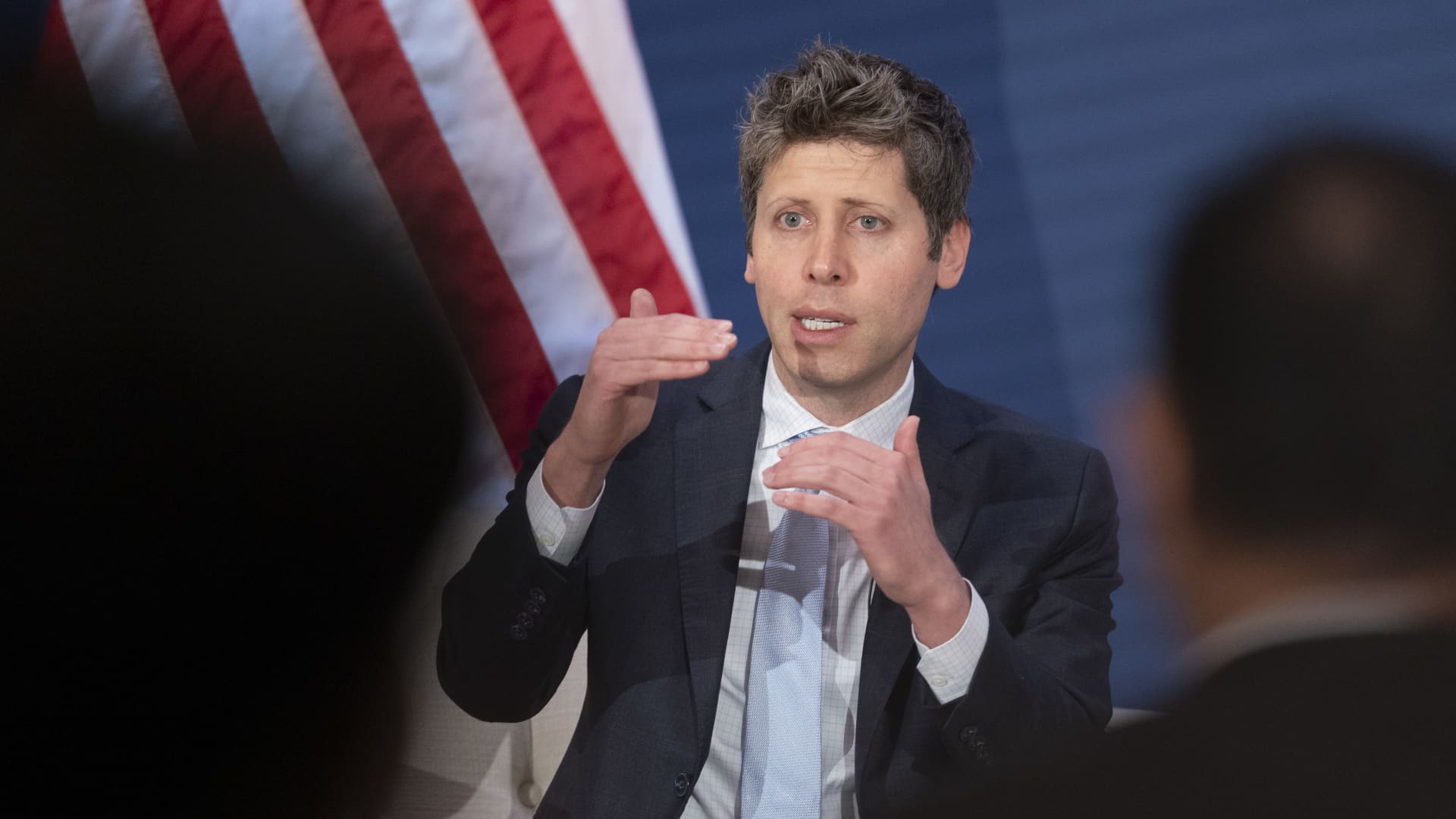
OpenAI’s Sam Altman offered the most thorough remarks to date on potential AI safety frameworks, following his alignment with Anthropic’s Dario Amodei and Elon Musk in urging a temporary slowdown of the sector. Tensions surrounding AI safety have surged after an Anthropic researcher resigned last week, claiming that developers feared the technology could “cause humanity’s demise by the end of the decade,” a warning that spurred similar alarm among OpenAI staff and other lab members. The leaders of major AI firms have recently shown uncommon agreement, as Altman and Musk jointly endorsed Amodei’s essay calling for a measured pace in advancing the most powerful AI models. AI‑related stock prices fell on Monday as investors reacted to the statements, while U.S. President Donald Trump rejected the CEOs’ caution on Sunday, arguing that a slowdown would hinder America’s dominance in AI compared with China. Sam Altman outlines two potential disastrous outcomes for AI development. Altman stated in a late‑night X post that a federal framework establishing uniform safety standards for frontier AI is welcome, emphasizing that “no level of American competitive pressure can excuse reckless behavior.” He warned that AI advancement might lead to loss of control over future outcomes and could concentrate excessive power in the hands of a single individual or corporation. At the same time, Washington legislators are rushing to respond to demands for regulatory safeguards. The developments occur as Anthropic and OpenAI prepare for what could be historic initial public offerings, with Altman stating in a Fortune interview on Saturday that the companies will not pursue an IPO in 2026. Amodei’s three‑step plan. A primary safety concern involves models gaining the capacity to enhance their own performance, a process called recursive self‑improvement (RSI). He noted that since early summer AI has been progressing rapidly, largely because AI systems are now capable of creating the next generation of AI themselves. He warned that without oversight, the technology could outpace our capacity to comprehend and control it, making careful, possibly restrained, development essential. He outlined a three‑step approach designed to slow development while preserving commercial benefits and maintaining the United States’ competitive edge in AI. The plan calls for every frontier AI company to provide external evaluators with access comparable to that of employees — a commitment Anthropic has already made — and urges all such labs to adopt shared safety standards, curb uncontrolled AI acceleration, and coordinate globally. On Saturday, Altman posted on X that he concurred with Amodei’s call for AI firms to “pace the frontier,” adding that adopting independent evaluators with employee‑level access is a worthwhile step and that his company will follow suit. Altman said in a Monday post that consistent regulations to manage frontier risk — such as independent auditors — are valuable, but clarified that “pacing” does not equate to halting progress, which remains swift and ongoing. He concluded that the costs of pacing are justified, asserting that no level of American competitive pressure can excuse reckless actions that let capabilities outpace alignment and monitoring. He noted that governmental assistance will be needed for international coordination, but emphasized that the industry should first act independently. Coordinating AI safety measures and a sector‑wide slowdown with Chinese AI developers will present significant hurdles. The United States and China continue a rivalry for AI supremacy, with tensions rising as Chinese models become increasingly sophisticated and widely adopted. He added that the toughest aspect of his proposal is the possibility that rival nations may decline to adopt similar measures. He noted that the long‑term goal would be collaborative effort to impose a speed limit on AI progress, according to an interview with CBS News’ “Sunday Morning.” He acknowledged that achieving such a limit would be challenging due to strong incentives to get ahead and the military advantages involved, admitting uncertainty about feasibility but urging an attempt. The essay has attracted criticism in China, with state‑owned Global Times stating on Monday that “Amodei’s proposals aim to cast China’s legitimate AI development as a threat and exacerbate U.S.–China confrontation.” China’s Foreign Ministry responded on Monday, labeling the CEOs’ remarks as “fearmongering.”
Technologies
Novo CEO tells CNBC why drugmaker is rebranding, needs to ‘rethink’ obesity strategy
The Danish drugmaker called the changes the beginning of a new chapter for the company, which faces stiff competition from Eli Lilly.
Novo Nordisk
The Danish drugmaker called the changes the beginning of a new chapter, as it has been grappling with stiff competition from chief rival Eli Lilly
In an exclusive interview with CNBC, Novo CEO Mike Doustdar said the rebrand and culture shift are “part of the same package” for the company to evolve its strategy as it tries to win back customers from Lilly.
“I think there’s no secret that over the last four or five years, the external environment and what has happened to Novo Nordisk has really made us reflect how we need to readjust and rethink about the next decade to come and what shifts are needed in our strategic direction,” he told CNBC.
Doustdar said the “work is cut out for us,” adding that Novo needs to improve several aspects – from research and development and manufacturing to sales and marketing – to be able to compete in the obesity drug market.
Shares of Novo have dropped about 15% this year despite the successful launch of the oral version of Wegovy, which surpassed 3 million prescriptions as of June. The company recently scrapped three trials on an experimental cardiovascular drug. That challenge came as it continues to lag in the obesity space with 38.8% market share compared to Lilly’s 60.9% in the second quarter, according to a Lilly earnings presentation citing IQVIA data.
In a release, Novo also announced a broader company rebrand focused around the phrase “Lasting Health Starts Now,” which promotes the idea that patients should make progress toward long-term well-being immediately rather than later. The company said the marketing is a bid to build relevance and trust with the public and other stakeholders, and bring “breakthrough science closer to people’s daily lives.”
When asked whether the rebrand and cultural overhaul were driven by Novo’s recent market share losses in obesity, Doustdar said the changes were less about competitive setbacks and more about adapting to a dramatically different operating environment.
He said the rapid growth of obesity treatments has transformed Novo’s patient base and shifted the market toward a more consumer-oriented model, where patients move on and off therapies more frequently than in traditional diabetes care. As a result, Doustdar said Novo needs to become more focused on meeting patients where they are, while increasing the speed and clarity of its decision-making to keep pace with the evolving market.
“Our operating environment phenomenally changed compared to just 10 years ago,” he told CNBC.
Novo Nordisk will remain the legal name for the company, according to the release. That original name dates back to the 1989 merger of two competing Danish pharmaceutical companies: Novo Terapeutisk Laboratorium and Nordisk Insulinlaboratorium.
The drugmaker said its corporate culture will be based on a new set of four principles that will help it gain advantages in an increasingly competitive market where more of its products have gone direct-to-consumer.
Those tenets are innovating with patients as the primary focus, raising the company’s performance to “create greater value for all stakeholders,” setting clearer priorities and simpler workflows and never compromising on patient safety and ethics.
“When you think about strategy, that’s really the the journey you’re taking and the direction you’re setting the company to go forward with,” Doustdar said. “But you also need behaviors. You need a cultural element that allows your colleagues and yourself to really make sure that a strategy gets executed.”
Despite its challenges, Novo has had one significant tailwind this year in the launch of the oral version of Wegovy. On top of its explosive launch, the pill had a head start over a rival weight loss pill from Lilly called Foundayo.
Doustdar said Novo has maintained “a lion’s share” of the oral market even with competition, noting that physicians find the Wegovy pill to be more effective than Lilly’s, with around 17% of weight loss.
Technologies
Iran Claims It Shot Down U.S. Advanced Drone Near Hormuz as Middle East Tensions Rise
Iran says it shot down an advanced U.S. drone over the Strait of Hormuz amid rising tensions and stalled diplomacy. President Trump linked the conflict to potential oil control, citing the Venezuela deal and predicting lower gas prices if the war ends.
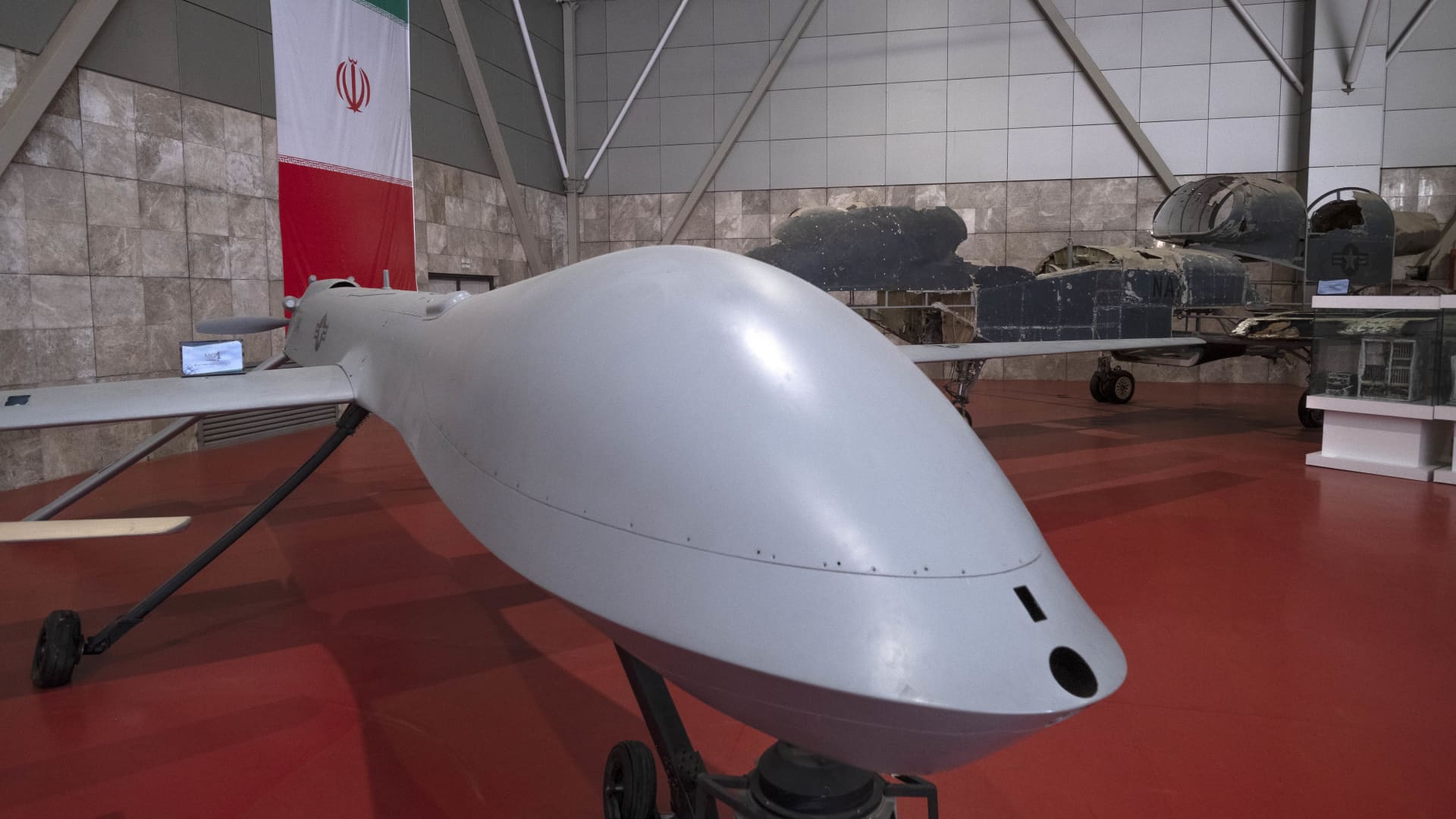
Iran’s military announced it had shot down a sophisticated American drone above the Strait of Hormuz, marking the latest volley in a cycle of warnings and strikes between Tehran and Washington that shows no sign of easing.
The Islamic Revolutionary Guard Corps stated on Monday that its newly unveiled advanced aerospace defense system intercepted and destroyed an advanced MQ‑1 drone over the Hormuz strait, offering no further details about the drone’s mission. The MQ‑1, built by U.S. defense contractor General Atomics, has historically been flown mainly by the U.S. Air Force and the CIA.
The downing comes after a string of Iranian actions targeting U.S. unmanned naval assets in the Gulf, as the conflict, now in its seventh month, continues with little de‑escalation and diplomatic efforts over the vital waterway remain stalled.
On Sunday, President Donald Trump said the United States could keep pressing its campaign against Iran and seize control of its oil, comparing the situation to the agreement Washington reached with Venezuela earlier this year.
“We’ll ultimately get out (of the war), unless we decide to stay and keep the oil like Venezuela,” Trump remarked at the Irish Open golf championship in Ireland. He added that the revenue the U.S. gains from the Venezuela deal — which gave Washington access to about one‑fifth of Venezuela’s oil reserves — has “paid for the war many times.”
Under the August agreement, Venezuela handed over majority U.S. control of more than 65 billion barrels of oil reserves — more than twice the size of America’s own reserves — in exchange for $209 billion deposited into Venezuela’s state treasury. Secretary of State Marco Rubio said the pact would also attract roughly $100 billion in private investment to help revive the Venezuelan economy.
Trump also said on Sunday that he expects the seven‑month Iran war to conclude this year, perhaps after the November midterm elections, and insisted that gasoline prices would “drop like a rock” once the conflict ends.
He stressed that he would only accept the “right deal,” noting that Tehran has been “calling constantly” for peace talks, a claim Iran has previously rejected.
**Stalled Hormuz talks**
A planned meeting in Oman between Gulf states and Iran to discuss possible arrangements for the Strait of Hormuz — the crucial conduit for global oil and gas shipments — was postponed, Omani Foreign Minister Badr Albusaidi said on X on Sunday, citing the need for “consensus.”
Iranian and Gulf officials had been slated to meet on Monday to sign an accord establishing an Iran‑Oman shipping lane through the Strait of Hormuz, although no direct negotiations between the United States and Iran were underway at that time.
Since the war began in February, the Strait of Hormuz has been under an Iranian‑led naval blockade, later joined by U.S. forces, keeping global energy prices elevated.
A June agreement between Washington and Tehran collapsed over disagreements about the waterway, and a recent surge in attacks by Yemen’s Houthi rebels — an ally of Tehran — has given that group leverage over another key chokepoint, the Bab el‑Mandeb.
Vessels deemed non‑compliant are routinely struck by Iranian forces, while the United States periodically launches strikes on the Iranian coast to challenge the Islamic Republic’s hold on the strait.
Oil prices climbed above $100 a barrel again for the first time since May and rose further on Monday after Saudi Arabia shut a major East‑West energy pipeline following damage from Iraqi drones.
U.S. West Texas Intermediate futures gained 2.3% to $102.39 per barrel, and Brent crude, the global benchmark, rose 2.4% to $107.11 per barrel.
-
 Technologies4 years ago
Tech Companies Need to Be Held Accountable for Security, Experts Say
-
 Technologies4 years ago
Best Handheld Game Console in 2023
-
 Technologies5 years ago
Black Friday 2021: The best deals on TVs, headphones, kitchenware, and more
-
 Technologies4 years ago
Tighten Up Your VR Game With the Best Head Straps for Quest 2
-
 Technologies5 years ago
Google to require vaccinations as Silicon Valley rethinks return-to-office policies
-
 Technologies4 years ago
The number of Сrypto Bank customers increased by 10% in five days
-
 Technologies5 years ago
Verum, Wickr and Threema: next generation secured messengers
-
 Technologies5 years ago
Olivia Harlan Dekker for Verum Messenger