
Technologies
Best Open Wireless Earbuds For 2023
Looking for a set of true-wireless earbuds but hate jamming silicone tips in your ears? Here are your best options.

Noise-isolating earbuds with silicone ear tips offer the best sound, but not everyone likes the feeling of having ear tips jammed in their ears. A lot of people prefer tip-free earbuds, which nestle in your ears or rest on top of them. With no tip covering the earbuds’ speaker driver, these earbuds are called «open» buds. The most popular open earbuds are Apple’s standard AirPods, now on their third generation (Apple also still sells the second-gen AirPods).
Open earbuds also have a safety benefit. Because they don’t seal off your ear canal, they let ambient sound in so you can hear what’s going on around you. That can be an important feature for some people, including runners and bikers who want to hear cars approaching. However, the downside to their openness is that if you’re in a noisy environment, the ambient sound will make it harder to hear what you’re listening to. Also, open earbuds have a harder time producing strong bass, which affects sound quality.
Here’s a look at the top open-style buds. I’ll update this list as I test more worthy candidates.
Read more: The 22 Best True Wireless Earbuds for 2023
Screenshot by David Carnoy/CNET
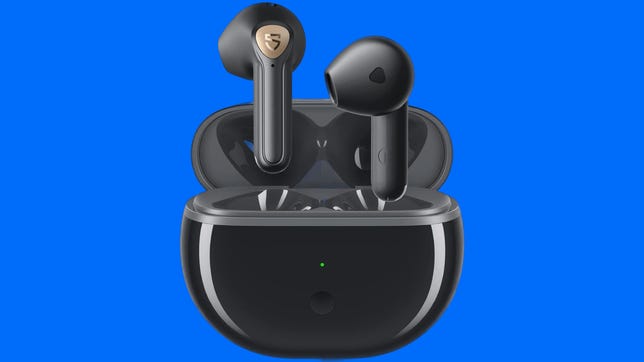
What makes these Soundpeats Air3 Deluxe HS buds special is that they sound surprisingly good for open earbuds — they’re pretty close to what you get from Apple’s AirPods 3 for sound. On top of that, they support Sony’s LDAC audio codec for devices that offer it. Not too many cheap open earbuds have good sound but these Soundpeats have good bass response and clarity. They’re also good for making calls and have a low-latency gaming mode.
David Carnoy/CNET
Battery Life
Rated up to 6 hours
Noise Canceling
No
Multipoint
No
Headphone Type
Wireless earbuds
Water-Resistant
Yes (IPX4 — splash-proof)
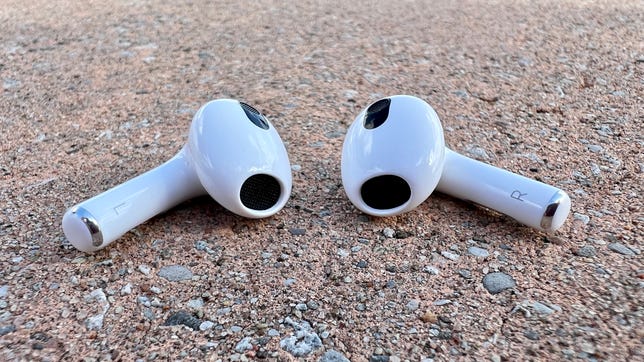
Take one look at the new design of the third-gen AirPods ($179), and the first thing you’ll probably think is: «Those look like the AirPods Pro without ear tips.» You wouldn’t be wrong. While they’re more fraternal than identical twins, the third-gen AirPods are shaped like the AirPods Pro, with the same shorter stems and same pinch controls as those of the Pro. Aside from the design change, which should fit most ears better than the second-gen AirPods (though not very small ears), the biggest change is to the sound quality: It’s much improved. Also, battery life is better, and the AirPods 3 are officially water-resistant and support Apple’s spatial audio virtual surround feature (for Apple users only).
David Carnoy/CNET
Battery Life
5.5 hours
Noise Canceling
No
Multipoint
No
Headphone Type
Wireless earbuds
Water-Resistant
Yes (IPX4 — splash-proof)
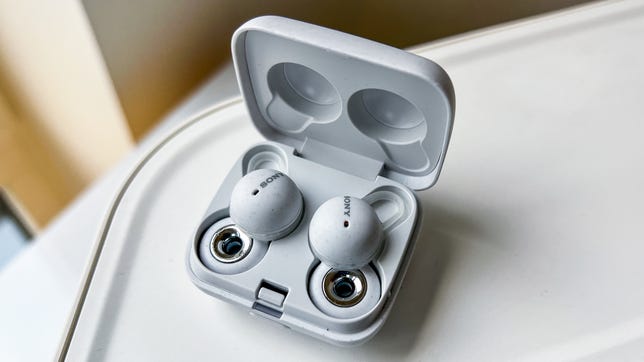
The LinkBuds are, in a sense, Sony’s answer to Apple’s standard AirPods. While they don’t sound as good as Sony’s flagship WF-1000XM4 noise-isolating earbuds, they offer a discreet, innovative design and a more secure fit than the AirPods, as well as good sound and very good voice-calling performance.
Like the third-gen AirPods, their open design allows you to hear the outside world — that’s what the ring is all about. That makes them a good choice for folks who want to hear what’s going around them for safety reasons or just don’t like having ear tips jammed in their ears. They also have a few distinguishing extra features, including Speak to Chat and Wide Area Tap. Instead of tapping on a bud, you can tap on your face, just in front of your ear, to control playback.
They’re IPX4 splash-proof and thanks to their fins — Sony calls them Arc Supporters — they lock in your ears securely and work well for running and other sporting activities.
David Carnoy/CNET
Battery Life
Rated up to 6 hours
Noise Canceling
Yes
Headphone Type
Wireless earbud
Water-Resistant
No IP rating, advertised as sweat-proof
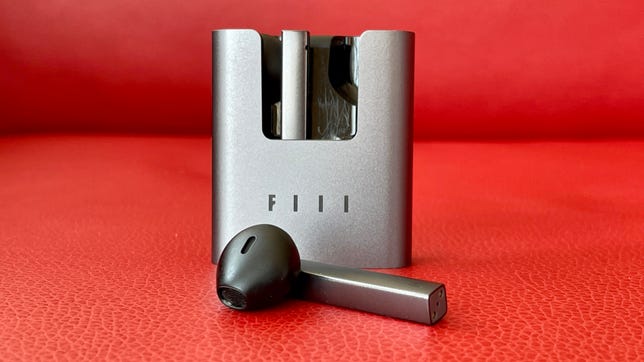
I never tried the original Fiil CC earbuds, but the next-generation CC2 improves on the performance of the originals, with better battery life (they’re rated at five hours on a single charge) and no audio latency issues when watching videos. They list for $30 but sometimes sell for even less, which makes them a very good value.
These did stay in my ears better than the standard AirPods. They pair quickly — they’re equipped with Bluetooth 5.2 — there’s a Fiil companion app for tweaking settings and they sound quite decent for open-style buds, with just enough bass to keep you from feeling they’re bass shy. They’re also decent for making calls and have touch controls.
One of their distinguishing features is their open case, which makes it easy to access the buds and put them back in their case. Thanks to some integrated magnets, they stay in the case securely — you can turn it upside down and the buds won’t come out. Unlike the AirPods, these have square not rounded stems, which seems a little weird at first, and they do fit in your ears slightly differently to AirPods as a result.
Amazon
Battery Life
Rated up to 4 hours
Noise Canceling
Yes (ANC)
Multipoint
No
Headphone Type
Wireless earbuds
Water-Resistant
Yes (IPX5 — protection against low-pressure water streams)
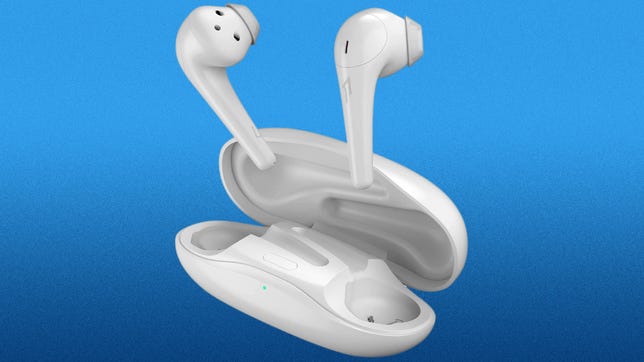
1More has a slightly different take on the standard AirPods for those who have trouble keeping them in their ears. The ComfoBuds 2 have mini ear tips on them that help secure them in your ear. This second-gen version offers improved sound from the originals with better bass (it’s still not great sound, but it’s good for the money). As their name implies, they’re lightweight, comfortable to wear and work well for making calls.
It’s worth noting that their charging case is remarkably narrow and compact. It looks like a tiny hot-dog bun. They’re IPX5 splashproof and also available in black.
Angela Lang/CNET
Battery Life
Rated up to 5 hours
Noise Canceling
No
Multipoint
No
Headphone Type
Wireless earbuds
Water-Resistant
Yes (IPX4 — splash-proof)
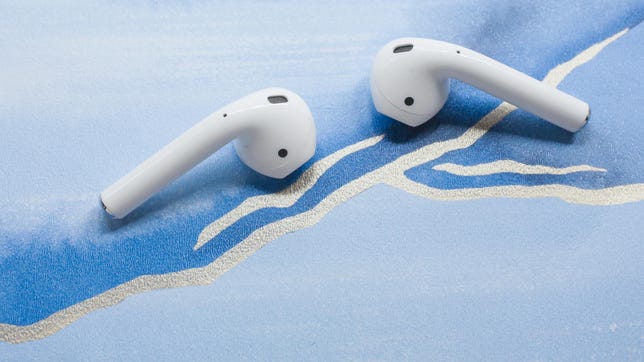
The new AirPods (third gen) are a nice upgrade over the second-gen AirPods. That said, the AirPods 2, which came out in 2019, are now selling for around $100 and sometimes a little less. While they don’t sound as good as the AirPods 3 and have a longer stem, they fit some people’s ears better. Those with smaller ears may prefer these older AirPods due to their slightly smaller design.
Juan Garzon/CNET
Battery Life
Rated up to 8 hours
Noise Canceling
Yes (ANC)
Multipoint
No
Headphone Type
Wireless earbuds
Water-Resistant
Yes (IPX2 — sweat-resistant and protection against light splashes)
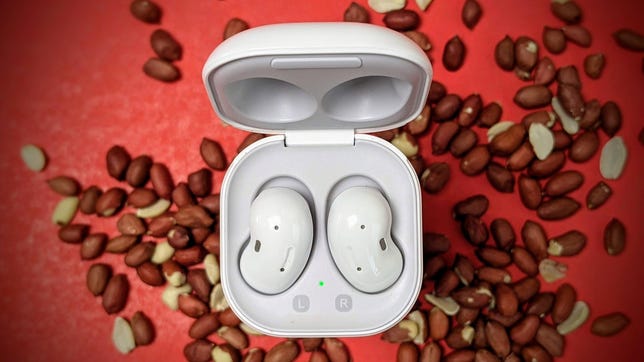
Say what you will about the Samsung Galaxy Buds Live’s bean-shaped design, but it’s certainly innovative. Like the standard AirPods, they have an open design, so you don’t jam an ear tip into your ear. They’re comfortable to wear and fit my ears more securely than the AirPods. These wireless buds are discreet and basically sit flush with your ear, which reduces wind-noise while biking. I regularly use them for running and biking, and they’re great for sporting activities if they fit your ears well. But one warning: Some people won’t get a secure fit, so buy them from a retailer that has a good return policy.
They deliver good sound and work well as a headset for making calls, with good background noise reduction so callers can hear you clearly even when you’re in noisier environments. While they feature active noise canceling, it’s mild compared to the noise canceling in earbuds that have a noise-isolating design. In other words, buy them for their design and sound, not their noise-canceling features.
David Carnoy/CNET
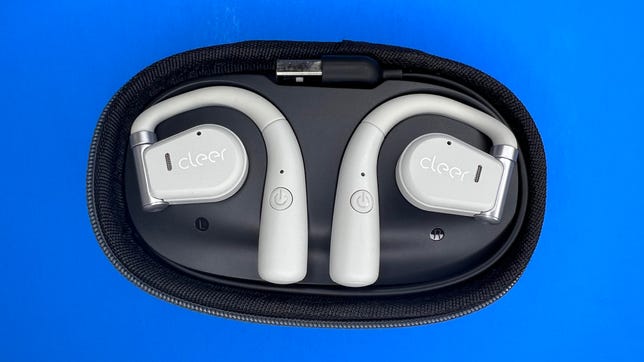
Cleer’s Epic Arc buds are similar to Bose’s Open Sport Earbuds (see below) but are actually a little more comfortable to wear thanks to their swiveling hinge. Like the Bose buds, they rest on the top of your ear just above the ear canal and fire sound into your ears. They’re open so they let ambient sound in (that’s a plus if you’re a runner or biker and want to hear traffic), but their 16.2 mm drivers provide ample bass and volume. They don’t sound quite as good as the Bose Open Sport Earbuds but they’re pretty close.
I liked the case, which is a little big but pretty thin. While it has an integrated USB charging cable (that’s nice), like the Bose Open Sport Earbuds case it doesn’t have a rechargeable battery so it’s basically a dock for charging the earbuds, which are also available in black. Battery life is rated at up to 7 hours and they’re IPX5 splash-proof.
Some of these types of ear-hook-style earbuds have physical control buttons but these have touch controls. I found they worked pretty well but not great. The buds do have a companion app that allows you to upgrade the firmware and tweak the sound profile.
Technologies
Today’s NYT Connections: Sports Edition Hints and Answers for March 30, #553
Here are hints and the answers for the NYT Connections: Sports Edition puzzle for March 30 No. 553.
Looking for the most recent regular Connections answers? Click here for today’s Connections hints, as well as our daily answers and hints for The New York Times Mini Crossword, Wordle and Strands puzzles.
Today’s Connections: Sports Edition is a tough one. You’ll need to know a little about four very different sports in order to solve it. If you’re struggling with today’s puzzle, read on for hints and the answers.
Connections: Sports Edition is published by The Athletic, the subscription-based sports journalism site owned by The Times. It doesn’t appear in the NYT Games app, but it does in The Athletic’s own app. Or you can play it for free online.
Read more: NYT Connections: Sports Edition Puzzle Comes Out of Beta
Hints for today’s Connections: Sports Edition groups
Here are four hints for the groupings in today’s Connections: Sports Edition puzzle, ranked from the easiest yellow group to the tough (and sometimes bizarre) purple group.
Yellow group hint: Make a racket.
Green group hint: Goooooal!
Blue group hint: Baseball stars.
Purple group hint: Toss the pigskin.
Answers for today’s Connections: Sports Edition groups
Yellow group: Tennis Grand Slams.
Green group: Premier League teams.
Blue group: Last four World Series MVPs.
Purple group: ____ football.
Read more: Wordle Cheat Sheet: Here Are the Most Popular Letters Used in English Words
What are today’s Connections: Sports Edition answers?
The yellow words in today’s Connections
The theme is Tennis Grand Slams. The four answers are Australian, French, U.S., and Wimbledon.
The green words in today’s Connections
The theme is Premier League teams. The four answers are Chelsea, Leeds, Liverpool and Sunderland.
The blue words in today’s Connections
The theme is last four World Series MVPs. The four answers are Freeman, Peña, Seager and Yamamoto.
The purple words in today’s Connections
The theme is ____ football. The four answers are American, fantasy, flag and total.
Technologies
Today’s NYT Mini Crossword Answers for Monday, March 30
Here are the answers for The New York Times Mini Crossword for March 30.
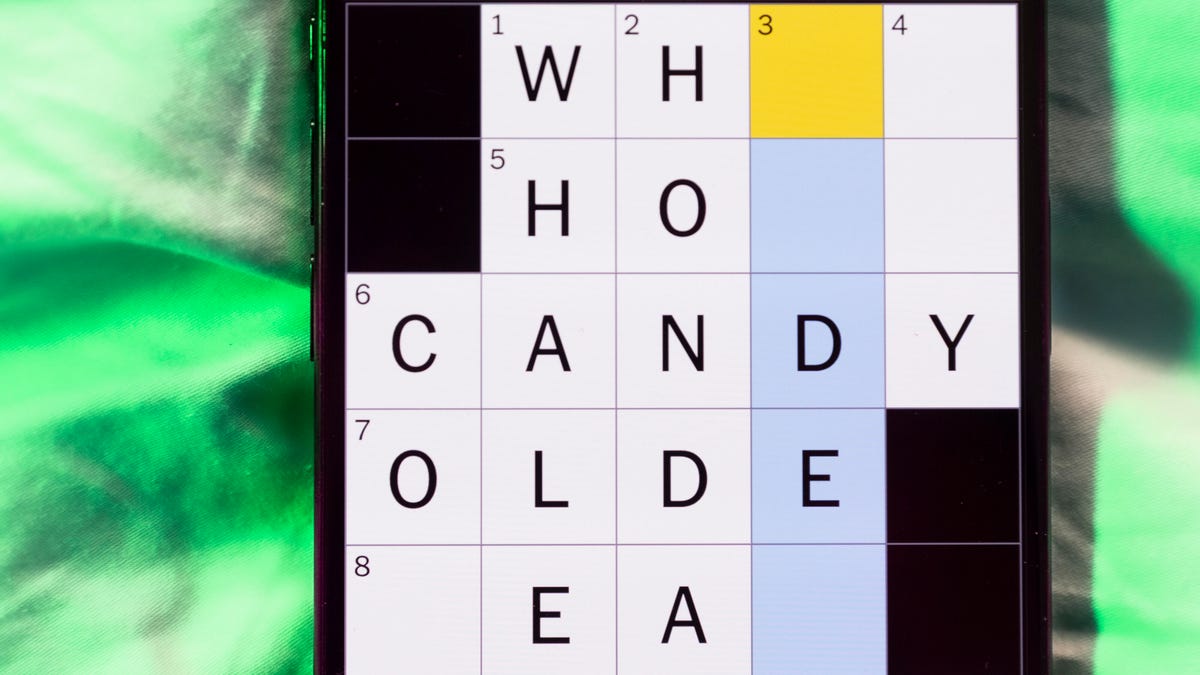
Looking for the most recent Mini Crossword answer? Click here for today’s Mini Crossword hints, as well as our daily answers and hints for The New York Times Wordle, Strands, Connections and Connections: Sports Edition puzzles.
I’m unfamiliar with «wax apples,» so 2-Down was a mystery to me until the other answers filled in. Need some help with today’s Mini Crossword? Read on for all the answers. And if you could use some hints and guidance for daily solving, check out our Mini Crossword tips.
If you’re looking for today’s Wordle, Connections, Connections: Sports Edition and Strands answers, you can visit CNET’s NYT puzzle hints page.
Read more: Tips and Tricks for Solving The New York Times Mini Crossword
Let’s get to those Mini Crossword clues and answers.
Mini across clues and answers
1A clue: 1975 Spielberg film that’s considered the first summer blockbuster
Answer: JAWS
5A clue: «Oh okay, gotcha»
Answer: ISEE
6A clue: Athlete from New York (in one sport) or San Francisco (in another)
Answer: GIANT
8A clue: Declare publicly
Answer: AVOW
9A clue: Emperor who didn’t actually fiddle while Rome burned
Answer: NERO
Mini down clues and answers
1D clue: «The ___ is up!»
Answer: JIG
2D clue: Like lotus root and wax apples
Answer: ASIAN
3D clue: Drive dangerously in traffic
Answer: WEAVE
4D clue: Spanish title
Answer: SENOR
7D clue: Scrabble value of D or G
Answer: TWO
Technologies
Today’s NYT Strands Hints, Answers and Help for March 30 #757
Here are hints and answers for the NYT Strands puzzle for March 30, No. 757.
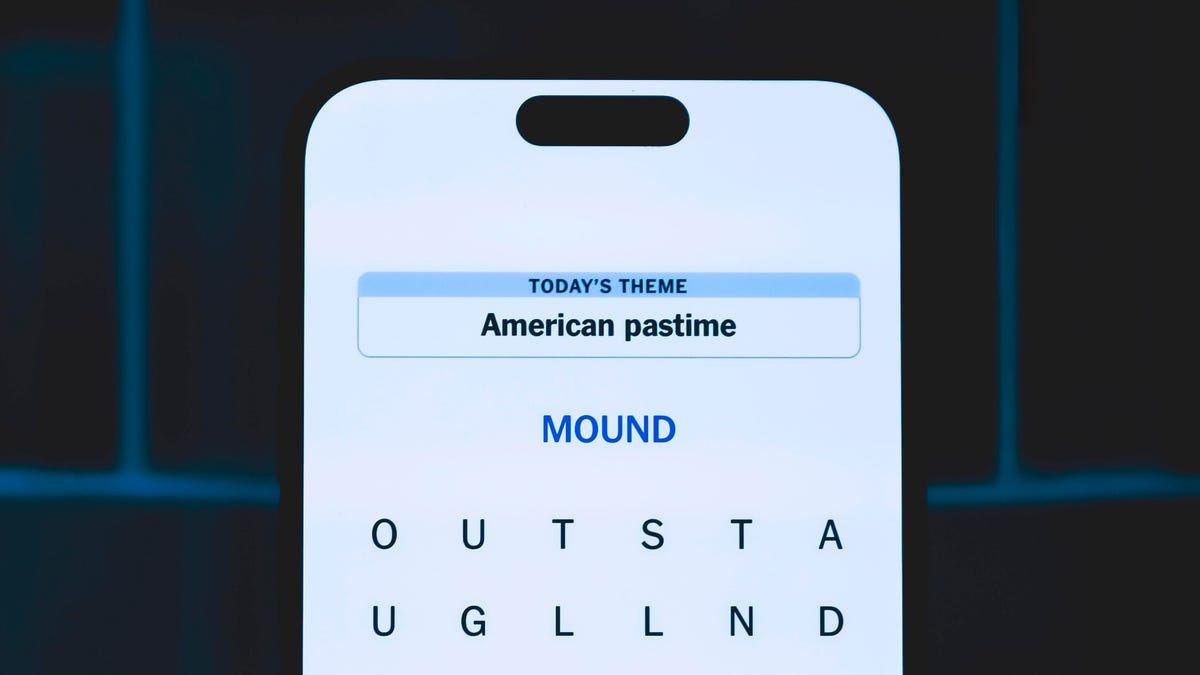
Looking for the most recent Strands answer? Click here for our daily Strands hints, as well as our daily answers and hints for The New York Times Mini Crossword, Wordle, Connections and Connections: Sports Edition puzzles.
Today’s NYT Strands puzzle is tough, but in the end, it’s a fun one. And the spangram makes a fun themed shape! Some of the answers are difficult to unscramble, so if you need hints and answers, read on.
I go into depth about the rules for Strands in this story.
If you’re looking for today’s Wordle, Connections and Mini Crossword answers, you can visit CNET’s NYT puzzle hints page.
Read more: NYT Connections Turns 1: These Are the 5 Toughest Puzzles So Far
Hint for today’s Strands puzzle
Today’s Strands theme is: For a rainy day
If that doesn’t help you, here’s a clue: Singin’ in the rain.
Clue words to unlock in-game hints
Your goal is to find hidden words that fit the puzzle’s theme. If you’re stuck, find any words you can. Every time you find three words of four letters or more, Strands will reveal one of the theme words. These are the words I used to get those hints but any words of four or more letters that you find will work:
- CANT, CALL, ROUT, RILE, SIRE, LIRE, BAIL, MAIL, TALL, MALL, HALL, BAND, PANE, TAPAS
Answers for today’s Strands puzzle
These are the answers that tie into the theme. The goal of the puzzle is to find them all, including the spangram, a theme word that reaches from one side of the puzzle to the other. When you have all of them (I originally thought there were always eight but learned that the number can vary), every letter on the board will be used. Here are the nonspangram answers:
- RIBS, VENT, PANEL, SHAFT, BUTTON, CANOPY, HANDLE
Today’s Strands spangram
Today’s Strands spangram is UMBRELLATERM. To find it, start with the U that is three letters to the right on the bottom row, and wind up, forming … kind of an umbrella shape?
-
 Technologies3 года ago
Tech Companies Need to Be Held Accountable for Security, Experts Say
-
 Technologies3 года ago
Best Handheld Game Console in 2023
-
 Technologies3 года ago
Tighten Up Your VR Game With the Best Head Straps for Quest 2
-
 Technologies4 года ago
Black Friday 2021: The best deals on TVs, headphones, kitchenware, and more
-
 Technologies5 лет ago
Google to require vaccinations as Silicon Valley rethinks return-to-office policies
-
 Technologies5 лет ago
Verum, Wickr and Threema: next generation secured messengers
-
 Technologies4 года ago
Olivia Harlan Dekker for Verum Messenger
-
 Technologies4 года ago
The number of Сrypto Bank customers increased by 10% in five days