

Technologies
Xbox Set to Bring Resident Evil, Star Wars and More to Xbox Game Pass
Subscribers can play several other games, including the original Final Fantasy in all its 2D glory, on Game Pass in January.


Resident Evil Requiem, the ninth game in the main Resident Evil series, is set to be released on Feb. 26. Xbox Game Pass subscribers can prepare for Requiem by playing Resident Evil Village, the most recent entry in the series, starting on Jan. 20.
Xbox Game Pass offers hundreds of games you can play on your Xbox Series X, Xbox Series S, Xbox One, Amazon Fire TV, smart TV and PC or mobile device, with prices starting at $10 a month. While all Game Pass tiers offer you a library of games, Game Pass Ultimate ($30 a month) gives you access to the most games, as well as Day 1 games, like Call of Duty: Black Ops 7, added monthly.
Here are all the games subscribers can play on Game Pass soon. You can also check out other games the company added to the service in December, including Marvel Cosmic Invasion.
Note: «Handheld» means a game is optimized for handheld play.
Don’t miss any of our unbiased tech content and lab-based reviews. Add CNET as a preferred Google source.
Brews & Bastards (Cloud, PC and Xbox Series X/S)
Game Pass Ultimate, Game Pass Premium and PC Game Pass subscribers can play now.
What’s a hero gotta do to get a drink around here? Choose an inebriated hero to travel deep under a tavern in search of the stolen Brew Stone. You’ll explore tavern-themed dungeons and use bar-inspired weapons, like high-caliber champagne bottles, to blast through drunken demons and other boozy monsters. And if you’ve ever called one of your exes a drunken demon, maybe this game will be a little cathartic for you.
Little Nightmares Enhanced Edition (Cloud, handheld, PC and Xbox Series X/S)
Game Pass Ultimate, Game Pass Premium and PC Game Pass subscribers can play now.
Little Nightmares is back in high-quality 4K and 60FPS in this enhanced edition of the dark tale. You play as a lone child trapped in a massive world inhabited by monstrous versions of adults called the Maw. All you can do is run from these creatures, but you’ll also have to sneak and hide to throw them off your trail if you want to survive.
Atomfall (Cloud, console, handheld and PC)
New to Game Pass Premium on Jan. 7. Previously on Game Pass Ultimate and PC Game Pass.
The Windscale fire was the worst nuclear disaster in the UK’s history, and it’s estimated that it caused between 100 and 240 cancer-related deaths. And Atomfall asks, «What if Windscale was similar in magnitude to the disaster at Chornobyl?»
This game takes place five years after a more devastating Windscale disaster. You’ll encounter gangs of bandits, cults and rogue government agencies throughout the quarantine zone in the Lake District, Cumbria. It’s up to you whether you avoid conflict or charge into the heat of battle, but resources are scarce, so maybe don’t go in guns blazing every chance you get.
Lost in Random: The Eternal Die (Cloud, Xbox Series X/S, handheld and PC)
New to Game Pass Premium on Jan. 7. Previously on Game Pass Ultimate and PC Game Pass.
You’re the once-great ruler of Random, Queen Aleksandra, and you’re on a mission of vengeance and redemption in this fast-paced rogue-like game. You’ll fight monsters and beasts with four unique weapons, plus powerful card-based abilities and relics. But death isn’t final here, so if you fall, you’ll return to Sanctuary to rearm, upgrade and prepare for your next run.
Rematch (Cloud, PC and Xbox Series X/S)
New to Game Pass Premium on Jan. 7. Previously on Game Pass Ultimate and PC Game Pass.
Tackle, dribble and score in this team-based football game (or soccer, depending on your locale). This game was designed for 5v5 online multiplayer matches where players control a single athlete. That means you’ll have to coordinate and plan with the rest of your co-op teammates if you want to win. And with no player stats to give one person an advantage over another, coordination is the key to success.
Warhammer 40,000: Space Marine – Master Crafted Edition (Cloud, PC and Xbox Series X/S)
New to Game Pass Premium on Jan. 7. Previously on Game Pass Ultimate and PC Game Pass.
You are Capt. Demetrian Titus, an Ultramarine in the Imperium of Man, and it’s up to you and your squad to help reclaim the Forge World Graia from an Ork horde. Originally released in 2011, this third-person shooter has been remastered for modern consoles with enhanced character models, a modernized control scheme and more. So grab your chainsword and bolter and get ready to fight. For the Emperor!
Final Fantasy (Cloud, Xbox Series X/S and PC)
Game Pass Ultimate, Game Pass Premium and PC Game Pass subscribers can play on Jan. 8.
This is the game that started it all. Join the Warriors of Light on a journey to restore power to the Crystals and save their home world. The remastered version of this game brings improved gameplay features, like auto-battle and more, to your screen.
Star Wars Outlaws (Cloud, PC, and Xbox Series X/S)
Game Pass Ultimate and PC Game Pass subscribers can play on Jan. 13.
Luke Skywalker and the Jedis are cool and all, but who didn’t want to be a cool smuggler like Han Solo? This open-world Star Wars game lets you become just that. You play as Kay Vess, a scoundrel looking for freedom and a new life. You’ll fight, steal and outsmart crime syndicates from around the galaxy. But the Empire is out there, too, so watch your back.
My Little Pony: A Zephyr Heights Mystery (Cloud, console, handheld and PC)
Game Pass Ultimate, Game Pass Premium and PC Game Pass subscribers can play on Jan. 15.
Go on an adventure with Sunny, Hitch, Izzy, Pipp, Zipp and Misty as you try to solve a mystery together. Strange music is turning the world upside down, and it’s up to you and your friends to use your powers to put a stop to the music.
Resident Evil Village (Cloud, console and PC)
Game Pass Ultimate, Game Pass Premium, PC Game Pass subscribers can play on Jan. 20.
The latest entry in the mainline Resident Evil series puts you back in the shoes of Ethan Winters as he ventures into a haunting European village in search of his abducted daughter. You’ll fight lycans, vampires and other monstrous creatures as you try to uncover why your daughter was taken and your wife was murdered.
MIO: Memories in Orbit (Cloud, handheld, PC and Xbox Series X/S)
Game Pass Ultimate, PC Game Pass subscribers can play on Jan. 20.
Get ready to explore a treacherous ship in this sci-fi metroidvania game. You play as Mio, a nimble android that wakes up in the Vessel, a spaceship drifting aimlessly through the stars. The ship’s machines have gone rogue and vegetation has taken over parts of the Vessel. It’s up to you to figure out what happened to the Vessel and the ship’s purpose.
Games leaving Xbox Game Pass on Jan. 15
While Microsoft is bringing those games to different Game Pass tiers this month, the company is also removing these games from the service on Jan. 15. So, you still have some time to complete your campaign or any sidequests before you have to purchase these games separately.
Flintlock: The Siege of Dawn
Neon White
Road 96
The Ascent
The Grinch: Christmas Adventures
For more on Xbox, discover other games available on Game Pass now and check out our hands-on review of the gaming service. You can also learn about recent changes to the Game Pass service.
Technologies
GFiber Is Merging With Astound Broadband, Likely Expanding to More Areas
Technologies
Your iPhone Has a Hidden Flight Tracker. Here’s How to Use It
Apple quietly built a real-time flight tracker into iOS.
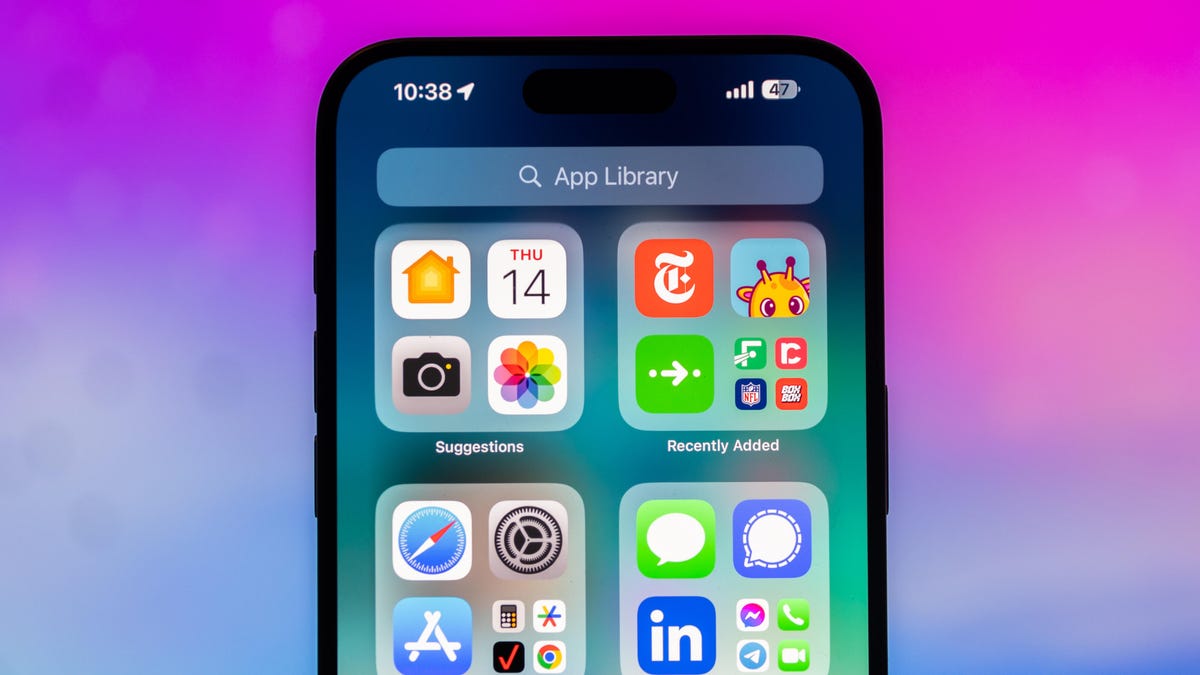
Flying can introduce an entirely new layer of stress to any trip. Flight delays, cancellations and everything that could go wrong can keep you on edge, so staying up to date with your flight’s status is never far away from your mind.
Luckily, we’re in a world where finding the information for your flight is easily accessible. You can check your airline’s mobile app or even Google your flight number and the latest information is readily available. But did you know there’s a secret way to get your flight information on your iPhone?
The iPhone has had a built-in flight tracker for some time now, but you’d never know it existed if you weren’t specifically looking for it — or searching for the correct terms to pull it up.
Below, we’ll show you how to access the flight tracker so you’re just a tap away from the latest flight stats, giving you a little more peace of mind before your trip.
Don’t miss any of our unbiased tech content and lab-based reviews. Add CNET as a preferred Google source on Chrome.
How to track your flight via iMessage
Before we start, there are a few prerequisites you must meet:
- Make sure iMessage is enabled (it doesn’t work with SMS/MMS).
- You’ll need your flight number somewhere in your text messages, whether you’ve sent that information to someone (even yourself) or it’s been sent to you.
- The flight number must be sent in this format: [Airline] [Flight number], for example, American Airlines 9707.
Launch the native Messages app on your iPhone and open the text message thread that contains your flight information. You’ll know the flight tracker feature works when the text with the flight information appears underlined, which means it’s actionable and you can tap on it.
If your flight is still several months away or it’s already passed, you might see a message that says, «Flight information unavailable.» You might also see another flight that’s not yours because airlines recycle flight numbers.
You can check your flight status from Spotlight Search, too
If getting your flight information from Messages wasn’t easy enough, you can also grab the details right from your iPhone’s home screen by swiping down and adding your flight number into Spotlight Search. This works with Spotlight Search on your Mac computer, too.
How to access the hidden flight tracker
Although the airline name/flight number format highlighted above is the best way to go, there are other texting options that will lead you to the same result. So let’s say we stick with American Airlines 9707, other options that may bring up the flight tracker include:
- AmericanAirlines9707 (no spaces)
- AmericanAirlines 9707 (only one space)
- AA9707 (airline name is abbreviated and no space)
- AA 9707 (abbreviated and space)
I would suggest you keep the airline name spelled out completely and add a space between the two pieces of information — like in the previous section — because for some airlines, these alternative options may not work.
Real-time flight tracking
Once everything is set, tap on the flight information in your text messages. If the feature works correctly, you should see the following two options appear in a quick-action menu:
- Preview Flight: View the flight’s details. Tap this to view more information about the flight.
- Copy Flight Code: Copy the flight code to your clipboard (in case you want to send your flight details to someone else via text or email).
If you select Preview Flight, at the top of the window, you’ll see the best part of this feature: a real-time flight tracker map. A line will connect the two destinations, and a tiny airplane will move between them, indicating where the flight is at that exact moment.
Underneath the map, you’ll see important flight information:
- Airline name and flight number
- Flight status (arriving on time, delayed, canceled, etc.)
- Terminal and gate numbers (for arrival and departure)
- Arrival and departure time
- Flight duration
- Baggage claim (the number of the baggage carousel)
If you swipe left on the bottom half of the flight tracker, you can switch between flights, but only if there’s a return flight.
For more travel tips, don’t miss our test on whether AI can help you fly more sustainably.
Technologies
Copilot Health Is Microsoft’s Doctor-Built Spin on Medical AI
Microsoft doesn’t want its AI to be your doctor. It wants to make you better prepared when you do see them.

Microsoft is taking a major swing at health AI. The company announced on Thursday that it’s introducing Copilot Health, a new experience inside its chatbot that will bring together all your medical records and wearable data with an AI that’s designed to help you understand it all.
«We are really on the cusp of building a true medical superintelligence,» said Mustafa Suleyman, Microsoft AI CEO. «One that can learn everything about you, all of your health conditions, from your wearable data, your electronic health records, and use that to provide support and insights and intelligence at your fingertips.»
A recent Microsoft survey found that mobile Copilot users ask the chatbot health-related queries more than for any other topic. Copilot Health was built to answer those questions. Microsoft’s health AI was fine-tuned by its in-house clinicians and an external panel of hundreds of clinicians in more than 24 countries. It uses the National Academy of Medicine’s framework for evaluating credible medical sources and information from Harvard Medical School via a 2025 licensing agreement.
Copilot Health is inside the regular, consumer version of Copilot. But it’s an entirely separate experience, designed that way to keep your health information separate from your usual chats. Because it’s been specifically trained for health questions, it ought to be more helpful and accurate than the regular version of Copilot or another chatbot. ChatGPT introduced a similar experience earlier this year.
Your health information won’t pop up in responses from the regular Copilot, only in the new health tab. You can delete your data at any time by simply toggling off a setting — something so easy it raises the question why all AI companies don’t make it that simple to delete your data.
Your information isn’t used to train Microsoft’s AI models, the company says. But your medical information in AI tools like Copilot is not protected under the Health Insurance Portability and Accountability Act (HIPAA).
The benefit of using Copilot Health is having a place where all your medical and health information lives, with an AI that’s trained to help answer your questions about it. You can connect data from your smartwatches and rings, as well as upload your medical records. Through a third-party program called HealthEx, you can upload files from multiple doctors’ offices, hospitals and labs at one time.
Copilot Health is not a doctor
If you choose to share your electronic health record, the AI can make more informed recommendations and reference specific doctors’ visit notes and lab results. But don’t use Copilot Health as a replacement for a physician. What the AI can do is discuss your health concerns, help you prepare for upcoming appointments and help you build healthier habits.
«Copilot Health is not meant to give you a definitive diagnosis or a formal treatment plan, but it’s certainly here to support you in getting to the right answers,» said Dr. Dominic King, vice president of health at Microsoft AI. The former surgeon led the team that built Copilot Health.
For example, it can help you come up with a list of questions to ask your doctor, break down lab results and find a provider that accepts your insurance. Copilot Health can discuss your health concerns, like understanding any new symptoms, but it can’t diagnose or prescribe medication.
Microsoft is doing a slow rollout, beginning with adults (ages 18 plus) in the US, with English as the only language. You can sign up to join the waitlist for Copilot Health now.
There are some existing uses of AI in health care today, but they’re disparate. Wearables have new AI-powered data insights and coaching. Some doctors are using AI scribe tools to take notes during appointments with patients. Administrative and insurance work also has its own AI tools, particularly around claims processing (including making denials, in some cases). The common thread is that none of the AI is without flaws, and it should never be used to make important decisions without human oversight.
For AI believers, the tangled, bureaucratic web of American health care is the perfect place to prove that AI intervention can make a real difference. But AI in health care is like putting a Band-Aid on a gunshot wound — a halfway measure that doesn’t fix the underlying problems.
It’s too soon to tell if Microsoft’s goal of a medical superintelligence is viable. But for now, Copilot Health illustrates a more productive use of AI — more than filling the internet with slop.
«I think it is perhaps the most important and most positively impactful contribution that AI can make in the world,» Suleyman said. «And it’s enormously important to us.»
-
 Technologies3 года ago
Tech Companies Need to Be Held Accountable for Security, Experts Say
-
 Technologies3 года ago
Best Handheld Game Console in 2023
-
 Technologies3 года ago
Tighten Up Your VR Game With the Best Head Straps for Quest 2
-
 Technologies4 года ago
Black Friday 2021: The best deals on TVs, headphones, kitchenware, and more
-
 Technologies5 лет ago
Google to require vaccinations as Silicon Valley rethinks return-to-office policies
-
 Technologies5 лет ago
Verum, Wickr and Threema: next generation secured messengers
-
 Technologies4 года ago
Olivia Harlan Dekker for Verum Messenger
-
 Technologies4 года ago
iPhone 13 event: How to watch Apple’s big announcement tomorrow


