

Technologies
iPhone 17 Pro Loses Fight Against the Oppo Find X9 Pro’s Camera
I didn’t expect Apple’s best phone to struggle so much against the Oppo Find X9 Pro.

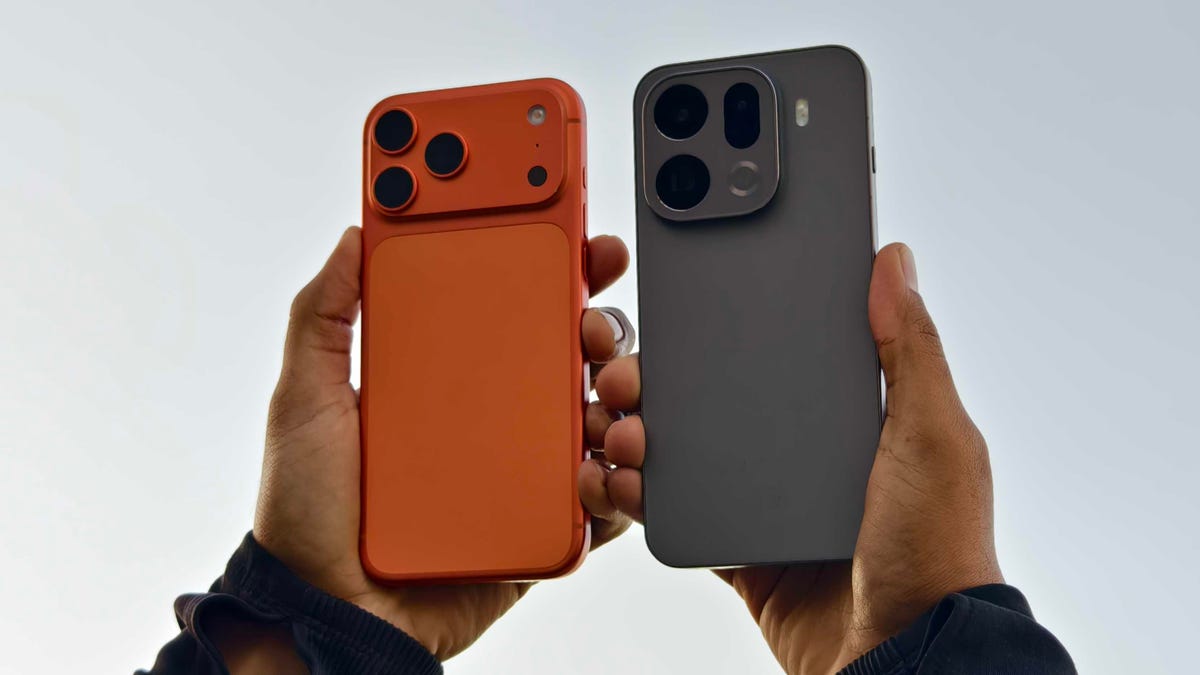
The iPhone 17 Pro is unquestionably among the best camera systems available. It can take amazing images in all sorts of conditions with almost no effort on your part. But there are a number of top-end Android phones that pack serious photography setups, too — and the Oppo Find X9 Pro is just such a device. Its triple rear camera is potent, and capable of taking beautiful images from both its wide and 200-megapixel zoom cameras.
The Find X9 Pro is a powerhouse phone in all respects, which is why it scored so highly in my full review — and why it was given a coveted CNET Editors’ Choice Award. So to see just how it stacks up against the iPhone 17 Pro, I took it out on a series of photo missions around my beautiful home city of Edinburgh.
Before we dive in, a quick note about the images. They were all shot with each phone’s default camera mode in JPEG with no other settings applied (the Photographic Style on the iPhone was set to Standard). The images have been imported into Lightroom for the purposes of comparison and exporting at file sizes that will play nicely on the internet, but no other edits, sharpening or noise reduction have been applied.
Remember that while some decisions about which images look better might be obvious (such as a lack of detail or image processing aberrations), others will simply come down to personal opinion. I’m a professional photographer, so I typically look for an image that captures the scene more naturally. You may like a more vibrant image with high contrast, so take my findings with a pinch of salt.
With that said, let’s dive in.
Wide cameras comparison
Starting off with this easy snap overlooking the train tracks. Both phones have exposed their images above well but the Oppo’s shot has more natural warm tones on the brickwork on the wall — the iPhone’s look more magenta. The Oppo’s colors are more vibrant, too, but not overly so.
Switching to the ultrawide lens, the blue sky definitely looks oversaturated in the Oppo’s shot. And here’s where we have to dive deeper; Oppo’s image has had more digital sharpening applied to it, which helps some details look crisp, but it’s also got a lot of noise reduction, which smooths details in other areas.
If we look up close at this section of wall, we can see that the strong lines of mortar between the bricks look sharper in the Oppo’s photo on the right. But the bricks themselves look almost polished as they’ve been stripped of detail by the noise reduction. The iPhone’s image has retained that detail.
Another weird one to analyze. The wooden box of the library is unquestionably sharper on the Oppo’s shot, with even the minute scratches on the perspex being clearly visible. But as soon as we look further out toward the edges of the frame, that detail plummets.
Zooming in close on a section to the right side of the frame, it’s clear that the Oppo’s image severely lacks detail compared to the iPhone’s image. Whether this is an image processing issue or due to the quality of the lens, I’m not sure, but it’s surprising to see, especially given how sharp the rest of the image is.
This indoor shot on the main camera feels like a slightly easier win for the Oppo. Its image is brighter and colors look richer without being too punchy. As before, it both sharpens some areas and reduces texture in others. There’s a lack of detail toward the edge of the frame, but you’d only notice if you really get up close to the pixels. Overall, I prefer the look of the Oppo’s shot.
And it’s the same when I switched to the ultrawide lens — the Oppo takes the win here.
I love the balanced exposure from both phones in this vibrant outdoor scene, but I prefer the warmer tone of the Oppo’s shot. The iPhone’s photo looks like it saw all the golden colors and set its auto white balance on the cooler side to compensate. The Oppo produced a more true-to-life image and I think it’s a great shot as a result.
I don’t like the Oppo’s effort here, though. It artificially brightened the shadows way too much, giving this scene a fake HDR look that screams, «I took this on an Android phone.» The iPhone takes an easy win with its more natural handle on shadows.
I’m conflicted on this one. The Oppo’s shot is brighter and more vibrant, but it’s almost too much. The blue sky is a bit on the electric-blue side for my taste, while the buildings in the center of the frame look slightly too bright. Still, I think I prefer its rendition to the iPhone’s, which does look a little drab by comparison.
At 2x zoom, this indoor scene looks solid on both phones. Overall, I think the Oppo’s shot takes the win as it’s brighter and sharper than the iPhone’s.
Taking each phone up to its maximum default zoom levels (8x on the iPhone, 6x on the Oppo), the results look quite dramatically different. The color balance is wildly different for one thing, with the iPhone leaning more into teal tones while the Oppo’s photo has a more magenta cast to it. Honestly, neither one looks especially realistic, with both phones going a bit too hard in different directions. What I have noticed is that the Oppo’s image has gone overboard with the digital sharpening, resulting in a crunchiness to the details that I’m not a fan of.
The huge amount of digital sharpening on the Oppo’s shot is clear when you zoom in on the details.
This is an odd one; at max zoom, the Oppo has catastrophically failed to render the details on the side of the building.
Check out this detailed crop; I don’t know what the Oppo was doing in its image, but that building has been turned into a bizarre, smeary mess. The iPhone has done a superb job of capturing those distant fine details.
Seagulls on a log. There’s very little to choose between either phone in this example. Take your pick!
The Oppo Find X9 Pro does have a secret weapon when it comes to zoom, though, in the form of the Hasselblad telephoto zoom accessory. This optional lens attaches to the phone and gives huge zoom lengths — up to 40x — while retaining excellent quality. You can see the difference here in the maximum zoom range of the iPhone against the zoom of the Find X9 Pro with the lens attached; it’s both closer and sharper.
I absolutely love using the lens add-on for street photography, as you can get some great candid moments without anyone noticing. It’s worth keeping in mind, though, that the Hasselblad lens for the phone is an eye-watering £435 or $580 (based on a rough conversion of the 499 euro price), and third-party telephoto lenses from the likes of Sandmarc are also available for the iPhone.
Night photography
The iPhone’s night mode shot here does look brighter, but I prefer the richer contrast on the Oppo’s shot. Otherwise, it’s a pretty even match here.
But it’s a much easier win for the Oppo here. The deeper contrast has helped keep some of the flare from the lights at bay, while the details on the front of the building are much sharper.
This indoor scene is brighter, warmer and more vibrant on the Oppo and I much prefer it as a result.
The iPhone’s image is brighter here, especially in the sky, but if you zoom in on the details, the Oppo’s image is sharper.
And it’s basically the same story when you switch to the ultrawide lens.
When we jump to the zooms, though, the Oppo has ramped up the sharpening again, resulting in an image that looks rather over-processed.
I caught a glorious sunset on one evening but only the iPhone managed to do it justice. I love the iPhone’s natural tones and deep shadows, whereas the Oppo has delivered an oversaturated shot that looks like I’ve applied a tacky filter before posting it to Instagram.
And it’s the same here with the Oppo’s shot looking saturated against the iPhone’s more realistic version.
But the difference was most obvious when using the zoom lenses on both phones. The iPhone’s shot not only has more natural colors, but the Oppo’s heavy-handed processing has given the lighthouse an unpleasant halo (a light haziness around its edges) that really spoils the shot.
I ended on a selfie and here both phones went in interesting directions. The Oppo is certainly the winner to my eye — it’s shot is considerably sharper (without overdoing it) with more natural skin tones and an accurate orange hue on my jacket. The background is a bit overly cyan but it’s certainly a better-looking attempt than the iPhone’s.
iPhone 17 Pro vs. Oppo Find X9 Pro: Which takes better photos?
I was surprised at the results. Oppo’s phones — and its sister company OnePlus’s phones — have had a history of leaning hard into image processing with often wildly brightened shadows, too much sharpening and inaccurate colors that resulted in shots that were only really okay for casual snaps. The Find X9 Pro does have some of that (the image of the red restaurant front is a particularly egregious example of shadow brightening) but it’s way more toned down than I expected.
In fact, it delivered shots in many instances that I preferred over the iPhone’s. The golden hues of the tree-lined pathway shot looked sublime on the Oppo, while the warmer, brighter tones inside the pub were a clear victory for the X9 Pro. Most of the images from the Oppo’s main camera I preferred over the iPhone’s, including some at night. It wasn’t a win in every instance and it just goes to show that each phone’s image processing will still trip up in different scenarios.
But overall, I think I have to give the win to the Oppo Find X9 Pro. Its ability to capture scenes accurately with just enough processing to help give images that little pop but without going overboard is admirable. It’s safe to say then, if you’re looking for a high performance Android camera phone, the Find X9 Pro is certainly one to consider.
Technologies
Today’s Wordle Hints, Answer and Help for Dec. 9, #1634
Here are hints and the answer for today’s Wordle for Dec. 9, No. 1,634.
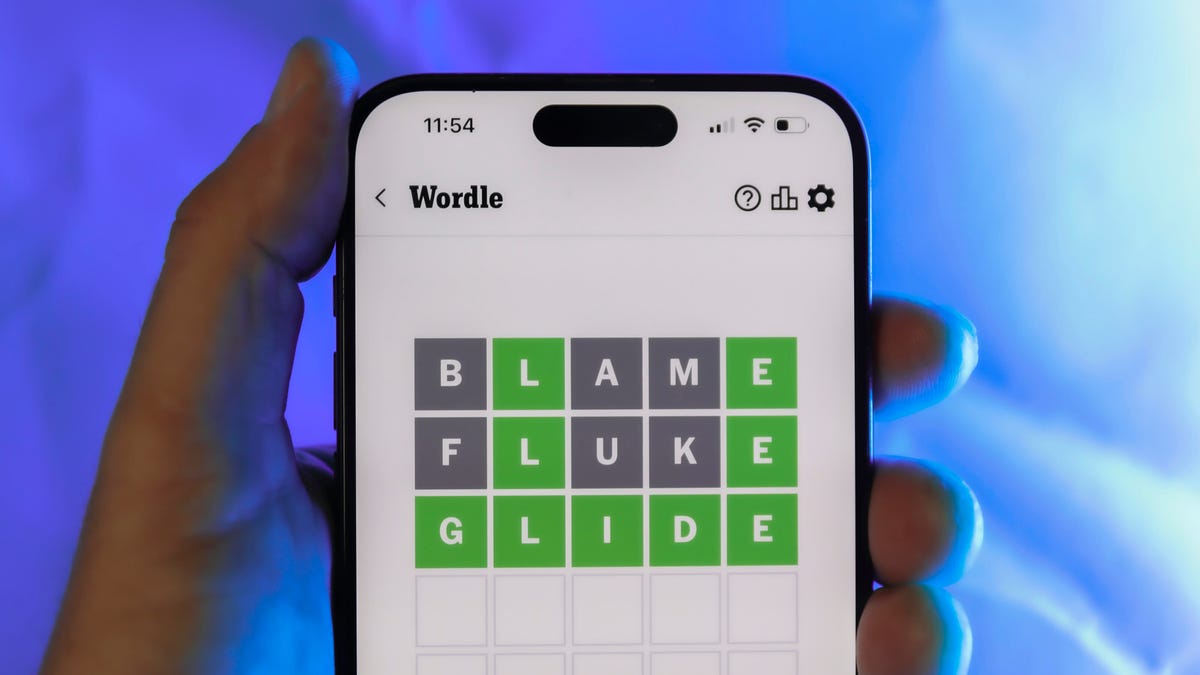
Looking for the most recent Wordle answer? Click here for today’s Wordle hints, as well as our daily answers and hints for The New York Times Mini Crossword, Connections, Connections: Sports Edition and Strands puzzles.
Today’s Wordle puzzle is a little tricky. If you need a new starter word, check out our list of which letters show up the most in English words. If you need hints and the answer, read on.
Today’s Wordle hints
Before we show you today’s Wordle answer, we’ll give you some hints. If you don’t want a spoiler, look away now.
Wordle hint No. 1: Repeats
Today’s Wordle answer has no repeated letters.
Wordle hint No. 2: Vowels
Today’s Wordle answer has two vowels.
Wordle hint No. 3: First letter
Today’s Wordle answer begins with S.
Wordle hint No. 4: Last letter
Today’s Wordle answer ends with E.
Wordle hint No. 5: Meaning
Today’s Wordle answer can refer to being insulting or derogatory.
TODAY’S WORDLE ANSWER
Today’s Wordle answer is SNIDE.
Yesterday’s Wordle answer
Yesterday’s Wordle answer, Dec. 8, No. 1633 was GRAVY.
Recent Wordle answers
Dec. 4, No. 1629: TULIP
Dec. 5, No. 1630: AMONG
Dec. 6, No. 1631: WAIST
Dec. 7, No. 1632: FLUTE
Don’t miss any of our unbiased tech content and lab-based reviews. Add CNET as a preferred Google source.
Technologies
Today’s NYT Mini Crossword Answers for Tuesday, Dec. 9
Here are the answers for The New York Times Mini Crossword for Dec. 9.
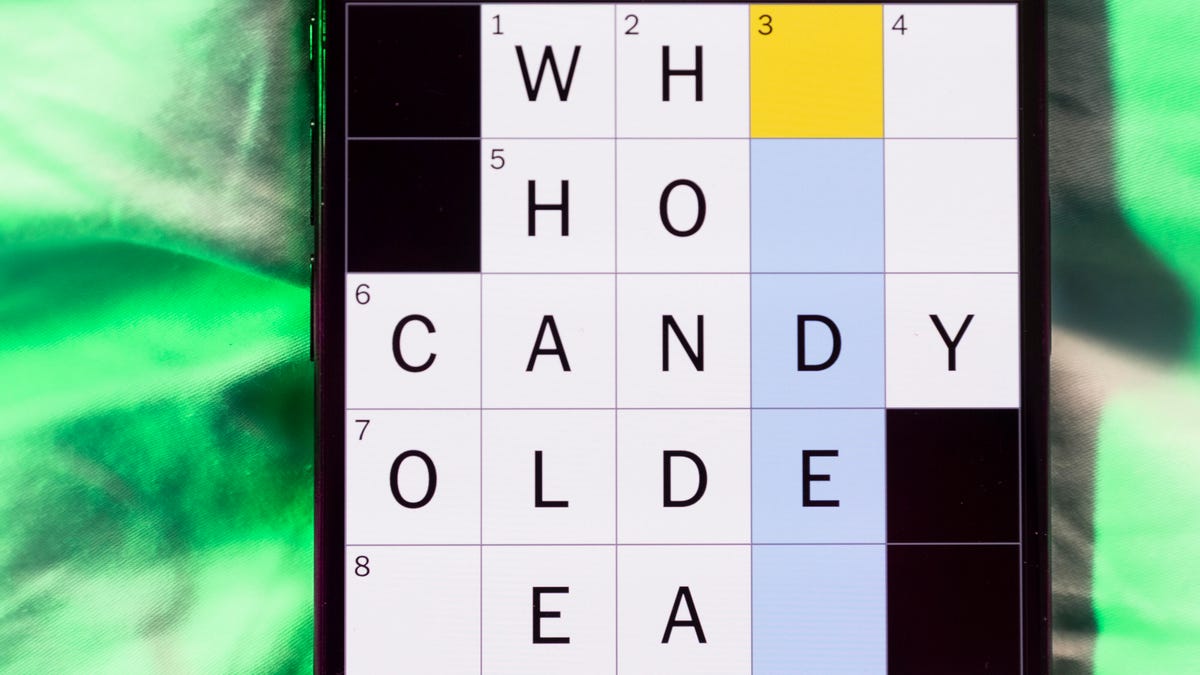
Looking for the most recent Mini Crossword answer? Click here for today’s Mini Crossword hints, as well as our daily answers and hints for The New York Times Wordle, Strands, Connections and Connections: Sports Edition puzzles.
Need some help with today’s Mini Crossword? It’s a tough one today, and might take longer than usual. Read on for the answers. And if you could use some hints and guidance for daily solving, check out our Mini Crossword tips.
If you’re looking for today’s Wordle, Connections, Connections: Sports Edition and Strands answers, you can visit CNET’s NYT puzzle hints page.
Read more: Tips and Tricks for Solving The New York Times Mini Crossword
Let’s get to those Mini Crossword clues and answers.
Mini across clues and answers
1A clue: Apt profession for someone named Rosemary or Ginger
Answer: CHEF
5A clue: Get to go, as leftovers
Answer: BOXUP
7A clue: Word that can precede Bowl or Glue
Answer: SUPER
8A clue: Intense anger
Answer: RAGE
9A clue: «Cut that out!»
Answer: STOP
Mini down clues and answers
1D clue: Stephen Colbert’s network
Answer: CBS
2D clue: Noted group of 24
Answer: HOURS
3D clue: One living abroad, informally
Answer: EXPAT
4D clue: Spanish for «fire»
Answer: FUEGO
6D clue: Do some kitchen work
Answer: PREP
Don’t miss any of our unbiased tech content and lab-based reviews. Add CNET as a preferred Google source.
Technologies
AI Saves Workers Less Than an Hour Each Day, New OpenAI Report Shows
AI adoption is rapidly expanding across industries, but workers are saving only 40 to 60 minutes per day, on average.

OpenAI’s 2025 ‘The State of Enterprise AI’ report provides an in-depth look at how businesses are using AI tools within real companies. Drawing on anonymized usage data from more than 1 million business customers, along with a survey of 9,000 workers at nearly 100 organizations, the report presents a picture of increased AI adoption and integration in the workplace.
«Across surveyed enterprises, 75% of workers report that using AI at work has improved either the speed or quality of their output,» the report states. Also, the report says that «75% of users report being able to complete new tasks they previously could not perform.»
However, the productivity gains might not be as universal and widespread as anticipated: on average, ChatGPT Enterprise users save less than an hour of time per day, according to the report.
Below is a breakdown of the report’s major findings.
Don’t miss any of our unbiased tech content and lab-based reviews. Add CNET as a preferred Google source on Chrome.
Report shows productivity gains, but it’s not universal
Despite the hype surrounding AI at work, the latest data from OpenAI suggests that the reality for most employees is modest. In its report, the company says that on average, ChatGPT Enterprise users save only about 40 to 60 minutes per active workday.
That’s not nothing, but it’s nowhere near the sweeping productivity overhaul that many hoped for. In a workday filled with meetings, emails and tool overload, an hour reclaimed can feel like a minimal benefit rather than a tidal shift in productivity.
(Disclosure: Ziff Davis, CNET’s parent company, in April filed a lawsuit against OpenAI, alleging it infringed Ziff Davis copyrights in training and operating its AI systems.)
A few key findings
The report finds AI adoption within companies is growing fast. Weekly messages in ChatGPT Enterprise have increased nearly eightfold in the past year, and the use of structured workflows, such as custom GPTs, has risen 19 times. Companies are pushing more complex prompts, too, with reasoning-token usage increasing more than 320-fold.
But the outcomes don’t scale at the same rate. Workers say they complete certain tasks more quickly — like IT troubleshooting, campaign creation and coding improvements — yet the day-to-day gains still add up to roughly an hour on average.
A divide between heavy AI users and everyone else
OpenAI’s data shows a widening gap between «frontier» users — defined by OpenAI as those in the 95th percentile of adoption intensity — and the average worker, however.
Frontier employees send about six times more messages than average users. Unsurprisingly, these heavy users report bigger gains of over 10 hours a week. They build workflows around AI, automate routine tasks and turn the tool into a dependable co-worker instead of an occasional assistant. Though arguably, around 2 hours per day of saved time is still relatively moderate.
OpenAI frames the report as a snapshot of where enterprise AI stands today, rather than a final verdict. The company suggests that future gains could come not from the model itself, but from how organizations reshape processes and workflows around it.
But for most workers, AI is still a sidekick. Useful, but not transformative. It helps speed things up. It may even make some work less tedious. But the typical worker saving under an hour a day points to a technology that is powerful, yet still limited. The big question now is whether those numbers will keep climbing, or whether an hour a day is closer to the ceiling than AI enthusiasts want to admit.
-
 Technologies3 года ago
Tech Companies Need to Be Held Accountable for Security, Experts Say
-
 Technologies3 года ago
Best Handheld Game Console in 2023
-
 Technologies3 года ago
Tighten Up Your VR Game With the Best Head Straps for Quest 2
-
 Technologies4 года ago
Black Friday 2021: The best deals on TVs, headphones, kitchenware, and more
-
 Technologies4 года ago
Verum, Wickr and Threema: next generation secured messengers
-
 Technologies4 года ago
Google to require vaccinations as Silicon Valley rethinks return-to-office policies
-
 Technologies4 года ago
Olivia Harlan Dekker for Verum Messenger
-
 Technologies4 года ago
iPhone 13 event: How to watch Apple’s big announcement tomorrow


