

Technologies
End the Year by Hitting Your Fitness Goals With a Record-Low on the Garmin Fenix 8 Smartwatch
This is one of the most high-end smartwatches out there, and you can score one for $350 off right now.


If you’re trying to set yourself up for a healthier 2026 or finish the year strong with your 2025 fitness goals complete, a smart wearable device like a watch or ring can help you. If you’ve been considering this, you might be looking at offers from Apple, Samsung or Google. However, many people forget how powerful Garmin smartwatches can be. These watches can be a significant investment, but they’re well worth it, especially if you can find a deal like this one.
The Garmin Fenix 8 smartwatch normally sells for $1,200, which is a pretty steep price tag. This $350 discount brings the price down to a record-low price of $850. It’s still expensive, but it’s never been at a lower price and probably won’t be again for the rest of the year.
This Garmin watch has tons of useful high-end features. It has a built-in microphone and speaker, an LED flashlight and Garmin’s signature GPS. It also includes 24/7 health and fitness trackers for tons of metrics, including heart rate, sleep and more. Garmin’s watches are a bit on the premium side, but the company accepts HSA and FSA dollars, which can help make the purchase a little easier.
CNET’s former expert reviewer Lexy Savvides was most impressed by the battery life of this model. «Its battery life runs rings around these smartwatches as it can last almost a month on a single charge,» she wrote. A battery that lasts almost a month is practically unheard of, making this well worth the purchase.
SMARTWATCH DEALS OF THE WEEK
-
$359 (save $70)
-
$250 (save $100)
-
$300 (save $50)
-
$150 (save $100)
-
$120 (save $80)
Why this deal matters
Garmin makes fantastic smartwatches, but they usually come with a big price tag. Thanks to this $350 discount, you can snatch one up at a record-low price. Keep in mind, this deal is only for the titanium model with the pebble gray band. The titanium with the yellow/graphite band option is $100 more. This is also the 51mm size, as the other sizes have already sold out. We assume this one will go soon as well, so grab one now if you’re interested.
Technologies
Lenovo and Dell Warn: Your Next Laptop Could Cost More Really Soon
In the face of rising costs for memory and storage, major manufacturers are notifying their clients of impending price hikes.

First the pandemic, then tariffs and now the AI squeeze: Tech shoppers just can’t catch a break from shortages and rising prices. According to a report from market intelligence firm TrendForce, Dell plans to raise system prices by a minimum of 15-20% as soon as mid-December, while Lenovo has told clients that its current system price schedule will reset as of Jan. 1, 2026.
Don’t miss any of our unbiased tech content and lab-based reviews. Add CNET as a preferred Google source.
Blame AI, in part. With billions being spent to build out data center infrastructure for AI, the supply of essential system components, such as memory and SSD storage, is caught in the undertow.
Representatives for Dell and Lenovo did not immediately respond to requests for comment.
The timing of the shortages is unfortunate for PC manufacturers, who typically announce a range of products at CES in early January to ship in the first half of the year. It’s also bad news for the manufacturers of complementary components, notably Intel and AMD.
Technologies
Your Holiday Survival Guide to Finding a Dead or Stolen iPhone
It’s a busy time of year, between work and holiday festivities. If you happen to misplace or have your iPhone stolen, here’s how to get it back.
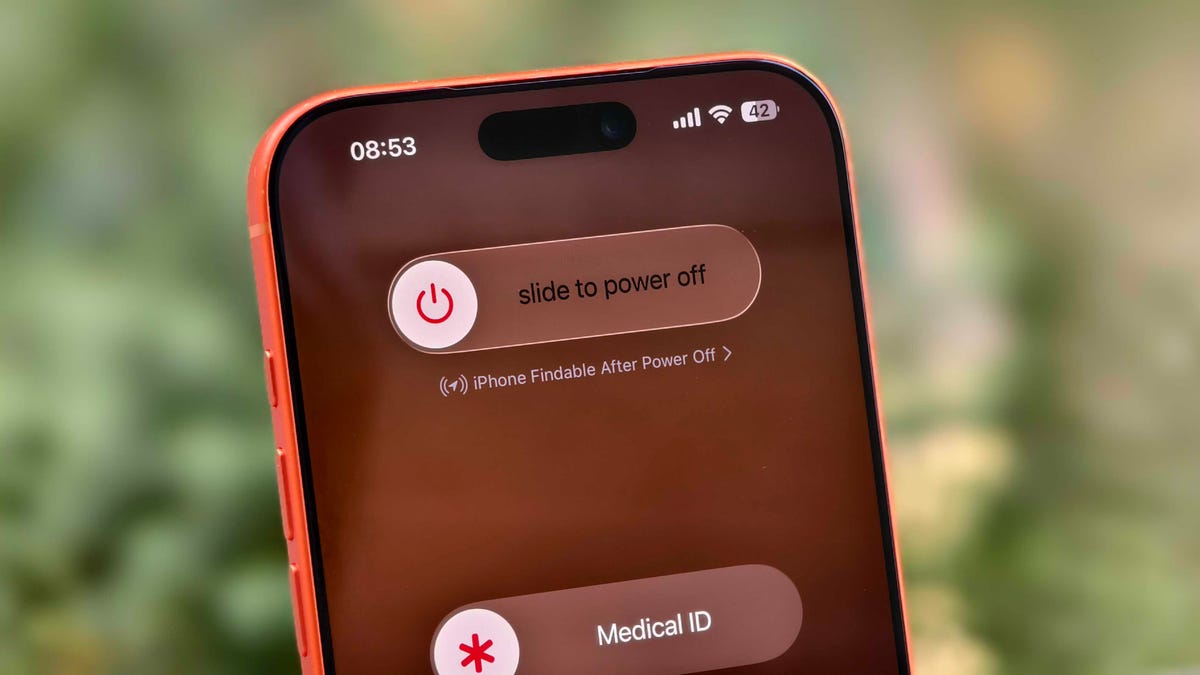
‘Tis the season for holiday parties and festivities, but a lost iPhone can quickly spoil the joyous cheer and vibe fast. Whether misplaced or stolen, modern iPhones have powerful features to help.
Apple’s Find My feature, with its crowdsourced Find My Network, is your best ally. It sends your phone’s location to iCloud, even when the device is off. For added defense, Stolen Device Protection secures sensitive data, such as credit cards and passwords.
If you have an iPhone 11 or newer (excluding the 2020 and 2022 iPhone SE), you have the ultra-wideband chip for offline finding. As long as Find My is enabled and you’re signed in to your Apple ID, you can locate your iPhone even if the battery is dead. Before panicking, follow these steps to recover your phone.
Apple Find My and Find My Network aren’t the same
Apple Find My and Find My Network are different, which can be confusing. While Find My is now the name of an app, the Find My Network is what allows you to locate your device when it’s offline, turned off or low on power.
You can use the Find My Network feature within Apple’s Find My app or sign into your Apple ID at iCloud.com to locate your misplaced iPhone. Plus, the app also allows you to add other Apple products and items that you want to track to your Find My Network.
Don’t miss any of our unbiased tech content and lab-based reviews. Add CNET as a preferred Google source.
How to turn on Find My and Find My Network
You need to make sure Find My and Find My Network are set up to allow you to locate your switched-off iPhone. Open Settings and follow these steps:
- Tap on your name in the Settings menu.
- Go to Find My > Find My iPhone and make sure the switch is toggled on.
- Below Find My iPhone, you’ll see Find My Network and Send Last Location toggles. Turn them on, too.
You can check if your iPhone is discoverable even when it’s switched off by going to the power menu: Swipe down from the top-right corner to view Control Center and press and hold the power button in that corner, or hold the side and volume down button. Under the «slide to power off» slider, look for «iPhone Findable After Power Off.» Your iPhone is now all set to be found, even if a thief turns it off.
However, there are a few exceptions. If your iPhone hasn’t sent its location to Apple through Find My in the last seven days, you’ll see «No location found» next to your device. It can happen if there’s an issue with your device’s location services.
How to find a lost iPhone with the Find My app on another Apple device
Now comes the hard part: What happens after you lose your iPhone? Assuming you’ve completed the steps above, you can keep calm. If you have another Apple device, such as an Apple Watch, iPad or MacBook, follow the steps below to locate your misplaced or stolen iPhone. This will also work on a friend’s or family member’s device that you’ve shared your location with.
- Open the Find My app and locate your iPhone in the list under the Devices tab. You should see it in this list (even if it’s powered off) as long as you have previously enabled the Find My iPhone, Find My Network and Send Last Location options.
- Tap or click the name of your iPhone. This should take you to a menu with several options for finding your phone or marking it as lost.
- If you misplaced your iPhone and you’re sure that it’s nearby, tap or click Play Sound or Directions to make the device play a sound or get directions to the device’s last recorded location, respectively.
- If you’re sure your iPhone is stolen, tap Activate under the Mark As Lost option. This immediately locks the device with your passcode, suspends Apple Pay and displays a custom message with your contact information for anyone who finds it. You can also use Send Last Location to locate the last known location of your device.
How to find a lost iPhone if you don’t have another Apple device
In case you don’t have another Apple device, you can sign into your iCloud account in a web browser to find your lost iPhone (though this option can be troublesome if you don’t have another Apple device because of two-factor authentication). Follow these steps to use a web browser to see your lost iPhone’s location:
- Go to icloud.com/find and sign in with your Apple ID.
- Go to the Devices list.
- From here, use the same options for playing a sound, marking your device as lost or erasing the device as you would in the app.
You can also disable Control Center access on the lock screen while traveling abroad to prevent a thief from turning off data or enabling Airplane mode. To do this, do the following:
- Go to Settings > Face ID & Passcode (or Touch ID & Passcode) and enter your passcode.
- Under the Allow Access When Locked section, toggle off the Control Center option.
This option can add some inconvenience to day-to-day use, but I recommend turning off Control Center while traveling.
These settings give you the best chance of finding your iPhone if it’s been stolen and turned off. For more iPhone tips and advice, check out our guide to the Camera Control and how to block distracting websites.
Technologies
Today’s NYT Strands Hints, Answers and Help for Dec. 6 #643
Here are hints and answers for the NYT Strands puzzle for Dec. 6, No. 643.
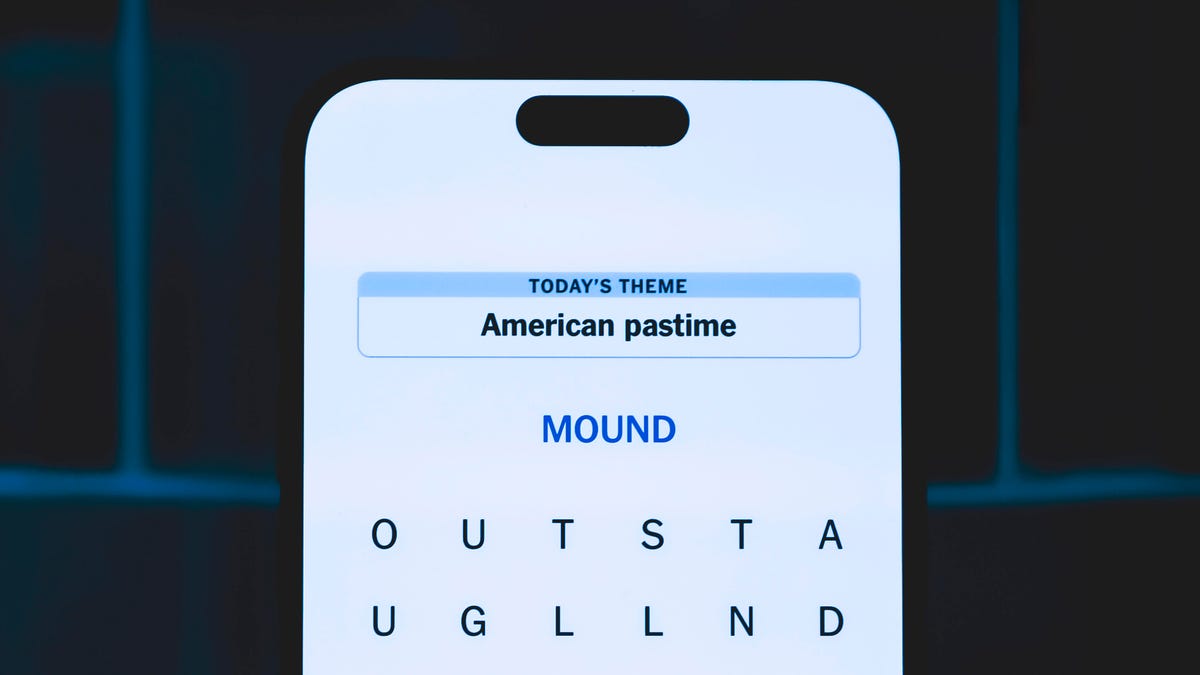
Looking for the most recent Strands answer? Click here for our daily Strands hints, as well as our daily answers and hints for The New York Times Mini Crossword, Wordle, Connections and Connections: Sports Edition puzzles.
Today’s NYT Strands puzzle is a fun one, especially if you’re a fan of a certain fantasy author. Some of the answers are difficult to unscramble, so if you need hints and answers, read on.
I go into depth about the rules for Strands in this story.
If you’re looking for today’s Wordle, Connections and Mini Crossword answers, you can visit CNET’s NYT puzzle hints page.
Read more: NYT Connections Turns 1: These Are the 5 Toughest Puzzles So Far
Hint for today’s Strands puzzle
Today’s Strands theme is: Tolkien’s world.
If that doesn’t help you, here’s a clue: One ring to rule them all.
Clue words to unlock in-game hints
Your goal is to find hidden words that fit the puzzle’s theme. If you’re stuck, find any words you can. Every time you find three words of four letters or more, Strands will reveal one of the theme words. These are the words I used to get those hints but any words of four or more letters that you find will work:
- FORE, MORE, DALE, WING, STIR, STIRS, FORT, FORTS, HIRE, SIRE
Answers for today’s Strands puzzle
These are the answers that tie into the theme. The goal of the puzzle is to find them all, including the spangram, a theme word that reaches from one side of the puzzle to the other. When you have all of them (I originally thought there were always eight but learned that the number can vary), every letter on the board will be used. Here are the nonspangram answers:
- WIZARD, RING, FOREST, DWARF, QUEST, SHIRE, HOBBIT
Today’s Strands spangram
Today’s Strands spangram is MIDDLEEARTH. To find it, start with the M that’s four letters down on the far-left row, and wind across and then back.
Don’t miss any of our unbiased tech content and lab-based reviews. Add CNET as a preferred Google source.
-
 Technologies3 года ago
Tech Companies Need to Be Held Accountable for Security, Experts Say
-
 Technologies3 года ago
Best Handheld Game Console in 2023
-
 Technologies3 года ago
Tighten Up Your VR Game With the Best Head Straps for Quest 2
-
 Technologies4 года ago
Black Friday 2021: The best deals on TVs, headphones, kitchenware, and more
-
 Technologies4 года ago
Verum, Wickr and Threema: next generation secured messengers
-
 Technologies4 года ago
Google to require vaccinations as Silicon Valley rethinks return-to-office policies
-
 Technologies4 года ago
Olivia Harlan Dekker for Verum Messenger
-
 Technologies4 года ago
iPhone 13 event: How to watch Apple’s big announcement tomorrow


