
Technologies
Best VR Headsets of 2025: My Favorite Hardware Right Now
The future may belong to glasses, but there are still great VR headsets, too. Here are my go-to options.
Our Experts


- Nearly 20 years writing about tech, and over a decade reviewing wearable tech, VR, and AR products and apps
Editors’ Note, Nov. 24: This list reflects my current choices for Best VR headsets for the holidays. Be sure to check out CNET’s top Black Friday and Cyber Monday deals too: Meta’s headsets are already getting discounts.
VR HEADSET DEALS OF THE WEEK
-
$250 (save $50)
-
$499 (save $1)
I’ve looked at VR and AR headsets for well over a decade, from Google Glass and the first demos of the Oculus Rift to peeks at the future of AR glasses and Android XR. Right now, VR has settled down to just a few players, but the landscape is changing fast. Apple’s newest mixed reality Vision Pro headset has a far faster M5 chip and works with Apple’s iPadOS apps and MacBooks, while the Samsung Galaxy XR is the first device running Google’s new AndroidXR operating system, which works with Google apps and the Google Play ecosystem. And Valve is back in the VR game with the Steam Frame, a new standalone headset I demoed that’s coming in 2026. It’ll play Steam 2D and VR games, and also stream from PCs.
But right now, VR is best enjoyed as something affordable, since the landscape is shifting so fast (and smart glasses are evolving functions that creep closer to what VR and mixed reality headsets can offer).
What’s the best VR headset overall?
The Meta Quest 3 offers mixed reality and improved display resolution and optics, and is $500 — $3,000 less than the Apple Vision Pro. However, the newer Meta Quest 3S, a lower-cost version of the Quest 3 for $300, is an even better buy for entry-level VR adopters. Even better, it’s often on sale for even less. I prefer the Quest 3, but there are plenty of people who will find the 3S to be a great choice for its price. I love these headsets because they’re by far the most affordable devices out there. While Meta could have a new headset next year, if you buy a Quest 3 or 3S now it’s still a heck of a lot of fun for its price as long as you can deal with living in Meta’s world.
The Quest 3 and 3S both have Snapdragon XR2 Gen 2 processors that produce better graphics and allow for higher-res color pass-through camera feeds than the older Quest 2, and both have redesigned controllers. Both can create mixed reality effects by blending what the cameras see with VR graphics that are overlaid in the headset to look like AR. The Quest 3 has better lenses and a higher display resolution, but I prefer the feel of the Quest 3S eyepiece on my face, and the 3S also seems to have slightly better hand tracking in low light.
The Quest platform has plenty of side benefits: It has hundreds of games and creative or productivity apps, and several great fitness programs for effective cardio workouts. It can connect to PCs and even double as a work device if you have some patience. It also has hand tracking that works without controllers, but controllers are included to give you two input options. The Quests can even play “spatial” 3D videos shot on newer iPhones. But as Meta clearly emphasizes smart glasses going forward, and Apple and Google embrace new ecosystems of their own, it’s a little unclear where Meta’s VR future truly lies. Treat it as a still-great game console and you should be fine.
Read more: The Best VR Games to Play in 2025
Best VR headsets of 2025
Best overall VR headset
Meta Quest 3
Pros
- Crisp high-res displays
- Improved new processor
- Mixed reality with better color cameras
- Smaller controllers with better haptics
Cons
- More expensive than Quest 2
- Few unique apps and games at launch
- Straps and comfort still aren’t great
- Still only 2-3 hours battery life
Meta’s upgraded VR sequel to the Quest 2 feels like a notable revamp, with improvements across the board: a slightly smaller design, better, clearer lenses, a higher-res display, smaller controllers with better haptics and higher-res color cameras that can mix the real world and the virtual together. This «mixed reality» is similar in spirit to what Apple’s Vision Pro and Samsung Galaxy XR does but in a lower-res form for a lot less money.
Although the Quest 3 has great upgrades, it doesn’t really change the equation much on the general way the headset and software function. That being said, the Quest 3’s display quality and graphics performance are stunning for its price. Quest apps and the OS are largely the same, and mixed reality is mostly a gimmick for the moment that’s only featured in a handful of new games and apps, although seeing your surroundings with the headset on (and even checking messages on your phone) is a lot easier now. The headset’s comfort level isn’t any better, and hand tracking still is fine but not perfect, although it’s getting better.
The Quest 3 may get supplanted by newer hardware next year, but it’s still a really good device right now. And its excellent display quality and improved wireless connectivity also make it a good choice for PC VR gamers: it works as a connected PC headset just like other Quest models do. And the Quest’s multi-use appeal — as a game console, a creative or work device, and even a fitness tool — give it tremendous versatility. It remains one of the most exciting gadgets you can buy for $500.
Best affordable VR headset
Meta Quest 3S
Pros
- Updated graphics and faster processor
- Improved color passthrough cameras
- Better hand tracking
Cons
- No improvement to lenses or resolution vs Quest 2
- Only 2-3 hours battery life
The Meta Quest 3S (Meta’s replacement to my longstanding Editor’s Choice headset, the Quest 2) is super-affordable at $300 and comes with updated graphics and color passthrough cameras that give the 3S the same gaming and mixed reality powers as the Quest 3. It’s a fantastic budget buy, but Meta cut corners on the display and lens quality with the 3S, choosing to use the same fresnel lenses and LCD display as the Quest 2. It’s perfectly fine for general VR and gaming, but the more expensive Quest 3’s notably clearer lenses and crisper resolution are my favorite for all-day use and for reading text.
Still,It’s by far the most impressive mixed reality device at this price available anywhere.
There is another unique advantage to the Quest 3S: its hand tracking is better in lower light than the Quest 3. That might be something that makes some apps work better, especially for viewing movies and shows casually when traveling.
Pros
- Vivid, high-res OLED display
- Comfortable fit
- Excellent controllers
- Realistic vibrations
- Powerful graphics potential
Cons
- Needs to be cabled to PS5
- Included earbuds are just OK
- Doesn’t work with old PSVR games
- Game library needs more exclusives
The PSVR 2 is less expensive now at $300 on holiday sales, but it still needs a PlayStation 5 to even work. It’s tethered, not wireless. And Sony hasn’t supported the PSVR 2 with enough unique games to justify its existence. The PSVR 2 is still a fun luxury if you’re a PS5 gamer who also owns a PC. Its HDR OLED display, graphics quality, built-in eye tracking and fantastic advanced controllers — which have the same vibrations and adaptive force-feedback triggers as the PS5 DualSense controllers — give this headset a premium feel that makes its best games perform at a different level. It has some exclusives like Gran Turismo 7, Resident Evil Village and Horizon: Call of the Mountain, but not enough.
The PSVR 2 lacks any social metaverse-type software so far and feels more like a headset designed to just launch and play VR games. Many of the games for this headset are ports of titles you could get on devices like the Quest instead. Sony hasn’t supported the PSVR 2 much, and a PC gaming adapter that gives the headset Steam compatibility is useful, but also clunky to connect with a necessary breakout box. It’s still fun as long as you keep expectations within reach and accept the games that already exist.
Pros
- Extremely fast M5 processor
- Better head strap for comfier fit
- Best-in-class audio-video quality
- Up to an hour more battery life than before
Cons
- Absurdly expensive
- Still not enough compelling apps
- Heavy, especially during long sessions
- Doesn’t work seamlessly with all Apple devices
The Apple Vision Pro is an amazing piece of tech and a bleeding-edge high-end mixed reality headset that also runs iOS and thousands of iPad apps, works without controllers using eye and hand tracking and can run multiple apps at the same time, along with being a virtual MacBook monitor. However, it’s way too expensive for anyone but XR professionals and early adopters, even with its newest M5 processor bump.
That being said, what the Vision Pro does is often remarkable. The newest model’s M5 processor makes the headset far faster at booting up and launching/switching apps. Its 4K micro-OLED displays are stunning, and videos and photos look fantastic. Apple’s device requires a tethered battery pack, is only made to work within Apple’s ecosystem and still doesn’t have enough unique apps to justify its price, though.
Compared to Samsung and Google’s new Galaxy XR headset, which costs less but runs Google’s Android XR and Gemini AI, Apple’s hardware for Vision Pro feels more advanced and finessed, and fits more comfortably on my face with a newly designed dual band strap.
Apple now has Google to compete with in the mixed reality computing space, but neither Google or Apple has solved all the challenges yet. Apple has a distinct edge with its collaborative tools and more advanced Persona avatars, and I find working in Vision Pro as a giant monitor extension to be really useful. It’s also unequaled as a personal cinema. Support for PlayStation VR controllers and Logitech’s wireless Muse stylus also give it extra versatility. But the Vision Pro still feels like it hasn’t maximized all the ways it could be a 3D creative tool yet.
Get ready for the most powerful Meta Quest yet. Dive into full immersion with brilliant 4K resolution and rich spatial audio, feeling like you’re inside your favorite games. Stream shows on giant vibrant screens anywhere in your home, or enjoy the ultimate experience with Infinite Display’s widest field of view. With premium comfort and wireless design, you can move freely in workouts or take your headset on the go. And when you buy a Meta Quest 3 now, you’ll get $30 in Quest Cash.
Other VR headsets we’ve tested
Samsung Galaxy XR: Samsung and Google’s new blend of Google Android XR OS and Samsung headset design is like a lower-cost (but still $1800) version of Apple Vision Pro and runs camera-enabled Gemini, but it doesn’t have many dedicated apps yet and its interface doesn’t feel fully baked.
Meta Quest Pro: This older, outdated, eye-tracking-equipped Quest headset can track facial expressions and has a crisp display, but the less expensive Quest 3 already makes it obsolete with its better graphics, cameras and display resolution.
HTC Vive XR Elite: The glasses-like design of the XR Elite is a sign of the future, but the software and performance of this headset don’t justify its price.
PlayStation VR: The original PSVR still works on the PlayStation 4 and 5, but it’s not compatible with PSVR 2 games and hardware. It still has some great games to discover, but its lack of dedicated controllers and awkward setup feels ancient.
How I test VR headsets
Although mainstream VR headsets have been around for nearly a decade, the apps they run and the computers, phones and game consoles they work with keep changing. I run key apps and software on the headsets, using them mainly in standalone mode if they’re designed to be self-contained, or with a PC, game console or phone if they’re primarily meant as connected peripherals.
I use the headsets for a mix of work, gaming, fitness and creative uses, and stay attentive to where the headsets have pain points (moments of discomfort, feelings of disconnect or sensations of nausea or distortion). Using technology like VR can often be a highly subjective experience, but by being attentive to details I find I can discover where each product is uniquely useful.
Comparison is also key: I’ve looked at pretty much every wearable AR and VR device of the last 15 years and also covered a lot of the wearable tech, phone and computer landscape. How these devices work as game consoles, fitness devices, work accessories and social tools are all key areas. I also think about displays, audio, controllers and accommodations for eyeglasses.
Factors to consider when buying a VR headset
VR and AR sometimes feel like product categories that never quite seem to become mainstream, but change is coming fast to the headset landscape.
When it comes to VR productivity, Google and Samsung have made a new leap into Android XR to challenge Apple and the Vision Pro. The Samsung Galaxy XR is the first of a wave of VR and AR devices and glasses in Google’s software ecosystem, and you should expect Android XR to eventually forge a bridge between Android phones and headsets and glasses, although it’s hard to tell how fast that shift will happen. The Galaxy XR could be the first of many new Android-ready VR headsets, though, and some could end up being big competitors to Meta Quest.
Apple’s Vision Pro, now in its second iteration, hasn’t changed its price or its general proposition. But the M5-equipped model is definitely better. Still: will we see Apple make lower-cost devices or glasses soon? It’s unclear.
If you’re interested in VR for gaming, the Quest headsets are still the way to go. But change is coming. Valve’s Steam Frame standalone headset, coming in 2026, could be the biggest news in a while. The Snapdragon-powered VR portable can also play Steam Deck games via Steam OS, and has controllers that sport full d-pad and button layouts. Valve’s headset doesn’t have a price yet, but it could be well worth waiting for. It also might signal other standalone VR headsets gaining Steam OS support, too.
Meanwhile, Sony’s $550 PlayStation VR 2 doesn’t feel like the product I expected it would be when Sony introduced it nearly three years ago, but there are a number of great games you can play on it. Its older displays and tethered connection make it feel dated, though.
For PC owners, there are several options. You could use a Quest 3, Quest 3S, PSVR 2, or consider several existing devices. Or, you could wait for the Steam Frame, which also streams games via PCs with a new dedicated wireless connection. Steam is clearly the best conduit for PC VR right now, and the Steam Frame could be the best bet to hang on for.
One thing you should keep in mind: the cost of a new VR headset is going up these days. If price is your biggest concern, the Quest 3S currently offers the best value in VR, a completely wireless experience, with access to a great library of fantastic games.
VR headset FAQs
Technologies
Crank Up the Tunes With Over $200 Off the Top-Rated Bowers & Wilkins Pi8 Earbuds
Woot is offering you the chance to put these Bowers & Wilkins Pi8 ANC buds in your ears for a massive 44% off, but the deal ends soon.
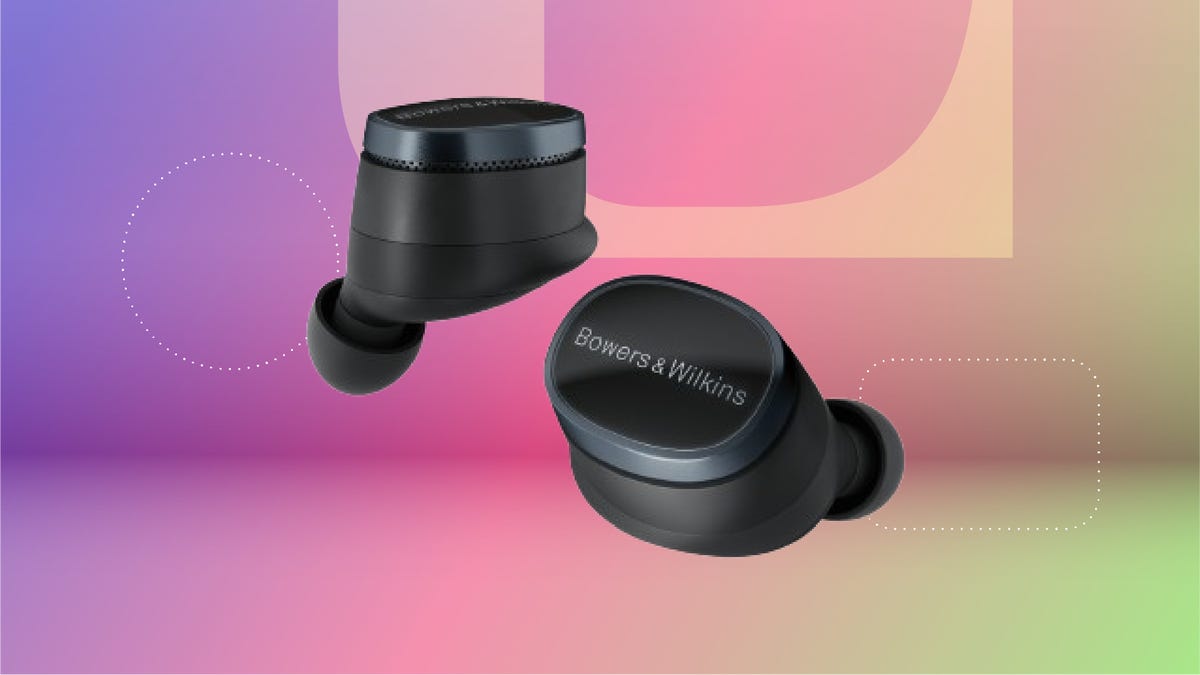
The Bowers & Wilkins Pi8 earbuds with ANC in anthracite black are now just $280 on Woot. That’s an impressive 44% off the usual $499 sticker price. It’s also the lowest price we’ve seen so far, but this deal won’t last long. Quantities on Woot are limited, so grab yours while the deal is still live.
The design’s comfy enough for long hauls, and the 15-minute quick charge is clutch when you’re heading out the door. The charging case even doubles as a Bluetooth transceiver, so you can plug into in-flight entertainment systems without fuss. These buds are featured in our roundup of the best wireless earbuds of the year, and audio expert David Carnoy called them «easily among the best-sounding earbuds out there,» with better ANC and a more ergonomic fit than earlier models.
If you’re picky about sound, these are worth a look. They have a snug fit, single-button controls and a case that’s been redesigned to feel more premium. They’re splash- and dust-resistant (IP54 rating), and the updated shape fits better than the Pi7 S2 and Pi5 S2. You can also tweak settings using the Bowers & Wilkins Music app for iOS and Android.
If this isn’t quite your vibe, check out our full roundup of the best headphone deals you can add to your cart now.
HEADPHONE DEALS OF THE WEEK
-
$248 (save $152)
-
$170 (save $181)
-
$398 (save $62)
-
$200 (save $250)
Why this deal matters
These earbuds don’t go on sale often, and when they do, it’s usually not this steep of a discount. The anthracite black Pi8s are sitting at their lowest price yet, and they’re backed by solid reviews and a spot on CNET’s best earbuds list. If you’ve been waiting for a reason to splurge, this is it. We last saw this deal during Black Friday, so there’s no telling when these buds will come back on sale after this deal expires.
Technologies
Apple Reportedly Eyes ‘iPhone Ultra’ Name for Folding Phone Expected This Year
It’s another week and another bunch of rumors about the company’s first foldable phone.
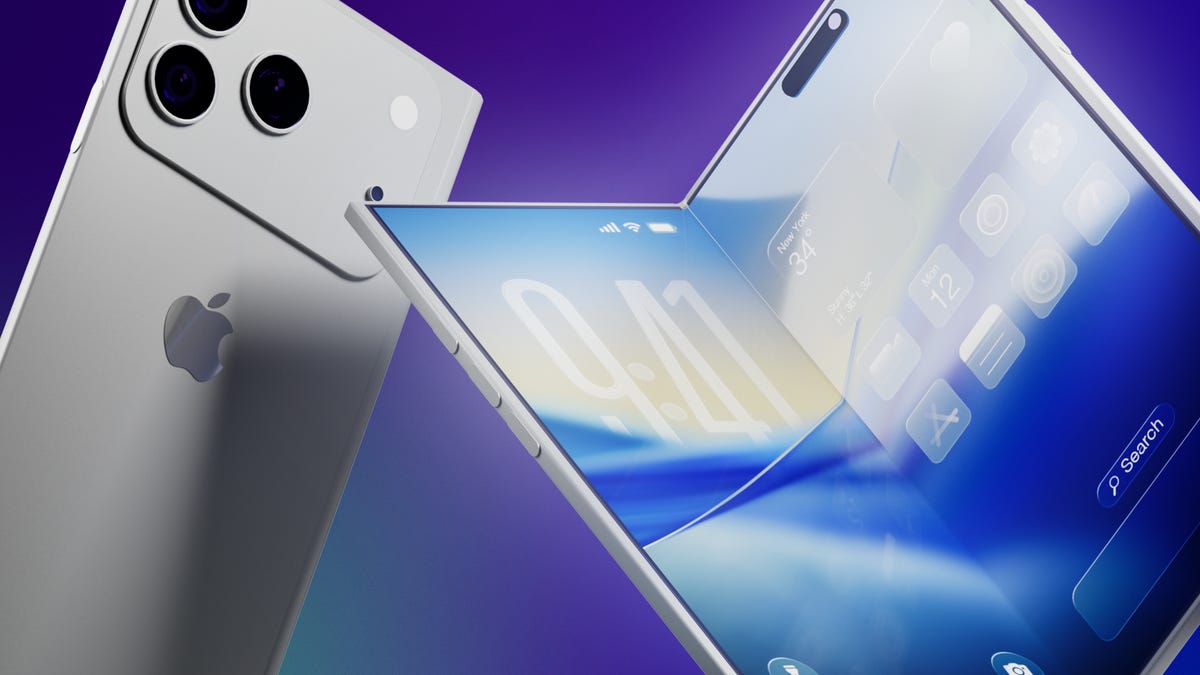
It’s a new week and a new set of rumors for Apple’s first foldable phone. If Tuesday’s reports are true, the device will be called the Ultra, have a bookish shape and launch in September.
The main report comes from Bloomberg’s Mark Gurman, who said the foldable is on track for a September launch, despite Nikkei Asia reporting that the phone might not launch until 2027 due to issues that cropped up during the engineering test phase.
Citing unnamed sources, Gurman said Apple will introduce the foldable phone in September alongside the iPhone 18 Pro and Pro Max. Those phones would likely go on sale about a week after being unveiled.
An Apple representative didn’t immediately respond to a request for comment. It’s important to note that while rumors abound, Apple has confirmed none of them — not even the existence of a foldable iPhone.
Still, the earlier Nikkei Asia report was jarring enough to send Apple’s stock down 5.1% before it rebounded later, Gurman noted. The Nikkei Asia story said unexpected issues had arisen during engineering testing and that more time was needed to make «necessary adjustments.» Under a worst-case scenario, the first shipment of the foldables would not occur until 2027, the report said.
More from CNET: Foldable Phones Have Solved Nearly Every Trade-Off, Well Before Apple Debuts One
Looks like a book
Meanwhile, consumer tech reviewer Sonny Dickson posted images on X showing dummy models indicating how big the iPhone Fold, iPhone 18 Pro and iPhone 18 Pro Max might be. In the image, the foldable has an almost square shape when fully opened.
Dummy images are useful for phone accessory manufacturers — such as case-makers — so they can get a head start on mass production before the devices are launched. When phones are released, consumers are quick to order cases and other accessories, so the sizes need to be known. It is unclear whether the dummy models shown are actual mockups from Apple.
People who commented on X didn’t seem to love the dummy images, particularly because the models shown appear to lack MagSafe, Apple’s magnetic system on the back of the phone that lets chargers and other accessories snap on.
Stefan Moser wrote, «If the Fold is missing MagSafe, this will be a big NO for me.»
There were other criticisms, too.
An X user going by DasnkiCS posted that the phone looks «too wide, can’t palm that easily in normal phone use.»
And another X user, Brosnan Hoban, wrote, «Fold looks like a credit card from 2050.»
What’s in a name?
Tuesday’s other big rumor concerned the foldable’s name.
A leaker, Digital Chat Station, posted on the Chinese social site Weibo that the foldable iPhone could be called the iPhone Ultra. The post also said Chinese competitors may use the Ultra name for their own foldables to compete directly with Apple on design, specs, and price.
The predominant rumored name has been the iPhone Fold, but others have included Flip, Duo and iFold.
In March, Gurman wrote in his Power On newsletter that Apple was considering a full line of Ultra products, possibly including a foldable phone, an M6 MacBook Pro with OLED, a foldable iPad and high-end Macs. Gurman also said Apple might introduce AirPods with «computer-vision cameras» to send visual data to Siri for its AI assistant feature.
We’ve seen a steady stream of tidbits about the foldable recently. There could be a large inner screen for multitasking, and people could open apps side by side. There might also be two rear cameras, a front-facing camera and a Touch ID side button.
Whatever Apple finally comes up with, it will be playing catch-up. Other major phone-makers already have foldable phones on the market, including the Samsung Galaxy Z Fold 7, the Google Pixel 10 Pro Fold, the OnePlus Open, the Huawei Mate XT, the Honor Magic V5 and the Motorola Razr Ultra.
Technologies
Artemis II Astronauts Name Moon Crater After Commander Reid Wiseman’s Late Wife
The emotional moment was streamed by NASA moments after the crew made history.
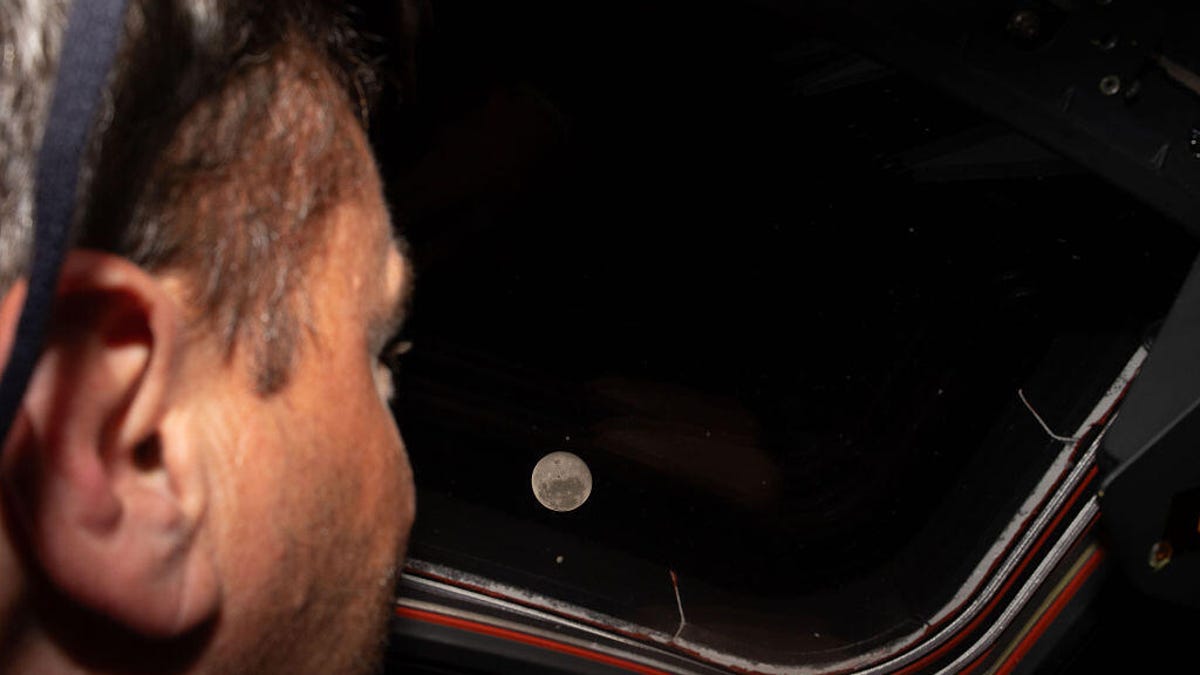
On Monday, after the crew aboard Artemis II made a historic feat by breaking Apollo 13’s distance record, they made the moment even more special by proposing to name one of the craters on the moon «Carroll,» in memory of Commander Reid Wiseman’s late wife.
While contacting Mission Control, Mission Specialist and astronaut Jeremy Hansen stated that the «close-knit astronaut family» previously lost a loved one who was «the spouse of Reid, the mother of Katie and Ellie.»
«It’s a bright spot on the moon,» Hansen said while describing the crater during the emotional call. «And we would like to call it Carroll.»
After the request, you can see Wiseman embrace Hansen before the rest of the crew joins in for a group hug.
Carroll Wiseman died in 2020 at 46 years old from cancer. Wiseman’s NASA bio page states that Carroll «dedicated her life to helping others as a newborn intensive care unit Registered Nurse.»
Before the Artemis II mission, Wiseman posted a selfie with his two daughters on X with a caption that reads in part, «I love these two ladies, and I’m boarding that rocket a very proud father.»
Follow CNET’s coverage of the 10-day Artemis II mission as the Orion makes its way back to Earth.
-
 Technologies3 года ago
Tech Companies Need to Be Held Accountable for Security, Experts Say
-
 Technologies3 года ago
Best Handheld Game Console in 2023
-
 Technologies3 года ago
Tighten Up Your VR Game With the Best Head Straps for Quest 2
-
 Technologies4 года ago
Black Friday 2021: The best deals on TVs, headphones, kitchenware, and more
-
 Technologies5 лет ago
Google to require vaccinations as Silicon Valley rethinks return-to-office policies
-
 Technologies5 лет ago
Verum, Wickr and Threema: next generation secured messengers
-
 Technologies4 года ago
Olivia Harlan Dekker for Verum Messenger
-
 Technologies4 года ago
The number of Сrypto Bank customers increased by 10% in five days