
Technologies
Ninja Gaiden 4 Review: The Comeback Fans Have Been Waiting For
PlatinumGames and Team Ninja revive the franchise with pure adrenaline.

With 2025 coming to a close, so is the «Year of the Ninja» for video games. What kicked off in a big way with a surprise remaster of 2008’s Ninja Gaiden 2 Black and Assassin’s Creed: Shadows, now ends with the release of Ninja Gaiden 4.
Developed in partnership with longtime series studio Team Ninja and action game specialists PlatinumGames, Ninja Gaiden 4 is the first new 3D entry in the franchise since 2012, following the retro 2D release of Ninja Gaiden: Ragebound in July. As expected from a series known for its fast-paced slashing action, Ninja Gaiden 4 delivers plenty of stylish combat — but not much beyond that.
Ninja Gaiden 4 introduces a new protagonist, Yakumo, who replaces longtime series hero Ryu Hayabusa. It’s a similar move to what publisher Tecmo Koei did with Ninja Gaiden: Ragebound. As part of the Raven clan, a rival of Ryu’s Dragon clan, Yakumo doesn’t differ that much from the series’ previous main character. Don’t worry, Ryu fans: He does show up in the game.
Yakumo’s quest in Ninja Gaiden 4 is to defeat the Dark Dragon, an evil deity who has been the series’ primary villain. Standing in Yakumo’s way is the Divine Dragon Order, which defends the beast and controls the futuristic Tokyo setting of the game.
Does the story make a lot of sense? Not really, except to fans who already know the ins and outs of the Ninja Gaiden lore. Does that matter? Absolutely not, because all you need to know is where to go to slice up more enemies, which Yakumo is stellar at.
Go Ninja Go
To say Ninja Gaiden 4’s action is fast is almost an understatement, which is to be expected. The series was already focused on rapid combat that requires quick reactions, even prior to PlatinumGames’ involvement. The developer took on Ninja Gaiden 4 after revolutionizing the hack-and-slash action game genre with the Bayonetta series and games like Nier: Automata.
If you’ve played plenty of hack-and-slash games, Ninja Gaiden 4’s combat formula will be familiar. Yakumo has weak and heavy attacks, and chaining these together creates your standard combos. The more enemies he defeats, the more money and points he gets to unlock new moves and weapon skills. Some of the new moves extend Yakumo’s combos for longer sequences of attacks and against more enemies, while others are defensive, allowing him to unleash a powerful riposte after parrying an enemy attack.
Yakumo starts off his journey with his twin blades, but he finds more weapons throughout the game. A favorite of mine is the Magashuti staff that has a long reach to attack multiple enemies as Yakumo spins it around himself.
Where Yakumo differs greatly from Ryu is his Bloodraven form. Unleashed when attacking with the left trigger held down, it changes Yakumo’s weapon to do greater damage. The Magashuti, for example, will take the form of a giant hammer whenever Yakumo uses his Bloodraven form. Certain enemies and bosses have armor that can deflect or reduce the power of Yakumo’s attack, so you’ll need to switch to Bloodraven form to break that armor.
All of these mechanics make for unrivaled action. Players who spend enough time practicing will engage in beautiful dances of slashing weapons. The fact is, there are times when the action feels just a bit too fast, even for my veteran gaming reflexes. Trying to maneuver to certain areas or to talk with a non-playable character sometimes had me jumping off walls while hardly touching the controller. It almost takes more work to keep Yakumo still, especially after unlocking so many of his skills. There was also an instance when I did a finishing move to an enemy, and the animation pushed me out of bounds, causing me to have to reload to my last checkpoint.
Arguably, the biggest frustration for me was the lock-on button. It was not intuitive at all, as it had no rhyme or reason for what it was locking onto. Even when I was fighting just the boss, it still never fully locked onto it as every other action game does.
Also, what might be a bit of a downer for some Ninja Gaiden fans, this entry in the franchise is noticeably the easiest of the bunch. Thanks to healing items and equipable accessories, I died maybe once or twice per chapter. If a certain boss kills you too many times, the game will give you free items and even an NPC to help. For those who want more of a challenge, there’s a higher difficulty option available, but players with reasonable skill should be able to coast through the game otherwise.
A Feast for Ninja Eyes
Another mainstay of the Ninja Gaiden franchise is the beautiful visuals. As the game takes place in a futuristic Japan, the development team really leaned into the cyberpunk-like look of a city bathed in neon and glass.
This excels in the moments when Yakumo has to traverse in the most ninja ways, such as sliding on the train rails high above the city or gliding on rushing winds that blow through the mountain pass. These are the moments where you don’t have to worry about enemies attacking or creating the fanciest combos. You can just look around and take in these beautiful graphics.
Combine these visuals with an excellent soundtrack and solid voice acting, and you have a presentation worthy of being included in the Ninja Gaiden series.
Despite these quality elements, Ninja Gaiden 4 is a good reboot but not revolutionary. PlatinumGames resurrected the franchise 13 years after the last main entry, but didn’t take it in any different direction that would give this mass appeal to the gaming public. It’s an exciting 7 to 8 hours to beat, but I didn’t feel like jumping right back in.
Ninja Gaiden 4 will not be up for Game of the Year, or likely even considered one of the best games in the series, but that doesn’t matter. This is a game for anyone who just wants to feel like a badass ninja carving up enemies in the blink of an eye, because sometimes that’s all you want.
Ninja Gaiden 4 will be released on Oct. 21 for $70 on PC, PS5 and Xbox Series X|S consoles. It will be available for Xbox Game Pass on day 1.
Technologies
Google’s Pixel 10A Is Coming to Japan With an Exclusive Blue Edition and Special Wallpaper
This model comes with creatively designed stickers and a special look for Pixel’s 10th anniversary.

Don’t be blue: Google is releasing an Isai blue edition of the Pixel 10A to celebrate the Android phone line’s 10th anniversary, setting it apart with its own sticker set, specialized wallpaper and custom icons. But it’ll only be available in Japan.
Announced Tuesday on the Google Japan blog, the Isai blue Pixel 10A has a dark blue look and includes bonus decorations designed in collaboration with Japan’s Heralbony art company. These include an exclusive bumper case and stickers for customization.
This edition of the Pixel 10A will arrive in Japan on May 20, following the April 14 release of the Pixel 10A in its original colors of lavender, berry, fog and obsidian. The Isai blue model costs 94,900 yen, which roughly translates to $595, and includes 256GB of storage.
This makes it slightly less expensive than the US model’s 256GB edition, but it comes with a number of fun extras at no additional cost.
Google’s creation of a country-specific model for Japan may also reflect strong sales in that market. In 2023, the IDC analytics firm (via 9to5Google) reported that the Pixel 7 series accounted for 10.7% of the country’s market share, a 527% increase from 2022.
Technologies
Can’t Wait for New Emoji? Here’s How to Create Your Own on iPhone
Apple Intelligence-enabled iPhones can create custom emoji in a few easy steps.

Apple brought new emoji to all iPhones when the company released iOS 26.4 on March 24. The new emoji include «» orca, «» distorted face and «» hairy creature — or as we might normally call it, Sasquatch. According to Emojipedia, there are 3,953 emoji with more on the way, including a pickle. But there’s no emoji for a dog wearing pajamas, a plate with burgers and fries and many other things. But if you have Genmoji on your iPhone you can create these emoji and many more.
Apple released iOS 18.2 in 2024 and the company introduced its own emoji generator, called Genmoji, to Apple Intelligence-capable iPhones at that time. The Unicode Standard, a universal character encoding standard, is responsible for creating new emoji, and approved emoji are added to all devices once a year. With Genmoji, you don’t have to wait for new emoji to appear on your iPhone each year. You can just create them as you need them.
Read on to learn how to use Genmoji on iPhone to create your own custom emoji. Just note that only iPhones with Apple Intelligence, like the iPhone 17 lineup, can use Genmoji at this time.
Note: The new emoji may not display correctly for Apple users whose devices aren’t on a 26.4 software version.
How to make custom emoji
1. Open Messages and go into a chat.
2. Tap the plus (+) button next to your text box.
3. Tap Genmoji.
You can then type a description of an emoji into the text box near the bottom of your screen and tap the check mark on your keyboard to enter that description into Genmoji. You can also tap different suggestions and themes that are right above the text box. And with iOS 26 or later, you can also combine and use emoji to create others rather than describing a new emoji or using suggestions.
Your iPhone will generate a series of new emoji for you to pick from according to your description, and you can swipe through these new emoji. When you find the one you want, tap Add in the top right corner of your screen and the new emoji will be available to use as an emoji, tapback or a sticker. Now you don’t have to wait for the Unicode Standard to propose, create and bring new emoji to devices.
For more iOS news, here’s what to know about iOS 26.4 and iOS 26.3. You can also check out our iOS 26 cheat sheet for other tips and tricks.
Technologies
Save Over 20% on This Handy 10,000-mAh Anker Nano Power Bank
Keep your devices charged on the go with this Anker Nano power bank, now down to just $46.
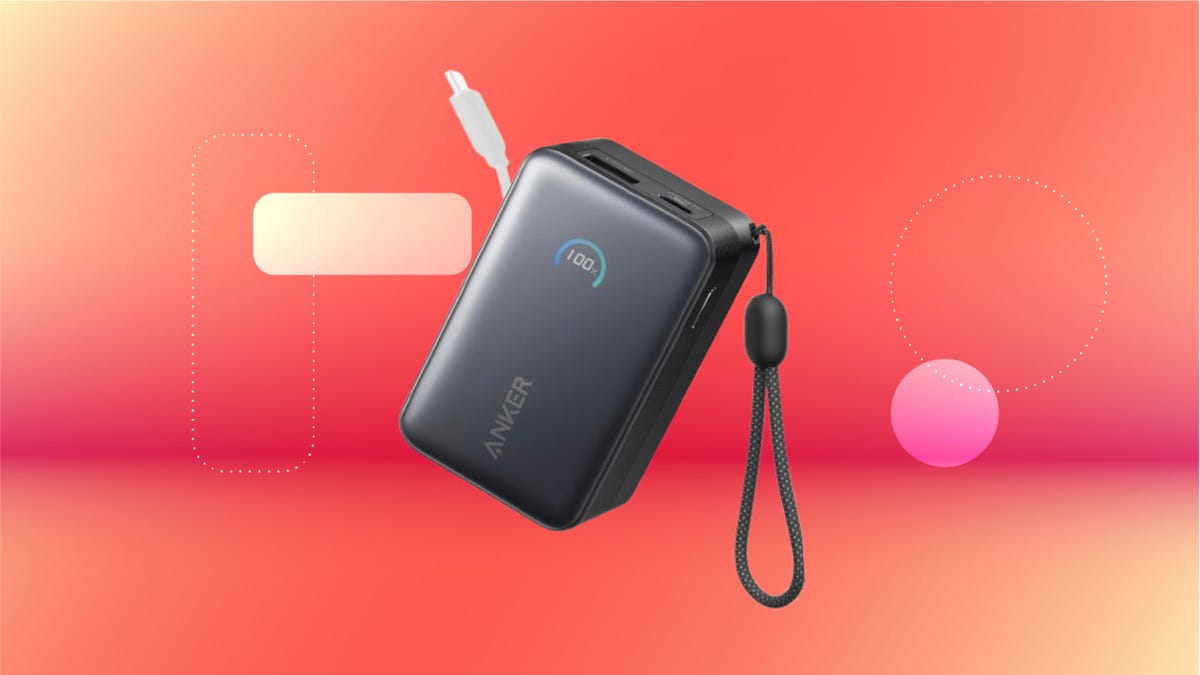
We’ve just spotted the Anker Nano 45-watt portable power bank for just $46 at Amazon right now. This saves you $14 — a 23% discount on its list price. Though it’s $6 more than the lowest-ever price we saw during Black Friday, it’s still a solid discount when you take the rising cost of tech accessories into account. It also matches the lowest price we’ve seen in 2026. It comes in four colors: black, green, pink and white. They’re all on sale for the same price.
This Anker Nano portable charger weighs approximately 8.2 ounces and measures a compact 3.21×1.99×1.42 inches. Despite its small size, it has a retractable cable and supports fast charging in compatible Apple, Samsung, Google Pixel and other smartphones. It also has a large 10,000-mAh capacity and a smart display so you always know how much juice is left in your power bank.
The Nano can charge an iPhone 17 to up to 50% battery in an estimated 20 minutes, and is powerful enough to charge tablets and laptops. Need to charge your devices while charging your power bank? You can do so safely thanks to pass-through charging so you’ll never have to go without battery life.
We’ve also compiled a list of the best power banks for iPhones and for Android, in case this deal isn’t quite a fit for you.
Why this deal matters
If you travel, have a long commute time or are otherwise always on the go, a portable charger can help you keep your devices fully powered. This 45-watt Anker Nano power bank is compact, includes a loop that lets you keep track of it easily and has a built-in cable so you don’t have to keep up with extra cords. Amazon’s $14 discount makes this a solid deal for anyone looking for a compact power bank.
-
 Technologies3 года ago
Tech Companies Need to Be Held Accountable for Security, Experts Say
-
 Technologies3 года ago
Best Handheld Game Console in 2023
-
 Technologies3 года ago
Tighten Up Your VR Game With the Best Head Straps for Quest 2
-
 Technologies4 года ago
Black Friday 2021: The best deals on TVs, headphones, kitchenware, and more
-
 Technologies5 лет ago
Google to require vaccinations as Silicon Valley rethinks return-to-office policies
-
 Technologies5 лет ago
Verum, Wickr and Threema: next generation secured messengers
-
 Technologies4 года ago
Olivia Harlan Dekker for Verum Messenger
-
 Technologies4 года ago
The number of Сrypto Bank customers increased by 10% in five days