
Technologies
Should You Buy an iPhone 16 or iPhone 17? Here’s How They Compare
Apple debuted its latest baseline phone with some changes across the battery, display and cameras. Is it worth the upgrade?
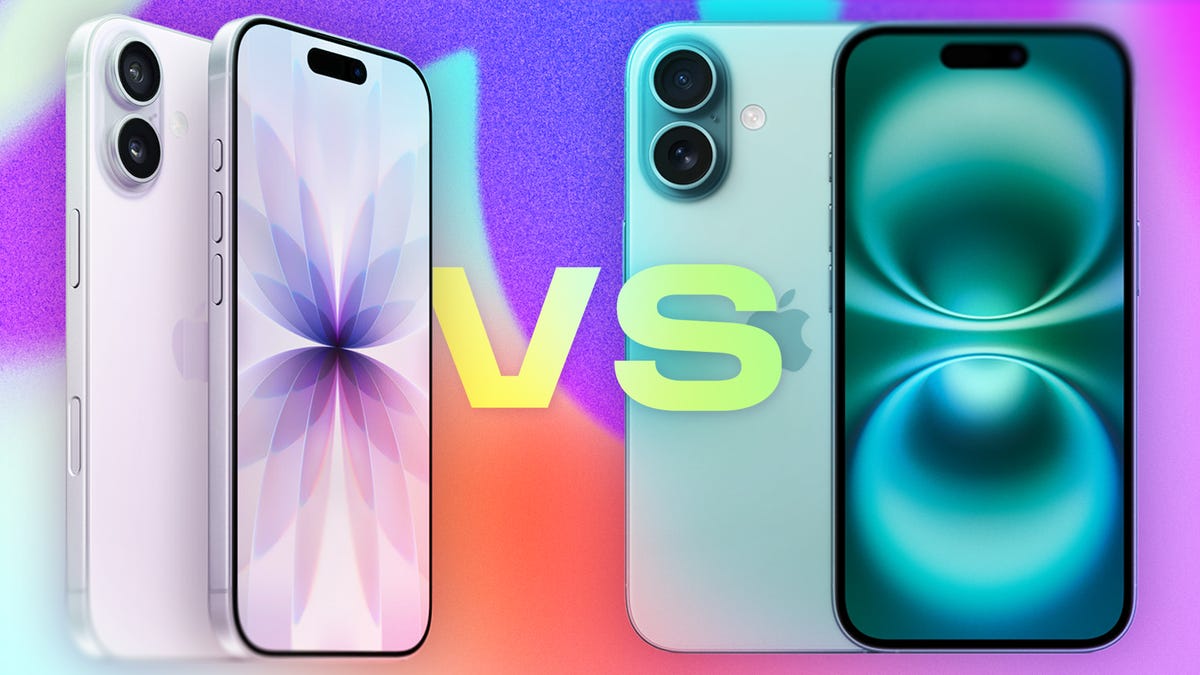
Now that Apple has debuted the iPhone 17, you may be wondering whether to get that flashy new device or buy last year’s iPhone 16 at a discount. To help with that decision, here’s a breakdown of how the two handsets compare.
The iPhone 17 starts at $829 (or $799 if you activate with a carrier), the same as the iPhone 16 when it came out — with the caveat that the iPhone 17 starts with a higher 256GB storage option, as opposed to 128GB.
The iPhone 16 is now available at a $100 discount, though its baseline configuration has 128GB of storage. So, is it worth saving some money, or should you go all out with the latest phone?
Here’s what to know about each phone, from the cameras to the displays to the batteries.
Don’t miss any of our unbiased tech content and lab-based reviews. Add CNET as a preferred Google source.
Screen differences
Some of the biggest changes between the iPhone 16 and 17 have to do with the display.
Apple says it shrunk the borders around the screen on the iPhone 17, expanding the display from 6.1 inches on the iPhone 16 to 6.3 inches on the iPhone 17 without expanding its dimensions. The new Ceramic Shield 2 cover on the iPhone 17 offers 3x better scratch resistance, according to the company.
The baseline iPhone 17 gets a display with a 120Hz refresh rate, as opposed to the 60Hz display on the iPhone 16. That means the iPhone 17 finally supports an always-on display, so you can glance at the time, your notifications and Live Activities without waking the screen.
The iPhone 17 also gains an anti-reflective coating and a 3,000-nit peak brightness, compared to 2,000 nits on the iPhone 16. That should make it easier to see your phone in bright sunlight.
Camera differences
Both the iPhone 16 and 17 have a 48-megapixel wide-angle camera. But the iPhone 17 upgrades the ultrawide camera from 12 megapixels on last year’s phone to 48 megapixels.
The front-facing camera also gets an upgrade, going from 12 megapixels on the iPhone 16 to 18 megapixels on the iPhone 17. There’s a new Center Stage feature for the selfie camera that can automatically adjust from a portrait orientation to landscape to make sure everyone is in the shot. That means you don’t have to manually rotate your phone to its side anymore when there are more people to fit in the frame.
Both the iPhone 16 and 17 have a Camera Control button on the side to quickly launch the camera, snap some shots and use Apple’s Visual Intelligence tool to learn more about what’s around you.
Processor and RAM
The iPhone 17 packs an A19 chip, an upgrade from the A18 chip in the iPhone 16. One key difference is that the iPhone 17 starts at 256GB, while the iPhone 16 started at 128GB for the same $829 price when it debuted.
Both phones also support the Apple Intelligence suite of AI capabilities, which includes writing tools, image generators and notification summaries.
Battery life
Apple doesn’t share specific battery specs, but it does measure longevity via video playback hours. The iPhone 16 supports up to 22 hours of video playback, according to Apple, while the iPhone 17 bumps that up to 30 hours. Stay tuned to CNET’s review of the iPhone 17 to see how that translates in the real world and how the phone holds up to our battery tests.
A new AI-powered Adaptive Power feature arriving with iOS 26 can help conserve the battery by making «small performance adjustments,» like «allowing some activities to take a little longer,» according to Apple.
The iPhone 17 arrives with the upcoming operating system onboard, but you’ll also be able to download iOS 26 on the iPhone 16, as well as some older iPhones, once it becomes available publicly. That should help to stretch your battery life on either device.
Color options and design
What’s on the inside may be most important, but people also care what their phone looks like. Like the iPhone 16, the iPhone 17 comes in a range of fun colors: black, white, mist blue, sage (a light green) and lavender.
For comparison, the iPhone 16 is available in black, white, pink, teal and ultramarine.
Both phones have an aluminum frame.
If you’re leaning toward the iPhone 17, preorders start Friday, and the phone hits store shelves on Friday, Sept. 19.
Apple iPhone 17 vs. iPhone 16
| Apple iPhone 17 | Apple iPhone 16 | |
| Display size, tech, resolution, refresh rate | 6.3-inch OLED; 2,622 x 1,206 pixel resolution; 1-120Hz variable refresh rate | 6.1-inch OLED; 2,556 x 1,179 pixel resolution; 60Hz refresh rate |
| Pixel density | 460ppi | 460 ppi |
| Dimensions (inches) | 5.89 x 2.81 x 0.31 in | 5.81 x 2.82 x 0.31 in |
| Dimensions (millimeters) | 149.6 x 71.5 x 7.95 mm | 147.6 x 71.6 x 7.8 mm |
| Weight (grams, ounces) | 177 g (6.24 oz) | 170 g (6 oz.) |
| Mobile software | iOS 26 | iOS 18 |
| Camera | 48-megapixel (wide) 48-megapixel (ultrawide) | 48-megapixel (wide), 12-megapixel (ultrawide) |
| Front-facing camera | 18-megapixel | 12-megapixel |
| Video capture | 4K | 4K |
| Processor | Apple A19 | Apple A18 |
| RAM + storage | RAM N/A + 256GB, 512GB | RAM N/A + 128GB, 256GB, 512GB |
| Expandable storage | None | None (Face ID) |
| Battery | Up to 30 hours video playback; up to 27 hours video playback (streamed).Fast charge up to 50% in 20 minutes using 40W adapter or higher via charging cable. Fast charge up to 50% in 30 minutes using 30W adapter or higher via MagSafe Charger. | Up to 22 hours video playback; up to 18 hours video playback (streamed). 20W wired charging. MagSafe wireless charging up to 25W with 30W adapter or higher; Qi2 up to 15W |
| Fingerprint sensor | None (Face ID) | None (Face ID) |
| Connector | USB-C | USB-C |
| Headphone jack | None | None |
| Special features | Apple N1 wireless networking chip (Wi-Fi 7 (802.11be) with 2×2 MIMO), Bluetooth 6, Thread. Action button. Camera Control button. Dynamic Island. Apple Intelligence. Visual Intelligence. Dual eSIM. 1 to 3000 nits brightness display range.IP68 resistance. Colors: black, white, mist blue, sage, lavender. | Apple Intelligence, Action button, Camera Control button, Dynamic Island, 1 to 2,000 nits display brightness range, IP68 resistance. Colors: black, white, pink, teal, ultramarine. |
| US price starts at | $829 (256GB) | $829 (128GB) |
Technologies
Can’t Wait for New Emoji? Here’s How to Create Your Own on iPhone
Apple Intelligence-enabled iPhones can create custom emoji in a few easy steps.

Apple brought new emoji to all iPhones when the company released iOS 26.4 on March 24. The new emoji include «» orca, «» distorted face and «» hairy creature — or as we might normally call it, Sasquatch. According to Emojipedia, there are 3,953 emoji with more on the way, including a pickle. But there’s no emoji for a dog wearing pajamas, a plate with burgers and fries and many other things. But if you have Genmoji on your iPhone you can create these emoji and many more.
Apple released iOS 18.2 in 2024 and the company introduced its own emoji generator, called Genmoji, to Apple Intelligence-capable iPhones at that time. The Unicode Standard, a universal character encoding standard, is responsible for creating new emoji, and approved emoji are added to all devices once a year. With Genmoji, you don’t have to wait for new emoji to appear on your iPhone each year. You can just create them as you need them.
Read on to learn how to use Genmoji on iPhone to create your own custom emoji. Just note that only iPhones with Apple Intelligence, like the iPhone 17 lineup, can use Genmoji at this time.
Note: The new emoji may not display correctly for Apple users whose devices aren’t on a 26.4 software version.
How to make custom emoji
1. Open Messages and go into a chat.
2. Tap the plus (+) button next to your text box.
3. Tap Genmoji.
You can then type a description of an emoji into the text box near the bottom of your screen and tap the check mark on your keyboard to enter that description into Genmoji. You can also tap different suggestions and themes that are right above the text box. And with iOS 26 or later, you can also combine and use emoji to create others rather than describing a new emoji or using suggestions.
Your iPhone will generate a series of new emoji for you to pick from according to your description, and you can swipe through these new emoji. When you find the one you want, tap Add in the top right corner of your screen and the new emoji will be available to use as an emoji, tapback or a sticker. Now you don’t have to wait for the Unicode Standard to propose, create and bring new emoji to devices.
For more iOS news, here’s what to know about iOS 26.4 and iOS 26.3. You can also check out our iOS 26 cheat sheet for other tips and tricks.
Technologies
Save Over 20% on This Handy 10,000-mAh Anker Nano Power Bank
Keep your devices charged on the go with this Anker Nano power bank, now down to just $46.
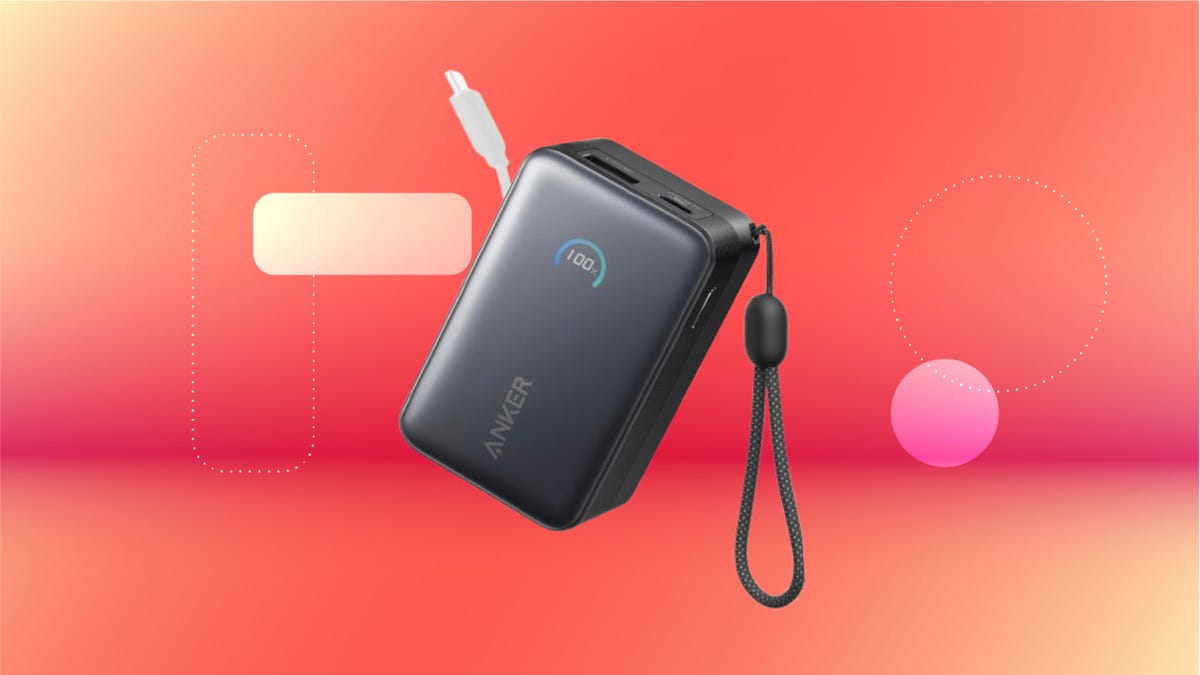
We’ve just spotted the Anker Nano 45-watt portable power bank for just $46 at Amazon right now. This saves you $14 — a 23% discount on its list price. Though it’s $6 more than the lowest-ever price we saw during Black Friday, it’s still a solid discount when you take the rising cost of tech accessories into account. It also matches the lowest price we’ve seen in 2026. It comes in four colors: black, green, pink and white. They’re all on sale for the same price.
This Anker Nano portable charger weighs approximately 8.2 ounces and measures a compact 3.21×1.99×1.42 inches. Despite its small size, it has a retractable cable and supports fast charging in compatible Apple, Samsung, Google Pixel and other smartphones. It also has a large 10,000-mAh capacity and a smart display so you always know how much juice is left in your power bank.
The Nano can charge an iPhone 17 to up to 50% battery in an estimated 20 minutes, and is powerful enough to charge tablets and laptops. Need to charge your devices while charging your power bank? You can do so safely thanks to pass-through charging so you’ll never have to go without battery life.
We’ve also compiled a list of the best power banks for iPhones and for Android, in case this deal isn’t quite a fit for you.
Why this deal matters
If you travel, have a long commute time or are otherwise always on the go, a portable charger can help you keep your devices fully powered. This 45-watt Anker Nano power bank is compact, includes a loop that lets you keep track of it easily and has a built-in cable so you don’t have to keep up with extra cords. Amazon’s $14 discount makes this a solid deal for anyone looking for a compact power bank.
Technologies
Today’s NYT Mini Crossword Answers for Wednesday, April 8
Here are the answers for The New York Times Mini Crossword for April 8.
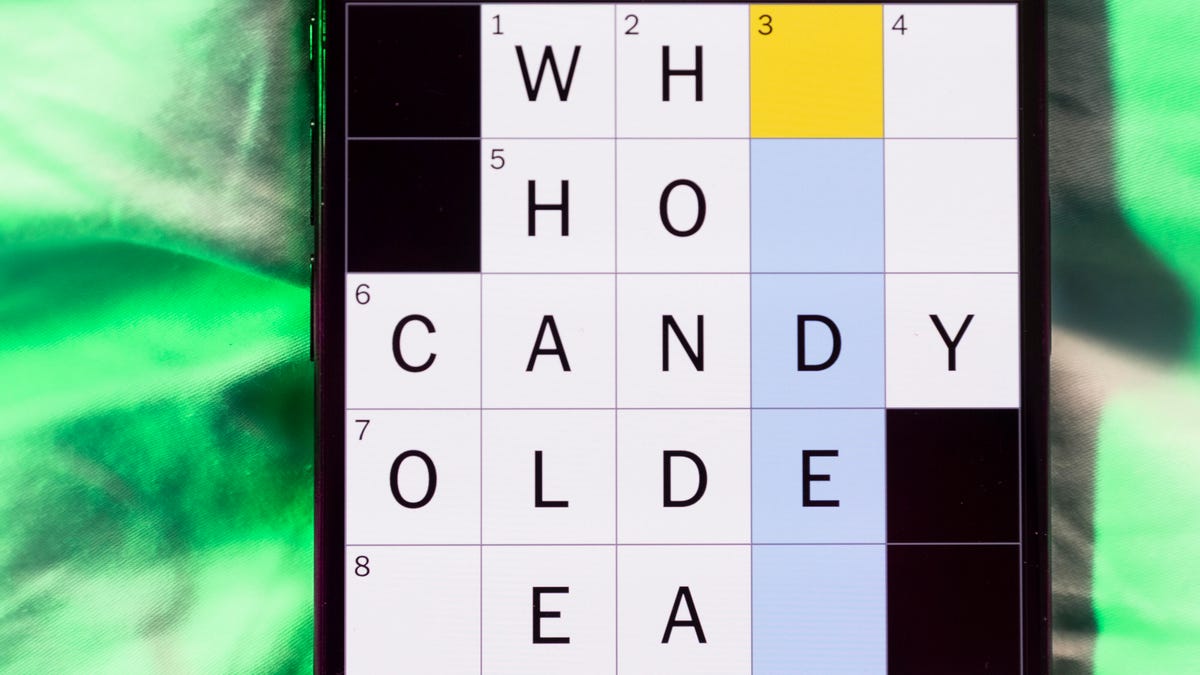
Looking for the most recent Mini Crossword answer? Click here for today’s Mini Crossword hints, as well as our daily answers and hints for The New York Times Wordle, Strands, Connections and Connections: Sports Edition puzzles.
Need some help with today’s Mini Crossword? Hint: It uses a lot of the letter Z for some reason. Read on for all the answers. And if you could use some hints and guidance for daily solving, check out our Mini Crossword tips.
If you’re looking for today’s Wordle, Connections, Connections: Sports Edition and Strands answers, you can visit CNET’s NYT puzzle hints page.
Read more: Tips and Tricks for Solving The New York Times Mini Crossword
Let’s get to those Mini Crossword clues and answers.
Mini across clues and answers
1A clue: ___-Carlton (hotel chain)
Answer: RITZ
5A clue: Span of the alphabet
Answer: ATOZ
6A clue: Cable channel with an out-of-this-world name
Answer: STARZ
7A clue: Takes care of, as a squeaky wheel
Answer: OILS
8A clue: Toy on a string
Answer: YOYO
Mini down clues and answers
1D clue: When a post receives far more negative comments than likes, in social media slang
Answer: RATIO
2D clue: World’s leading wine producer
Answer: ITALY
3D clue: Middle of the human body
Answer: TORSO
4D clue: Sleeping sound
Answer: ZZZ
6D clue: Tofu base
Answer: SOY
-
 Technologies3 года ago
Tech Companies Need to Be Held Accountable for Security, Experts Say
-
 Technologies3 года ago
Best Handheld Game Console in 2023
-
 Technologies3 года ago
Tighten Up Your VR Game With the Best Head Straps for Quest 2
-
 Technologies4 года ago
Black Friday 2021: The best deals on TVs, headphones, kitchenware, and more
-
 Technologies5 лет ago
Google to require vaccinations as Silicon Valley rethinks return-to-office policies
-
 Technologies5 лет ago
Verum, Wickr and Threema: next generation secured messengers
-
 Technologies4 года ago
Olivia Harlan Dekker for Verum Messenger
-
 Technologies4 года ago
The number of Сrypto Bank customers increased by 10% in five days