

Technologies
Nintendo’s Mario Party Upgrades for Switch 2 Feel Like Unnecessary Gimmicks
The new camera and mouse modes don’t bring anything essential to the party.


Maybe, some day, Nintendo will make games that are just focused on using the new camera and mouse-control features on the Switch 2. In the meantime, there’s the update to Super Mario Party Jamboree that hits this week.
Nintendo’s already delivered a killer one-two punch with Mario Kart World and Donkey Kong Bananza for Switch 2 but the upgrade for Jamboree, while charming at times, doesn’t exactly live up to expectations.
The $20 upgrade, with the unwieldy title Super Mario Party Jamboree Switch 2 Edition + Jamboree TV, hints at how the new modes are glommed onto the already full-featured Jamboree game. While I generally appreciate the upgrades, it makes the game harder to navigate — it’s almost like a subworld in an already-crowded-with-stuff game. I was originally super-excited about the potential of the plug-in camera support on Switch 2 but the camera features here impressed me less at home than in my April demos.
While a lot of the new mini-games seem to aim for the whimsy and weirdness of older Nintendo games like 1-2 Switch, this bonus pack feels like not enough of the new and too much of a half-measure. It’s a taste of some ideas but also shows the limits of some of Nintendo’s latest Switch 2 features like camera and mouse mode.
Buying the upgrade for Switch 2 does get you better-looking higher-res graphics, and the Jamboree TV mode has several new ways to play. An upgraded Mario Party game board and minigame browser have new games that use the Joy-Con 2 mouse mode in some fun ways. Still, it feels like a slim set of extras with a bunch of awkward aspects, too.
Mouse mode mods
Mouse mode can be rewarding with air hockey where you slam your puck around, or as a way to slide fast and click on parts of the screen. In another new mode, a sort of roller coaster where you use the mouse to aim and shoot at targets like a theme park ride, it almost reminds me of some VR experiences minus a headset.
Mouse mode works on tables, sofas, even your own leg — pretty much any surface you can glide the Joy-Con 2 over. The only thing is, a lot of these new modes in mouse mode feel like they could also have been done with motion controls, which the Joy-Cons are also capable of. An ice cream scooping minigame, as cute as it is, feels like a prime example of something that motion controls could have handled, too. But there are only 14 new mouse-mode games added here.
Camera games (and camera) optional
Camera connectivity is optional because, for Switch 2 owners, having a camera is optional, too. Should you have one, there are some fun motion-based games that have you moving your body with camera-based tracking, similar to older camera-connected games from the Xbox Kinect/PlayStation Eye era.
The camera makes your face and body seem like they’re sometimes beamed right into the Mario Party universe. You pop up from pipes, appearing on stage as Toad MCs guide you through each challenge. It’s fun, silly and doesn’t actually require you to use yourself. My 12-year-old son, for example, just had the camera focus on a painting on the wall instead of his face … so that was weird.
A Bowser showdown mode gives you a couple of camera-based mini-games that you use your body to play. One involves jumping to hit a coin block, something I did for real in Epic Universe at Super Nintendo World. The effect is cute but also can be «cheated» by using your hand instead of your head.
Another mini-game makes it look like you’re wearing a Mario or Luigi hat as you play Simon Says to stand or crouch. The game lost tracking for my son and me, and our hats vanished midway.
The camera mode doesn’t automatically track your body wherever you go. Instead, you’re asked to stand in a particular place to play. The same’s true for how the Switch 2 camera focuses on your face. While you can frame your face and then mirror it on your TV, if you move to the left or right (or stand or sit), you’ll end up falling out of frame. Adjusting the wide-angle camera can fix the problem but it became a fiddly process in our living room. My son preferred playing regular Mario Party modes where we weren’t trying to fit ourselves onscreen.
And so, for $20, Mario Party Jamboree’s Switch 2 mode doesn’t feel like anything essential. Jamboree is a great Mario Party game already, and the improvements — including being able to Game Share to other local Switches for multi-screen multiplayer — might be fun to try. Then again, much like the $10 Welcome Tour game released with the Switch 2 in June, this feels like Nintendo forcing old gameplay onto the mouse mode and camera rather than making the most out of the new hardware. I’m looking forward to the truly new ideas for mouse and camera that could come next but I’m also a bit worried that the camera might be more of a gimmick than I first thought.
Technologies
Kohler Wants to Put a Tiny Camera in Your Toilet and Analyze the Contents
The company’s new Dekoda toilet accessory is like a little bathroom detective.
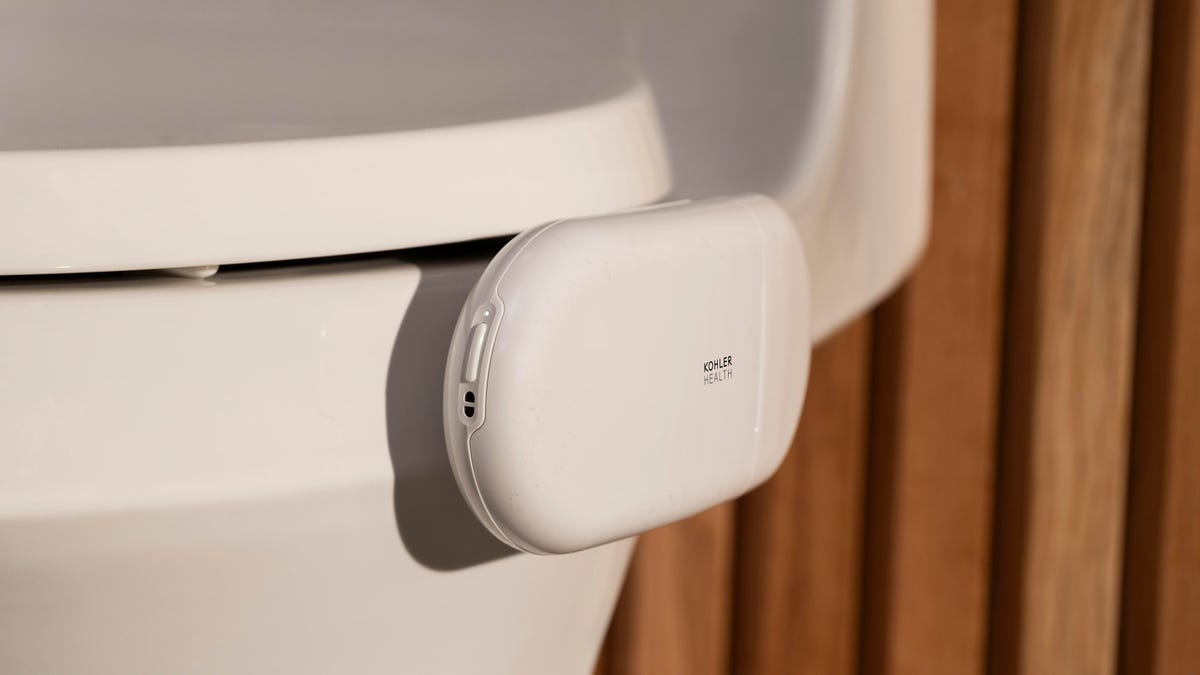
Some smart litter boxes can monitor our pets’ habits and health, so having a camera in our human toilet bowls seems inevitable. That’s just what kitchen and bathroom fixture company Kohler has done for its new health and wellness brand, Kohler Health.
The $599 Dekoda clamps over the rim like a toilet bowl cleaner, pointing an optical sensor at your excretions and secretions. It then analyzes the images to detect any blood and reviews your gut health and hydration status. Depending on the plan you choose, the subscription fee is between $70 and $156 per year.
Don’t miss any of our unbiased tech content and lab-based reviews. Add CNET as a preferred Google source.
At toilet time, you sign in via a fingerprint sensor so that the device knows who’s using the facilities. (Please wash your hands before signing out or tracking your progress.) Then, check in with the app for the day’s analysis and trends over time.
Wait until you’re off the pot, though, before you start doomscrolling your health. The device has a removable, rechargeable battery and uses a USB connection.
Kohler says it secures your data via the aforementioned fingerprint scanner and end-to-end encryption, and notes that the camera uses «discreet optics,» looking only at the results, not your body parts.
«Dekoda’s sensors see down into your toilet and nowhere else,» the company says.
Kohler warns that the technology doesn’t work very well with dark toilet colors, which makes sense. I’m sure there could be an upsell model with a light on it. Maybe the company could add an olfactory sensor, since smell reveals a lot about your gut health too. It could track «session» length or buildup under the rim to alert whoever has responsibility to clean it.
Kohler must have been straining to find appropriate lifestyle photos to include with the publicity materials. Many of the images are hilarious, featuring fit-looking men and women drinking water and staring off into space contemplatively — probably thinking about gas.
Technologies
Who’s Up to Fight Mega-Corporations in the Outer Worlds 2 on Xbox Game Pass?
Save the universe by fighting one CEO at a time in The Outer Worlds 2, plus play other great games coming to Xbox Game Pass in October.

Space is the final frontier, and it’s packed with some devious mega-corporations who are out to make a buck in The Outer Worlds 2. Xbox Game Pass subscribers can fight them in the highly anticipated sequel starting on Oct. 29.
Xbox Game Pass offers hundreds of games you can play on your Xbox Series X, Xbox Series S, Xbox One, Amazon Fire TV, smart TV and PC or mobile device, with prices starting at $10 a month. While all Game Pass tiers offer you a library of games, Game Pass Ultimate ($30 a month) gives you access to the most games, as well as Day 1 games, like Hollow Knight: Silksong, added monthly.
Here are all the games subscribers can play on Game Pass soon. You can also check out other games the company added to the service in October, including Ninja Gaiden 4.
Don’t miss any of our unbiased tech content and lab-based reviews. Add CNET as a preferred Google source.
PowerWash Simulator 2
Game Pass Ultimate and PC Game Pass subscribers can start playing on Oct. 23.
If you’ve ever spent hours watching people on YouTube clean dirty rugs, cars and other grimy objects, you should check out PowerWash Simulator 2. As the name suggests, this sequel is all about blasting away dirt and filth from pools, homes and other objects around town. You have a furry kitty companion, and yes, you can pet them when you’ve finished cleaning.
Bounty Star
Game Pass Ultimate and PC Game Pass subscribers can start playing on Oct. 23.
The American Southwest has devolved into a lawless, post-apocalyptic desert called the Red Expanse in this game. You’re out to clean the place up in this game by taking down major bounties issued by the government, and the best way to do that is by piloting and customizing a giant mech, of course. When you want to nurse your wounds, head back to your run-down garage to rest, grow and cook food and raise animals. It’s like a cozy Armored Core game.
Super Fantasy Kingdom (game preview)
Game Pass Ultimate and PC Game Pass subscribers can start playing on Oct. 24.
After returning from a hunting trip, you find your 8-bit kingdom wrecked in this game. You must rebuild your domain in this roguelite, city builder. But as night falls, hordes of monsters emerge to tear everything back down. Build, mine, cook and grow your home, and prepare to defend it from all dangers.
Halls of Torment
Game Pass Ultimate, Game Pass Premium and PC Game Pass subscribers can start playing on Oct. 28.
Get ready to descend into the deadly Halls of Torment in this retro, horde survival game. You can choose between 11 playable characters, each with their own playstyle, and equip various items and abilities to survive waves of enemies. This game is like Vampire Survivors, so if you like that game give this one a shot.
The Outer Worlds 2
Game Pass Ultimate and PC Game Pass subscribers can start playing on Oct. 29.
Clear your calendar for this sequel to the award-winning sci-fi adventure, The Outer Worlds. This time, you’re an Earth Directorate agent investigating the cause of devastating rifts that could destroy humanity. You have a new ship, new crew, new enemies and mega-corporation goons standing between you and the answers.
1000xResist
Game Pass Ultimate, Game Pass Premium and PC Game Pass subscribers can start playing on Nov. 4.
One thousand years in the future, humanity is hanging on by a thread after a disease spread by alien occupation forces people to live underground in this sci-fi adventure game. You play as Watcher, and you fulfill your duties well, until one day you make a shocking discovery. This game won a Peabody Award in 2024, and it was nominated for the Nebula Award for Best Game Writing that same year, so get ready for a story like no other.
Football Manager 26
Game Pass Ultimate and PC Game Pass subscribers can start playing on Oct. 29.
Get ready for a more immersive matchday experience in the latest installment of the Football Manager franchise. You can build a star-studded squad with new transfer tools, and this entry features official Premier League licenses and women’s football for the first time in the series’ history.
Game Pass subscribers can play the standard or Console edition of this game.
Games leaving Game Pass on Oct. 31
While Microsoft is adding those games to Game Pass, it’s also removing three others from the service on Oct. 31. So you still have some time to finish your campaign and any side quests before you have to buy these games separately.
Jusant
Metal Slug Tactics
Return to Monkey Island
For more on Xbox, discover other games available on Game Pass now and check out our hands-on review of the gaming service. You can also learn about recent changes to the Game Pass service.
Technologies
Does Charging Your Phone Overnight Damage the Battery? We Asked the Experts
Modern smartphones are protected against overcharging, but heat and use habits can still degrade your battery over time.
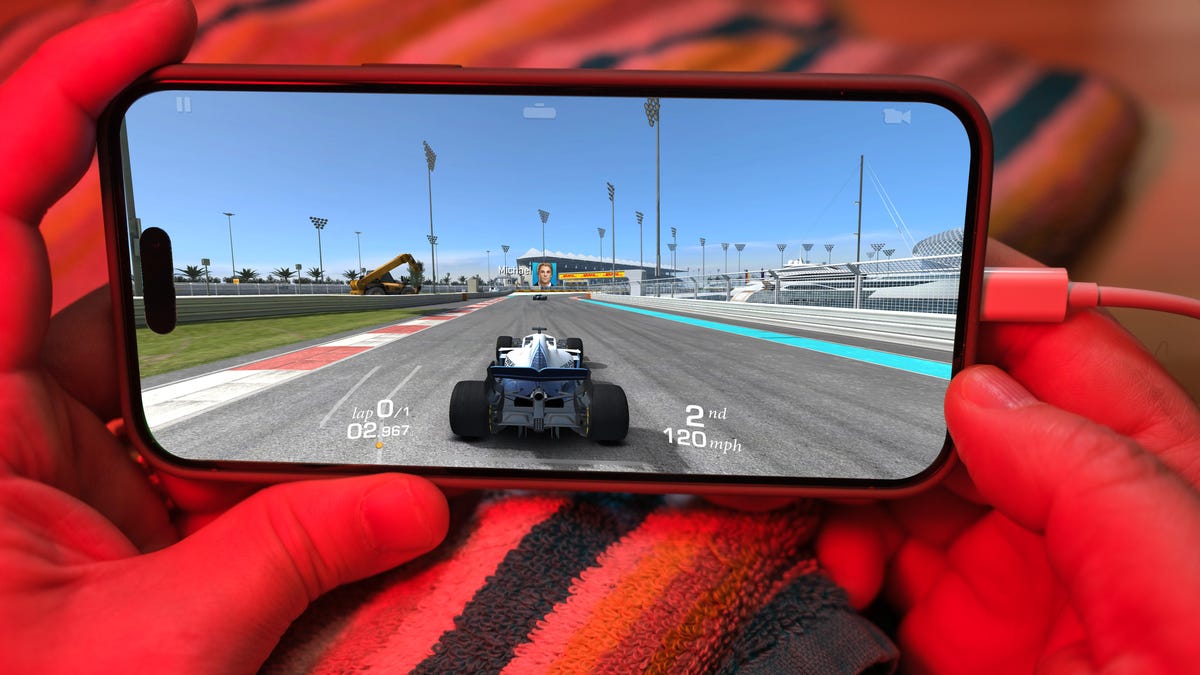
Plugging your phone in before you head to bed might seem like second nature. That way by the time your alarms go off in the morning, your phone has a full charge and is ready to help you conquer your day. However, over time, your battery will start to degrade. So is keeping your phone plugged in overnight doing damage to the battery?
The short answer is no. Keeping your phone plugged in all the time won’t ruin your battery. Modern smartphones are built with smart charging systems that cut off or taper power once they’re full, preventing the kind of «overcharging damage» that was common in older devices. So if you’re leaving your iPhone or Android on the charger overnight, you can relax.
That said, «won’t ruin your battery» doesn’t mean it has no effect. Batteries naturally degrade with age and use, and how you charge plays a role in how fast that happens. Keeping a phone perpetually at 100% can add extra stress on the battery, especially when paired with heat, which is the real enemy of longevity.
Understanding when this matters (and when it doesn’t) can help you make small changes to extend your phone’s lifespan.
Don’t miss any of our unbiased tech content and lab-based reviews. Add CNET as a preferred Google source.
The science behind battery wear
Battery health isn’t just about how many times you charge your phone. It’s about how it manages voltage, temperature and maintenance. Lithium-ion batteries age fastest when they’re exposed to extreme levels: 0% and 100%.
Keeping them near full charge for long stretches puts additional voltage stress on the cathode and electrolyte. That’s why many devices use «trickle charging» or temporarily pause at 100%, topping up only when needed.
Still, the biggest threat isn’t overcharging — it’s heat. When your phone is plugged in and running demanding apps, it produces heat that accelerates chemical wear inside the battery. If you’re gaming, streaming or charging on a hot day, that extra warmth does far more harm than leaving the cable plugged in overnight.
Apple’s take
Apple’s battery guide describes lithium-ion batteries as «consumable components» that naturally lose capacity over time. To slow that decline, iPhones use Optimized Battery Charging, which learns your daily routine and pauses charging at about 80% until just before you typically unplug, reducing time spent at high voltage.
Apple also advises keeping devices between 0 to 35 degrees Celsius (32 to 95 degrees Fahrenheit) and removing certain cases while charging to improve heat dissipation. You can read more on Apple’s official battery support page.
What Samsung (and other Android makers) do
Samsung offers a similar feature called Battery Protect, found in One UI’s battery and device care settings. When enabled, it caps charging at 85%, which helps reduce stress during long charging sessions.
Other Android makers like Google, OnePlus and Xiaomi include comparable options — often called Adaptive Charging, Optimized Charging or Battery Care — that dynamically slow power delivery or limit charge based on your habits. These systems make it safe to leave your phone plugged in for extended periods without fear of overcharging.
When constant charging can hurt
Even with these safeguards, some conditions can accelerate battery wear. As mentioned before, the most common culprit is high temperature. Even for a short period of time, leaving your phone charging in direct sunlight, in a car or under a pillow can push temperatures into unsafe zones.
Heavy use while charging, like gaming or 4K video editing, can also cause temperature spikes that degrade the battery faster. And cheap, uncertified cables or adapters may deliver unstable current that stresses cells. If your battery is already several years old, it’s naturally more sensitive to this kind of strain.
How to charge smarter
You don’t need to overhaul your habits but a few tweaks can help your battery age gracefully.
Start by turning on your phone’s built-in optimization tools: Optimized Battery Charging on iPhones, Battery Protect on Samsung devices and Adaptive Charging on Google Pixels. These systems learn your routine and adjust charging speed so your phone isn’t sitting at 100% all night.
Keep your phone cool while charging. According to Apple, phone batteries perform best between 62 and 72 degrees Fahrenheit (16 to 22 degrees Celsius). If your phone feels hot, remove its case or move it to a better-ventilated or shaded spot. Avoid tossing it under a pillow or too close to other electronics, like your laptop, and skip wireless chargers that trap heat overnight.
Use quality chargers and cables from your phone’s manufacturer or trusted brands. Those cheap «fast-charge» kits you find online often deliver inconsistent current, which can cause long-term issues.
Finally, don’t obsess over topping off. It’s perfectly fine to plug in your phone during the day for short bursts. Lithium-ion batteries actually prefer frequent, shallow charges rather than deep, full cycles. You don’t need to keep it between 20% and 80% all the time, but just avoid extremes when possible.
The bottom line
Keeping your phone plugged in overnight or on your desk all day won’t destroy its battery. That’s a leftover myth from a different era of tech. Modern phones are smart enough to protect themselves, and features like Optimized Battery Charging or Battery Protect do most of the heavy lifting for you.
Still, no battery lasts forever. The best way to slow the inevitable is to manage heat, use quality chargers and let your phone’s software do its job. Think of it less as «babying» your battery and more as charging with intention. A few mindful habits today can keep your phone running strong for years.
-
 Technologies3 года ago
Tech Companies Need to Be Held Accountable for Security, Experts Say
-
 Technologies3 года ago
Best Handheld Game Console in 2023
-
 Technologies3 года ago
Tighten Up Your VR Game With the Best Head Straps for Quest 2
-
 Technologies4 года ago
Verum, Wickr and Threema: next generation secured messengers
-
 Technologies4 года ago
Black Friday 2021: The best deals on TVs, headphones, kitchenware, and more
-
 Technologies4 года ago
Google to require vaccinations as Silicon Valley rethinks return-to-office policies
-
 Technologies4 года ago
Olivia Harlan Dekker for Verum Messenger
-
 Technologies4 года ago
iPhone 13 event: How to watch Apple’s big announcement tomorrow


