
Technologies
4 Reasons Why You Should Always Leave Your Phone Face Down
It’s not you, it’s your phone — here’s why it’s better to hide the screen when it’s on the table.
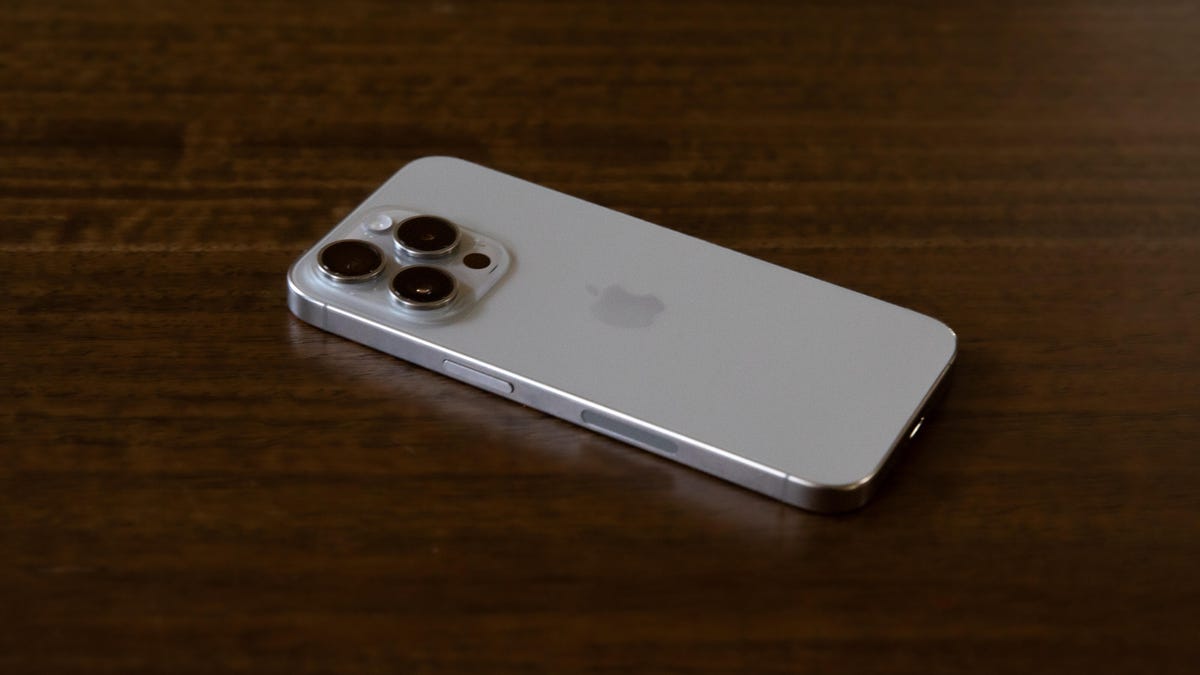
You’re catching up with a friend you haven’t seen in ages. It feels good to be spending time with them in person, clinking glasses and laughing at old jokes. Then there’s a lull in the conversation, and your friend picks up their smartphone.
At some point, we’ve all been phone-snubbed. That’s what happens when the person you’re hanging out with seems more interested in their phone than you. You might be sitting right across from someone, but when they’re laughing at a video or meme only they can see, it feels like they’re a million miles away.
I’ve been guilty of paying more attention to my screen than my companion and felt bad about it afterward. There’s nothing wrong with replying to an urgent Slack message or pulling up a funny TikTok to share. But I know I probably spend too much time staring at screens, and a lot of that time is unhealthy doomscrolling. These days, when I’m not using my phone, I try to be more deliberate about keeping it out of sight and out of mind. If I do need to keep my phone at hand, I always have it face down.
It can protect your phone screen
I have a few reasons for making sure my phone screen is turned away. The first one is practical: When my phone isn’t in my pocket, it’s probably sitting on a desk or table — which means it’s probably not far from a glass of water or mug of coffee.
As a somewhat clumsy person, I’ve spilled beverages on my phone plenty of times. And even though most modern phones are water-resistant, why take chances? With my screen hidden, I can keep the most important part of my phone protected from splashes and other mishaps.
For extra protection, I have a phone case with raised edges. This helps prevent the screen from coming in direct contact with crumbs and debris that might be left on the table.
My colleague David Carnoy told me about an incident where he was charging his phone on his kitchen counter with the screen face up. Someone dropped a mug on top of it and cracked the screen. Unfortunately, he didn’t have a screen protector on this device (he knows better now).
It could help save your phone battery
Another good reason to keep my phone face down is that it won’t turn on each time I get a notification. That means I can save a little bit of battery charge.
A single notification won’t mean the difference between my phone lasting the whole day or dying in the afternoon but notifications can add up, especially if I’ve enabled them across all of my apps. If I’m in a lot of group chats, my screen might end up turning on dozens of times throughout the day (and that’s on the low side — many teenagers have hundreds of notifications a day).
It also shows that you pay attention
Keeping my phone face down is also a good rule of social etiquette: If I’m hanging out with someone, I keep my screen hidden from view as a subtle way of showing that I won’t be distracted by it. I don’t want incoming notifications to light up my screen every few seconds, especially if I’m in a bar or other dimly lit setting. I want to keep my eyes on the person I’m talking to.
«Eye contact is one of the most powerful forms of human connection. Neuroscience research indicates that when two people make direct eye contact, their brain activity begins to synchronize, supporting more effective communication and increasing empathy. This synchrony can be disrupted when attention shifts to a phone, even briefly,» says Michelle Davis, clinical psychologist at Headspace.
When I’m with the people I’ve chosen to spend time with, I want to be fully present with them. A sudden notification will tempt me to glance at, or worse, pick up my phone in the middle of a conversation.
It minimizes your phone’s presence
I also have a more personal reason for keeping my phone face down and I suspect that other people have had this same thought: My phone takes up too much space in my life.
I mean that quite literally. My phone is bigger than it needs to be. That’s been especially true since I upgraded from my iPhone Mini to a «normal-sized» iPhone. Yes, I got a much needed boost in battery life but I also got a screen with more pixels to lure me into the next news headline or autoplaying Instagram reel.
A small smartphone isn’t something that really exists anymore. My phone is bigger and better at grabbing my attention. It competes against my friends and family, books and movies, the entire world outside of its 6-inch screen. It often wins. But there’s still one small thing I can do to minimize its presence: I can keep the screen turned away from me whenever possible.
It can sometimes feel like there’s no escaping from my phone. Whether that ever changes, or phones evolve into some new form factor, I can’t say. I can’t control everything about my phone but I can control whether the screen stares at me when I’m not staring at it.
Technologies
Today’s Wordle Hints, Answer and Help for April 7, #1753
Here are hints and the answer for today’s Wordle for April 7, No. 1,753.
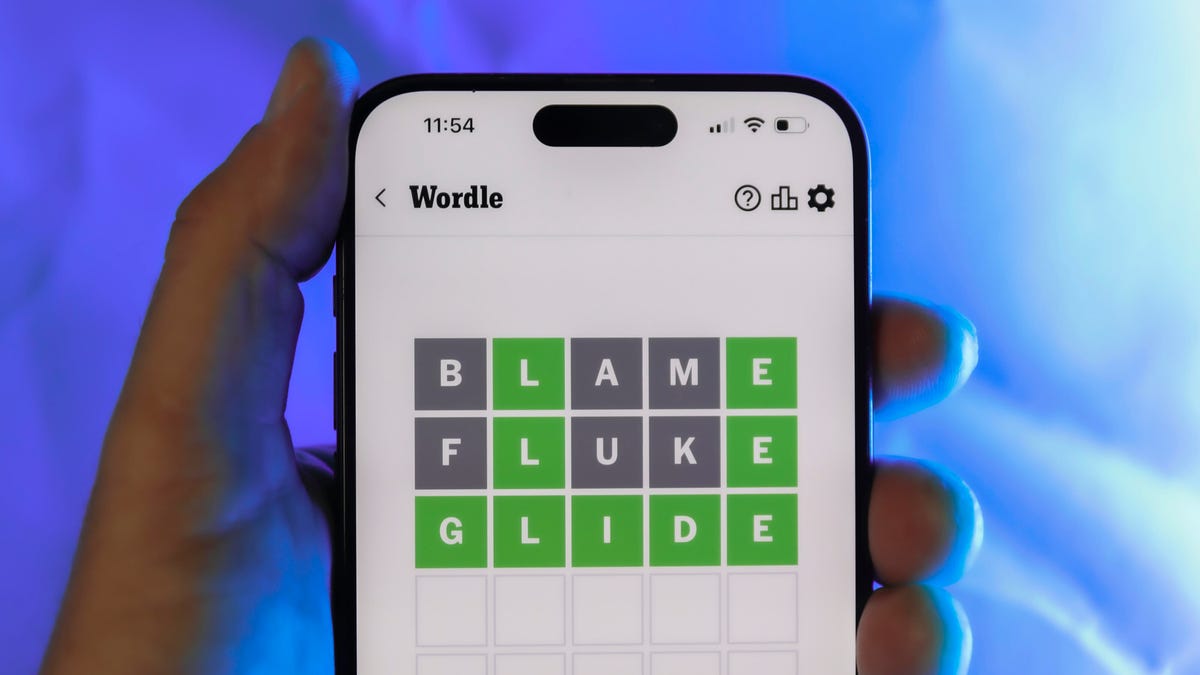
Looking for the most recent Wordle answer? Click here for today’s Wordle hints, as well as our daily answers and hints for The New York Times Mini Crossword, Connections, Connections: Sports Edition and Strands puzzles.
Today’s Wordle puzzle wasn’t too tricky, for a change. If you need a new starter word, check out our list of which letters show up the most in English words. If you need hints and the answer, read on.
Read more: New Study Reveals Wordle’s Top 10 Toughest Words of 2025
Today’s Wordle hints
Before we show you today’s Wordle answer, we’ll give you some hints. If you don’t want a spoiler, look away now.
Wordle hint No. 1: Repeats
Today’s Wordle answer has one repeated letter.
Wordle hint No. 2: Vowels
Today’s Wordle answer has one vowel, but it’s the repeated letter, so you’ll see it twice.
Wordle hint No. 3: First letter
Today’s Wordle answer begins with D.
Wordle hint No. 4: Last letter
Today’s Wordle answer ends with E.
Wordle hint No. 5: Meaning
Today’s Wordle answer can relate to something that is closely compacted.
TODAY’S WORDLE ANSWER
Today’s Wordle answer is DENSE.
Yesterday’s Wordle answer
Yesterday’s Wordle answer, April 6, No. 1752, was SWORN.
Recent Wordle answers
April 2, No. 1748: SOBER
April 3, No. 1749: SINGE
April 4, No. 1750: SANDY
April 5, No. 1751: ENVOY
What’s the best Wordle starting word?
Don’t be afraid to use our tip sheet ranking all the letters in the alphabet by frequency of uses. In short, you want starter words that lean heavy on E, A and R, and don’t contain Z, J and Q.
Some solid starter words to try:
ADIEU
TRAIN
CLOSE
STARE
NOISE
Technologies
Today’s NYT Mini Crossword Answers for Tuesday, April 7
Here are the answers for The New York Times Mini Crossword for April 7.

Looking for the most recent Mini Crossword answer? Click here for today’s Mini Crossword hints, as well as our daily answers and hints for The New York Times Wordle, Strands, Connections and Connections: Sports Edition puzzles.
Need some help with today’s Mini Crossword? Read on for all the answers. And if you could use some hints and guidance for daily solving, check out our Mini Crossword tips.
If you’re looking for today’s Wordle, Connections, Connections: Sports Edition and Strands answers, you can visit CNET’s NYT puzzle hints page.
Read more: Tips and Tricks for Solving The New York Times Mini Crossword
Let’s get to those Mini Crossword clues and answers.
Mini across clues and answers
1A clue: Informative commercial, for short
Answer: PSA
4A clue: Something you trace to draw a Thanksgiving turkey
Answer: HAND
5A clue: ___ Johnson, former Prime Minister of the U.K.
Answer: BORIS
6A clue: Opposite of include
Answer: OMIT
7A clue: Crosses (out)
Answer: XES
Mini down clues and answers
1D clue: City with the Notre-Dame Cathedral
Answer: PARIS
2D clue: Bad mood
Answer: SNIT
3D clue: About eight minutes of the average half-hour sitcom
Answer: ADS
4D clue: Remote worker’s office, perhaps
Answer: HOME
5D clue: Word that can follow each group of circled letters (and hints at its shape)
Answer: BOX
Technologies
NASA’s Artemis II Breaks Record With Trip Around The Moon
-
 Technologies3 года ago
Tech Companies Need to Be Held Accountable for Security, Experts Say
-
 Technologies3 года ago
Best Handheld Game Console in 2023
-
 Technologies3 года ago
Tighten Up Your VR Game With the Best Head Straps for Quest 2
-
 Technologies4 года ago
Black Friday 2021: The best deals on TVs, headphones, kitchenware, and more
-
 Technologies5 лет ago
Google to require vaccinations as Silicon Valley rethinks return-to-office policies
-
 Technologies5 лет ago
Verum, Wickr and Threema: next generation secured messengers
-
 Technologies4 года ago
Olivia Harlan Dekker for Verum Messenger
-
 Technologies4 года ago
The number of Сrypto Bank customers increased by 10% in five days