
Technologies
Asus Rog Delta II Review: Lots To Offer, but Not Worth the Price
There’s a lot to like, as long as you have the right head size.
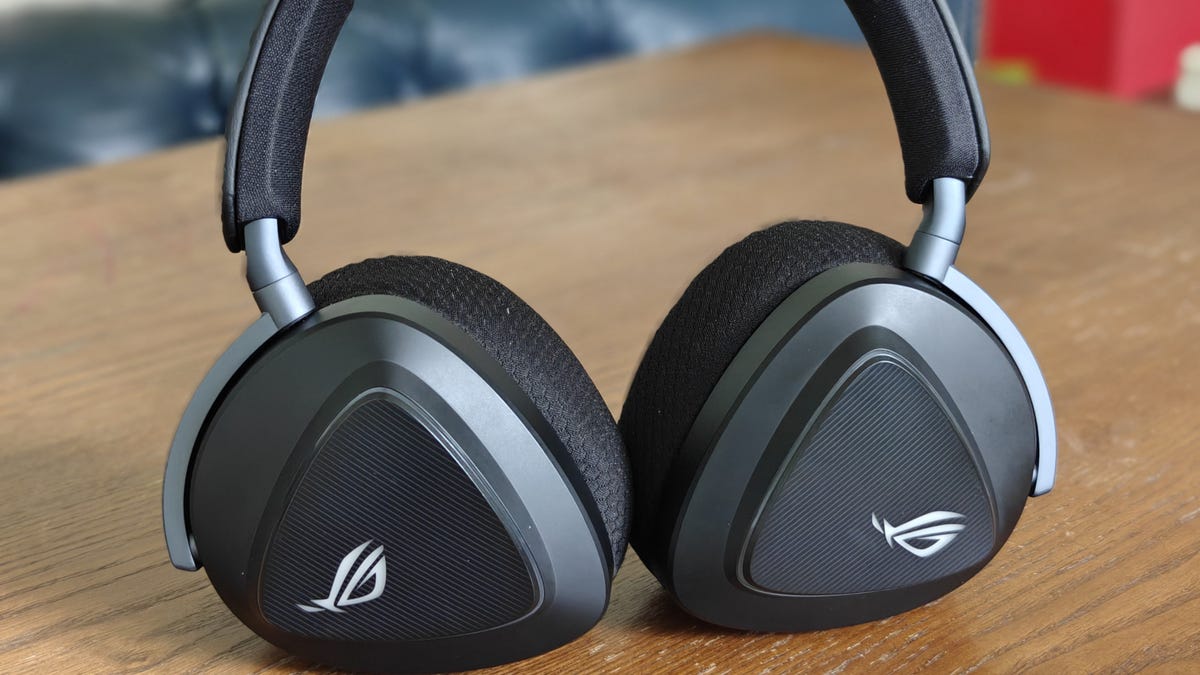
As a more casual gamer, I used to just play games with my computer speakers or sound bar, never bothering with gaming headsets. I would grab a cheap Microsoft or similar knockoff when I played with friends, but that was about it. That all changed when I got my first real gaming headset a couple of years ago. Now, my eyes (or ears, technically) have been opened. The better sound, and being able to hear everything around you including footsteps, really is a game-changer. Asus recently released two gaming headsets, the budget-focused ROG Pelta and the higher-end Delta II. I enjoyed my time with the Pelta (review coming soon), but is the Delta II worth the upgrade?
What I like about the Asus Rog Delta II
The first thing I noticed about the Delta II was how lightweight they were. At only 318g, they almost disappear on your head. That’s quite a welcome change from the hefty Turtle Beach Stealth 700 Gen 3s I reviewed last year, but those are also a far less expensive. Asus gives you two separate ear cushions for the Delta II: a breathable mesh set and a faux leather set. I was worried the leather might get sticky if I got hot or sweaty, but so far it hasn’t been an issue (I live in South Texas, so hot and sweaty is a way of life).
The ear cups are triangular-shaped, but they still fit my ears just fine. My biggest issue is that the headband doesn’t adjust much, so it always felt like the headphones were about to fall off my smallish head. I had to tilt the band closer to my forehead when reclining just to keep them on. I suppose that means my head is smaller than average (not surprised), but it’s still annoying. Also, only the top half of the headband has foam on it, and what’s there is pretty thin. It was never a problem for me, since it didn’t sit fully on my head — but other reviewers have noted it can be uncomfortable.
Aside from the thin foam and large fit, the Delta II feels very well built. There’s no squeaking or anything, as you’d hope for the price. Sadly, they don’t fold up for more portability, but you can at least turn the ear cups to lay flat.
The best part of the hardware is the tri-mode connectivity, which means you can use the included 2.4 GHz wireless dongle (USB-C), Bluetooth or a cable to connect to your devices. Asus’ Dual Flow technology allows you to get audio from two sources simultaneously. So, for example, while you’re gaming on your PC you can still hear notifications coming in from your phone. They work wirelessly with PS5, PC and mobile devices, but unfortunately, the only way to use them with Xbox is with a 3.5mm audio cable.
The detachable microphone sounded just fine for gaming chats, but I wouldn’t recommend it for anything professional. Since it’s a gaming headset, there’s RGB lighting, of course.
Decent audio, as long as you don’t want to customize it
The audio from the Delta II is pretty solid. Games sounded crystal clear and full. I could hear all the footsteps and everything I needed to. If they’re the only headphones you have, they’ll do fine for music, movies, podcasts, and more — just don’t expect mind-blowing quality. If you’re going to use them primarily for gaming, you’ll be perfectly happy.
However, if you’re someone who likes to tweak the audio or play with sound profiles, you might end up pretty frustrated — and that’s purely because the Amoury Crate app is simply bad. First of all, to make any changes to the headphones you have to restart your computer for them to take effect. I also discovered that changing anything — and for some people even just having the app installed — can cause bugs within Windows that make the headphones sound awful. I had to completely uninstall the app to get decent audio again. Now I have a bug where there’s a very noticeable click while gaming.
The app also constantly asks if you want to install a little AI «pet» and other features every time you boot it up. It’s very annoying and honestly, it’s best to just skip the app. The Delta II’s default Flat configuration was fine for me while gaming. If you really want to fine tune your audio experience, I recommend you look elsewhere.
A tad cheaper and it’d be an easy recommendation
There’s a lot to like about the Delta II. They sound great, are pretty comfortable (as long as you don’t have a tiny head) and offer several awesome features. However, the horrible Armoury Crate experience, coupled with the fact that they don’t stay on my head and their $260 list price, makes it hard for me to recommend them. If they were closer to around $200, I could more easily forgive those shortcomings. After all, when you pay this much for a gaming headset, they should at least stay on your head.
Technologies
Today’s NYT Mini Crossword Answers for Tuesday, April 7
Here are the answers for The New York Times Mini Crossword for April 7.

Looking for the most recent Mini Crossword answer? Click here for today’s Mini Crossword hints, as well as our daily answers and hints for The New York Times Wordle, Strands, Connections and Connections: Sports Edition puzzles.
Need some help with today’s Mini Crossword? Read on for all the answers. And if you could use some hints and guidance for daily solving, check out our Mini Crossword tips.
If you’re looking for today’s Wordle, Connections, Connections: Sports Edition and Strands answers, you can visit CNET’s NYT puzzle hints page.
Read more: Tips and Tricks for Solving The New York Times Mini Crossword
Let’s get to those Mini Crossword clues and answers.
Mini across clues and answers
1A clue: Informative commercial, for short
Answer: PSA
4A clue: Something you trace to draw a Thanksgiving turkey
Answer: HAND
5A clue: ___ Johnson, former Prime Minister of the U.K.
Answer: BORIS
6A clue: Opposite of include
Answer: OMIT
7A clue: Crosses (out)
Answer: XES
Mini down clues and answers
1D clue: City with the Notre-Dame Cathedral
Answer: PARIS
2D clue: Bad mood
Answer: SNIT
3D clue: About eight minutes of the average half-hour sitcom
Answer: ADS
4D clue: Remote worker’s office, perhaps
Answer: HOME
5D clue: Word that can follow each group of circled letters (and hints at its shape)
Answer: BOX
Technologies
NASA’s Artemis II Breaks Record With Trip Around The Moon
Technologies
In Honor of the Artemis II Mission, Explore the Moon in Fortnite Now
You might not be able to see the moon the way the Artemis II team is, but there’s an educational Fortnite simulation that will get you onto the celestial body’s surface.
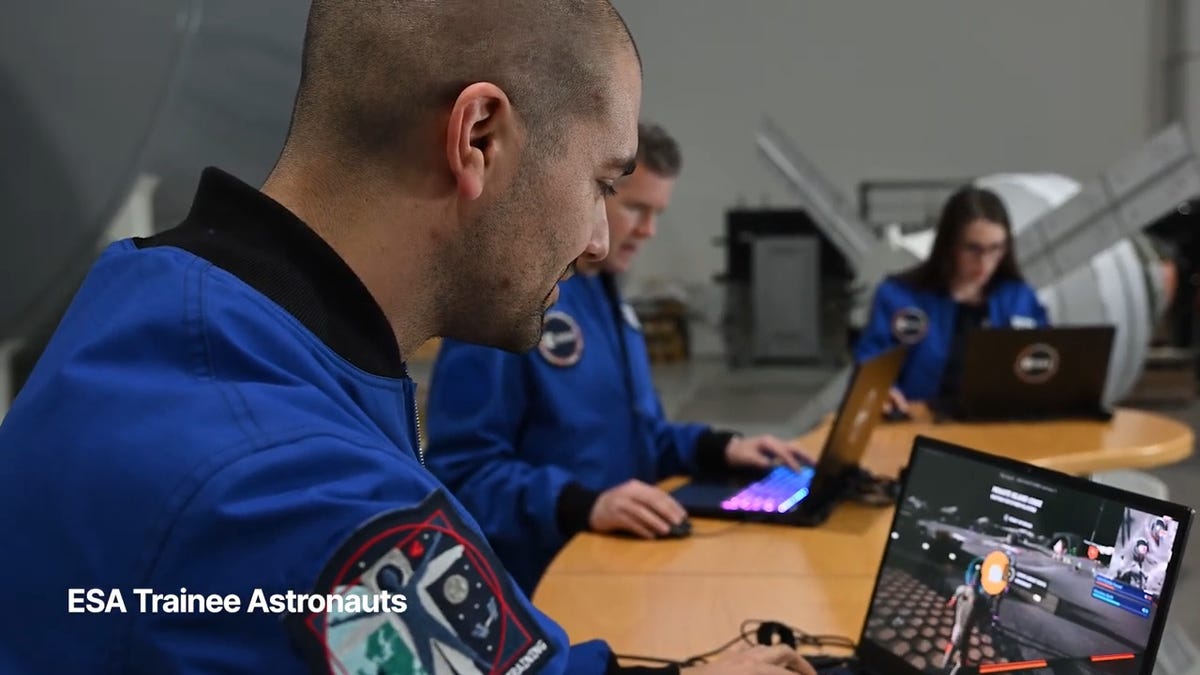
You may not be able to explore the vast majesty of space in the same way that the four-person crew of the Artemis II is, but you can still get an up-close-and-personal view of the moon… in Fortnite, at least.
While you may not be able to slingshot around Earth’s own lunar body, space enthusiasts can see a little bit of what the Artemis II crew is seeing by spending time on the Lunar Horizons Fortnite map right now. The map is a creative collaboration between Fortnite’s creator, Epic Games, and the European Space Agency. Lunar Horizons was released in 2024 after extensive testing and play from ESA trainee astronauts.
If you’re looking to learn more about our own orbiting body, the Lunar Horizons map is an educational simulation of the surface of the moon’s South Pole.
It blends game mechanics with learning, as players get to build up their own sterile lunar habitat bases, interact with ESA astronauts and roll around with robotic rovers as they discover informative plaques that contain information about the moon and international space agencies. There are still dangers to navigate, too — a solar storm may strike when you least expect it.
If you’re interested in exploring the moon, we’ve got all the information you need to join in on the Fortnite fun below. And if you’re looking for a more serious livestream during this momentous human achievement, tune into NASA’s feed here.
How to join the Moon Fortnite island while you follow the Artemis II mission
The Lunar Horizons Fortnite map is a great educational simulation that shares details about ESA’s work and catalogs information about humanity’s lunar research.
These three simple steps will get you up and running (or more accurately, taking slow leaps and bounds) on the surface of the Lunar Horizons Fortnite map:
Download Fortnite
If you haven’t played Fortnite before, but you want to check out this limited-time event, you’ll have to download the game. If you’re on PC, you can download Fortnite for free from the Epic Games Store. Console players can navigate the PlayStation Store, Microsoft Store or Nintendo eShop in order to download Fortnite on their devices.
Navigate the in-game menus until you reach the Search button
Once you’re in the game, scroll down past the different official Fortnite game modes and the Discover tab until you find the Search button.
Input the Lunar Horizons island code
In the search bar, you can input a map’s name or its distinct search code in order to find it in the map directory. You can search for the Lunar Horizons map or input the code 3207-0960-6428 to explore this map in time.
Correction, 3:35 p.m. PT: This story initially was in error about the features available in the Lunar Horizons map. There is no Artemis II-specific mission in Fortnite. Rather, the Lunar Horizons map is an educational simulation of part of the moon’s surface.
-
 Technologies3 года ago
Tech Companies Need to Be Held Accountable for Security, Experts Say
-
 Technologies3 года ago
Best Handheld Game Console in 2023
-
 Technologies3 года ago
Tighten Up Your VR Game With the Best Head Straps for Quest 2
-
 Technologies4 года ago
Black Friday 2021: The best deals on TVs, headphones, kitchenware, and more
-
 Technologies5 лет ago
Google to require vaccinations as Silicon Valley rethinks return-to-office policies
-
 Technologies5 лет ago
Verum, Wickr and Threema: next generation secured messengers
-
 Technologies4 года ago
Olivia Harlan Dekker for Verum Messenger
-
 Technologies4 года ago
The number of Сrypto Bank customers increased by 10% in five days