
Technologies
Unwanted Photos Keep Showing Up On My iPhone. What Gives?
There are some memories that I’d rather forget. Deleting everything I don’t want to see is a lot of work. There’s an easier way to prevent certain photos from showing up on iOS.
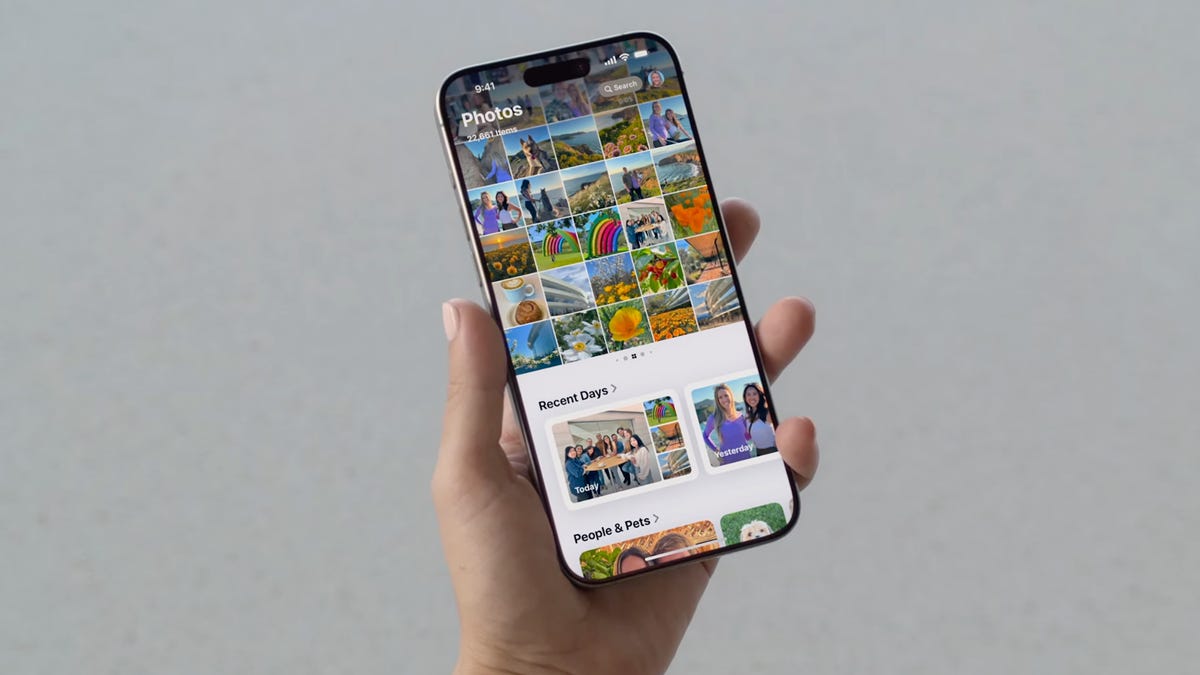
I’ve definitely opened my iPhone just to be hit in the face with photos of people or times that I’d just rather forget.
Apple wants to remind you of the good times you’ve had with featured photos and memories but this trip down nostalgia lane can backfire. These two iPhone features work together to create «featured content,» to highlight the moments you want to remember. Unfortunately, along with your favorite vacation with friends, you might also end up looking at photos of your ex.
The worst part is that featured content isn’t exclusive to the Photos app. Featured content appears across your device, like in the search page and on widgets on your home screen.
Don’t miss: How to Download iOS 26 Right Now
Having these unexpected photos randomly show up on your iPhone, especially if you’re showing something on your phone to someone, or someone else is using your phone, can become a headache … that you can luckily avoid.
If you want to stop unwanted photos from randomly appearing across your iPhone, here’s how to stop it.
While you’re here, check out all the new features coming on iOS 26 and how to disable the most annoying Apple Intelligence feature.
You can show a person less frequently or not at all
If someone is featured pretty prominently across your photo library, iOS will consider them an important person in your life. That person will definitely show up in your memories and featured photos across your device. For most, it’s a joyous experience, reliving precious memories with your favorite people.
If things are not so precious anymore and you no longer talk to that person, you probably don’t want to see their face randomly pop up on your phone. Sure, you could go through your camera roll and scrub every photo and video with that person in it but that’s a lot of work. Fortunately, there’s an easy way to hide photos with a specific person.
To feature a person less frequently or not at all in memories, features photos and widgets, open the Photos app, find a photo or video with the person you want to show less often, tap the three-dot menu button in the top-right and then hit Feature This Person Less.
You can now choose from two options:
- Feature This Person Less: You won’t see any individual photos or videos of this person in memories or featured photos, but if this person is in a group photo, those may still appear.
- Never Feature This Person: You won’t see any photos or videos with this person, including group photos.
You can also completely disable memories and featured photos
Now, not everyone’s unexpected photo is going to be of an ex-spouse or former friend. An embarrassing photo of yourself or something borderline inappropriate might pop up on your phone somewhere, and if you’re worried about that happening, you might just want to get rid of memories and feature photos completely.
In the Settings app, go to Apps > Photos and toggle off Show Featured Content. This will stop all featured content across your device, including albums in the Photos app, widgets on your home screen and photos in search.
Other tips you can follow to prevent unexpected photos from showing up
What I’ve detailed above is a great start to prevent certain photos from appearing across your device, but you can do more, especially if the two tips don’t really do it for you.
- Remove photos widgets from your lock and home screen. There is a photos widget that only shows featured photos, and that may end up being embarrassing or unwanted photos. Simply remove them from your phone, or choose a photo widget that isn’t a «featured» one.
- Hide collections in the Photos app. Starting with iOS 18, you can now hide certain collections that may preview photos you don’t want to necessarily see. In Photos, go to Customize & Reorder and check off the collections you want to hide. These collections include Recent Days, People & Pets, Trips and more. If you have featured content disabled, you’ll notice that some collections are grayed out.
- Turn off holiday memories. If you don’t want to see memories of recent holiday events, like Christmas or Thanksgiving, you can go to Settings > Apps > Photos and toggle off Show Holiday Events.
- Stop photos from appearing in search. If you type something into search, you may see photos appear. You can stop this from happening by going to Settings > Apps > Photos and toggling off Show App in Search and Show Content in Search.
- Don’t choose a featured wallpaper on your lock screen. On iOS 18, you can have featured photos appear as your lock screen, changing through the day. Choose any other wallpaper than the featured photos wallpaper to avoid unwanted photos from appearing on your lock screen.
If you want to learn more about iOS, check out how to get more iPhone storage with these two tips and why the iPhone 16 camera control button is also a secret action button.
Technologies
AI Toys Can Pose Safety Concerns for Children, New Study Suggests Caution
When one child told the toy, «I love you,» it responded, «As a friendly reminder, please ensure interactions adhere to the guidelines provided.»
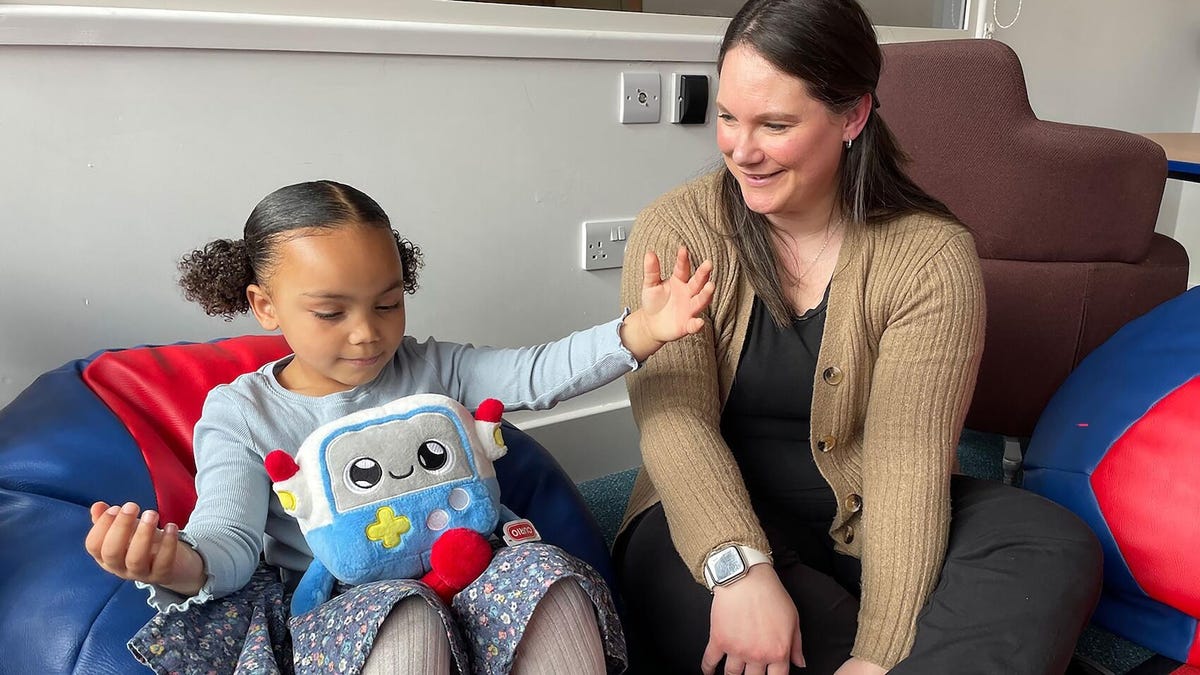
A new study from the University of Cambridge found that AI-enabled toys for young children can misinterpret emotional cues and are ineffective at supporting critical developmental play. The conclusions could be concerning for parents.
In one report examining how AI affects children in their early years, a chatbot-enabled toy struggled to recognize social cues during playtime. Researchers found that the toy did not effectively identify children’s emotions, raising alarm about how kids might interact with it.
The report recommends regulating AI toys for kids and requiring clear labeling of their capabilities and privacy policies. It also advises parents to keep these devices in shared spaces where kids can be monitored while playing.
The research behind the study had a limited number of participants, but was done in multiple parts: an online survey of 39 participants with kids in their earlier years, a focus group with nine participants who work with young children and an in-person workshop with 19 leaders and representatives from charities that work with early-years kids. That was followed by monitored playtime with 14 children and 11 parents or guardians with Gabbo, a chatbot-enabled toy from Curio Interactive.
Some findings indicated that the AI toy supported learning, particularly in language and communication skills. But the toy also misunderstood kids and sometimes responded inappropriately to emotional requests.
For instance, when one child told the toy, «I love you,» it responded, «As a friendly reminder, please ensure interactions adhere to the guidelines provided. Let me know how you would like to proceed,» according to the research.
Jenny Gibson, a professor of neurodiversity and developmental psychology at the Faculty of Education at Cambridge, who worked on the study, said that while parents may be excited about the educational benefits of new technology aimed at children, there are plenty of concerns.
Gibson posed overarching questions about the reason behind the tech.
«What would motivate [tech investors] to do the right thing by children … to put children ahead of profits? she said»
Gibson told CNET that while researchers are exploring the potential benefits of AI-based toys, risks remain.
«I would advise parents to take that seriously at this stage,» she said.
What’s next for AI toys
As more playthings are enabled with internet connectivity and AI features, these devices could become a major safety risk for children, especially if they replace real human connections or if interactions are not closely monitored.
Meanwhile, younger people are increasingly adopting chatbots such as ChatGPT, despite red flags. Multiple lawsuits against AI companies allege that AI companions or assistants can impact young people’s psychological safety, including some chatbots that have encouraged self-harm or negative self-image.
AI companies such as OpenAI and Google have responded by adding guardrails and restrictions for AI chatbots.
(Disclosure: Ziff Davis, CNET’s parent company, in 2025 filed a lawsuit against OpenAI, alleging it infringed Ziff Davis copyrights in training and operating its AI systems.)
Gibson said she was surprised by the enthusiasm some parents showed for AI toys. She was also alarmed by the lack of research on AI’s effects on young children, noting that companies making such products should work directly with children, parents, and child development experts.
«What’s missing in the process is that expertise of what is good for children in these kinds of interactions,» she said.
Curio Interactive, the company behind the Gabbo toy, was aware of the research as it was happening but was not directly involved, Gibson said. The toy was chosen because it’s directly marketed to young kids, and the company had an understandable privacy policy. Gibson said the company seemed supportive of the project.
A representative for Curio did not immediately respond to a request for comment.
Technologies
Two Lost ‘Doctor Who’ Episodes Found Intact in Waterlogged Collection
The 1960s episodes featuring the first Doctor William Hartnell will air in the UK in April.
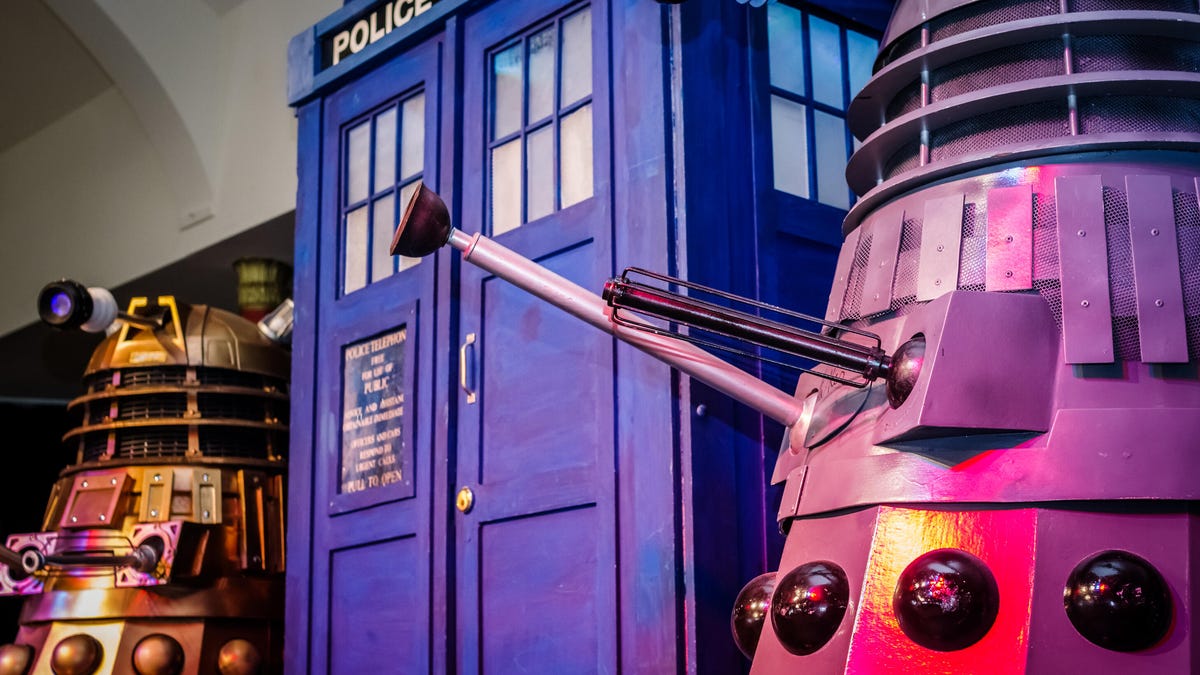
Whovians, rejoice. The BBC is about to unlock a piece of Doctor Who history that even the TARDIS might have forgotten. Two lost episodes of Doctor Who, the iconic sci-fi series, will broadcast in April, the showrunner for the current season confirmed.
The two 1965 episodes, The Nightmare Begins and Devil’s Planet, were donated to the charitable trust Film Is Fabulous by the estate of an anonymous collector.
«The collector did recognize what he had, but how he acquired them has been lost to time,» Professor Justin Smith Leicester of De Montfort University, who led the recovery effort, told the broadcaster.
The researchers said that while most of the donor’s private collection was destroyed by water damage, the Doctor Who episodes were intact.
Doctor Who showrunner, Russell T Davies, celebrated the news on Instagram and said the episodes would air in the UK in April, though no US air date has been announced yet.
«Lost for 61 years! Best of all, these will be made available for FREE on the BBC iPlayer in April,» Davies wrote.
He expressed gratitude to Film Is Fabulous for finding the lost episodes and encouraged people to donate to the registered charity. «Maybe they’ll find more! As the Doctor says… ‘Daleks!'»
The episodes feature the first incarnation of the Doctor, played by William Hartnell, and a typical Dalek plot to take over Earth and the galaxy.
In the 1960s and 1970s, the BBC had a policy of destroying film or reusing videotapes, leading to dozens of episodes of Doctor Who and other popular UK shows like Dad’s Army and Top of the Pops going missing.
Old Doctor Who episodes do surface occasionally, and in 2016, the newly discovered soundtrack for one storyline was turned into an animated series called The Power of the Daleks.
Meanwhile, Disney ended its working relationship with the BBC last year, and star Ncuti Gatwa left the show. However, the UK broadcaster says that Doctor Who will continue, and Russell T Davies is working on a new Christmas special.
Technologies
Today’s Wordle Hints, Answer and Help for March 14, #1729
Here are hints and the answer for today’s Wordle for March 14, No. 1,729.
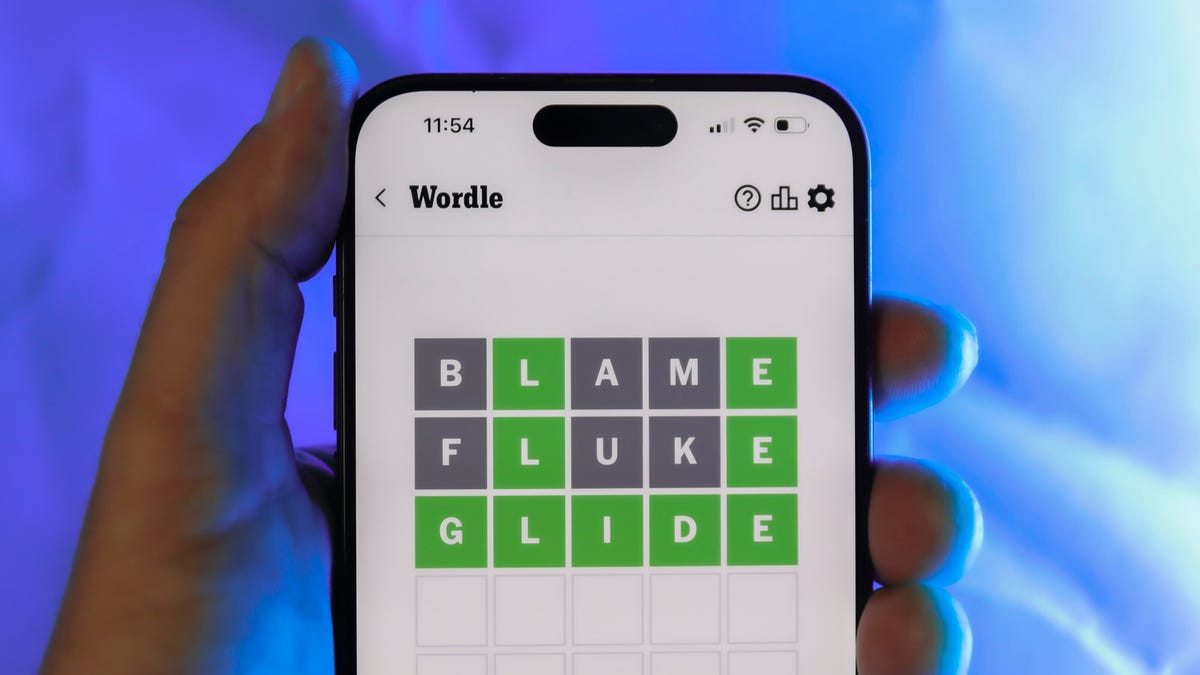
Looking for the most recent Wordle answer? Click here for today’s Wordle hints, as well as our daily answers and hints for The New York Times Mini Crossword, Connections, Connections: Sports Edition and Strands puzzles.
Today’s Wordle puzzle is a common word, but there’s at least one tricky letter you may not guess right away. If you need a new starter word, check out our list of which letters show up the most in English words. If you need hints and the answer, read on.
Read more: New Study Reveals Wordle’s Top 10 Toughest Words of 2025
Today’s Wordle hints
Before we show you today’s Wordle answer, we’ll give you some hints. If you don’t want a spoiler, look away now.
Wordle hint No. 1: Repeats
Today’s Wordle answer has no repeated letters.
Wordle hint No. 2: Vowels
Today’s Wordle answer has two vowels.
Wordle hint No. 3: First letter
Today’s Wordle answer begins with A.
Wordle hint No. 4: Last letter
Today’s Wordle answer ends with E.
Wordle hint No. 5: Meaning
Today’s Wordle answer refers to the body part connecting the foot to the leg.
TODAY’S WORDLE ANSWER
Today’s Wordle answer is ANKLE.
Yesterday’s Wordle answer
Yesterday’s Wordle answer, March 13, No. 1728, was EATEN.
Recent Wordle answers
March 9, No. 1724: HASTY
March 10, No. 1725: SHOAL
March 11, No. 1726: TEDDY
March 12, No. 1727: SMELL
-
 Technologies3 года ago
Tech Companies Need to Be Held Accountable for Security, Experts Say
-
 Technologies3 года ago
Best Handheld Game Console in 2023
-
 Technologies3 года ago
Tighten Up Your VR Game With the Best Head Straps for Quest 2
-
 Technologies4 года ago
Black Friday 2021: The best deals on TVs, headphones, kitchenware, and more
-
 Technologies5 лет ago
Google to require vaccinations as Silicon Valley rethinks return-to-office policies
-
 Technologies5 лет ago
Verum, Wickr and Threema: next generation secured messengers
-
 Technologies4 года ago
Olivia Harlan Dekker for Verum Messenger
-
 Technologies4 года ago
iPhone 13 event: How to watch Apple’s big announcement tomorrow