
Technologies
OnePlus Watch 3 Review: The Best Battery Life of Any Android Smartwatch
This $350 smartwatch can outlast its competitors in battery life and fitness features, but may fall short on software updates.
Our Experts


Editor’s note, June 16, 2025: OnePlus released a smaller 43mm version of the OnePlus Watch 3 in silver stainless steel. This review has been updated to reflect the new addition to the lineup.
Editor’s note, March 4, 2025: We’ve updated our score for the OnePlus Watch 3 from 8.5 to 8.8 to reflect that OnePlus extended its Wear OS update cycle to three years of software and security updates, with support lasting until 2027 with Wear OS 7.
In my 10-plus years of testing smartwatches, I’ve never had to actively try to drain a battery. That changed when I strapped on the $350 OnePlus Watch 3. Five days into my battery test, after charging it to 100%, this watch was still going strong — tracking my sleep, runs and vitals without missing a beat.
I’ll admit, the Watch 3 didn’t make the best first impression — its masculine design and oversized 47mm screen practically swallowed my average-size wrist. I half-expected to write it off as another midrange smartwatch destined to collect dust in a drawer. But the exceptional battery life makes it easy to overlook a few drawbacks, like the size and the lack of ECG functionality in the US.

Pros
- 5-day battery life with all features enabled
- Sleek comfortable design
- Customizable buttons as shortcuts Advanced metrics for select sports modes
Cons
- Only three years of software and security updates
- Lacks menstrual cycle tracking
- ECG is not available in the US or Canada
- No LTE version or iOS compatibility
Four years after its shaky debut, it’s clear the company has paid close attention to its fanbase. OnePlus’ underdog smartwatch has matured into a true competitor to Samsung and Pixel watches. It delivers the best battery life I’ve ever tested on a Wear OS device, while packing solid health features into a subdued, elegant design — now available in a smaller size, too.
Battery life takes center stage
Unlike the original $160 OnePlus Watch and last year’s $180 Watch 2R, whose main draw was affordability, the Watch 3 shifts the focus from price to performance. With its $350 price tag, OnePlus is positioning it as a premium flagship device, competing directly with similarly priced Wear OS watches like the Google Pixel Watch 3 and Samsung Galaxy Watch 7. What truly sets it apart is its battery, which is larger than its predecessor at 631mAh (versus 500mAh on the Watch 2).
The Watch 3 uses a dual chipset system to split up tasks and optimize power consumption and get even more out of its big battery. The Snapdragon W5 processor focuses on powering app usage, while the BES2800 MCU Efficiency chip handles background tasks that don’t use as much power.
Though initially skeptical, my two weeks of testing confirmed that the OnePlus Watch 3 delivers on its five-day battery claim. I did three GPS workouts, one of which was an hour and a half hike, and six full nights of sleep tracking. Even its fiercest Wear OS competitors would struggle to last three days without resorting to using a low-power mode that strips the watch of its «smart» features and turns it into a glorified digital clock. The only caveat with the Watch 3 is that it remains on the default «Smart mode» to achieve the full five days. This mode has a raise-to-wake screen and requires using one of OnePlus’ official watch faces. I typically prefer an always-on display with a busier watch face filled with my most-used complications and shortcuts which would likely bring the battery life closer to three days — still a feat considering how bright the screen is, even in dormant mode.
When I first started testing the watch, I made the mistake of opting for a non-OnePlus watch face with a three out of three rating on the battery drain scale and still managed to squeeze in four days worth of charge. While I haven’t tested the claim yet, OnePlus says the watch can make it to 16 days in «Power Save» leaving it mostly as a dedicated fitness tracker rather than a full-featured smartwatch.
Of course, everyone has a different version of what «normal» use is, and when you finally charge it, the Watch 3 goes from zero to 100% in just under an hour.
Polished design, now in two sizes
The OnePlus Watch 3 has a sleek stainless steel design and a rotating crown with a textured grip that makes it easy to turn. A slim titanium bezel frames the screen, reminiscent of the old rotating bezels on early Samsung watches I loved. Sadly, this one doesn’t move, but I like how it elevates the design, making it look less like a giant circular 1.5-inch AMOLED display strapped to my wrist.
This is a good-looking watch. But as a woman with an average-size wrist, this watch feels huge and clearly not designed with me in mind. I don’t need a rose gold frame and sparkly pink band — I just wish it offered more inclusive sizing options and maybe a classic gold version.
Less than three months after I first tested the watch, OnePlus responded to feedback about sizing and released a smaller 43mm version (in silver steel) in June 2025, with the same great features as the original 47mm model.
The larger 47mm watch comes in a black or silver stainless steel finish, with interchangeable rubber bands in moss green, black, Nordic blue or a new white color released alongside the smaller model. The addition of the smaller size makes the watch more appealing to women, but it’s still missing one key feature I’ve come to expect on a smartwatch: menstrual tracking.
Robust health features, minus period tracking
It’s a big miss that OnePlus didn’t include menstrual tracking on the Watch 3. Menstrual tracking is now a standard feature in newer Apple Watch and Garmin smartwatches. The Watch 3 has pretty much every other health feature including temperature tracking, which can be used to help identify a woman’s ovulation window.
Oversight aside, it’s clear that OnePlus is investing heavily in health tracking. Beyond basic heart rate and sleep data, the watch measures more advanced metrics like cardiovascular health, blood oxygen levels, wrist temperature, and overall well-being, including emotional and stress levels. It also features an electrocardiogram, though as of publication, OnePlus hasn’t sought FDA approval, meaning the feature will not be active in the US or Canada.
While not medical-grade, OnePlus says that the Watch 3’s health metrics are more accurate than in previous models, thanks to upgraded sensors, refined algorithms, and improved cover glass over the back sensors for clearer readings.
The Watch 3 also debuts a 60-second health check-in, a feature that checks all your vitals at once by pressing your finger on the watch’s bottom button to create a circuit. My first health check-in was concerning and displayed a red exclamation mark with the word «abnormal» next to it. It turns out that all my vitals were in range, but my sleep score was so low that it skewed the results.
Battery life is a game changer for sleep tracking
As a low-key sleep-tracking hater, I never realized just how much battery life factored into my frustration. As a parent of young kids, I already know I’m not getting enough sleep, and seeing a bad sleep report first thing in the morning just sets me up for a day of dragging and self-pity. I feel the same way about wellness checks. Not having to take off the watch for five consecutive days made me more inclined to track my sleep, and I may have even learned a thing or two about my sleep patterns.
The Watch 3’s long battery let me collapse into bed at the end of the day without worrying whether my watch had enough charge to last through the night. The watch even tracked my sleep on night six, despite being down to 10% battery in «Power Save» mode. The watch also has an option to monitor SpO2 (blood oxygen levels) and breathing patterns during sleep to help identify more serious breathing issues, but it will drain the battery faster and needs to be activated manually from either the watch or the mobile app.
According to a recent interview from Wareable, OnePlus is already in the process of seeking FDA approval for sleep apnea detection, which may make the extra battery drain worthwhile.
A worthy fitness companion to put you through the paces
In terms of fitness, the OnePlus Watch 3 covers all the basics, with more than 100 different sports modes, six of which it detects automatically: running, walking, rowing, elliptical machine, cycling and swimming. It also offers a «professional» mode for 11 sports that keep tabs on more nuanced metrics related to that sport. For runners, it’s things like form and foot balance, and for tennis players, it’s swing speed and stroke. While it may be overkill for most, as a runner who recently learned how to leverage heart rate zones to intensify workouts, I was excited to nerd out on the additional metrics.
I used it during my usual 3-mile run and learned that while I have excellent balance between my right and left feet, my ground contact time (how long my foot stays on the ground) and vertical oscillation (how much I bounce) could use some improvement to make my runs more efficient and less injury-prone. The app provides context for the additional data, but it be overwhelming, and you have to dig around for a definition of each metric. I was also left longing for more actionable tips for improving my stats.
The One Plus Watch 3’s heart rate tracking kept up with my Polar chest strap (the gold standard for athletes), with a lag of just a second or two and a one point difference in average heart rate between the chest strap and the watch. Heart rate serves as a baseline for many of the fitness metrics on the Watch 3. However, once I started running uphill and inching closer to my maximum heart rate, I noticed that lag time increased to about 25 seconds between what the chest strap was showing (on my phone) and the number on my wrist. I tried tightening the band, but it only helped temporarily. By the end of my workout, the watch showed that I had stayed in my peak heart rate zone for 19 seconds, while the chest strap recorded me in this zone for about three and a half minutes.
The lag could be partially due to the sensor’s proximity to the heart (versus the wrist). Sweat and arm movement could also interfere with an accurate read — a problem for most smartwatches. Whatever the case, heart rate accuracy could be an issue if you use it for high-intensity sports or more serious training. You’re still better off using a chest strap.
Another key feature for outdoor sports enthusiasts is its dual-frequency GPS tracking system, which OnePlus says can position you accurately even in challenging environments, such as crowded cities surrounded by high rises. I live in a rural environment that’s more sheep than skyscrapers, so I haven’t been able to fully test this claim. It did position me perfectly on my hour and a half hike through oak trees and vineyards.
With an IP69 rating, the OnePlus Watch 3 is also water-resistant up to 50 meters.
Weighed down by Wear OS and limited updates
The Watch 3 runs on Wear OS 5, with a few additional OnePlus design and navigation features. You can customize the rotating crown and side button as shortcuts, but everything else will feel like a standard Wear OS watch packed with your downloaded apps.
The interface of the Watch 3 feels sluggish, with a slight lag in response time, though it became easier to use as I got more familiar with the swipe and tap directions. The UI isn’t exactly intuitive, either. For example, the battery icon shows the remaining charge but doesn’t let you switch to «Smart» or «Power Save» mode, which, after some trial and error, I found hidden behind what looks like an infinity icon. There are also three ways to access the workout screen, but only one of those ways will allow you to add a workout type (through the list of apps). This may be more of a Wear OS navigation issue than a OnePlus problem, but it’s still cumbersome.
Additionally, you’ll need to download the separate OHealth app to your phone to access the watch’s full range of health-tracking features. The app itself is visually appealing and intuitive, but the setup wasn’t seamless. It took multiple tries to sync with my Google Health data. It’s worth noting that I was using a developer’s version of the OHealth app, so setup may be smoother on the public version.
The OnePlus Watch 3 may also become obsolete faster than some of its rivals. Unlike Samsung’s Galaxy Watches, which offer five years of Wear OS updates, the OnePlus guarantees support for software and security updates only until 2027. The Watch 3 will get updated to Wear OS 6, and 7, putting it in line with the Pixel 3, which launched in the fall of 2024.
Solid battery life and features tip the scale
If battery life is at the top of your wishlist, this is one Android smartwatch that’s definitely worth considering. The OnePlus Watch 3 is a premium smartwatch at a midrange price that checks nearly all the boxes for health and fitness features and outlasts most competitors when it comes to battery life — just not when it comes to software updates. The OnePlus Watch 3 is now available for $350 on the OnePlus website.
Technologies
Crank Up the Tunes With Over $200 Off the Top-Rated Bowers & Wilkins Pi8 Earbuds
Woot is offering you the chance to put these Bowers & Wilkins Pi8 ANC buds in your ears for a massive 44% off, but the deal ends soon.
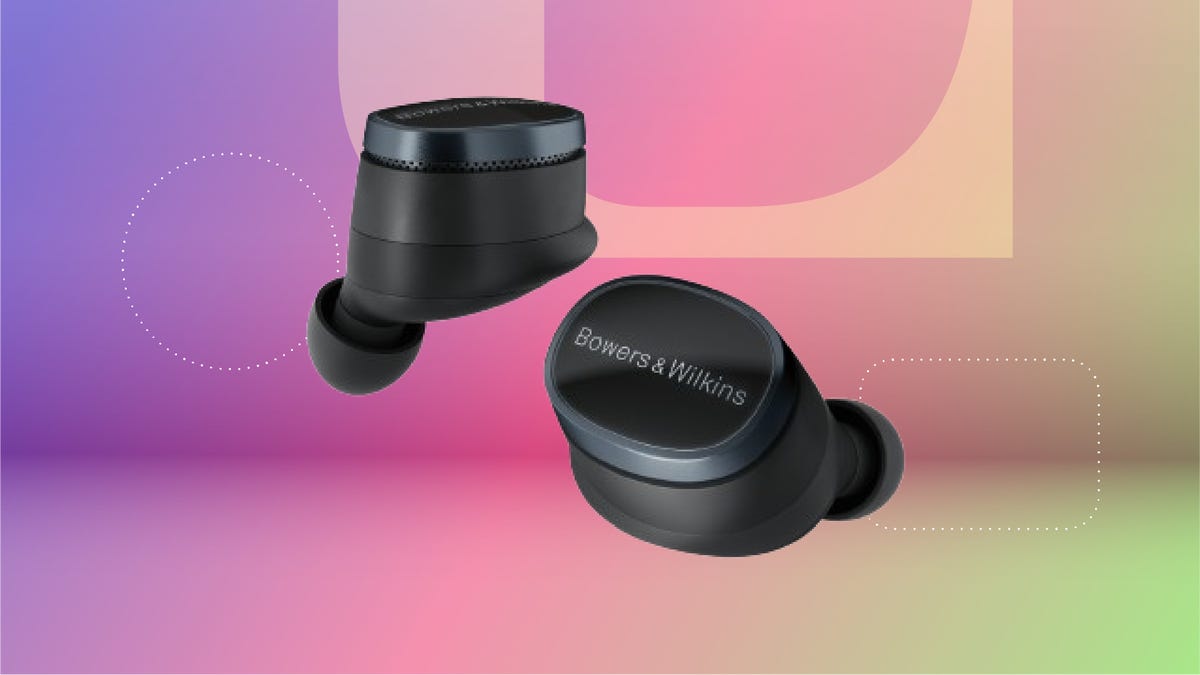
The Bowers & Wilkins Pi8 earbuds with ANC in anthracite black are now just $280 on Woot. That’s an impressive 44% off the usual $499 sticker price. It’s also the lowest price we’ve seen so far, but this deal won’t last long. Quantities on Woot are limited, so grab yours while the deal is still live.
The design’s comfy enough for long hauls, and the 15-minute quick charge is clutch when you’re heading out the door. The charging case even doubles as a Bluetooth transceiver, so you can plug into in-flight entertainment systems without fuss. These buds are featured in our roundup of the best wireless earbuds of the year, and audio expert David Carnoy called them «easily among the best-sounding earbuds out there,» with better ANC and a more ergonomic fit than earlier models.
If you’re picky about sound, these are worth a look. They have a snug fit, single-button controls and a case that’s been redesigned to feel more premium. They’re splash- and dust-resistant (IP54 rating), and the updated shape fits better than the Pi7 S2 and Pi5 S2. You can also tweak settings using the Bowers & Wilkins Music app for iOS and Android.
If this isn’t quite your vibe, check out our full roundup of the best headphone deals you can add to your cart now.
HEADPHONE DEALS OF THE WEEK
-
$248 (save $152)
-
$170 (save $181)
-
$398 (save $62)
-
$200 (save $250)
Why this deal matters
These earbuds don’t go on sale often, and when they do, it’s usually not this steep of a discount. The anthracite black Pi8s are sitting at their lowest price yet, and they’re backed by solid reviews and a spot on CNET’s best earbuds list. If you’ve been waiting for a reason to splurge, this is it. We last saw this deal during Black Friday, so there’s no telling when these buds will come back on sale after this deal expires.
Technologies
Apple Reportedly Eyes ‘iPhone Ultra’ Name for Folding Phone Expected This Year
It’s another week and another bunch of rumors about the company’s first foldable phone.
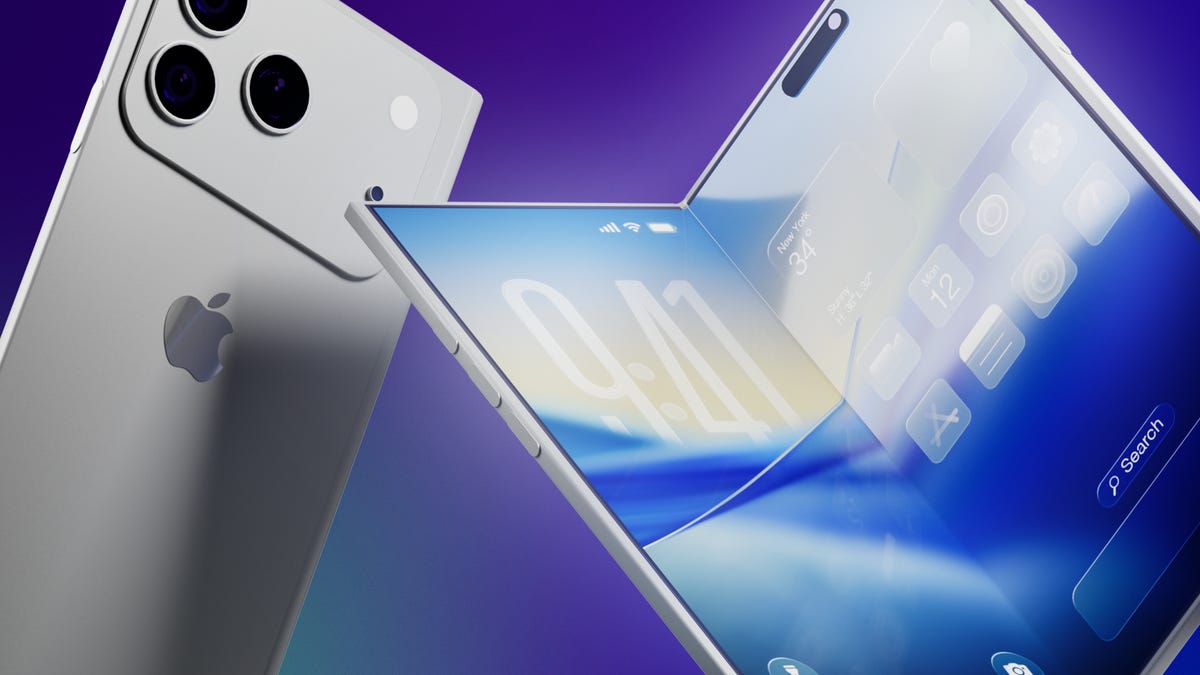
It’s a new week and a new set of rumors for Apple’s first foldable phone. If Tuesday’s reports are true, the device will be called the Ultra, have a bookish shape and launch in September.
The main report comes from Bloomberg’s Mark Gurman, who said the foldable is on track for a September launch, despite Nikkei Asia reporting that the phone might not launch until 2027 due to issues that cropped up during the engineering test phase.
Citing unnamed sources, Gurman said Apple will introduce the foldable phone in September alongside the iPhone 18 Pro and Pro Max. Those phones would likely go on sale about a week after being unveiled.
An Apple representative didn’t immediately respond to a request for comment. It’s important to note that while rumors abound, Apple has confirmed none of them — not even the existence of a foldable iPhone.
Still, the earlier Nikkei Asia report was jarring enough to send Apple’s stock down 5.1% before it rebounded later, Gurman noted. The Nikkei Asia story said unexpected issues had arisen during engineering testing and that more time was needed to make «necessary adjustments.» Under a worst-case scenario, the first shipment of the foldables would not occur until 2027, the report said.
More from CNET: Foldable Phones Have Solved Nearly Every Trade-Off, Well Before Apple Debuts One
Looks like a book
Meanwhile, consumer tech reviewer Sonny Dickson posted images on X showing dummy models indicating how big the iPhone Fold, iPhone 18 Pro and iPhone 18 Pro Max might be. In the image, the foldable has an almost square shape when fully opened.
Dummy images are useful for phone accessory manufacturers — such as case-makers — so they can get a head start on mass production before the devices are launched. When phones are released, consumers are quick to order cases and other accessories, so the sizes need to be known. It is unclear whether the dummy models shown are actual mockups from Apple.
People who commented on X didn’t seem to love the dummy images, particularly because the models shown appear to lack MagSafe, Apple’s magnetic system on the back of the phone that lets chargers and other accessories snap on.
Stefan Moser wrote, «If the Fold is missing MagSafe, this will be a big NO for me.»
There were other criticisms, too.
An X user going by DasnkiCS posted that the phone looks «too wide, can’t palm that easily in normal phone use.»
And another X user, Brosnan Hoban, wrote, «Fold looks like a credit card from 2050.»
What’s in a name?
Tuesday’s other big rumor concerned the foldable’s name.
A leaker, Digital Chat Station, posted on the Chinese social site Weibo that the foldable iPhone could be called the iPhone Ultra. The post also said Chinese competitors may use the Ultra name for their own foldables to compete directly with Apple on design, specs, and price.
The predominant rumored name has been the iPhone Fold, but others have included Flip, Duo and iFold.
In March, Gurman wrote in his Power On newsletter that Apple was considering a full line of Ultra products, possibly including a foldable phone, an M6 MacBook Pro with OLED, a foldable iPad and high-end Macs. Gurman also said Apple might introduce AirPods with «computer-vision cameras» to send visual data to Siri for its AI assistant feature.
We’ve seen a steady stream of tidbits about the foldable recently. There could be a large inner screen for multitasking, and people could open apps side by side. There might also be two rear cameras, a front-facing camera and a Touch ID side button.
Whatever Apple finally comes up with, it will be playing catch-up. Other major phone-makers already have foldable phones on the market, including the Samsung Galaxy Z Fold 7, the Google Pixel 10 Pro Fold, the OnePlus Open, the Huawei Mate XT, the Honor Magic V5 and the Motorola Razr Ultra.
Technologies
Artemis II Astronauts Name Moon Crater After Commander Reid Wiseman’s Late Wife
The emotional moment was streamed by NASA moments after the crew made history.
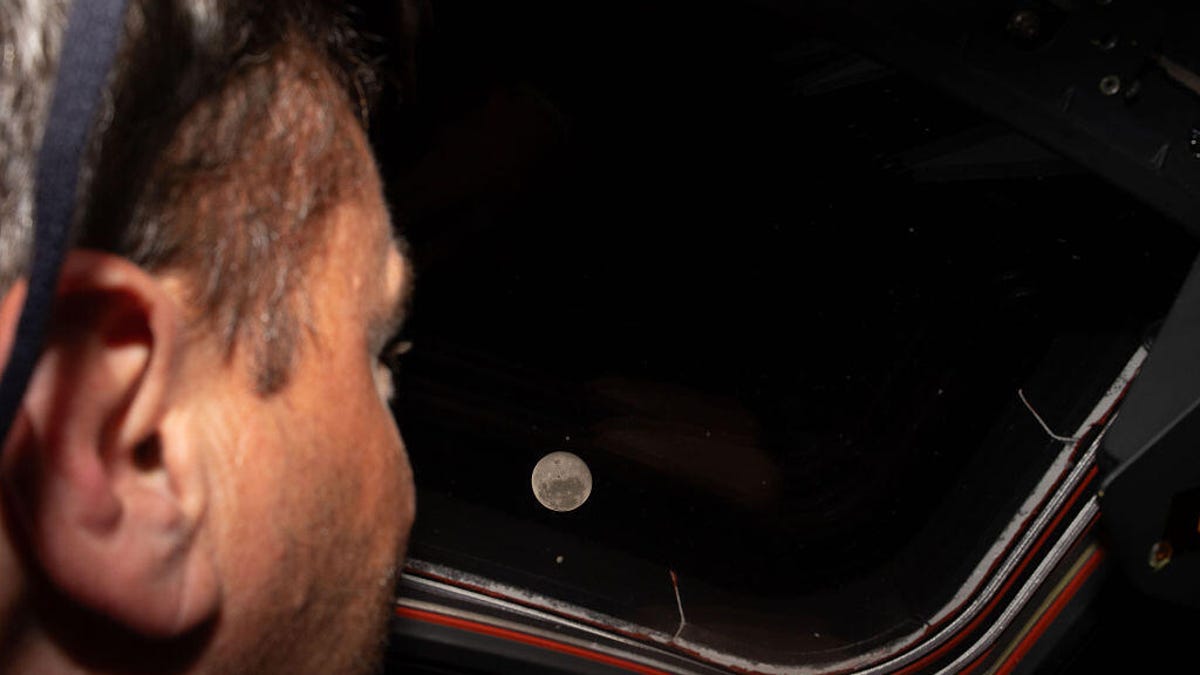
On Monday, after the crew aboard Artemis II made a historic feat by breaking Apollo 13’s distance record, they made the moment even more special by proposing to name one of the craters on the moon «Carroll,» in memory of Commander Reid Wiseman’s late wife.
While contacting Mission Control, Mission Specialist and astronaut Jeremy Hansen stated that the «close-knit astronaut family» previously lost a loved one who was «the spouse of Reid, the mother of Katie and Ellie.»
«It’s a bright spot on the moon,» Hansen said while describing the crater during the emotional call. «And we would like to call it Carroll.»
After the request, you can see Wiseman embrace Hansen before the rest of the crew joins in for a group hug.
Carroll Wiseman died in 2020 at 46 years old from cancer. Wiseman’s NASA bio page states that Carroll «dedicated her life to helping others as a newborn intensive care unit Registered Nurse.»
Before the Artemis II mission, Wiseman posted a selfie with his two daughters on X with a caption that reads in part, «I love these two ladies, and I’m boarding that rocket a very proud father.»
Follow CNET’s coverage of the 10-day Artemis II mission as the Orion makes its way back to Earth.
-
 Technologies3 года ago
Tech Companies Need to Be Held Accountable for Security, Experts Say
-
 Technologies3 года ago
Best Handheld Game Console in 2023
-
 Technologies3 года ago
Tighten Up Your VR Game With the Best Head Straps for Quest 2
-
 Technologies4 года ago
Black Friday 2021: The best deals on TVs, headphones, kitchenware, and more
-
 Technologies5 лет ago
Google to require vaccinations as Silicon Valley rethinks return-to-office policies
-
 Technologies5 лет ago
Verum, Wickr and Threema: next generation secured messengers
-
 Technologies4 года ago
Olivia Harlan Dekker for Verum Messenger
-
 Technologies4 года ago
The number of Сrypto Bank customers increased by 10% in five days