
Technologies
Nintendo Switch 2 vs. Switch 1: Gamers, Start Your Specs Breakdowns
The Nintendo Switch 2’s official specs aren’t too different, but the new console has several key upgrades over the original.
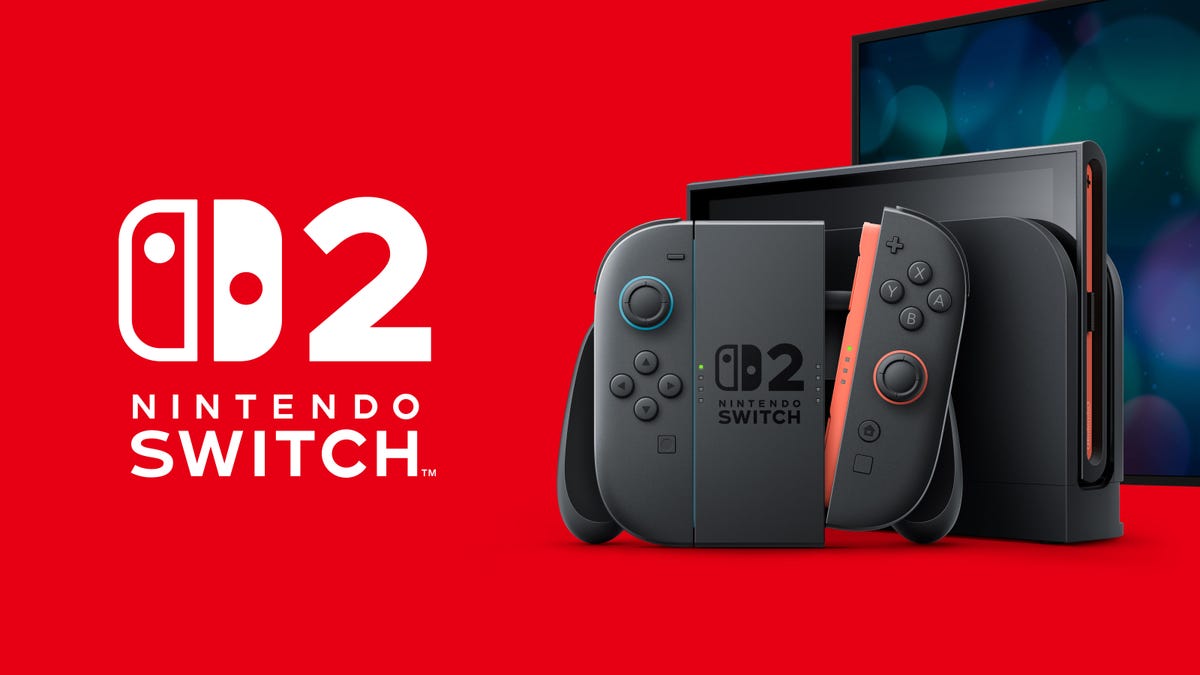
At first glance, the official specs of the Switch 2 don’t seem too different from the original, but plenty of improvements are buried in the details. For instance, it boasts «10x the graphics performance» compared to the original Switch, according to Nvidia, which built the custom processor powering the Switch 2. With the new console set to launch this week on June 5, it’s worth digging deeper to see what’s changed.
The Switch 2 is priced at $450 alone or $500 in a bundle with Mario Kart World, the headliner of the console’s launch games. Here’s all the info on how to preorder the Switch 2.
Note that we’re mostly comparing the Switch 2 to the original Switch 1 released in March 2017, because looping in the Switch Lite gets complicated.
Nintendo Switch 2 vs. Switch OLED vs. Switch 1
| Switch 2 | Switch OLED | Switch 1 | |
| Price | $450 | $350 | $300 |
| Release date | June 5, 2025 | Oct. 8, 2021 | March 3, 2017 |
| CPU/GPU | Custom Nvidia | Custom Tegra | Custom Tegra |
| Storage | 256GB | 64GB | 32GB |
| Battery Size | 5,220 mAh | 4,310 mAh | 4,310 mAh |
| Battery Life | 2-6.5 hours | 4.5-9 hours | 4.5-9 hours |
| Video Output | 4K (3,840 x 2,160) | HD (1,920 x 1,080 pixels) | HD (1,920 x 1,080 pixels) |
| Max framerate | 120 fps | 60 fps | 60 fps |
| HDR, VRR support | HDR / VRR up to 120Hz | N/A | N/A |
| Dimensions | 166 x 272 x 13.9mm | 102 x 242 x 13.9mm | 102 x 239 x 13.9mm |
| Screen size | 7.9 inches | 7.0 inches | 6.2 inches |
| Weight | 401 g | 320 g (0.93 lbs.) | 297 g (0.88 lbs.) |
| USB and Ports | 2x USB-C, 3.5mm | USB-C, 3.5mm | USB-C, 3.5mm |
Design
Broadly, the Switch 2 is a larger version of its predecessor, with everything looking slightly inflated: bigger footprint, bigger screen, bigger Joy-Cons.
Original Switch: The original Switch, with Joy-Cons slotted into the side rails, is a little over 9.4 inches wide, 4 inches tall, a little over half an inch thick and weighs about 10.5 ounces (297 grams). The Joy-Cons slide into place from the top of the device’s sides, while a thin wedge of plastic pops out of the back of the console to serve as a kickstand.
The Switch also came with a dock, which the console could slot into for recharging and outputting to a TV or large display via HDMI port.
Switch OLED: The Switch OLED is ever-so-slightly wider to accommodate the larger display, but the same height in order to be compatible with Joy-Cons.
Switch 2: The new Switch 2 is bigger in every way, but it has the same overall shape and layout as the original. The new Joy-Cons will indeed be held in place on the console magnetically, and connect to the console via pins. The new console also sports a wide U-shaped kickstand that spans almost its entire rear width, which can be moved around to prop up the Switch 2 at a variety of angles. Nintendo says the console has more powerful speakers, which we’re looking forward to testing.
The Switch 2’s dock is largely similar in function though it has rounded edges and an internal fan to cool down the console during long game sessions. More importantly, it can output games in 4K to TVs, but only for select games.
Joy-Cons
The Joy-Cons were a marvel when they arrived on the first Switch, and while they’re functionally similar in its successor, the Switch 2’s controllers have been upgraded.
Original Switch: The Switch Joy-Cons are simple but powerful controllers that slide on and off the console via plastic rails, connecting and recharging via pins on the side. Detach, and they become their own micro-controllers, with little shoulder buttons to boot. The Joy-Cons are unchanged on the Switch OLED.
Switch 2: The new console’s Joy-Cons are larger to fit the Switch 2, and lock into the side of the console via powerful magnets — there are small inward-facing buttons to the side of ZR and ZL to detach the controllers from the console. The larger Joy-Cons have longer L and R outside shoulder buttons, as well as much wider SL and SR internal shoulder buttons, which are accessible when detached from the console.
And yes, you can use the Switch 2 Joy-Cons as mice by placing their inner edges flat on a surface. During the Nintendo Direct, we saw one being used to control active action games like the wheelchair basketball-simulating DragXDrive and strategy games like Civilization VII. They have a removable cap that can be slipped on the inside edge to make running the controller back and forth on surfaces in mouse mode smoother.
Display size
Original Switch: The original Switch has a 6.2-inch LCD screen with 1,280×720-pixel resolution, which was reasonably impressive at launch in 2017 but has been outclassed by newer handhelds with sharper displays. The Switch Lite, the more portable and affordable version, has a 5.5-inch LCD screen.
Switch OLED: The Switch OLED’s display, besides having deeper darks and an overall better picture than the base game, is larger at 7 inches. To fit into the overall same frame as the original Switch, the bezels on the Switch OLED have been drastically minimized.
Switch 2: Unsurprisingly, the Switch 2’s larger size means a larger display. The new console has a 7.9-inch 1080p LCD screen that can get up to 120Hz refresh rate in handheld mode, or up to 4K when docked and outputting to a TV.
Why no OLED display? Possibly to save on costs… or perhaps to give Nintendo room to release a Switch 2 OLED version down the line.
CPU/GPU
Original Switch: The original Switch runs on an Nvidia custom Tegra X1 processor split into four ARM Cortex A57 CPU cores, and according to Hackaday, there are four extra A53 cores that aren’t used. The Switch Lite and Switch OLED have the same hardware.
Switch 2: Once again, Nintendo hasn’t released any official info on the Switch 2’s specs, even after the Nintendo Direct reveal stream — and the most the company reveals is that it has a «custom processor made by Nvidia» on the Switch 2’s official specs page. Nvidia confirmed it also has a custom GPU, claiming that the new console has «10x the graphics performance» of the Switch 1, and the custom processor’s AI-powered features include Deep Learning Super Sampling (DLSS), face tracking and background removal for video chat and real-time ray tracing.
We do still have more supposed details from previous leaks. Months ago on X (formerly Twitter), leaker Zuby_Tech posted that the Switch 2’s CPU will be an eight-core Arm Cortex A78C. They also suggested that the GPU will be an Nvidia T239 Ampere, aligning with years of similar rumors reported on by Eurogamer and others about the custom chip, which derives from Nvidia’s Tegra line of chips for smartphones and mobile devices.
RAM and storage
Original Switch. The Switch has 4GB of LPDDR4 RAM and 32GB of onboard storage, expandable up to 2TB via microSD cards in the slot beneath the kickstand.
Switch OLED: The only change is an upgrade to 64GB of onboard storage.
Switch 2: Even after the reveal stream, Nintendo didn’t release official RAM specs. Leaker Zuby_Tech posted on X back in September suggesting the Switch 2 will have 12GB of LPDDR5 RAM and 256GB of onboard storage. That leak also suggested the new console will have two internal fans, up from the single one in the original Switch.
Nintendo did confirm that the new console will have 256GB of onboard storage, which can be expanded with special microSD Express cards — sorry, your old Switch-compatible microSD cards won’t work on the Switch 2.
Battery life
Original Switch: The original Switch packs a 4,310-mAh battery, which gives between 4.5 and 9 hours of battery life depending on screen brightness and other factors. The Switch OLED has the same size battery and battery life as the original.
Switch 2: Though Nintendo didn’t release details on the Switch 2’s capacity in the reveal stream, the company does list specs on its website, showing it packs a 5,220mAh battery. While that’s notably larger than the one in its predecessor, Nintendo estimates this will only get players between an estimated 2 and 6.5 hours, depending on games played.
Ports
Original Switch: The first Switch sports a single USB-C port out the bottom, a 3.5mm headphone jack on the top and Wi-Fi 5 plus Bluetooth 4.1 connectivity. On the top is a slot at the top for Switch game cartridges as well as the microSD slot beneath the kickstand on the rear of the console. The Switch OLED has the same ports.
Switch 2: The Switch 2 retains the original’s USB-C port on the bottom and 3.5mm jack on the top while adding another USB-C port on the topside. Now we know what it’s for: To connect with accessories like the Nintendo Switch Camera, a webcam-like camera on a stand that lets you do Nintendo’s version of FaceTiming while you play games with your friends.
Nintendo hasn’t clarified the console’s connectivity options, and rumors on the subject are scarce.
As for cartridges, Switch 2 will play some original Switch games in physical versions. The cartridge slot is to the right of the headphone jack in the above image, which is where the slot is on the original Switch. You can tell game cartridges from the two console generations apart by color: ones for the new Switch 2 are red, while older Switch 1 games are black.
Technologies
2 Cases Show Supreme Court Isn’t Holding ISPs Responsible for Piracy
Technologies
Today’s NYT Connections Hints, Answers and Help for April 8, #1032
Here are some hints and the answers for the NYT Connections puzzle for April 8, No. 1032.

Looking for the most recent Connections answers? Click here for today’s Connections hints, as well as our daily answers and hints for The New York Times Mini Crossword, Wordle, Connections: Sports Edition and Strands puzzles.
Today’s NYT Connections puzzle is kind of tough. The purple category is a fun one, once you see the connection. Read on for clues and today’s Connections answers.
The Times has a Connections Bot, like the one for Wordle. Go there after you play to receive a numeric score and to have the program analyze your answers. Players who are registered with the Times Games section can now nerd out by following their progress, including the number of puzzles completed, win rate, number of times they nabbed a perfect score and their win streak.
Read more: Hints, Tips and Strategies to Help You Win at NYT Connections Every Time
Hints for today’s Connections groups
Here are four hints for the groupings in today’s Connections puzzle, ranked from the easiest yellow group to the tough (and sometimes bizarre) purple group.
Yellow group hint: In the group.
Green group hint: Appearance details.
Blue group hint: Often found in gyms.
Purple group hint: They help you see.
Answers for today’s Connections groups
Yellow group: Cohort member.
Green group: Aesthetic.
Blue group: Kinds of bar apparatuses.
Purple group: Eyewear in the singular.
Read more: Wordle Cheat Sheet: Here Are the Most Popular Letters Used in English Words
What are today’s Connections answers?
The yellow words in today’s Connections
The theme is cohort member. The four answers are associate, colleague, fellow and peer.
The green words in today’s Connections
The theme is aesthetic. The four answers are design, look, scheme and style.
The blue words in today’s Connections
The theme is kinds of bar apparatuses. The four answers are monkey, parallel, pull-up and uneven.
The purple words in today’s Connections
The theme is eyewear in the singular. The four answers are contact, goggle, shade and spectacle.
Technologies
Today’s Wordle Hints, Answer and Help for April 8, #1754
Here are hints and the answer for today’s Wordle for April 8, No. 1,754.
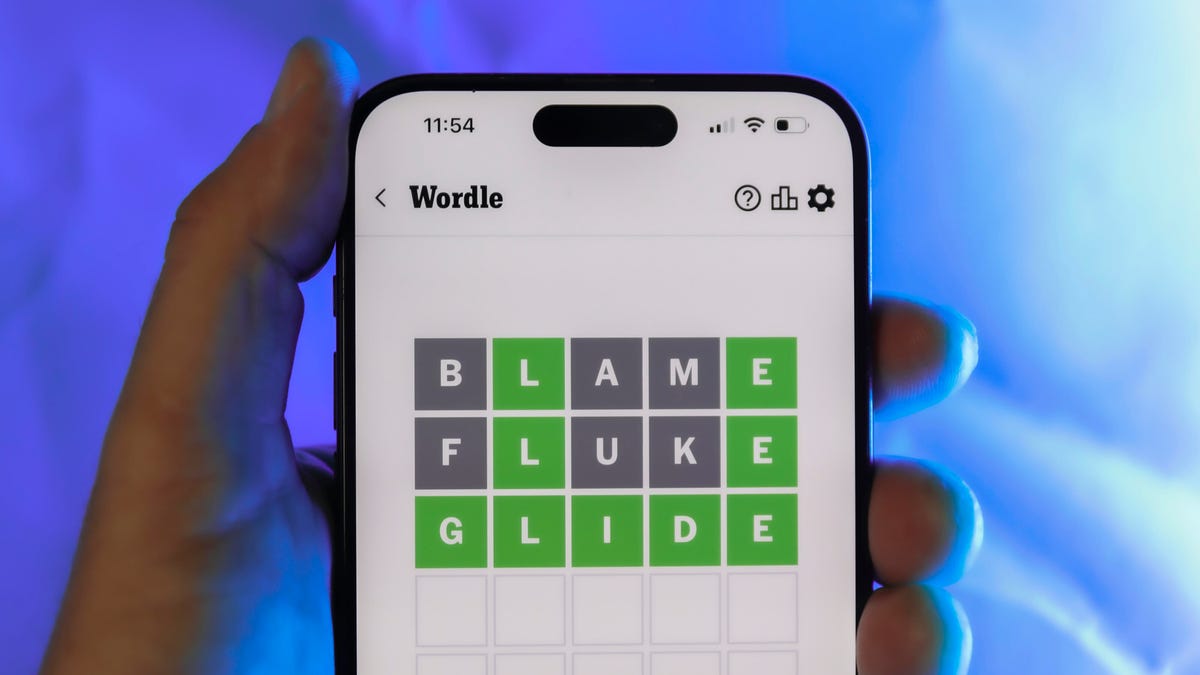
Looking for the most recent Wordle answer? Click here for today’s Wordle hints, as well as our daily answers and hints for The New York Times Mini Crossword, Connections, Connections: Sports Edition and Strands puzzles.
Today’s Wordle puzzle is a tough one. The first letter isn’t the rarest letter ever, but its placement threw me off. If you need a new starter word, check out our list of which letters show up the most in English words. If you need hints and the answer, read on.
Read more: New Study Reveals Wordle’s Top 10 Toughest Words of 2025
Today’s Wordle hints
Before we show you today’s Wordle answer, we’ll give you some hints. If you don’t want a spoiler, look away now.
Wordle hint No. 1: Repeats
Today’s Wordle answer has no repeated letters.
Wordle hint No. 2: Vowels
Today’s Wordle answer has two vowels.
Wordle hint No. 3: First letter
Today’s Wordle answer begins with I.
Wordle hint No. 4: Last letter
Today’s Wordle answer ends with T.
Wordle hint No. 5: Meaning
Today’s Wordle answer can refer to a small arm of the sea.
TODAY’S WORDLE ANSWER
Today’s Wordle answer is INLET.
Yesterday’s Wordle answer
Yesterday’s Wordle answer, April 7, No. 1753, was DENSE.
Recent Wordle answers
April 3, No. 1749: SINGE
April 4, No. 1750: SANDY
April 5, No. 1751: ENVOY
April 6, No. 1752: SWORN
-
 Technologies3 года ago
Tech Companies Need to Be Held Accountable for Security, Experts Say
-
 Technologies3 года ago
Best Handheld Game Console in 2023
-
 Technologies3 года ago
Tighten Up Your VR Game With the Best Head Straps for Quest 2
-
 Technologies4 года ago
Black Friday 2021: The best deals on TVs, headphones, kitchenware, and more
-
 Technologies5 лет ago
Google to require vaccinations as Silicon Valley rethinks return-to-office policies
-
 Technologies5 лет ago
Verum, Wickr and Threema: next generation secured messengers
-
 Technologies4 года ago
Olivia Harlan Dekker for Verum Messenger
-
 Technologies4 года ago
The number of Сrypto Bank customers increased by 10% in five days