
Technologies
I’m Putting Apple AirTags in Every Suitcase I Own, and They’re on Sale Now at Amazon
I track everything from keys to cars using Apple AirTags. And now that you can get a four-pack for almost $20 off at both Amazon and Best Buy, it’s a good time to stock up.
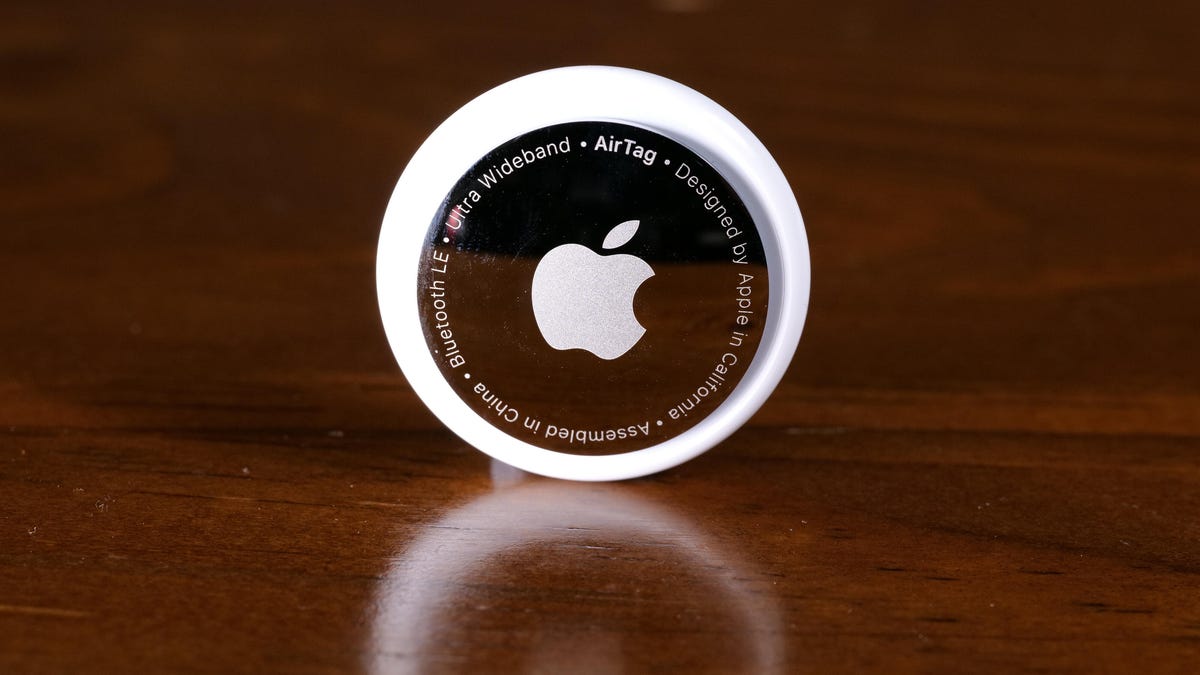
I knew something was wrong as I stood at the baggage carousel after a return flight from France and my trusty rolling suitcase was nowhere to be seen, even as my fellow passengers collected their bags one by one. My suitcase never did drop onto the carousel that day.
However, I knew there was no reason to panic. Before handing over my suitcase at check-in at the Charles de Gaulle Airport, I had tucked a sophisticated little tracking device into it. So, with just a few taps on my iPhone, I could see that my bag had apparently never left Paris. (Merde!)
Over the years, I’ve come to rely on Apple’s AirTags to keep track of just about all my easy-to-lose valuables. They’re not only good for suitcases; I also use them to track keys, bikes and even my car. I tell everyone who will listen that you can never have too many of these handy devices. That’s why I think it’s worth taking full advantage of sales at both Amazon and Best Buy that slash the price of a four-pack of AirTags down to $80.
Here’s how the Apple AirTag that was in my suitcase on that fateful trip works. It uses an ingenious method of tracking itself, detecting its location from nearby iPhones and using them to anonymously piggyback the coordinates to a secure server where I could look it up on my iPhone. Until just a few years ago, this would have seemed like a scene straight out of a spy movie.
Hey, did you know? CNET Deals texts are free, easy and save you money.
Instead of wondering if my belongings were stuck on an abandoned luggage cart or strewn across the tarmac, I could see in almost real time that my suitcase was still chilling at Charles de Gaulle airport in Paris. I was able to calmly tell the airline my bag didn’t make the flight, and it made arrangements to have it delivered to me a few days later.
HEADPHONE DEALS OF THE WEEK
-
$170 (save $181)
-
$349 (save $100)
-
$298 (save $50)
Apple AirTags are all about peace of mind
By itself, an AirTag isn’t much. A 1.26-inch smooth round puck that looks like a glossy white breath mint, it sinks to the bottom of a bag or dangles from a key chain (with a compatible key ring, sold separately). It’s meant to disappear.
Activating the AirTag was a simple process of pairing with my iPhone. And then, because it obviously doesn’t really do anything out of the box, I forgot about it.
But the next time I couldn’t find my keys? Sorcery. My iPhone didn’t just tell me they were somewhere nearby — it walked me directly to them, thanks to the AirTag’s built-in Ultra Wideband chip. Suddenly, all that time I’d spent retracing my steps and overturning couch cushions in the past felt like ancient history.
Now I have AirTags in or attached to every significant item I’d want to keep track of: My everyday laptop bag, my camera backpack, the suitcase I use most when traveling, my key chain, my car and a smaller sling bag I take on walks. I can pull up the Find My app on any of my Apple devices (or sign in to iCloud on any web browser) and see where my items are and the last time the AirTags registered their locations.
AirTags aren’t just for my everyday items. People I know in the movie business tell me that AirTags are tossed into nearly every bag and Pelican crate, not solely to ensure that the valuable equipment inside doesn’t walk away but to quickly differentiate equipment amid similar looking containers. Some of my friends also attach AirTags to their pets’ collars (though experts say there are better ways to track pets).
AirTags are also useful for things that you want to keep close by
Being able to detect my luggage a continent away provided a sense of relief, to be sure. But at the local level, my AirTags will also trigger an alert when I get too far away from them. For example, if I accidentally forget my camera bag in the car when I stop somewhere for lunch, a Find My notification appears telling me I’ve left it behind. It works the same for newer AirPods models as well.
Sharing is now a big part of AirTag tracking
My family has two cars, and I wanted to be able to track them both. But it used to be inconvenient to pair the AirTag in the car my wife drives to her iPhone (and the one in my car to my iPhone).
To guard against unwanted tracking, an AirTag will notify nearby iPhones of its existence, so whenever I drove my wife’s car without her in it, I got a notification that an AirTag was traveling with me. (If the owner is near the AirTag, the alert does not appear.)
However, ever since the release of iOS 17, AirTags are shareable, which solves this problem. I shared my AirTag with my wife, and she with me, so regardless of which car I’m driving, I can find it more easily in a crowded parking lot without getting constant, unnecessary alerts.
A new feature to AirTags that arrived with iOS 18.2 is the ability to temporarily share an AirTag’s location with someone I trust. In my luggage example above, if the suitcase was in the airport with me, but the airport’s staff hadn’t yet been able to locate it (not uncommon during peak travel times), I could share its location with an attendant who could quickly retrieve it from areas inaccessible to the public.
Apple AirTag specs
- Diameter: 1.26 inches (31.9 mm)
- Height: 0.31 inches (8 mm)
- Weight: 0.39 ounces (11 g)
- Splash, water and dust resistance: Rated IP67 (maximum depth of 1 meter up to 30 minutes)
- Connectivity: Bluetooth 5.0
- Battery: Replaceable CR2032 coin cell battery
The only minor annoyance about AirTags
An AirTag includes Bluetooth, the U1 Ultra Wideband chip and an NFC chip to share basic details when it’s in Lost Mode. That’s all powered by a CR2032 coin cell battery, which in my experience lasts roughly a year before I need to replace it.
I get notified when a battery is starting to get low, although there’s no gauge to see how much is left until it goes into the red. And it’s easy to change batteries. But my small fleet of AirTags means I need to swap multiple ones each year. I buy them in packs of 20 that I slowly work through.
AirTags also make great gifts
Apple AirTags consistently appear in our gift guides throughout the year because you can always find another use for one. They’re often reduced in price when sold in packs of four. And there’s an ever-growing ecosystem of ways to mount them, from sturdy vaults that adhere to a car to discrete fabric holders that will keep your favorite classic bomber jacket from flying away. Whenever I show someone how I use AirTags on a bag or keychain, I kind of wish I had a pocket of AirTags to hand out because once someone sees how it works, they’re sold.
Looking to save on more things that’ll make your life easier? Check out our roundup of all the best early Memorial Day deals going on now. We’ve also gathered all the best AirTag accessories of 2025 from across the web so you can get the most use out of them.
Technologies
I Used to Tell People Wi-Fi 7 Routers Were a Waste of Money. CNET’s Lab Data Just Proved Me Wrong
Technologies
My Camera Test: Comparing the $499 Pixel 10A With the Galaxy S25 FE, Motorola Edge
The Pixel 10A’s cameras are similar to those on the 9A, but it still performs quite well compared to other phones in its price range.
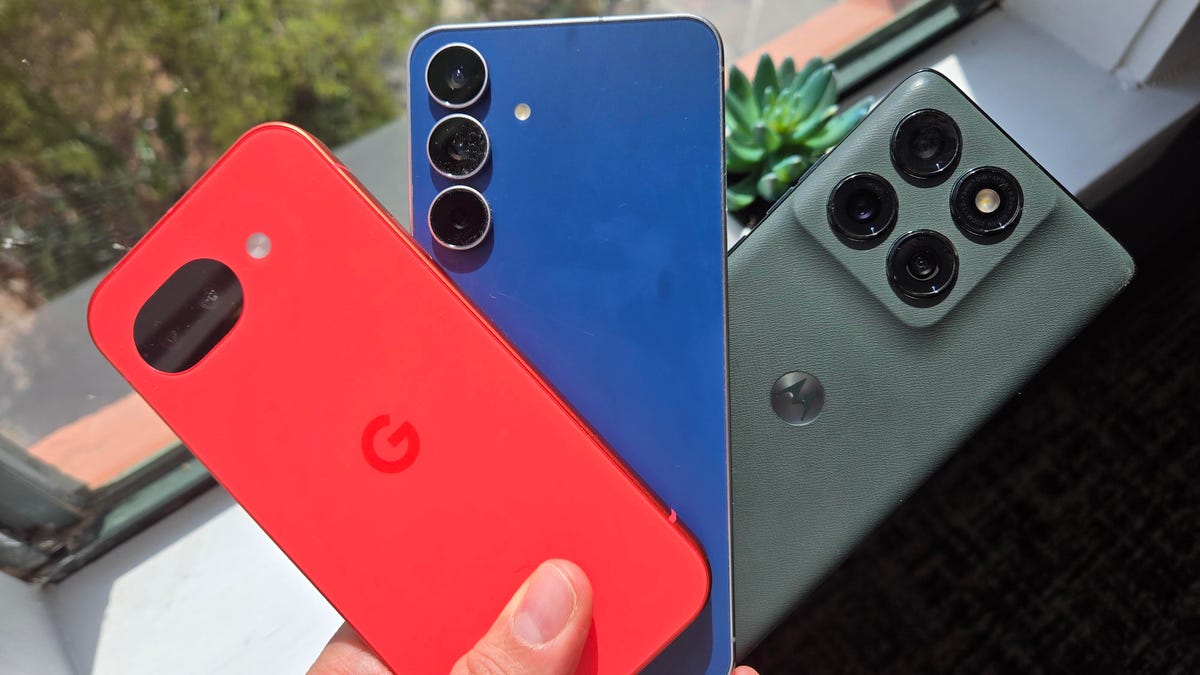
Google’s $499 Pixel 10A uses nearly the same cameras as last year’s Pixel 9A, but I wanted to see how its photos directly match up to its midrange Android rivals: the $650 Samsung Galaxy S25 FE and the $550 Motorola Edge.
I traveled with all three phones around St. Petersburg, Florida, checking how flexible each was in different environments, from bright outdoor settings to an indoor coffee shop and an evening brewery. All three environments can be challenging for the small image sensors on each phone.
While I find the cameras on all three phones to have different strengths and weaknesses depending on the setting, I’m quite impressed with how the Pixel 10A keeps up. In my tests, the photos include lots of detail, even though certain settings appear to involve a lot of processing to improve them.
Wide and telephoto cameras
Starting with photos taken on the sidewalk in downtown St. Petersburg, I notice that all three phones handle bright sunlight slightly differently, especially how it’s depicted on the street.
For the Pixel 10A, the sun provides a slight exposure mark over the Bay First sign at the top of the frame, but it remains fairly cordoned off to focus on the rest of the streetscape. Zooming in, you can see the Century 21 location, but the street is captured in the most detail, with the phone’s camera maintaining its natural gray color.
For both the Galaxy S25 FE and the Motorola Edge, the sun has a more pronounced effect on the rest of the image. The pavement’s color is notably brighter. I also find both the S25 FE and the Edge have slightly more clarity on the business signs on the Bay First building, including the aforementioned Century 21 logo.
Since the S25 FE and the Edge each include a telephoto camera that supports 3x optical zoom, I took a photo at that zoom with each phone. The Pixel 10A uses digital zoom on the phone’s 48-megapixel wide camera, but a lot of the scene’s detail remains preserved.
The Pixel’s zoom photo provides a clear view of the 7th St N sign, the trees and the plants. However, if you look further back at the next intersection, you’ll notice that the 7th St S sign and the Colony Grill are much harder to see. It’s those smaller details that are captured by the S25 FE and the Edge, both aided by telephoto cameras, making them more visible.
Of the three zoom photo examples, I feel like the S25 FE has the best color reproduction while also retaining details like the signs further back. Even though the photo was taken with the S25 FE’s 8-megapixel telephoto camera rather than its 50-megapixel wide camera, the colors remain complementary when comparing the 1x to the 3x. Meanwhile, the Edge’s 10-megapixel telephoto camera looks quite a bit different from the 50-megapixel wide camera — the whole image has a more yellowish hue.
Ultrawide cameras
Moving inside the Southern Grounds coffee shop, I decided to use the ultrawide cameras to capture my sausage, egg and cheese on toast. The three photos came out wildly different.
The Pixel 10A’s 13-megapixel ultrawide and S25 FE’s 12-megapixel ultrawide have a more balanced set of colors and details, in my opinion. The wheat toast appears lighter in the Pixel’s photo than in the darker hues captured by both the S25 FE and the Edge.
When zooming into my notebook, however, the Pixel and S25 FE captured more of the page markings, details that blur together more in the photo taken by the Edge. While the Edge’s 50-megapixel ultrawide camera is a higher-spec number, I noticed it had a harder time distinguishing toast levels, giving more of it a darker look. If I hadn’t eaten it myself, I’d have thought it was burned based on the Edge’s photo.
Night photography
Moving over to a nighttime setting, I used the three phones to take photos outside of 3 Daughters Brewing. I felt like all three did a decent job at producing the colors of the building, but they differ in how they handle light sources.
Both the Pixel and the S25 FE tone back the glare produced by the various lighting fixtures. Meanwhile, the Edge’s photos show noticeable streaks that dominate the sky. When inspecting the photos more closely, I find that the Galaxy captured a sharper view of the furniture, like in the Connect 4 set next to the blue chairs in the center of the frame. The same details are visible in the Pixel’s and the Edge’s depictions of the scene, but they appear smudgy by comparison.
This type of scene needs to take advantage of a phone’s processing power in order to iron out visibility issues, and I do find that the Edge appears to come up short here in this regard, with a lot of noticeable image noise.
Selfies
Each phone takes selfies with noticeable differences in style and color choices. For this test example, I’m in a well-lit daytime room with natural light from a window. The 12-megapixel front-facing camera on Google’s Pixel 10A brightened up my face as if there was a light in front of me, and captured a decent amount of the details of my hair and face.
The front-facing camera on Samsung’s Galaxy S25 FE shows a noticeably darker color tone, but it still captures a similar shade of orange on the wall behind me. Of the three photos, I felt like the S25 captures the most details, including strands of hair, and defaulted to a closer crop than the other two.
The photos taken by the 50-megapixel selfie camera on the Motorola Edge feel a bit smoothed out. The orange color on the wall is noticeably different from the Pixel and the S25 FE, though it does capture a lot of my face details, from hair strands to the fabric textures on my shirt.
The $499 Pixel 10A camera keeps up and, in some cases, exceeds the detail captured by the slightly more expensive $550 Motorola Edge and $650 Galaxy S25 FE. I’m quite impressed by how the Pixel camera handles colors and low-light environments, but the phone’s processing work sometimes makes scenes appear brighter than they are in real life.
The Galaxy S25 FE is no slouch either, with a third telephoto lens for capturing more detail farther away. While I did find the Motorola Edge to struggle in low light, it is one of the lowest-cost phone options currently available for someone who must have a 3x optical telephoto camera.
But if you can live without the telephoto lens, the Pixel 10A’s low cost and photography abilities will likely be a good fit for most people.
Technologies
Today’s NYT Strands Hints, Answers and Help for March 14 #741
Here are hints and answers for the NYT Strands puzzle for March 14, No. 741.
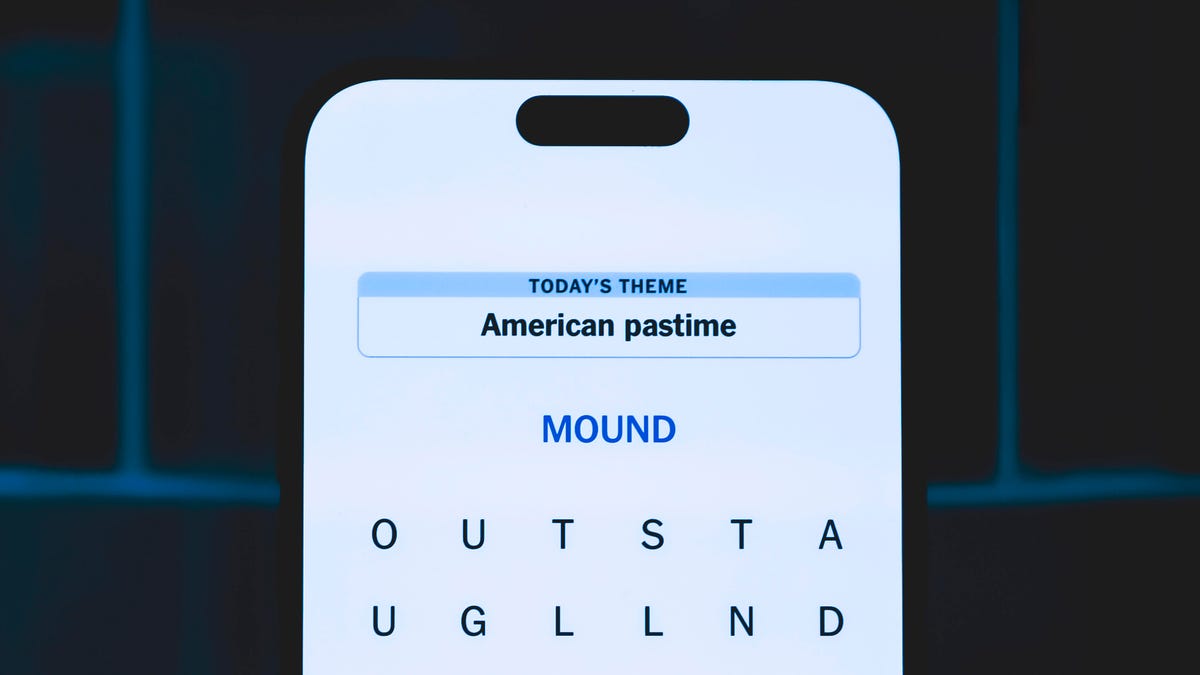
Looking for the most recent Strands answer? Click here for our daily Strands hints, as well as our daily answers and hints for The New York Times Mini Crossword, Wordle, Connections and Connections: Sports Edition puzzles.
Does today’s date seem memorable to you? If so, today’s NYT Strands puzzle might be easy. Some of the answers are difficult to unscramble, so if you need hints and answers, read on.
I go into depth about the rules for Strands in this story.
If you’re looking for today’s Wordle, Connections and Mini Crossword answers, you can visit CNET’s NYT puzzle hints page.
Read more: NYT Connections Turns 1: These Are the 5 Toughest Puzzles So Far
Hint for today’s Strands puzzle
Today’s Strands theme is: A math teacher’s favorite dessert.
If that doesn’t help you, here’s a clue: 3.14
Clue words to unlock in-game hints
Your goal is to find hidden words that fit the puzzle’s theme. If you’re stuck, find any words you can. Every time you find three words of four letters or more, Strands will reveal one of the theme words. These are the words I used to get those hints but any words of four or more letters that you find will work:
- RITE, SPIT, TIPS, STAT, STATE, GIVE, RUST, FINE, LAZE, SURE, PEAL
Answers for today’s Strands puzzle
These are the answers that tie into the theme. The goal of the puzzle is to find them all, including the spangram, a theme word that reaches from one side of the puzzle to the other. When you have all of them (I originally thought there were always eight but learned that the number can vary), every letter on the board will be used. Here are the nonspangram answers:
- VENT, CRUST, FRUIT, EDGES, GLAZE, FILLING, LATTICE
Today’s Strands spangram
Today’s Strands spangram is HAPPYPIDAY. To find it, start with the H that’s six rows down and three to the right from the upper-left corner, and make — well, a pie shape.
Toughest Strands puzzles
Here are some of the Strands topics I’ve found to be the toughest.
#1: Dated slang. Maybe you didn’t even use this lingo when it was cool. Toughest word: PHAT.
#2: Thar she blows! I guess marine biologists might ace this one. Toughest word: BALEEN or RIGHT.
#3: Off the hook. Again, it helps to know a lot about sea creatures. Sorry, Charlie. Toughest word: BIGEYE or SKIPJACK.
-
 Technologies3 года ago
Tech Companies Need to Be Held Accountable for Security, Experts Say
-
 Technologies3 года ago
Best Handheld Game Console in 2023
-
 Technologies3 года ago
Tighten Up Your VR Game With the Best Head Straps for Quest 2
-
 Technologies4 года ago
Black Friday 2021: The best deals on TVs, headphones, kitchenware, and more
-
 Technologies5 лет ago
Google to require vaccinations as Silicon Valley rethinks return-to-office policies
-
 Technologies5 лет ago
Verum, Wickr and Threema: next generation secured messengers
-
 Technologies4 года ago
Olivia Harlan Dekker for Verum Messenger
-
 Technologies5 лет ago
iPhone 13 event: How to watch Apple’s big announcement tomorrow