
Technologies
My First Day With the Galaxy S25 Edge: Battery Life Be Damned, I’m in Love
I got used to Samsung’s slim, light phone far quicker than I expected, and I’m not sure I can go back.
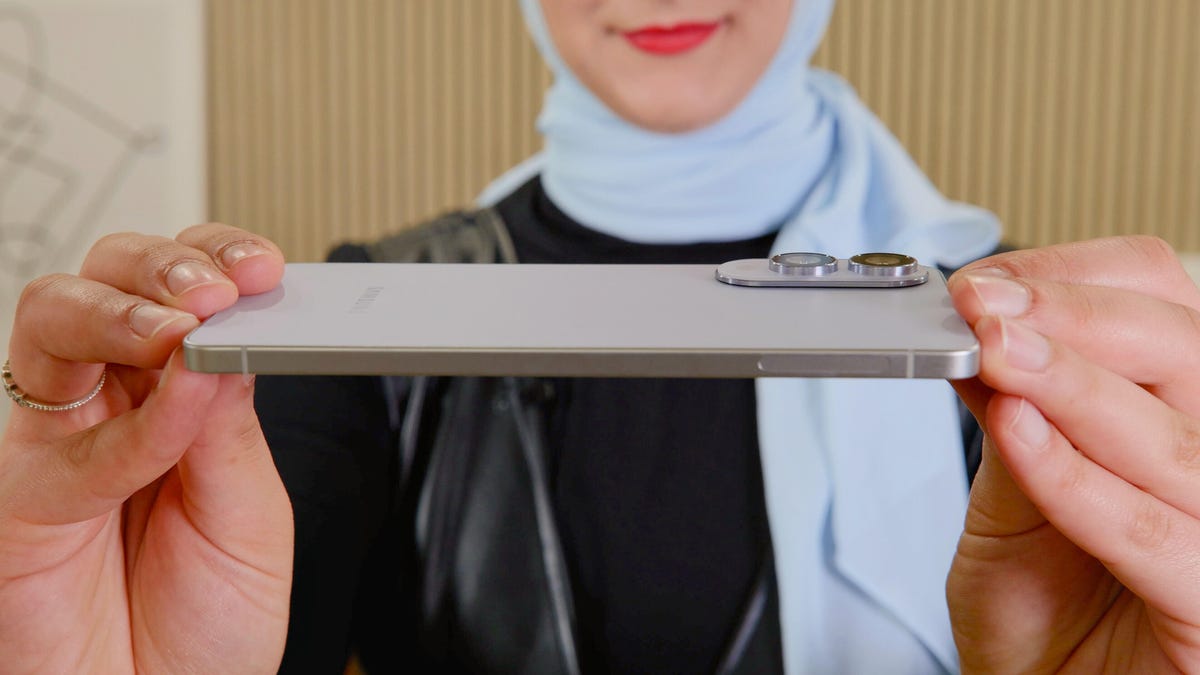
I have never wanted to slap a case on a phone more, but that would defeat the whole purpose.
I’m holding the $1,100 Samsung Galaxy S25 Edge as I stand outside my apartment, waiting for an Uber. It’s the first time I’ve taken the super-slim phone beyond the confines of my home and into a world of rough pavement. I tighten my grip.
I marvel at how the 5.8mm device feels in my hand, about 20% thinner than its Galaxy S25 sibling. Yes, it’s skinny, but that’s not what stands out most. Rather, it’s how utterly light it is. At 163 grams, the S25 Edge weighs one gram more than the baseline S25 but 27 grams less than the S25 Plus, which has the same 6.7-inch display. Meanwhile, in my other hand, the 227-gram iPhone 16 Pro Max feels like a behemoth.
In my first day with the Galaxy S25 Edge, I’m amazed at how quickly I got used to the idea of a slim, lightweight phone. Holding anything else already feels outdated. While typing and scrolling on the feather-light device, I often found myself muttering «this is crazy» as I gently tossed it in my palm. I slipped the S25 Edge into my pocket and threw it into my bag without worrying about it snapping, despite its sleek form. «Maybe Samsung really does know what we want,» I conceded as I marveled at the design.
Battery compromises
But you know what else we want? Long battery life.
A slimmer phone means scaling back on some components, including the battery. The Galaxy S25 Edge has a 3,900 mAh battery, compared to 4,000 mAh on the baseline S25 and 4,900 mAh on the S25 Plus. Samsung says the S25 Edge’s battery should last you all day, and in my experience so far, this has been true — but don’t expect any more than that.
After a day of texting, scrolling, snapping photos, using Google Maps, posting to Instagram and hailing an Uber (all regular activities for me), the S25 Edge lived up to that full-day battery promise but was ready to be recharged after nearly 24 hours. I started with a full charge at 4 p.m. Wednesday soon after the phone arrived, and by 2 p.m. on Thursday, I was at 11%. So keep that charger handy at your nightstand.
As I continue to use the S25 Edge, I’m eager to see whether this really becomes an inconvenience. Because truthfully, I’m always going to charge my phone at the end of the day (my excessive screentime habits necessitate it). This may just be a compromise I’m willing to make, if the actual experience of using the phone is more enjoyable — and so far, it definitely is.
Camera first impressions
Another area where Samsung had to scale back is the S25 Edge’s cameras. Instead of three rear cameras like the rest of the S25 series, this slimmer phone has a 200-megapixel wide (like the S25 Ultra) and a 12-megapixel ultrawide camera, as well as a 12-megapixel selfie camera.
One of my favorite attributes from a hardware perspective is that the rear camera module isn’t particularly obtrusive. Yes, it sticks out a bit, but not enough to take away from the phone’s overall sleek design.
I took the S25 Edge’s camera for a quick spin to see how it performs in the real world, and have been impressed so far. I’ve always admired the vibrancy of images captured by Galaxy S devices, so I can’t say I’m surprised. But the S25 Edge did a great job snapping punchy photos that weren’t over- or undersaturated, and brightened up night-mode shots to make objects discernible even in pitch darkness.
I hit up The Cowden Rose Garden in Walnut Creek, California, to photograph the spring blooms. The S25 Edge captured crisp imagery that faithfully relayed the array of pink, red and white buds throughout the garden.
My favorite photo is this one captured in portrait mode (I’m always a sucker for portrait mode). I love the balance of how subtly blurred the background is compared to the crisp foreground, making for a cohesive image overall. And again, the colors are fabulously punchy.
I flipped the camera around for a quick selfie to see how the front-facing camera performs. In signature Samsung style, it offers a nice smoothing effect on my face (no makeup, no problem), while preserving detail and overall sharpness in both the flowers on my jumpsuit and the real-life roses in the background.
I also snapped photos at .6x zoom, 1x zoom and 2x zoom (no telephoto lens means that’s all you’re getting). As is the case when I tested the S25 and S25 Plus, I appreciate how .6x zoom doesn’t weirdly distort the image. 2x zoom also nicely punches in and preserves detail.
I’m doubtful I’ll really feel the absence of 3x optical zoom like you’ll find on the other S25 series devices, or the 5x optical zoom option you’ll get on the S25 Ultra, but we’ll see if more time with the phone makes me change my mind.
And finally, in this picture taken in my living room at night, AI and processing work their magic to brighten up the final shot (which looked almost indiscernible on my screen as I was capturing it). It’s not a particularly stunning image — photos taken on a phone in pitch darkness hardly ever are — but this captures how well the S25 Edge can handle those deep shadows and brighten up a subject.
Initial takeaways
In my first full day with the Galaxy S25 Edge, I’m amazed at how quickly I’ve gotten used to a form factor that seemingly no one asked for. As dramatic as it sounds, any other phone now feels unnecessarily hefty after holding the S25 Edge (although perhaps Apple will hop aboard the slim phone bandwagon soon, too). And I’m happy to still have a quality camera in my pocket without the bulk.
Despite my initial apprehension, towing the S25 Edge around town doesn’t feel as big a risk as I anticipated, both from a durability standpoint as well as a battery one — at least not yet. Sure, the battery life doesn’t seem stellar but, so far, it also doesn’t seem unmanageable. Let’s just hope that slim frame doesn’t slip through my fingertips and make me regret living on the edge.
Technologies
I Used to Tell People Wi-Fi 7 Routers Were a Waste of Money. CNET’s Lab Data Just Proved Me Wrong
Technologies
My Camera Test: Comparing the $499 Pixel 10A With the Galaxy S25 FE, Motorola Edge
The Pixel 10A’s cameras are similar to those on the 9A, but it still performs quite well compared to other phones in its price range.
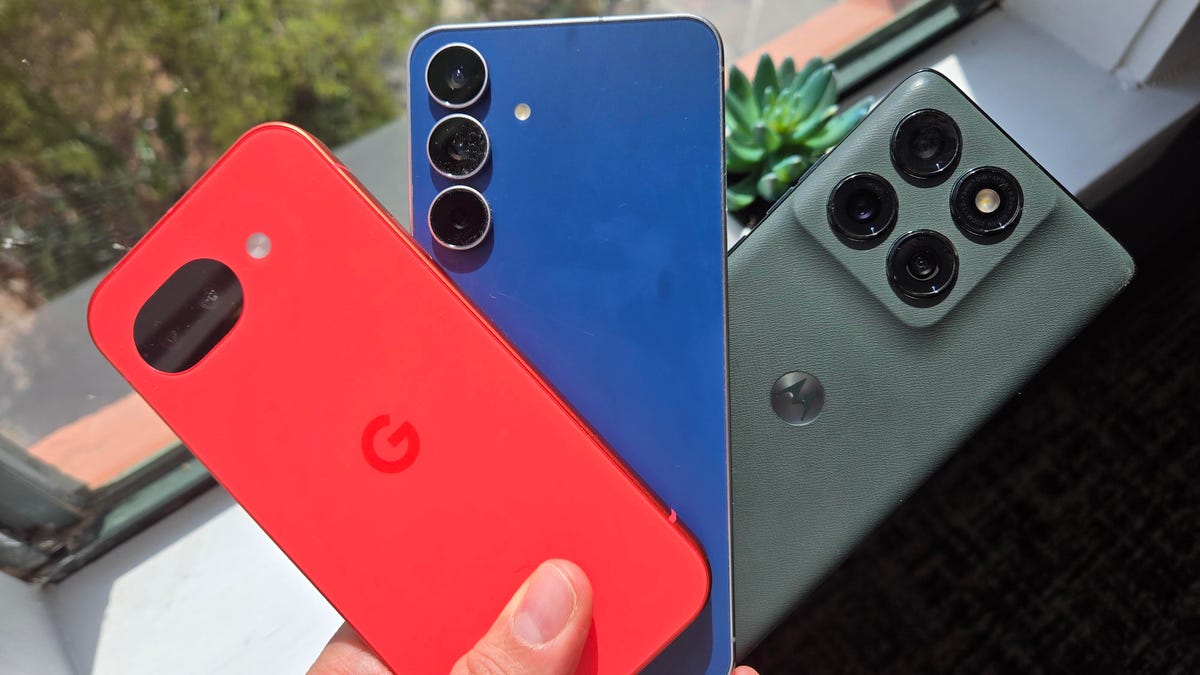
Google’s $499 Pixel 10A uses nearly the same cameras as last year’s Pixel 9A, but I wanted to see how its photos directly match up to its midrange Android rivals: the $650 Samsung Galaxy S25 FE and the $550 Motorola Edge.
I traveled with all three phones around St. Petersburg, Florida, checking how flexible each was in different environments, from bright outdoor settings to an indoor coffee shop and an evening brewery. All three environments can be challenging for the small image sensors on each phone.
While I find the cameras on all three phones to have different strengths and weaknesses depending on the setting, I’m quite impressed with how the Pixel 10A keeps up. In my tests, the photos include lots of detail, even though certain settings appear to involve a lot of processing to improve them.
Wide and telephoto cameras
Starting with photos taken on the sidewalk in downtown St. Petersburg, I notice that all three phones handle bright sunlight slightly differently, especially how it’s depicted on the street.
For the Pixel 10A, the sun provides a slight exposure mark over the Bay First sign at the top of the frame, but it remains fairly cordoned off to focus on the rest of the streetscape. Zooming in, you can see the Century 21 location, but the street is captured in the most detail, with the phone’s camera maintaining its natural gray color.
For both the Galaxy S25 FE and the Motorola Edge, the sun has a more pronounced effect on the rest of the image. The pavement’s color is notably brighter. I also find both the S25 FE and the Edge have slightly more clarity on the business signs on the Bay First building, including the aforementioned Century 21 logo.
Since the S25 FE and the Edge each include a telephoto camera that supports 3x optical zoom, I took a photo at that zoom with each phone. The Pixel 10A uses digital zoom on the phone’s 48-megapixel wide camera, but a lot of the scene’s detail remains preserved.
The Pixel’s zoom photo provides a clear view of the 7th St N sign, the trees and the plants. However, if you look further back at the next intersection, you’ll notice that the 7th St S sign and the Colony Grill are much harder to see. It’s those smaller details that are captured by the S25 FE and the Edge, both aided by telephoto cameras, making them more visible.
Of the three zoom photo examples, I feel like the S25 FE has the best color reproduction while also retaining details like the signs further back. Even though the photo was taken with the S25 FE’s 8-megapixel telephoto camera rather than its 50-megapixel wide camera, the colors remain complementary when comparing the 1x to the 3x. Meanwhile, the Edge’s 10-megapixel telephoto camera looks quite a bit different from the 50-megapixel wide camera — the whole image has a more yellowish hue.
Ultrawide cameras
Moving inside the Southern Grounds coffee shop, I decided to use the ultrawide cameras to capture my sausage, egg and cheese on toast. The three photos came out wildly different.
The Pixel 10A’s 13-megapixel ultrawide and S25 FE’s 12-megapixel ultrawide have a more balanced set of colors and details, in my opinion. The wheat toast appears lighter in the Pixel’s photo than in the darker hues captured by both the S25 FE and the Edge.
When zooming into my notebook, however, the Pixel and S25 FE captured more of the page markings, details that blur together more in the photo taken by the Edge. While the Edge’s 50-megapixel ultrawide camera is a higher-spec number, I noticed it had a harder time distinguishing toast levels, giving more of it a darker look. If I hadn’t eaten it myself, I’d have thought it was burned based on the Edge’s photo.
Night photography
Moving over to a nighttime setting, I used the three phones to take photos outside of 3 Daughters Brewing. I felt like all three did a decent job at producing the colors of the building, but they differ in how they handle light sources.
Both the Pixel and the S25 FE tone back the glare produced by the various lighting fixtures. Meanwhile, the Edge’s photos show noticeable streaks that dominate the sky. When inspecting the photos more closely, I find that the Galaxy captured a sharper view of the furniture, like in the Connect 4 set next to the blue chairs in the center of the frame. The same details are visible in the Pixel’s and the Edge’s depictions of the scene, but they appear smudgy by comparison.
This type of scene needs to take advantage of a phone’s processing power in order to iron out visibility issues, and I do find that the Edge appears to come up short here in this regard, with a lot of noticeable image noise.
Selfies
Each phone takes selfies with noticeable differences in style and color choices. For this test example, I’m in a well-lit daytime room with natural light from a window. The 12-megapixel front-facing camera on Google’s Pixel 10A brightened up my face as if there was a light in front of me, and captured a decent amount of the details of my hair and face.
The front-facing camera on Samsung’s Galaxy S25 FE shows a noticeably darker color tone, but it still captures a similar shade of orange on the wall behind me. Of the three photos, I felt like the S25 captures the most details, including strands of hair, and defaulted to a closer crop than the other two.
The photos taken by the 50-megapixel selfie camera on the Motorola Edge feel a bit smoothed out. The orange color on the wall is noticeably different from the Pixel and the S25 FE, though it does capture a lot of my face details, from hair strands to the fabric textures on my shirt.
The $499 Pixel 10A camera keeps up and, in some cases, exceeds the detail captured by the slightly more expensive $550 Motorola Edge and $650 Galaxy S25 FE. I’m quite impressed by how the Pixel camera handles colors and low-light environments, but the phone’s processing work sometimes makes scenes appear brighter than they are in real life.
The Galaxy S25 FE is no slouch either, with a third telephoto lens for capturing more detail farther away. While I did find the Motorola Edge to struggle in low light, it is one of the lowest-cost phone options currently available for someone who must have a 3x optical telephoto camera.
But if you can live without the telephoto lens, the Pixel 10A’s low cost and photography abilities will likely be a good fit for most people.
Technologies
Today’s NYT Strands Hints, Answers and Help for March 14 #741
Here are hints and answers for the NYT Strands puzzle for March 14, No. 741.
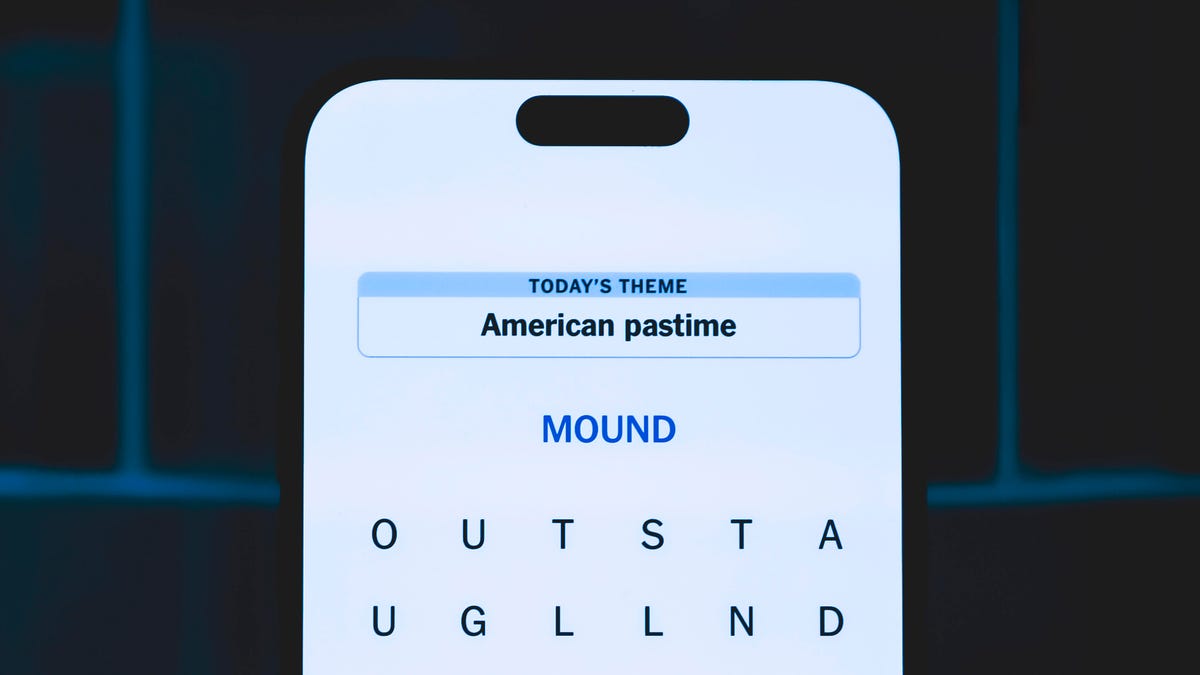
Looking for the most recent Strands answer? Click here for our daily Strands hints, as well as our daily answers and hints for The New York Times Mini Crossword, Wordle, Connections and Connections: Sports Edition puzzles.
Does today’s date seem memorable to you? If so, today’s NYT Strands puzzle might be easy. Some of the answers are difficult to unscramble, so if you need hints and answers, read on.
I go into depth about the rules for Strands in this story.
If you’re looking for today’s Wordle, Connections and Mini Crossword answers, you can visit CNET’s NYT puzzle hints page.
Read more: NYT Connections Turns 1: These Are the 5 Toughest Puzzles So Far
Hint for today’s Strands puzzle
Today’s Strands theme is: A math teacher’s favorite dessert.
If that doesn’t help you, here’s a clue: 3.14
Clue words to unlock in-game hints
Your goal is to find hidden words that fit the puzzle’s theme. If you’re stuck, find any words you can. Every time you find three words of four letters or more, Strands will reveal one of the theme words. These are the words I used to get those hints but any words of four or more letters that you find will work:
- RITE, SPIT, TIPS, STAT, STATE, GIVE, RUST, FINE, LAZE, SURE, PEAL
Answers for today’s Strands puzzle
These are the answers that tie into the theme. The goal of the puzzle is to find them all, including the spangram, a theme word that reaches from one side of the puzzle to the other. When you have all of them (I originally thought there were always eight but learned that the number can vary), every letter on the board will be used. Here are the nonspangram answers:
- VENT, CRUST, FRUIT, EDGES, GLAZE, FILLING, LATTICE
Today’s Strands spangram
Today’s Strands spangram is HAPPYPIDAY. To find it, start with the H that’s six rows down and three to the right from the upper-left corner, and make — well, a pie shape.
Toughest Strands puzzles
Here are some of the Strands topics I’ve found to be the toughest.
#1: Dated slang. Maybe you didn’t even use this lingo when it was cool. Toughest word: PHAT.
#2: Thar she blows! I guess marine biologists might ace this one. Toughest word: BALEEN or RIGHT.
#3: Off the hook. Again, it helps to know a lot about sea creatures. Sorry, Charlie. Toughest word: BIGEYE or SKIPJACK.
-
 Technologies3 года ago
Tech Companies Need to Be Held Accountable for Security, Experts Say
-
 Technologies3 года ago
Best Handheld Game Console in 2023
-
 Technologies3 года ago
Tighten Up Your VR Game With the Best Head Straps for Quest 2
-
 Technologies4 года ago
Black Friday 2021: The best deals on TVs, headphones, kitchenware, and more
-
 Technologies5 лет ago
Google to require vaccinations as Silicon Valley rethinks return-to-office policies
-
 Technologies5 лет ago
Verum, Wickr and Threema: next generation secured messengers
-
 Technologies4 года ago
Olivia Harlan Dekker for Verum Messenger
-
 Technologies5 лет ago
iPhone 13 event: How to watch Apple’s big announcement tomorrow