
Technologies
You Can Find a Great $300 Phone as Long as You Make One Choice
Commentary: Do you want a phone with fun features or one with longer software support?
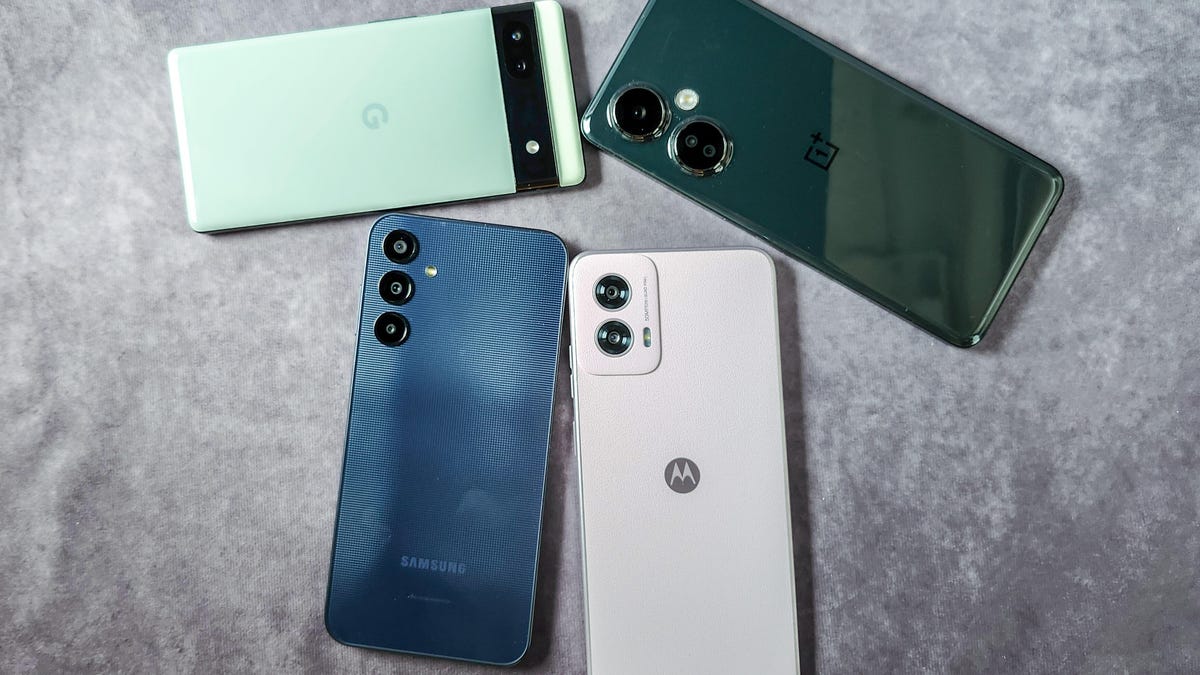
If you need a new phone for less than $300, there are a plenty of options that could fulfill your most important needs. But there’s a big trade-off when it comes to phones in this more affordable range. A phone with modern specs like an eye-catching design, improved multitasking and wireless charging might still only receive one or two major software updates and three years of security patches. Some sub-$300 phones have a longer timeline of four years for software updates and five years of security updates. But those devices skimp on certain features, possibly leaving you wanting to upgrade sooner anyway.
This is the dilemma I’ve been weighing after testing a variety of phones that cost less than $300. We take software and security timelines seriously in our reviews because these updates can dictate whether devices get new software features and critical fixes. Now that premium phones like the Samsung Galaxy S25 and the Pixel 9 are promised seven years of software and security updates, we’d like to see more affordable phones step up to at least four to five years.
But we’re not there just yet. Most phones that cost $300 or less are shipping with a promise of one additional software update and three years of security updates. Though Samsung is taking the opposite approach with its $200 Galaxy A15 5G and $300 Galaxy A25 5G, both of which get four years of software updates and five years of security updates, both have a dated design and lack features found on comparable phones. Samsung’s new $200 Galaxy A16 is upping its software and security commitment to six years, but I haven’t had the chance to test this phone yet.
That means shoppers have to contend with the very same decision I’ve been pondering during the last few months: Do you go with a more feature-packed phone, such as the $300 OnePlus Nord N30 5G, which has extremely fast wired charging and a 108-megapixel main camera? Or is it better to choose a more bare-bones phone like those in Samsung’s Galaxy A series, which will get crucial software updates for years to come. And to make matters more confusing, what about an older device that’s now available at a discount, such as the Google Pixel 6A?
More features, but shorter updates
Motorola and OnePlus both offer $300 phones that are worthy of your time and attention.
This 2024 Moto G Power 5G is a looker, starting with its Pale Lilac vegan leather design. The entire Moto G line now makes use of this material, which results in an easier grip should you choose not to use the phone with a case. Motorola has also thrown 15-watt wireless charging into the mix, making it one of the cheapest phones to include this option. You’ll get faster, 30-watt speeds when plugging in the phone and charging it the old-fashioned way, but the flexibility to charge it without a cable is quite helpful — and rare at this price. Motorola has also announced 2025 editions of the $200 Moto G and $300 Moto G Power that continue this trend of a colorful vegan leather design, durability and quick charging speeds.
The OnePlus Nord N30 5G has an attractive reflective design, which emphasizes its 108-megapixel main camera. It took decent photos when I reviewed it last year, but the real value feature was its 50-watt SuperVooc charger. Even though it’s proprietary (meaning only the included charger achieves these speeds), it replenishes the battery up to 75% in 30 minutes — a speed that most other phones do not achieve.
Both Motorola’s and OnePlus’ cheaper phones include a super smooth 120Hz refresh rate, NFC for contactless payments, and processors that are fast enough for multitasking along with playing games. But unfortunately, both these phones also have shorter update schedules. Though the N30 is still on sale, it’s now nearly two years into its three-year security support commitment. Meanwhile, Motorola’s 2025 Moto G phones are getting two years of software updates and three years of security updates, a slight uptick from the single software update the Moto G line received in prior years alongside the same security commitment.
Long lifespan, but a phone that’s less fun
Samsung deserves recognition for extending the lifespan of its cheaper Galaxy A series phones. It’s absolutely wonderful that both the $200 Galaxy A15 and the $300 Galaxy A25 are receiving four years of software updates and five years of security updates. And it’s even better that the Galaxy A16 is receiving six years of each. No competitor even comes close to that promise.
Samsung nailed the basics for both of these phones, with high-refresh displays, NFC contactless payments and powerful enough processors.
But compared with other similarly priced phones, Samsung’s Galaxy A devices feel dull. The A15 and A25 are made of plastic and have a blocky notch rather than the sleeker cutout for the selfie camera found on most other competing phones. While Samsung’s cheaper phones can handle essentials without issue, they struggle with simple multitasking. The A15 in particular consistently loads slowly. Though the A25 fared better with most tasks, it occasionally stutters when loading games or playing music while using a web browser and password manager simultaneously. I look forward to testing the A16 to see if Samsung was able to improve phone performance for its lower-priced option.
This makes the Galaxy A15 and Galaxy A25 completely adequate if all you want is a phone for communication that won’t need replacing anytime soon. But I worry that you’ll run into dead ends as apps and services develop over the coming years, especially if these phones are already easily overwhelmed.
Could Google’s Pixel 6A be the low-budget champion?
You may have noticed that I didn’t discuss the cameras on any of the previously mentioned phones. That’s because while all of them feature at least 50-megapixel main cameras, none of them take particularly impressive photos. Yet Google’s Pixel 6A remains available for sale and often gets priced under $300.
Thanks to a recent extension given to the Pixel 6 and later, the Pixel 6A will now get software updates until July 2027 along with security updates for the same amount of time. This is a major boost to this cheaper phone’s usability, especially considering that Google originally planned to sunset the Pixel 6A’s software updates in 2025.
The Pixel 6A’s 12.2-megapixel main camera is still impressive for the price. It runs on Google’s first generation Tensor processor and comes with many of the Pixel’s flagship features like Magic Eraser for editing photos, Live Translate and other long-standing Pixel exclusives like Call Screening and Hold for Me. The Pixel 6A also includes the AI-powered Circle to Search. Even though the Pixel 6A will miss out on Google’s newer and more advanced Gemini AI features, it’s still a promising option even two years after its release.
However, you won’t get wireless charging or a headphone jack on the Pixel 6A, and its screen is smaller and dimmer than other phones mentioned in this story.
How to decide the best option?
Your priorities matter most when choosing a budget phone. If you want the most features for an affordable price wrapped in an eye-catching design, consider phones from Motorola, Google and OnePlus.
However, if the most important reason for buying a cheaper phone is to avoid upgrading for as long as possible, you should consider Samsung’s Galaxy A phones.
The irony is that you can’t have both. The phone that gets updated for four years may not necessarily be the one you want to hang on to for four years.
Technologies
YouTubers Sue Amazon, Claim AI Tool Was Trained on Scraped Videos
The lawsuit alleges that Amazon bypassed YouTube protections to collect content for its generative AI video system.

A group of YouTube creators is suing Amazon, accusing the tech giant of secretly scraping their videos to train its AI video model without permission.
The proposed class action lawsuit, filed in federal court in Seattle, alleges Amazon used automated tools to download and extract data from millions of YouTube videos to build and improve its Nova Reel generative AI system — a model that can create short videos from text prompts and images.
At the center of the complaint is how that data was obtained. The plaintiffs claim that Amazon bypassed YouTube’s protections using virtual machines and rotating IP addresses to avoid detection, effectively sidestepping the platform’s safeguards against bulk downloading.
The lawsuit was brought by several creators, including Ted Entertainment (the company behind the H3 Podcast and h3h3 Productions), as well as individual YouTubers and channel operators. They argue that the alleged scraping violated copyright law and the Digital Millennium Copyright Act, and are seeking damages as well as an injunction to stop the practice.
Amazon did not respond to a request for comment.
The case lands at a pivotal moment for generative AI, as courts weigh whether training on copyrighted material qualifies as fair use and how much control creators retain once their work is used to build these systems. The disputes have often centered on written material, which has been at the center of the AI revolution for several years, while AI video generators such as OpenAI’s Sora and Google’s Veo have emerged more recently.
The lawsuit is one of dozens testing the boundaries of AI training practices, alongside high-profile cases from authors, artists and news organizations, including lawsuits against OpenAI and Meta, all circling the same unresolved question: Where does fair use end and infringement begin?
Technologies
The Galaxy Z TriFold Is Back. You Can Buy It From Samsung Soon
The $2,899 phone paused its sales in March after selling through its inventory, but Samsung is bringing it back to its online store.
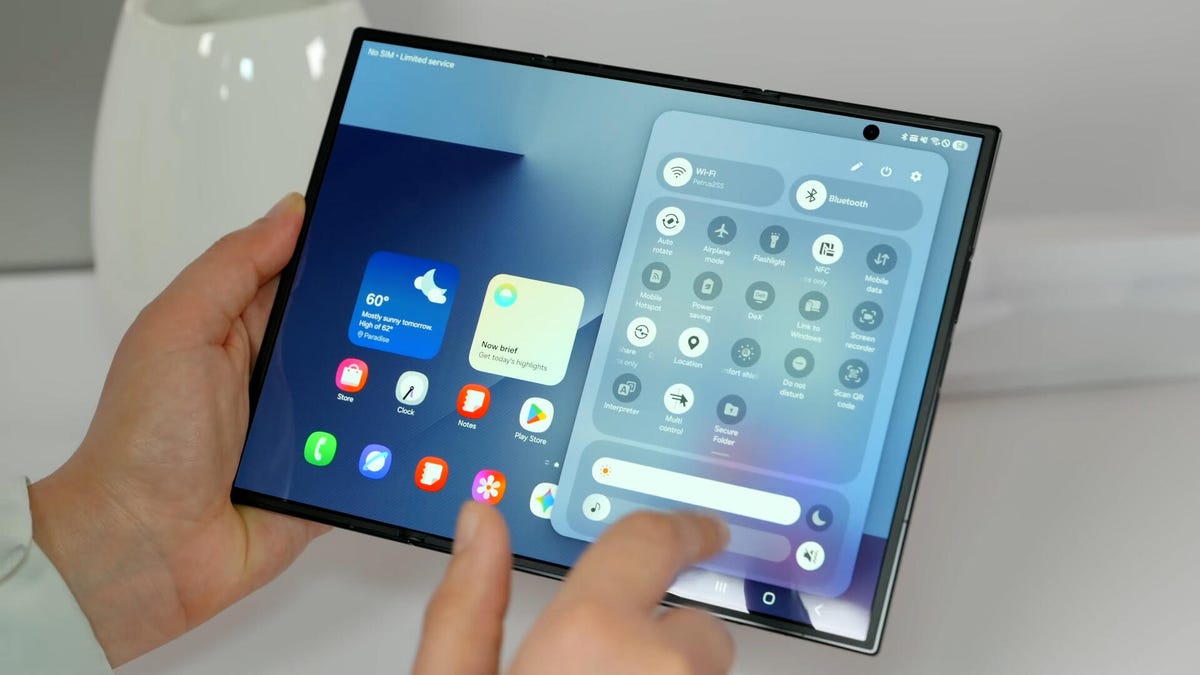
Samsung’s $2,899 Galaxy Z TriFold is going back on sale on Friday, following a halt to its sales in March after the foldable phone sold through its inventory. Samsung has announced the TriFold’s return with a countdown clock on the phone’s online store page along with a Wednesday newsletter email sent to customers.
The initial pause, which Samsung said at the time was related to the TriFold being a «super-premium device in limited quantities,» happened after just three months of availability. The TriFold first went on sale in South Korea on Dec. 12 and then arrived in Samsung’s US store on Jan. 30. The TriFold sold out in the US within minutes of going on sale — which I know personally after joining my colleagues that morning in an attempt to buy it. Thankfully Senior Reporter Abrar Al-Heeti succeeded, and then reviewed the TriFold.
It’s unclear whether the Galaxy Z TriFold is now permanently returning to Samsung’s online store or if it is again on sale until its stock sells through. Given that the phone is very expensive, and unfolds to reveal a large, 10-inch display, it wouldn’t be surprising if its stock will be in limited quantities. We’ve asked a Samsung representative to clarify and will update if we hear more.
The Galaxy Z TriFold’s return also comes ahead of the summer season when we expect a slew of other foldable phones: Samsung typically refreshes its Galaxy Z Fold and Z Flip line in July or August, and Motorola has announced its first book-style Razr Fold phone will also debut during the season. And Apple’s rumored iPhone Fold (or perhaps iPhone Ultra based on latest rumors) could also be teased later this year.
Technologies
Help Us Crown the Most Loved Headphones and Earbuds of 2026
Got a pair you swear by? Take our People’s Picks survey to help us find a winner.
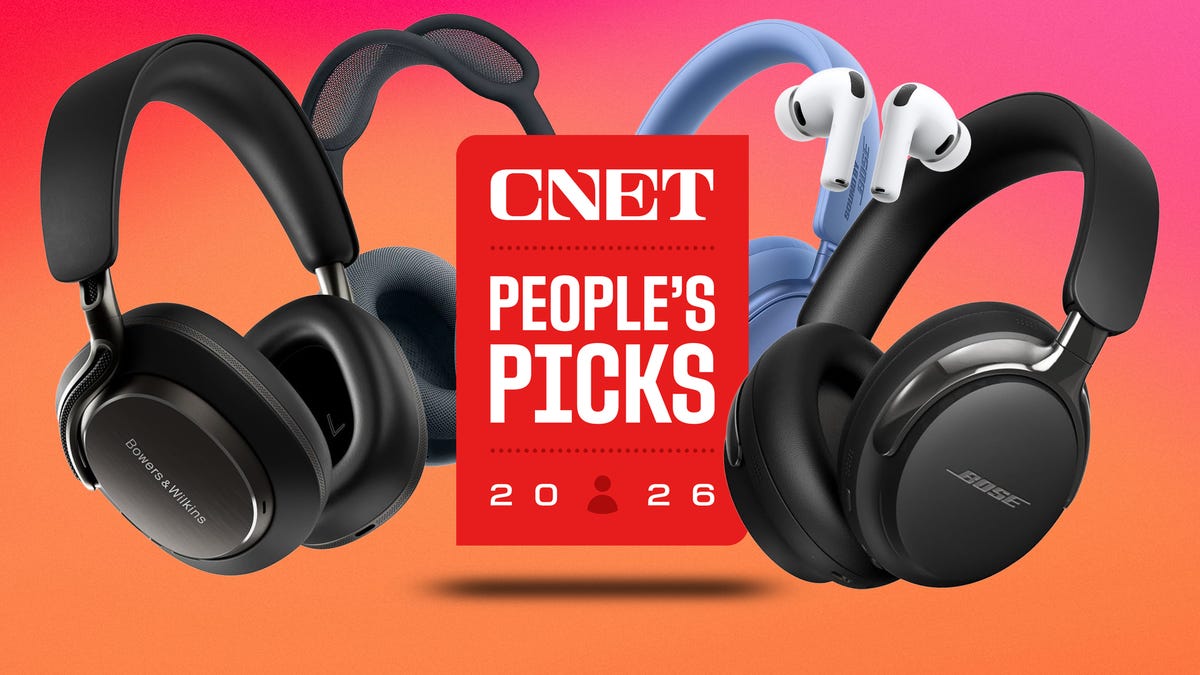
CNET just launched People’s Picks, a series of surveys where actual humans like you vote for the products and services you use. Starting in April, we want you to weigh in on your favorite headphones and earbuds. We’ll pick a winner based on which ones you love the most.
Why we want to hear from you
Our writers and editors test hundreds of products each year, but your real-world experience with these devices is something we can’t replicate in our labs. You’ve used these headphones at the gym, on your commute to work and on long flights, and that perspective is invaluable. Your voice helps others know about the headphones or earbuds you love, too.
«I review a lot of headphones and earbuds for CNET, and there are plenty of great models from the top brands in this survey that I rate highly. I’m always curious about what models people ultimately choose and why, so I’m excited to get your feedback and learn the results of this survey,» says David Carnoy, CNET’s executive editor and headphones expert.
With our survey, we’ll collect answers from real-world users like you. The headphones and earbuds chosen through our 3-minute survey will be featured in our People’s Picks roundup of the top picks based on your recommendation.
Make your voice heard
Whether you swear by a pair of $25 earbuds or love a pair of high-end headphones, your pick counts. The survey takes just a few minutes to complete, and after we gather enough information, we’ll tally the results and publish the winners.
Not sure what to pick? Check out our Best Headphones to revisit your favorites before voting.
-
 Technologies3 года ago
Tech Companies Need to Be Held Accountable for Security, Experts Say
-
 Technologies3 года ago
Best Handheld Game Console in 2023
-
 Technologies3 года ago
Tighten Up Your VR Game With the Best Head Straps for Quest 2
-
 Technologies4 года ago
Black Friday 2021: The best deals on TVs, headphones, kitchenware, and more
-
 Technologies5 лет ago
Google to require vaccinations as Silicon Valley rethinks return-to-office policies
-
 Technologies5 лет ago
Verum, Wickr and Threema: next generation secured messengers
-
 Technologies4 года ago
Olivia Harlan Dekker for Verum Messenger
-
 Technologies4 года ago
The number of Сrypto Bank customers increased by 10% in five days