Technologies
Samsung’s Galaxy Z Fold 5 Still Doesn’t Have S Pen Storage: Here’s Why
Samsung’s 2023 S Pen is slimmer than its predecessor, but the signature stylus still cannot be docked directly on the Galaxy Z Fold 5 (yet). Here’s a look at how Samsung’s thinking about how to solve it.
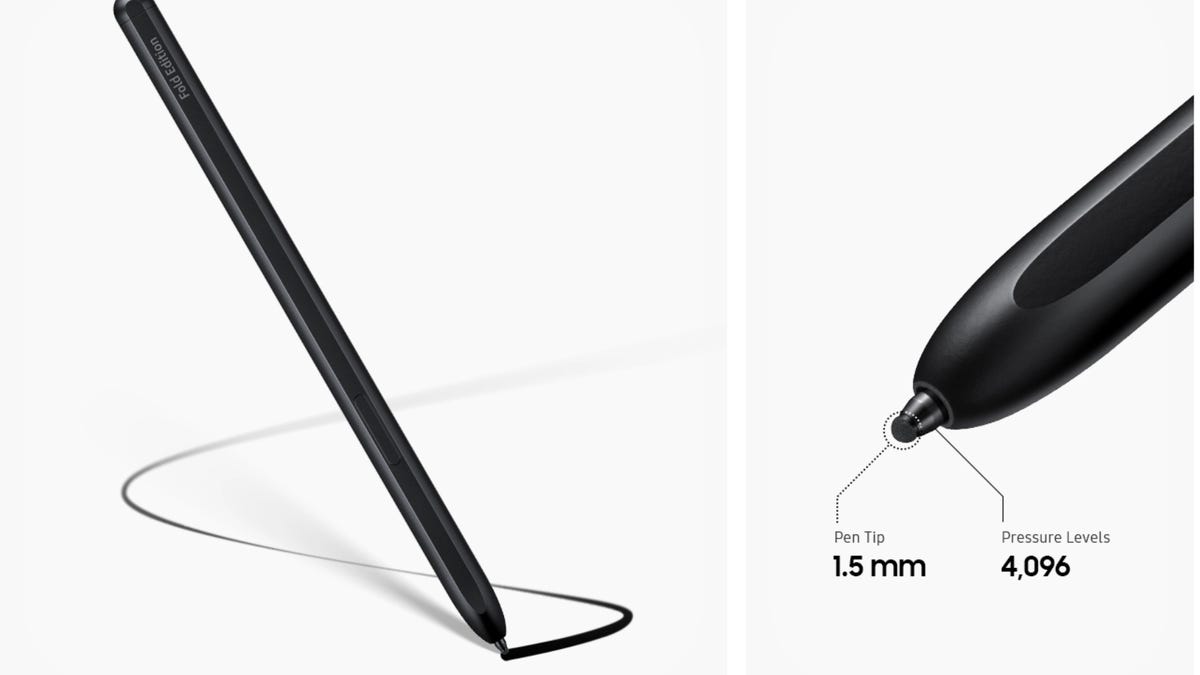
Samsung’s latest book-style foldable phone, the Galaxy Z Fold 5, has made headlines for its thinner design, which includes a hinge that lets the phone fold completely flat. But its key accessory, the Galaxy Z Fold 5 S Pen Fold Edition, has shed some weight, too.
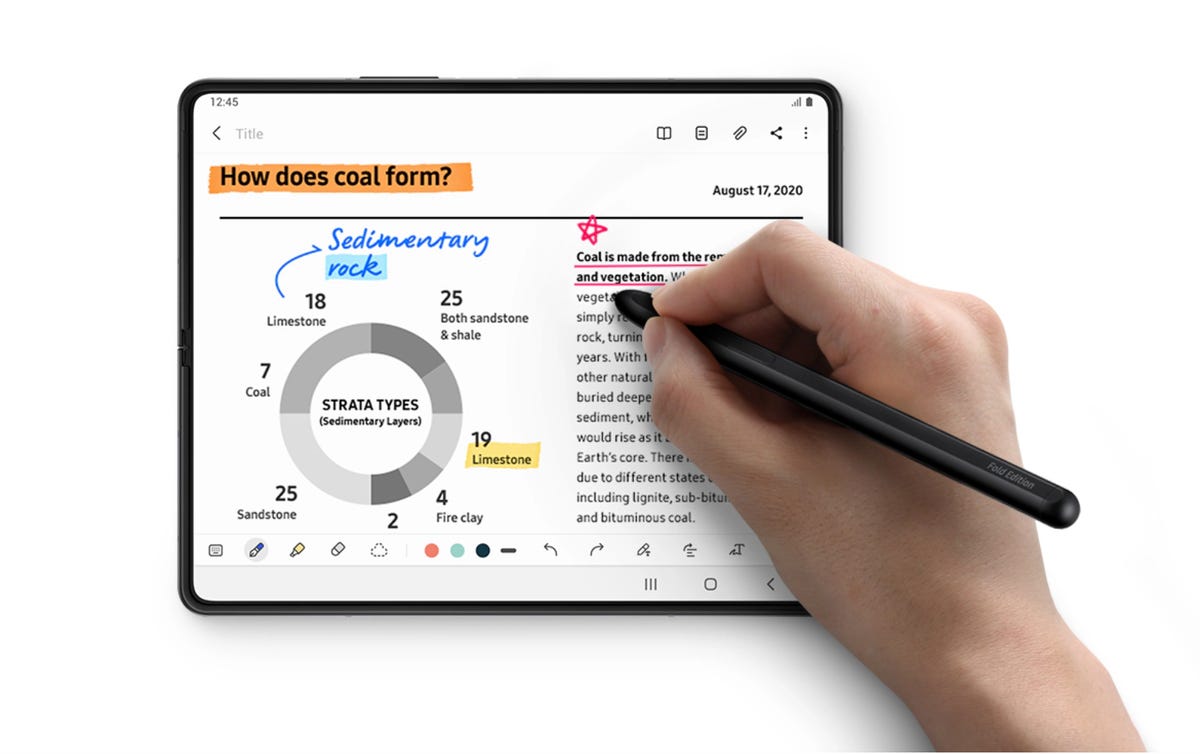
During a press roundtable I attended in Seoul, South Korea, Samsung said that the stylus’ radius dropped from 7.4mm to 4.35mm, which is nearly the same size as the Galaxy S23 Ultra’s S Pen. That’s 41% thinner than last year’s S Pen Fold Edition. Samsung said it achieved this by way of an internal push to determine «whether or when» it could embed its S Pen into a Galaxy Fold phone.
Still, Samsung said it’s exploring whether it can create an even skinnier stylus than the new S Pen Fold Edition for a number of reasons, most notably to find a way to fit the accessory in a slot within the foldable itself.
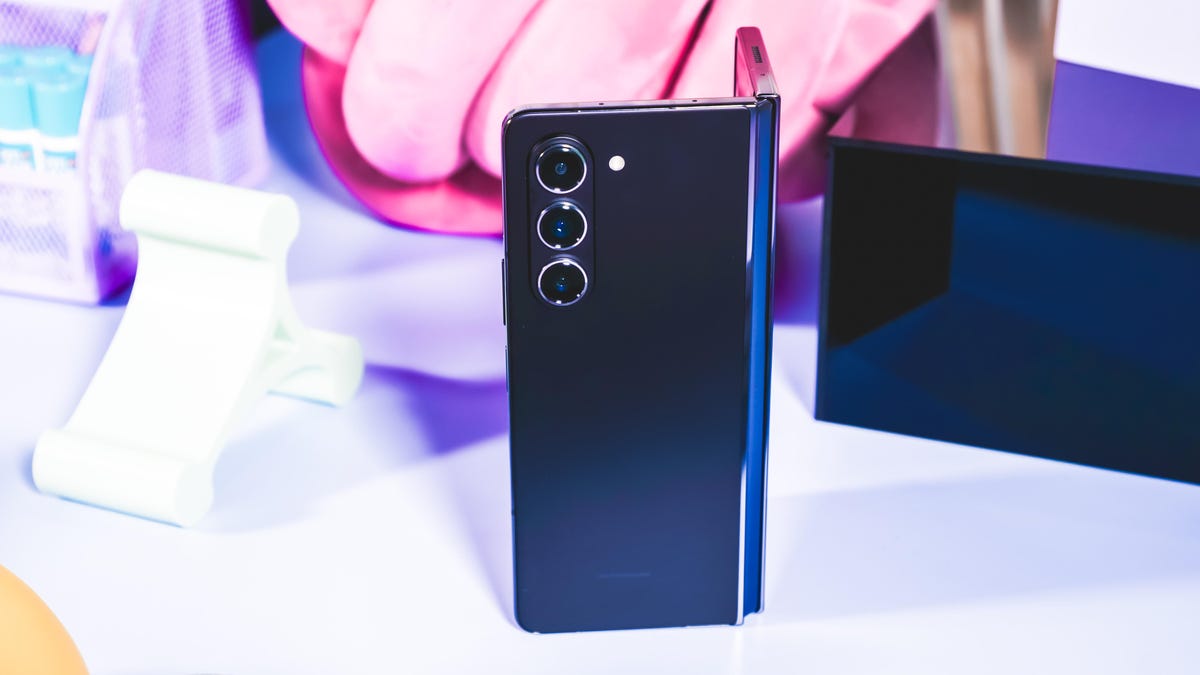
«We’ll also look into it, but not just from a technology perspective, but from a user experience perspective,» Won-Joon Choi, head of Samsung R&D Office Mobile Experience Business said Thursday at the press roundtable. «Because when you’re writing, you need to feel as if you’re writing with a pen. If it [the S Pen] gets too thin, that feeling may not be desirable.»
Although Samsung’s support for the S Pen dates back to 2011 with the original Galaxy Note, Choi said, designing a stylus for a foldable phone poses a different set of challenges including scouring for new tip materials that don’t damage the foldable’s flexible display as well as avoiding magnet interference from the phone.
Choi also highlighted how creating the S Pen presents unique considerations compared with designing a foldable phone. For a foldable phone to take off into the mainstream, Samsung believes portability is one of three prerequisites it must meet. But with the S Pen, portability could come at the cost of usability, since Samsung’s stylus was designed to provide the experience of writing with a real pen.
S Pen doesn’t have a home (yet)
When the Galaxy Z Fold 3 debuted with stylus support in 2021, it elevated the perception of the Fold lineup from being an experimental concept to a phone aimed at productivity. However, it still drew pushback because the Z Fold 3 requires an S Pen to take full advantage of the $1800 phone. But it wasn’t included in the box. You had to buy it separately. Another drawback was that the Z Fold 3 had no way to store the S Pen: You had to buy a special case from Samsung to house it.
Fast forward to 2023, and the S Pen still doesn’t have a home. While the new Galaxy Z Fold 5 is thinner than previous Fold models, there’s still no built-in way to store the S Pen like the Galaxy S23 Ultra has. Samsung’s current solution is the $100 Galaxy Z Fold 5 Slim S Pen Case, which allows you to latch the stylus on the back half.
One of the obstacles Choi highlighted in the roundtable was the need to appease people’s conflicting desires about the future of the Z Fold design. One camp wants an even thinner book-style foldable phone, he said, but such a design would require Samsung to create an even leaner S Pen to embed. Then there are people who want the next Z Fold to be thicker, which will allow it to integrate the S Pen. A thicker foldable would make the phone less portable, however, which is one of Samsung’s core design philosophies for the category. There’s also a group of people that want a thinner phone as well as the option to embed the S Pen into the device.
«What form factor and experiences are we going to deliver to our customers to meet various needs? What is the right balance? Those are the areas we need to decide carefully which way to go.» Choi said.
Technologies
My iPhone 17E Review in Progress: The Appeal Is Magnetic (and Pink)
Apple’s new $599 budget phone brings MagSafe compatibility, higher base storage and an A19 chip. That makes the trade-offs easier to swallow.
I never thought MagSafe’s haptic feedback could be so satisfying.
I’ve been using Apple’s $599 iPhone 17E, which brings MagSafe’s magnetic technology to its lowest-priced handset. Beyond the added convenience of easily attaching chargers and accessories, this signals Apple’s efforts to expand once-premium features across its full iPhone lineup, no matter how much you’re willing to pay. Plus, the addition of a fresh color warms my pink-loving heart.
The iPhone 17E borrows other features from the $829 baseline iPhone 17. The budget option packs the same A19 chip (albeit with a four-core GPU instead of five), an action button and a 48-megapixel main camera. It starts with 256GB of storage, making that $599 price more enticing — even if it’s arguably pushing the limits of what’s considered a «budget» phone. But the fact that I have to double-check whether I’m reaching for the iPhone 17E or the 17 is surely a good sign that the gap between the two is narrowing — and in the right direction.
Other aspects of the 17E serve as a reminder that you get what you pay for. The bezels are noticeably thicker than on Apple’s more premium options. There’s no Dynamic Island for system notifications and Live Activities, but rather an old-school notch at the top. A fixed 60 Hz display also means there’s no always-on display, so I can’t quickly glance at the time or my notifications — something that’s been hard to get used to.
There’s a lot that makes the iPhone 17E feel like a worthy lower-priced option. And for most people, the compromises shouldn’t feel too glaring, especially when you’re saving a couple hundred dollars.
The iPhone 17E is available to preorder now, and hits store shelves on March 11.
iPhone 17E look, feel and display
One of my favorite things about the iPhone 17E is that it doesn’t sacrifice the premium look and feel of its pricier counterparts. Like the other iPhone 17 models, the iPhone 17E’s back glass has a satisfying matte finish that’s resistant to fingerprints. An aluminum frame keeps it feeling nice and light at 169 grams, compared to 177 grams on the iPhone 17.
The iPhone 17E’s 6.1-inch display is just slightly smaller than the 6.3-inch display on the iPhone 17, a difference that’s hardly noticeable. The lower-priced option shares the same Ceramic Shield 2 cover glass, which Apple says has three times better scratch resistance than the iPhone 16E’s display, and 33% less reflection.
The 60Hz refresh rate is a step down from the 1-120Hz adaptive refresh rate you’ll get on Apple’s other phones, but it’s a nearly imperceptible difference unless you’re gaming. Personally, the biggest downside to this limitation is not having an always-on display, which I rely on extensively to peek at the time and see all my notifications at a glance. Going without that feature has taken some getting used to.
While the iPhone 17 supports 1,600 nits HDR peak brightness, the iPhone 17E tops out at 1,200 nits peak HDR brightness. Holding the phones side by side, I can see the difference, but the 17E looks just fine, even in the California sunshine.
The iPhone 17E’s smaller size can either be a benefit or a drawback, depending on your preferences. I tend to gravitate toward larger phones, so typing and scrolling on a smaller frame was a bit of an adjustment. But if you want a more compact device that’ll fit in practically any pocket, you’ll dig the 17E’s dimensions.
This year, Apple decided to branch out and add a soft pink color option to its budget line, along with the standard black and white. Luckily, I got paired with a pink model that takes on a pastel-like, blush hue that’s certainly more subdued than the bold orange of the iPhone 17 Pro. The subtle shade is nice if you want some color without making too much of a statement. I’m always happy when fun colors aren’t limited to the pricier models.
iPhone 17E camera gets some minor upgrades
Similar to last year’s budget iPhone, the iPhone 17E has a single 48-megapixel rear camera. With sensor cropping, it can also snap 2x telephoto images, which look as good as 1x photos to my eyes. A bonus perk of having just one rear camera is that it’s significantly less obtrusive than the camera bumps on other iPhone 17 models, particularly the Pros. It’s refreshing to go back to a phone I can hold without my fingers brushing against an ever-expanding camera platform.
Like my experience with the iPhone Air, the lack of an ultrawide camera feels limiting. It’s harder to take landscape photos or capture a wider scene — though if I had to choose between an ultrawide and a telephoto camera, I’d always pick the latter. I’m much more likely to punch into something to show more detail than take a dramatically wider shot.
The iPhone 17E has a 12-megapixel selfie camera, drawing another parallel to the iPhone 16E. The 17E doesn’t get the Center Stage camera feature that debuted on the iPhone Air and 17, which can automatically switch between portrait and landscape orientation as more people come into the frame without you rotating your phone. I don’t see this as much of a loss; in fact, I keep Center Stage disabled on my iPhone 17 Pro Max, largely because old habits die hard and I just end up rotating my phone manually anyway.
Not having Cinematic mode for video on the budget line is still a bummer, since I rely on it for more professional-looking clips with blurred backgrounds. But if trade-offs have to be made, that’s a manageable one.
The hardware feature I’ve struggled without is the Camera Control button — not because I ever use it as a shortcut to Apple’s Visual Intelligence, but because that’s how I almost exclusively launch the iPhone’s camera now. I like having a physical button that’s easy to trigger (perhaps too easy for some) when I want to quickly snap a photo. Without Camera Control on the iPhone 17E, you’ll have to open the camera the old-fashioned way by tapping on your screen, swiping the lock screen to the left or using the action button as a camera shortcut. Though I don’t think most people will mind that, especially if you’re coming from a phone that never had Camera Control in the first place. And you can access Visual Intelligence from the iPhone 17E’s Control Panel.
Portraits get a nice boost on the iPhone 17E, compared to last year’s budget phone. Apple says the advanced image pipeline allows subjects to stand out more naturally against their bokeh-effect backgrounds. For example, a person will appear in sharper focus, including fringe details like their hair or the corner of their glasses, and the transition to the image’s blurred background looks a bit more gradual and realistic.
When you’re snapping pictures in the camera’s standard Photo mode, it’ll now automatically detect cats and dogs, in addition to people, and enable portrait shots without you having to switch to that setting.
And now, you can also adjust the focus point of a photo after you’ve snapped it by going to Edit in the Photos app and tapping where you want to focus. You can modify the amount of background blur, too. It’s great to see that flexibility and customization on Apple’s lower-tier phone.
Here are a few of my favorite photos I’ve taken on the iPhone 17E:
iPhone 17E battery and MagSafe compatibility
The iPhone 17E touts the same 26 hours of video playback as the iPhone 16E. On Apple’s product pages in the European Union, where it’s required to disclose battery capacity, that’s listed as 4,005 mAh, (the same as the 16E). Apple says the battery is aided by the power-efficient A19 chip, the new C1X cellular modem and the «advanced power management of iOS 26.»
In my first few days with the phone, the battery has held up impressively well. I started with a full battery at 10:12 a.m. on Saturday, and still had a healthy 48% by 8 p.m. When I woke up the next morning at 5:15 a.m. (yes, my sleep schedule has been completely thrown off by Mobile World Congress and jet lag), the phone was at 38%. I feel confident I can go about my day without worrying about the phone dying prematurely.
The iPhone 17E supports 20-watt wired charging. And with MagSafe and Qi2 compatibility, it can charge wirelessly up to 15 watts — double the 7.5 watts on the iPhone 16E. That’s still less than the 25-watt wireless charging (Qi2.2) the iPhone 17 supports, but it’s a worthy step up from last year.
With wired charging, the iPhone 17E went from 8% to 61% in half an hour. I look forward to testing MagSafe charging speeds as well.
I’ve enjoyed snapping MagSafe accessories such as cases and wallets onto the iPhone 17E simply because I can. I’ve also been tapping into Apple’s StandBy feature, which displays widgets while you charge your phone in landscape mode, including a calendar, clock and photos.
Final thoughts for now: Should you buy the iPhone 17E?
The iPhone 17E brings subtle yet welcome changes to Apple’s budget line — namely, MagSafe charging, a higher base storage level and a more advanced A19 chip. This year’s phone shares a lot in common with the iPhone 16E, especially when it comes to the cameras and battery capacity, but it still shines in both areas.
More notably, the iPhone 17E borrows a handful of features from the baseline iPhone 17, which costs $200 more. The phones have a similar feel, a 48-megapixel main camera and that A19 chip. You’ll spot some notable design differences, including the iPhone 17E’s prominent notch, wider bezels and the lack of a Camera Control button.
If you’re switching from an older iPhone like the iPhone 11 or 12, these are trade-offs you’ll hardly notice, especially in light of all the relative upgrades. Similarly, if you’re coming from another budget phone that’s a few years old, like the iPhone SE (2020) or an older Android counterpart, the improvements are sure to outweigh any missing premium features.
If you’re using last year’s iPhone 16E, the incremental changes don’t justify the upgrade, even with the long-awaited addition of MagSafe. Apple doesn’t appear to be targeting this demographic anyway, since its promotional materials largely compare the iPhone 17E to older models like the iPhone 11. That’s where the differences really stand out.
Apple iPhone 17E specs vs. Google Pixel 10A, Apple iPhone 17, Apple iPhone 16E
| Apple iPhone 17E | Google Pixel 10A | Apple iPhone 17 | Apple iPhone 16E | |
| Display size, tech, resolution, refresh rate | 6.1-inch OLED display; 2,532×1,170 pixels; 60Hz refresh rate | 6.3-inch POLED, 2,424×1,080 pixels, 60-120Hz variable refresh rate | 6.3-inch OLED; 2,622×1,206 pixels; 1-120Hz variable refresh rate | 6.1-inch OLED display; 2,532×1,170 pixels; 60Hz refresh rate |
| Pixel density | 460 ppi | 422 ppi | 460 ppi | 460 ppi |
| Dimensions (inches) | 5.78×2.82×0.31 | 6.1×2.9×0.4 | 5.89×2.81×0.31 | 5.78×2.82×0.31 |
| Dimensions (millimeters) | 146.7×71.5×7.8 | 154.7×73.3×8.9 | 149.6×71.5×7.95 | 146.7×71.5×7.8 |
| Weight (grams, ounces) | 167g (5.88 oz.) | 183 g (6.5 oz) | 177g (6.24 oz.) | 167g (5.88 oz.) |
| Mobile software | iOS 26 | Android 16 | iOS 26 | iOS 18 |
| Camera | 48-megapixel (wide) | 48-megapixel (wide), 13-megapixel (ultrawide) | 48-megapixel (wide) 48-megapixel (ultrawide) | 48-megapixel (wide) |
| Front-facing camera | 12-megapixel | 13-megapixel | 18-megapixel | 12-megapixel |
| Video capture | 4K | 4K | 4K | 4K |
| Processor | Apple A19 | Google Tensor G4 | Apple A19 | Apple A18 |
| RAM + storage | RAM unknown + 256GB, 512GB | 8GB + 128GB, 256GB | RAM N/A + 256GB, 512GB | RAM unknown + 128GB, 256GB, 512GB |
| Expandable storage | None | None | None | None |
| Battery | 4,005 mAh | 5,100 mAh | 3,692 mAh | 4,005 mAh |
| Fingerprint sensor | None, Face ID | Under display | None, Face ID | None, Face ID |
| Connector | USB-C | USB-C | USB-C | USB-C |
| Headphone jack | None | None | None | None |
| Special features | MagSafe, Qi2 charging (up to 15W), Action button, Apple C1 5G modem, Apple Intelligence, Ceramic Shield, Emergency SOS, satellite connectivity, IP68 resistance | 7 years of OS, security and Pixel feature drops, Gorilla Glass 3 cover glass, IP68 dust and water resistance, 3,000-nit peak brightness, 2,000,000:1 contrast ratio, 30W fast charging with 45W charging adapter (charger not included), 10W wireless charging Qi certified, Satellite SOS, Wi-Fi 6E, NFC, Bluetooth 6, dual-SIM (nano SIM + eSIM), Camera Coach, Add Me, Best Take, Magic Eraser, Magic Editor, Photo Unblur, Super Res Zoom, Circle to Search; colors: lavender, berry, fog, obsidian (black) | Apple N1 wireless networking chip: Wi-Fi 7 (802.11be) with 2×2 MIMO, Bluetooth 6, Thread, Action button, Camera Control button, Dynamic Island, Apple Intelligence, Visual Intelligence, dual eSIM, 1 to 3,000 nits brightness display range, IP68 resistance; colors: black, white, mist blue, sage, lavender; fast charge up to 50% in 20 minutes using 40W adapter or higher via charging cable; fast charge up to 50% in 30 minutes using 30W adapter or higher via MagSafe Charger | Action button, Apple C1 5G modem, Apple Intelligence, Ceramic Shield, Emergency SOS, satellite connectivity, IP68 resistance |
| US price starts at | $599 (256GB) | $500 (128GB) | $829 (256GB) | $599 (128GB) |
Technologies
Today’s NYT Mini Crossword Answers for Monday, March 9
Here are the answers for The New York Times Mini Crossword for March 9.
Looking for the most recent Mini Crossword answer? Click here for today’s Mini Crossword hints, as well as our daily answers and hints for The New York Times Wordle, Strands, Connections and Connections: Sports Edition puzzles.
Need some help with today’s Mini Crossword? Read on for all the answers. And if you could use some hints and guidance for daily solving, check out our Mini Crossword tips.
If you’re looking for today’s Wordle, Connections, Connections: Sports Edition and Strands answers, you can visit CNET’s NYT puzzle hints page.
Read more: Tips and Tricks for Solving The New York Times Mini Crossword
Let’s get to those Mini Crossword clues and answers.
Mini across clues and answers
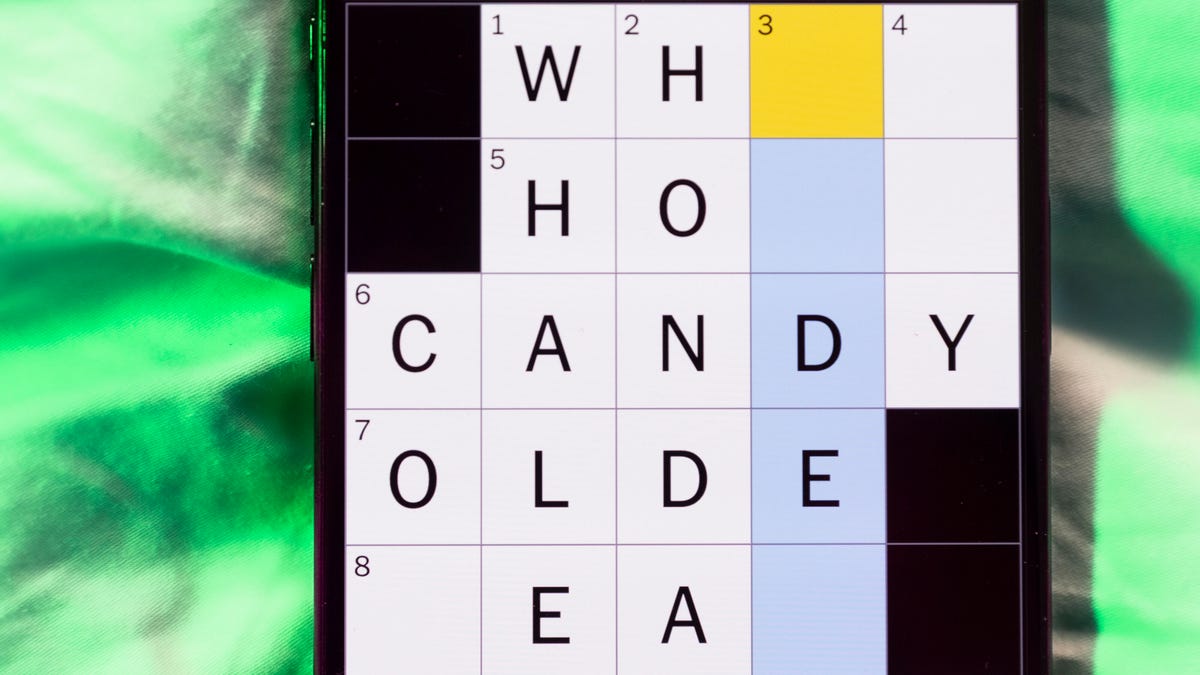
1A clue: Talk ___ (boastfully banter)
Answer: SMACK
6A clue: What has legs, but never walks?
Answer: TABLE
7A clue: French for «love»
Answer: AMOUR
8A clue: What has a mouth, but never talks?
Answer: RIVER
9A clue: Run-down in appearance
Answer: SEEDY
Mini down clues and answers
1D clue: Milky Way bits
Answer: STARS
2D clue: ___ Eisenhower, 1950s first lady
Answer: MAMIE
3D clue: Overhead
Answer: ABOVE
4D clue: Given a crossword hint
Answer: CLUED
5D clue: Actress Washington of «Scandal»
Answer: KERRY
Technologies
Today’s NYT Connections: Sports Edition Hints and Answers for March 9, #532
Here are hints and the answers for the NYT Connections: Sports Edition puzzle for March 9, No. 532.
Looking for the most recent regular Connections answers? Click here for today’s Connections hints, as well as our daily answers and hints for The New York Times Mini Crossword, Wordle and Strands puzzles.
Today’s Connections: Sports Edition features a mix of topics. As a Minnesota Vikings fan, the green group came quickly to me. If you’re struggling with today’s puzzle but still want to solve it, read on for hints and the answers.
Connections: Sports Edition is published by The Athletic, the subscription-based sports journalism site owned by The Times. It doesn’t appear in the NYT Games app, but it does in The Athletic’s own app. Or you can play it for free online.
Read more: NYT Connections: Sports Edition Puzzle Comes Out of Beta
Hints for today’s Connections: Sports Edition groups
Here are four hints for the groupings in today’s Connections: Sports Edition puzzle, ranked from the easiest yellow group to the tough (and sometimes bizarre) purple group.
Yellow group hint: Rocky Mountain High.
Green group hint: Upper Midwest division.
Blue group hint: Speed demons.
Purple group hint: Leading the team.
Answers for today’s Connections: Sports Edition groups
Yellow group: A Colorado athlete.
Green group: NFC North cities.
Blue group: Types of racing.
Purple group: Coach ____.
Read more: Wordle Cheat Sheet: Here Are the Most Popular Letters Used in English Words
What are today’s Connections: Sports Edition answers?
The yellow words in today’s Connections
The theme is a Colorado athlete. The four answers are Bronco, Buffalo, Nugget and Rockie.
The green words in today’s Connections
The theme is NFC North cities. The four answers are Chicago, Detroit, Green Bay and Minneapolis.
The blue words in today’s Connections
The theme is types of racing. The four answers are BMX, drag, horse and stock car.
The purple words in today’s Connections
The theme is Coach ____. The four answers are Carter, K, Prime and speak.
-
Technologies3 года agoTech Companies Need to Be Held Accountable for Security, Experts Say
-
Technologies3 года agoBest Handheld Game Console in 2023
-
Technologies3 года agoTighten Up Your VR Game With the Best Head Straps for Quest 2
-

Technologies4 года agoBlack Friday 2021: The best deals on TVs, headphones, kitchenware, and more
-

Technologies5 лет agoGoogle to require vaccinations as Silicon Valley rethinks return-to-office policies
-

Technologies5 лет agoVerum, Wickr and Threema: next generation secured messengers
-

Technologies4 года agoOlivia Harlan Dekker for Verum Messenger
-

Technologies4 года agoiPhone 13 event: How to watch Apple’s big announcement tomorrow